

Lightnovel Crawler
Turn a web novel into an e-book with one command —
or run a private server that keeps your whole library
downloaded, translated, and readable in the browser.








Download · Supported sources · Web app · Command line · Changelog · Contributing
pip install -U lightnovel-crawler

lncrawl crawl "https://example.com/novel/page" -f epub --all
That is the whole download path: it discovers the chapter list, fetches every chapter, and writes an EPUB you can put on an e-reader. The same package also ships a server — one command turns it into a multi-user library with a browser reader, translations, and scheduled re-downloads of the stories you follow.
Currently 361 sources across 11 languages, served by 446 crawlers.
Personal use only. Sites publish fiction under their own terms and copyright. Use this for personal backups of content you have legitimate access to. Do not redistribute or sell someone else's work.
What you get
| Hundreds of sites, one interface | Every source is a small crawler file with the same contract, so a URL is all you supply. Search runs across every source that supports it. The full list is regenerated by CI. |
| A library, not a downloads folder | Shelve novels into libraries, favourite them, and re-download when a story updates. Reading history and progress follow you between devices. |
| Reads in the browser | A paginated reader with fonts, themes and text-to-speech — so a download is readable the moment it finishes, without exporting anything first. |
| Translates while it downloads | Multi-engine translation with failover, driven by lncrawl-translator. A per-novel glossary keeps character and place names consistent across every chapter. |
| Eighteen output formats | EPUB, TXT and JSON on their own; the rest through Calibre. One download can produce several at once, per volume or whole-novel. |
| Made for more than one person | Accounts with tiers and quotas, e-mail notification on job completion, announcements, feedback, and admin screens for all of it. |
| Knows why a site said no | Blocks are diagnosed rather than retried — see below. A challenge page served as 200 is a failure, not a chapter. |
| Fix a source without leaving the browser | The source editor gives you the crawler file with completions and diagnostics from a real language server, and a test run that streams its results back. |
| Scriptable end to end | Everything the web app does goes through a documented REST API — OpenAPI at /docs, ReDoc at /redoc. |
Install
Pick one. All three ship the same engine, the same sources and the same web app.
Standalone — no Python needed
| Platform | Download |
|---|---|
| Windows | 📦 lncrawl.exe |
| Linux | 📦 lncrawl |
| macOS | 📦 lncrawl |
Run it and the desktop app opens with no login. Older versions are on the releases page.
pip — the CLI and the server
Python 3.9 or newer.
pip install -U lightnovel-crawler
lncrawl -h
If pip fails, try python -m pip install -U lightnovel-crawler. If lncrawl is not on your
PATH, python -m lncrawl works the same.
Install straight from the repository
# latest stable
pip install -U git+https://github.com/lncrawl/lightnovel-crawler.git#egg=lightnovel-crawler

# development branch — newest fixes, no stability promise
pip install -U https://github.com/lncrawl/lightnovel-crawler/tarball/refs/heads/dev#egg=lightnovel-crawler
$ lncrawl -h
Usage: lncrawl [OPTIONS] COMMAND [ARGS]...

╭─ Options ────────────────────────────────────────────────────────────────────╮
│ --verbose             -l              Log levels: -l = warn, -ll = info,     │
│                                       -lll = debug                           │
│ --config              -c      <path>  Config file                            │
│ --install-completion                  Install completion for the current     │
│                                       shell.                                 │
│ --show-completion                     Show completion for the current shell, │
│                                       to copy it or customize the            │
│                                       installation.                          │
│ --help                -h              Show this message and exit.            │
╰──────────────────────────────────────────────────────────────────────────────╯
╭─ Commands ───────────────────────────────────────────────────────────────────╮
│ app      Launches the web application.                                       │
│ version  Show current version.                                               │
│ dev      Run development commands.                                           │
│ config   View and modify configuration settings.                             │
│ sources  Manage sources.                                                     │
│ crawl    Crawl from novel page URL.                                          │
│ search   Search for novels by query string.                                  │
│ server   Run web server.                                                     │
╰──────────────────────────────────────────────────────────────────────────────╯
Docker — the home server
mkdir -p lncrawl-data
docker run -d --name lncrawl-server \
  -v ./lncrawl-data:/data \
  -p 8181:8181 \
  -e TZ=Europe/London \
  ghcr.io/lncrawl/lightnovel-crawler -ll server
Open http://localhost:8181 and sign in with admin / admin. Change that password in
Settings → Account before anyone else can reach the port.
Set
TZ. A container's clock is UTC, and a browser whose timezone disagrees with where its address geolocates reads as a robot. Measured in this image: 1 of 3 challenged sites cleared on the default clock, 3 of 3 withTZset to the zone your address looks like it is in. It matters more than it sounds — see When a site says no.
The web app
lncrawl app opens it as a desktop window with no login. lncrawl server runs it for the
network, with accounts — the same thing the Docker image starts.
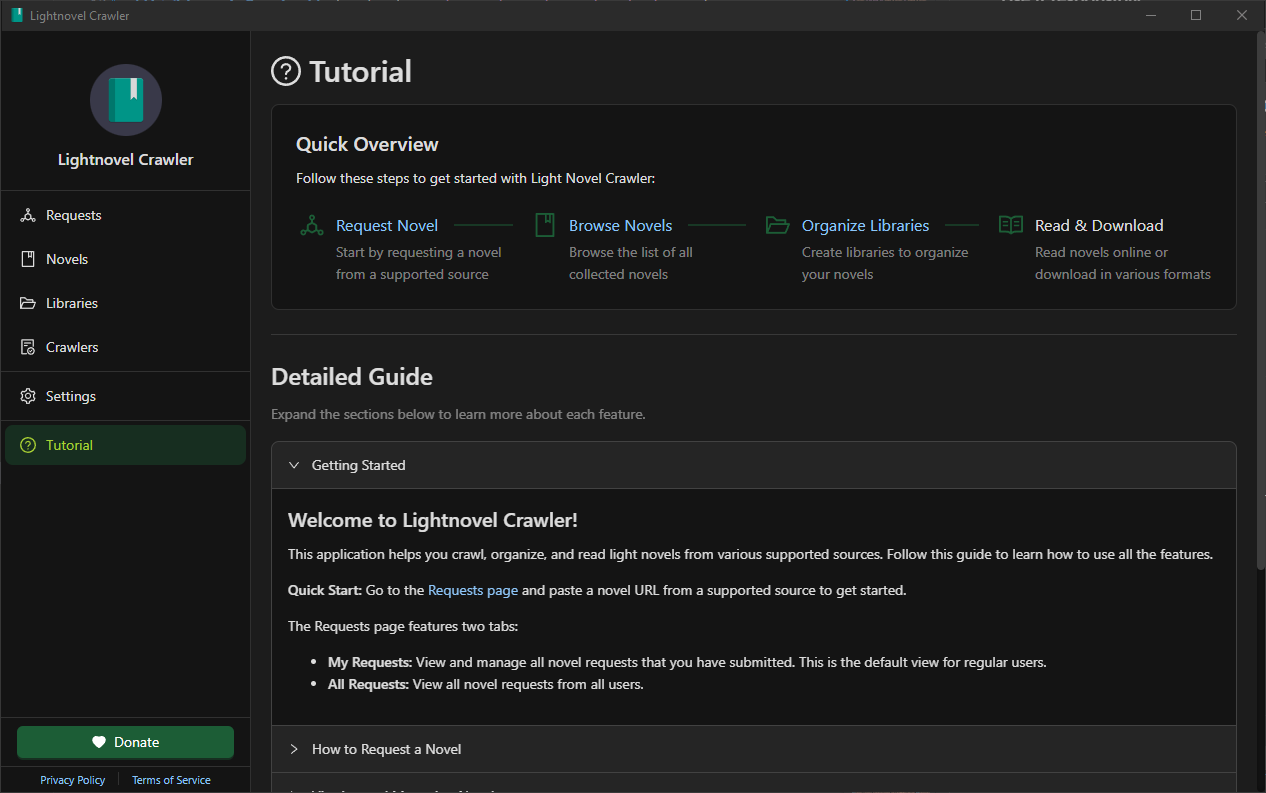
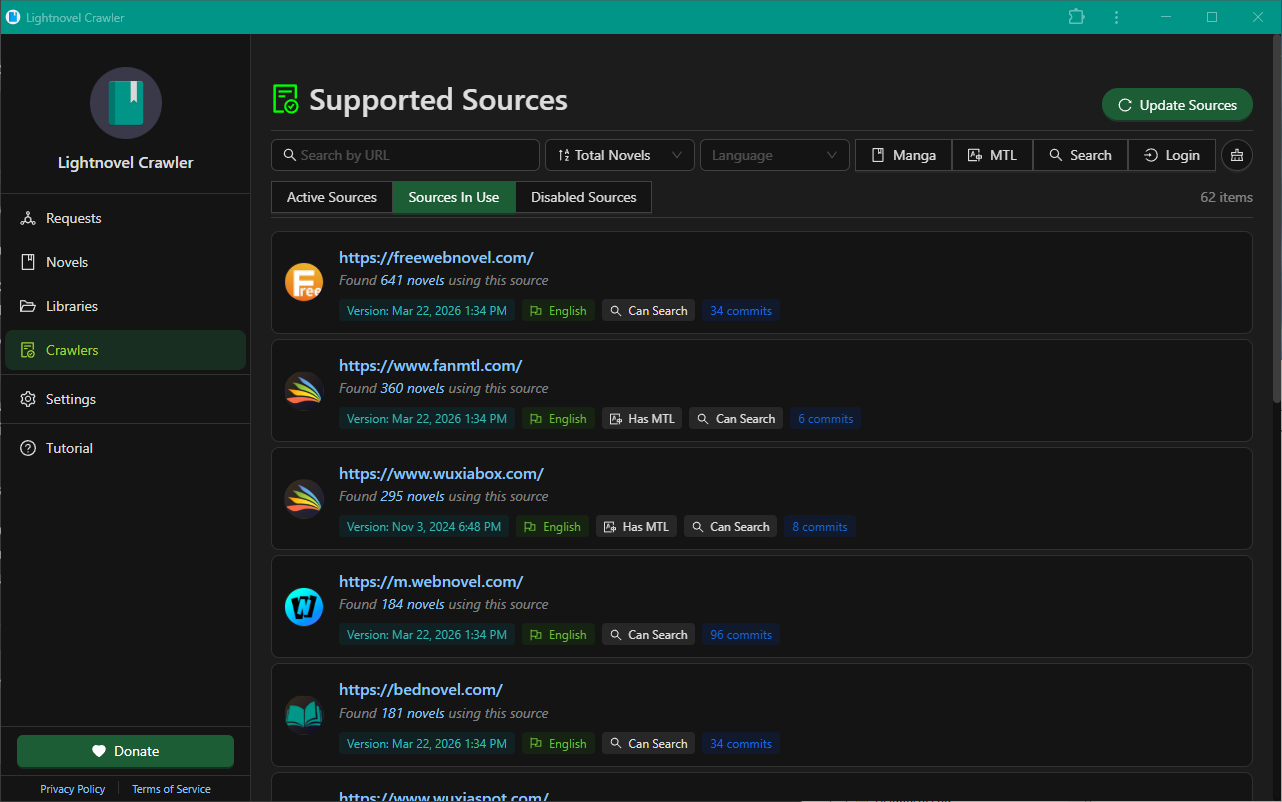
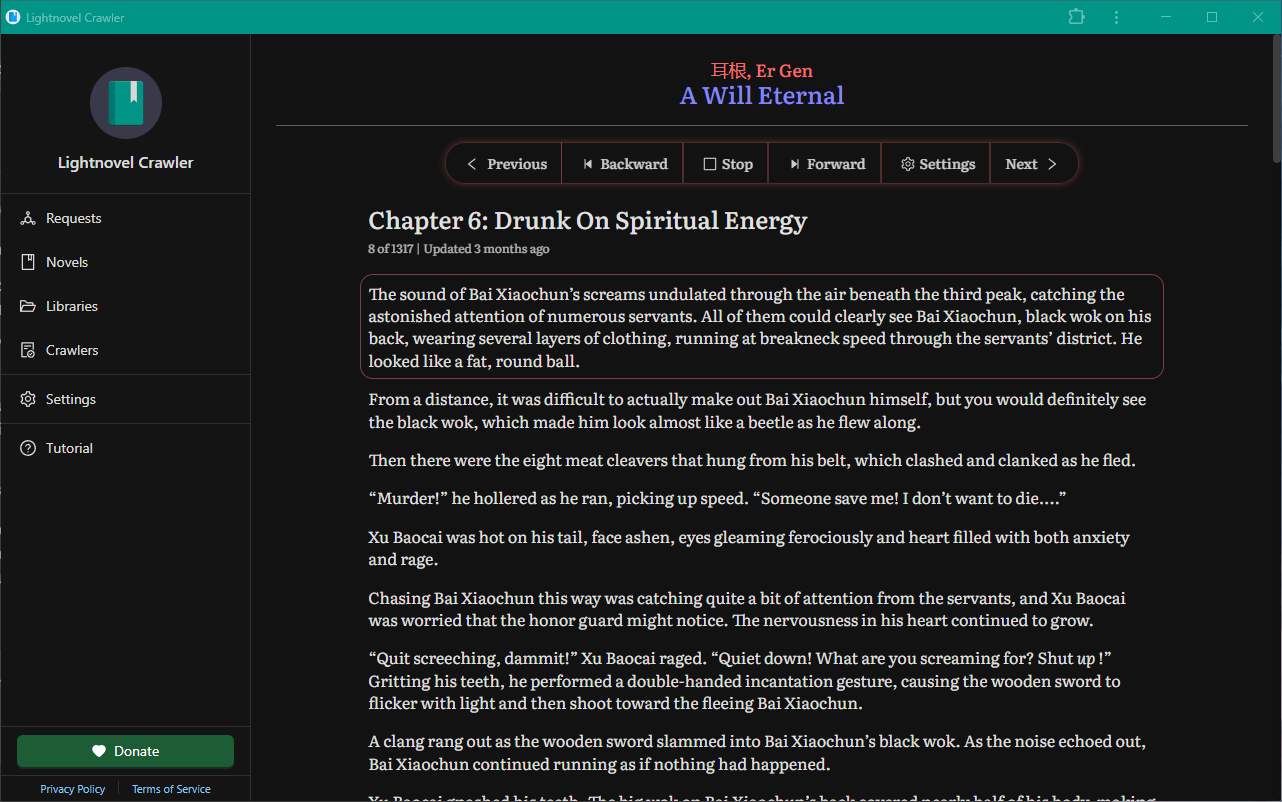
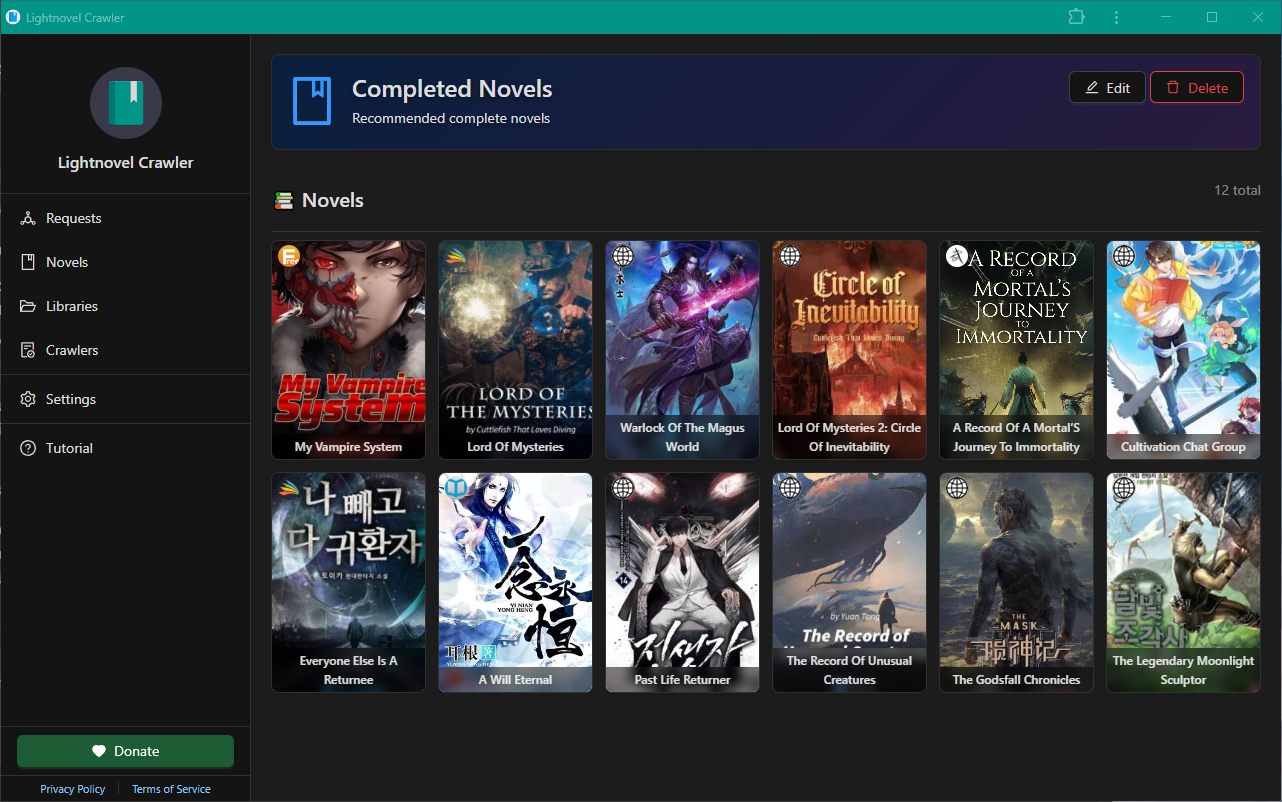
- Crawlers lists every supported site, or paste a novel URL straight into the search bar.
- Pick the chapters — a range, or all of them.
- Pick the output formats, and a language if you want it translated.
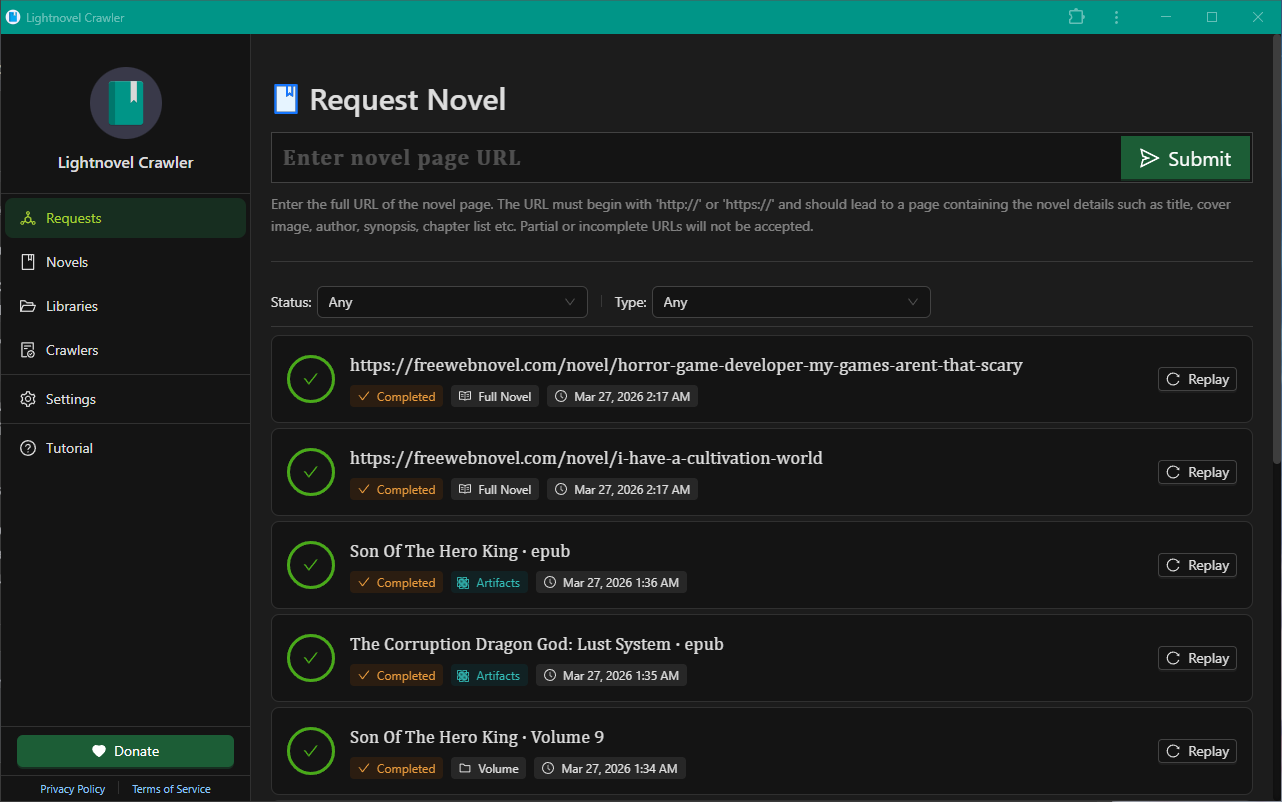
- Requests tracks the job while it runs.
- Read it in the browser, or download the file.
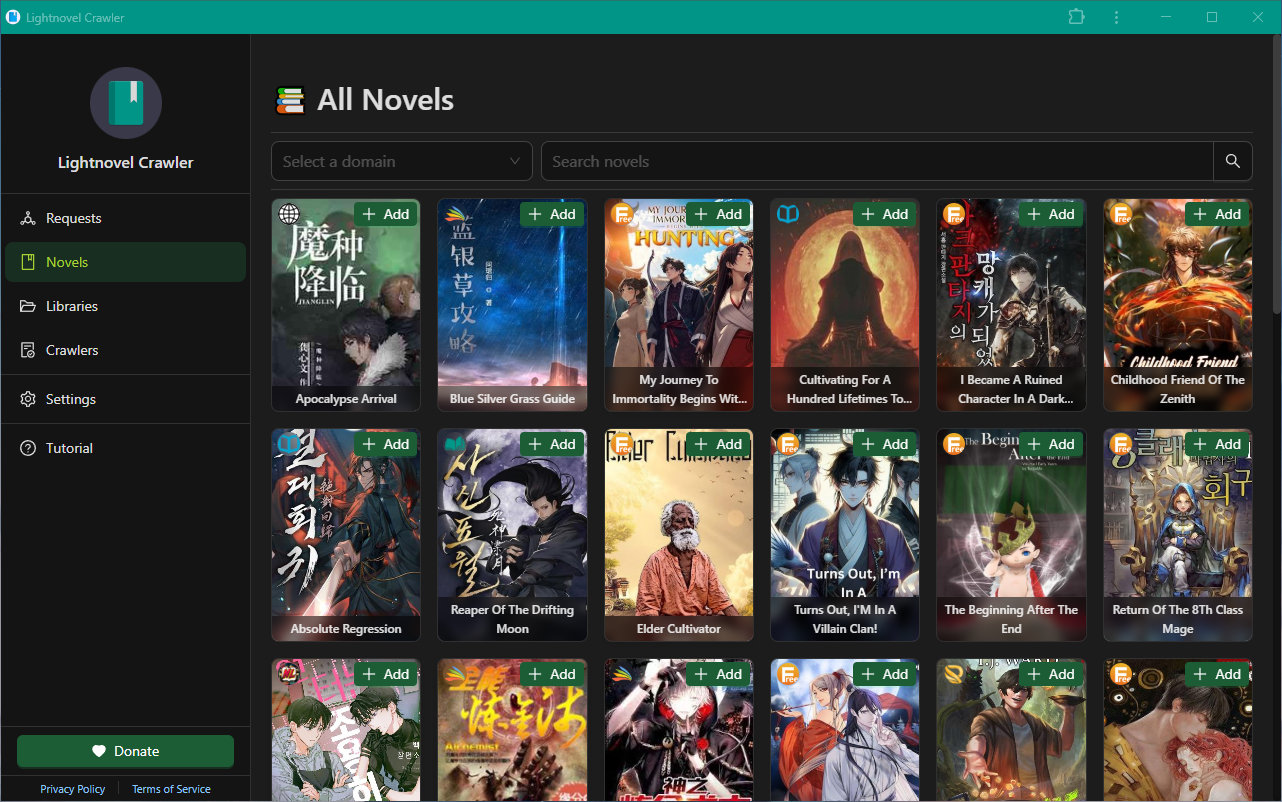
Saving a novel to a Library is what makes the next update cheap: re-download fetches only the chapters that appeared since.
 |
 |
 |
 |
The command line
# first 10 chapters as EPUB
lncrawl crawl "https://example.com/novel/page" -f epub --first 10

# everything, in two formats
lncrawl crawl "https://example.com/novel/page" -f epub -f txt --all

# only the chapters that are not downloaded yet
lncrawl crawl "https://example.com/novel/page" -f epub --resume

# find it by title instead
lncrawl search "The Beginning After The End"

# what does this build know about a site?
lncrawl dev explain https://example.com/

# open the app, or serve it
lncrawl app
lncrawl server --port 8181
Any URL from a supported source
works. lncrawl <command> -h documents the rest, and lncrawl config reads and writes the
settings the web app shows under Settings.
Output formats
| Format | Calibre | Best for |
|---|---|---|
| 📚 epub | Most e-readers and reading apps | |
| 📃 txt | Any text editor | |
| 🗂️ json | Scripts and pipelines | |
| ✓ | Print-ready, universal | |
| 🔳 azw3 | ✓ | Kindle (current) |
| 🔲 mobi | ✓ | Kindle (older devices) |
| 📓 kepub | ✓ | Kobo |
| 📝 docx | ✓ | Word, LibreOffice |
| 📑 rtf | ✓ | WordPad and others |
| 📔 fb2 | ✓ | FB2 readers |
| 🌐 htmlz | ✓ | A book as one HTML bundle |
| 📕 lit | ✓ | MS Reader (obsolete) |
| 📗 lrf | ✓ | Sony readers |
| 🗄️ pdb | ✓ | PalmOS (legacy) |
| 📒 pmlz | ✓ | eReader / Palm Markup |
| 📘 rb | ✓ | RocketBook / REB1100 |
| 📙 tcr | ✓ | Psion readers |
| 📓 snb | ✓ | Shanda Bambook |
The ticked formats are converted from the EPUB by
Calibre, which you install separately. On macOS and Linux
its ebook-convert is found automatically; on Windows, add the Calibre folder to your Path.
A server that would rather not carry Calibre can point the calibre config section at a remote
ebook-convert-api instead.
When a site says no
Most of these sites sit behind bot detection, and a downloader that answers a block by retrying harder is a downloader that quietly stops working. This one reads what is blocking before it reacts.
- It escalates only as far as it has to. A plain request first, a different address when the block is about where you came from, a real browser only when a challenge genuinely needs one. Rotating the proxy at a rate limit is the reflex that makes things worse — the new address gets throttled just the same, because the pacing was the problem.
- Challenges are solved in a browser you already have. Firefox for preference, Chrome as the fallback, hidden by default. The clearance is reused, so one solve covers a whole book instead of one page.
- An empty page is a failure, not a success. A challenge screen and a page of adverts both
answer
200. Parsed as a chapter they produce a download that reports success and contains nothing, which is the most common way a source breaks.
Ask what it knows about any site:
$ lncrawl dev explain https://aquareader.org/
aquareader.org
  binding layer : L9 Managed JavaScript challenge — reads a hybrid property, solve
  tier          : direct (unproven)
  pacing        : 3.0s mean interval
  requests      : 0 ok / 5 failed
  clearance     : none
  ladder        : archive(0) direct(10)
  exits         : direct
When a download fails you get that, not 403 after 3 retries — which layer is blocking, what
it reads, and whether anything you can configure would move it. A block on your address is
answered by adding a proxy. A block that wants an account cannot be talked around, and it says
so rather than retrying for an hour.
The engine is lncrawl-scraper, built and measured
against a corpus of the source hosts in this repository. What it will not do: log into a
site for you, pay a captcha-solving service, or pretend a site is reachable when it is not.
Supported sources
The generated index — every source, its crawler, what it supports and who maintains it — lives in SOURCES.md, together with the domains that were rejected and why.
To request a site,
open an issue. To add one
yourself: a source is a single file under
sources//<lang>/<letter>/,
and if the site runs a CMS one of the shared templates in
lncrawl/templates/
already knows how to crawl it — those sources are about ten lines. Everything else declares a
handful of selectors. The walkthrough is in
CONTRIBUTING.md.
Contributing
Bug fixes, new sources and documentation are all welcome.
git clone https://github.com/lncrawl/lightnovel-crawler.git
cd lightnovel-crawler
make install   # installs uv, syncs every dependency
make start     # runs the server
make lint      # pyright + ruff — run this before opening a PR
The rest of the Makefile
# setup
make setup            # install uv
make install          # setup + uv sync (the default target)
make sync             # uv sync only
make upgrade          # setup + uv sync --upgrade

# dev
make start            # run the server
make dev              # run with auto-reload (alias: make watch)
make lint             # pyright + ruff format --check + ruff check
make lint-fix         # ruff check --fix + ruff format
make index-gen        # regenerate the source index and SOURCES.md
make check-sources    # probe every source base URL over HTTP

# version — writes lncrawl/VERSION
make patch / minor / major

# build
make build            # wheel + executable + installer
make build-wheel
make build-exe

# dependencies
make add-dep <pkg>    # add a runtime dependency
make add-dev <pkg>    # add a dev dependency
make rm-dep <pkg>
make rm-dev <pkg>

# docker
make docker-build
make docker-up
make docker-down
make docker-logs

# misc
make clean            # remove .venv, build artifacts, caches
make version          # print the current version
The web UI is a separate repository, lncrawl-web; its build is synced into this one by CI. AGENTS.md holds the architecture and the invariants that break silently, and CONTRIBUTING.md covers setup, code style and how to add a source. CI on forks · DeepWiki overview
Get help
Questions, tips and showing off your setup: GitHub Discussions. Bugs and source requests: issues. Licensed under GPLv3.
1 maintainer

Metadata
1 maintainer
Release files for lightnovel-crawler 4.14.0
For a detailed explanation of source distributions (sdists) and built distributions (wheels), please see the package formats documentation.
Built distribution (wheel)
| File | Interpreter | ABI | Platform | Reset |
|---|---|---|---|---|
| lightnovel_crawler-4.14.0-py3-none-any.whl | Python 3 | none | any | Details |
Release files / lightnovel_crawler-4.14.0-py3-none-any.whl
| Download URL | lightnovel_crawler-4.14.0-py3-none-any.whl |
|---|---|
| Size | 2.4 MB |
| Tags | Python 3 |
|
SHA-256 checksum How to use checksums |
0ae73c3e68ce5da8d84081c32dd2272ea334bff32e32236b2910b72ee71152c6
|
|
BLAKE2b-256 checksum How to use checksums |
cfe7ab0ff0ec78f41800dbdf08139beb5255d036d46cb65568de5bfc4eb9d575
|
| Upload date | |
|
Uploaded using Trusted Publishing? What is trusted publishing? |
Yes |
| Uploaded via |
twine/7.0.0 CPython/3.13.14
|
Provenance
Provenance describes where a file came from. On PyPI, provenance is shared via attestations, which provide a verifiable record of the build or publishing details. View details, limitations and caveats.


PyPI Publish Attestation
PyPI verified that this artifact, at this checksum, originated from the publisher listed below.
Signed by GitHub Actions, verified by PyPI on Aug 3, 2026.
Transparency logSecurity for lightnovel-crawler 4.14.0
Provenance
Provenance describes where a file came from. On PyPI, provenance is shared via attestations, which provide a verifiable record of the build or publishing details. View details, limitations and caveats.
Full provenance
All 1 file in this release has been uploaded with provenance metadata.
Attestation for lightnovel_crawler-4.14.0-py3-none-any.whl
PyPI Publish Attestation
PyPI verified that this artifact, at this checksum, originated from the publisher listed below.
Signed by GitHub Actions, verified by PyPI on Aug 3, 2026.
Transparency logA note on package security
PyPI is a repository for distributing packages, not a service for auditing them. While third-party security researchers and our staff do their best to detect and remove malicious packages, PyPI cannot guarantee the quality, security or suitability of any given package.
To learn more about protecting yourself from malicious actors, visit our package security documentation.














