
INE
|PyPi version| |PyPi downloads|
2014.08.06 UPDATE : Echo bot example update!!!
2014.08.06 UPDATE : We can send a sticker!!!
2014.08.04 ANNOUNCE : This project is not completed yet :(
May the LINE be with you…
>>> from line import LineClient
>>> client = LineClient("carpedm20", "xxxxxxxxxx")
Enter PinCode '9779' to your mobile phone in 2 minutes
>>> client = LineClient("carpedm20@gmail.com", "xxxxxxxxxx")
Enter PinCode '7390' to your mobile phone in 2 minutes
>>> print client.profile
Installing
First, you need to install Apache Thrift. Install instructions are here. (This might take some time…)
Next:
$ pip install line
Or, you can use:
$ easy_install line
Or, you can also install manually:
$ git clone git://github.com/carpedm20/line.git
$ cd LINE
$ python setup.py install
Using
First, you need to create a LineClinet object with YOUR_ID and YOUR_PASSWORD. YOUR ID can be LINE email address or NAVER id.
>>> from line import LineClient
>>> client = LineClient(YOUR_ID, YOUR_PASSWORD)
Enter PinCode '9779' to your mobile phone in 2 minutes
After you enter PinCode to your mobile phone, you will get authToken.
>>> authToken = client.authToken
>>> print authToken
With authToken, you don’t have to enter PinCode to your phone anymore!
>>> client = LineClient(authToken=authToken)
>>> print client.profile
View contacts and groups
You can see your contacts by:
>>> print client.contacts  # your friends
>>> print client.groups
Get contact and group from name
You can get contact and group from name by:
>>> contact = client.getContactFromName('CONTACT_NAME')
>>> group = client.getGroupFromName('GROUP_NAME')
Send a message
You can send a message by:
>>> client.contacts[0].sendMessage("test")
True
>>> client.groups[0].sendMessage("test")
True
Send a sticker
You can send a sticker by:
>>> client.contacts[0].sendSticker() # default option
True
>>> client.groups[0].sendSticker() # default option
True
>>> client.contacts[0].sendSticker(stickerId="1",stickerPackageId="1",stickerVersion="100")
True
>>> client.groups[0].sendSticker(stickerId="1",stickerPackageId="1",stickerVersion="100")
True
Get a list of recent message
You can read a recent message from contact or gruop by:
>>> messages = client.contacts[0].getRecentMessages(count=10)
>>> messages = client.groups[0].getRecentMessages(count=1)
Refresh contacts and groups
If there is any change of contacts. you need to update contacts by:
>>> client.refreshContacts()
True
>>> client.refreshGroups()
True
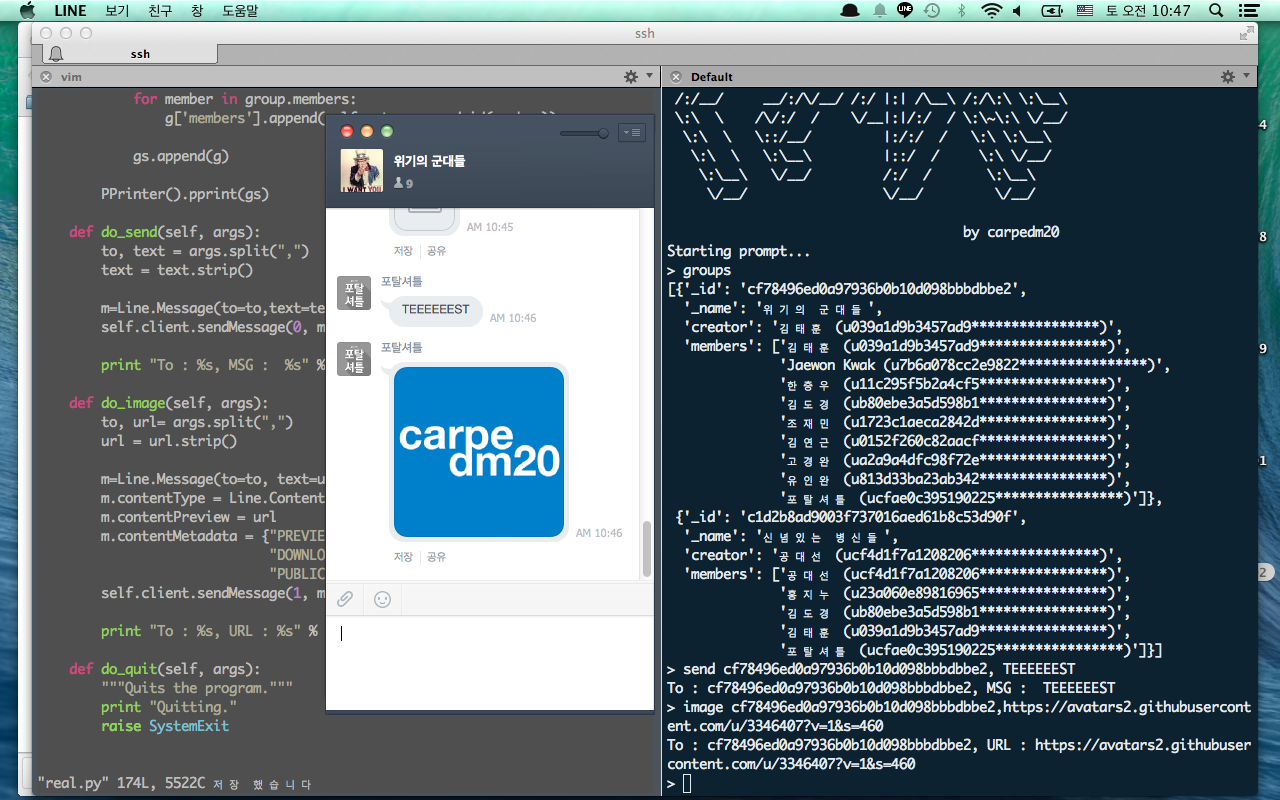
Screenshot
Todo
Get chat room list (currently only can get group and contact)
Long poll feature
Send a Image file
Make a echo bot example… (this is my major goal right now)
More usable methods and objects
License
Source codes are distributed under BSD license.
1 maintainer

Release files for line 0.0.8
For a detailed explanation of source distributions (sdists) and built distributions (wheels), please see the package formats documentation.
Source distribution (sdist)
| File | Size | Uploaded | |
|---|---|---|---|
| line-0.0.8.tar.gz | 9.9 kB | Details |
Release files / line-0.0.8.tar.gz
| Download URL | line-0.0.8.tar.gz |
|---|---|
| Size | 9.9 kB |
| Tags | Source |
|
SHA-256 checksum How to use checksums |
b1bc5a5d954570dd2e96fc85eaeda27af5b62ab748c2611f8148f07b640e6eeb
|
|
BLAKE2b-256 checksum How to use checksums |
fea1405507e9b98ea2bb95d1987376c72cb91ad3ab13501dffe6461dd3f8225e
|
| Upload date | |
|
Uploaded using Trusted Publishing? What is trusted publishing? |
No |














