
LookML Network Visualizer

TL;DR Visualize LookML contents as an interactive Plotly figure.
Built on top of lookml-tools's grapher. Requires NetworkX and Plotly.
Getting Started
from lookml_visualizer import PlotNetwork

network = PlotNetwork(lkml_paths=['./my_lookml_project/*.lkml'])
To save the interactive plot as an HTML file:
network.fig.save_to_html(output_name='my_lookml_network.html')
Examples
Example1: A tiny project

Example2: A large project

Plot layouts
The network plot can have different layouts. The following example shows how to pass a different plot layout:
network = PlotNetwork(paths, plot_layout='dfp')
which will display the same network in example 2 (above) in this layout:
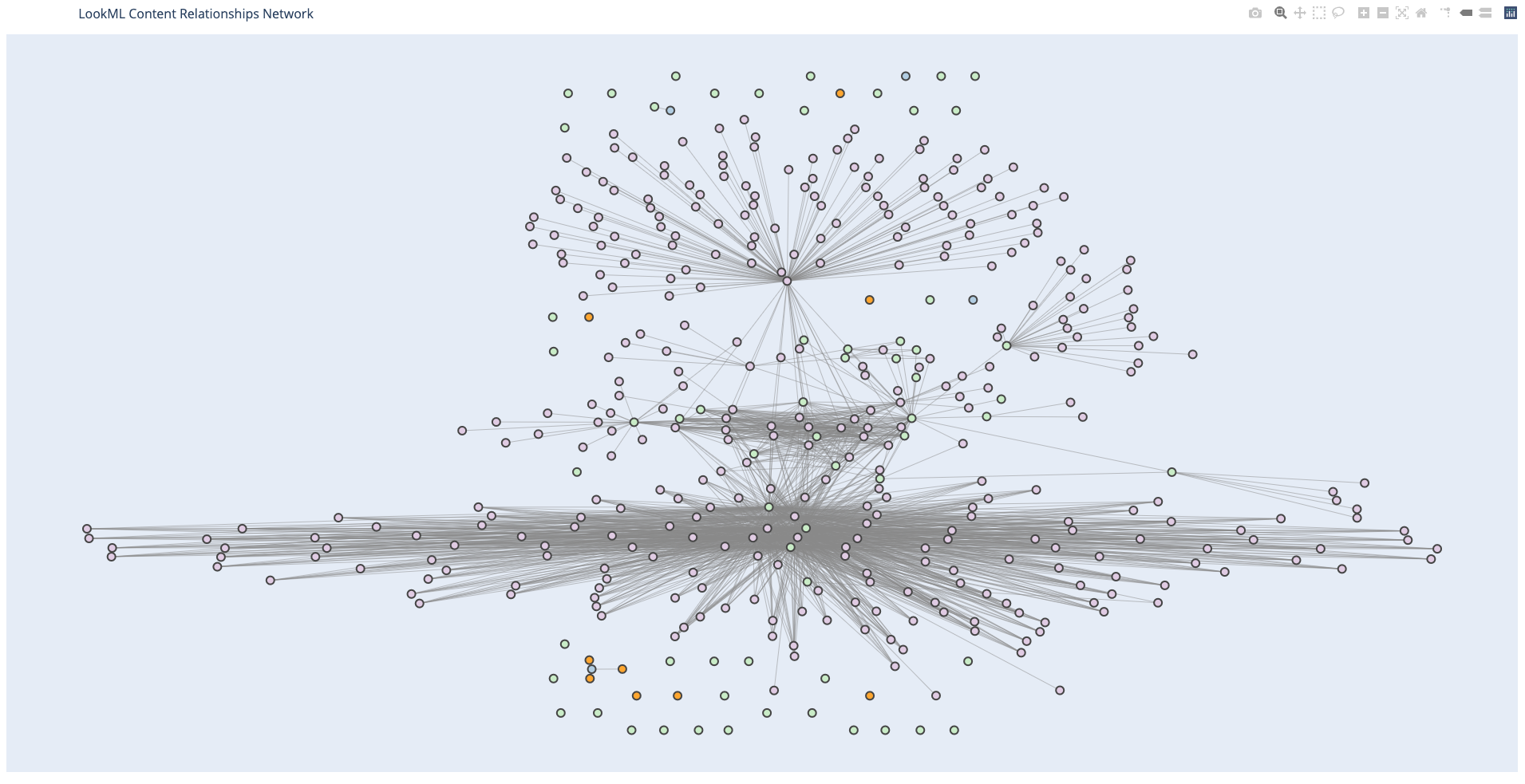
plot_layoutoptions: 'dot', 'twopi', 'fdp', 'sfdp', 'circo'
Install
$ pip install lookml_visualizer
Also, if not installed, need to install PyGraphviz
$ brew install graphviz
1 maintainer

Metadata
1 maintainer
Release files for lookml_visualizer 0.3
For a detailed explanation of source distributions (sdists) and built distributions (wheels), please see the package formats documentation.
Source distribution (sdist)
| File | Size | Uploaded | |
|---|---|---|---|
| lookml_visualizer-0.3.tar.gz | 24.0 MB | Details |
Built distribution (wheel)
| File | Interpreter | ABI | Platform | Reset |
|---|---|---|---|---|
| lookml_visualizer-0.3-py2.py3-none-any.whl | Python 3, Python 2 | none | any | Details |
Total release size: 24.0 MB
Release files / lookml_visualizer-0.3.tar.gz
| Download URL | lookml_visualizer-0.3.tar.gz |
|---|---|
| Size | 24.0 MB |
| Tags | Source |
|
SHA-256 checksum How to use checksums |
b5d132e0a0606589e1b782675cfdfd59b1668e7f93f729434332658782cf0be7
|
|
BLAKE2b-256 checksum How to use checksums |
4cd0aeb27bdddd7981102189216412fff77ed29021451a32b783851bb45721db
|
| Upload date | |
|
Uploaded using Trusted Publishing? What is trusted publishing? |
No |
| Uploaded via |
python-requests/2.24.0
|
Release files / lookml_visualizer-0.3-py2.py3-none-any.whl
| Download URL | lookml_visualizer-0.3-py2.py3-none-any.whl |
|---|---|
| Size | 4.7 kB |
| Tags | Python 2 Python 3 |
|
SHA-256 checksum How to use checksums |
dab567dbc01c31e60d0a356b2aeafd04689db2de3d55fa44c07babd24ebc0bb5
|
|
BLAKE2b-256 checksum How to use checksums |
f8d112395779cdaa3e0dcecd7fab528a42092774b5566d7de133cabff91f1221
|
| Upload date | |
|
Uploaded using Trusted Publishing? What is trusted publishing? |
No |
| Uploaded via |
python-requests/2.24.0
|














