
This is simple maker for cards welcome and leave in discord bot.

Project description
This is simple maker for welcome and leave cards in discord bot in discord.py or pycord.
Installing
Python 3.8 or higher is required
# Linux/macOS
pip3 install -U maxi-card.py

# Windows
pip install -U maxi-card.py
Welcome Card Example
import discord
from discord.ext import commands
from maxicard import *

intents = discord.Intents.default()
intents.members = True

client = commands.Bot(command_prefix="!", intents=intents)

@client.event
async def on_member_join(member):
    #guild definition
    guild = member.guild

    #welcome channel definition (id=YourWelcomeChannelID)
    channel = discord.utils.get(guild.text_channels, id=753239660230082690)

    #creating welcome card object
    card = WelcomeCard()

    #setting member name
    card.member = member

    #setting account created time
    card.datetime = member.created_at.strftime("%d, %B %Y, %H:%M %p")

    #setting server
    card.server = guild

    #sending image to discord channel
    await channel.send(file=await card.create())

client.run("TOKEN")
Generated Welcome Card
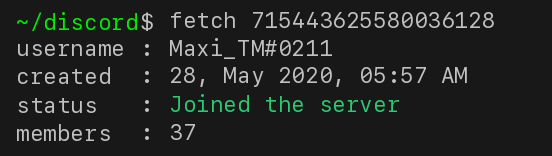
Leave Card Example
import discord
from discord.ext import commands
from maxicard import *

intents = discord.Intents.default()
intents.members = True

client = commands.Bot(command_prefix="!", intents=intents)

@client.event
async def on_member_remove(member):
    #guild definition
    guild = member.guild

    #welcome channel definition (id=YourLeaveChannelID)
    channel = discord.utils.get(guild.text_channels, id=753239660230082690)

    #creating leave card object
    card = LeaveCard()

    #setting member name
    card.member = member

    #setting account created time
    card.datetime = member.created_at.strftime("%d, %B %Y, %H:%M %p")

    #setting server
    card.server = guild

    #sending image to discord channel
    await channel.send(file=await card.create())

client.run("TOKEN")
Generated Leave Card
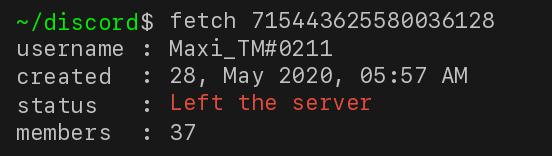
Wanted Card Example
import discord
from discord.ext import commands
from maxicard import *

intents = discord.Intents.default()
intents.members = True

client = commands.Bot(command_prefix="!", intents=intents)

@client.command()
async def wanted(ctx):

    #creating wanted card object
    card = WantedCard()

    #setting avatar image
    card.avatar = ctx.author.avatar_url

    #sending image to discord channel
    await ctx.send(file=await card.create())

client.run("TOKEN")
Generated Wanted Card

Delete Card Example
import discord
from discord.ext import commands
from maxicard import *

intents = discord.Intents.default()
intents.members = True

client = commands.Bot(command_prefix="!", intents=intents)

@client.command()
async def delete(ctx):

    #creating delete card object
    card = DeleteCard()

    #setting avatar image
    card.avatar = ctx.author.avatar_url

    #sending image to discord channel
    await ctx.send(file=await card.create())

client.run("TOKEN")
Generated Delete Card
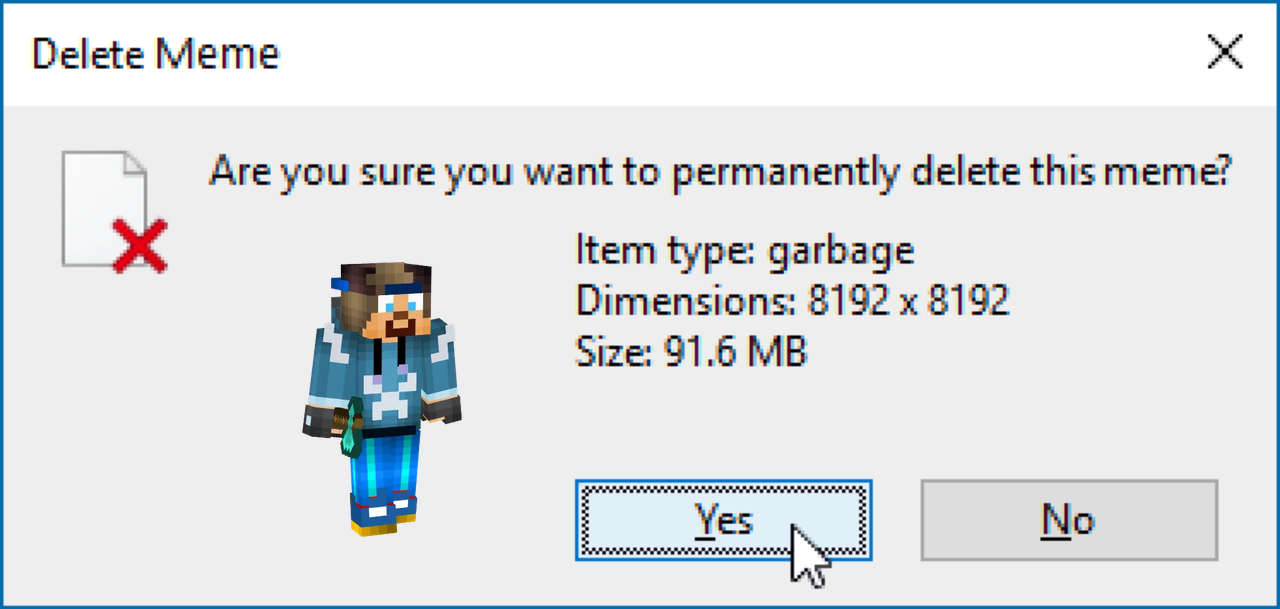
Trash Card Example
import discord
from discord.ext import commands
from maxicard import *

intents = discord.Intents.default()
intents.members = True

client = commands.Bot(command_prefix="!", intents=intents)

@client.command()
async def trash(ctx):

    #creating trash card object
    card = TrashCard()

    #setting avatar image
    card.avatar = ctx.author.avatar_url

    #sending image to discord channel
    await ctx.send(file=await card.create())

client.run("TOKEN")
Generated Trash Card
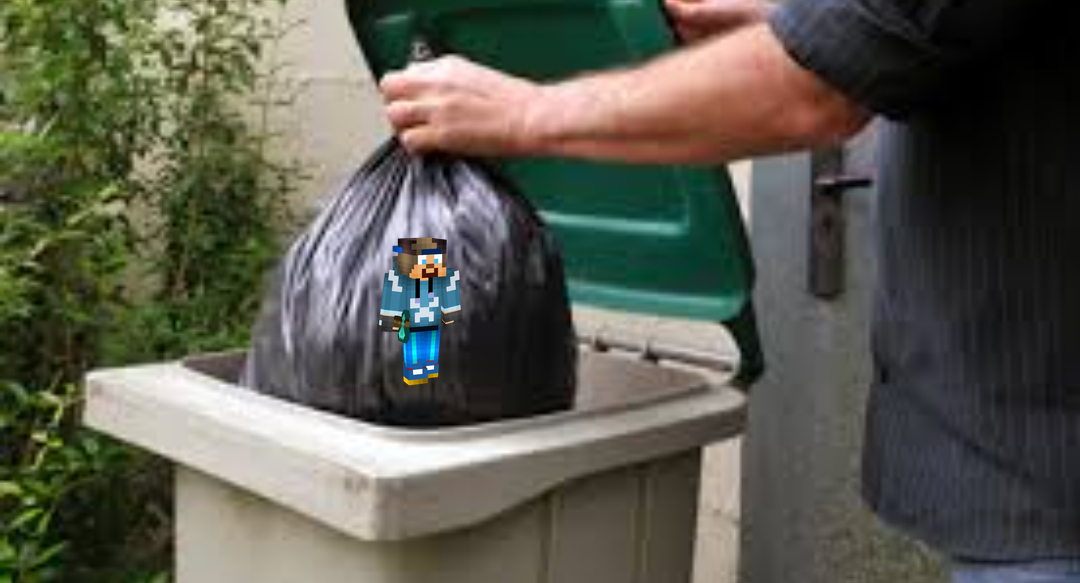
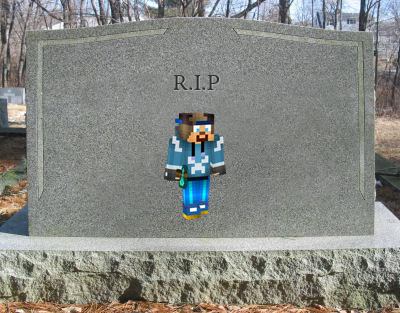
Tombstone Card Example
import discord
from discord.ext import commands
from maxicard import *

intents = discord.Intents.default()
intents.members = True

client = commands.Bot(command_prefix="!", intents=intents)

@client.command()
async def tombstone(ctx):

    #creating tombstone card object
    card = TombstoneCard()

    #setting avatar image
    card.avatar = ctx.author.avatar_url

    #sending image to discord channel
    await ctx.send(file=await card.create())

client.run("TOKEN")
Generated Tombstone Card
Hitler Card Example
import discord
from discord.ext import commands
from maxicard import *

intents = discord.Intents.default()
intents.members = True

client = commands.Bot(command_prefix="!", intents=intents)

@client.command()
async def hitler(ctx):

    #creating hitler card object
    card = HitlerCard()

    #setting avatar image
    card.avatar = ctx.author.avatar_url

    #sending image to discord channel
    await ctx.send(file=await card.create())

client.run("TOKEN")
Generated Hitler Card

Jail Card Example
import discord
from discord.ext import commands
from maxicard import *

intents = discord.Intents.default()
intents.members = True

client = commands.Bot(command_prefix="!", intents=intents)

@client.command()
async def jail(ctx):

    #creating jail card object
    card = JailCard()

    #setting avatar image
    card.avatar = ctx.author.avatar_url

    #sending image to discord channel
    await ctx.send(file=await card.create())

client.run("TOKEN")
Generated Jail Card

Passed Card Example
import discord
from discord.ext import commands
from maxicard import *

intents = discord.Intents.default()
intents.members = True

client = commands.Bot(command_prefix="!", intents=intents)

@client.command()
async def missionpassed(ctx):

    #creating passed card object
    card = PassedCard()

    #setting avatar image
    card.avatar = ctx.author.avatar_url

    #sending image to discord channel
    await ctx.send(file=await card.create())

client.run("TOKEN")
Generated Passed Card



Download files
Download the file for your platform. If you're not sure which to choose, learn more about installing packages.
Source Distribution
maxi-card.py-1.0.5.tar.gz
(4.6 MB
view details)
File details
Details for the file maxi-card.py-1.0.5.tar.gz.
File metadata
- Download URL: maxi-card.py-1.0.5.tar.gz
- Upload date:
- Size: 4.6 MB
- Tags: Source
- Uploaded using Trusted Publishing? No
- Uploaded via: twine/4.0.1 CPython/3.9.2
File hashes
| Algorithm | Hash digest | |
|---|---|---|
| SHA256 |
de6dc0c4a86030531fc196b8ccb50ee8e9cbcb6dacd1a55dd4a8f3539c57a657
|
|
| MD5 |
f8f2926f9f455290103fc063852eace0
|
|
| BLAKE2b-256 |
a7c4b4619670de127b874cd6427eb65e33e34e5336f52bd14ad5a41a50558b85
|






