
MCP Server WeChat
基于MCP技术的微信聊天记录获取和消息发送功能的服务器,使用pywechat工具实现微信自动化操作。
功能特点
此服务器提供以下主要功能:
- 获取微信聊天记录(指定日期)
- 发送单条消息给单个好友
- 发送多条消息给单个好友
- 发送消息给多个好友
可用工具
-
wechat_get_chat_history- 获取特定日期的微信聊天记录- 必需参数:
to_user(string): 好友或群聊备注或昵称target_date(string): 目标日期,格式为YY/M/D,如25/3/22
- 必需参数:
-
wechat_send_message- 向单个微信好友发送单条消息- 必需参数:
to_user(string): 好友或群聊备注或昵称message(string): 要发送的消息
- 必需参数:
-
wechat_send_multiple_messages- 向单个微信好友发送多条消息- 必需参数:
to_user(string): 好友或群聊备注或昵称messages(array): 要发送的消息列表 (用英文逗号分隔的字符串输入)
- 必需参数:
-
wechat_send_to_multiple_friends- 向多个微信好友发送单条或者多条消息- 必需参数:
to_user(array): 好友或群聊备注或昵称列表 (用英文逗号分隔的字符串输入)message(string/array): 要发送的消息 (单条消息会发给所有好友;多条消息用英文逗号分隔且数量与好友数相同时,将分别发送给对应好友)
- 必需参数:
安装方法
stdio版
pip install mcp_server_wechat

获取最新
pip install --upgrade mcp_server_wechat
sse版/Streamable_HTTP版
python -m venv venv  # 创建虚拟环境
venv/scripts/activate # 激活环境
pip install -r requirements.txt
使用示例
配置为 MCP 服务
在您的 MCP 配置中添加:
stdio版
"mcpServers": {
  "wechat": {
    "command": "python",
    "args": ["-m", "mcp_server_wechat","--folder-path=存放历史记录的目录"]
  }
}
sse版
启动命令
python -m mcp_server_wechat_sse --folder-path=x:\xxxxx #默认文件夹可以在代码中修改
"mcpServers": {
  "wechat": {
    "url": "http://localhost:3000/sse"
  }
}
Streamable_HTTP版
启动命令
python -m mcp_server_wechat_Streamable_HTTP --folder-path=x:\xxxxx #默认文件夹可以在代码中修改
"mcpServers": {
  "wechat": {
    "url": "http://localhost:3000/mcp"
  }
}
调用示例
- 获取聊天记录:
{
  "name": "wechat_get_chat_history",
  "arguments": {
    "to_user": "张三",
    "target_date": "25/3/22"
  }
}
- 发送单条消息:
{
  "name": "wechat_send_message",
  "arguments": {
    "to_user": "张三",
    "message": "你好,这是一条测试消息"
  }
}
- 发送多条消息:
{
  "name": "wechat_send_multiple_messages",
  "arguments": {
    "to_user": "张三",
    "messages": "你好","这是第一条消息","这是第二条消息"
  }
}
- 发送给多个好友(单条消息):
{
  "name": "wechat_send_to_multiple_friends",
  "arguments": {
    "to_user": ["张三", "李四", "王五"],
    "message": "大家好,这是一条群发消息"或者"你好,张三","你好,李四","你好,王五"
  }
}
调试
您可以使用 MCP inspector 来调试服务器:
npx @modelcontextprotocol/inspector python -m mcp_server_wechat
实际效果展示
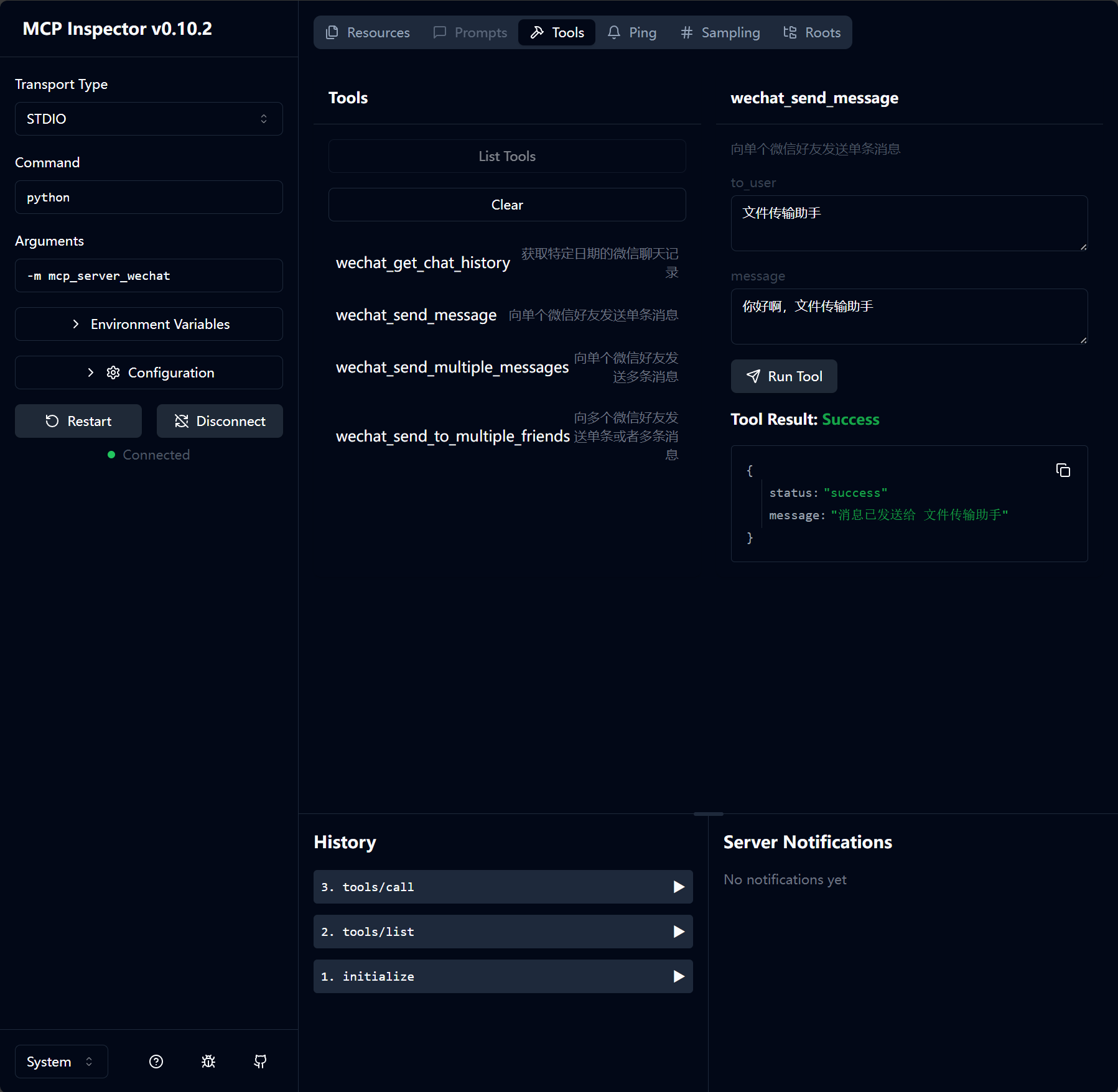 inspector的测试 |
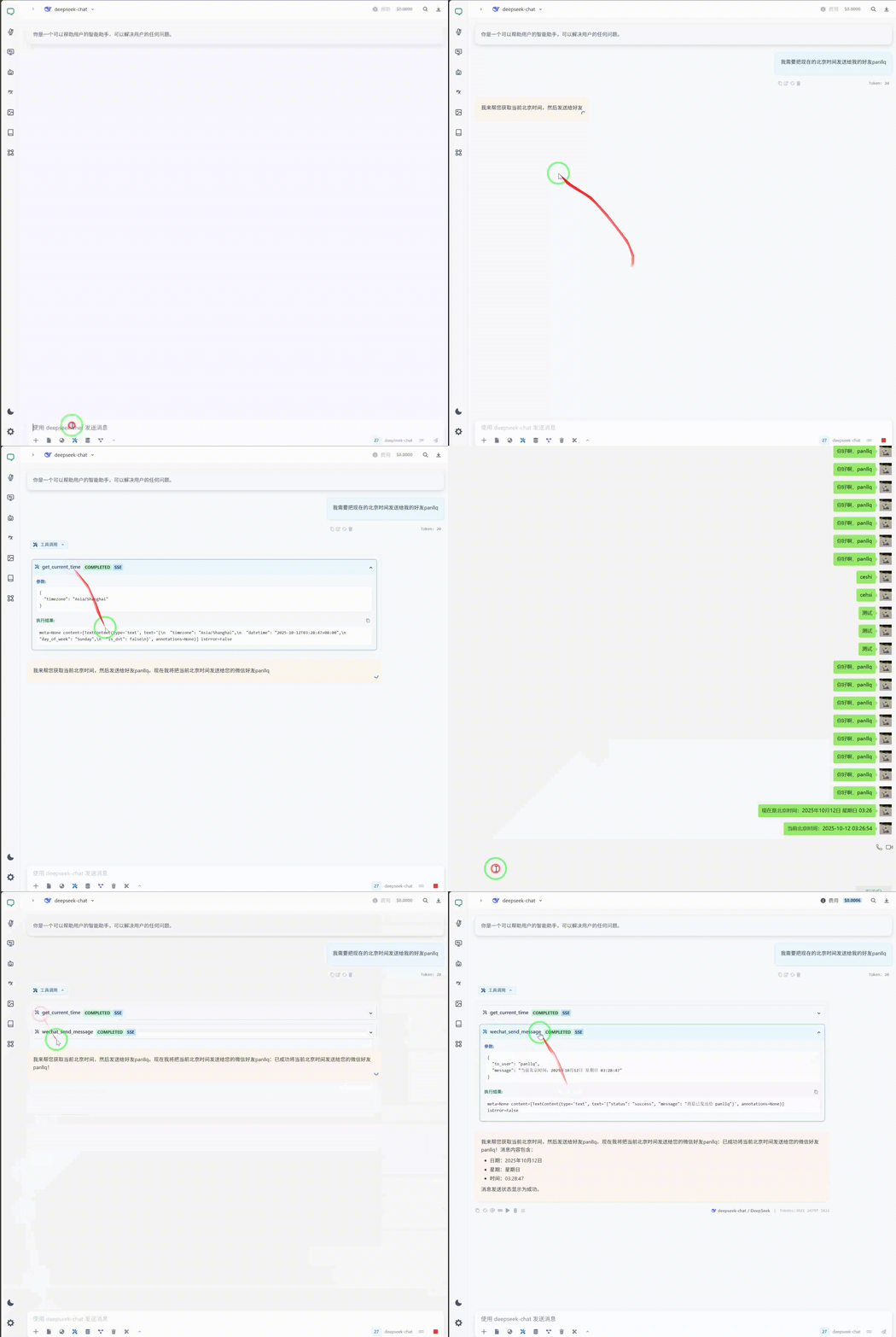 基于我自己UI(仿Cherry Studio)的测试 |
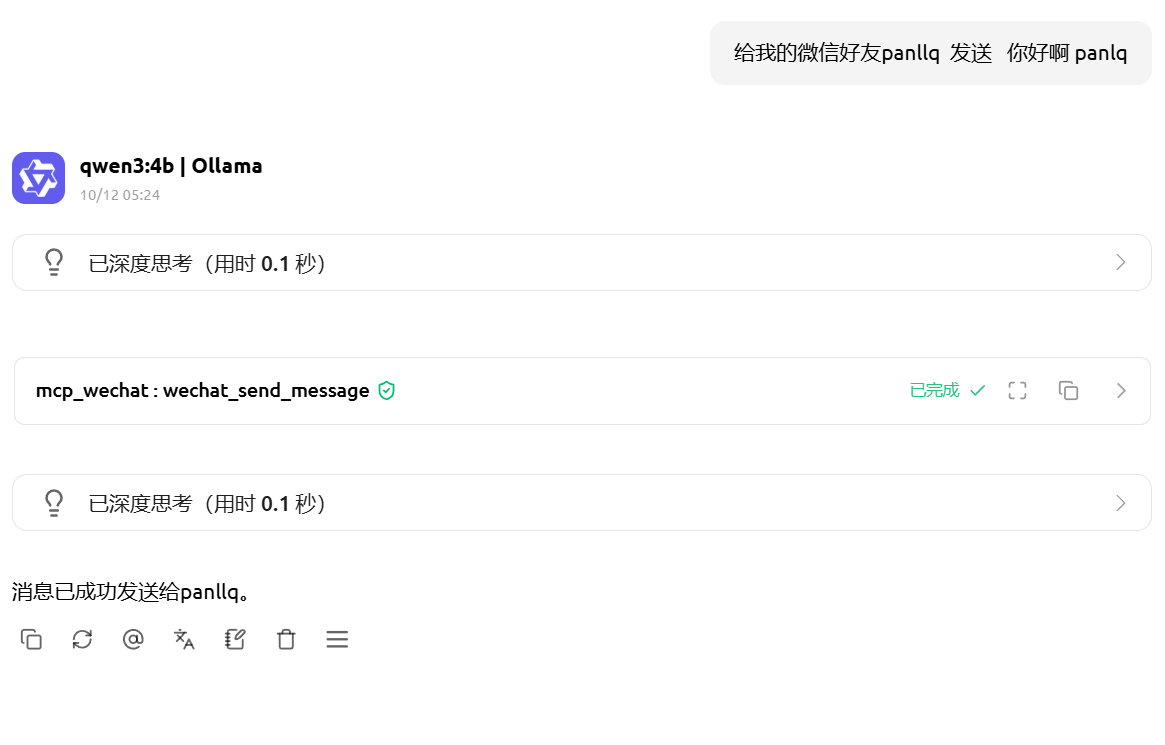 基于 Cherry Studio 的Streamable_HTTP的测试 |
注意事项
- 使用本工具需要保持微信桌面版处于登录状态
- 获取聊天记录和发送消息需要确保微信窗口能够被正常操作
- 在使用过程中,请勿手动操作微信窗口,以免干扰自动化操作
- 请勿使用此工具进行任何违反微信服务协议的行为
许可证
mcp_server_wechat 使用 MIT 许可证。这意味着您可以自由使用、修改和分发此软件,但需遵守 MIT 许可证的条款和条件。详情请参阅项目仓库中的 LICENSE 文件。
1 maintainer

Release files for mcp-server-wechat 0.8
For a detailed explanation of source distributions (sdists) and built distributions (wheels), please see the package formats documentation.
Source distribution (sdist)
| File | Size | Uploaded | |
|---|---|---|---|
| mcp_server_wechat-0.8.tar.gz | 25.5 kB | Details |
Built distribution (wheel)
| File | Interpreter | ABI | Platform | Reset |
|---|---|---|---|---|
| mcp_server_wechat-0.8-py3-none-any.whl | Python 3 | none | any | Details |
Total release size: 53.4 kB
Release files / mcp_server_wechat-0.8.tar.gz
| Download URL | mcp_server_wechat-0.8.tar.gz |
|---|---|
| Size | 25.5 kB |
| Tags | Source |
|
SHA-256 checksum How to use checksums |
9eed9c10735a869e25fd615d43f9cbd660c8efb2e406fa45af2bef98feb602ac
|
|
BLAKE2b-256 checksum How to use checksums |
b6b5324fd59772dfc3b5eff209a900eb001cb9b5baa6271432bf41005161bb8f
|
| Upload date | |
|
Uploaded using Trusted Publishing? What is trusted publishing? |
No |
| Uploaded via |
twine/6.2.0 CPython/3.13.2
|
Release files / mcp_server_wechat-0.8-py3-none-any.whl
| Download URL | mcp_server_wechat-0.8-py3-none-any.whl |
|---|---|
| Size | 28.0 kB |
| Tags | Python 3 |
|
SHA-256 checksum How to use checksums |
5ed4eb67a4c5ec2578e8881d3e7a3a612afefb270a3a8c4e131613a7035190a1
|
|
BLAKE2b-256 checksum How to use checksums |
2fbac8d1c8782dfbb291697399c913fb1cafda43fbfadf08f7df018d096c5e36
|
| Upload date | |
|
Uploaded using Trusted Publishing? What is trusted publishing? |
No |
| Uploaded via |
twine/6.2.0 CPython/3.13.2
|














