
microcap-mcp
An AI agent builds, simulates and draws analog circuits in Micro-Cap 12.





Русский · English
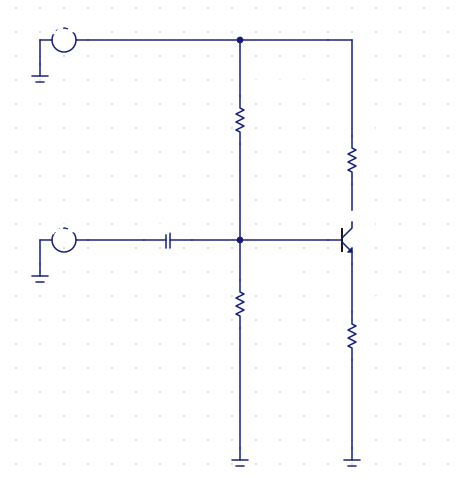
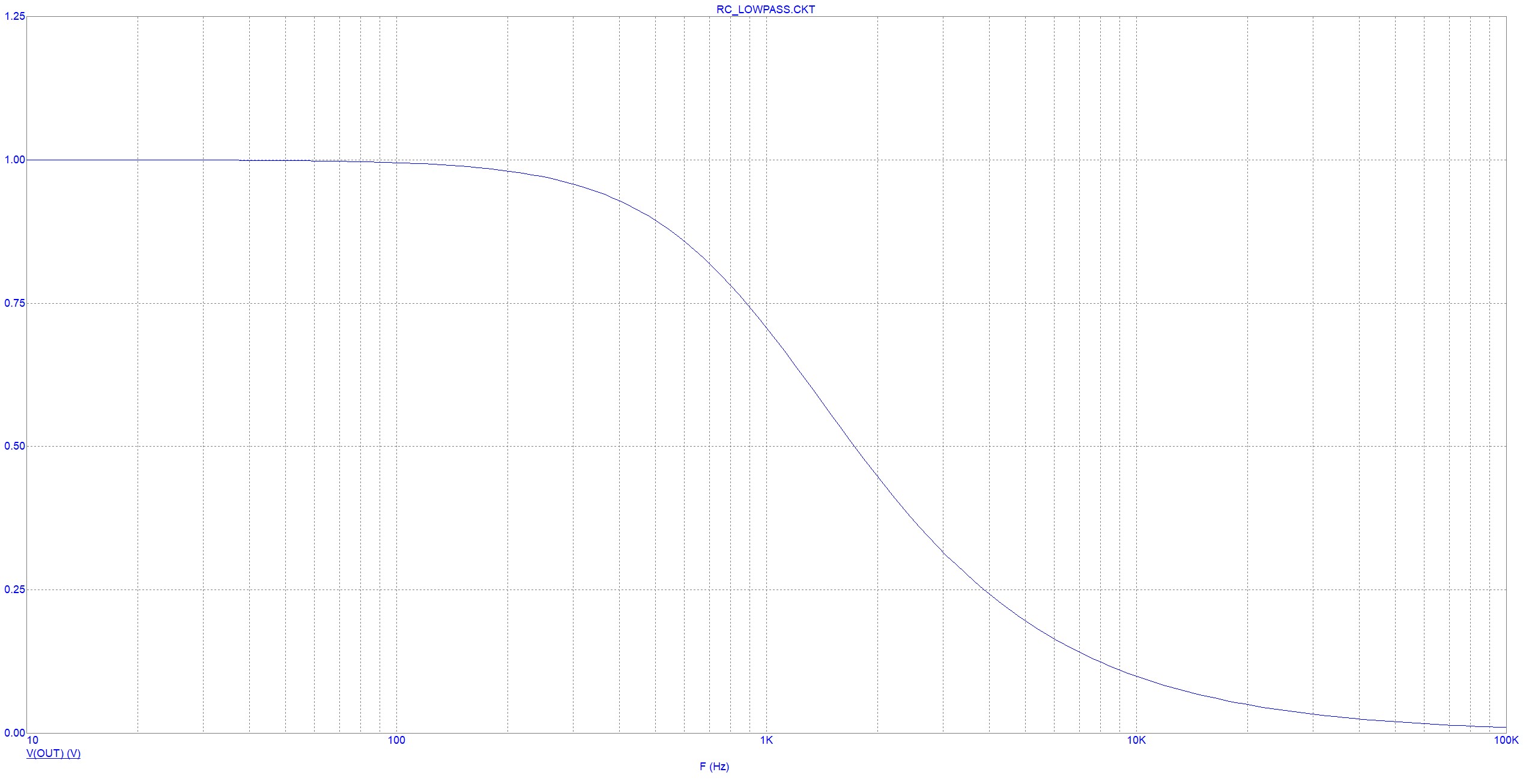
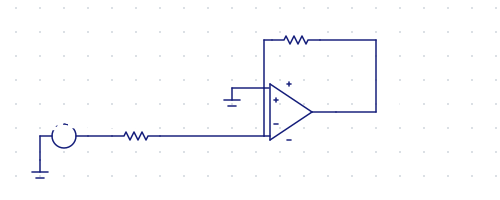
The schematic is drawn by the server itself (1:1 with Micro-Cap, operating point overlaid) · the plot is computed by Micro-Cap
Works through Micro-Cap's own batch mode (MC12 @batch.bat) — headless, no GUI automation, no modification of the program.
What it does
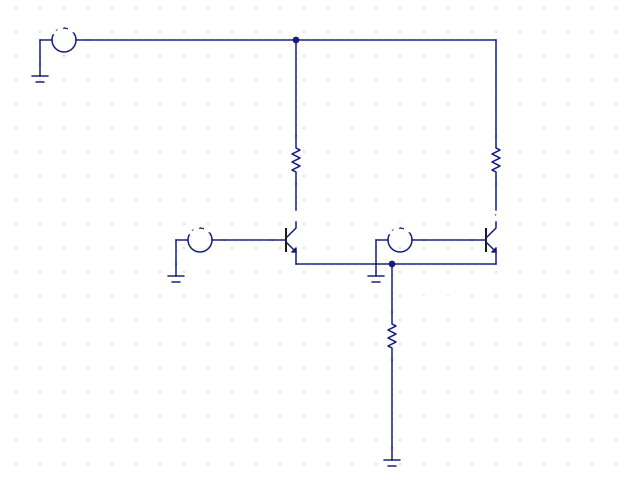
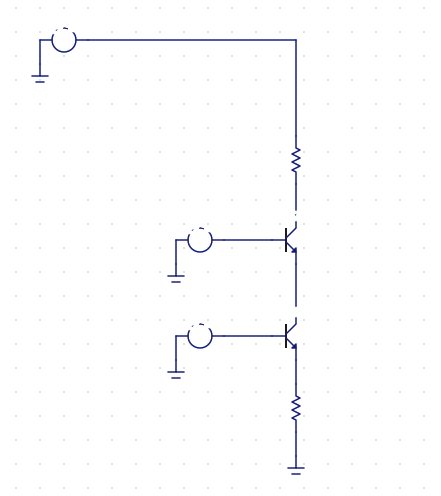
🔧 Builds circuits from scratch — 8 stage generators (common-emitter, follower, MOSFET, differential pair, current mirror, cascode, op-amp, RLC) with automatic biasing. Each is checked against theory: gain, operating point, resonance.
📊 Simulates — transient / AC / DC / distortion / stability, operating point, sweeps. Complex output as {re, im}, solver diagnostics.
🎨 Draws — renders a .CIR to SVG 1:1 with Micro-Cap: the native symbols from MC's shape library, the dot grid, every rotation and reflection, the label layout. Overlays operating-point voltages. MC's /IC can't export a drawing in batch — this can.
Install
Needs Windows, Python 3.11+ and an installed copy of Micro-Cap 12 (freeware). Nothing to clone — point your MCP client at it and uvx fetches the package:
{
  "mcpServers": {
    "microcap": {
      "command": "uvx",
      "args": ["microcap-mcp"],
      "env": { "MICROCAP_HOME": "E:/Tools/MC12" }   // only if the scan misses it
    }
  }
}
The driver looks for Micro-Cap in the usual places; set MICROCAP_HOME to the folder holding mc12_64.exe if yours lives elsewhere.
From source instead
git clone https://github.com/monoxide-xen/microcap-mcp
cd microcap-mcp
uv sync
{
  "mcpServers": {
    "microcap": {
      "command": "uv",
      "args": ["--directory", "C:/path/to/microcap-mcp", "run", "microcap-mcp"]
    }
  }
}
Tools
| Tool | Does |
|---|---|
simulate · sweep · plot |
run a SPICE netlist, sweep a .DEFINE, render a JPEG plot |
generate_transistor_amplifier · _emitter_follower · _mosfet_amplifier |
BJT / MOSFET stages, auto-biased to a mid-supply operating point |
generate_differential_pair · _current_mirror · _cascode · _amplifier |
differential pair, current mirror, cascode, op-amp amplifier |
generate_schematic |
a source + R/C/L in series and parallel (RC/RL/RLC, dividers, tanks) |
simulate_schematic · plot_schematic |
run / plot an arbitrary .CIR |
draw_schematic · annotate_schematic |
render a .CIR to SVG (1:1 with MC) · with the operating point on the drawing |
simulate_example · search_examples · get_example · describe_example · list_domains |
the ~490 reference circuits shipped with MC: search, source, analyses |
Plus resources microcap://guide and microcap://domains and an analyse_circuit prompt — so the agent doesn't let Micro-Cap silently mislead it.
Tests
uv run pytest # 138 unit with no Micro-Cap; +30 integration against physics (needs MC)
Without Micro-Cap the integration tests skip, so CI stays green.
How it works
- Micro-Cap notes — behaviour that is not in the manual, and in places contradicts it.
eval/harness.py— runs all ~490 shipped circuits and buckets the failures by cause (88% answer today).
Licence
MIT for the code in this repository. Micro-Cap 12 belongs to Spectrum Software — not included, redistributed or modified: this uses its documented CLI.
mcp-name: io.github.monoxide-xen/microcap-mcp
1 maintainer

Metadata
1 maintainer
Release files for microcap-mcp 0.1.1
For a detailed explanation of source distributions (sdists) and built distributions (wheels), please see the package formats documentation.
Source distribution (sdist)
| File | Size | Uploaded | Provenance | |
|---|---|---|---|---|
| microcap_mcp-0.1.1.tar.gz | 217.1 kB | Without provenance | Details |
Built distribution (wheel)
| File | Interpreter | ABI | Platform | Reset |
|---|---|---|---|---|
| microcap_mcp-0.1.1-py3-none-any.whl | Python 3 | none | any | Details |
Total release size: 277.9 kB
Release files / microcap_mcp-0.1.1.tar.gz
| Download URL | microcap_mcp-0.1.1.tar.gz |
|---|---|
| Size | 217.1 kB |
| Tags | Source |
|
SHA-256 checksum How to use checksums |
5f0286e3145c34dbe44a3029d46ac05479db41323b609e74a9ddcdcddf3d0c98
|
|
BLAKE2b-256 checksum How to use checksums |
9ccd0ee4dfddd21b026c093604c0f2afa93a42d9c1d3bd03b45b9565fa649258
|
| Upload date | |
|
Uploaded using Trusted Publishing? What is trusted publishing? |
No |
| Uploaded via |
uv/0.11.21 {"installer":{"name":"uv","version":"0.11.21","subcommand":["publish"]},"python":null,"implementation":{"name":null,"version":null},"distro":null,"system":{"name":null,"release":null},"cpu":null,"openssl_version":null,"setuptools_version":null,"rustc_version":null,"ci":null}
|
Release files / microcap_mcp-0.1.1-py3-none-any.whl
| Download URL | microcap_mcp-0.1.1-py3-none-any.whl |
|---|---|
| Size | 60.8 kB |
| Tags | Python 3 |
|
SHA-256 checksum How to use checksums |
aa6acd569af1f888f595dcdf384910664390555534defd4d0bc368afe7e42921
|
|
BLAKE2b-256 checksum How to use checksums |
1dbdd962259f43a70672b810edad4a2d4455db2c8d794cde16f0ed2bbd702124
|
| Upload date | |
|
Uploaded using Trusted Publishing? What is trusted publishing? |
No |
| Uploaded via |
uv/0.11.21 {"installer":{"name":"uv","version":"0.11.21","subcommand":["publish"]},"python":null,"implementation":{"name":null,"version":null},"distro":null,"system":{"name":null,"release":null},"cpu":null,"openssl_version":null,"setuptools_version":null,"rustc_version":null,"ci":null}
|
Security for microcap-mcp 0.1.1
Provenance
Provenance describes where a file came from. On PyPI, provenance is shared via attestations, which provide a verifiable record of the build or publishing details. View details, limitations and caveats.
No provenance found
None of the files in this release were uploaded with provenance metadata.
A note on package security
PyPI is a repository for distributing packages, not a service for auditing them. While third-party security researchers and our staff do their best to detect and remove malicious packages, PyPI cannot guarantee the quality, security or suitability of any given package.
To learn more about protecting yourself from malicious actors, visit our package security documentation.














