

mlplot
Machine learning evaluation plots using matplotlib and sklearn.
Install
pip install mlplot
ML Plot runs with python 3.5 and above! (using format strings and type annotations)
Contributing
Create a PR!
Plots
Work was inspired by sklearn model evaluation.
Classification
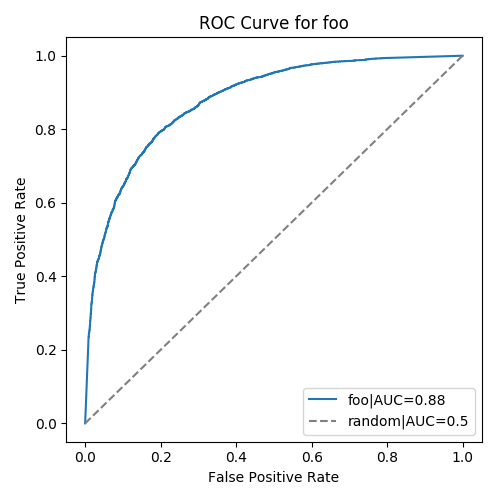
ROC with AUC number
from mlplot.evaluation import ClassificationEvaluation
eval = ClassificationEvaluation(y_true, y_pred, class_names, model_name)
eval.roc_curve()
Calibration
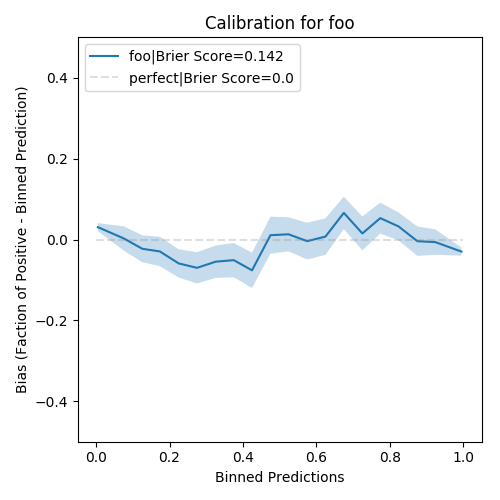
from mlplot.evaluation import ClassificationEvaluation
eval = ClassificationEvaluation(y_true, y_pred, class_names, model_name)
eval.calibration()
Precision-Recall
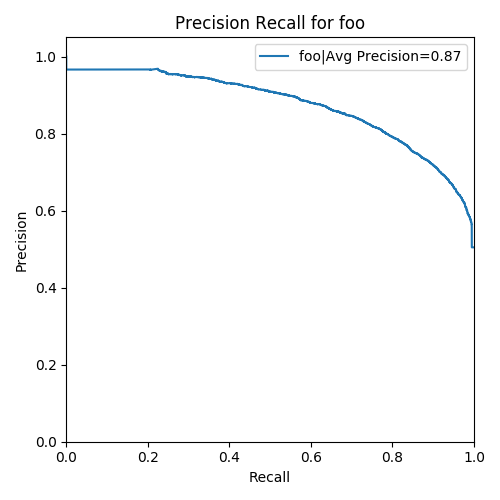
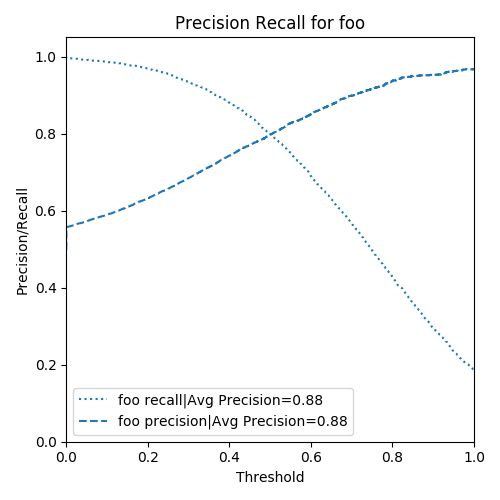
from mlplot.evaluation import ClassificationEvaluation
eval = ClassificationEvaluation(y_true, y_pred, class_names, model_name)
eval.precision_recall(x_axis='recall')
eval.precision_recall(x_axis='thresold')
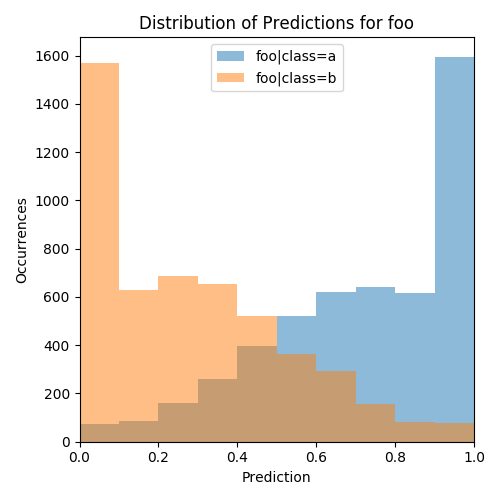
Distribution
from mlplot.evaluation import ClassificationEvaluation
eval = ClassificationEvaluation(y_true, y_pred, class_names, model_name)
eval.distribution()
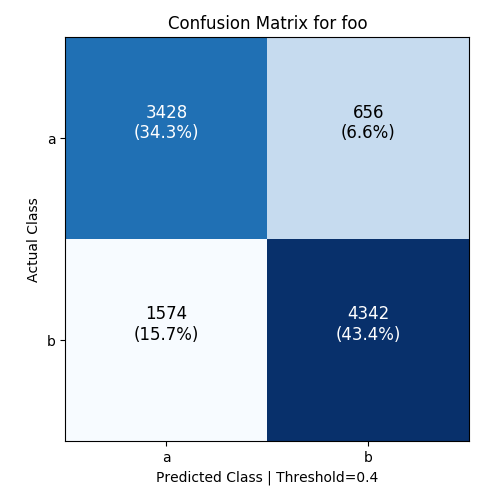
Confusion Matrix
from mlplot.evaluation import ClassificationEvaluation
eval = ClassificationEvaluation(y_true, y_pred, class_names, model_name)
eval.confusion_matrix(threshold=0.5)
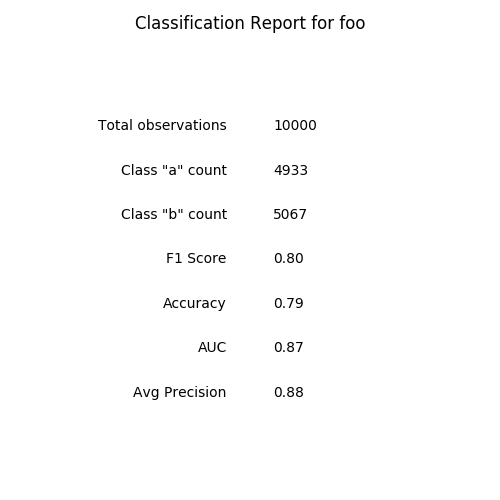
Classification Report
from mlplot.evaluation import ClassificationEvaluation
eval = ClassificationEvaluation(y_true, y_pred, class_names, model_name)
eval.report_table()
Regression
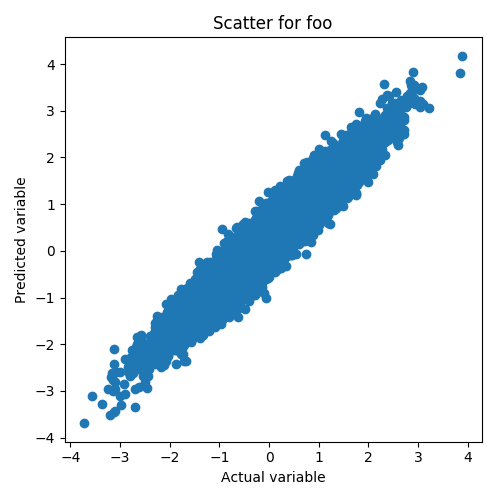
Scatter Plot
from mlplot.evaluation import RegressionEvaluation
eval = RegressionEvaluation(y_true, y_pred, class_names, model_name)
eval.scatter()
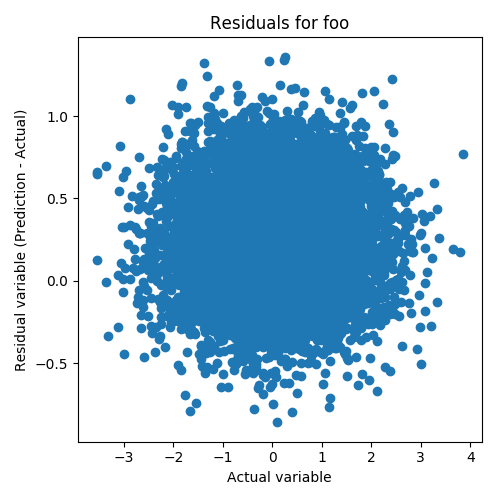
Residuals Plot
from mlplot.evaluation import RegressionEvaluation
eval = RegressionEvaluation(y_true, y_pred, class_names, model_name)
eval.residuals()
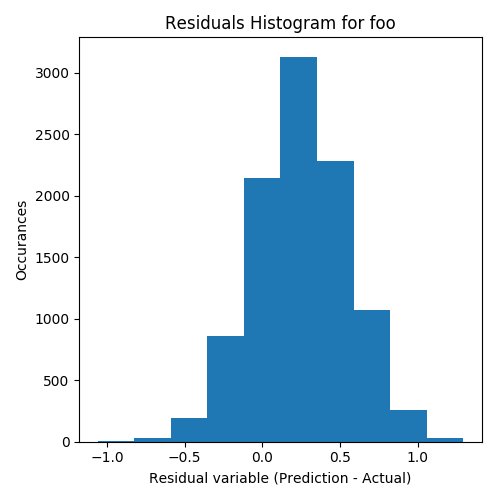
Residuals Histogram
from mlplot.evaluation import RegressionEvaluation
eval = RegressionEvaluation(y_true, y_pred, class_names, model_name)
eval.residuals_histogram()
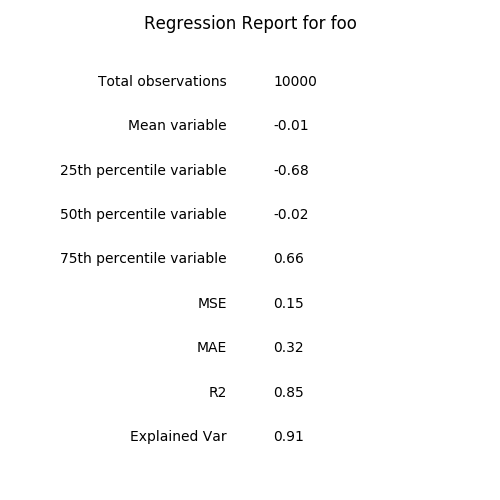
Regression Report
from mlplot.evaluation import RegressionEvaluation
eval = RegressionEvaluation(y_true, y_pred, class_names, model_name)
eval.report_table()
Forecasts
- TBD
Rankings
- TBD
Development
Publish to pypi
python setup.py sdist bdist_wheel
twine upload --repository-url https://upload.pypi.org/legacy/ dist/*
Design
Basic interface thoughts
from mlplot.evaluation import ClassificationEvaluation
from mlplot.evaluation import RegressorEvaluation
from mlplot.evaluation import MultiClassificationEvaluation
from mlplot.evaluation import MultiRegressorEvaluation
from mlplot.evaluation import ModelComparison
from mlplot.feature_evaluation import *

eval = ClassificationEvaluation(y_true, y_pred)
ax = eval.roc_curve()
auc = eval.auc_score()
f1_score = eval.f1_score()
ax = eval.confusion_matrix(threshold=0.7)
- ModelEvaluation base class
- ClassificationEvaluation class
- take in y_true, y_pred, class names, model_name
- RegressorEvaluation class
- MultiClassificationEvaluation class
- ModelComparison
- takes in two evaluations of the same type
TODO
- Fix distribution plot, make lines
- Add legend with R2 to regression plots
- Add tests for regression comparison
- Split apart files for comparison classes
- Add comparisons to README
1 maintainer

Metadata
1 maintainer
Release files for mlplot 0.0.3
For a detailed explanation of source distributions (sdists) and built distributions (wheels), please see the package formats documentation.
Source distribution (sdist)
| File | Size | Uploaded | Provenance | Actions |
|---|---|---|---|---|
| mlplot-0.0.3.tar.gz | 11.8 kB | Without provenance | Details for mlplot-0.0.3.tar.gz |
Built distribution (wheel)
| File | Interpreter | ABI | Platform | Actions Reset |
|---|---|---|---|---|
| mlplot-0.0.3-py3-none-any.whl | Python 3 | none | any | Details for mlplot-0.0.3-py3-none-any.whl |
Total release size: 40.3 kB
Release files / mlplot-0.0.3.tar.gz
| Download URL | mlplot-0.0.3.tar.gz |
|---|---|
| Size | 11.8 kB |
| Tags | Source |
|
SHA-256 checksum How to use checksums |
9d41f81168f03f3e9f25687fb4a0d345e1161d5379128289d4a04bcbad79044a
|
|
BLAKE2b-256 checksum How to use checksums |
daff6315a7cd11ff4cb96a666ebcefe2701da7e9f4289427c5fe9decdf5b98c8
|
| Upload date | |
|
Uploaded using Trusted Publishing? What is trusted publishing? |
No |
| Uploaded via |
twine/1.11.0 pkginfo/1.4.2 requests/2.21.0 setuptools/40.7.1 requests-toolbelt/0.8.0 tqdm/4.31.1 CPython/3.6.5
|
Release files / mlplot-0.0.3-py3-none-any.whl
| Download URL | mlplot-0.0.3-py3-none-any.whl |
|---|---|
| Size | 28.5 kB |
| Tags | Python 3 |
|
SHA-256 checksum How to use checksums |
07a4439386a0a225b861b4eb936f304ee3be694c508dbddd3e681429c1c7bc9c
|
|
BLAKE2b-256 checksum How to use checksums |
08c665226d8c191f6915e97929928cf65f070c991e3ed1f5d88a03fe5de1c08c
|
| Upload date | |
|
Uploaded using Trusted Publishing? What is trusted publishing? |
No |
| Uploaded via |
twine/1.11.0 pkginfo/1.4.2 requests/2.21.0 setuptools/40.7.1 requests-toolbelt/0.8.0 tqdm/4.31.1 CPython/3.6.5
|
Security for mlplot 0.0.3
Provenance
Provenance describes where a file came from. On PyPI, provenance is shared via attestations, which provide a verifiable record of the build or publishing details. View details, limitations and caveats.
No provenance found
None of the files in this release were uploaded with provenance metadata.
A note on package security
PyPI is a repository for distributing packages, not a service for auditing them. While third-party security researchers and our staff do their best to detect and remove malicious packages, PyPI cannot guarantee the quality, security or suitability of any given package.
To learn more about protecting yourself from malicious actors, visit our package security documentation.















