
A Python package for generating motion heatmaps from video sequences.

Project description
MotionHeatmapGenerator
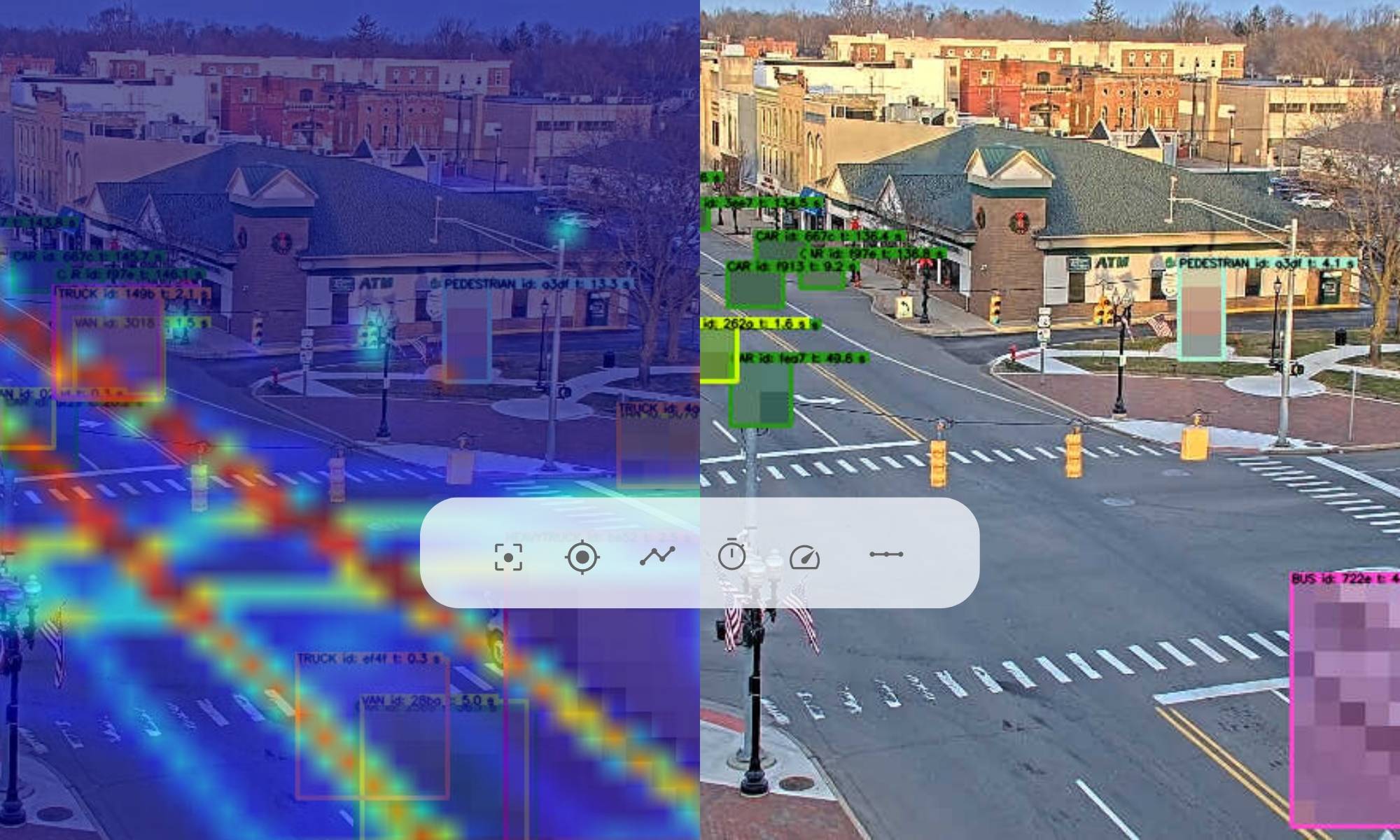
A Python package for generating motion heatmaps from video sequences. This package allows you to analyze areas of motion within a sequence of images by highlighting these areas in a heatmap.
Features
- Generate motion heatmaps from a sequence of images.
- Highlight areas of motion within the images.
- Customize the appearance of the heatmap, including color intensity and smoothing.
Installation
To install MotionHeatmapGenerator, you can use pip:
MotionHeatmapGenerator# MotionHeatmapGenerator
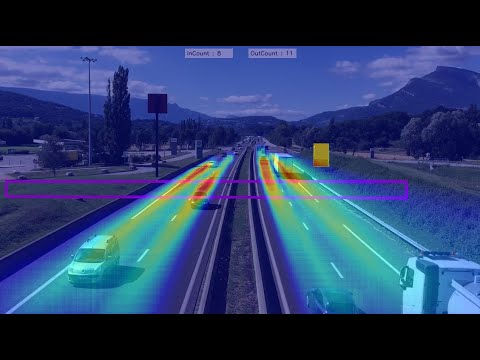
A Python package for generating motion heatmaps from video sequences. This package allows you to analyze areas of motion within a sequence of images by highlighting these areas in a heatmap.
Features
- Generate motion heatmaps from a sequence of images.
- Highlight areas of motion within the images.
- Customize the appearance of the heatmap, including color intensity and smoothing.
Installation
To install MotionHeatmapGenerator, you can use pip:
pip install MotionHeatmapGenerator
Usage
Here's a basic example of how to use MotionHeatmapGenerator:
python from MotionHeatmapGenerator import MotionHeatmapGenerator Initialize the generator with the desired number of divisions and a list of images
generator = MotionHeatmapGenerator(num_vertical_divisions=2, num_horizontal_divisions=2, images=["image1.jpg", "image2.jpg"]) Generate the motion heatmap
generator.generate_motion_heatmap("output_heatmap.jpg")
This will generate a motion heatmap from the provided images and save it as output_heatmap.jpg.
Contributing
Contributions are welcome Please feel free to submit a pull request or open an issue if you encounter any problems or have suggestions for improvements.
License
This project is licensed under the MIT License - see the LICENSE file for details.
pip install MotionHeatmapGenerator
Usage
Here's a basic example of how to use MotionHeatmapGenerator:
python from MotionHeatmapGenerator import MotionHeatmapGenerator Initialize the generator with the desired number of divisions and a list of images
generator = MotionHeatmapGenerator(num_vertical_divisions=2, num_horizontal_divisions=2, images=["image1.jpg", "image2.jpg"]) Generate the motion heatmap
generator.generate_motion_heatmap("output_heatmap.jpg")
This will generate a motion heatmap from the provided images and save it as output_heatmap.jpg.
Contributing
Contributions are welcome Please feel free to submit a pull request or open an issue if you encounter any problems or have suggestions for improvements.
License
This project is licensed under the MIT License - see the LICENSE file for details.
Release history Release notifications | RSS feed

Download files
Download the file for your platform. If you're not sure which to choose, learn more about installing packages.
Source Distribution
Built Distribution
Filter files by name, interpreter, ABI, and platform.
If you're not sure about the file name format, learn more about wheel file names.
Copy a direct link to the current filters
File details
Details for the file motionheatmapgenerator-0.1.0.tar.gz.
File metadata
- Download URL: motionheatmapgenerator-0.1.0.tar.gz
- Upload date:
- Size: 3.3 kB
- Tags: Source
- Uploaded using Trusted Publishing? No
- Uploaded via: twine/5.0.0 CPython/3.12.1
File hashes
| Algorithm | Hash digest | |
|---|---|---|
| SHA256 |
a37b3a522e7e083e56d23e51a3e274bf572ac4b166eef7c3416d60effbf1bbaf
|
|
| MD5 |
c13d9f6660bb3eb33386f2660e438f76
|
|
| BLAKE2b-256 |
6ebf71df23ad6c59920d0f2038a7ae790c7141a13324ed5dc520b74996f01c86
|
File details
Details for the file MotionHeatmapGenerator-0.1.0-py3-none-any.whl.
File metadata
- Download URL: MotionHeatmapGenerator-0.1.0-py3-none-any.whl
- Upload date:
- Size: 3.0 kB
- Tags: Python 3
- Uploaded using Trusted Publishing? No
- Uploaded via: twine/5.0.0 CPython/3.12.1
File hashes
| Algorithm | Hash digest | |
|---|---|---|
| SHA256 |
863042bfae5773a3f799d6e7530e0f982b7bd4ab46b199ce19ab0158365b9c0f
|
|
| MD5 |
fa4fe9d1f51663b5a37f9ab2003ebf9e
|
|
| BLAKE2b-256 |
37314dcebe2291587cea5307dbc31ae19aab5684c08a417a744e391492b74869
|






