
English · 简体中文
nace-kit: Production-Grade Drex Decision & Classification Toolkit
Multi-Key Failover · 0.08ms Deterministic Cache · Rich Presets · CLI & Native MCP Server
Classify text and JSON with mathematical calibrated probabilities in milliseconds — zero 429 downtime, zero redundant bills.







pip install nace-kit · uvx nace-kit-mcp · npx skills add lincong1987/nace-kit
Understand in 3 Seconds · Quick Start · Architecture & How It Works · Comparison with Official SDK · Question Types · Agent Setup (MCP & Skill) · Document Pipeline · FAQ · Community & Contact
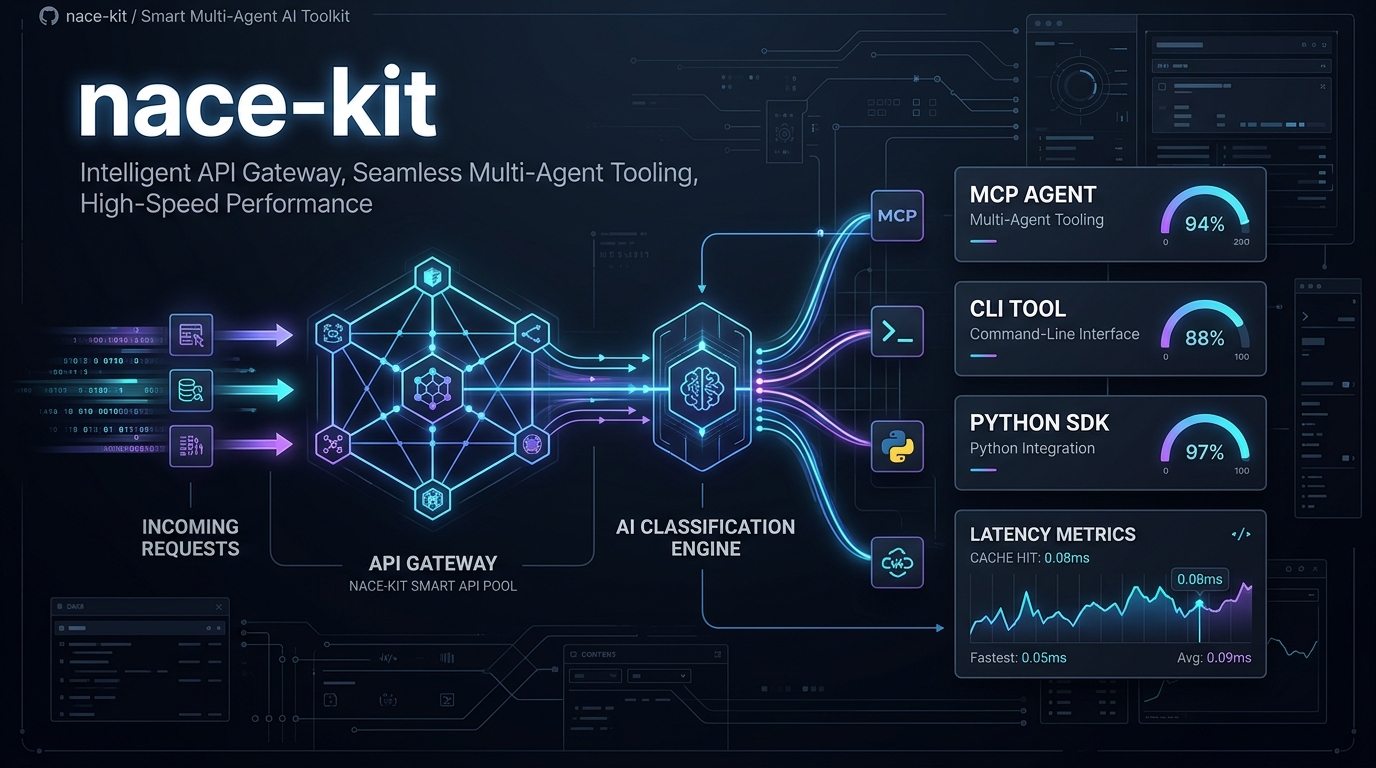
 Join Developer Community / Contact Author WeChat ID: 0x5f375a86 (Note nace-kit) · Q&A · Discussions · Feedback
|
Understand nace-kit in 3 Seconds
When routing tickets, moderating content, triaging user reports, or letting AI agents take branch actions, traditional LLMs are slow (2–5 seconds), token-hungry, and produce hallucinated confidence scores with zero mathematical calibration.
nace.ai's Drex decision engine (System One classifier) changes the game: it supports 131K character states, evaluates in ~47ms, and returns statistically calibrated probabilities (0.0 to 1.0).
However, running Drex in real-world production or agent loops introduces severe operational friction:
- 🛑 429 Rate Limit crashes: A single API key hitting rate limits or running out of quota abruptly halts your agent loop;
- 💸 Redundant billing & latency: Re-running duplicate tickets or regression test suites burns upstream credits and adds hundreds of milliseconds of network latency;
- 🧩 Friction for AI Agents: Writing raw JSON Schemas by hand is tedious and lacks standard MCP/Skill integration.
nace-kit is the production operations layer designed to solve all of these challenges:
- 🔑 Smart Multi-Key Pool & Zero-Downtime Failover: Seamlessly pool multiple API keys. On
401(expired/bad key) or429(quota exhaustion), nace-kit hot-swaps to the next key mid-request, keeping agents alive 24/7. - ⚡ Deterministic Local LRU Cache: Drex outputs are mathematically deterministic for identical inputs. Cached calls return in 0.08ms (down from 1800ms) with $0 upstream cost.
- 📦 Up to 512 Questions in ONE Batch: Batch urgency, severity, routing, and sentiment into a single HTTP payload to slash round-trip network overhead.
- 🤖 Turnkey MCP Server & Agent Skill: Seamless integration for Claude Code, Antigravity, Cursor, Codex, and ZCode out of the box.
Quick Start
1. Installation & Environment
pip install nace-kit        # or: uv add nace-kit

# Configure a pool of keys (comma-separated; automatically fails over on 401 / 429)
export NACE_API_KEYS="nace_sk_prod_1...,nace_sk_prod_2...,nace_sk_prod_3..."
# Or a single key: export NACE_API_KEY="nace_sk_..."
2. Python Usage
Get started with typed presets without wrestling with raw JSON:
from nace_kit import NaceClient, presets

# Defaults to drex-latest and loads the NACE_API_KEYS pool
client = NaceClient()

# ① Binary question -> calibrated probability of YES
res = client.classify("Help! My payouts have been failing for 3 days and customers are leaving!", presets.urgency())
print(f"Urgency probability: {res.answers['is_urgent'].noul:.4f}")
# Output: Urgency probability: 0.8235 (82.35% calibrated urgency)

# ② Batch questions on arbitrary JSON state (ONE HTTP roundtrip)
ticket = {
    "ticket_id": "#4096",
    "customer_tier": "Enterprise",
    "title": "Database connection pool exhausted during peak sales"
}
batch_res = client.classify(ticket, [
    presets.urgency(),      # binary probability (noul: 0~1)
    presets.severity(),     # ordered severity score (score: 0~3)
    presets.priority(),     # priority label choice (choice: low/medium/high/urgent)
])

print("Severity Score:", batch_res.answers["severity"].score)        # e.g. 2.78
print("Priority Label:", batch_res.answers["priority"].choice)       # e.g. "urgent"
print("Per-key Usage:", client.usage)
# Output: {'nace_sk_prod_1…': {'calls': 2, 'input_tokens': 168, 'output_tokens': 210}, ...}
Async Native: Import
from nace_kit import AsyncNaceClientfor 100% feature-parity in async event loops.
3. Command Line Interface (CLI)
Run classification directly from the terminal or shell pipelines:
# 1. Default urgency check (clean JSON output)
nace-kit "Payment checkout API returning 500 error"

# 2. Choice classification: label matching with full probability distribution
nace-kit "I want an immediate refund, you billed me twice!" \
  --ask "What department should handle this?" \
  --kind choice \
  --options billing:"payment, refund, billing issues" technical:"bugs and downtime" account:"logins"

# 3. Score rating: evaluate customer sentiment level
nace-kit "I have been waiting for two weeks with no reply. Unacceptable!" \
  --ask "How angry is the customer?" \
  --kind score \
  --levels calm annoyed angry furious

# 4. Check available models & key health
nace-kit --models
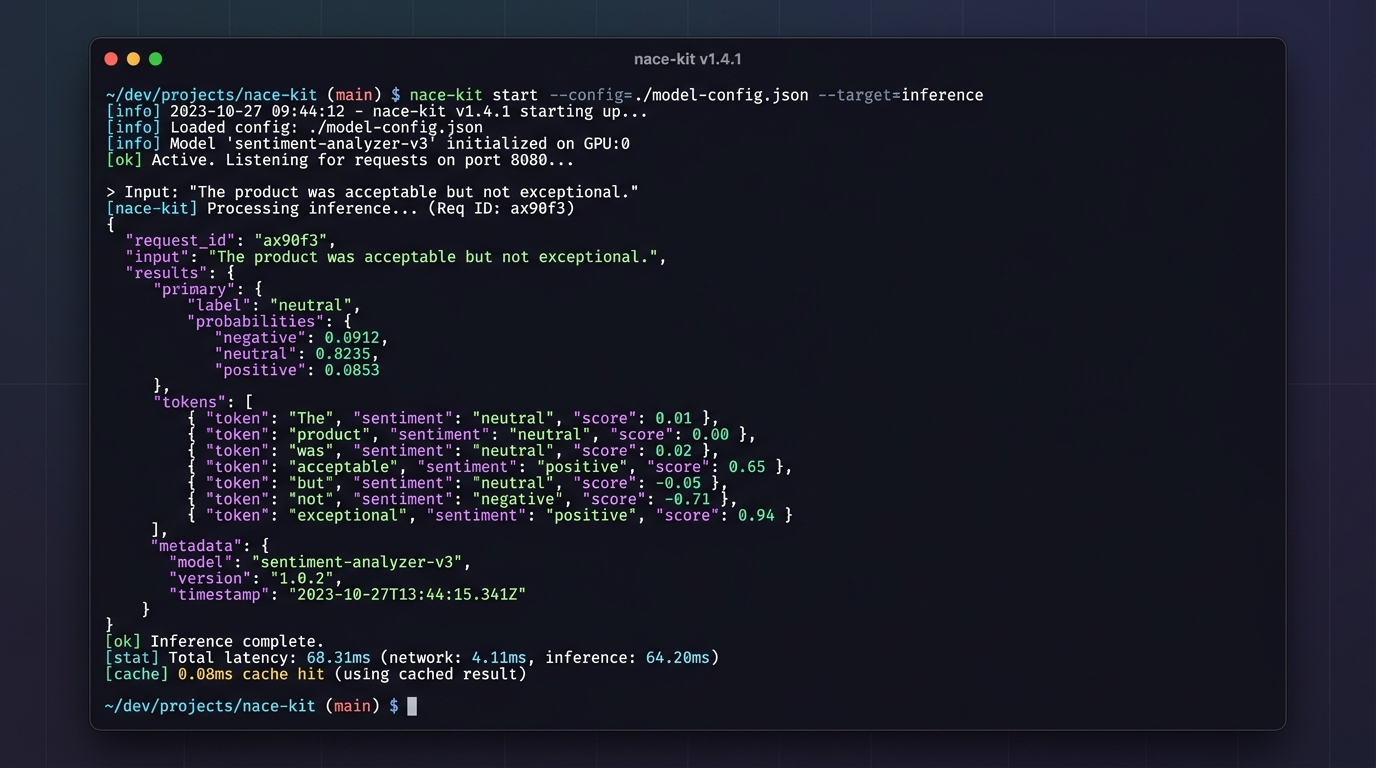
Real-world run: Initial cold request takes ~1200ms; duplicate request hits local deterministic cache in 0.08ms!
Architecture & How It Works
nace-kit acts as an enterprise-grade operational resilience layer between your application/agents and the upstream Drex API:

1. Failover & Resilience Matrix
| Error Type | Trigger Condition | nace-kit Behavior |
|---|---|---|
| 401 / 403 | Dead or invalid API key | Instant rotation to the next key in the pool, retrying the request |
| 429 (Rate Limit) | Quota exceeded (multi-key pool) | Instant rotation to the next available key, avoiding downtime |
| 429 (Rate Limit) | Quota exceeded (single key) | Respects Retry-After header with exponential backoff & jitter |
| 408 / 5xx / Network Timeout | Upstream blip or connection timeout | Exponential backoff + jitter within a 30s budget, then rotates |
| 4xx (Bad Payload) | Malformed JSON or rejected parameters | Immediately raises NaceBadRequest (no wasteful retries) |
2. Deterministic Cache Benchmark
Because Drex responses are mathematically deterministic for identical inputs (model + state + questions), nace-kit caches results locally:
First call:             1896.7 ms  (Upstream network + ~47ms server inference; billed once)
Second call (Cache):       0.08 ms (Memory hit: 23,000x faster, $0 cost)
Tip: Pass
cache_size=0in Python or--no-cachein CLI to bypass the cache when needed.
Comparison with the Official SDK
| Feature | Official nace-sdk |
nace-kit |
Production Benefit |
|---|---|---|---|
| Classification API (3 question types, any-JSON state, typed schemas) |
✅ | ✅ | 100% compatible syntax, painless migration |
| Multi-Key Pool & Hot Failover | ❌ Single key only | ✅ Core Feature | Protects agent loops from 429 quota exhaustion |
| Deterministic Local LRU Cache | ❌ Every call hits network | ✅ Core Feature | 0.08ms latency on duplicates; zero redundant billing |
| Per-Key Usage Metering | ❌ Not available | ✅ client.usage |
Real-time call count and token breakdown per key |
| Jitter Backoff & Budget Protection | ✅ Basic backoff | ✅ Combined with Rotation | Retries gracefully, then moves to next key |
| Built-in Presets | ❌ Write prompt manually | ✅ Out of the box | urgency(), severity(), priority(), sentiment() |
| Batching (up to 512 questions) | ✅ Supported | ✅ Enhanced | High-level ergonomics & validated mapping |
Document Pipeline ([docs]) |
✅ Official support | ✅ Key-Pool Wrapped | Key pool rotation + idempotency key protection |
| Standalone CLI Tool | ❌ login only | ✅ Built-in | Quick testing, shell piping, smoke checks |
| AI Agent MCP Server | ❌ Separate nace-mcp |
✅ All-in-one | uvx nace-kit-mcp works instantly |
Standard Agent Skill (SKILL.md) |
❌ Not provided | ✅ Turnkey install | nace-kit --install-skill for Claude / Antigravity |
Three Question Types
Drex answers questions with rigorous calibrated probabilities across three question models:
flowchart LR
    Input["Input (Text / JSON)"] --> Engine["Drex Decision Engine"]
    Engine --> Q1["noul: Binary Calibrated Probability (0.0 ~ 1.0)"]
    Engine --> Q2["choice: Categorical Distribution & Confidence"]
    Engine --> Q3["score: Continuous Rating & Level Weights"]
1. noul (Binary Probability)
Answers with a precise float between 0.0 and 1.0 representing the calibrated probability that the condition is true.
from nace_kit import presets as p

q = p.noul("Does the user demand a refund?", true="explicit refund request or payment dispute")
res = client.classify("Your tool is completely broken, refund my card right now!", q)
print(res.answers["answer"].noul)  # 0.9821 -> High probability of refund request
2. choice (Categorical Classification)
Selects the best matching label and provides the full probability distribution across all choices.
q = p.choice("What domain does this ticket belong to?", {
    "billing": "Invoices, double charges, payment methods, refunds",
    "technical": "Server 500, bugs, network downtime, crashes",
    "account": "Password reset, email changes, profile settings"
})
res = client.classify("I forgot my password and my registered email is deactivated.", q)
ans = res.answers["answer"]
print(ans.choice)           # "account"
print(ans.confidence)       # 0.9412
print(ans.probabilities)    # {'account': 0.96, 'billing': 0.02, 'technical': 0.02}
3. score (Ordered Level Rating)
Scores intensity across an ordered progression (e.g., severity levels, anger scales), producing an expected numeric rating.
q = p.score("How angry is the customer?", ["calm", "annoyed", "angry", "furious"])
res = client.classify("This is the third time I am reporting this. Why has nobody fixed it?!", q)
ans = res.answers["answer"]
print(ans.score)            # 1.68 (between annoyed(1) and angry(2))
print(ans.probabilities)    # Breakdown across all 4 levels
Agent Setup (MCP & Skill)
nace-kit natively implements the Model Context Protocol (MCP) and the Agent Skills standard.
1. Configure the MCP Server
Add nace-kit-mcp to your favorite agent or IDE configuration (runs immediately with uvx without manual installation):
Claude Code (CLI Agent)
Register via CLI with a single command:
claude mcp add nace uvx nace-kit-mcp -e NACE_API_KEYS=nace_sk_prod_1...,nace_sk_prod_2...
Or add to your configuration file ~/.claude.json:
{
  "mcpServers": {
    "nace": {
      "command": "uvx",
      "args": ["nace-kit-mcp"],
      "env": {
        "NACE_API_KEYS": "nace_sk_prod_1...,nace_sk_prod_2..."
      }
    }
  }
}
Cursor (AI Code Editor)
Create .cursor/mcp.json in your workspace root, or add via Cursor Settings -> Features -> MCP:
{
  "mcpServers": {
    "nace": {
      "command": "uvx",
      "args": ["nace-kit-mcp"],
      "env": {
        "NACE_API_KEYS": "nace_sk_prod_1...,nace_sk_prod_2..."
      }
    }
  }
}
Google Antigravity / Gemini CLI
Add to Antigravity's global config ~/.gemini/antigravity/mcp_config.json:
{
  "mcpServers": {
    "nace": {
      "command": "uvx",
      "args": ["nace-kit-mcp"],
      "env": {
        "NACE_API_KEYS": "nace_sk_prod_1...,nace_sk_prod_2..."
      }
    }
  }
}
Claude Desktop
Edit configuration:
- macOS:
~/Library/Application Support/Claude/claude_desktop_config.json - Windows:
%APPDATA%\Claude\claude_desktop_config.json
{
  "mcpServers": {
    "nace": {
      "command": "uvx",
      "args": ["nace-kit-mcp"],
      "env": {
        "NACE_API_KEYS": "nace_sk_prod_1...,nace_sk_prod_2..."
      }
    }
  }
}
Windsurf (Codeium)
Edit ~/.codeium/windsurf/mcp_config.json:
{
  "mcpServers": {
    "nace": {
      "command": "uvx",
      "args": ["nace-kit-mcp"],
      "env": {
        "NACE_API_KEYS": "nace_sk_prod_1...,nace_sk_prod_2..."
      }
    }
  }
}
Cline / Roo Code (VS Code Extension)
In VS Code, open Cline Settings ➔ MCP Servers ➔ click Edit in settings.json (cline_mcp_settings.json):
{
  "mcpServers": {
    "nace": {
      "command": "uvx",
      "args": ["nace-kit-mcp"],
      "env": {
        "NACE_API_KEYS": "nace_sk_prod_1...,nace_sk_prod_2..."
      },
      "disabled": false,
      "autoApprove": []
    }
  }
}
Zed Editor
Add to Zed settings ~/.config/zed/settings.json:
{
  "experimental.model_context_protocol": {
    "servers": {
      "nace": {
        "command": "uvx",
        "args": ["nace-kit-mcp"],
        "env": {
          "NACE_API_KEYS": "nace_sk_prod_1...,nace_sk_prod_2..."
        }
      }
    }
  }
}
ZCode / Codex
Add to ~/.zcode/cli/config.json or ~/.codex/config.json:
{
  "mcp": {
    "servers": {
      "nace": {
        "type": "stdio",
        "command": "uvx",
        "args": ["nace-kit-mcp"],
        "env": {
          "NACE_API_KEYS": "nace_sk_prod_1...,nace_sk_prod_2..."
        }
      }
    }
  }
}
Cherry Studio / Chatbox (GUI Clients)
In the app's MCP Settings / Plugins interface, add a new stdio server:
- Name:
nace - Command:
uvx - Arguments:
nace-kit-mcp - Environment:
NACE_API_KEYS=nace_sk_prod_1...,nace_sk_prod_2...
2. Natural Language Prompting Example with Agents
Restart your agent after configuration. You can now prompt the agent in natural conversation — the agent autonomously selects and triggers nace.classify or nace.ask:
💬 User: "Analyze this customer ticket for urgency and department: 'Checkout API returning 500 continuously, enterprise accounts cannot finish payments. Immediate escalation requested!'
🤖 Agent (automatically calls
nace.classify):
- 🚨 Urgency (
is_urgent):0.9328(Calibrated probability: 93.3% urgent)- 🏷️ Department (
department):technical(Confidence: 96%)- 📊 Recommendation: Urgency exceeds 0.85 SLA threshold. Escalating to P1 on-call immediately!
3. Available MCP Tools
| Tool | Description | Common Usage |
|---|---|---|
classify |
Full batch interface | Classify any text/JSON with up to 512 custom questions |
ask |
Quick single-question wrapper | Fetch noul, score, or choice probabilities instantly |
list_models |
Available model list & health check | Verifies API key connectivity with zero token cost |
parse_document |
Document to Markdown (needs [docs]) |
Converts PDF / Office files into clean structured Markdown |
extract_data |
Structured field extraction (needs [docs]) |
Extracts JSON Schema entities from contracts or invoices |
get_document_job |
Job status tracker (needs [docs]) |
Polls document pipeline job status |
4. Install the Agent Skill
If you prefer lightweight prompts over a persistent background MCP server, install the standard skill file following the Agent Skills standard. It equips agents with operational heuristics for question type selection (noul / choice / score), batch optimization, and probability thresholds:
Option A: Install via skills.sh (Recommended, zero Python dependencies)
Fetch and install directly from the GitHub repository into your agent environment:
npx skills add lincong1987/nace-kit
Option B: Install via nace-kit CLI
If you already have nace-kit installed locally:
# Installs to global ~/.agents/skills/nace-kit/SKILL.md
nace-kit --install-skill

# Or target Claude skills (~/.claude/skills/nace-kit/SKILL.md)
nace-kit --install-skill --claude
Option C: Built-in Workspace Skill
This repository bundles .agents/skills/nace-kit/SKILL.md. When opening this workspace with Claude Code, Cursor, or Antigravity, the skill is automatically discovered and ready to use.
Document Pipeline ([docs] Extra)
To parse and extract structured data from PDF, Word, or Excel documents:
pip install "nace-kit[docs]"
Document operations leverage the official parsing engine with nace-kit's multi-key failover and built-in idempotency keys (ensuring key rotations never double-bill a document job):
from nace_kit import DocsClient

docs = DocsClient()  # Uses the same NACE_API_KEYS pool

# Parse a PDF into clean Markdown
job = docs.parse("https://example.com/quarterly_report.pdf", output={"formats": ["markdown"]}, wait=120)
print(job.result["document"]["markdown"])

# Extract structured JSON Schema fields
schema = {
    "type": "object",
    "properties": {
        "total": {"type": "number"},
        "vendor": {"type": "string"}
    },
    "required": ["total", "vendor"]
}
extract_job = docs.extract("https://example.com/invoice.pdf", schema=schema, wait=60)
print("Extracted fields:", extract_job.result["fields"])
FAQ
Q: Is the local cache safe for production?
Yes. Drex classification models are mathematically deterministic. Given the exact same model, state payload, and question set, the output is identical. nace-kit computes a strict cryptographic hash of the request payload; a cache hit returns the exact same data as a network call, but in 0.08ms at $0 cost. Pass cache_size=0 or --no-cache to force network calls.
Q: Which model does nace-kit call by default?
By default, calls route to drex-latest (currently pointing to drex-v2.0, a Mixture-of-Experts model with 3B active parameters supporting up to 131,072 token states). If you require strict reproducibility across future model upgrades, pin the version explicitly via NaceClient(model="drex-v2.0").
Q: Where should I put API keys?
Store them in the NACE_API_KEYS environment variable as a comma-separated list. For agents, define them inside the MCP server configuration's env block. Never hardcode API keys in source code.
Q: What happens if all keys in the pool hit 429?
nace-kit cycles through all configured keys. If all keys report 429, it applies exponential backoff with jitter, honoring the Retry-After header up to the configured retry budget (default 30 seconds). If all keys remain unavailable after the budget expires, it raises an actionable diagnostic error.
Contributing
We welcome contributions, bug reports, and showcase examples!
git clone https://github.com/lincong1987/nace-kit.git
cd nace-kit

# Install dependencies using uv
uv sync

# Run tests (100% mocked; no network or live API keys needed)
uv run pytest --basetemp=.tmp/pytest
Community & Contact
Connect with fellow developers to discuss Drex best practices, high-concurrency production orchestration, and AI agent architectures:

Scan to connect on WeChat WeChat ID: 0x5f375a86 (Curacao / 库拉索)Note: nace-kit
|
💬 Discussions · Q&A · Collaboration
|
License
MIT © nace-kit contributors.
1 maintainer

Metadata
1 maintainer
Release files for nace-kit 0.3.1
For a detailed explanation of source distributions (sdists) and built distributions (wheels), please see the package formats documentation.
Source distribution (sdist)
| File | Size | Uploaded | |
|---|---|---|---|
| nace_kit-0.3.1.tar.gz | 1.6 MB | Details |
Built distribution (wheel)
| File | Interpreter | ABI | Platform | Reset |
|---|---|---|---|---|
| nace_kit-0.3.1-py3-none-any.whl | Python 3 | none | any | Details |
Total release size: 1.6 MB
Release files / nace_kit-0.3.1.tar.gz
| Download URL | nace_kit-0.3.1.tar.gz |
|---|---|
| Size | 1.6 MB |
| Tags | Source |
|
SHA-256 checksum How to use checksums |
c0fbfdebb1e64954234138927b524177834e9a738d27a86159e2def8643ce9d3
|
|
BLAKE2b-256 checksum How to use checksums |
886008be9c3183e772f13d981d5920f54fde0acc10e4485f8f3bd64165b2c094
|
| Upload date | |
|
Uploaded using Trusted Publishing? What is trusted publishing? |
Yes |
| Uploaded via |
twine/7.0.0 CPython/3.13.14
|
Provenance
Provenance describes where a file came from. On PyPI, provenance is shared via attestations, which provide a verifiable record of the build or publishing details. View details, limitations and caveats.


PyPI Publish Attestation
PyPI verified that this artifact, at this checksum, originated from the publisher listed below.
Signed by GitHub Actions, verified by PyPI on Oct 14, 2026.
Transparency logRelease files / nace_kit-0.3.1-py3-none-any.whl
| Download URL | nace_kit-0.3.1-py3-none-any.whl |
|---|---|
| Size | 28.8 kB |
| Tags | Python 3 |
|
SHA-256 checksum How to use checksums |
c547b32f3af0ba2799a92d3b6c1a32d5f38ed1b0d3e3ad118182adfaad47f63e
|
|
BLAKE2b-256 checksum How to use checksums |
37d2ae0ed99ba71369cbf95a68d58084893df2dc7538571036dd96f2dacffce4
|
| Upload date | |
|
Uploaded using Trusted Publishing? What is trusted publishing? |
Yes |
| Uploaded via |
twine/7.0.0 CPython/3.13.14
|
Provenance
Provenance describes where a file came from. On PyPI, provenance is shared via attestations, which provide a verifiable record of the build or publishing details. View details, limitations and caveats.
PyPI Publish Attestation
PyPI verified that this artifact, at this checksum, originated from the publisher listed below.
Signed by GitHub Actions, verified by PyPI on Oct 14, 2026.
Transparency log













