
Netbox NBRisk
NetBox plugin inspired by NIST 800-30 Risk Management.
Compatibility
See the compatibility matrix for supported NetBox versions.
Installation
Add to local_requirements.txt to ensure automatic re-installation during NetBox upgrades:
echo "echo "NbRisk==^45.6.0" >> local_requirements.txt
Install, migrate, and run the initial data syncs:
source /opt/netbox/venv/bin/activate
pip install NbRisk==^45.6.0
cd /opt/netbox/netbox
python3 manage.py migrate nb_risk
python3 manage.py sync_kev       # sync CISA Known Exploited Vulnerabilities catalog
python3 manage.py sync_epss      # sync EPSS exploit prediction scores
sudo systemctl restart netbox netbox-rq
Enabling the Plugin
Add to configuration.py:
PLUGINS = ["nb_risk"]
Configuration
All configuration goes in PLUGINS_CONFIG in configuration.py:
PLUGINS_CONFIG = {
    'nb_risk': {
        # NVD API key — strongly recommended to avoid rate limiting
        # 5 req/30s without a key, 50 req/30s with one
        # Get a free key at https://nvd.nist.gov/developers/request-an-api-key
        'nvd_api_key': 'your-api-key-here',

        # Additional models to support vulnerability assignment beyond the defaults
        # Defaults: dcim.device, virtualization.virtualmachine, tenancy.tenant, dcim.site
        'additional_assets': [
            'dcim.platform',
        ],
    },
}
NVD API Key
The CVE search feature queries the NIST NVD API. Without an API key requests are rate-limited to 5 per 30 seconds; with a key the limit is 50 per 30 seconds. Get a free key at nvd.nist.gov/developers/request-an-api-key.
Proxy Settings
The plugin uses NetBox's built-in HTTP_PROXIES setting from configuration.py for all external API requests (NVD, CISA KEV, EPSS) — no separate proxy config needed:
HTTP_PROXIES = {
    'http': 'http://proxy.example.com:8080',
    'https': 'http://proxy.example.com:8080',
}
Device CVE Tab
A CVEs tab appears on every Device detail page. It queries NVD for CVEs matching the device's running software and cross-references results against the CISA KEV catalog and EPSS scores.
Requirements
- The
software_versioncustom field must be set on the device (created automatically on first install, or manually viamanage.py shell) - A CPE Mapping must exist for the device's platform or device type (see below)
CVE result columns
| Column | Source | Description |
|---|---|---|
| CVE ID | NVD | Links to nvd.nist.gov |
| KEV | CISA | Red badge if actively exploited in the wild |
| EPSS | FIRST.org | Probability of exploitation in next 30 days |
| CVSS | NVD | Version and base score with colour coding |
| Attack Vector | NVD | Network, Adjacent, Local, Physical |
| Import | — | One-click import into Vulnerabilities |
CVSS score colours
| Score | Severity |
|---|---|
| 9.0+ | 🔴 Critical |
| 7.0–8.9 | 🟡 High |
| 4.0–6.9 | 🔵 Medium |
| Below 4.0 | ⚪ Low |
EPSS score colours
| Score | Meaning |
|---|---|
| ≥ 0.5 | 🔴 High exploitation probability |
| ≥ 0.1 | 🟡 Moderate exploitation probability |
| ≥ 0.01 | 🔵 Low exploitation probability |
| < 0.01 | ⚪ Very low exploitation probability |
CPE Mappings
CPE Mappings are the key to accurate, vendor-agnostic CVE matching. They map a NetBox Platform or Device Type to a verified NVD CPE 2.3 string. Without a mapping, CVE lookups cannot be performed reliably.
CPE Lookup Assistant
Go to Risk Assessment → CVE Integration → CPE Mappings → Lookup to search the NVD CPE dictionary by keyword and create mappings with one click.
Common platform mappings
| Platform | CPE Vendor | CPE Product | Part | Target SW |
|---|---|---|---|---|
| NX-OS | cisco | nx-os | o | nexus_9000_series |
| IOS-XE | cisco | ios_xe | o | |
| IOS | cisco | ios | o | |
| Junos | juniper | junos | o | |
| EOS | arista | eos | o | |
| PAN-OS | paloaltonetworks | pan-os | o | |
| FortiOS | fortinet | fortios | o | |
| Ubuntu 22.04 | canonical | ubuntu_linux | o | |
| Windows Server 2022 | microsoft | windows_server_2022 | o |
The Target SW field (8th CPE component) scopes results to a specific platform family. For example nexus_9000_series returns only CVEs specifically affecting Nexus 9000 switches rather than all NX-OS CVEs.
CISA KEV Integration
The CISA Known Exploited Vulnerabilities catalog lists CVEs actively exploited in the wild. The plugin cross-references this automatically.
Sync command
python3 manage.py sync_kev           # sync all Vulnerability records
python3 manage.py sync_kev --dry-run # preview without changes
Run this daily — the KEV catalog is updated by CISA as new exploits are confirmed.
EPSS Integration
FIRST.org EPSS (Exploit Prediction Scoring System) provides a daily-updated probability score (0.0–1.0) that a CVE will be exploited in the next 30 days. No API key required.
Sync command
python3 manage.py sync_epss           # sync all Vulnerability records
python3 manage.py sync_epss --dry-run # preview scores without changes
EPSS scores are also fetched in real-time for CVE Search results and the Device CVE tab, with 24-hour per-CVE Redis caching.
Prioritization framework
Combining all three signals:
| Signal | Meaning |
|---|---|
| KEV | Already being exploited — remediate immediately |
| High EPSS (≥ 0.5) | High probability of exploitation soon |
| High CVSS (≥ 9.0) | Critical severity |
| All three | Highest priority — act now |
Management Commands
| Command | Description |
|---|---|
manage.py sync_kev |
Sync CISA KEV catalog against Vulnerability records |
manage.py sync_kev --dry-run |
Preview KEV matches without changes |
manage.py sync_epss |
Sync EPSS scores for all Vulnerability records |
manage.py sync_epss --dry-run |
Preview EPSS scores without changes |
Development
A Docker Compose development environment is included. It spins up NetBox 4.5.9 with the plugin installed in editable mode alongside PostgreSQL 15 and Redis 7.
make cbuild     # build containers
make debug      # start in foreground
make start      # start in background
make stop       # stop
make destroy    # destroy including database
make nbshell    # open NetBox shell
make adduser    # create superuser
make migrations # generate migrations after model changes
make test       # run tests
Screenshots
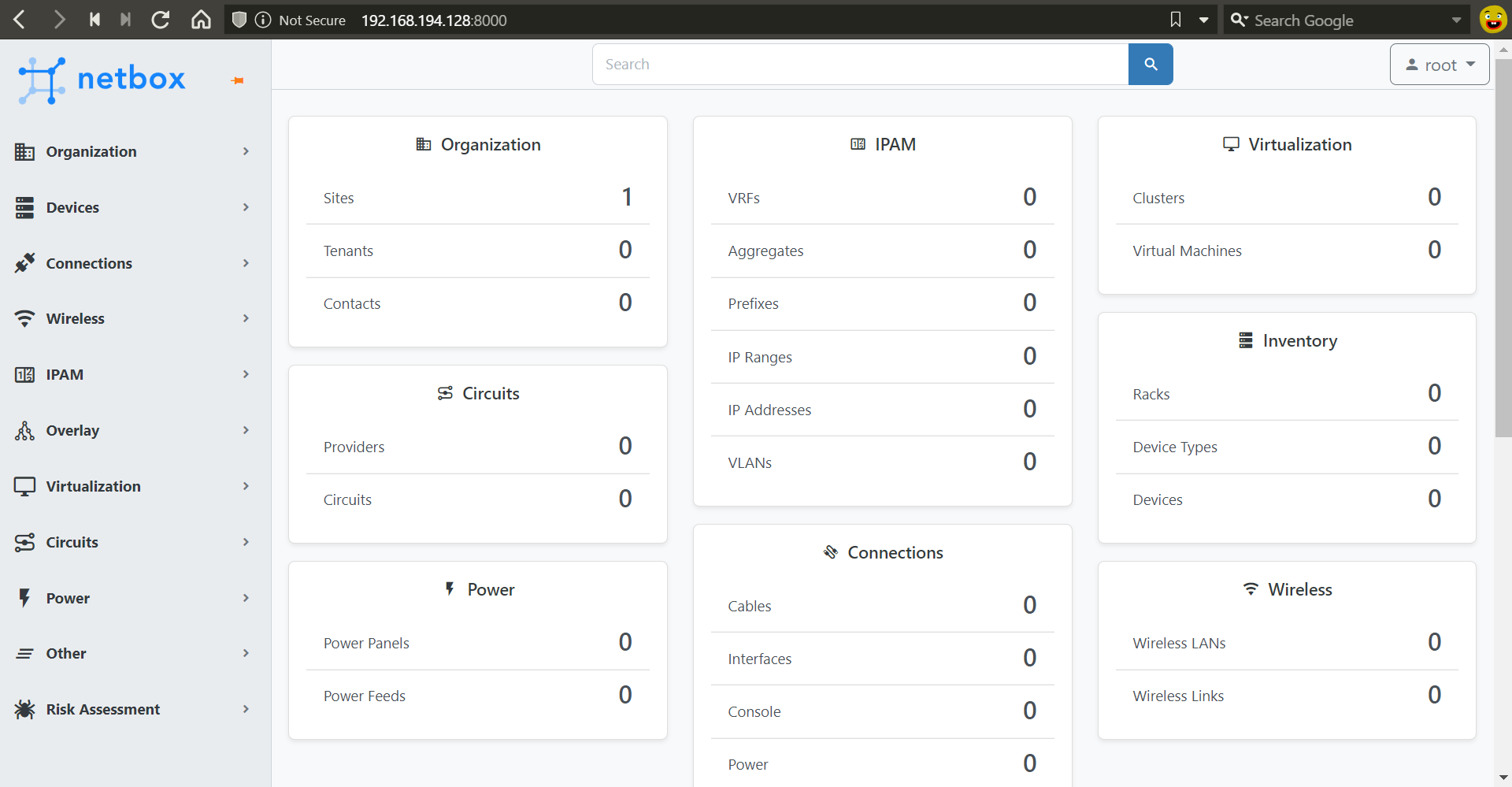
Plugin Menu
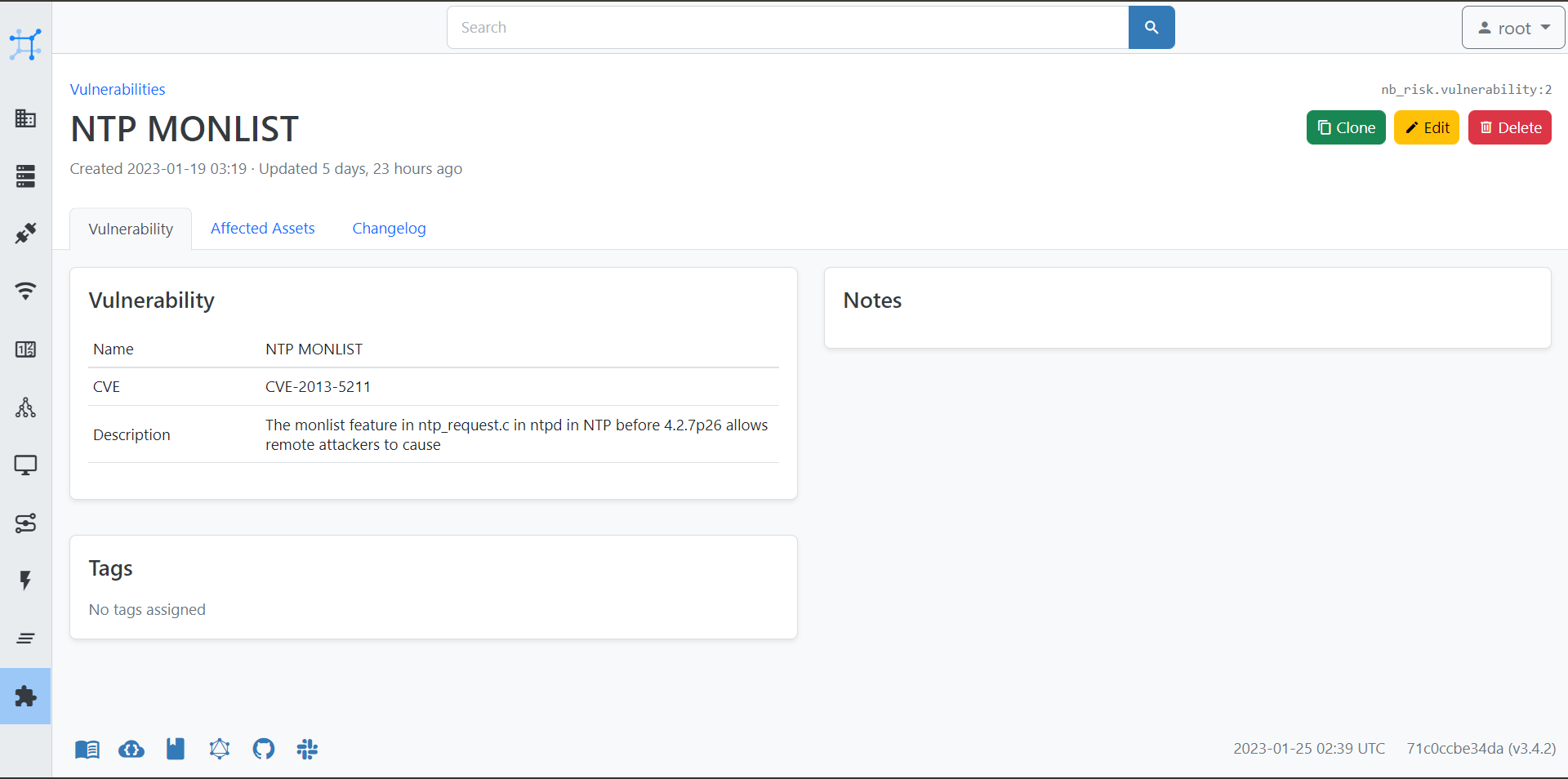
Vulnerability View
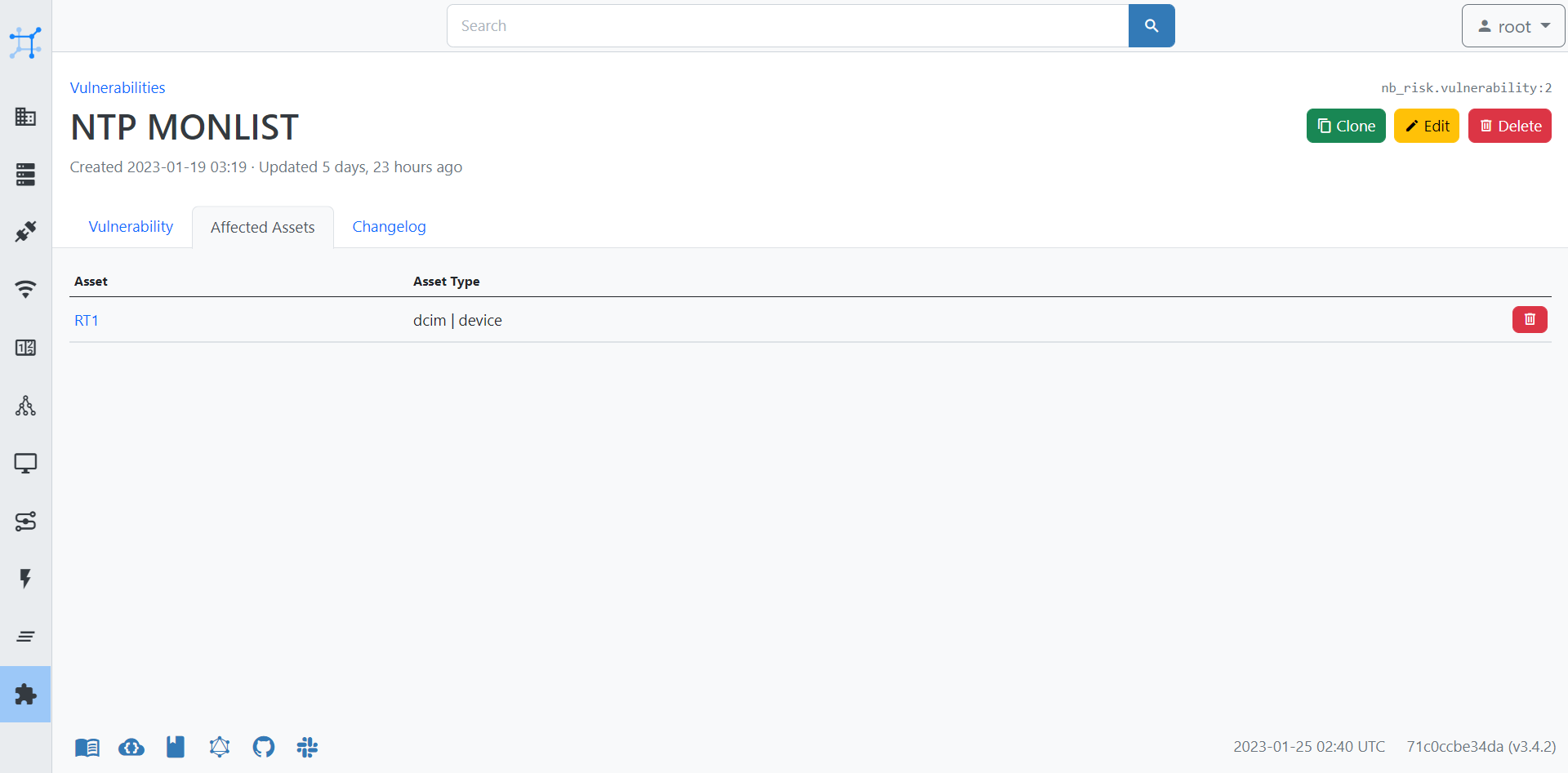
Affected Assets
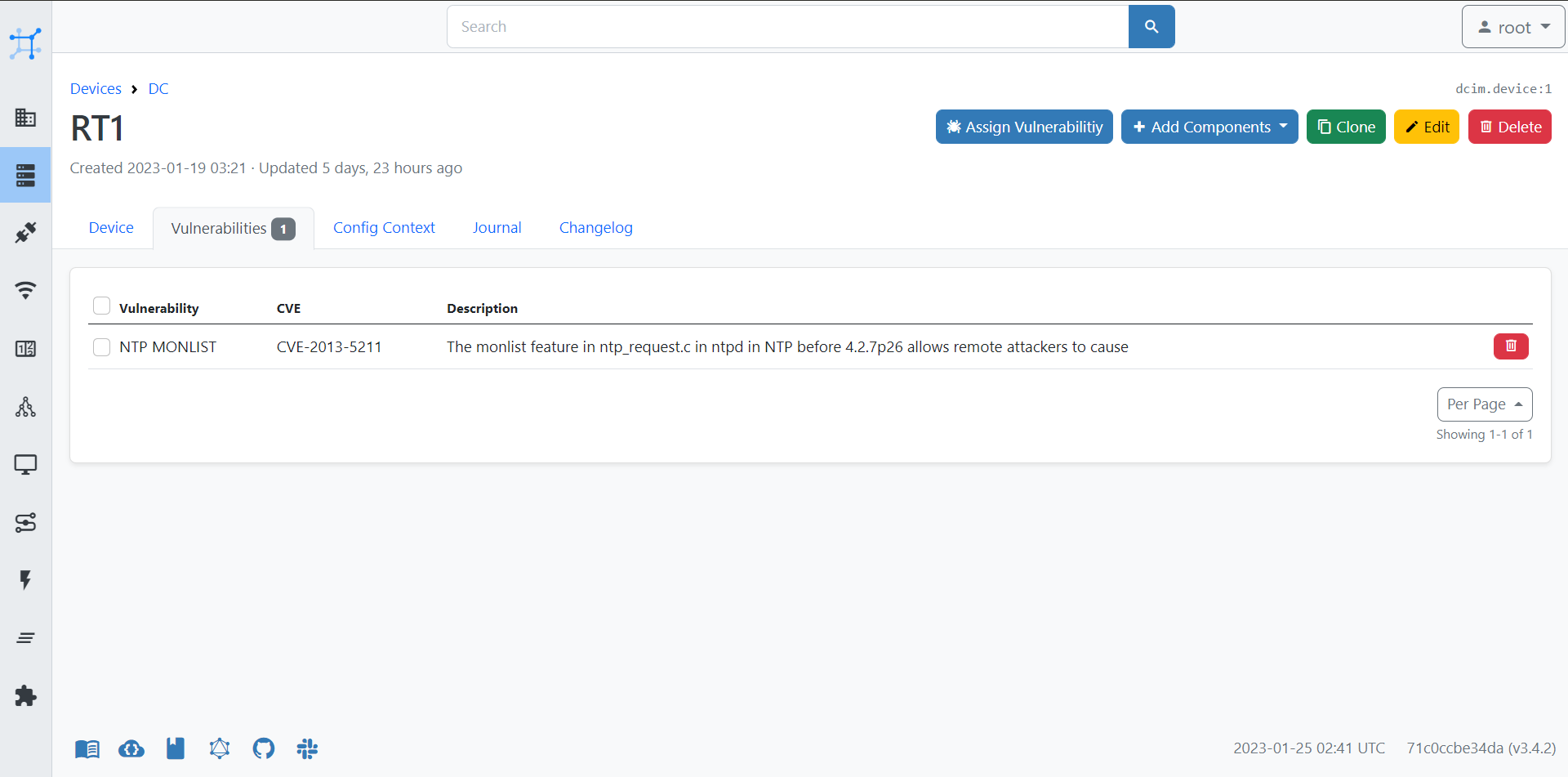
Device Vulnerabilities
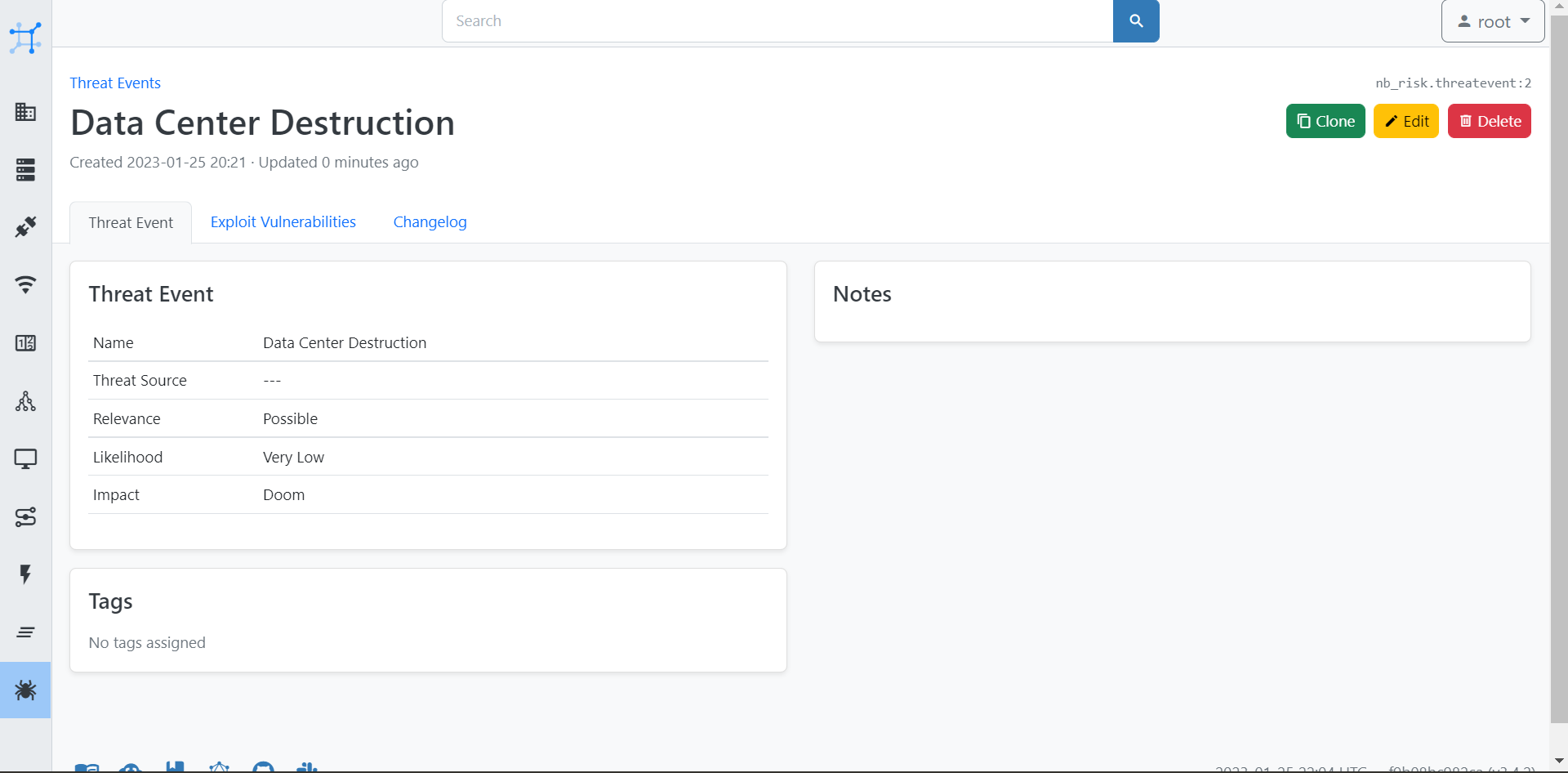
Threat Event View
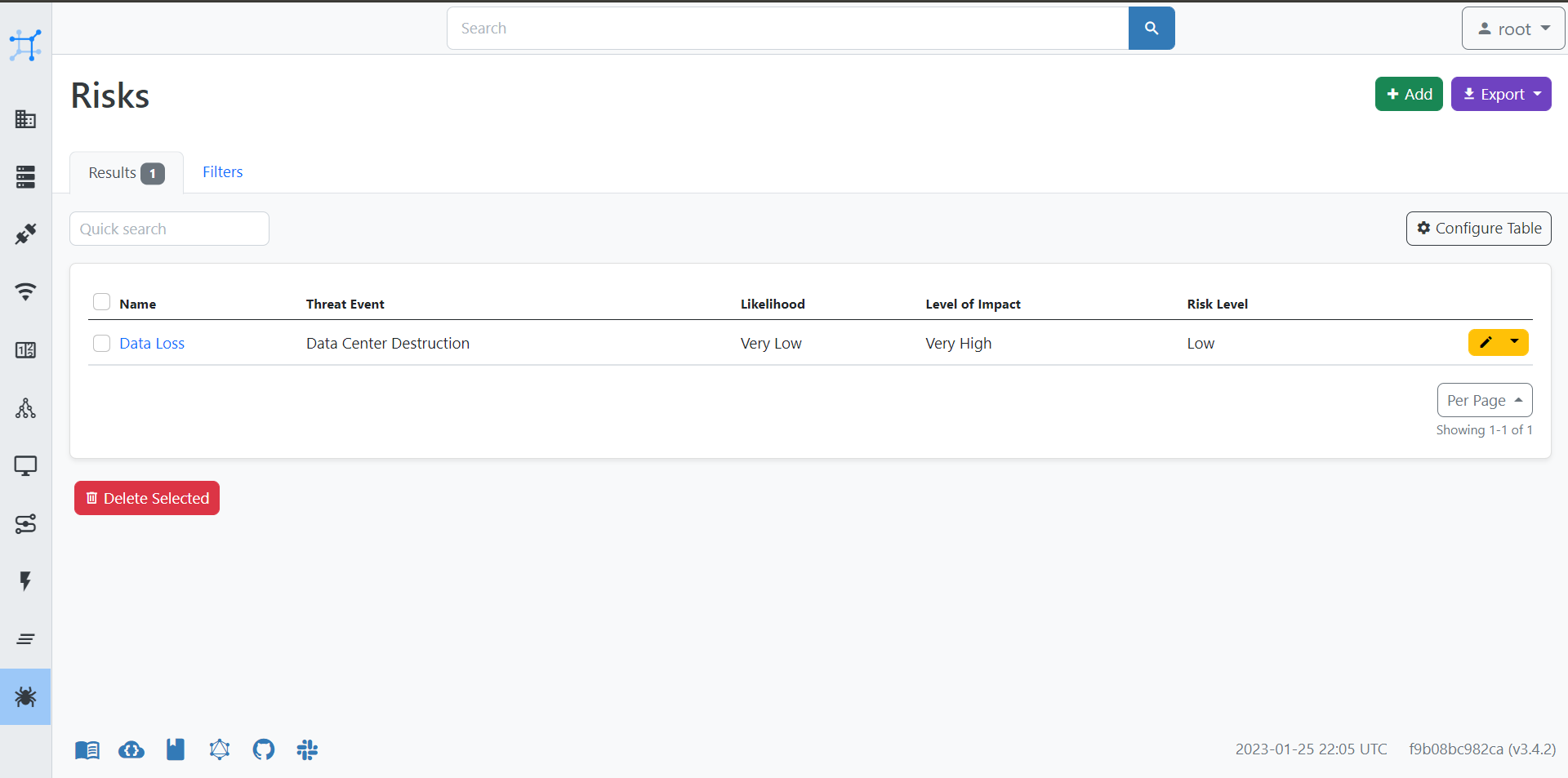
Risks View
1 maintainer

Metadata
1 maintainer
Release files for NbRisk 45.6.1
For a detailed explanation of source distributions (sdists) and built distributions (wheels), please see the package formats documentation.
Source distribution (sdist)
| File | Size | Uploaded | Provenance | |
|---|---|---|---|---|
| nbrisk-45.6.1.tar.gz | 50.3 kB | Without provenance | Details |
Built distribution (wheel)
| File | Interpreter | ABI | Platform | Reset |
|---|---|---|---|---|
| nbrisk-45.6.1-py3-none-any.whl | Python 3 | none | any | Details |
Total release size: 125.7 kB
Release files / nbrisk-45.6.1.tar.gz
| Download URL | nbrisk-45.6.1.tar.gz |
|---|---|
| Size | 50.3 kB |
| Tags | Source |
|
SHA-256 checksum How to use checksums |
f7d56c3f45655dd40e67cfae01b08affa428f4e82842beb07db17eb0c0ca1618
|
|
BLAKE2b-256 checksum How to use checksums |
5ea37a2903fe67bb253c863074d21b1138a95382959d3763ed8ae2e14723ab35
|
| Upload date | |
|
Uploaded using Trusted Publishing? What is trusted publishing? |
No |
| Uploaded via |
twine/6.1.0 CPython/3.8.10
|
Release files / nbrisk-45.6.1-py3-none-any.whl
| Download URL | nbrisk-45.6.1-py3-none-any.whl |
|---|---|
| Size | 75.5 kB |
| Tags | Python 3 |
|
SHA-256 checksum How to use checksums |
7e431b56b5d582de8fad2d494f3de08645a014ee25feec92b581ef1ddb736c9f
|
|
BLAKE2b-256 checksum How to use checksums |
0f6ccd8c2b6c84bfbe20d1924428934433424b246c062da9650ab6bc0fe60c20
|
| Upload date | |
|
Uploaded using Trusted Publishing? What is trusted publishing? |
No |
| Uploaded via |
twine/6.1.0 CPython/3.8.10
|
Security for NbRisk 45.6.1
Provenance
Provenance describes where a file came from. On PyPI, provenance is shared via attestations, which provide a verifiable record of the build or publishing details. View details, limitations and caveats.
No provenance found
None of the files in this release were uploaded with provenance metadata.
A note on package security
PyPI is a repository for distributing packages, not a service for auditing them. While third-party security researchers and our staff do their best to detect and remove malicious packages, PyPI cannot guarantee the quality, security or suitability of any given package.
To learn more about protecting yourself from malicious actors, visit our package security documentation.














