
Neuro-fPCA-fMRI


Project links
Documentation: https://fmri.readthedocs.io
GitHub repository: https://github.com/yanivassf-lab/fMRI
PyPI package: https://pypi.org/project/Neuro-fPCA-fMRI/
Overview
Neuro-fPCA-fMRI uses functional principal component analysis (fPCA) to describe patterns of change in fMRI recordings.
The method fits a smooth curve to the signal at each voxel. It then finds temporal patterns that explain variation across these curves. Each temporal pattern has a signed score at each voxel, which can be displayed as a brain map.
The package also provides a group analysis pipeline. It builds features for each participant, trains classifiers to distinguish participant groups, and evaluates the saved classifiers on separate test participants. An interactive dashboard displays regional feature importance from the fitted classifiers.
How fPCA works
Load and prepare the data
Load a 4D fMRI recording and its brain mask. Extract the voxel signals and apply the selected preprocessing settings.
Represent each signal with smooth functions
Represent each voxel signal as a weighted sum of basis functions. The package supports Fourier and B-spline bases. The current workflow uses a Fourier basis.
Control the amount of smoothing
A roughness penalty limits rapid changes in the fitted curves. Generalized cross-validation (GCV) selects the smoothing strength separately for each voxel.
Find the main temporal patterns
After centering the fitted curves across voxels, fPCA finds temporal components that explain their variation. The calculation accounts for the inner products between the basis functions.
Save temporal profiles and spatial scores
Each component has a temporal profile and a score at each voxel. The temporal profile describes its shape over time. The voxel scores describe its spatial distribution.
Group analysis
The group workflow uses recordings from two musical movements. Training and test participants are kept separate.
For analyses that use a shared component space, the pipeline fits a group fPCA basis using the training participants and projects the test participants onto that basis.
The current workflow includes three feature sets:
Set 0: regional signals joined into one feature vector.
Set 1: regional signal summaries, including standard deviation, mean absolute value, and means within time windows.
Set 4: regression coefficients relating regional signals to the music annotation.
For fPCA Sets 0 and 1, each selected group component is analysed separately. Set 4 instead uses a reconstruction from each participant’s own retained fPCA components before fitting the regression.
The pipeline also supports a comparison using preprocessed BOLD signals directly. The scripts call this the raw branch. Here, raw means that feature construction does not use fPCA; it does not mean unprocessed scanner data.
Example outputs
The following images come from earlier example runs. They illustrate the output formats, not the results or expected performance of a new analysis.
PNG plots are skipped when --low-mem is enabled, as in the current fPCA wrapper. See the documentation for saved numerical outputs and plotting options.
Spatial component scores
The spatial map shows the signed score of one component at each voxel. The older image calls this value “Importance”. It is an fPCA score, not classifier feature importance or a statistical test of a brain region.
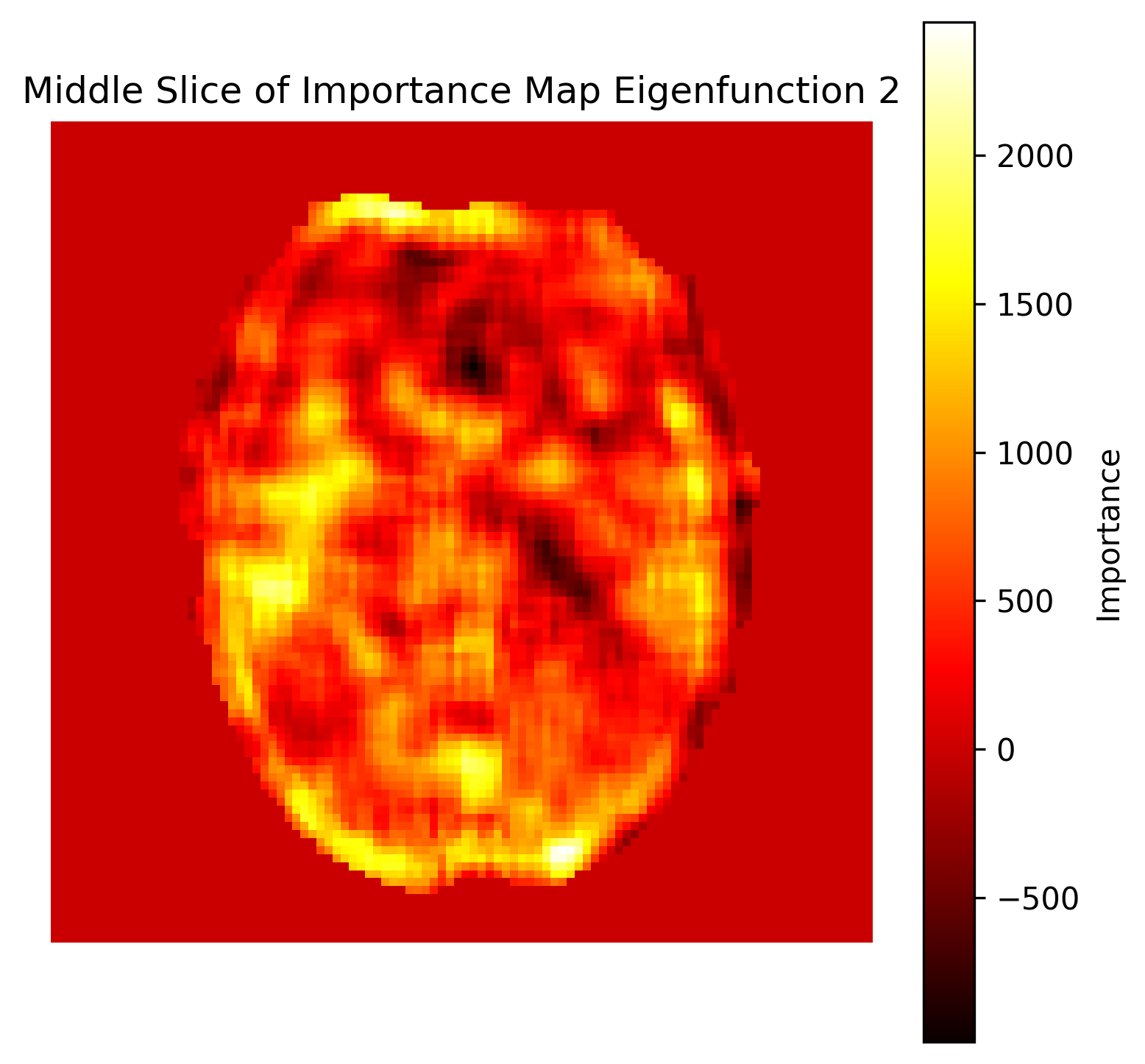
Example spatial score map for component 2. Component indices start at 0.
Temporal profile
The temporal profile shows the shape of a component over the recording. The example below shows component 0, while the spatial map above shows component 2.
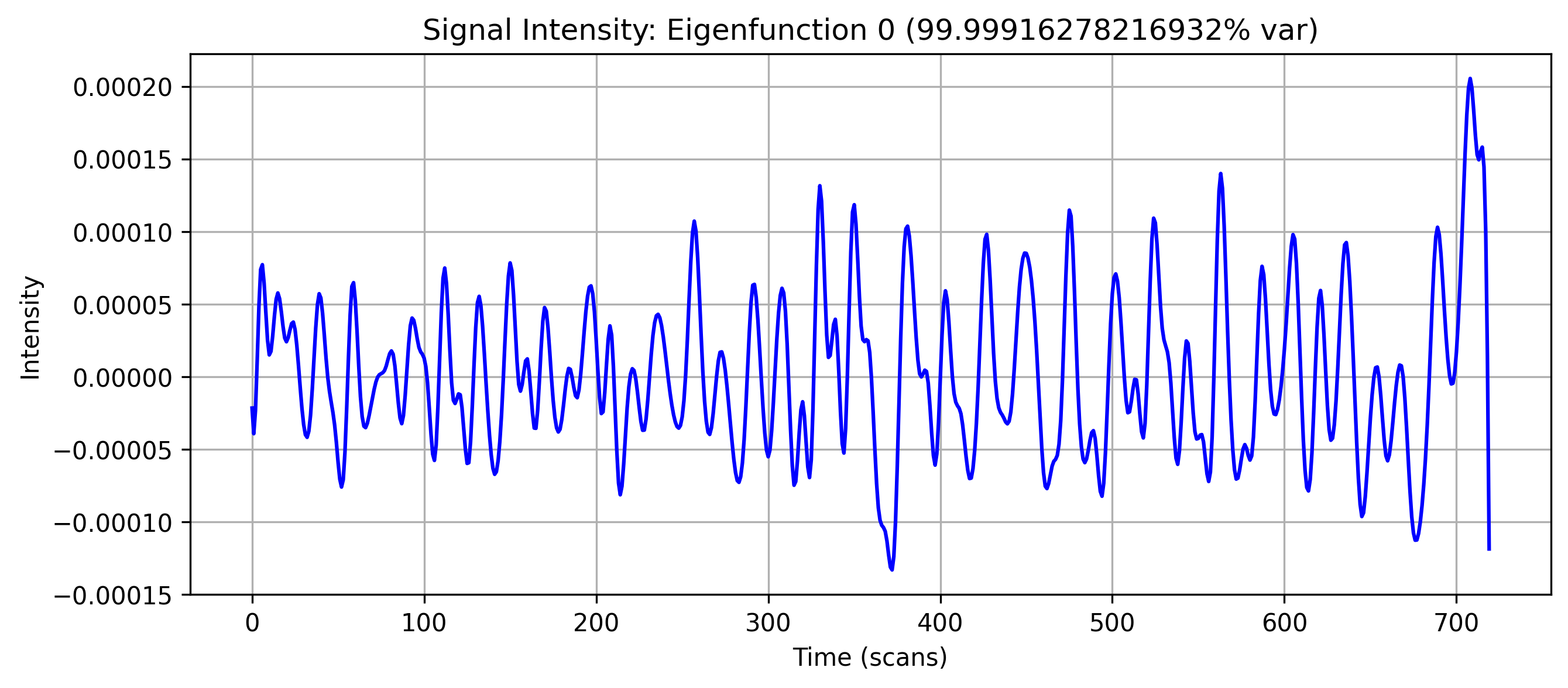
Example temporal profile. This older image labels time in scans; the current plotting code uses seconds.
Fitted signal at one voxel
The program also displays the voxel with the largest signed score for a component. Red points show the samples used for fitting. The blue line shows the fitted smooth curve.
The name “best voxel” refers to the component score used to select the voxel. It does not mean that this voxel has the smallest fitting error.
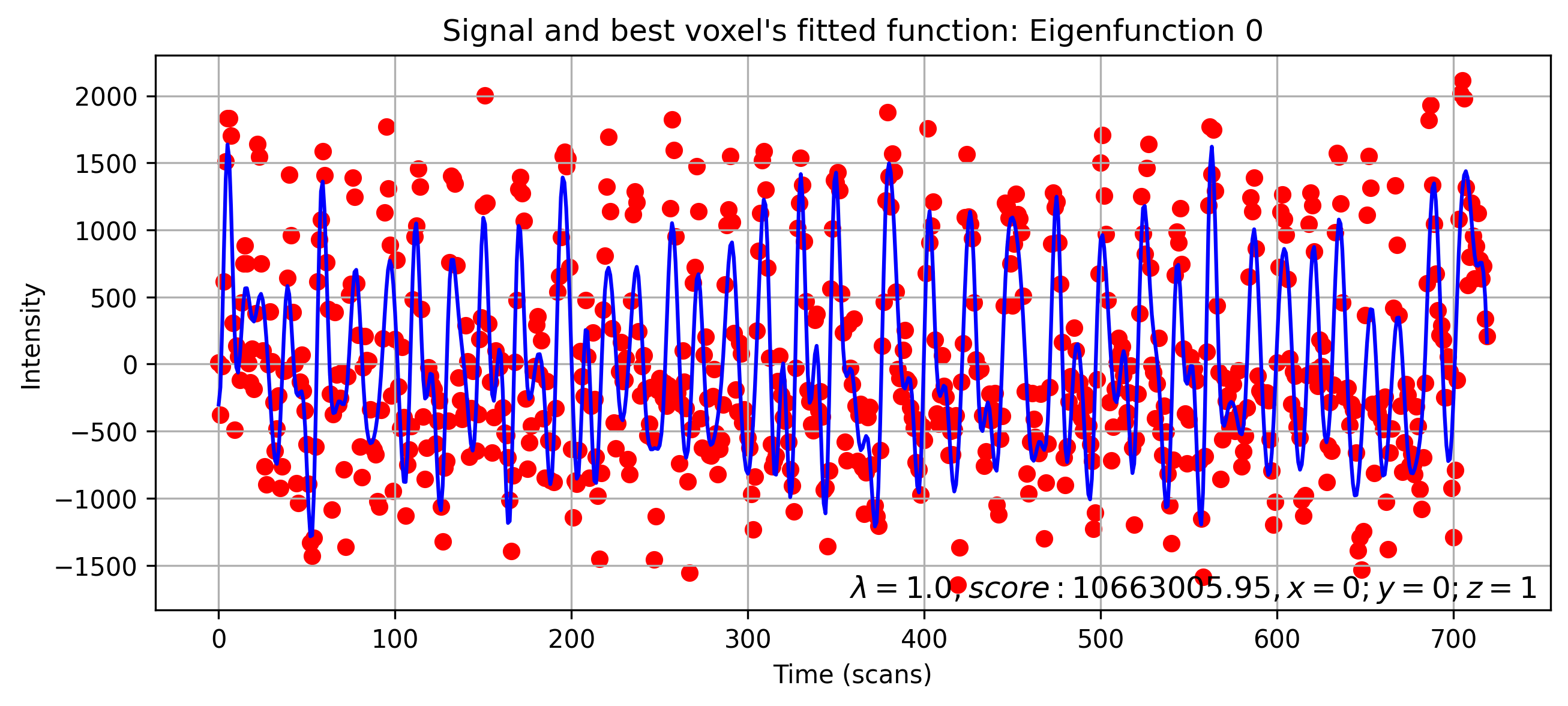
Example voxel selected using its score for component 0. The blue curve is the smooth fit, not a reconstruction from component 0 alone.
Installation and running
Start with the installation guide, which describes the supported setup using a mamba environment. Then follow the run instructions for your analysis.
Reading the results
fPCA voxel scores, classification performance, and regional feature importance describe different things.
fPCA scores describe how temporal components contribute to voxel signals.
Classification scores describe prediction of participant labels.
Regional feature importance describes how a fitted classifier uses its inputs.
A high prediction score or a highly ranked region does not by itself establish a biological mechanism. Follow the documentation when interpreting validation scores, statistical tests, and atlas labels.
Mathematical background
The fPCA method follows the work of:
Roberto Viviani, Georg Grön and Manfred Spitzer, Functional Principal Component Analysis of fMRI Data, Human Brain Mapping 24, 109–129 (2005).
The documentation separates the mathematical explanation from the implementation used in the current workflow:
Credits
The initial package structure was created using Cookiecutter and the audreyr/cookiecutter-pypackage template.
License
Free software distributed under the GNU General Public License, version 3 (GPLv3). See the LICENSE file in the repository.
1 maintainer

Metadata
1 maintainer
Release files for Neuro-fPCA-fMRI 0.0.37
For a detailed explanation of source distributions (sdists) and built distributions (wheels), please see the package formats documentation.
Source distribution (sdist)
| File | Size | Uploaded | Provenance | Actions |
|---|---|---|---|---|
| neuro_fpca_fmri-0.0.37.tar.gz | 10.0 MB | Without provenance | Details for neuro_fpca_fmri-0.0.37.tar.gz |
Built distribution (wheel)
| File | Interpreter | ABI | Platform | Actions Reset |
|---|---|---|---|---|
| neuro_fpca_fmri-0.0.37-py3-none-any.whl | Python 3 | none | any | Details for neuro_fpca_fmri-0.0.37-py3-none-any.whl |
Total release size: 10.2 MB
Release files / neuro_fpca_fmri-0.0.37.tar.gz
| Download URL | neuro_fpca_fmri-0.0.37.tar.gz |
|---|---|
| Size | 10.0 MB |
| Tags | Source |
|
SHA-256 checksum How to use checksums |
f5733b4e82b3ebc78be019918e3744a98af556e11dda66a6b894faf1e8310f2a
|
|
BLAKE2b-256 checksum How to use checksums |
9ecbaf0155e627dd3dc1b25cbffe3a965877d2f4d81034a7cd6bf807d4c8c7dd
|
| Upload date | |
|
Uploaded using Trusted Publishing? What is trusted publishing? |
No |
| Uploaded via |
twine/7.0.0 CPython/3.15.2
|
Release files / neuro_fpca_fmri-0.0.37-py3-none-any.whl
| Download URL | neuro_fpca_fmri-0.0.37-py3-none-any.whl |
|---|---|
| Size | 174.6 kB |
| Tags | Python 3 |
|
SHA-256 checksum How to use checksums |
eaf20c3b8832c57e56c1e40fe99d493f015d143d4bd5d8aea4f2d465ddb25789
|
|
BLAKE2b-256 checksum How to use checksums |
1e0ef49bf3fdb5808a33c362ab339c330882620c1e49309f8dbc615e7eeb4d83
|
| Upload date | |
|
Uploaded using Trusted Publishing? What is trusted publishing? |
No |
| Uploaded via |
twine/7.0.0 CPython/3.15.2
|
Security for Neuro-fPCA-fMRI 0.0.37
Provenance
Provenance describes where a file came from. On PyPI, provenance is shared via attestations, which provide a verifiable record of the build or publishing details. View details, limitations and caveats.
No provenance found
None of the files in this release were uploaded with provenance metadata.
A note on package security
PyPI is a repository for distributing packages, not a service for auditing them. While third-party security researchers and our staff do their best to detect and remove malicious packages, PyPI cannot guarantee the quality, security or suitability of any given package.
To learn more about protecting yourself from malicious actors, visit our package security documentation.














