
可以看pica和jm

Project description


nonebot-plugin-PicaJm
✨ 在bot上查询和发送jm和哔咔本子 ✨



📖 介绍
可以让你在bot上查询jm和哔咔并打包压缩包下载,其中哔咔功能由于api本身很不稳定,所以有时候要重试好多遍才能用,可以只用jm功能
💿 安装
使用 nb-cli 安装
在 nonebot2 项目的根目录下打开命令行, 输入以下指令即可安装nb plugin install nonebot-plugin-PicaJm
使用包管理器安装
在 nonebot2 项目的插件目录下, 打开命令行, 根据你使用的包管理器, 输入相应的安装命令pip
pip install nonebot-plugin-PicaJm
pdm
pdm add nonebot-plugin-PicaJm
poetry
poetry add nonebot-plugin-PicaJm
conda
conda install nonebot-plugin-PicaJm
打开 nonebot2 项目根目录下的 pyproject.toml 文件, 在 [tool.nonebot] 部分追加写入
plugins = ["nonebot_plugin_PicaJm"]
⚙️ 配置
在 nonebot2 项目的.env文件中添加下表中的必填配置
| 配置项 | 必填 | 默认值 | 说明 |
|---|---|---|---|
| pica_account | 是 | 无 | 哔咔账号 |
| pica_password | 是 | 无 | 哔咔密码 |
| SYSTEM_PROXY | 是 | 无 | 本地代理 |
| zip_ispwd | 否 | True | 是否开启压缩包密码 |
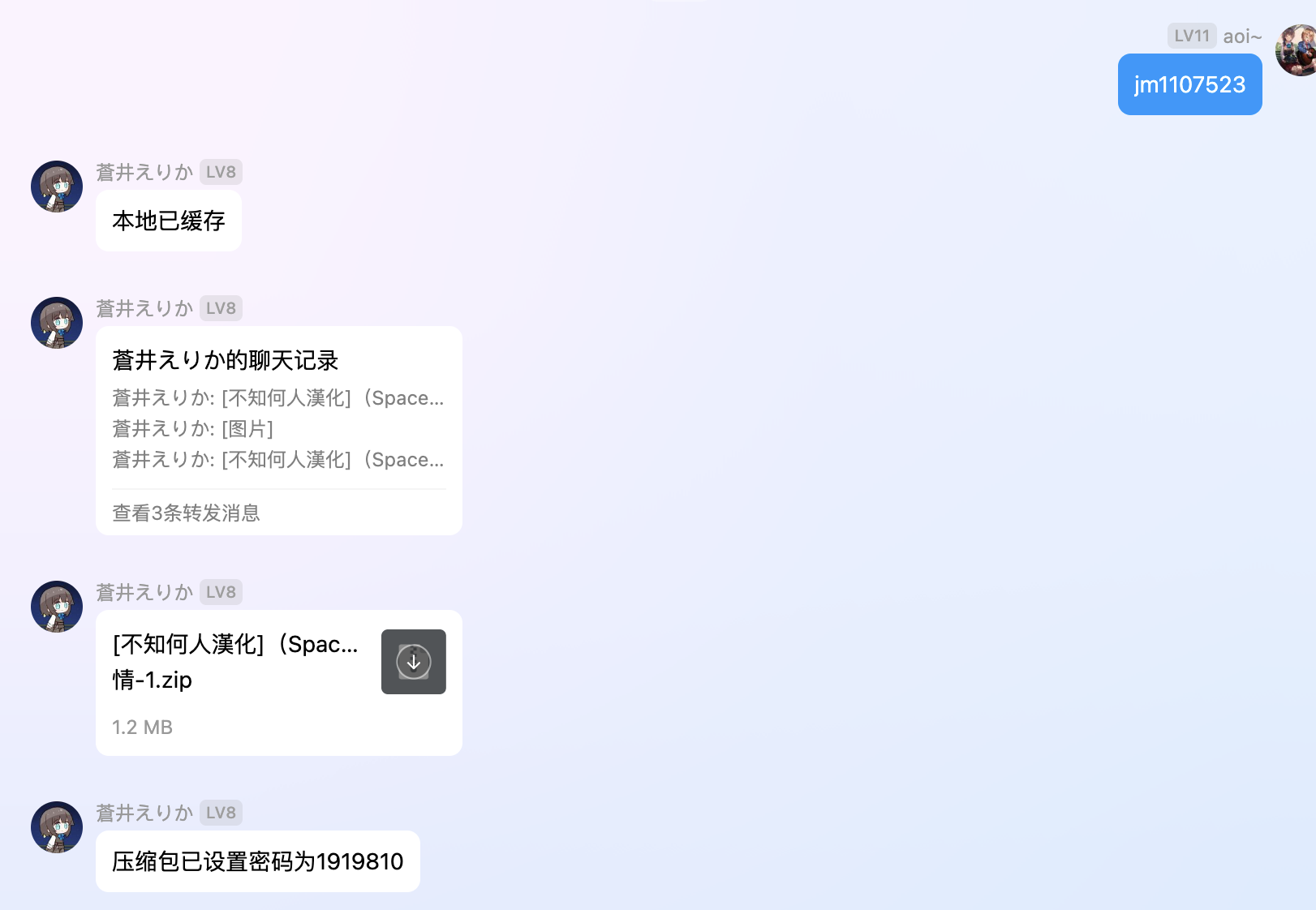
| zip_password | 否 | 1919810 | 压缩包密码 |
🎉 使用
指令表
| 指令 | 权限 | 需要@ | 范围 | 说明 |
|---|---|---|---|---|
| jmxxxxxx(jm号) + 章节数(可选) | 群员 | 否 | 群聊 | 识别禁漫号发送本子 |
| 搜jm + 关键字 | 群员 | 否 | 群聊 | 返回符合的jm本子信息列表 |
| 搜pica + 关键字 | 群员 | 否 | 群聊 | 返回符合的哔咔本子信息列表 |
| 分区搜 + 分区 + 关键字 | 群员 | 否 | 群聊 | 返回指定分区下的哔咔本子信息列表 |
| 随机本子 | 群员 | 否 | 群聊 | 返回哔咔随机本子信息并发送 |
| 我的收藏 + 页数(默认第一页) | 群员 | 否 | 群聊 | 返回我的哔咔收藏下的本子信息 |
| 哔咔收藏 + 漫画id | 群员 | 否 | 群聊 | 收藏这个id的本子,反之取消 |
| 哔咔排行 + 排序模式(H24, D7, D30)(默认H24也就是日榜) | 群员 | 否 | 群聊 | 返回哔咔排行榜下的本子信息 |
| 清理哔咔缓存 | 主人 | 否 | 群聊 | 清理哔咔缓存的所有文件 |
| 检查哔咔 | 主人 | 否 | 群聊 | 检查哔咔并重新登录 |
效果图

Release history Release notifications | RSS feed

Download files
Download the file for your platform. If you're not sure which to choose, learn more about installing packages.
Source Distribution
Built Distribution
Filter files by name, interpreter, ABI, and platform.
If you're not sure about the file name format, learn more about wheel file names.
Copy a direct link to the current filters
File details
Details for the file nonebot_plugin_picajm-0.1.0.tar.gz.
File metadata
- Download URL: nonebot_plugin_picajm-0.1.0.tar.gz
- Upload date:
- Size: 28.7 kB
- Tags: Source
- Uploaded using Trusted Publishing? No
- Uploaded via: twine/6.1.0 CPython/3.12.9
File hashes
| Algorithm | Hash digest | |
|---|---|---|
| SHA256 |
6d36ca597f90f15efee85cf5700f0a9a649ff2764a6b813eb81fad49e823215a
|
|
| MD5 |
91c3cb75a5c98788f33d274e2023cf8b
|
|
| BLAKE2b-256 |
f528f7870d6f9d7ed002dcb9769ea8ff549331a72925041dfb5a581042bd3791
|
File details
Details for the file nonebot_plugin_picajm-0.1.0-py3-none-any.whl.
File metadata
- Download URL: nonebot_plugin_picajm-0.1.0-py3-none-any.whl
- Upload date:
- Size: 28.7 kB
- Tags: Python 3
- Uploaded using Trusted Publishing? No
- Uploaded via: twine/6.1.0 CPython/3.12.9
File hashes
| Algorithm | Hash digest | |
|---|---|---|
| SHA256 |
581814e5cbdfae2c56ffbc3430d0d1b5c6f6cc6206447a02bc3bd05172cd96b5
|
|
| MD5 |
77b5d3b51218f678df9c3233db609199
|
|
| BLAKE2b-256 |
cbf010f14408ab1f0e030bd1348fb43f463c31748db0519ca8cf212b7e2d58e8
|






