
📝 NoteSH
Fully functional sticky notes App in your Terminal! Built with Textual, an amazing TUI framework!
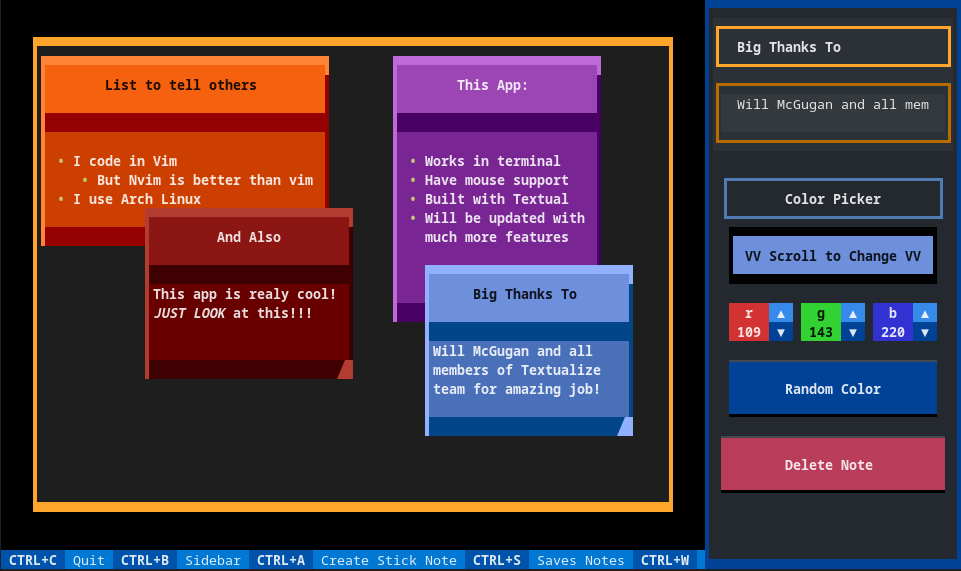
In last Update
- Hoptex Support (you can focus anything easy now)!
- User default note file
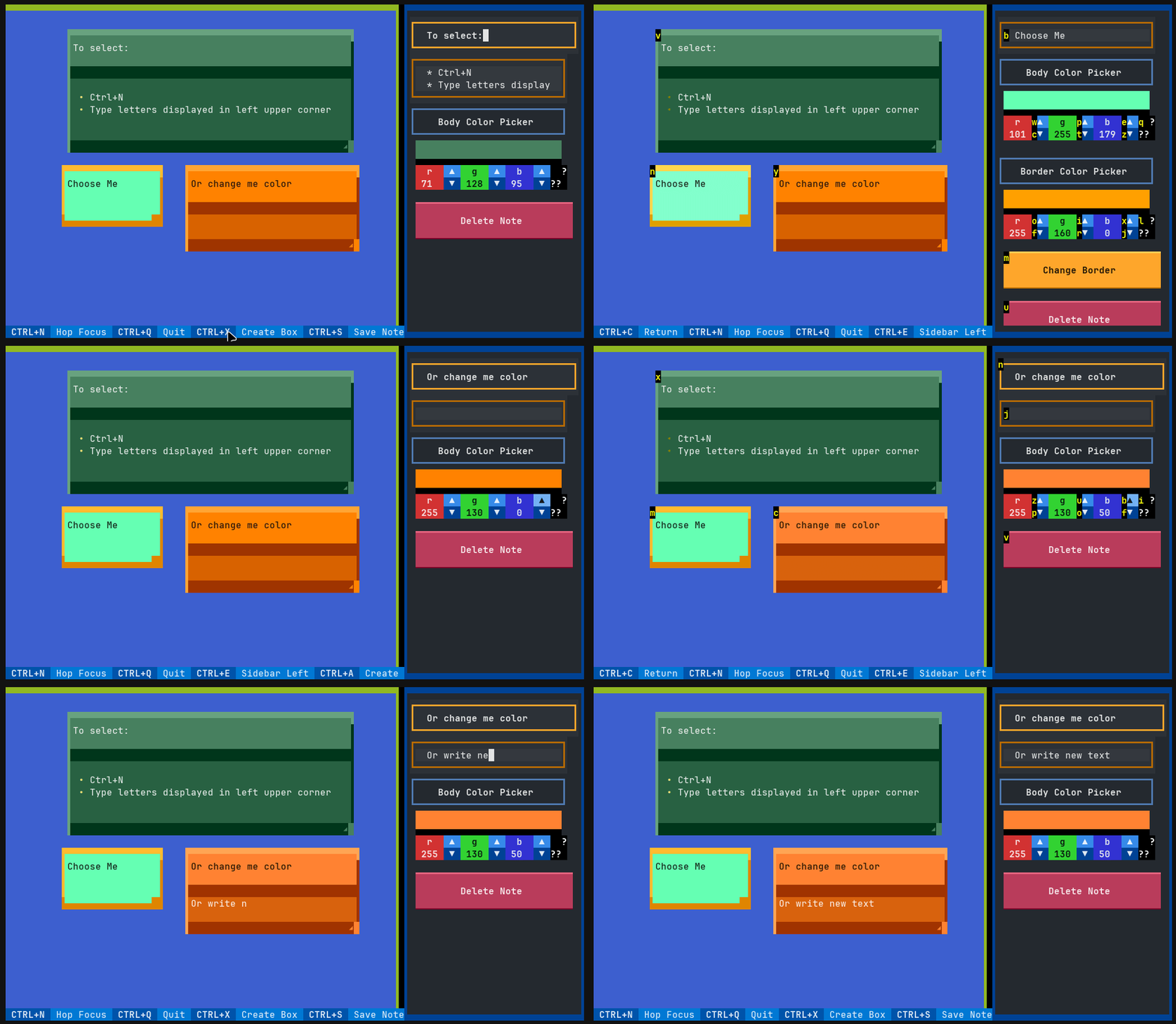
Installation
Best option to install is using pipx:
pipx install notesh
# but it is still possible to do it with just pip:
pip install notesh
Usage
To start using just type in your terminal:
notesh
it will create new file notes.json in current directory.
You can also specify file by using -f flag:
notesh -f MyNotes.json
# or full/relative path
notesh -f ~/Documents/MyNotes.json
➕ Create new Note
- To create new note just press
Ctrl+A - You can change color with buttons but also using scroll
- To edit note just click in its body
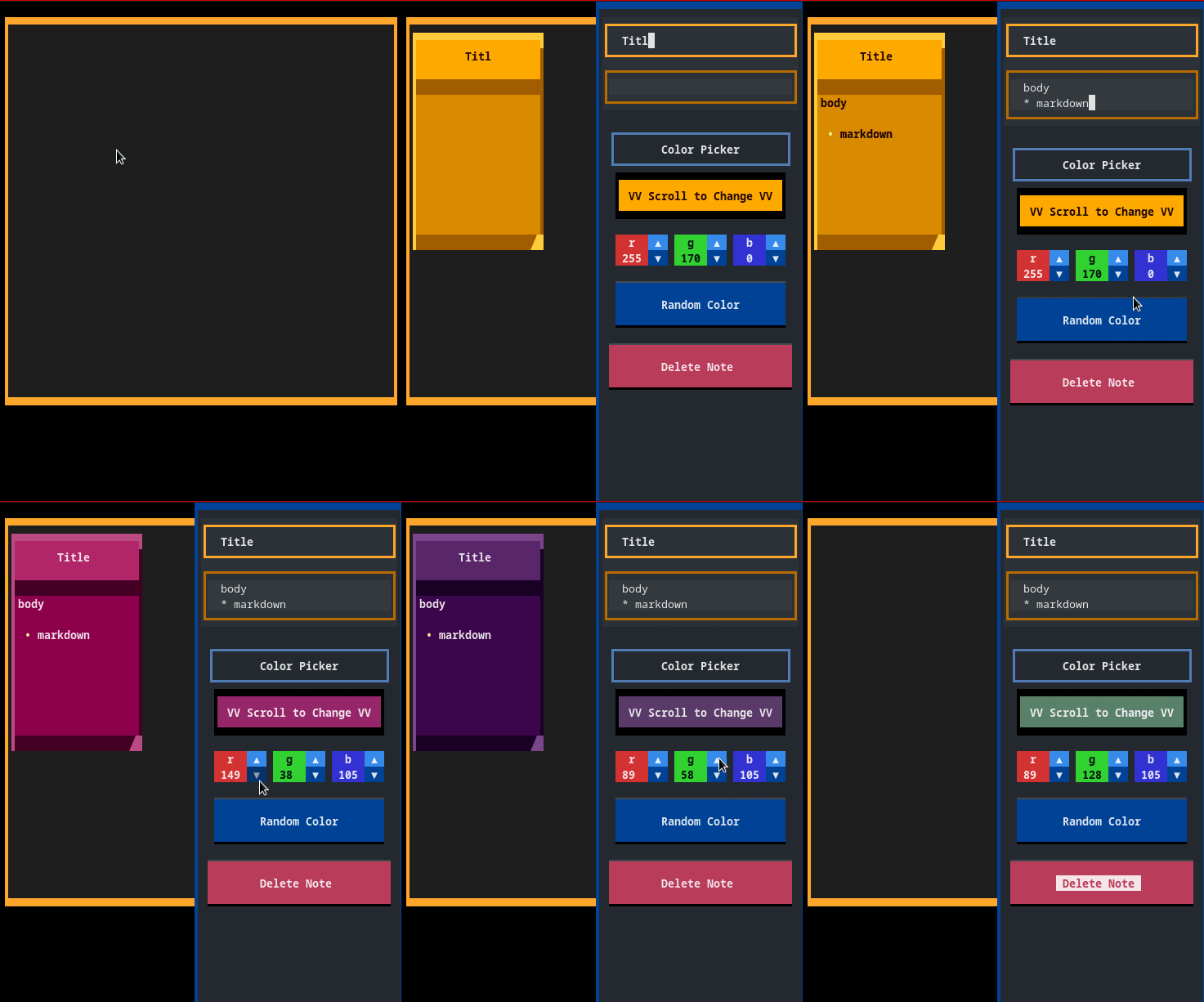
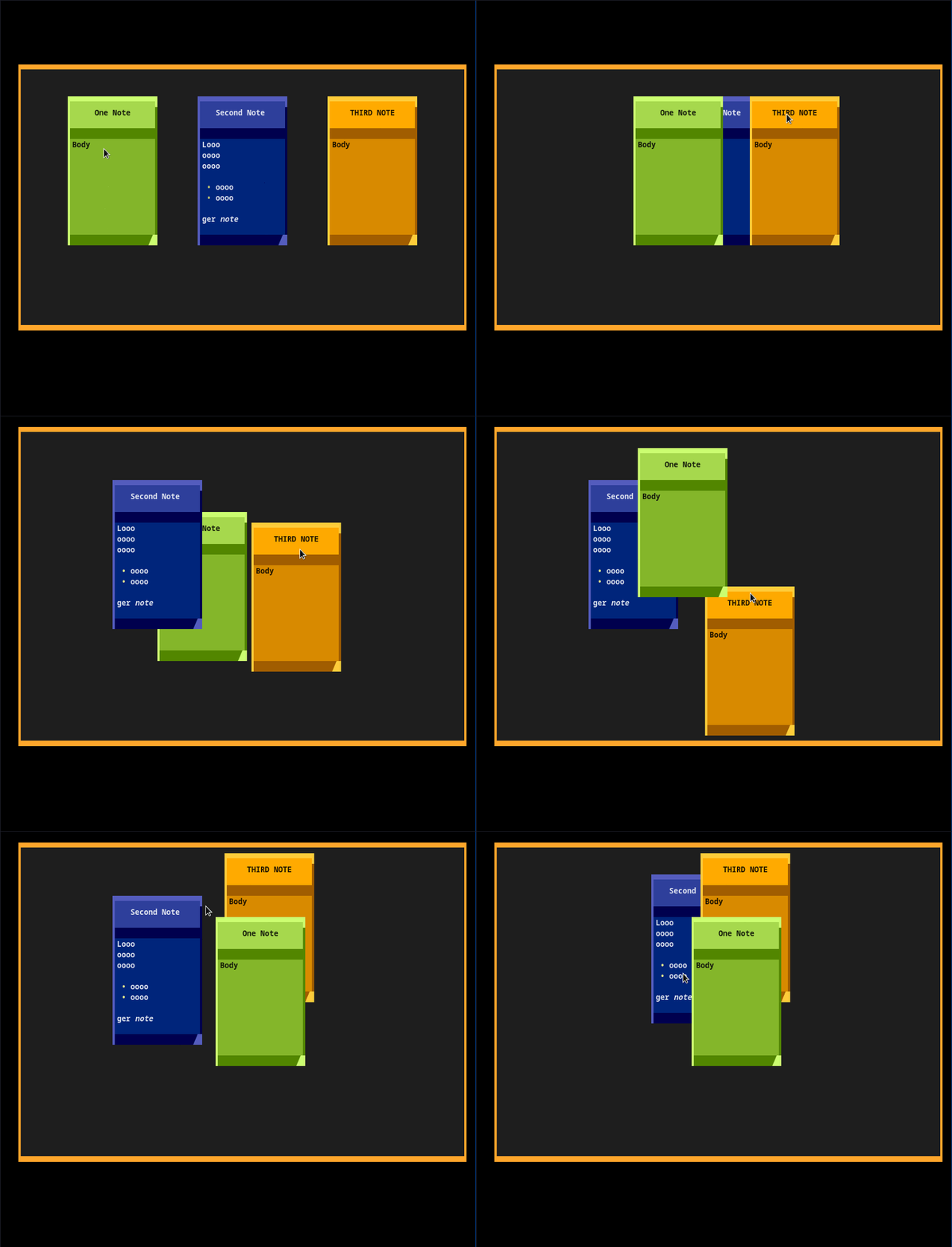
🧅 It supports layers
- To move note grab it top part and move with mouse
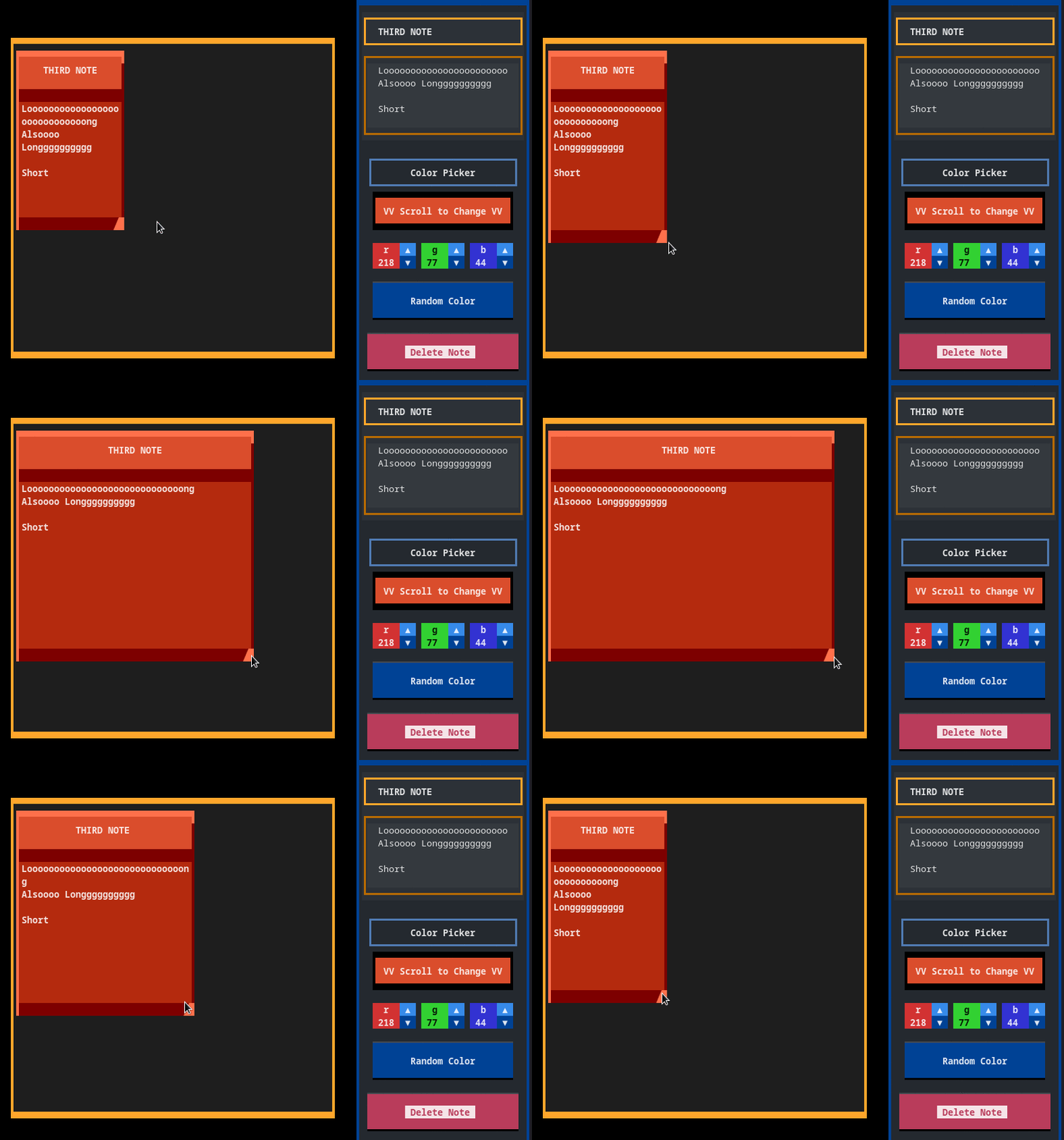
🗚 You can resize notes
- To resize grab left bottom corner and move with mouse
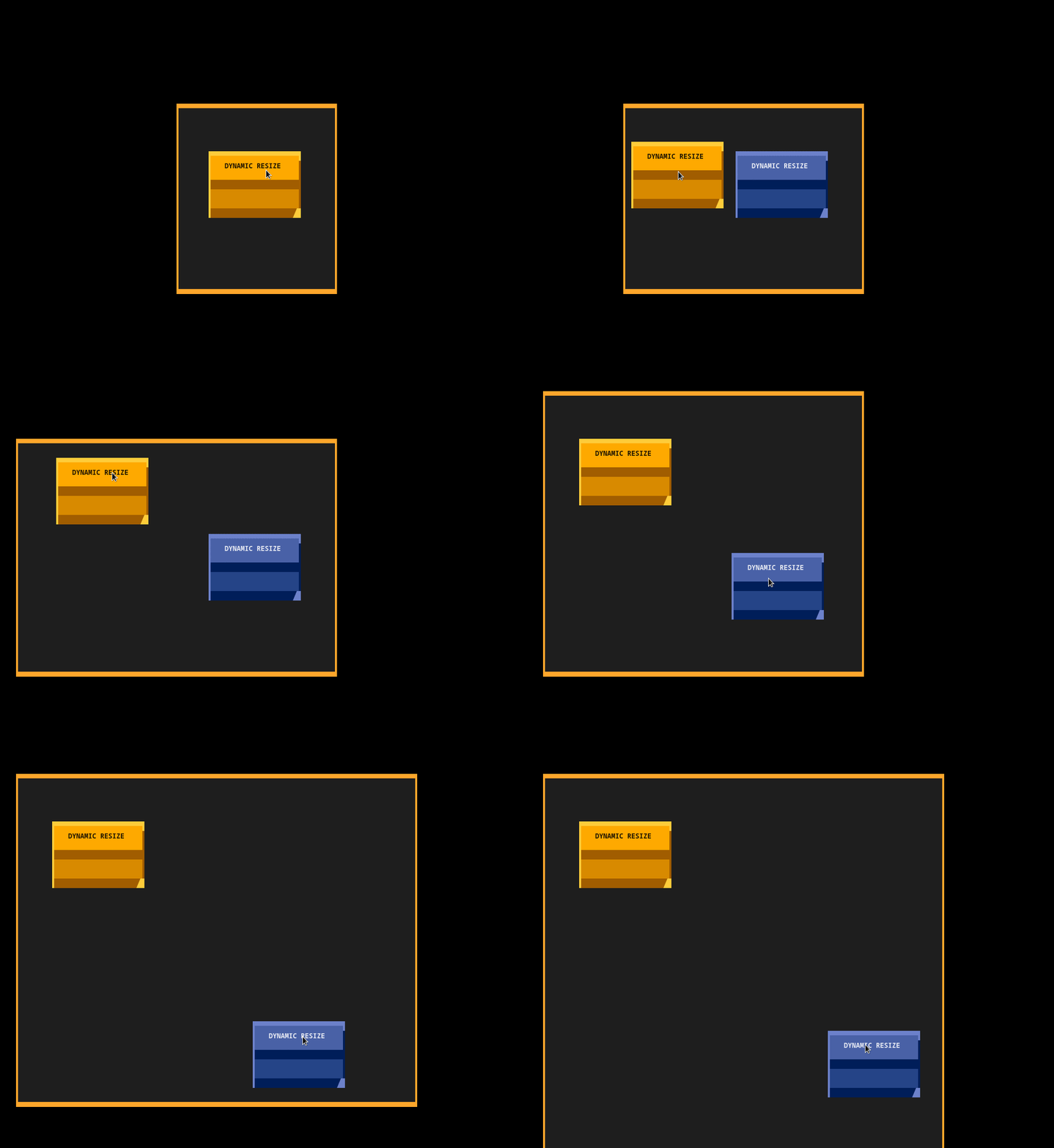
💡 And background is resizable
- If you make make background to big it will readjust after you reopen App
- You can also click
CTRL-Mouseto look around whole wall
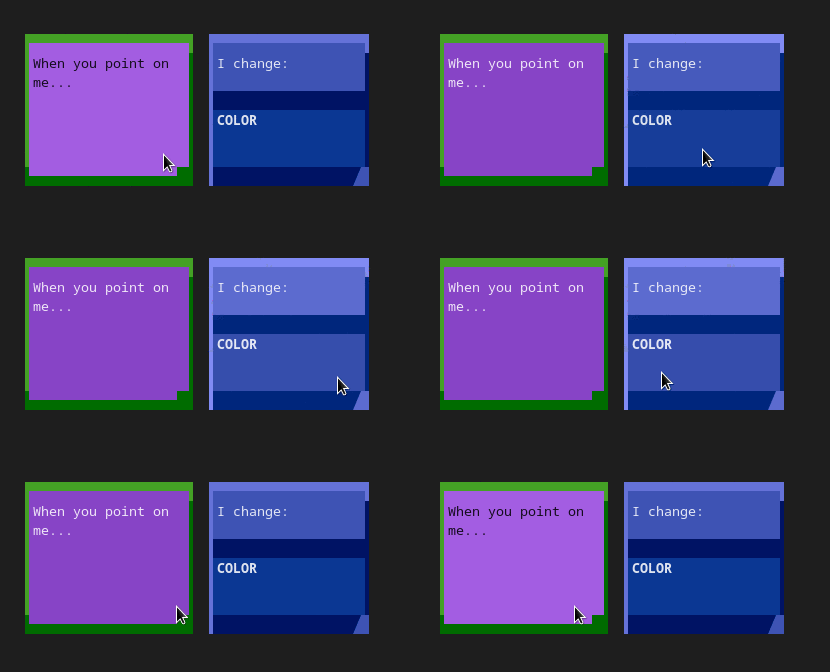
💡 Highlight when mouse is over
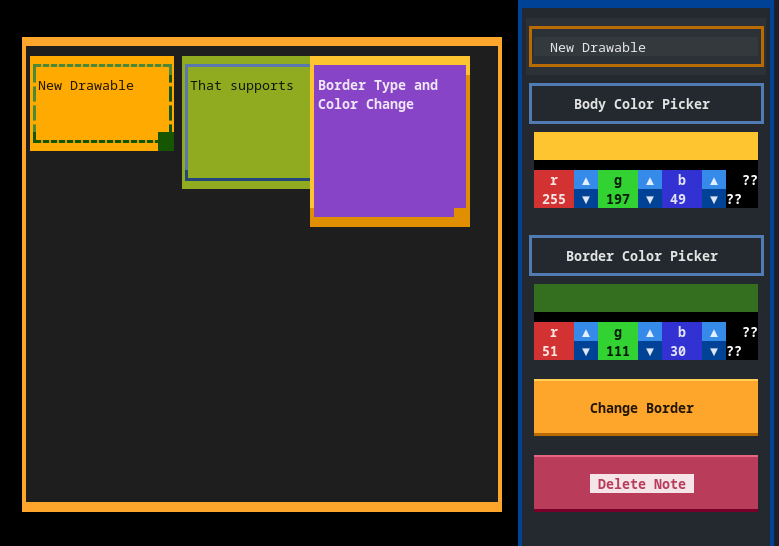
➕ New Drawable that support borders change
⌨️ Vim/Custom key bindings
You can now do everything using KEYBOARD!
This is first version so if you have any suggestions please write them in existing issue.
Default keybindings are in default_bindings.toml
file that is in root of installation.
You can also create second file user_bindings.toml where you can overwrite defaults.
What you can do
- Change focus
focus_next/focus_previoususingctrl+i,ctrl+j/ctrl+o,ctrl+k - Edit note
editusingi - When note is focused you can move it with
j/k/l/h. Also adding shift moves it more with one click - Clicking
unfocususingescapereturns from edit mode, and unfocus drawable if not in edit mode. - Resize note using
+/-for vertical and>/<for horizontal - Bring 'ctrl+f' Forward and
ctrl+bBackward Note
Bindings file
Default file
# These are default, they also are displayed at the footer
[default]
quit = ["ctrl+q,ctrl+c", "Quit"]
toggle_sidebar_left = ["ctrl+e", "Sidebar Left"]
add_note = ["ctrl+a", "Create Stick Note"]
add_box = ["ctrl+x", "Create Box"]
save_notes = ["ctrl+s", "Save Notes"]
unfocus = ["escape", "Unfocus"]
"app.toggle_dark" = ["ctrl+t", "Dark/Light"]

[moving_drawables]
# Default movement
left = "h"
right = "l"
up = "k"
down = "j"
# You can add number after _ and it will move note that many times
left_5 = "H"
right_5 = "L"
up_5 = "K"
down_5 = "J"

[normal_insert]
# there is only `next` and `previous` and the order is not changable yet
focus_next = "ctrl+i,ctrl+j"
focus_previous = "ctrl+o,ctrl+k"
unfocus = "escape"

[normal]
edit = "i"
delete = "Q"
add_note = "o"
add_box = "O"

# For special characters like `+` or `<` you need to use names
# You can check the name using textual `textual keys`
[resize_drawable]
h_plus = "greater_than_sign"
h_minus = "less_than_sign"
v_plus = "plus"
v_minus = "minus"

# It brings at the top or bottom the note
[bring_drawable]
forward = "ctrl+f"
backward = "ctrl+b"

[hoptex]
focus = "ctrl+n"
quit = "escape,ctrl+c"
unfocus = "escape,ctrl+c"
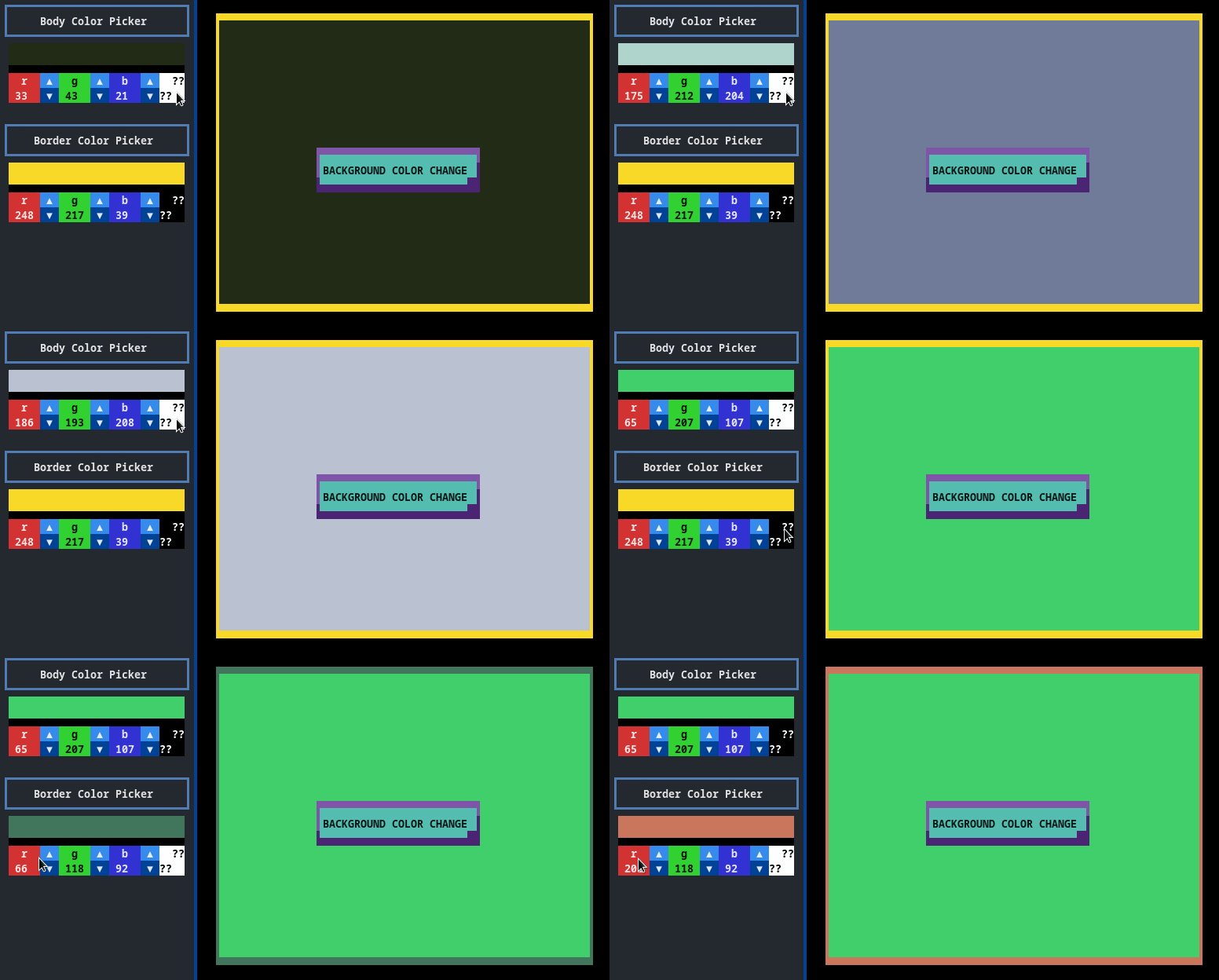
Change Background Color in Left Sidebar
By default you can use ctrl+e to open Left Sidebar:
NEW FEATURES
TODO
There are many thigs to add! If you have idea, please create Issue with your suggestions.
- Safe saving (now if there are any bugs you may lost your notes)
- Vim Key bindings
- Wait for feedback
- Duplicate Note
- Hiding menu (Color Picker etc.)
- TOML config file
- Left Sidebar (for background and preferences)
- Background color
- Align tool for text
- Fixed layers (if needed)
- Diffrent Drawables:
- Check List
- Arrows
- Help Screen
- Command Pallet support
- Menu to choose borders
- Buttons to add new notes
and also resolve problems:
- Multiline Input (currently textual does not support it and here we have my hacky solution)
Thanks
Big thanks to Will McGugan and all members and contributors of Textualize.io! Go checkout Textual amazing TUI framework on which this app is based.
1 maintainer

Metadata
1 maintainer
Release files for Notesh 0.9.0
For a detailed explanation of source distributions (sdists) and built distributions (wheels), please see the package formats documentation.
Source distribution (sdist)
| File | Size | Uploaded | |
|---|---|---|---|
| notesh-0.9.0.tar.gz | 18.7 kB | Details |
Built distribution (wheel)
| File | Interpreter | ABI | Platform | Reset |
|---|---|---|---|---|
| notesh-0.9.0-py3-none-any.whl | Python 3 | none | any | Details |
Total release size: 44.4 kB
Release files / notesh-0.9.0.tar.gz
| Download URL | notesh-0.9.0.tar.gz |
|---|---|
| Size | 18.7 kB |
| Tags | Source |
|
SHA-256 checksum How to use checksums |
48a416bd5ff9169d638798480b0344703aab216dd9cab496996a50aae4ab52a2
|
|
BLAKE2b-256 checksum How to use checksums |
5350c375ac795426e1381cda225561c822eb3cd14df0b2ed242973c39db53e95
|
| Upload date | |
|
Uploaded using Trusted Publishing? What is trusted publishing? |
No |
| Uploaded via |
twine/6.2.0 CPython/3.12.2
|
Release files / notesh-0.9.0-py3-none-any.whl
| Download URL | notesh-0.9.0-py3-none-any.whl |
|---|---|
| Size | 25.7 kB |
| Tags | Python 3 |
|
SHA-256 checksum How to use checksums |
61ed2eea53fd9802e0e6b7373b4fa9840949a684ec835e7b425d37692a865de6
|
|
BLAKE2b-256 checksum How to use checksums |
9d48d16aed65af5d232a574692ce230189e23e3596bc2cc61212449ff678a354
|
| Upload date | |
|
Uploaded using Trusted Publishing? What is trusted publishing? |
No |
| Uploaded via |
twine/6.2.0 CPython/3.12.2
|














