





The new menu “Report Center” is the central place to host your reports in one place. From here, there are 2 ways to launch the report,
Run Now - run report immediately as per normal.
Run Background - put the report execution to queue job.
By using the queue job, option 2 is great for long running report. The report file will be saved for later use, with the option to send report by email as soon as it is ready.
Notes:
Only user with Technical Feature rights can manage the report.
Every internal user will have right to execute the report allowed for his/her groups.
The files created are owned and viewable only by the person who run the report.
Job queue manager can also see all jobs for each reports.
Table of contents
Usage
Menu: Dashboard > Report Center
As Technical Feature users, you can manage reports for Report Center.
Report: choose the report (a window action). Although the option show all window actions it only make sense for window actions that launch reports.
Allow Async: check this, if you want the report to run in background too, suitable for report that return file as result, i.e., pdf/xlsx/csv/txt.
Email Notification: if checked, once the background process is completed, email with link to download report will be sent.
Groups: select user groups allowed to use this report. If left blank, all user can use.
As normal user, you can run your reports from Report Center
Run Now button: to run report immediately as per normal.
Run Background button: to run report asynchronously. Fall back to run now, if not report that produce file.
Job Status: show status of the latest run job. If job fail, exception error will also shown
Files: show all files being produced by the job as run by the user.
Jobs: show all jobs triggered by this report as run by the user. Only job queue manager have access to this button.
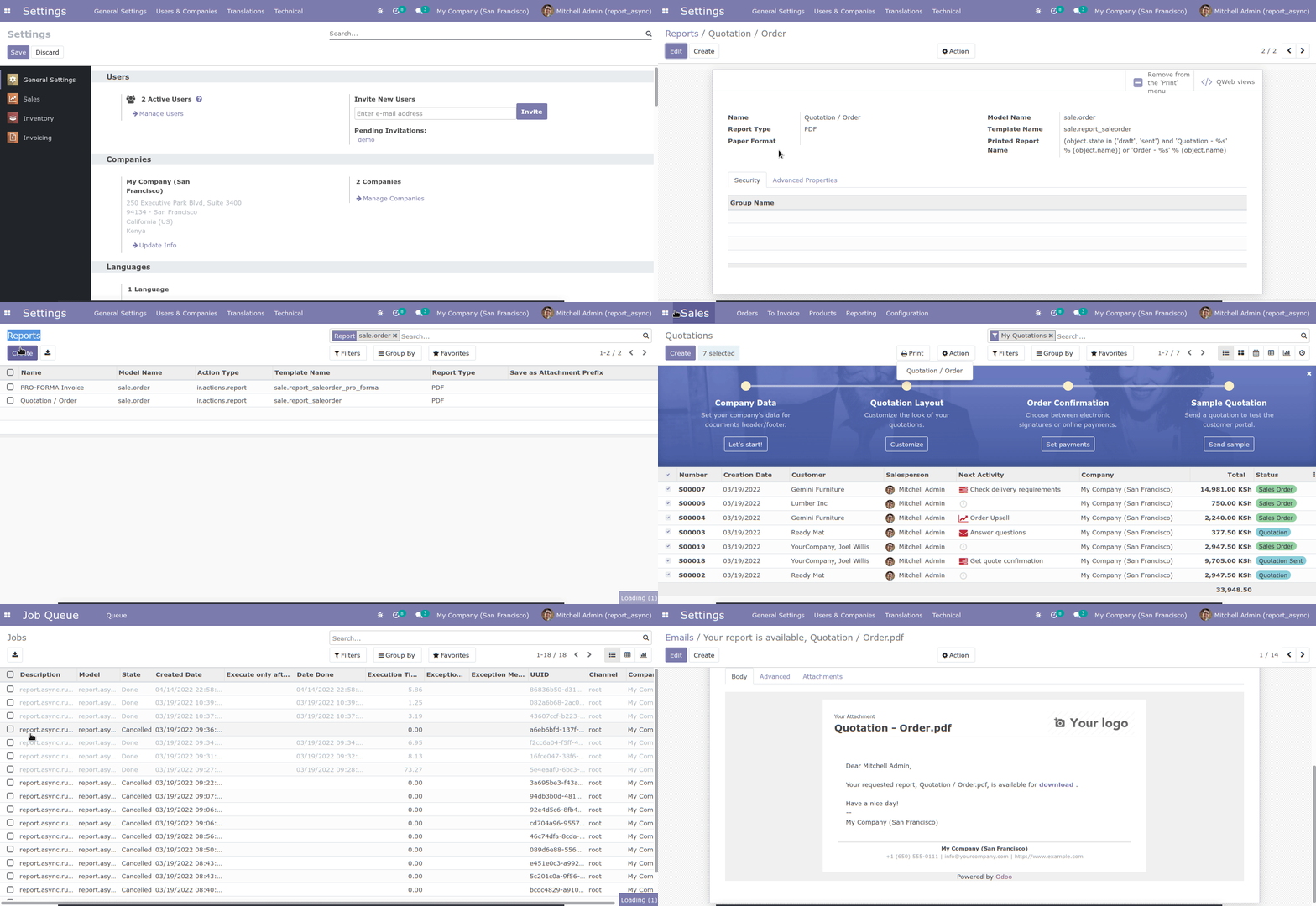
As additional improvement, you can now generate reports async directly from the form view itself, and not have to go into the “Report Center” specifically to do it. This can be done by pressing Print, you will get a popup asking you if you want to run it Async, and then to verify the email address that it should be sent to. See below sample:
Bug Tracker
Bugs are tracked on GitHub Issues. In case of trouble, please check there if your issue has already been reported. If you spotted it first, help us to smash it by providing a detailed and welcomed feedback.
Do not contact contributors directly about support or help with technical issues.
Credits
Contributors
-
Kitti U. <kittiu@ecosoft.co.th>
Saran Lim. <saranl@ecosoft.co.th>
Tharathip Chaweewongphan <tharathipc@ecosoft.co.th>
-
Tom Blauwendraat <tom@sunflowerweb.nl>
Kevin Kamau <kevin@sunflowerweb.nl>
Maintainers
This module is maintained by the OCA.

OCA, or the Odoo Community Association, is a nonprofit organization whose mission is to support the collaborative development of Odoo features and promote its widespread use.
Current maintainer:

This module is part of the OCA/reporting-engine project on GitHub.
You are welcome to contribute. To learn how please visit https://odoo-community.org/page/Contribute.
1 maintainer

Metadata
1 maintainer
Release files for odoo14-addon-report-async 14.0.1.1.1
For a detailed explanation of source distributions (sdists) and built distributions (wheels), please see the package formats documentation.
Built distribution (wheel)
| File | Interpreter | ABI | Platform | Reset |
|---|---|---|---|---|
| odoo14_addon_report_async-14.0.1.1.1-py3-none-any.whl | Python 3 | none | any | Details |
Release files / odoo14_addon_report_async-14.0.1.1.1-py3-none-any.whl
| Download URL | odoo14_addon_report_async-14.0.1.1.1-py3-none-any.whl |
|---|---|
| Size | 3.3 MB |
| Tags | Python 3 |
|
SHA-256 checksum How to use checksums |
4af0bcc6ff18c04c984783f5ee03c1ad758ece291aa7f73eb77df27b8b39485d
|
|
BLAKE2b-256 checksum How to use checksums |
1db8e0fa61087c6b1dc053c0a70ae68a97de9bafcb15aa1e6e17c0a44086ca0b
|
| Upload date | |
|
Uploaded using Trusted Publishing? What is trusted publishing? |
No |
| Uploaded via |
twine/4.0.1 CPython/3.8.10
|














