
OpenRbac


OpenRbac is online role-based access control and centralized configuration. The text menu, the typed commands, and the local web pages call the same service.
It is specialized from the HelloTui menu. The web pages are plain HTML. There is no JavaScript bundle.
Domain: Online RBAC and centralized configuration.
Features
- A terminal with no arguments uses the sqlite3 default file. When a saved sign-in still matches, it opens the menu without asking again. Otherwise it asks for an account and a password.
- Front board rows: 1 rbac, 2 server, 3 system-log, 6 self-management, 7 language, and 9 Exit. Server holds setup, audit, and serve. There is no session row. Exit asks before it leaves. Enter or y logs out. n keeps the saved sign-in. Esc stays.
- The same user, role, menu, department, post, parameter, dictionary, notice, and audit actions on the menu, on the command line, and on the web page.
- Data scope 1 all, 2 custom departments, 3 this department, 4 this department and children. Any other scope shows no rows.
- sqlite3 or MariaDB or MySQL. The default is the sqlite3 file
~/.local/OpenRbac/openrbac.sqlite3. mysql uses the databaseopenrbac. - ChronicleLogger for the status file. Passwords are not written there.
- The site listens on
127.0.0.1unless you setOPENRBAC_ALLOW_REMOTE=yes.
Advantages
- One permission check for every surface. A button that your role cannot use is not shown.
- The menu keeps the path line, the local clock, and the rounded input box.
- Menu language is row 7, codes 71–83.
OPENRBAC_LANGoverrides it and does not write the language file. open-rbacwith no arguments on a terminal signs in, then opens the menu, and does not run pip. A missing database is created before that question.
Quick Installation
The default database is a sqlite3 file. You do not install a database server for that choice. mysql is optional: you provide MariaDB or MySQL yourself. pip installs this package, ChronicleLogger, and PyMySQL. pip does not install a database server, and this program does not call sudo.
python -m pip install OpenRbac
From a checkout:
python -m pip install -e .
The default engine is sqlite3. open-rbac db-init creates ~/.local/OpenRbac/openrbac.sqlite3 when that file is missing. A password is not required for sqlite3.
open-rbac db-init
The first init prints seeded. A later init prints present and does not add another administrator.
open-rbac uses sqlite3 and ~/.local/OpenRbac/openrbac.sqlite3 without asking for a path. open-rbac db-engine still offers choice 1 sqlite3 and choice 2 mysql. Enter selects sqlite3 and that default file. open-rbac db-engine does not open the database.
open-rbac db-engine --engine sqlite3
open-rbac db-engine --engine mysql
mysql reads the password from the environment or from ~/.local/OpenRbac/database when that file is mode 0600. The sqlite3 data file is also mode 0600. The product mysql database is openrbac.
export OPENRBAC_DB_PASSWORD='the-password-you-chose'
open-rbac db-engine --engine mysql
open-rbac db-init
Usage
On a terminal, open-rbac uses the sqlite3 default file, then asks for the account name, then the password, unless a saved sign-in still matches. A match stores the account and password in encrypted files under the home folder. Both files are mode 0600. A later start decodes them and skips the question when the login still works. A failed restore removes the saved sign-in and asks again. The web sign-in page does not write those files. A menu, serve, or any domain verb creates the tables when they are missing. After a match it opens the menu. Esc on the sign-in question leaves without the menu. Row 9 Exit asks before it leaves. Enter or y logs out and removes the saved sign-in. n leaves and keeps it. Esc stays on the menu. Setup row 218 asks for the engine. Enter there selects sqlite3 and the default file. open-rbac help lists the verbs. open-rbac serve prints a URL and listens until you interrupt it. Server row 23 starts that site in the background for as long as the process stays open. The web sign-in page has sqlite3 and the default file already selected. A signed-in administrator can also open Database.
login, logout, and whoami are typed verbs. They are not rows on the menu.
--password is visible in the process list. The sign-in question and the menu mask the password field.
Seeded accounts
Change these after the first sign-in.
| Account | Password | What this account can see |
|---|---|---|
| admin | admin123 | Every account and every action. Department Engineering. |
| operator | operator123 | Only the Operations department. List and query. No add, no parameter edit, no force logout. |
| clerk | clerk123 | Only the Platform department. Same common role as operator. |
| lead | lead123 | Engineering and its child department Platform. Not Operations. User list and query only. |
A suggested password for a new account is the parameter sys.user.initPassword, seeded as 123456.
Passwords and sessions
- Passwords are stored as PBKDF2-HMAC-SHA256 (
pbkdf2_sha256$…), rather than bcrypt. - Signed-in sessions are rows in
sys_session, rather than Redis. - Data scope uses 1, 2, 3, and 4. Scope 5 is not granted.
- A terminal sign-in also stores the account and password encrypted under
~/.local/OpenRbac. Reading only the login file does not show the password. Logout removes that saved sign-in. The web sign-in page does not write it. Someone who can already read this account's files can still recover the password. - Captcha, export, import, scheduled jobs, code generation, and a Vue application are not in this version.
Environment
| Name | Default |
|---|---|
OPENRBAC_DB_ENGINE |
sqlite3. The other value is mysql |
OPENRBAC_SQLITE_FILE |
~/.local/OpenRbac/openrbac.sqlite3 |
OPENRBAC_DB_HOST |
127.0.0.1 |
OPENRBAC_DB_PORT |
3306 |
OPENRBAC_DB_NAME |
openrbac |
OPENRBAC_DB_USER |
openrbac |
OPENRBAC_DB_PASSWORD |
none |
OPENRBAC_BIND |
127.0.0.1 |
OPENRBAC_PORT |
8765 |
OPENRBAC_ALLOW_REMOTE |
unset. Set yes before binding a non-loopback address |
OPENRBAC_LANG |
unset. One of the thirteen menu codes. It does not write the language file |
Screenshots
These pictures are the OpenRbac 1.0.5 text menu. The front board is 1 rbac, 2 server, 3 system-log, 6 self-management, 7 language, and 9 Exit. There is no session row. The sign-in picture names the sqlite3 file for that run. The product default remains ~/.local/OpenRbac/openrbac.sqlite3.
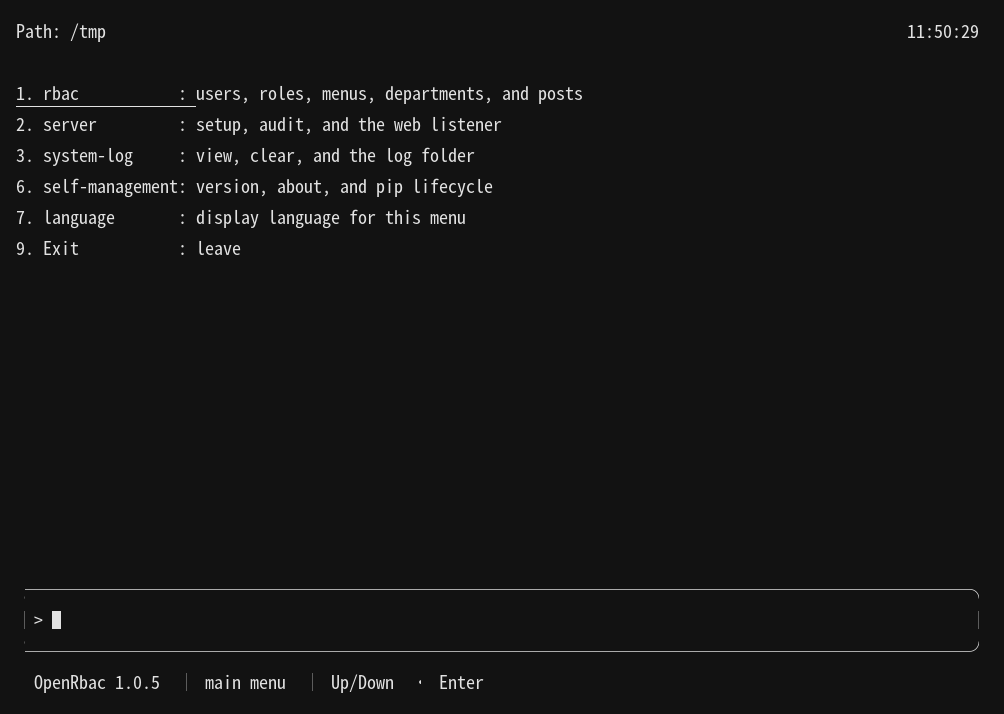
Front board. Rows are 1 rbac, 2 server, 3 system-log, 6 self-management, 7 language, and 9 Exit. There is no session row.
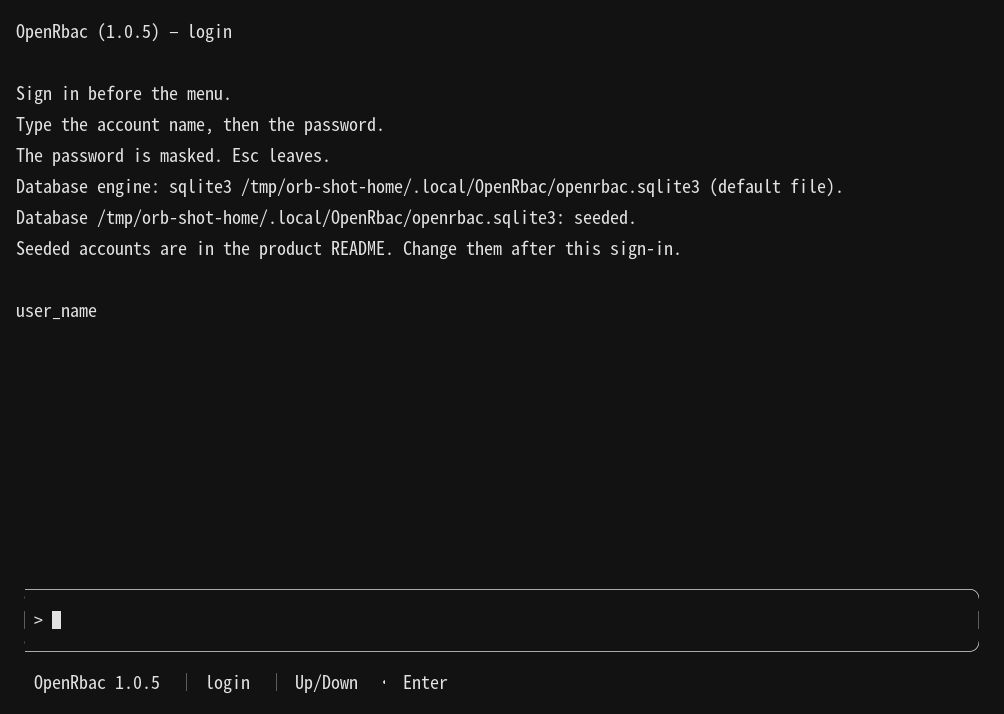
The sign-in question before the menu. It asks for the account name, then the password. The password is masked. The line names the sqlite3 file. A first run says the database was seeded.
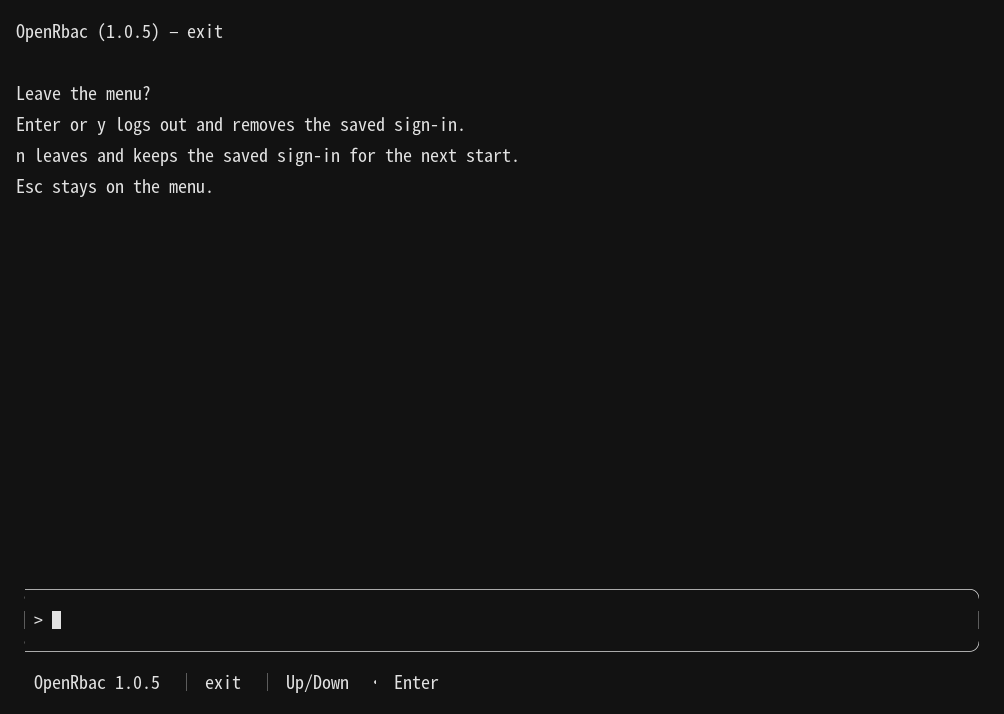
Row 9 Exit. Enter or y logs out and removes the saved sign-in. n keeps the saved sign-in. Esc stays.
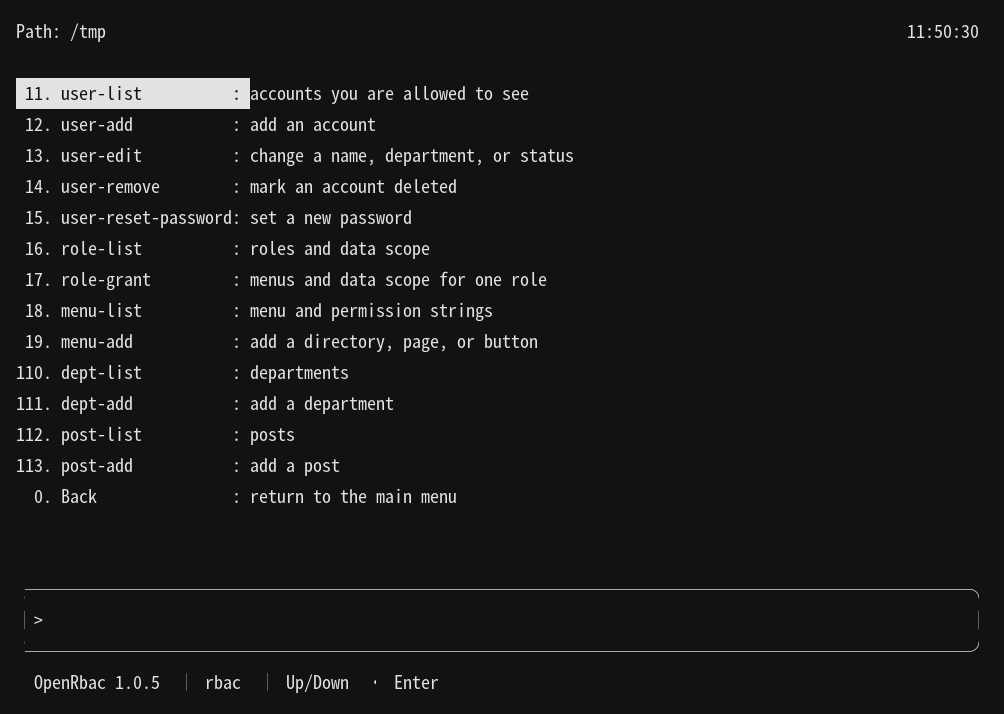
Rbac: user-list through post-add. Back returns to the main menu.
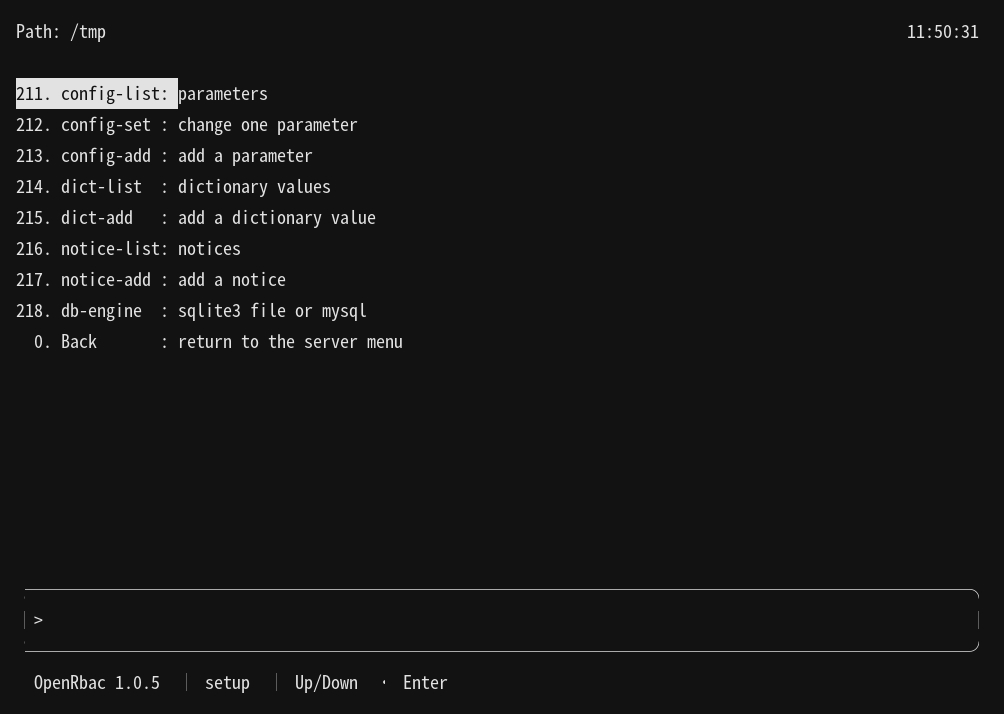
Setup: config-list through db-engine. Back returns to the server menu.
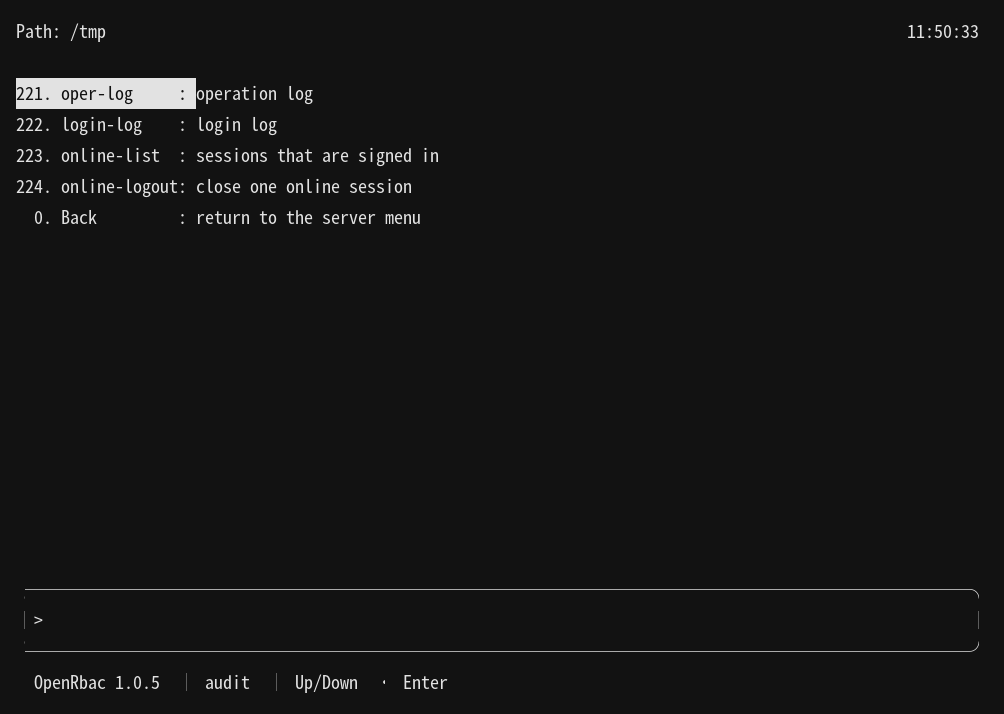
Audit: oper-log, login-log, online-list, and online-logout. Back returns to the server menu.
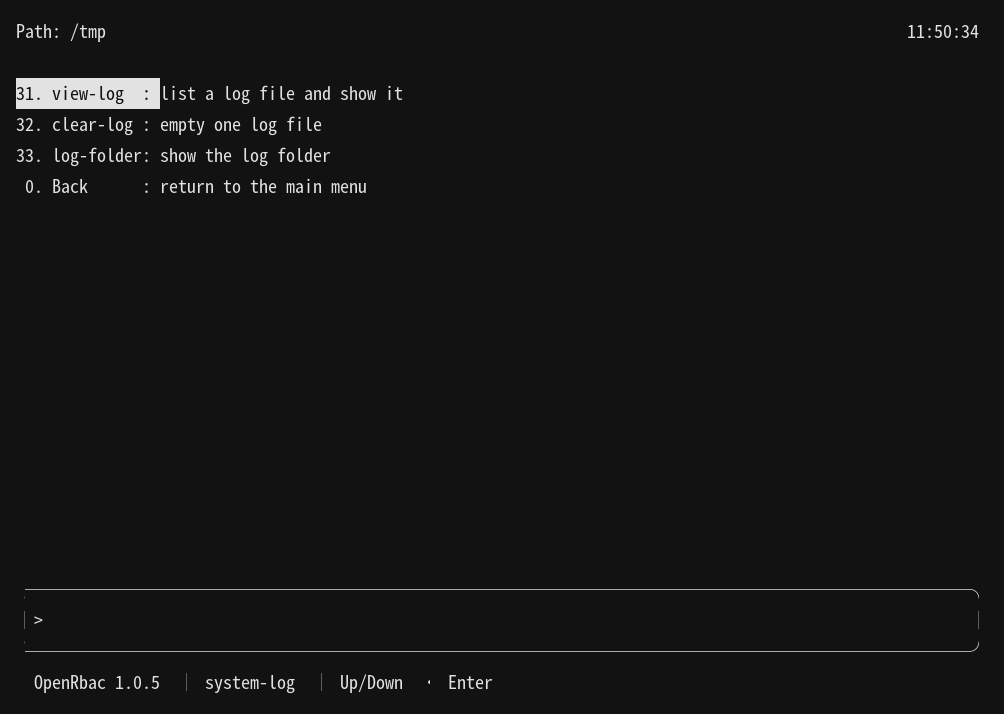
System log: view-log, clear-log, and log-folder. Back returns to the main menu.
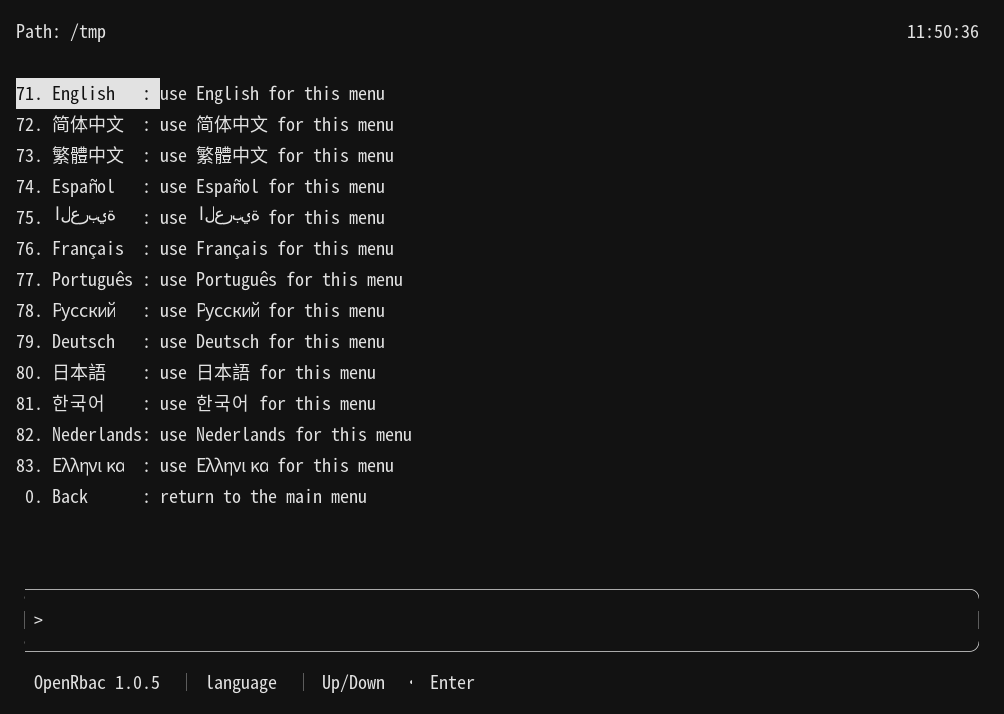
Language board. The codes are 71–83. Each name is that language's own name.
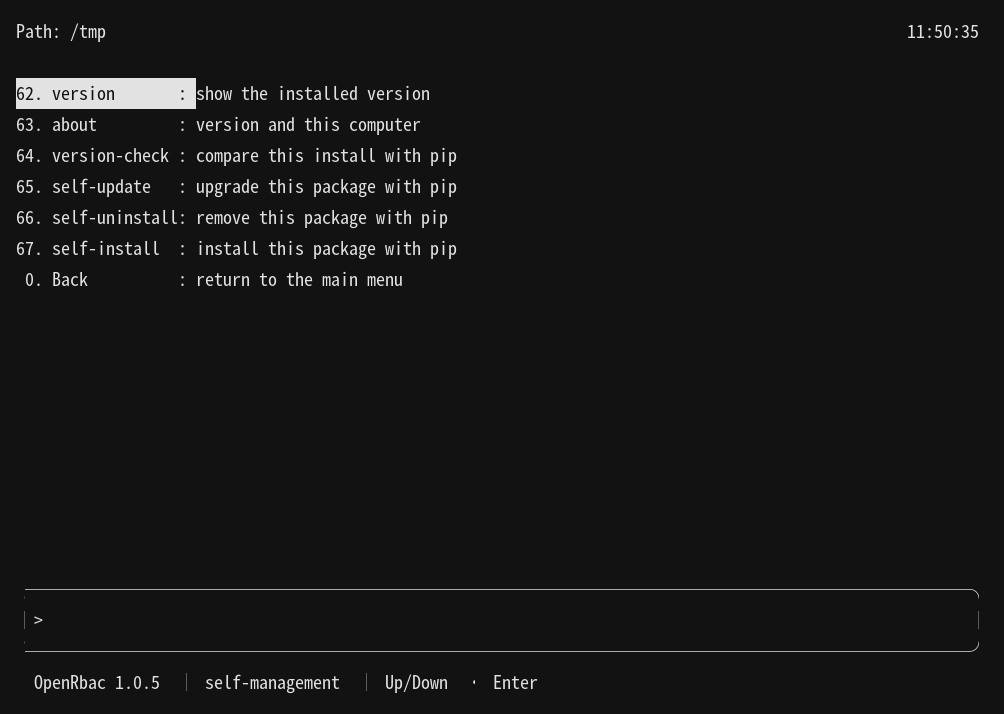
Self-management: version, about, version-check, self-update, self-uninstall, and self-install.
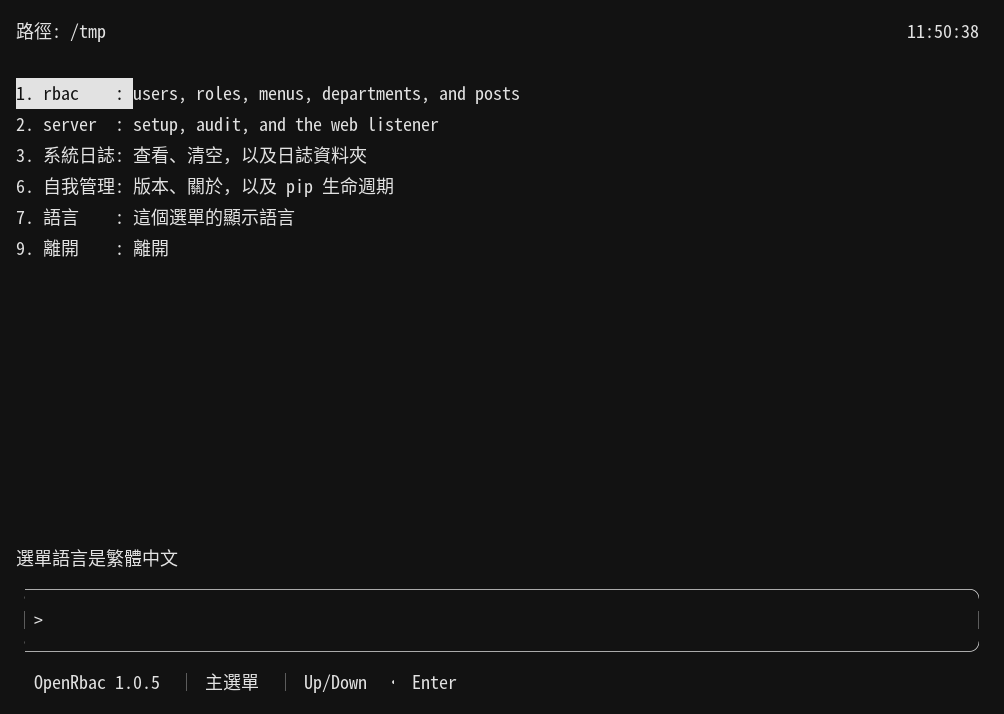
Traditional Chinese front board. The path label is 路徑.
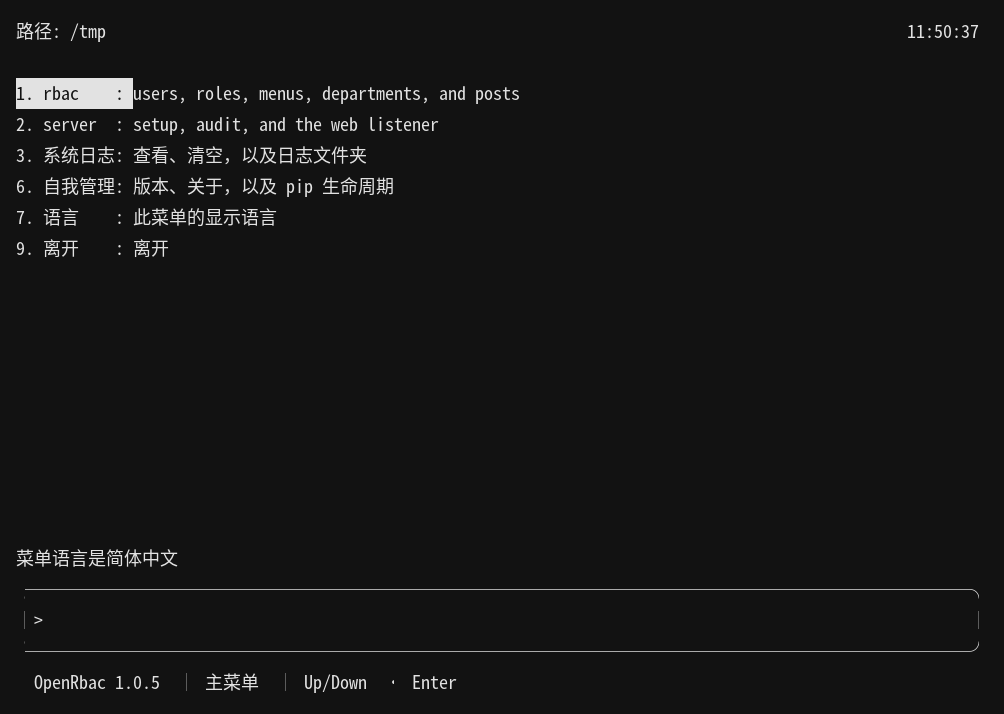
Simplified Chinese front board. The path label is 路径.
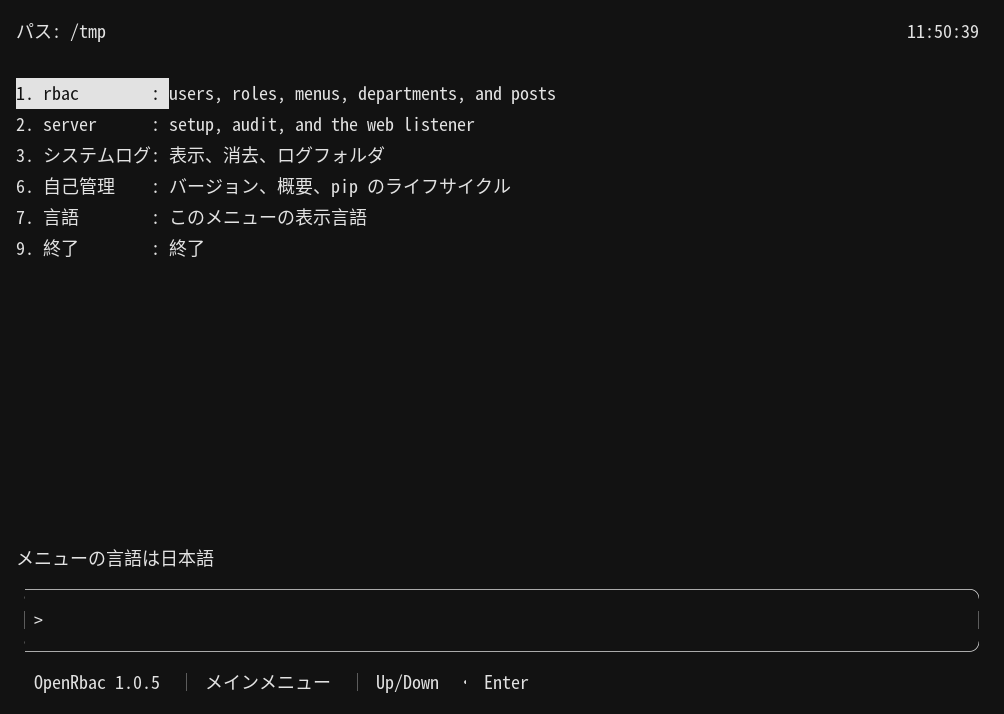
Japanese front board. The path label is パス.
Examples
open-rbac
open-rbac db-init
open-rbac login --user-name admin
open-rbac user-list
open-rbac whoami
open-rbac logout
open-rbac serve
On a terminal, after sign-in, the same user-list is row 1, then row 11.
Platform Compatibility
Linux is the primary host. The menu needs a terminal. The database client is PyMySQL talking to MariaDB or MySQL. The web pages need a browser on this computer.
Related Projects
- https://github.com/cloudgen/OpenRbac
- https://pypi.org/project/OpenRbac/
- https://github.com/Wilgat/ChronicleLogger
- https://github.com/cloudgen/ciao
- https://github.com/cloudgen/ciao-lite
- https://github.com/cloudgen/safe-rm
Contributing
Open an issue or a pull request on https://github.com/cloudgen/OpenRbac/issues. Do not send a database password or a session token in a public issue.
License
MIT. Copyright (c) 2026 Wong Chun Fai, aka: Cloudgen (cloudgen.wong@gmail.com). See LICENSE.md.
Last Update
2026-10-14
1 maintainer

Metadata
1 maintainer
Release files for OpenRbac 1.0.5
For a detailed explanation of source distributions (sdists) and built distributions (wheels), please see the package formats documentation.
Source distribution (sdist)
| File | Size | Uploaded | Provenance | Actions |
|---|---|---|---|---|
| openrbac-1.0.5.tar.gz | 94.9 kB | Without provenance | Details for openrbac-1.0.5.tar.gz |
Built distribution (wheel)
| File | Interpreter | ABI | Platform | Actions Reset |
|---|---|---|---|---|
| openrbac-1.0.5-py3-none-any.whl | Python 3 | none | any | Details for openrbac-1.0.5-py3-none-any.whl |
Total release size: 174.3 kB
Release files / openrbac-1.0.5.tar.gz
| Download URL | openrbac-1.0.5.tar.gz |
|---|---|
| Size | 94.9 kB |
| Tags | Source |
|
SHA-256 checksum How to use checksums |
08c13758a03d13ac22631f63a9a0c43cfc1a5024b58676a70c12544ee812d987
|
|
BLAKE2b-256 checksum How to use checksums |
3bc2c45935621d9a9ee7aeb9bd617c21a5f6410c004e4b6869dbfeb327e79c5b
|
| Upload date | |
|
Uploaded using Trusted Publishing? What is trusted publishing? |
No |
| Uploaded via |
twine/7.0.0 CPython/3.12.11
|
Release files / openrbac-1.0.5-py3-none-any.whl
| Download URL | openrbac-1.0.5-py3-none-any.whl |
|---|---|
| Size | 79.3 kB |
| Tags | Python 3 |
|
SHA-256 checksum How to use checksums |
54257383db00530b7c2946279c91833ceae6364c83839a89cc42f15429b4a49a
|
|
BLAKE2b-256 checksum How to use checksums |
30f26ac63c27f75166260135f034ac71d83c56e2e6368150d6cce494560c0421
|
| Upload date | |
|
Uploaded using Trusted Publishing? What is trusted publishing? |
No |
| Uploaded via |
twine/7.0.0 CPython/3.12.11
|
Security for OpenRbac 1.0.5
Provenance
Provenance describes where a file came from. On PyPI, provenance is shared via attestations, which provide a verifiable record of the build or publishing details. View details, limitations and caveats.
No provenance found
None of the files in this release were uploaded with provenance metadata.
A note on package security
PyPI is a repository for distributing packages, not a service for auditing them. While third-party security researchers and our staff do their best to detect and remove malicious packages, PyPI cannot guarantee the quality, security or suitability of any given package.
To learn more about protecting yourself from malicious actors, visit our package security documentation.













