
This release is a pre-release and may not be stable for production use.
HXL visual ETL (Orange3 add-on)
This is an early draft of Orange3 add-on with minimal awareness of data labeled with HXL.
Features
Data Vault Conf
[WORKING DRAFT] Configure active local data vault configurations. This allows overriding defaults.
Download Raw File
Download remote resource into a local FileRAW
Unzip Raw File
[WORKING DRAFT] Unzip (zip, gzip, bzip, ...) an FileRAW into an FileRAWCollection
Select Raw File
[DRAFT] From a local FileRAWCollection, select an FileRAW
Load Raw File
Convert a local FileRAW into Orange3 Data / DataFrame. Required to allow use with other widgets.
Supported features (*):
pandas.read_tablepandas.read_csvpandas.read_excelpandas.read_featherpandas.read_fwfpandas.read_htmlpandas.read_jsonpandas.json_normalizepandas.read_orcpandas.read_parquetpandas.read_saspandas.read_spsspandas.read_statapandas.read_xml
(*) Some features will require additional python packages which are not installed by default with this add-on. The user will be warned about this.
Statistical Role
Change statistical role (the "feature", "target", "meta", "ignore") using HXL patterns instead of stric exact names for the data variables.
Data Type
[DRAFT] Change the computational data type (the "numeric", "categorical" "text", "datetime") using HXL patterns instead of stric exact names for the data variables.
HXL short names
[EARLY DRAFT] Make HXLated input data with shorter variable names.
RAW Info
[DRAFT] Inspect a FileRAW or FileRAWCollection
Installation
To install the add-on from source run
pip install .
To register this add-on with Orange, but keep the code in the development directory (do not copy it to Python's site-packages directory), run
pip install -e .
Documentation / widget help can be built by running
make html htmlhelp
from the doc directory.
Usage
After the installation, the widget from this add-on is registered with Orange. To run Orange from the terminal, use
orange-canvas
or
python -m Orange.canvas
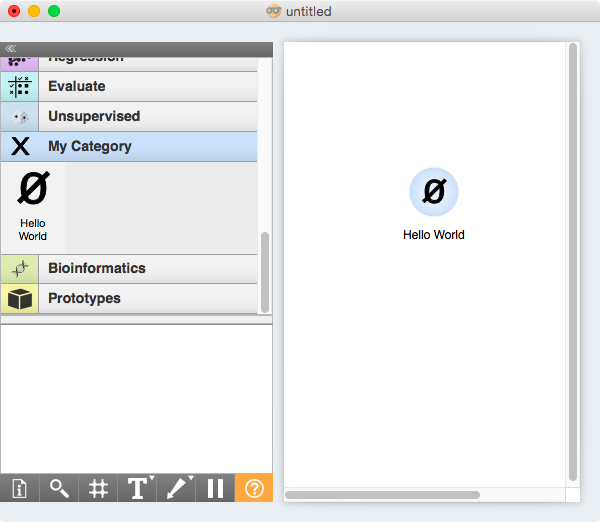
The new widget appears in the toolbox bar under the section Example.
TODOs
1 maintainer

Metadata
1 maintainer
Release files for Orange3-HXLvisualETL 0.3.0rc1
For a detailed explanation of source distributions (sdists) and built distributions (wheels), please see the package formats documentation.
Source distribution (sdist)
| File | Size | Uploaded | |
|---|---|---|---|
| Orange3-HXLvisualETL-0.3.0rc1.tar.gz | 260.5 kB | Details |
Built distribution (wheel)
| File | Interpreter | ABI | Platform | Reset |
|---|---|---|---|---|
| Orange3_HXLvisualETL-0.3.0rc1-py3-none-any.whl | Python 3 | none | any | Details |
Total release size: 545.9 kB
Release files / Orange3-HXLvisualETL-0.3.0rc1.tar.gz
| Download URL | Orange3-HXLvisualETL-0.3.0rc1.tar.gz |
|---|---|
| Size | 260.5 kB |
| Tags | Source |
|
SHA-256 checksum How to use checksums |
3e402f666399cfac8ce9173660a3b4736e610e6afb8b4c092a1538d86733aa83
|
|
BLAKE2b-256 checksum How to use checksums |
393b5dcb5f813a9c4a2849634016f480b156fb904a276733f65f0af774e7a880
|
| Upload date | |
|
Uploaded using Trusted Publishing? What is trusted publishing? |
No |
| Uploaded via |
twine/3.4.1 importlib_metadata/4.8.2 pkginfo/1.7.0 requests/2.28.1 requests-toolbelt/0.9.1 tqdm/4.60.0 CPython/3.8.10
|
Release files / Orange3_HXLvisualETL-0.3.0rc1-py3-none-any.whl
| Download URL | Orange3_HXLvisualETL-0.3.0rc1-py3-none-any.whl |
|---|---|
| Size | 285.3 kB |
| Tags | Python 3 |
|
SHA-256 checksum How to use checksums |
101f7ed839e10a7301cd31a305082dcc39ab55bad4dcdd6902dca21fd3a25e2c
|
|
BLAKE2b-256 checksum How to use checksums |
62192ab573947ed87ee0adca8efaa641e07942a8d0d4612e17204a87aed89778
|
| Upload date | |
|
Uploaded using Trusted Publishing? What is trusted publishing? |
No |
| Uploaded via |
twine/3.4.1 importlib_metadata/4.8.2 pkginfo/1.7.0 requests/2.28.1 requests-toolbelt/0.9.1 tqdm/4.60.0 CPython/3.8.10
|













