




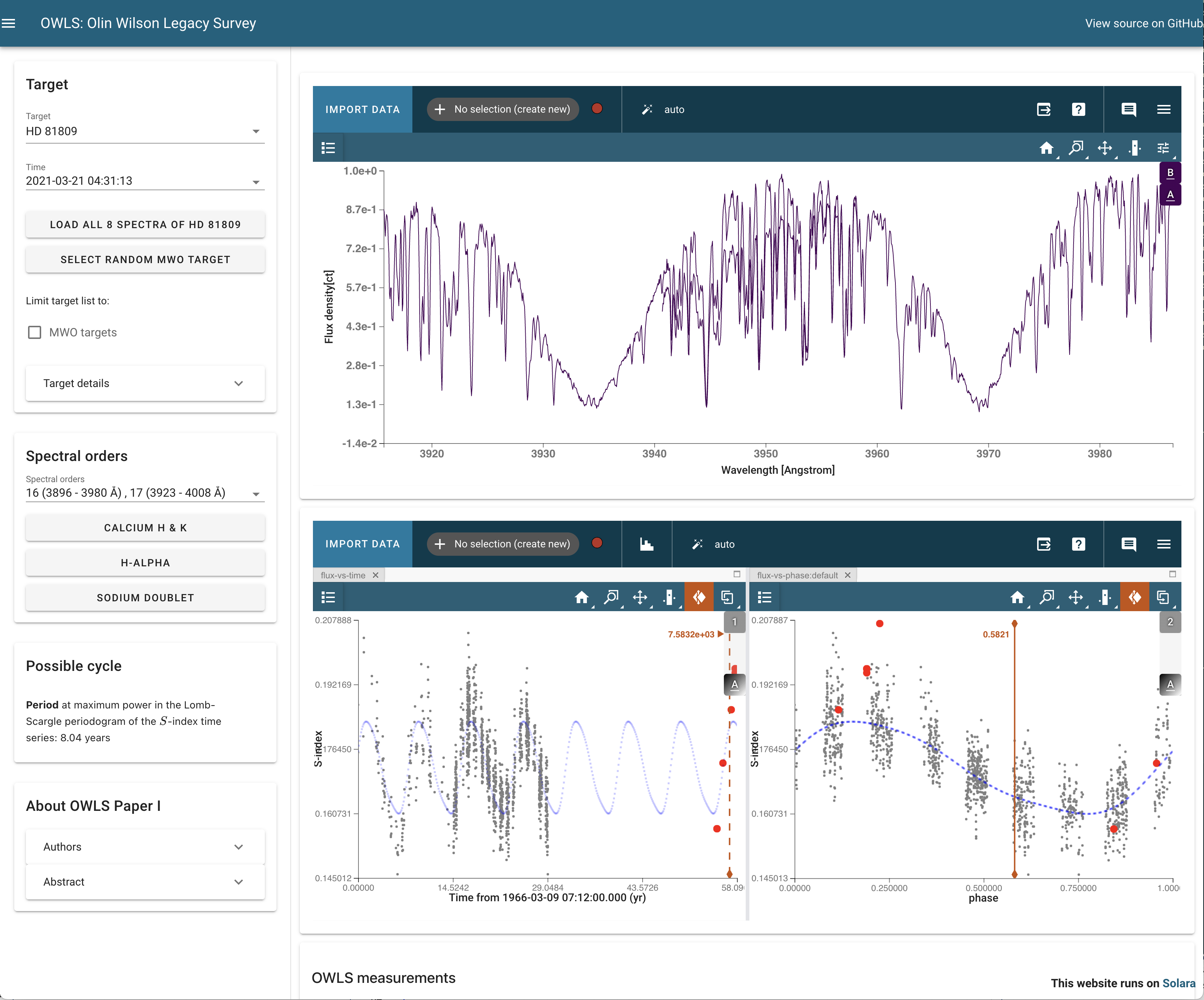
Interactive visualization tool for time-series spectra from the Olin Wilson Legacy Survey (OWLS).
OWLS is monitoring stellar magnetic activity cycles with optical echelle spectra of FGKM stars with the ARC 3.5 m Telescope at Apache Point Observatory (APO).
Getting started
Installation
python -m pip install owls-appRun the app
To run the interactive tool, run:
owls-appMultiple sessions
If you already have an instance of solara or owls-app running, you can launch a second one by specifying a different port:
owls-app --port 1234Details
What is this spectrum viewer?
Meet Specviz (documentation, source) part of the jdaviz interactive data visualization and analysis package developed at the Space Telescope Science Institute. Specviz supports quite advanced workflows that we won’t summarize here – check out their docs at the link above.
What is this time series viewer?
Meet LCviz (documentation, source), a light curve visualization and analysis tool built on jdaviz, developed at the Space Telescope Science Institute. LCviz supports quite advanced workflows that we won’t summarize here – check out their docs at the link above.
How are the echelle orders normalized?
The app will attempt to remove the continuum from each echelle order by dividing out a fifth order polynomial fit to the corresponding order of an ARCES spectrum of the hot subdwarf standard HZ 44 to roughly remove the blaze function, and then dividing by the order’s maximum flux. This normalization method is most imprecise near strong lines in hot star atmospheres. The flux units of the spectrum viewer are thus relative flux.
Can I download these spectra?
Yes! We’re submitting all spectra to MAST as HLSPs, though it may take some time before they’re available on MAST. Reach out to Brett if you’d like them sooner.
Are the spectra saved locally?
When you select a new observation, owls-app will download and cache the spectrum from a collection OWLS FITS files hosted online. The cache is managed using the astropy cache machinery, which will store the files in a hidden directory in your home directory, ~/.owls-app/. The spectra are stored as .fits.gz files, and they are 0.63 MB per spectrum.
To clear the OWLS observations from the cache on your machine, you can call:
from astropy.utils.data import clear_download_cache
clear_download_cache(pkgname='owls-app')  # note that the pkgname is important!
Note: if no package name is specified, this command would delete any files cached by astropy, and you might not want that.
1 maintainer

Metadata
1 maintainer
Release files for owls-app 0.2
For a detailed explanation of source distributions (sdists) and built distributions (wheels), please see the package formats documentation.
Source distribution (sdist)
| File | Size | Uploaded | |
|---|---|---|---|
| owls_app-0.2.tar.gz | 738.1 kB | Details |
Release files / owls_app-0.2.tar.gz
| Download URL | owls_app-0.2.tar.gz |
|---|---|
| Size | 738.1 kB |
| Tags | Source |
|
SHA-256 checksum How to use checksums |
a13e16feaf58538d79d9337d0aa5576225146f9e0d8ec1d393073c4126db97c5
|
|
BLAKE2b-256 checksum How to use checksums |
54e90866e836d636d5d9d3a8dfd0b3c52bc7661bd1130bfd7c382f4608369570
|
| Upload date | |
|
Uploaded using Trusted Publishing? What is trusted publishing? |
No |
| Uploaded via |
twine/6.1.0 CPython/3.12.11
|














