




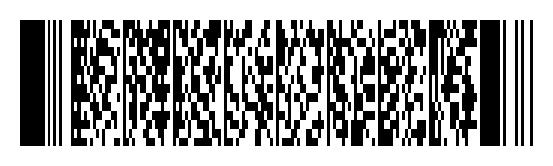
Easily encode your data into a 2D barcode using the PDF417 format.
Licensed under the MIT License, see LICENSE.
Installation
Install using pip:
pip install pdf417CLI
The pdf417gen command can be used to generate a barcode from commandline. It takes the input either as an argument or from stdin.
# Show help
pdf417gen encode --help

# Encode given text and display the barcode
pdf417gen encode "Beautiful is better than ugly"

# Encode given text and save barcode to a file (extension determines format)
pdf417gen encode -o barcode.png "Explicit is better than implicit"

# Input from a file
pdf417gen encode < input.txt

# Piped input
python -c "import this" | pdf417gen encode
Usage
Creating bar codes is done in two steps:
Encode a string to a list of code words using encode()
Render the barcode using one of the rendering functions: render_image(), render_svg().
Usage overview:
from pdf417 import encode, render_image, render_svg

# Some data to encode
text = """Beautiful is better than ugly.
Explicit is better than implicit.
Simple is better than complex.
Complex is better than complicated."""

# Convert to code words
codes = encode(text)

# Generate barcode as image
image = render_image(codes)  # Pillow Image object
image.save('barcode.jpg')

# Generate barcode as SVG
svg = render_svg(codes)  # ElementTree object
svg.write("barcode.svg")
Supports strings (unicode in py2) and byte arrays (str in py2):
# These two inputs encode to the same code words
encode(u"love 💔")
encode(b"love \xf0\x9f\x92\x94")

# Default encoding is UTF-8, but you can specify your own
encode(u"love 💔", encoding="utf-8")
Encoding data
The first step is to encode your data to a list of code words.
encode(data, columns=6, security_level=2)Columns
The bar code size can be customized by defining the number of columns used to render the data, between 1 and 30, the default value is 6. A bar code can have a maximum of 90 rows, so for larger data sets you may need to increase the number of columns to decrease the rows count.
codes = encode(text, columns=12)
image = render_image(codes)
image.show()
Security level
Increasing the security level will produce stronger (and more numerous) error correction codes, making the bar code larger, but less prone to corruption. The security level can range from 0 to 8, and procuces 2^(level+1) error correction code words, meaning level 0 produces 2 code words and level 8 produces 512. The default security level is 2.
codes = encode(text, columns=12, security_level=6)
image = render_image(codes)
image.show()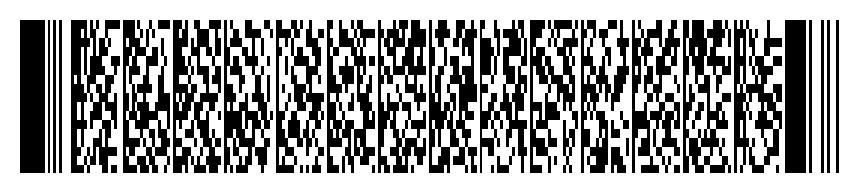
Auto Numeric Compaction Mode
This mode can pack almost 3 digits (2.93) info a symbol character. The words with length less 13 symbols will be invoked as Text
codes = encode(text, numeric_compaction=True)Render image
The render_image function takes the following options:
scale - module width, in pixels (default: 3)
ratio - module height to width ratio (default: 3)
padding - image padding, in pixels (default: 20)
fg_color - foreground color (default: #000000)
bg_color - background color (default: #FFFFFF)
The function returns a Pillow Image object containing the barcode.
Colors can be specified as hex codes or using HTML color names.
codes = encode(text, columns=3)
image = render_image(codes, scale=5, ratio=2, padding=5, fg_color="Indigo", bg_color="#ddd")
image.show()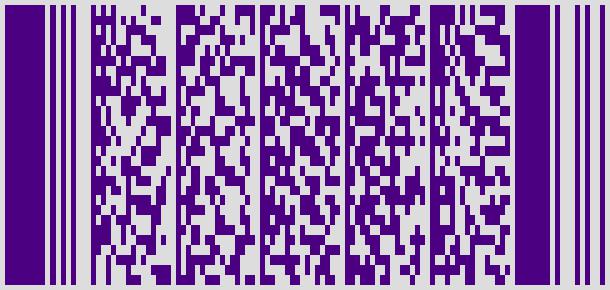
Render SVG
The render_svg function takes the following options:
scale - module width, in pixels (default: 3)
ratio - module height to width ratio (default: 3)
padding - image padding, in pixels (default: 20)
color - foreground color (default: #000000)
The function returns a ElementTree object containing the barcode in SVG format.
Unlike render_image, this function does not take a background color option. The background is left transparent.
codes = encode(text, columns=3)
svg = render_svg(codes, scale=5, ratio=2, color="Seaweed")
svg.write('barcode.svg')
See also
pdf417-php - a PHP implementation
golang-pdf417 - a Go implementation
Specifications - USS-PDF-417
1 maintainer

Metadata
1 maintainer
Release files for pdf417 0.7.2
For a detailed explanation of source distributions (sdists) and built distributions (wheels), please see the package formats documentation.
Source distribution (sdist)
| File | Size | Uploaded | |
|---|---|---|---|
| pdf417-0.7.2.tar.gz | 24.5 kB | Details |
Release files / pdf417-0.7.2.tar.gz
| Download URL | pdf417-0.7.2.tar.gz |
|---|---|
| Size | 24.5 kB |
| Tags | Source |
|
SHA-256 checksum How to use checksums |
8807fb00103b8e49ed58ce4637e3a0552022660e87a7db539698069a6b2fe7da
|
|
BLAKE2b-256 checksum How to use checksums |
fd2caf2410435a5f979ee1a5ad6d83504a4c5527960a0dcbc0da387ab2dd422b
|
| Upload date | |
|
Uploaded using Trusted Publishing? What is trusted publishing? |
No |
| Uploaded via |
twine/1.11.0 pkginfo/1.4.2 requests/2.18.4 setuptools/33.1.1 requests-toolbelt/0.8.0 tqdm/4.20.0 CPython/3.6.5
|














