
PicToSquare



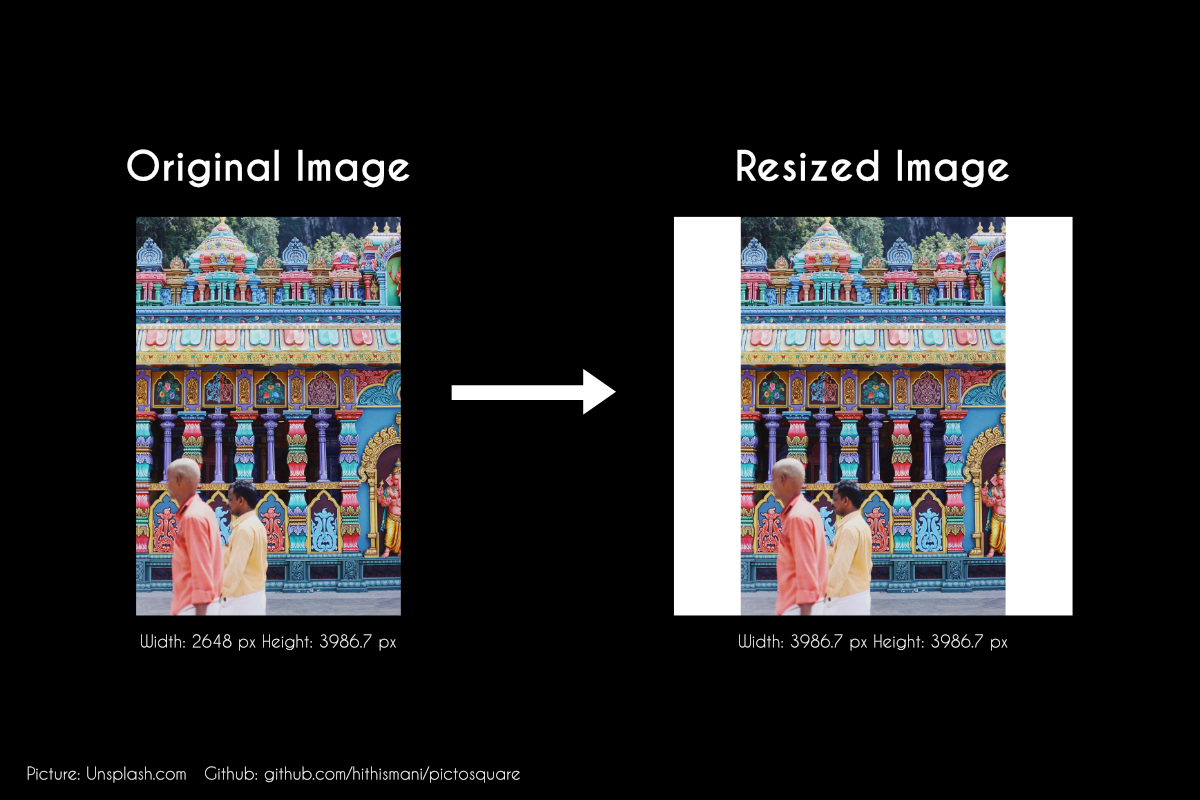
picToSquare is an experimental script that makes use of Pillow to enter and make every picture in a directory “Instagram Ready” by framing ‘em up into a little square.
This script was inspired by how there are multiple free/paid apps to accomplish this on the mobile app store, but none for desktop. Hope this made your social media routine a little less annoying!
Tested On Windows 10 + Python 3.6 + PILLOW 6.0
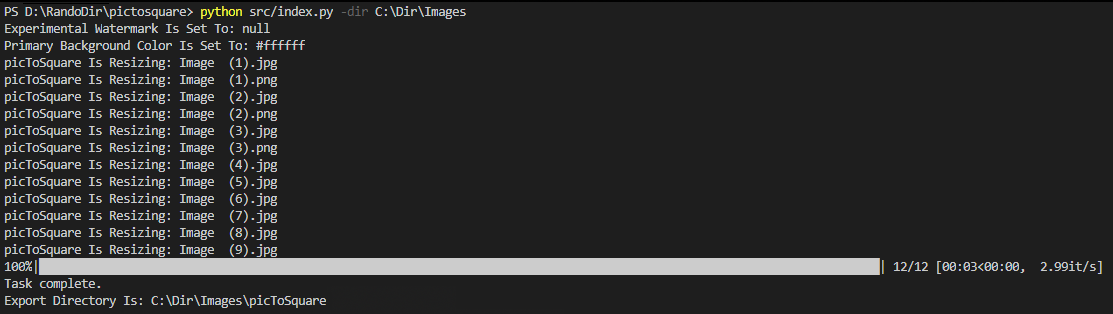
Terminal Sample:
Output Sample:
Free software: MIT license
Advantages:
Does not compress or crop images.
Relatively quick.
Does not rename images.
Optionally set a background colour to either “white” or “black”. (Defaults to white if not set)
All pictures are resized into a “picToSquare” directory
How It Works:
pip install pictosquare
run
pictosquare -dir Your Image Directory Path
visit “picToSquare” folder within the directory specified for your images.
Running Examples:
Basic Script Usage:
pictosquare -dir C://UserName/FolderToBeResized
Custom Colours:
pictosquare -dir C://UserName/FolderToBeResized -color black
Points To Remember:
This script requires a folder and does not work on single files. (If you require this to work on a single file, just place it in a folder. Easy!)
The script will ignore all files that are not .jpeg, or .jpg. With .png files it would attempt to do an Image.alpha_compose before squaring up the image.
This script tends to break on RGBA (Transparent) images. Some transparent images get ‘squared’ into an image with a transparent background instead of the colour specified. It’s recommended that you convert the .png image to a .jpeg to fix this.
Every image in your “picToSquare” folder will be overwritten if the filenames match. The script would not clean the Resized folder before each run. (But you can add that functionality yourself, if need be)
The script depends on Args (for the command line prompts) and PIL/Pillow.
Experimental:
- Watermark each image.
Save a .png image with the name “watermark.png” in the same directory you want the script to look up. The script would automatically watermark each picture with the watermarked image.
Optionally set the image size of the watermark by setting its percentage at the end of the filename.
Example “watermark**20**.png” implying watermark that’s sized 20% of the image.
- End the filename with an optional placement.
Positions Include: - “-bl” - bottom left (default) - “-br” - bottom right - “-tl” - top left - “-tr” - top right
Example: Save file with “watermark -bl.png” (without spaces!)
Set a custom background color for specific images. - Add a “#hexcode” at the end of the filename from your folder and watch the script add that to the specific image. Usage: “imagename #eeeeeeee.png” (without spaces!)
Set a custom background that is neither “black” not “white” for all images. - Add “-color hex-code” to the end of your request. - Example:
pictosquare -dir C://UserName/FolderToBeResized -color *cccccc*
Pick Dominant Colour For Every Image: Powered by ColorThief
Set colour to “thief”.
- Run:
pictosquare -dir C://UserName/FolderToBeResized -color thief
Future Plans
Probably turn this into an installable package. (Done!)
Add a friendly GUI to perform the same actions.
Credits
Features & Depedencies:
Code Help:
As Mackay & Joseph snippet on this stack overflow post
This package was easily adapted into a pip installable package using Cookiecutter and the audreyr/cookiecutter-pypackage project template.
Changelog
- 30/10/2019
Made script PIP Installable.
Fixed many PNG file squaring issues.
- 28/05/2019
Added colorThief Support.
Code hygiene changes.
- 18/05/2019
Added progressbar + tqdm dependency.
Fixed FolderFetcher.py to reflect the above stated dependency.
Fixed ReadMe file typos.
History
0.1.0 (2019-10-30)
First release on PyPI.
1 maintainer

Release files for pictosquare 0.1.1
For a detailed explanation of source distributions (sdists) and built distributions (wheels), please see the package formats documentation.
Source distribution (sdist)
| File | Size | Uploaded | |
|---|---|---|---|
| pictosquare-0.1.1.tar.gz | 19.4 kB | Details |
Release files / pictosquare-0.1.1.tar.gz
| Download URL | pictosquare-0.1.1.tar.gz |
|---|---|
| Size | 19.4 kB |
| Tags | Source |
|
SHA-256 checksum How to use checksums |
1661b0d75fcd7e2dc72117c11ef0982c7cff81ed74337631c881f0338ef2da58
|
|
BLAKE2b-256 checksum How to use checksums |
58481ac58105fc5d2e0529bd453cf8cf37b73b3413aa9ef79e4a4d84e2f3333a
|
| Upload date | |
|
Uploaded using Trusted Publishing? What is trusted publishing? |
No |
| Uploaded via |
twine/2.0.0 pkginfo/1.5.0.1 requests/2.22.0 setuptools/41.2.0 requests-toolbelt/0.9.1 tqdm/4.36.1 CPython/3.8.0
|














