
PixelPhantomX: Ghost images to confuse AI models
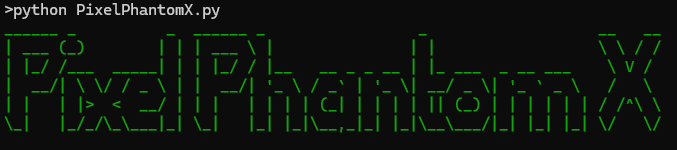
PixelPhantomX is a powerful image obfuscation tool designed to generate ghost images that confuse AI models. In an era where generative AI scrapes and repurposes artwork without the consent of creators, this tool acts as a defensive mechanism. By applying various adversarial techniques, such as noise injection, color-space manipulation, edge distortion, and watermarking, PixelPhantomX helps protect digital images from unauthorized AI training and exploitation.
Features
- Adversarial Noise Injection (Inspired by Glaze & Nightshade)
- Customizable Noise Levels (Min/Max)
- Watermarking (Visible & Invisible Steganographic Protection)
- Edge Distortion for AI Confusion
- Metadata Poisoning to mislead AI training
- Command-line Interface for easy use
Installation
Direct Install from PyPI
pip install PixelPhantomX
Alternatively, install via setup.py:
python setup.py install
Otherwise, install the required dependencies:
pip install -r requirements.txt
Usage
Run the tool via the command line:
python PixelPhantomX.py -iP input_image_path -n noise -oP output_image_path -w watermark_text
Parameters:
| Parameter | Description |
|---|---|
-iP |
Path to the input image (with extension) |
-n |
Noise level (Min or Max) |
-oP |
Output image path (without extension) |
-w |
Custom watermark text (default: Protected) |
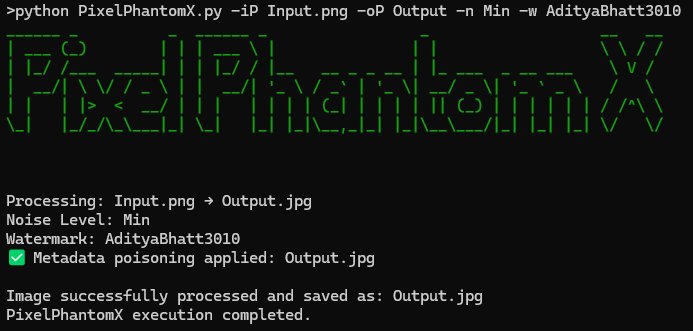
Example:
python PixelPhantomX.py -iP Input.png -oP Output -n Min -w AdityaBhatt3010
Help Menu
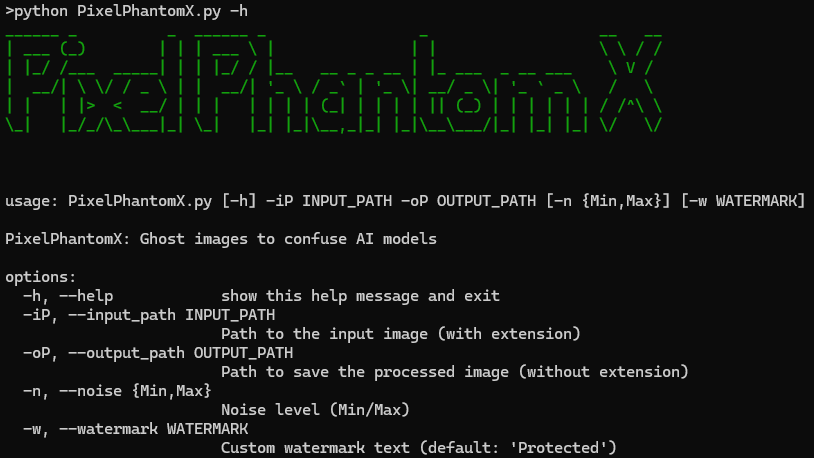
To view available commands, run:
python PixelPhantomX.py -h
Alternative Usage - Interactive Mode
For a guided, interactive experience instead of command-line arguments, use:
python PixelPhantomX_Minimal.py
Screenshots
-
Help Prompt Screenshot
python PixelPhantomX.py -h
-
Run Code Example:
python PixelPhantomX.py -iP Input.png -oP Output -n Min -w AdityaBhatt3010
-
Input Image Screenshot
-
Output Image Screenshot


License
This project is licensed under the MIT License.
Author
Aditya Bhatt\
Contributing
Pull requests are welcome! For major changes, please open an issue first to discuss what you'd like to change.
Disclaimer:
This tool is intended for ethical use only. The author is not responsible for any misuse of this software.
1 maintainer

Release files for PixelPhantomX 1.0.0
For a detailed explanation of source distributions (sdists) and built distributions (wheels), please see the package formats documentation.
Source distribution (sdist)
| File | Size | Uploaded | |
|---|---|---|---|
| pixelphantomx-1.0.0.tar.gz | 3.8 kB | Details |
Built distribution (wheel)
| File | Interpreter | ABI | Platform | Reset |
|---|---|---|---|---|
| pixelphantomx-1.0.0-py3-none-any.whl | Python 3 | none | any | Details |
Total release size: 7.6 kB
Release files / pixelphantomx-1.0.0.tar.gz
| Download URL | pixelphantomx-1.0.0.tar.gz |
|---|---|
| Size | 3.8 kB |
| Tags | Source |
|
SHA-256 checksum How to use checksums |
53c6f62cb2bf2210d98053fb7046e2bfa877a4b8928dafd0495610aad7215674
|
|
BLAKE2b-256 checksum How to use checksums |
d710f73f92fcb2f1683439c7412ea80626d51e8d8c497bfa6757e039f721775e
|
| Upload date | |
|
Uploaded using Trusted Publishing? What is trusted publishing? |
No |
| Uploaded via |
twine/6.1.0 CPython/3.13.2
|
Release files / pixelphantomx-1.0.0-py3-none-any.whl
| Download URL | pixelphantomx-1.0.0-py3-none-any.whl |
|---|---|
| Size | 3.8 kB |
| Tags | Python 3 |
|
SHA-256 checksum How to use checksums |
82c33caeaabdaba51195368c0801dcab7f5e201e21b90ffb725068a3875d17dc
|
|
BLAKE2b-256 checksum How to use checksums |
78ec2507614a5904561f99c0811e9f5b4212e44534ee897a14dd26f40b1c0af2
|
| Upload date | |
|
Uploaded using Trusted Publishing? What is trusted publishing? |
No |
| Uploaded via |
twine/6.1.0 CPython/3.13.2
|













