
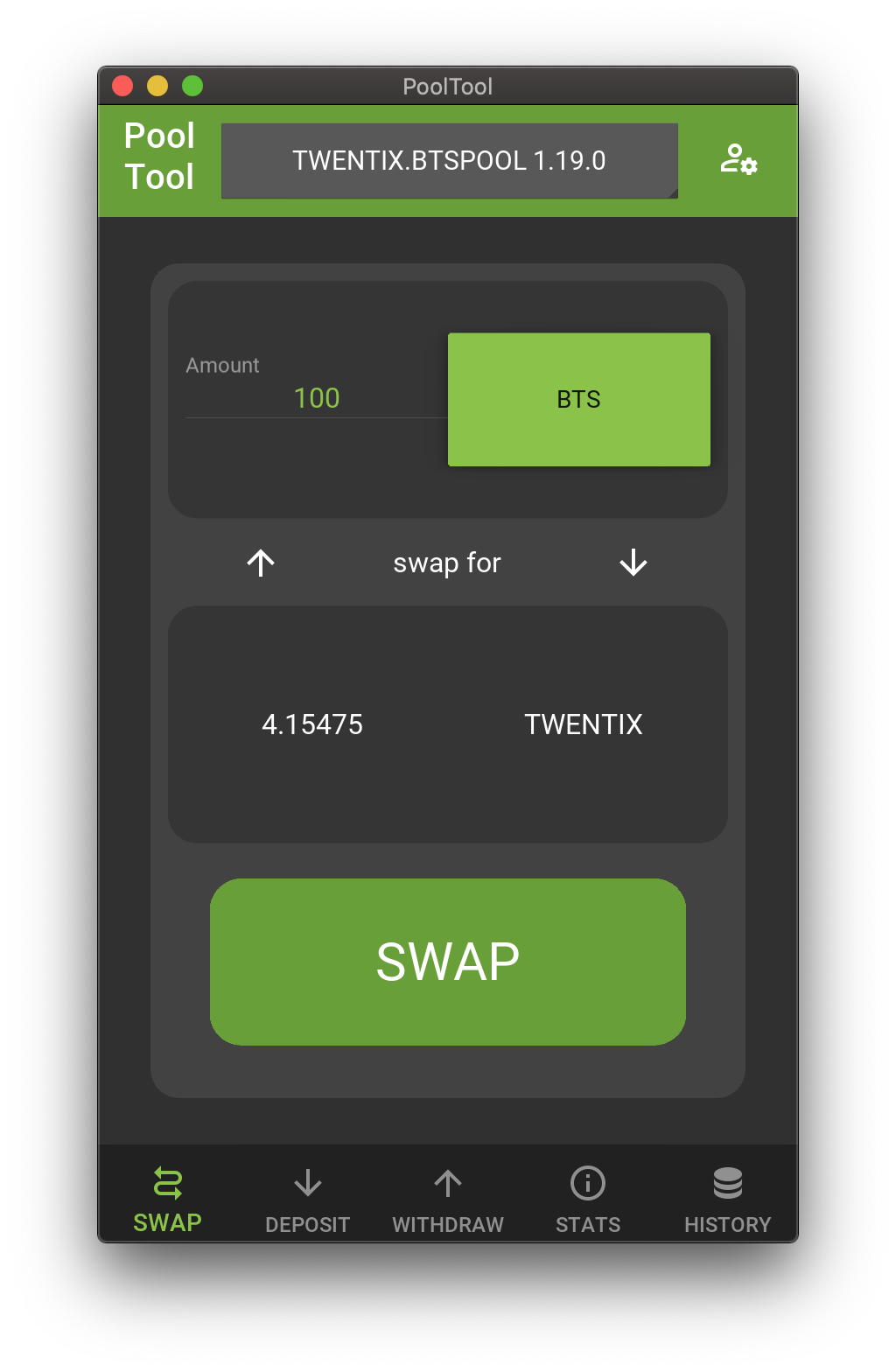
ACCOUNT AND ACTIVE KEY ARE NOT PERSISTENT, YOU WILL NEED TO ENTER THEM EACH TIME YOU LAUNCH THE APP (but not every transaction. that's a win).
If / when Beet receives an update, Beet will be used. More info about Beet here: Beet GitHub Page
First Time Setup Instructions:
Environment Setup
Before doing anything else, make sure to create a virtual environment.
In this case, we are creating an environment named env:
python3 -m venv env
Activate the newly created environment:
source env/bin/activate
Installation
Method 1: Use pip to download and install from PyPI:
python3 -m pip install PoolTool
Method 2: Download and install from source:
git clone https://github.com/iamredbar/PoolTool
cd PoolTool/
python3 -m pip install .
Running PoolTool after First Time Setup is complete
Make sure you have your environment active (if it's not already):
source env/bin/activate
Run PoolTool:
PoolTool
Using:
You will need to enter your account and active key via the menu in the top right. Here you can also set a node to use if you would prefer a different node than the default one (wss://api.iamredbar.com/ws).
Links:
Telegram: https://t.me/pooltool_community_edition
1 maintainer

Metadata
1 maintainer
Release files for PoolTool 2.1.2
For a detailed explanation of source distributions (sdists) and built distributions (wheels), please see the package formats documentation.
Source distribution (sdist)
| File | Size | Uploaded | |
|---|---|---|---|
| PoolTool-2.1.2.tar.gz | 73.6 kB | Details |
Built distribution (wheel)
| File | Interpreter | ABI | Platform | Reset |
|---|---|---|---|---|
| PoolTool-2.1.2-py3-none-any.whl | Python 3 | none | any | Details |
Total release size: 146.9 kB
Release files / PoolTool-2.1.2.tar.gz
| Download URL | PoolTool-2.1.2.tar.gz |
|---|---|
| Size | 73.6 kB |
| Tags | Source |
|
SHA-256 checksum How to use checksums |
aa34afd57858a83b3e005c9cb90932e73edc56301241d665c91e78b89c4b1870
|
|
BLAKE2b-256 checksum How to use checksums |
7d6ca2f4673c0d48c4e718662d5bf5aa9a6d0fdf9641f9ccb073d8b2c7b99d08
|
| Upload date | |
|
Uploaded using Trusted Publishing? What is trusted publishing? |
No |
| Uploaded via |
twine/3.4.1 importlib_metadata/3.7.2 pkginfo/1.7.0 requests/2.25.1 requests-toolbelt/0.9.1 tqdm/4.60.0 CPython/3.9.4
|
Release files / PoolTool-2.1.2-py3-none-any.whl
| Download URL | PoolTool-2.1.2-py3-none-any.whl |
|---|---|
| Size | 73.3 kB |
| Tags | Python 3 |
|
SHA-256 checksum How to use checksums |
4d758ac75e57887cd8befabec8feea3786ff22208aa70ca1cb924fd4f5f2518f
|
|
BLAKE2b-256 checksum How to use checksums |
636b872b64ed286a685f5aa398209d303e094a1c7618ce4c1f1de5817e836325
|
| Upload date | |
|
Uploaded using Trusted Publishing? What is trusted publishing? |
No |
| Uploaded via |
twine/3.4.1 importlib_metadata/3.7.2 pkginfo/1.7.0 requests/2.25.1 requests-toolbelt/0.9.1 tqdm/4.60.0 CPython/3.9.4
|














