
ps-typer
Description
A Python program built on the PyQt5 GUI framework, used for practicing your typing skills and keeping track of your progress.
Index
Dependencies
- Python3 (v3.6 or later)
- All Python packages required are listed in
requirements.txtand are installed automatically with the default installation process (including PyQt5 and PyQtGraph)
Installation
To download this program, click on Code at the top right of this page, then download as a zip file. You can unzip using your preferred program.
Alternatively, clone the repository using git:
git clone https://github.com/Rolv-Apneseth/ps-typer.git
Linux
Navigate to the project's home directory and run the command:
sudo make install
- This will place a script for easy launching at
/usr/local/ps-typer
To launch the program, run the command:
ps-typer
- This runs the
run_program.shscript (located in thebindirectory) which will create a virtual envirionment, install all required Python packages and then launch the program.
Windows
Navigate to the project's bin directory and double click on run_program.bat
- This will create a virtual envirionment, install all required Python packages and then launch the program.
Manual
Navigate to the project's home directory and run the command:
python3 -m pip install -r requirements.txt
To launch the program, navigate into the ps-typer directory and run the command:
python3 main.py
Windows users, replace python3 with just python in the above commands
Usage
- Select a mode from the dropdown menu (Default on first start is Common Phrases)
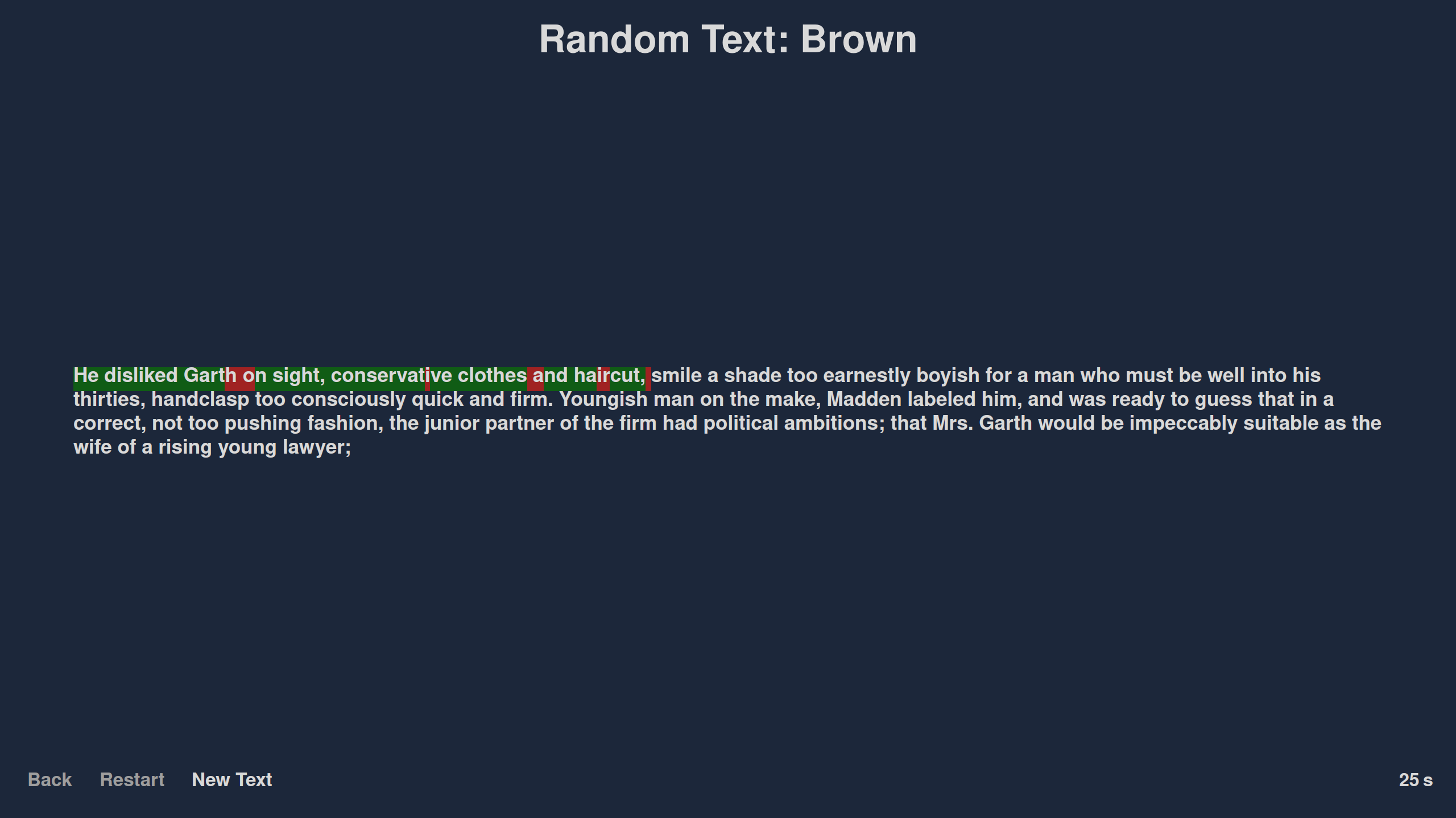
- Click on begin and start typing! Characters typed correctly are highlighted green and characters typed incorrectly are highlighted red.
- When finished, a window will appear displaying your accuracy, average w.p.m and whether or not you set a daily or all-time high score.
- Note: The high scores are stored in the assets folder in
highscores.pklandbackup_highscores.pkland can be deleted if you want to reset your high score.- There are however GUI options for resetting high scores in the Statistics window
- Note: The high scores are stored in the assets folder in
Modes
Select one of the following options to choose what you will be typing out:
-
Common Phrases
-
Facts
-
Famous Literature Excerpts
-
Famous Quotes
-
Random Text Options
- These 3 options are achieved using corpora from nltk, for which documentation can be found here. The corpora included are:
- Brown, which is the first million-word electronic corpus of English.
- Gutenberg, which is a small selection of texts from the Project Gutenberg electronic text archive, which contains some 25,000 free electronic books, hosted here.
- Webtext, a collection of web text includes content from a Firefox discussion forum, conversations overheard in New York, the movie script of Pirates of the Carribean, personal advertisements, and wine reviews, for more informal text.
- To reduce the number of dependencies, as well as the processing that needs to be done for formatting the text, the corpora are already processed into plain text files stored in the
assets/texts/directory, along with the python script used to generate them.
W.P.M.
Your typing speed is measured by your average wpm, multiplied by your accuracy.
Wpm is calculated as words per minute (w.p.m) using (characters typed/5)/minutes This gives a more fair w.p.m calculation since longer words would be worth more than short words. This figure is then multiplied by your accuracy percentage.
Accuracy is taken into account to incentivise you to type all the text out correctly and not enforce bad habits.
Statistics
High scores can be set both daily or as an all-time high score. Both values are displayed in the main menu and saved for future sessions.
The program will save all of your daily high scores. This data is then visualised in the statistics window using a graph of wpm over time so you can get a sense of how you're progressing.
License
1 maintainer

Release files for ps-typer 0.1.1
For a detailed explanation of source distributions (sdists) and built distributions (wheels), please see the package formats documentation.
Source distribution (sdist)
| File | Size | Uploaded | |
|---|---|---|---|
| ps-typer-0.1.1.tar.gz | 5.8 MB | Details |
Built distribution (wheel)
| File | Interpreter | ABI | Platform | Reset |
|---|---|---|---|---|
| ps_typer-0.1.1-py3-none-any.whl | Python 3 | none | any | Details |
Total release size: 11.7 MB
Release files / ps-typer-0.1.1.tar.gz
| Download URL | ps-typer-0.1.1.tar.gz |
|---|---|
| Size | 5.8 MB |
| Tags | Source |
|
SHA-256 checksum How to use checksums |
50dff921e5c294735f5991eb65ec65668b1bb47848b33a569a9a8a16552c6a83
|
|
BLAKE2b-256 checksum How to use checksums |
8608f0caafb537cea221f1cc603b4b83d5d44254884ad741501efc103537a7e4
|
| Upload date | |
|
Uploaded using Trusted Publishing? What is trusted publishing? |
No |
| Uploaded via |
poetry/1.1.13 CPython/3.10.4 Linux/5.17.1-arch1-1
|
Release files / ps_typer-0.1.1-py3-none-any.whl
| Download URL | ps_typer-0.1.1-py3-none-any.whl |
|---|---|
| Size | 5.9 MB |
| Tags | Python 3 |
|
SHA-256 checksum How to use checksums |
615f3572f481b2443dc7a7af0585e74aaa5283a28c1cb550454fe38b0e764df8
|
|
BLAKE2b-256 checksum How to use checksums |
efcb19a4ee6ff6edef0a8e50665300fbde7dc1d071d95f381fd4047eb2a745e9
|
| Upload date | |
|
Uploaded using Trusted Publishing? What is trusted publishing? |
No |
| Uploaded via |
poetry/1.1.13 CPython/3.10.4 Linux/5.17.1-arch1-1
|














