




Profilers are extremely helpful tools. They help us dig deep into code, find and understand performance bottlenecks. But sometimes we just want to lay back, relax and still get a gist of the hot zones in our code.
A picture is worth a thousand words.
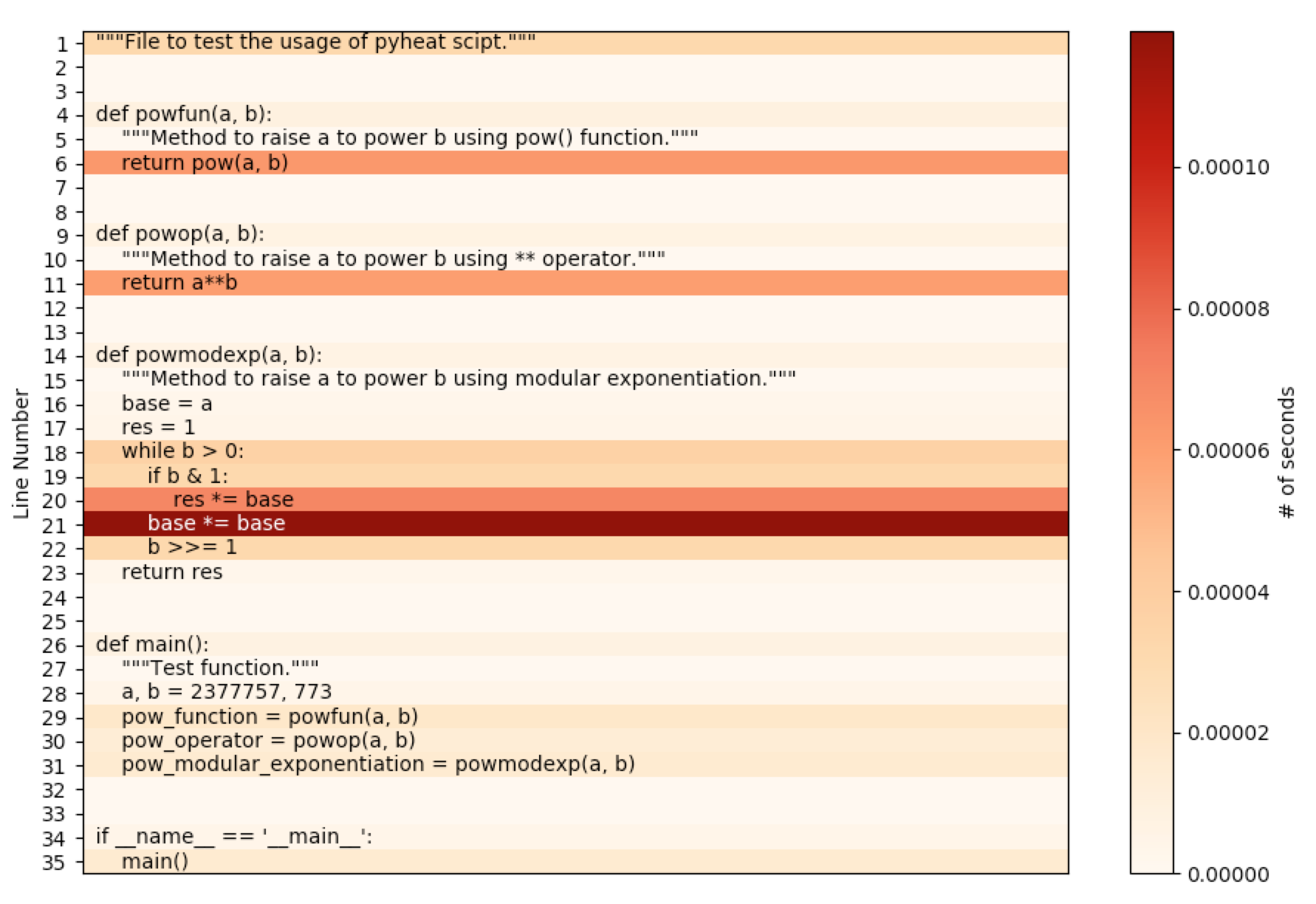
So, instead of presenting the data in tabular form, if presented as a heatmap visualization, it makes comprehending the time distribution in the given program much easier and quicker. That is exactly what is being done here !
Demo
Scroll Demo
Features
Simple CLI interface.
No complicated setup.
Heatmap visualization to view hot zones in code.
Ability to export the heatmap as an image file.
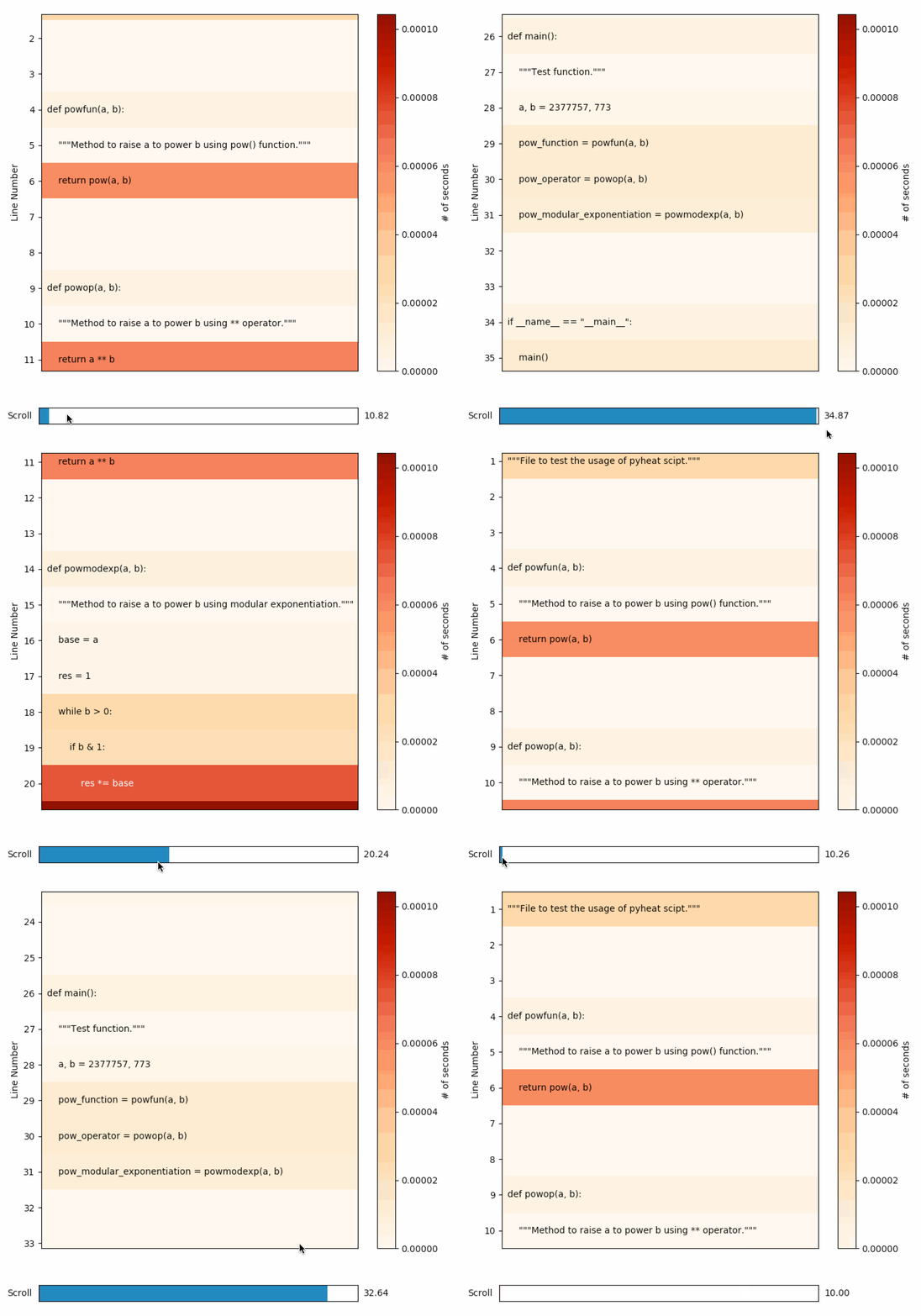
Ability to scroll, to help view heatmap of large py files.
Setup
Using pip
pip install py-heatDirectly from the repository
git clone https://github.com/csurfer/pyheat.git
python pyheat/setup.py install
Usage
As a command
# To view the heatmap.
pyheat <path_to_python_file>
# To output the heatmap as a file.
pyheat <path_to_python_file> --out image_file.png
pyheat --help
As a module
from pyheat import PyHeat
ph = PyHeat(<file_path>)
ph.create_heatmap()
# To view the heatmap.
ph.show_heatmap()
# To output the heatmap as a file.
ph.show_heatmap('image_file.png')
Contributing
Bug Reports and Feature Requests
Please use issue tracker for reporting bugs or feature requests.
Development
Pull requests are most welcome.
Buy the developer a cup of coffee!
If you found the utility helpful you can buy me a cup of coffee using

1 maintainer

Metadata
1 maintainer
Release files for py-heat 0.0.6
For a detailed explanation of source distributions (sdists) and built distributions (wheels), please see the package formats documentation.
Source distribution (sdist)
| File | Size | Uploaded | |
|---|---|---|---|
| py-heat-0.0.6.tar.gz | 7.1 kB | Details |
Release files / py-heat-0.0.6.tar.gz
| Download URL | py-heat-0.0.6.tar.gz |
|---|---|
| Size | 7.1 kB |
| Tags | Source |
|
SHA-256 checksum How to use checksums |
bcb63622a82120212ff4e20e8a02ad9359c249951c540cc11db7114bb2a86d76
|
|
BLAKE2b-256 checksum How to use checksums |
6be3776c6f4f18eafbc39b44ad47160414077bfd64183cfd2c5b61ea43dd12b6
|
| Upload date | |
|
Uploaded using Trusted Publishing? What is trusted publishing? |
No |
| Uploaded via |
twine/1.12.1 pkginfo/1.4.2 requests/2.19.1 setuptools/40.4.1 requests-toolbelt/0.8.0 tqdm/4.28.1 CPython/3.7.0
|














