
pybitable
from pybitable import Connection, ConnectionPool

db_url = 'bitable+pybitable://<app_id>:<app_secret>@open.feishu.cn/<app_token>'

# 支持使用personal_base_token访问多维表格,这里建议使用后面一种写法,sqlalchemy打印日志的时候,会将personal_base_token当成密码显示星号
db_url = 'bitable+pybitable://<personal_base_token>@open.feishu.cn/<app_token>'
db_url = 'bitable+pybitable://:<personal_base_token>@open.feishu.cn/<app_token>'

conn_pool = ConnectionPool(
    maxsize=10,
    connection_factory=lambda: Connection(db_url),
)

with conn_pool.connect() as connection:
    print('connect', connection)
    cursor = connection.cursor()
    result = cursor.execute('select * from tbl2w2QJgo6YCthm')
    cursor.close()
cli
pip install pybitable[cli]

pybitable -h base-api.feishu.cn -p <personal_base_token> <app_token>
pybitable -h open.feishu.cn -u <app_id> -p <app_secret> <app_token>
pybitable -h open.feishu.cn -u <app_id> -p <app_secret> <app_token>
pybitable bitable+pybitable://<app_id>:<app_secret>@open.feishu.cn/<app_token>
pybitable bitable+pybitable://:<personal_base_token>@open.feishu.cn/<app_token>
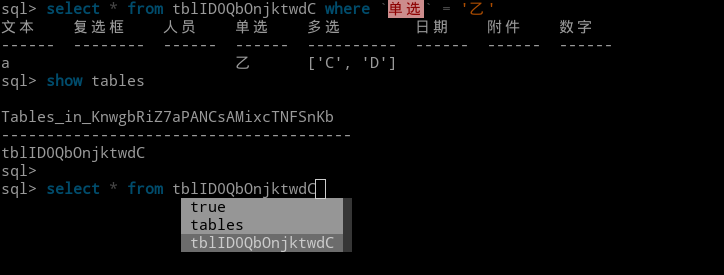
using sqlalchemy
pip install pybitable[sqlalchemy]

from sqlalchemy import create_engine, Column, String, Text, text
from sqlalchemy.orm import sessionmaker, declarative_base

engine = create_engine(db_url, echo=False)
Session = sessionmaker(engine)

with engine.connect() as conn:
    result = conn.execute(
        text("select `文本` as a from tblID0QbOnjktwdC")
    )
    for row in result:
        print(f"{row}")

Base = declarative_base()

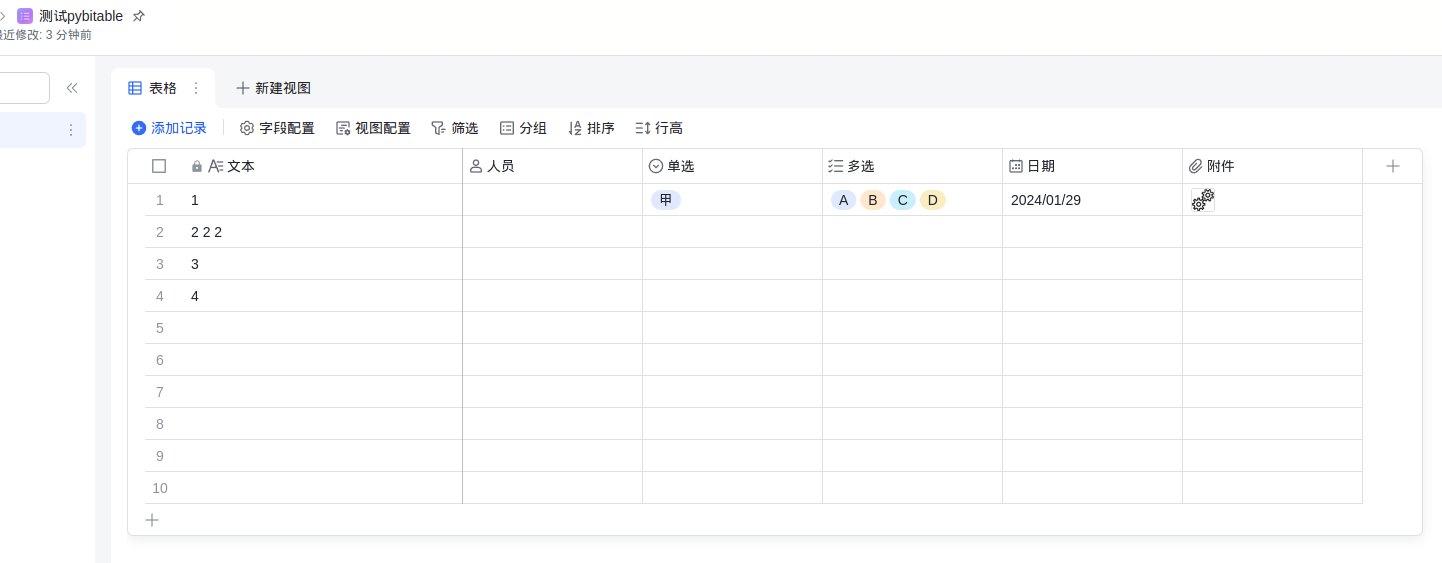
class BITable1(Base):
    __tablename__ = 'tblID0QbOnjktwdC'
    record_id = Column(String(32), primary_key=True)
    文本 = Column(Text, nullable=True, server_default=text("''"), comment="文本")
    单选 = Column(String(32), nullable=True, server_default=text("''"), comment="单选")
    多选 = Column(Text, nullable=True, server_default=text("''"), comment="多选")

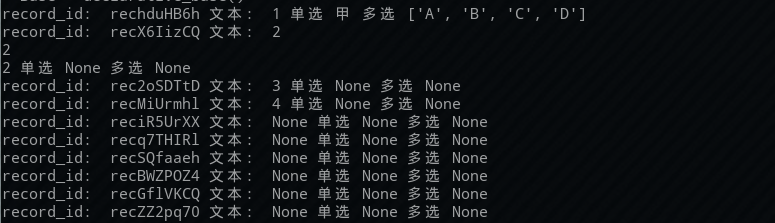
with Session.begin() as session:
    for item in session.query(BITable1).all():
        print('record_id: ', item.record_id, '文本: ', item.文本, '单选', item.单选, '多选', item.多选)

print('engine', engine, BITable1)
1 maintainer

Metadata
1 maintainer
Release files for pybitable 0.1.1
For a detailed explanation of source distributions (sdists) and built distributions (wheels), please see the package formats documentation.
Source distribution (sdist)
| File | Size | Uploaded | |
|---|---|---|---|
| pybitable-0.1.1.tar.gz | 10.2 kB | Details |
Release files / pybitable-0.1.1.tar.gz
| Download URL | pybitable-0.1.1.tar.gz |
|---|---|
| Size | 10.2 kB |
| Tags | Source |
|
SHA-256 checksum How to use checksums |
da7445f42d9c9947f7b57fab26ceb6bac8bfb898e64eeb5da47c333ae15c9b0f
|
|
BLAKE2b-256 checksum How to use checksums |
9dd5dfb414008cd4832505c8459284d747c85f0945eaecf5757f5c1c7a689049
|
| Upload date | |
|
Uploaded using Trusted Publishing? What is trusted publishing? |
No |
| Uploaded via |
twine/4.0.2 CPython/3.11.6
|














