
PyDT3 - The Python API For DEVONthink 3
This project aims to let you use Python to interact with DEVONthink 3 with ease.
Ulike many other API wrapper projects, PyDT3 is documented through docstring. Therefore can benefit from code completion and documentation in code editors.
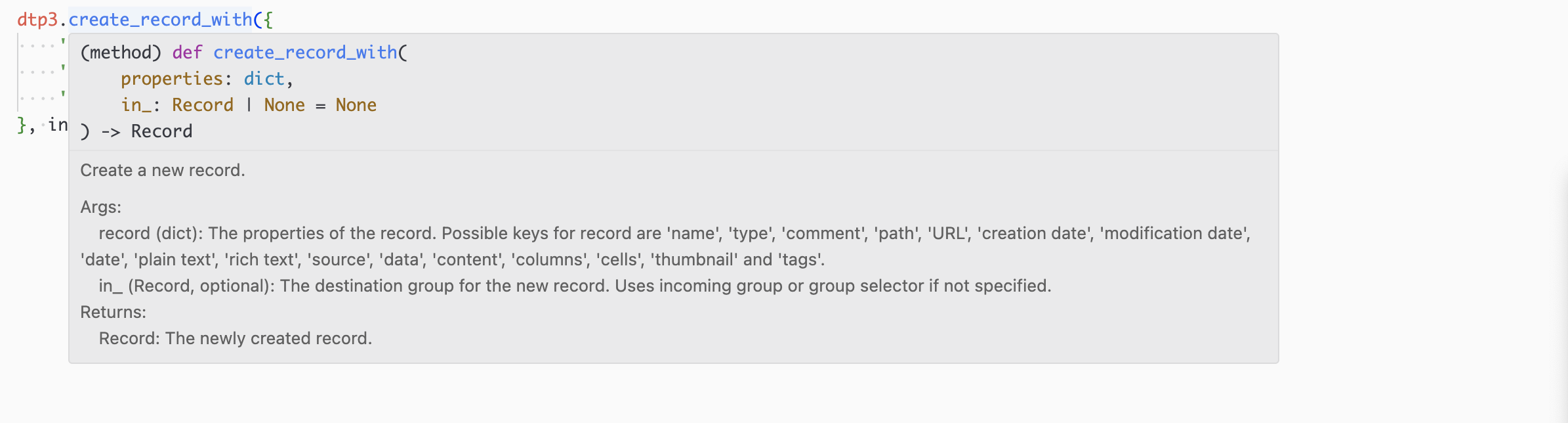
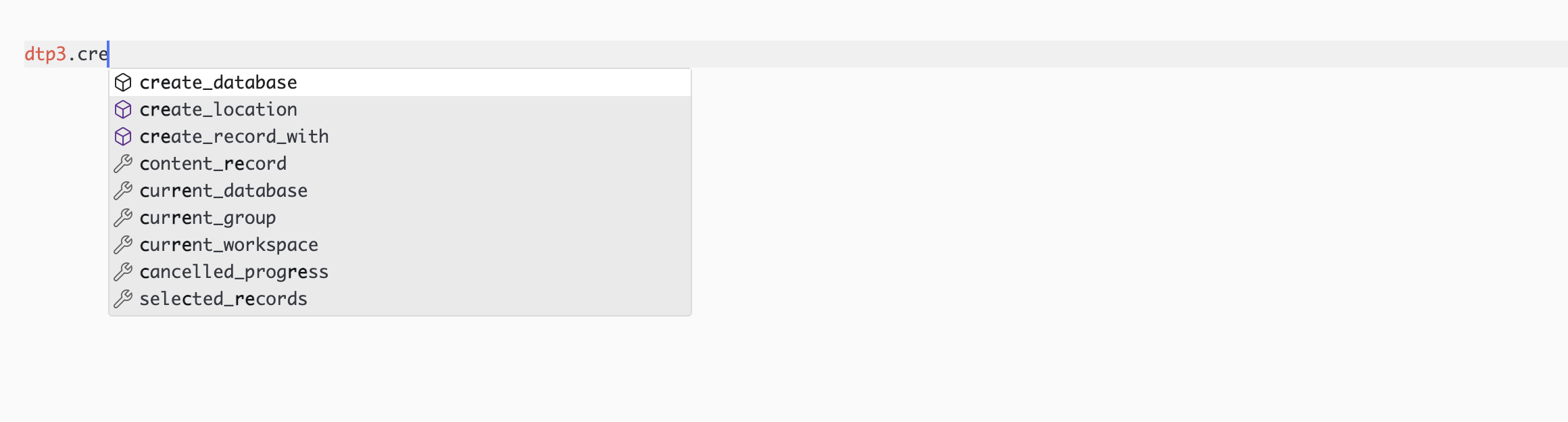
To install, just run
pip install pydt3
Most of the classes and methods map directly to the AppleScript APIs.
For example:
from pydt3 import DEVONthink3

dt3 = DEVONthink3()

for db in dt3.databases:
    print(db.name)

selected_record = dt3.selected_records[0]
print(selected_record.name)
tell application "DEVONthink 3"
    repeat with db in databases
        log name of db as string
    end repeat
    set selected_record to item 1 of selected records
    log name of selected_record as string
end tell
These two scripts do the same thing.
The project is still in early stage. Not all properties and methods have been implemented.
Installation
Pip
pip install pydt3
Quick Start
from pydt3 import DEVONthink3
dtp3 = DEVONthink3()

inbox = dtp3.inbox

# create a new folder in inbox
dtp3.create_location('new-group-from-pydt3', inbox)

# get selected records
records = dtp3.selected_records

# get the first selected record and print its information
if records:
    first = records[0]
    print(first.name)
    print(first.type)
    print(first.reference_url)
    print(first.plain_text)

# create record in inbox
record = dtp3.create_record_with({
    'name': 'hello-from-pydt3',
    'type': 'markdown',
    'plain text': '# Hello from pydt3',
}, inbox)
Requirements
- DEVONthink 3
- Python 3.7+
- PyObjC
(See requirements.txt for more information.)
Work With ChatGPT
Add Tags to Selected Records Using ChatGPT
Put this script into ~/Library/Application Scripts/com.devon-technologies.think3/Contextual Menu and run it from contextual menu in DEVONthink (The record must be in selected state).
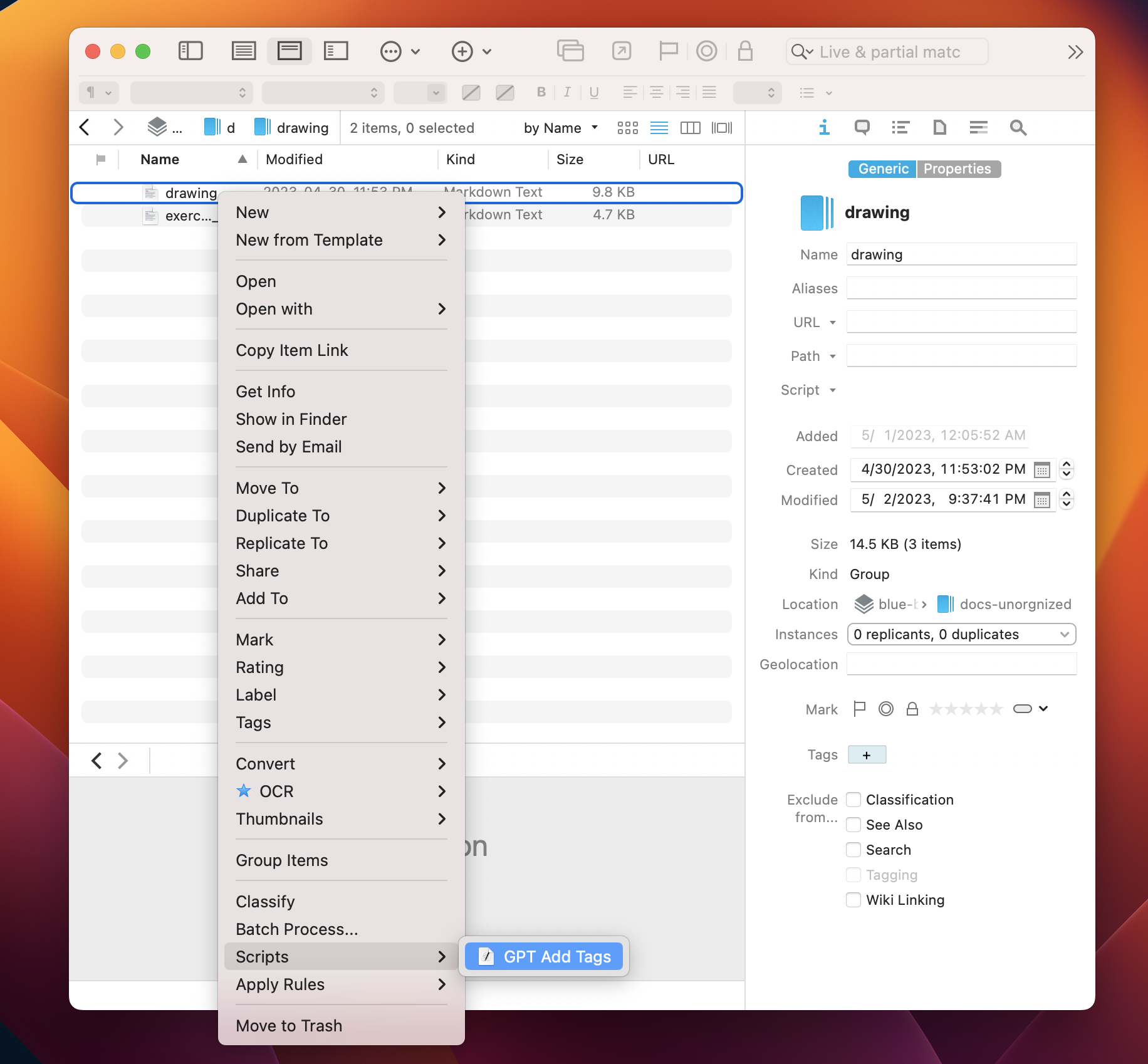
And voilà, the tags are added based on contents automatically.
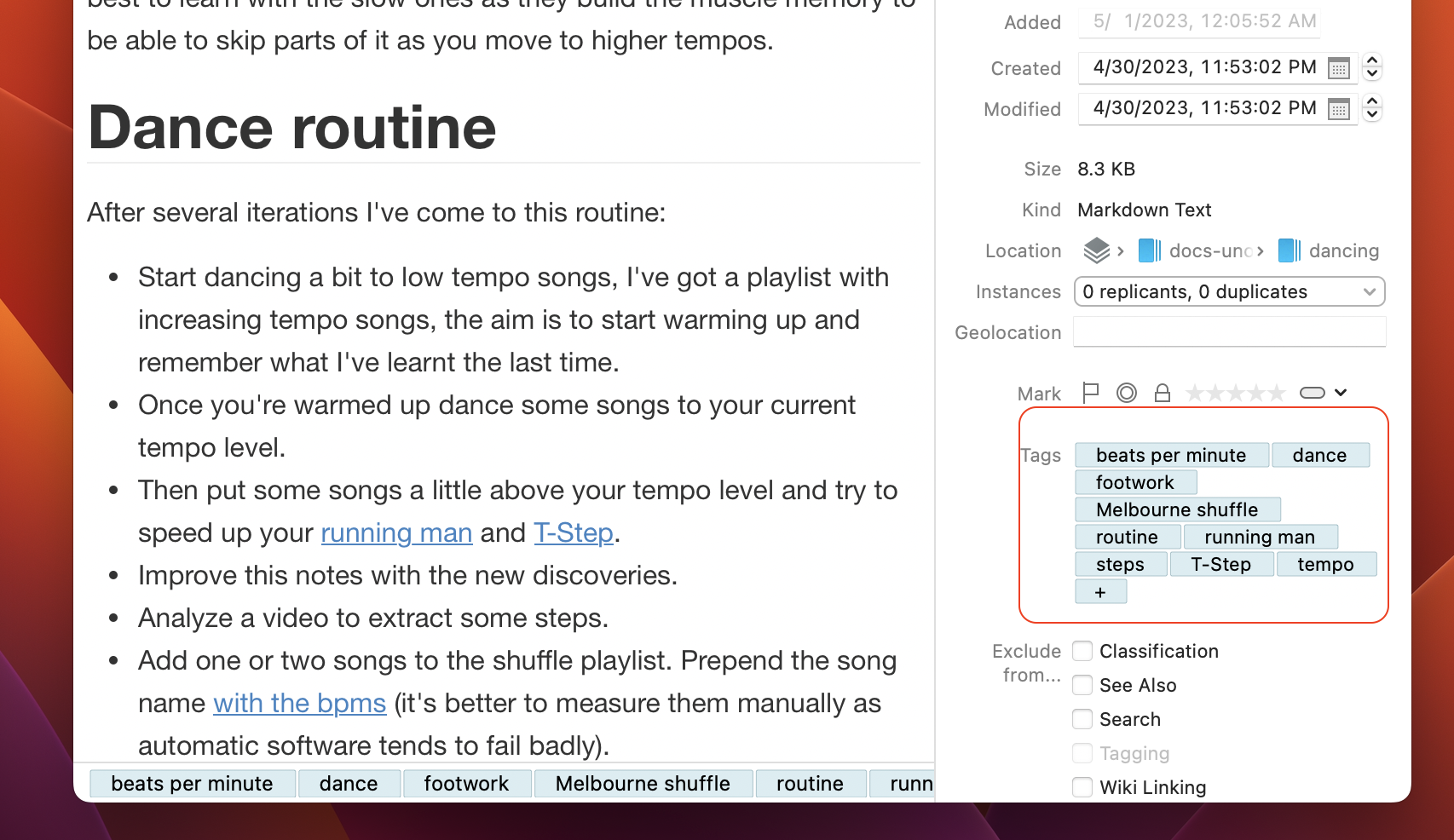
Note: You are required to have an API key from OpenAI. The first time you run the script, a prompt will ask you to enter key.
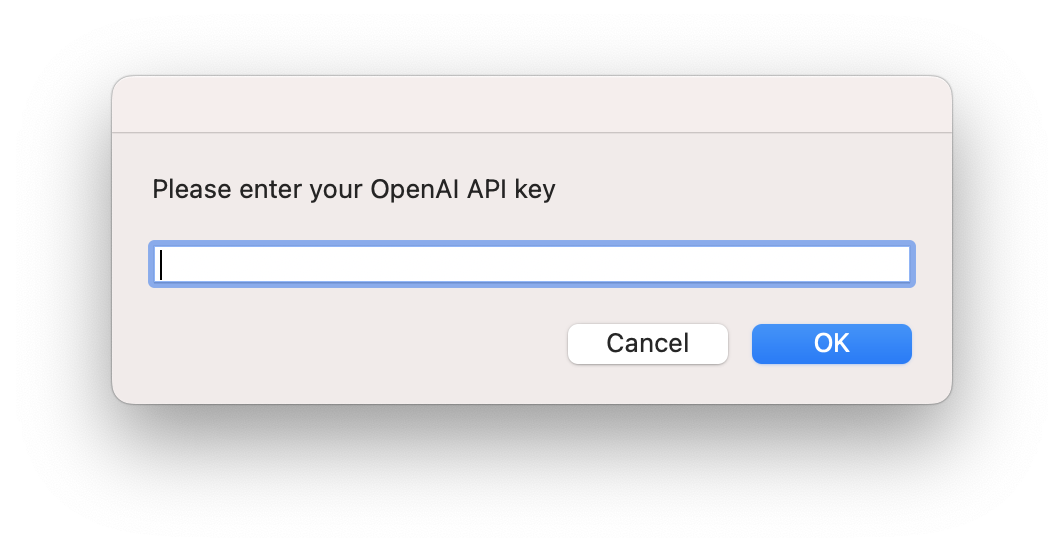
The key will be store in Incoming group for DEVONthink (usually Inbox). You can see the file __openai_api_key__ generated there. You can move it to other opened database but don't change it's name.
Auto Writing / Summarizing Using ChatGTP
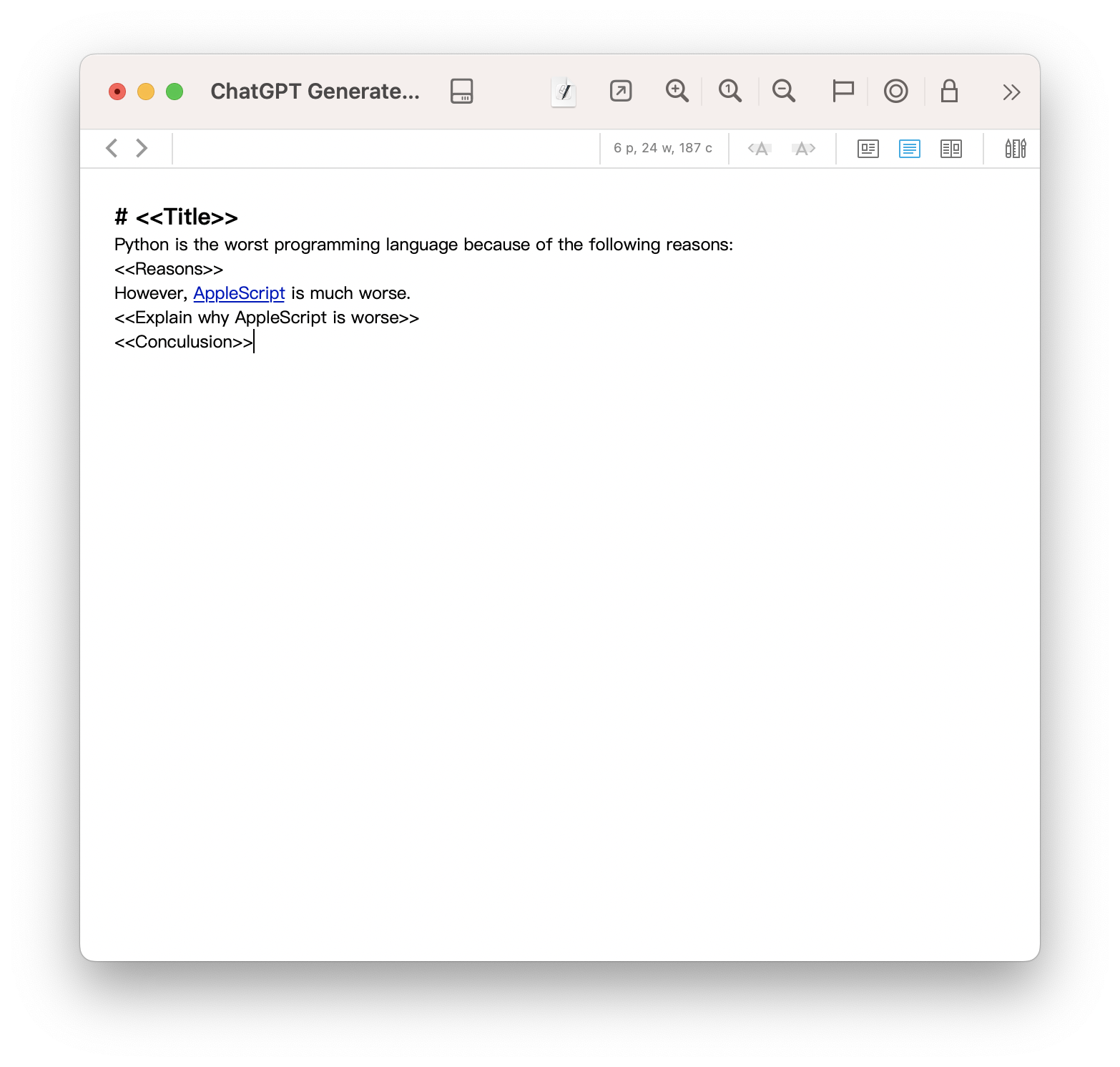
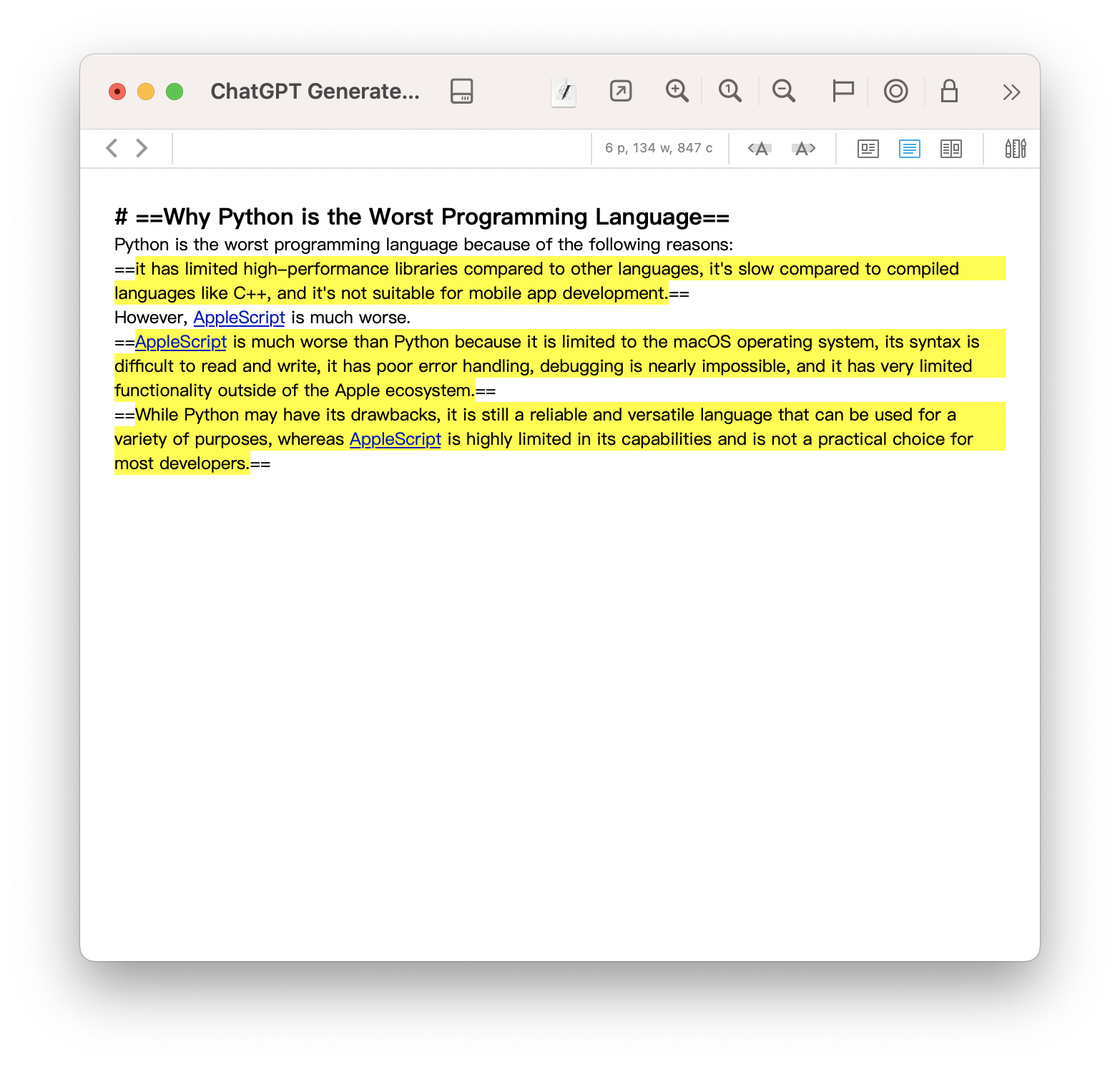
This script lets you to insert <<TOKEN>> into your text and then generate the text based on the token.
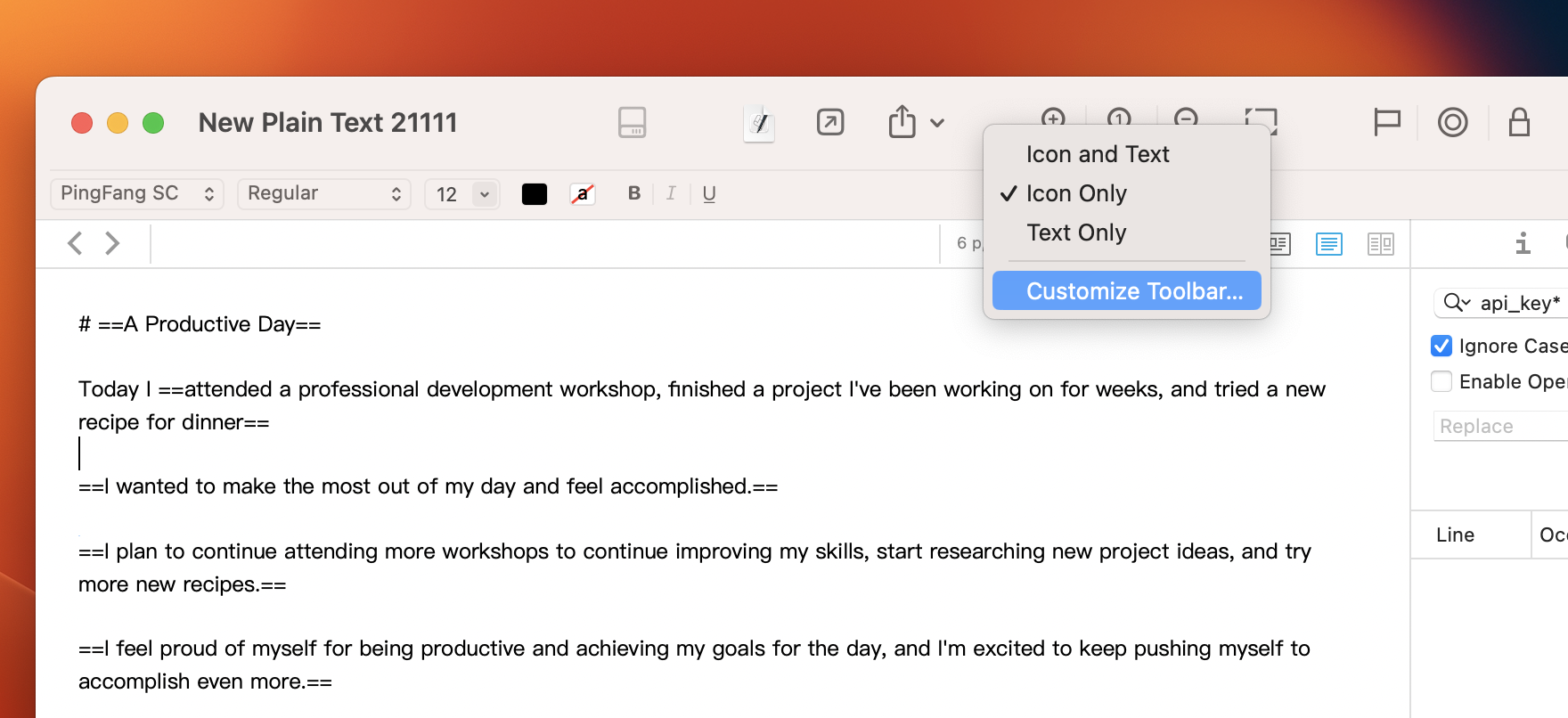
Put the script into ~/Library/Application Scripts/com.devon-technologies.think3/Toolbar. Restart the DEVONthink and you will see the script in the toolbar customization window.
About the Release Scripts
The script bundles provided by the project are packed by PyInstaller so that you can run them without Python installation. But the size is relatively large. You can write your own version if you do have Python installed (with required packages.) See codes in examples for more information.
Remarks
For those properties that are not implemented, you can still use the through the fallback method. Just that you cannot use the python style naming convention (Basically it will pass the python names directly to JXA).
# a.propertyName (int) is not implemented in PyDT3.
p = a.propertyName()
a.propertyName = (p + 1)
This project uses PyObjC to execute AppleScript code in Objective-C then wrap them in Python.
The bridging part is inspired by py-applescript.
Many of the APIs are generated by ChatGPT from the DEVONthink's AppleScript dictionary.
Notes used as examples are imported from The Blue Book, a personal wiki shared by lyz-code.
Limitations
-
The APIs are not fully tested. Please report any issues.
-
Rich texts in AppleScript are converted to strings in Python, which causes style information loss.Now rich text is partially supported.
-
Collections of elements (eg.database.records) are converted to lists in Python. While in Applescript they are retrieved in a lazy manner. This may cause performance issues with large collections.Now they are wrapped in an
OSAObjArrayobject and are evaluated lazily.
TODO
- Implement all APIs
- Ability to execute JXA code snippets.
-
whosefilter forOSAObjArraycontainer.
1 maintainer

Metadata
1 maintainer
Release files for pydt3 0.1.0
For a detailed explanation of source distributions (sdists) and built distributions (wheels), please see the package formats documentation.
Source distribution (sdist)
| File | Size | Uploaded | |
|---|---|---|---|
| pydt3-0.1.0.tar.gz | 30.5 kB | Details |
Built distribution (wheel)
| File | Interpreter | ABI | Platform | Reset |
|---|---|---|---|---|
| pydt3-0.1.0-py3-none-any.whl | Python 3 | none | any | Details |
Total release size: 63.8 kB
Release files / pydt3-0.1.0.tar.gz
| Download URL | pydt3-0.1.0.tar.gz |
|---|---|
| Size | 30.5 kB |
| Tags | Source |
|
SHA-256 checksum How to use checksums |
978cd5584ce95a0dc2b8fb2c17547930568d27d40f2d8c15f4fbf5bac4e119fd
|
|
BLAKE2b-256 checksum How to use checksums |
cdad59cb3aa50e64aa636ee2ff50e09ad7c283ad94b46f9b1fbe279afb1ca709
|
| Upload date | |
|
Uploaded using Trusted Publishing? What is trusted publishing? |
No |
| Uploaded via |
twine/5.0.0 CPython/3.11.7
|
Release files / pydt3-0.1.0-py3-none-any.whl
| Download URL | pydt3-0.1.0-py3-none-any.whl |
|---|---|
| Size | 33.3 kB |
| Tags | Python 3 |
|
SHA-256 checksum How to use checksums |
d2ebd208aa6518cd3d561f249ffc0acd427d991b716ae6ea330c2efeda20932d
|
|
BLAKE2b-256 checksum How to use checksums |
5c6a722d9ef10c651f1303a395b36277906bf13875d12860b3ee5df03c4d6147
|
| Upload date | |
|
Uploaded using Trusted Publishing? What is trusted publishing? |
No |
| Uploaded via |
twine/5.0.0 CPython/3.11.7
|














