
The Pyface project contains a toolkit-independent GUI abstraction layer, which is used to support the “visualization” features of the Enthought Tool Suite libraries. Pyface contains Traits-aware wrappers of standard GUI elements such as Windows, Dialogs and Fields, together with the “Tasks” application framework which provides a rich GUI experience with dock panes, tabbed editors, and so forth. This permits you to write cross-platform interactive GUI code without needing to use the underlying GUI backend.
The following GUI backends are supported:
PySide2 (stable) and PySide6 (experimental)
PyQt5 (stable) and PyQt6 (in development)
wxPython 4 (experimental)
Example
The following code creates a window with a simple Python shell:
from pyface.api import ApplicationWindow, GUI, IPythonShell

class MainWindow(ApplicationWindow):
    """ The main application window. """

    #: The PythonShell that forms the contents of the window
    shell = Instance(IPythonShell, allow_none=False)

    def _create_contents(self, parent):
        """ Create the editor. """
        self.shell.create(parent)
        return self.shell.control

    def destroy(self):
        self.shell.destroy()
        super().destroy()

    def _shell_default(self):
        from pyface.api import PythonShell
        return PythonShell()

# Application entry point.
if __name__ == "__main__":
    # Create the GUI.
    gui = GUI()

    # Create and open the main window.
    window = MainWindow(title="Python Shell", size=(640, 480))
    window.open()

    # Start the GUI event loop!
    gui.start_event_loop()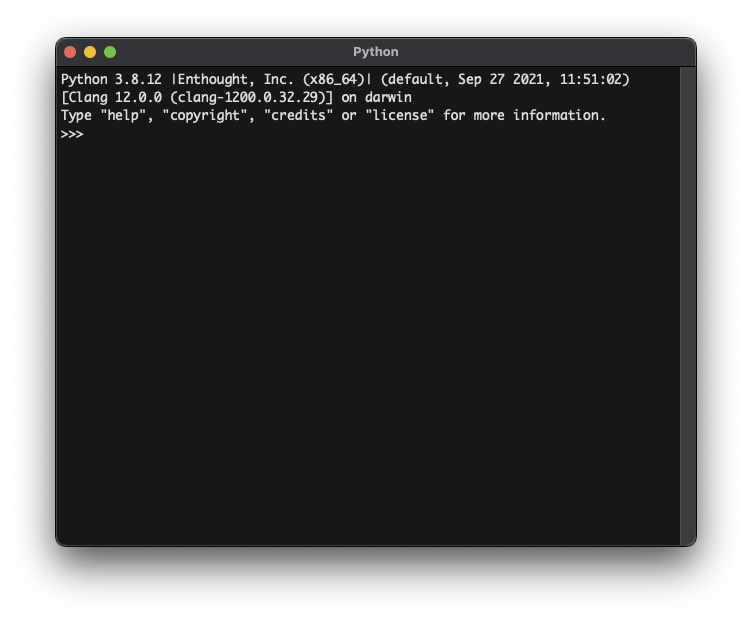
Installation
Pyface is a pure Python package. In most cases Pyface will be installable using a simple pip install command.
To install with a backend, choose one of the following, as appropriate:
$ pip install pyface[pyside2]

$ pip install pyface[pyside6]

$ pip install pyface[pyqt5]

$ pip install pyface[wx]
Some optional functionality uses pillow and numpy and these can be installed using optional dependencies:
$ pip install pyface[pillow]

$ pip install pyface[numpy]
For running tests a few more packages are required:
$ pip install pyface[test]Documentation
Developing Pyface
The etstool.py script provides utilities to assist developers wanting to work on Pyface. To use it, you will need to have the source checked out via Git, Enthought’s EDM distribution manager, and a minimal environment containing at least the Click library.
You can then follow the instructions in etstool.py. In particular:
use etstool.py install to create environments for particular toolkits and runtimes
use etstool.py shell to activate those environments
use etstool.py test to run the tests in those environments
use etstool.py flake8 to perform style checks
use etstool.py docs to build the documentation
use etstool.py test-all to run the tests across all supported runtimes and toolkits
License
Pyface source code is licensed with a BSD-style license. Some default images are licensed with other licenses. See the license files for further information.
4 maintainers


Release files for pyface 8.0.0
For a detailed explanation of source distributions (sdists) and built distributions (wheels), please see the package formats documentation.
Source distribution (sdist)
| File | Size | Uploaded | |
|---|---|---|---|
| pyface-8.0.0.tar.gz | 7.8 MB | Details |
Built distribution (wheel)
| File | Interpreter | ABI | Platform | Reset |
|---|---|---|---|---|
| pyface-8.0.0-py3-none-any.whl | Python 3 | none | any | Details |
Total release size: 9.1 MB
Release files / pyface-8.0.0.tar.gz
| Download URL | pyface-8.0.0.tar.gz |
|---|---|
| Size | 7.8 MB |
| Tags | Source |
|
SHA-256 checksum How to use checksums |
7e13618347b7a648ed20cdbd4fd1a51648f5010291f35e4e0ff1bf70a720cbf8
|
|
BLAKE2b-256 checksum How to use checksums |
0deb69bbe2ff61ebe978b46d76cba33cc5a4ad3940528cfed322ddbb3843a5b1
|
| Upload date | |
|
Uploaded using Trusted Publishing? What is trusted publishing? |
No |
| Uploaded via |
twine/4.0.2 CPython/3.8.16
|
Release files / pyface-8.0.0-py3-none-any.whl
| Download URL | pyface-8.0.0-py3-none-any.whl |
|---|---|
| Size | 1.3 MB |
| Tags | Python 3 |
|
SHA-256 checksum How to use checksums |
f636ffd4b9271767b9c06f67f0b407e04cf79f1ff2b6717a8a106233c48b9cc0
|
|
BLAKE2b-256 checksum How to use checksums |
5244cc3b77aadd047d52625eb8f7361e6b34f114100d95706f0716dc4dde1f99
|
| Upload date | |
|
Uploaded using Trusted Publishing? What is trusted publishing? |
No |
| Uploaded via |
twine/4.0.2 CPython/3.8.16
|














