
PyFaceCrop
PyFaceCrop is a Python library designed to streamline the process of extracting faces from video files. It crops irrelevant frames and focuses on facial content, making it ideal for creating datasets for facial recognition, emotion detection, and other computer vision applications.
Features
Efficient face extraction from video files.
Customizable padding around faces in cropped images (default: 0).
Adjustable interval time (in seconds) between frames to process (default: 0).
Organized output: faces are saved in folders named after the video file.
Ideal for creating datasets for facial recognition and emotion detection.
User-friendly and easy-to-use API.
Installation You can install PyFaceCrop via pip:
pip install pyfacecrop
from PyFaceCrop.face_crop import FaceCrop

# Initialize the FaceCrop with padding and interval time
face_cropper = FaceCrop(padding=0, interval_seconds=0)

# Path to the root folder where videos are located
root_folder = 'path/to/root_folder'

# Path to the destination folder where cropped faces will be saved
destination_folder = 'path/to/destination_folder'

# Process videos in the root folder and crop faces
face_cropper.generate(root_folder, destination_folder)
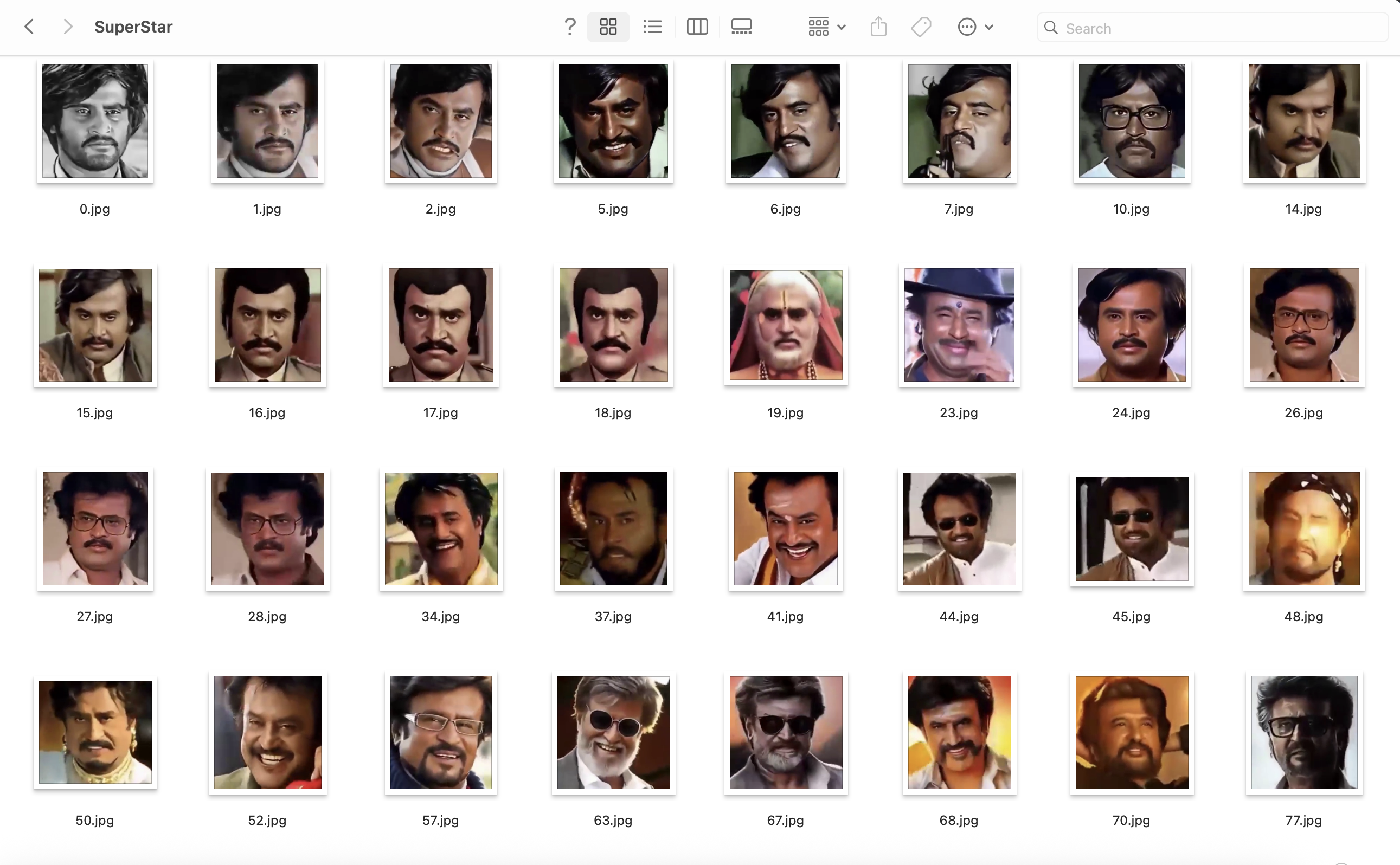
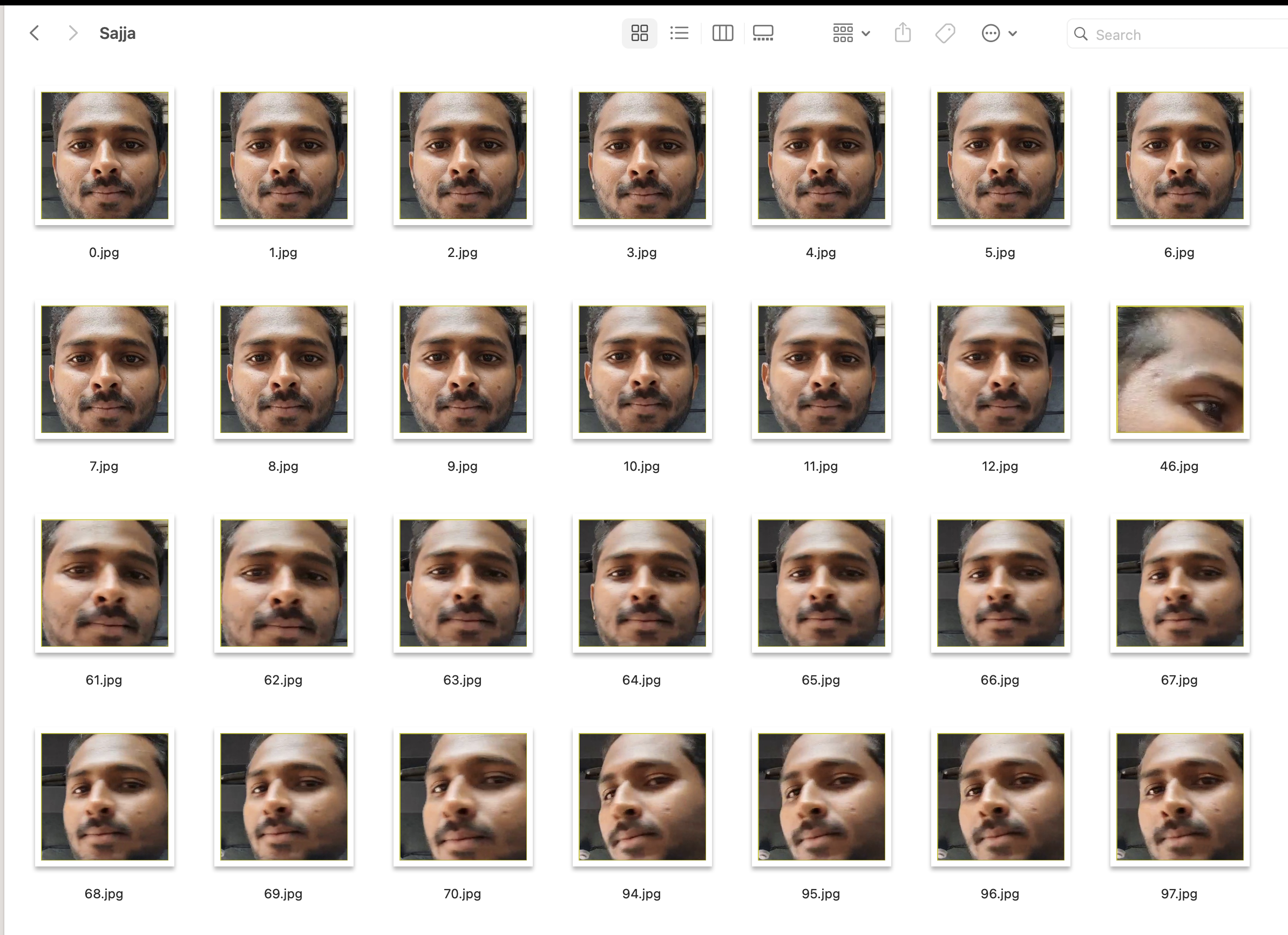
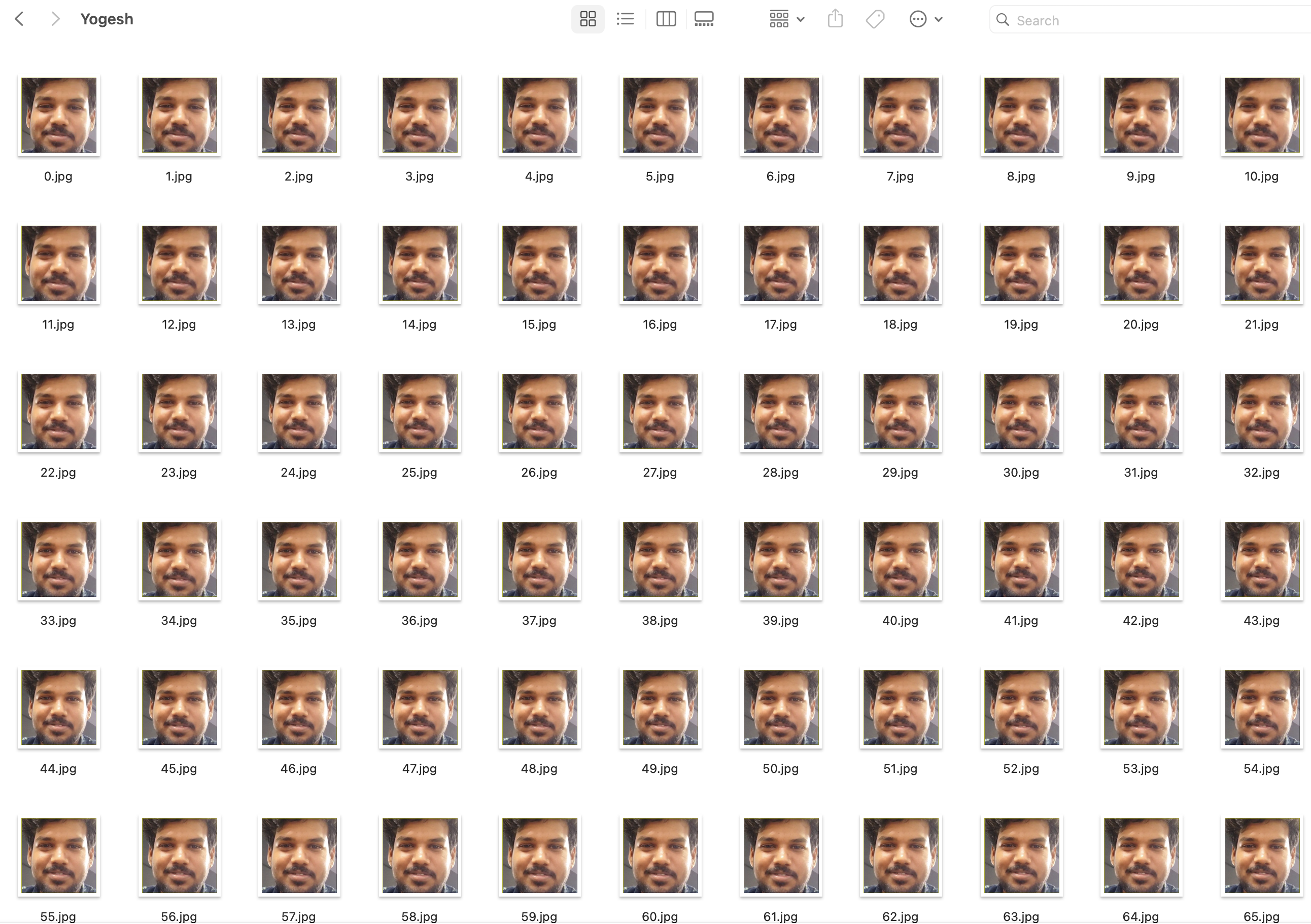
Parameters padding (int, optional, default=0): The number of pixels to add around the cropped face. Default is 0, meaning no padding will be applied.
interval_seconds (int, optional, default=0): The time interval (in seconds) between consecutive frames to process. Default is 0, meaning all frames will be processed.
root_folder (str, mandatory): The directory where the video files are located. This folder is scanned for videos that will be processed.
destination_folder (str, mandatory): The directory where the cropped face images will be saved. A folder named after each video will be created inside this directory.
Generating a Face Dataset To generate a face dataset from all videos in a specified folder, the library will process each video, crop the faces, and save them in a subfolder named after the video. The root_folder and destination_folder are required to organize the input videos and output cropped faces, respectively.
from PyFaceCrop.face_crop import FaceCrop
Initialize the FaceCrop with specific parameters
face_cropper = FaceCrop(padding=0, interval_seconds=0)
Specify the root folder (where videos are located)
root_folder = 'path/to/root_folder'
Specify the destination folder (where cropped faces will be saved)
destination_folder = 'path/to/destination_folder'
Generate a face dataset from all videos in the root folder
face_cropper.generate(root_folder, destination_folder) generate Method This method will scan the root_folder for video files, process each video, and save the cropped faces to a folder named after the video in the destination_folder.
Parameters: root_folder (str): Path to the directory containing video files to process.
destination_folder (str): Path to the directory where cropped face images will be saved.
Example Output: For a video named Rajini.mp4, the folder Rajini/ will be created inside the destination_folder, and cropped face images will be saved in it.
destination_folder/
    Rajini/
        face_001.jpg
        face_002.jpg
        face_003.jpg
        ...
    Sajja/
        face_001.jpg
        face_002.jpg
        ...
    Yogesh/
        face_001.jpg
        face_002.jpg
        ...
Example with Default Padding and Interval Time
from PyFaceCrop.face_crop import FaceCrop


# Initialize with default padding and interval time
face_cropper = FaceCrop(padding=0, interval_seconds=0)

# Specify the root folder (where videos are located)
root_folder = 'path/to/root_folder'

# Specify the destination folder (where cropped faces will be saved)
destination_folder = 'path/to/destination_folder'

# Process all videos in the root folder and generate a face dataset
face_cropper.generate(root_folder, destination_folder)
How It Works
Face Detection: The library processes each frame of the video and detects faces using a pre-trained model.
Cropping Faces: Once faces are detected, the library crops the faces and applies the specified padding (default is 0).
Saving Faces: Each cropped face is saved as an individual image inside a folder named after the video file in the destination_folder. The interval time (default 0) determines whether to process all frames or skip some frames to reduce processing time.
Contributing
We welcome contributions to improve PyFaceCrop. Please fork the repository, make your changes, and submit a pull request.
Make sure to follow the coding standards and include appropriate tests for any new features or bug fixes.
License
Distributed under the MIT License. See LICENSE for more information.
Key Notes:
The root_folder should contain all your video files that you want to process. For example, Rajini.mp4, Sajja.mp4, Yogesh.mp4, etc.
The destination_folder will contain subfolders named after each video, such as Rajini/, Sajja/, Yogesh/, where the cropped face images will be saved.
Both root_folder and destination_folder are mandatory parameters.
Default values are padding=0 and interval_seconds=0, meaning faces will be cropped with no padding, and all frames will be processed unless specified otherwise.
Example Folder Structure Assuming you have the following video files in your root_folder:
root_folder/
    Rajini.mp4
    Sajja.mp4
    Yogesh.mp4
After running the script, the destination_folder will contain the following structure:
destination_folder/
    Rajini/
        face_001.jpg
        face_002.jpg
        face_003.jpg
        ...
    Sajja/
        face_001.jpg
        face_002.jpg
        ...
    Yogesh/
        face_001.jpg
        face_002.jpg
        ...
Each subfolder will be named after the corresponding video file (without the .mp4 extension), and inside it, you will find the cropped faces.
Notes on Output: Video Name as Folder: Each video file will generate a folder with the same name as the video file (excluding the extension), like Rajini/, Sajja/, Yogesh/.
Cropped Faces: Inside each folder, face images will be saved as sequentially numbered files, e.g., face_001.jpg, face_002.jpg, etc.
Padding and Interval: You can customize the padding and interval time based on your needs. By default, padding=0 and interval_seconds=0, which means the faces will be extracted without padding and every frame will be processed.
This README provides a full guide for how PyFaceCrop works, how to use it, and what the output folder structure will look like after processing the videos.
Let me know if you need anything else or if something is unclear!
1 maintainer

Metadata
1 maintainer
Release files for PyFaceCrop 0.0.25
For a detailed explanation of source distributions (sdists) and built distributions (wheels), please see the package formats documentation.
Source distribution (sdist)
| File | Size | Uploaded | |
|---|---|---|---|
| pyfacecrop-0.0.25.tar.gz | 195.0 kB | Details |
Built distribution (wheel)
| File | Interpreter | ABI | Platform | Reset |
|---|---|---|---|---|
| pyfacecrop-0.0.25-py3-none-any.whl | Python 3 | none | any | Details |
Total release size: 390.7 kB
Release files / pyfacecrop-0.0.25.tar.gz
| Download URL | pyfacecrop-0.0.25.tar.gz |
|---|---|
| Size | 195.0 kB |
| Tags | Source |
|
SHA-256 checksum How to use checksums |
89ed1cddbb2158cb9b120efd3e88590d60fec4efdf11f2f0e5a8425d0c228719
|
|
BLAKE2b-256 checksum How to use checksums |
62b1885e634024b1f2f2d0cf21f5cffe5aed55756fb1aecd4b553160971654e9
|
| Upload date | |
|
Uploaded using Trusted Publishing? What is trusted publishing? |
No |
| Uploaded via |
twine/6.1.0 CPython/3.10.16
|
Release files / pyfacecrop-0.0.25-py3-none-any.whl
| Download URL | pyfacecrop-0.0.25-py3-none-any.whl |
|---|---|
| Size | 195.7 kB |
| Tags | Python 3 |
|
SHA-256 checksum How to use checksums |
e36cd7b1cb08e0b8d031846f099c94ca608df8491c4b7049a299d04282f86d86
|
|
BLAKE2b-256 checksum How to use checksums |
37a129919f0c3f5b258e8f8ec99bc6c707e176c0aa9d3e98670f2b6052aa355b
|
| Upload date | |
|
Uploaded using Trusted Publishing? What is trusted publishing? |
No |
| Uploaded via |
twine/6.1.0 CPython/3.10.16
|














