
PyG5

Description
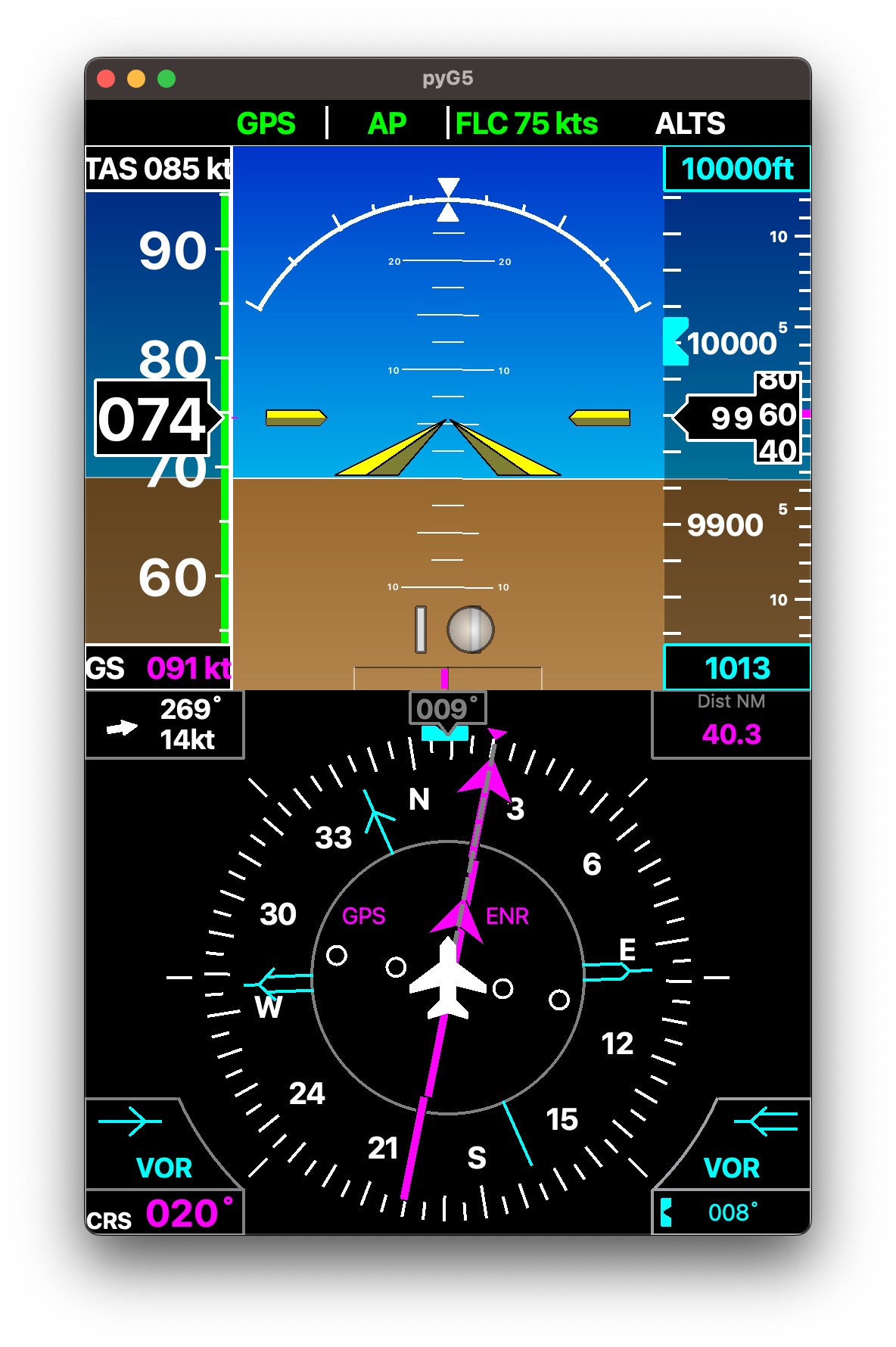
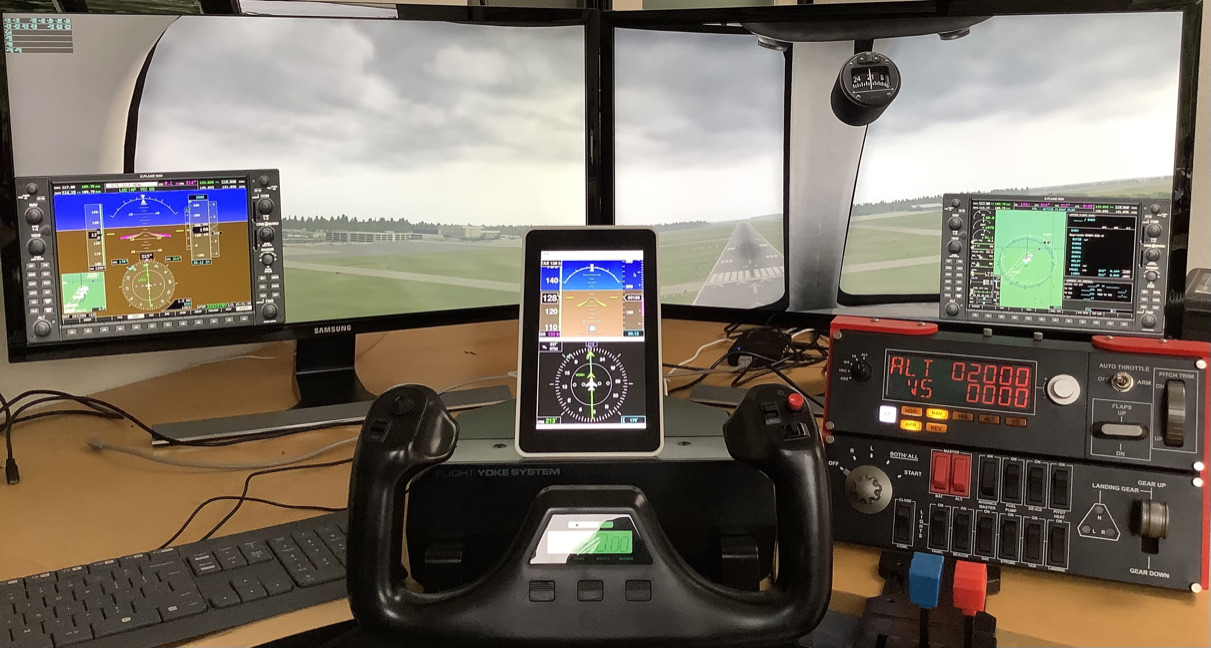
This project aims at development a Garmin G5 view targeting a Raspberry Pi 7 inches display (640x480) . The intent is to provide a G5 Attitude indicator + G5 Horizontal Situation Indicator stacked on the display in vertical mode. The pyG5 connects to X-Plane flight simulator.
It does not require any plugin and use the standard DREF UDP interface from X-Plane. It should not require any configuration. Start it and it will connect to X-Plane and fetch the required data.
This is currently developed on macOS with python 3.9 and testing on a Raspberry Pi 4 with Raspberry Pi OS and an official 7 inches display in vertical mode.
Below is a view of the user interface.
And you can see it in its simulation environment
Maturity
It's currently in pretty early phase. It's functional and should be easy to install but might suffer from issues here and there.
Not all the features of the G5 are implemented. It's currently missing:
- Glide scope
- lateral guidance on the AI
- Distance to next way point on the Horizontal Situation Indicator.
Installation
pyG5 depends on pySide6. Due to failure to install pySide6 from pip on Raspberry Pi OS it is not
a dependency of the pyG5. As a result it needs to be installed manually.
> sudo pip3 install pyside6
The install PyG5:
> sudo pip3 install pyG5
Running
> pyG5DualStacked
Running on Raspberry Pi it is recommended to install FreeSans fonts in order to be consistent with the rendering on the current main development platform, ie. macOS. Most liked this is solved with:
> sudo apt-get install libfreetype6
Developers
If you intend to develop based on this project. At a glance:
- The application runs on PyQt5 event loop.
- It's loosely implementing a Model View Controller coding style
- The
pyG5Networkcontains X-Plane network interface is monitoring the connection and feed data at 30Hz to a slot - The view is repainting the interface every time the data is received from the network interface
- The
pyG5Widgetis derived twice into and Horizontal Situation Indicator and an AI. thepyG5DualStackinstantiate both into a single widget. That means it's easy to build the view with just one of them. - The
pyG5Mainmodule contains the application and the main window class.
Running from sources
Clone the repository
> git clone
Initialize the virtual environment
> source bootstrap.sh
Start the Application
> python -m pyG5.pyG5Main
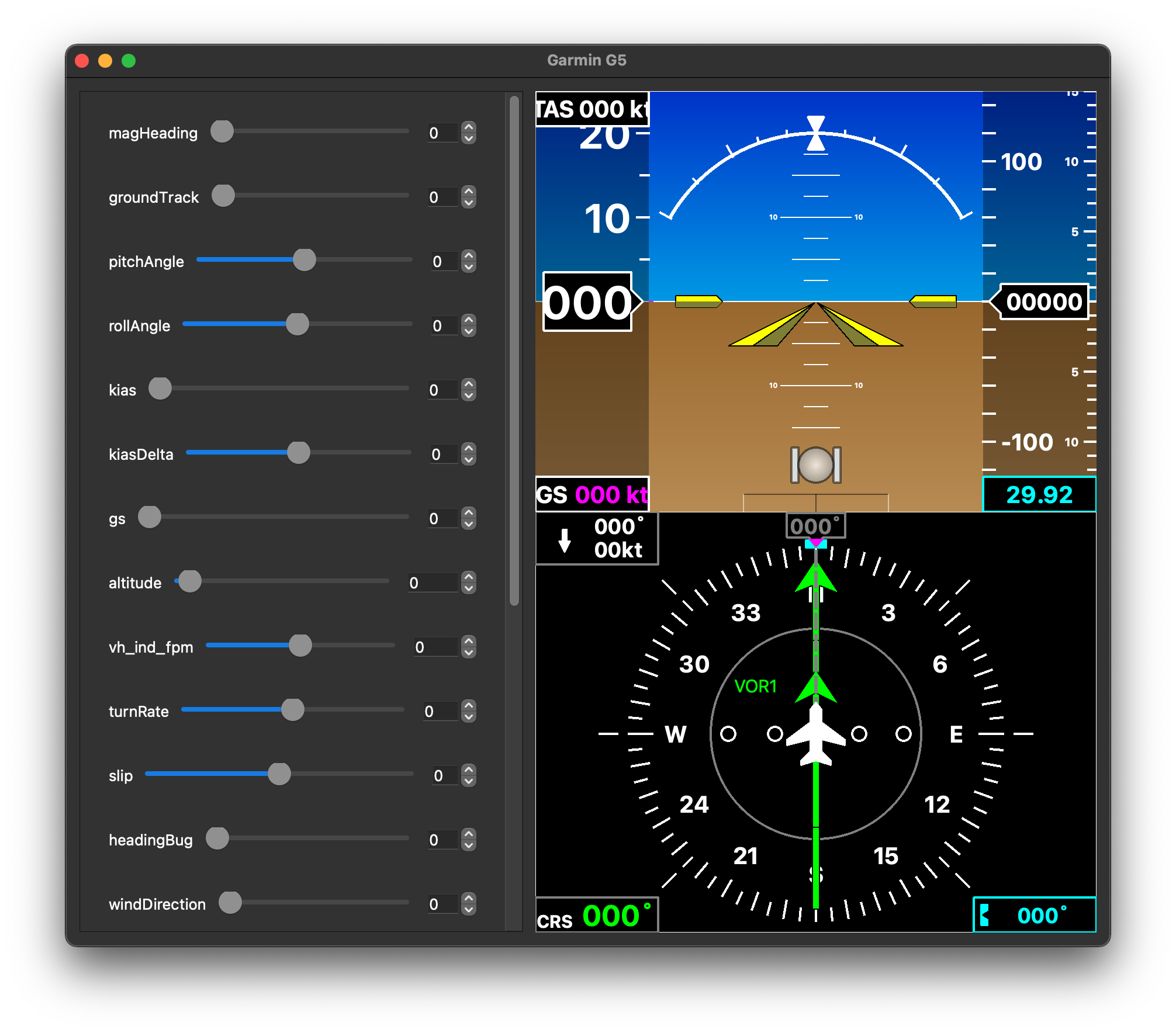
In order to evaluate the design without X-Plane running you can use:
> python -m pyG5.pyG5ViewTester
This will feed the data from the sliders in the UI instead of the X-Plane network interface:
License
1 maintainer

Metadata
1 maintainer
Release files for pyG5 0.0.4
For a detailed explanation of source distributions (sdists) and built distributions (wheels), please see the package formats documentation.
Source distribution (sdist)
| File | Size | Uploaded | |
|---|---|---|---|
| pyG5-0.0.4.tar.gz | 24.8 kB | Details |
Built distribution (wheel)
| File | Interpreter | ABI | Platform | Reset |
|---|---|---|---|---|
| pyG5-0.0.4-py3-none-any.whl | Python 3 | none | any | Details |
Total release size: 49.5 kB
Release files / pyG5-0.0.4.tar.gz
| Download URL | pyG5-0.0.4.tar.gz |
|---|---|
| Size | 24.8 kB |
| Tags | Source |
|
SHA-256 checksum How to use checksums |
ded4a965eeb655586b1d4d9ff20f1523588a5bb6aacc7124af7593c8de15d9e8
|
|
BLAKE2b-256 checksum How to use checksums |
6e9abdf1dda835107410b19f6db16e6e672b4c298c4608237c4f84ee2baa7c67
|
| Upload date | |
|
Uploaded using Trusted Publishing? What is trusted publishing? |
No |
| Uploaded via |
twine/4.0.2 CPython/3.11.5
|
Release files / pyG5-0.0.4-py3-none-any.whl
| Download URL | pyG5-0.0.4-py3-none-any.whl |
|---|---|
| Size | 24.7 kB |
| Tags | Python 3 |
|
SHA-256 checksum How to use checksums |
fe61615a9b0904053ee6ae4b4816476945a65c5e8b05a844e0ddc0fd9b5eb301
|
|
BLAKE2b-256 checksum How to use checksums |
b5b9b1bb64553ebbb9362ddcc60f2d3ec889b863f6948577694dfa29a4839bbc
|
| Upload date | |
|
Uploaded using Trusted Publishing? What is trusted publishing? |
No |
| Uploaded via |
twine/4.0.2 CPython/3.11.5
|














