

PyJSONViewer
A JSON file data viewer using pure python




Gallery
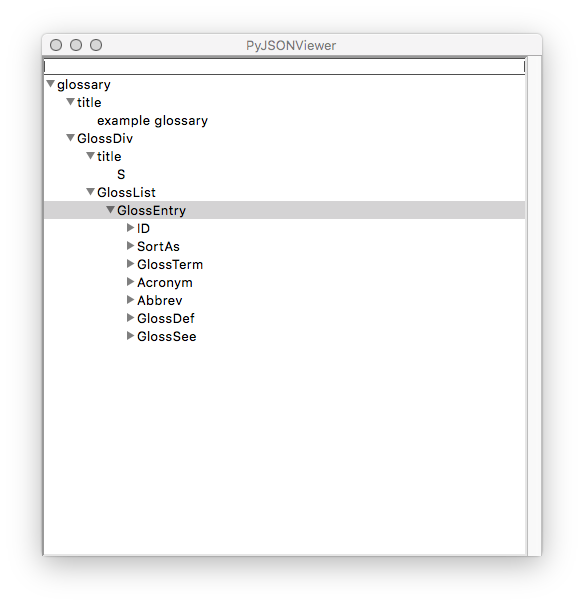
- Mac OS
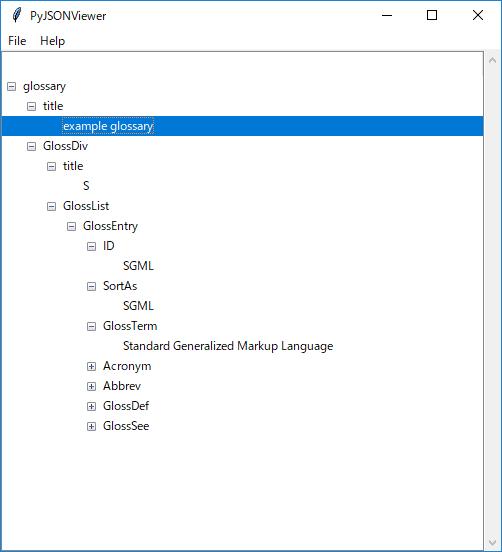
- Windows10
- Ubuntu
What is this?
This is a JSON file data viewer based on python.
It only uses built-in libraries of python (tkinter, json).
Features:
-
Minimum dependency.
-
Multi-platform (Mac, Windows, Linux).
-
Easy to use.
Requirements
- Python 3.7 or higher
Download
$ pip install PyJSONViewer
or download as zip.
How to use
Select JSON file with CUI.
- Run pyjsonviewer with -f option and the path to a JSON file:
$ pyjsonviewer -f path_to_json_file/sample.json
- JSON data tree will be shown.
Select JSON file with GUI.
- Run pyjsonviewer
$ pyjsonviewer
-
File->Open and then select json file.
-
JSON data tree will be shown.
You can set initial directory:
$ pyjsonviewer -d path_to_json_file_dir
Select JSON file from history.
-
Run pyjsonviewer.py
-
File->"Open from history" and then double click a json file path from the list.
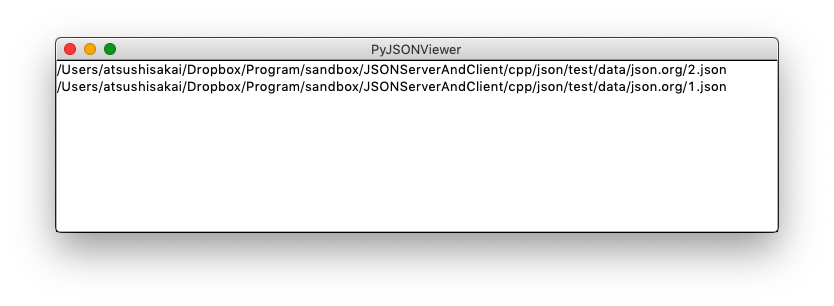
- JSON data tree will be shown.
Select JSON file with drag and drop.
- Run pyjsonviewer.py with the option -o
$ python pyjsonviewer.py -o path_to_json_file_dir
-
File browser is shown.
-
You can drag and drop a JSON file to the file browser.
Menu bar function
-
Expand all items: Tools -> Expand all
-
Collapse all items: Tools -> Collapse all
-
Show version: Help -> About
-
Show github page: Help -> GitHub page
-
Show release note: Help -> Release note
Inside python code
View json file
import pyjsonviewer

pyjsonviewer.view_data(json_file="dat/list.json")
JSON data tree will be shown.
View json object
import pyjsonviewer
json_object = {"a":[1,2,3], "b":"test"}
pyjsonviewer.view_data(json_data=json_object)
JSON data tree will be shown.
Vimrc setting
If you are a vim user, you can set this command in your vimrc.
"JSON format
function! JsonFormat()
	%!python -m json.tool
endfunction
command! JsonFormat :call JsonFormat()

"JSON viewer
function! JsonViewer()
	"%!python -m pyjsonviewer -f % > /dev/null
	let filename = expand('%')
	let s:job = job_start(
	\   ["/bin/sh", "-c", "python -m pyjsonviewer -f".filename],{})
endfunction
command! JsonViewer :call JsonViewer()
When you are editing a json file with vim,
you can open it using PyJSONViewer with
: JSONViewer()
You can also format json file with
: JSONFormat()
Open a link with a browser
If a URL is included in a json file,
you can open it with a browser with double click the URL.
License
MIT
Author
1 maintainer

Metadata
1 maintainer
Release files for PyJSONViewer 1.6.0
For a detailed explanation of source distributions (sdists) and built distributions (wheels), please see the package formats documentation.
Source distribution (sdist)
| File | Size | Uploaded | Provenance | |
|---|---|---|---|---|
| PyJSONViewer-1.6.0.tar.gz | 47.6 kB | Without provenance | Details |
Release files / PyJSONViewer-1.6.0.tar.gz
| Download URL | PyJSONViewer-1.6.0.tar.gz |
|---|---|
| Size | 47.6 kB |
| Tags | Source |
|
SHA-256 checksum How to use checksums |
cb8b07b20a1e17d87eec1ce7abe5560bdbc70ca1a030f0e81818ee2dae19cfed
|
|
BLAKE2b-256 checksum How to use checksums |
7e53f5f2f829ac00a2586c834b7a9c306a6cd59a5bf3392f1c38fc1f9e5d6aaf
|
| Upload date | |
|
Uploaded using Trusted Publishing? What is trusted publishing? |
No |
| Uploaded via |
twine/3.4.1 importlib_metadata/3.10.0 pkginfo/1.7.0 requests/2.25.1 requests-toolbelt/0.9.1 tqdm/4.59.0 CPython/3.9.1
|
Security for PyJSONViewer 1.6.0
Provenance
Provenance describes where a file came from. On PyPI, provenance is shared via attestations, which provide a verifiable record of the build or publishing details. View details, limitations and caveats.
No provenance found
None of the files in this release were uploaded with provenance metadata.
A note on package security
PyPI is a repository for distributing packages, not a service for auditing them. While third-party security researchers and our staff do their best to detect and remove malicious packages, PyPI cannot guarantee the quality, security or suitability of any given package.
To learn more about protecting yourself from malicious actors, visit our package security documentation.














