
PyPDFMerge
Merge individual pages of PDF files into one page
Demo
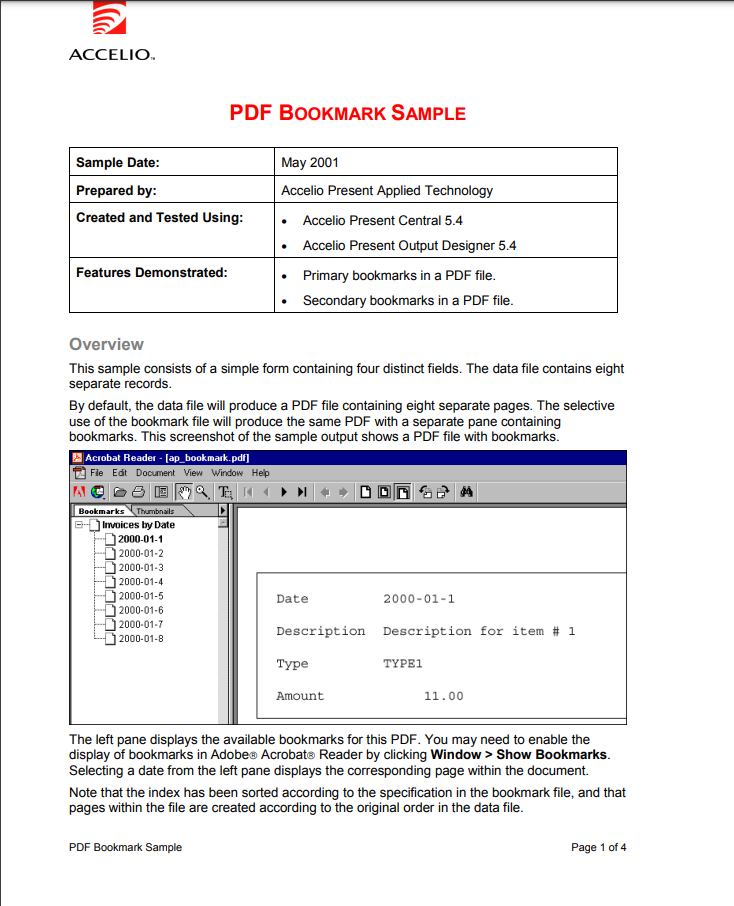
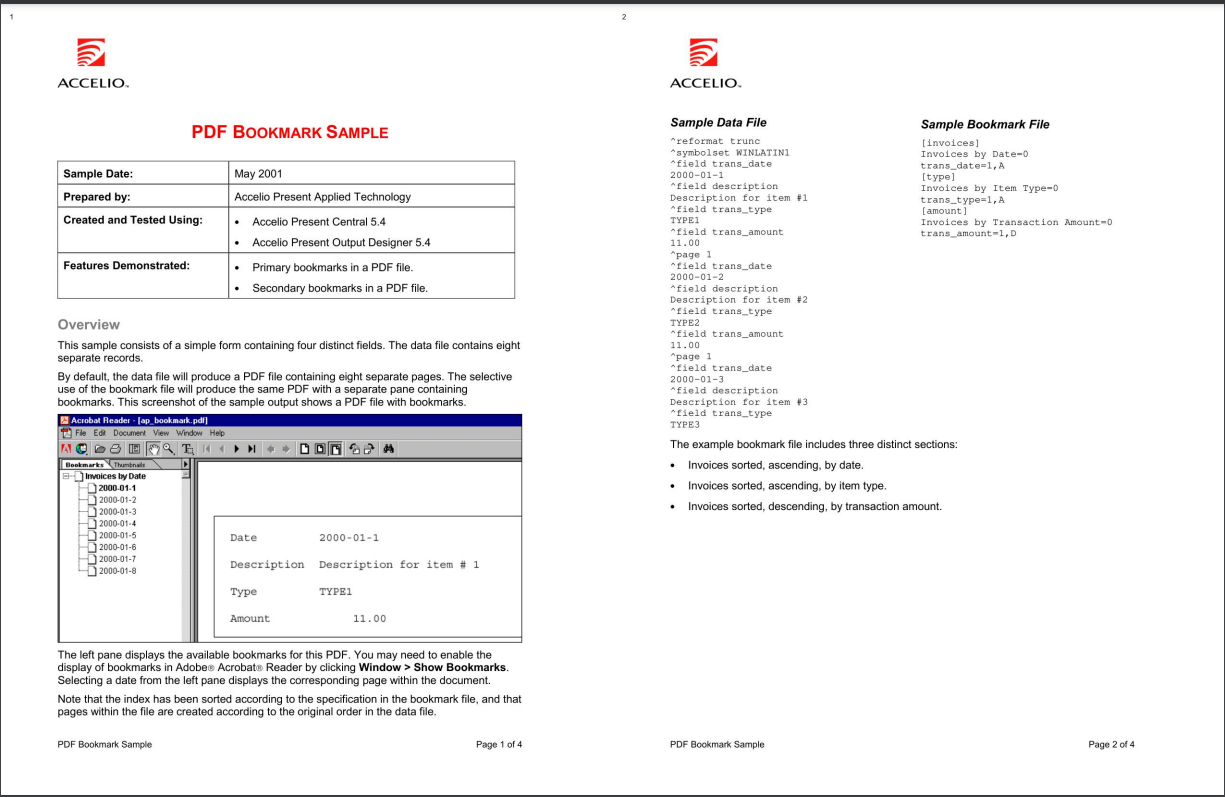
Merging 2 pages into 1
| Before | After |
|---|---|
 |
 |
Installation
pip install PyPDFMerge
NOTE: You need visual studio build tools for C++ to install PyPDFMerge package. Refer to this for more information.
Usage
Command Line
You can use the PyPDFMerge command to merge pdf files. It has the following options:
pdfmerger <path> [-o <output>] [-g <group_size>] [-q <quality>]
Example:
pdfmerger test.pdf
This will merge the test.pdf file and save it as output.pdf in the same directory.
NOTE: Output defaults to output.pdf, group size defaults to 2, and quality defaults to 1.5.
Python
You can also use the PyPDFMerge package in your Python code. It has the following options:
from pdfmerger import PDFMerge

pdf = PDFMerge(pdf_file=<path>, output_file=<output>, group_size=<group_size>, quality=<quality>, page_number=<page_number>)
pdf.run()
Example:
from pdfmerger import PDFMerge

pdf = PDFMerge(pdf_file="./test.pdf", output_file="./output.pdf", group_size=2, quality=1.5)
pdf.run()
1 maintainer

Download files
Download the file for your platform. If you're not sure which to choose, learn more about installing packages.
Source Distributions
Built Distribution
Filter files by name, interpreter, ABI, and platform.
If you're not sure about the file name format, learn more about wheel file names.
Copy a direct link to the current filters
File details
Details for the file PyPDFMerge-0.0.5-py3-none-any.whl.
File metadata
- Download URL: PyPDFMerge-0.0.5-py3-none-any.whl
- Upload date:
- Size: 7.0 kB
- Tags: Python 3
- Uploaded using Trusted Publishing? No
- Uploaded via:
twine/4.0.2 CPython/3.11.4
File hashes
| Algorithm | Hash digest | |
|---|---|---|
| SHA256 |
6b009aff380bb21542bb32f456760cec7e5fc3b0f8d4db2ae5b7bb364cd61b9b
|
|
| MD5 |
7476237f05ef89b2d443eb7388b9827d
|
|
| BLAKE2b-256 |
c4dedd0d86c6bc33f683046d5639b45dd12cd862454c38b594bbf14cf2986a51
|














