
PyPDFMerge
Merge individual pages of PDF files into one page
Demo
Merging 2 pages into 1
| Before | After |
|---|---|
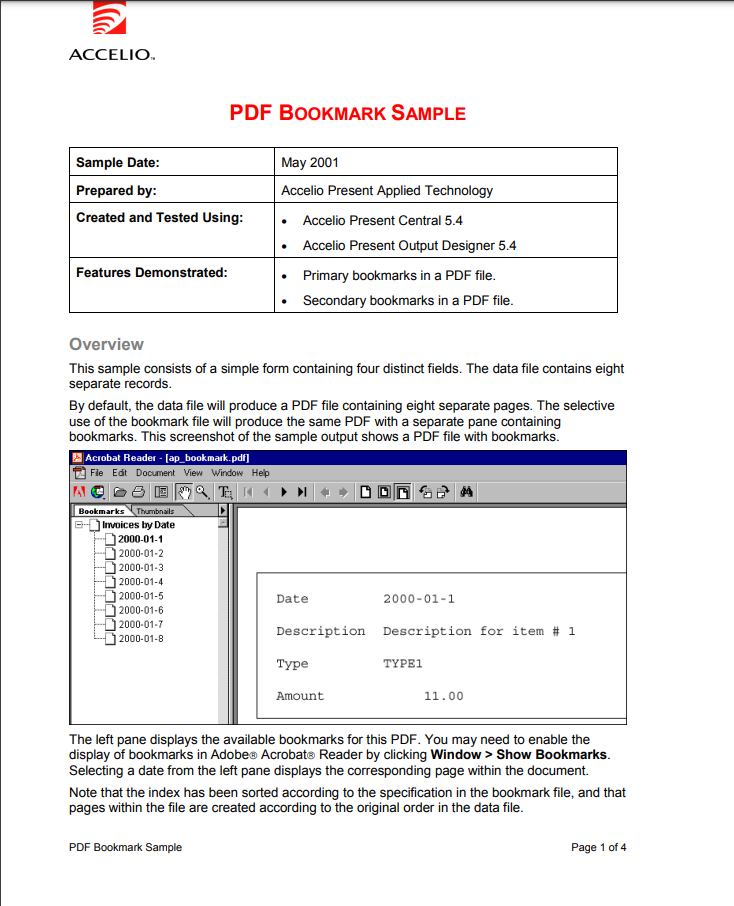 |
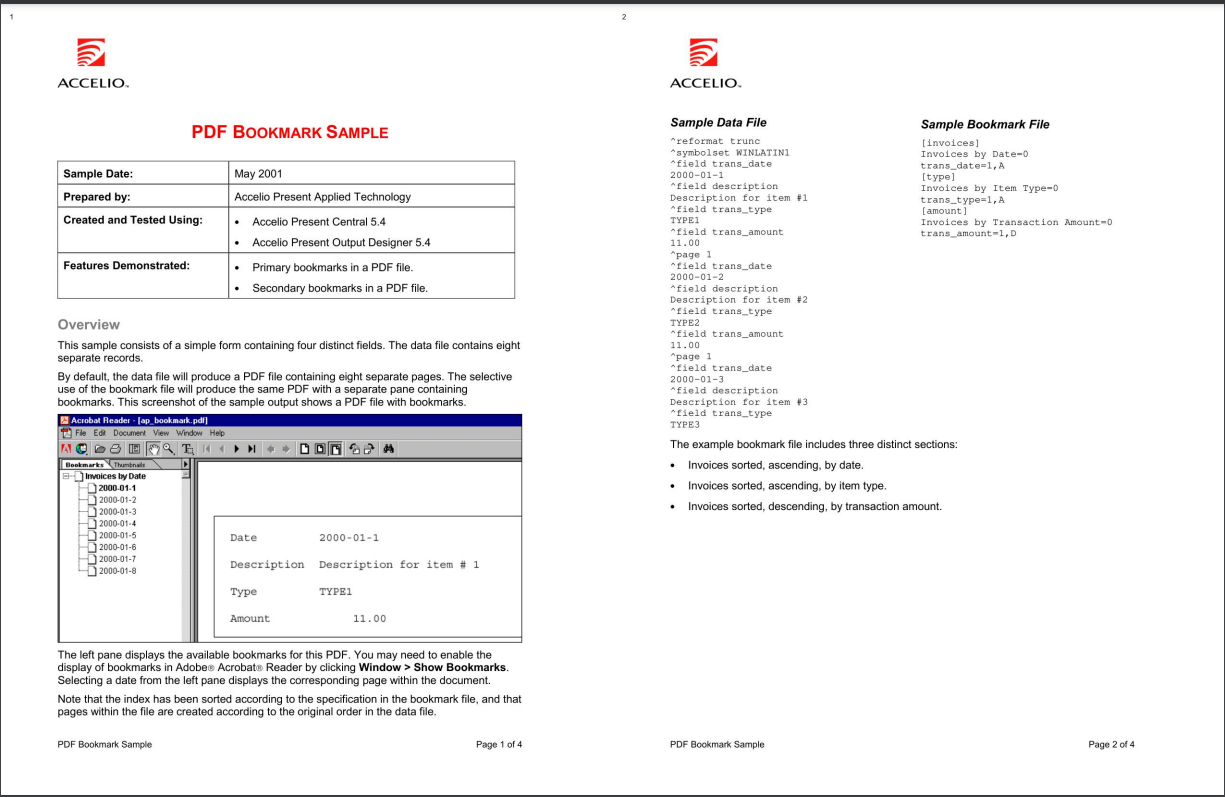 |
Installation
pip install PyPDFMerge
NOTE: You need visual studio build tools for C++ to install PyPDFMerge package. Refer to this for more information.
Usage
Command Line
You can use the PyPDFMerge command to merge pdf files. It has the following options:
pdfmerger <path> [-o <output>] [-g <group_size>] [-q <quality>]
Example:
pdfmerger test.pdf
This will merge the test.pdf file and save it as output.pdf in the same directory.
NOTE: Output defaults to output.pdf, group size defaults to 2, and quality defaults to 1.5.
Python
You can also use the PyPDFMerge package in your Python code. It has the following options:
from pdfmerger import PDFMerge

pdf = PDFMerge(pdf_file=<path>, output_file=<output>, group_size=<group_size>, quality=<quality>, page_number=<page_number>)
pdf.run()
Example:
from pdfmerger import PDFMerge

pdf = PDFMerge(pdf_file="./test.pdf", output_file="./output.pdf", group_size=2, quality=1.5)
pdf.run()
1 maintainer

Metadata
1 maintainer
Release files for PyPDFMerge 0.0.5
For a detailed explanation of source distributions (sdists) and built distributions (wheels), please see the package formats documentation.
Built distribution (wheel)
| File | Interpreter | ABI | Platform | Reset |
|---|---|---|---|---|
| PyPDFMerge-0.0.5-py3-none-any.whl | Python 3 | none | any | Details |
Release files / PyPDFMerge-0.0.5-py3-none-any.whl
| Download URL | PyPDFMerge-0.0.5-py3-none-any.whl |
|---|---|
| Size | 7.0 kB |
| Tags | Python 3 |
|
SHA-256 checksum How to use checksums |
6b009aff380bb21542bb32f456760cec7e5fc3b0f8d4db2ae5b7bb364cd61b9b
|
|
BLAKE2b-256 checksum How to use checksums |
c4dedd0d86c6bc33f683046d5639b45dd12cd862454c38b594bbf14cf2986a51
|
| Upload date | |
|
Uploaded using Trusted Publishing? What is trusted publishing? |
No |
| Uploaded via |
twine/4.0.2 CPython/3.11.4
|














