
Pyramid Mongodb
A simple library to integrate mongodb into your pyramid application. Comes with a debugtoolbar.
Features
- Supports multiple databases
- Configuration only setup
- Integrated debugtoolbar with:
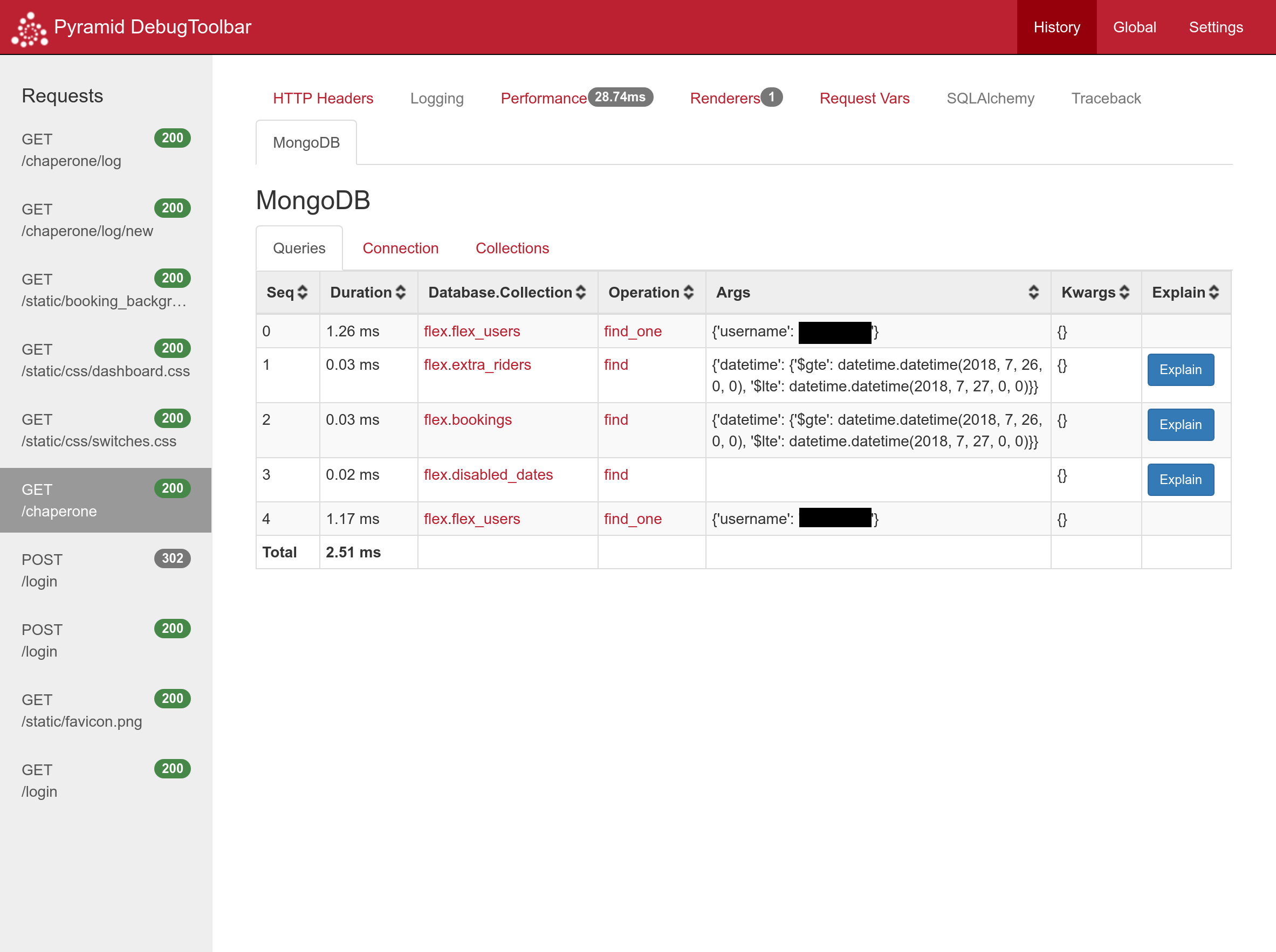
- Shows db response times
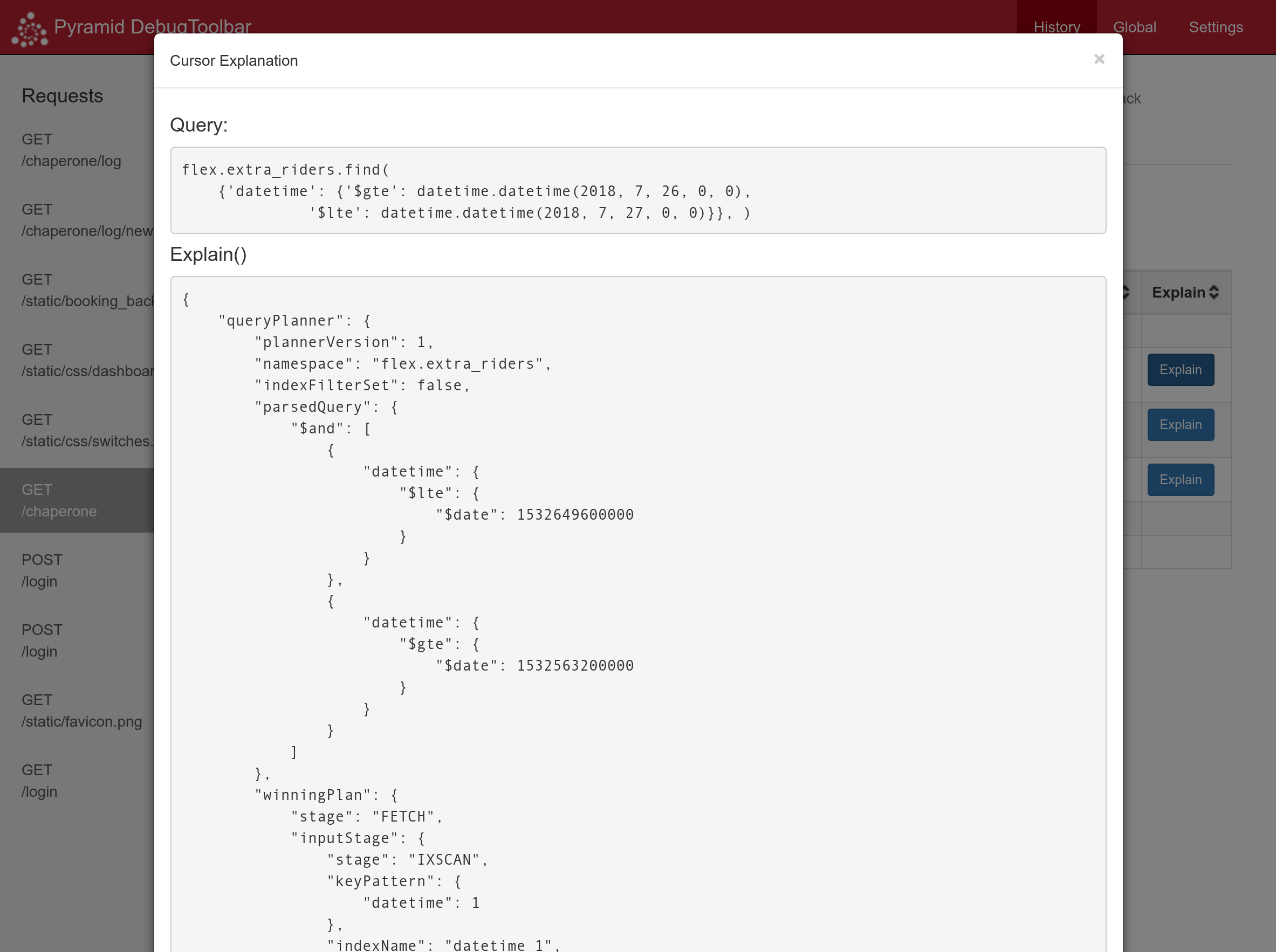
explain()for cursor results- Connection information
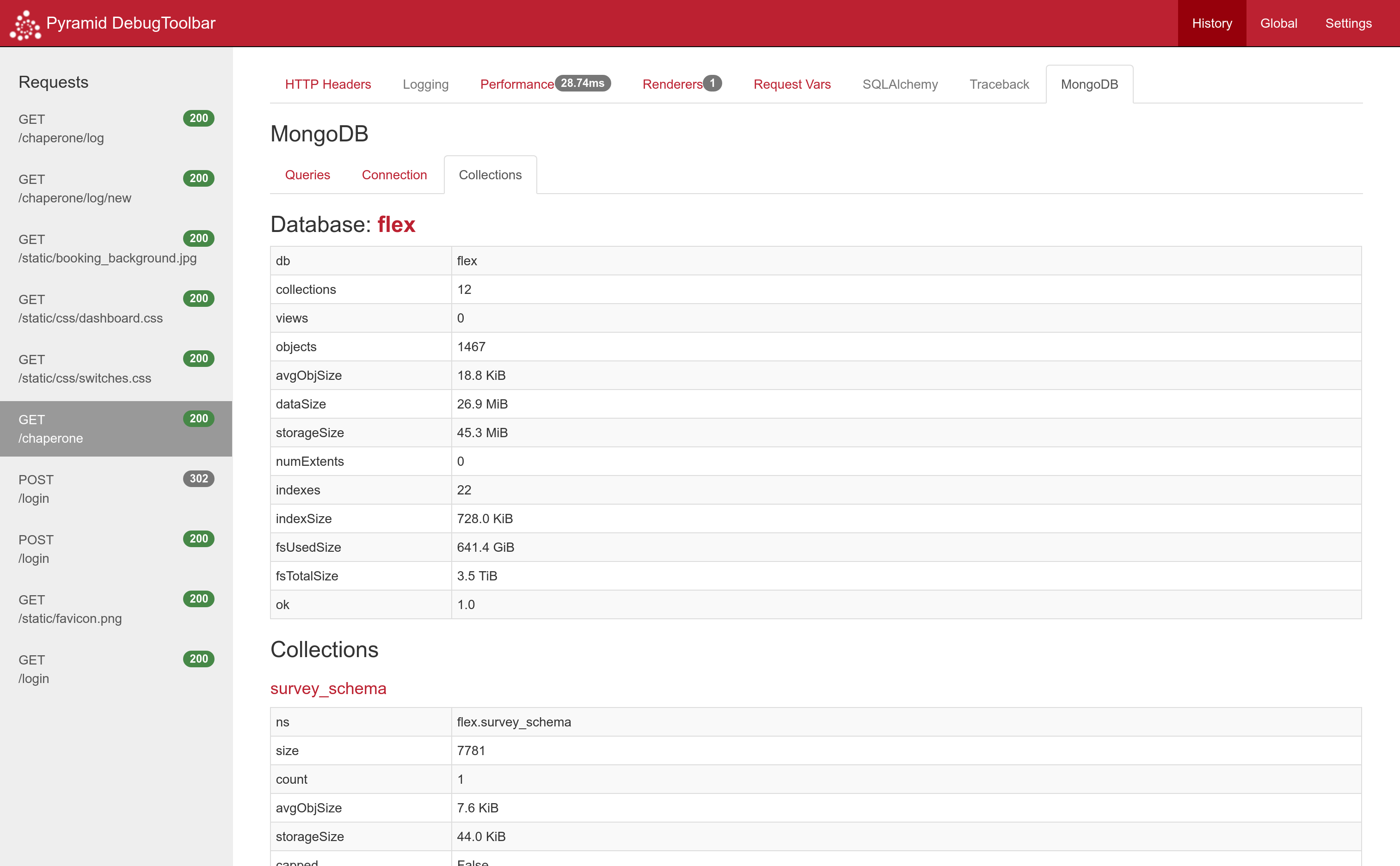
- Database and collection stats
- Avoids recreating and closing
MongoClienton every request.
Setup
pip install pyramid_mongodb2
Add the following to your application's ini file, (include pyramid_mongodb2:MongoToolbar in debugtoolbar.includes if you want to debug):
[app:main]
mongo_uri = mongodb://username:password@mongodb.host.com:27017/authdb
mongo_dbs =
    foo
    bar
    baz-quux
    foo-test = foo
pyramid.includes =
    pyramid_mako
    pyramid_debugtoolbar
    pyramid_mongodb2
debugtoolbar.includes =
    pyramid_mongodb2:MongoToolbar
The code will use config.add_request_method() to add a Database object to your requests, where each database is accessible by db_database_name, as defined in your configuration.
Note: database names with hyphens in them will be converted to underscores, that is database baz-quux will be accessible by request.db_baz_quux.
When doing foo-test = foo, the mongodb database with name foo-test will be assigned to request.db_foo.
This helps when testing so that you can use a separate database for development, testing and production without
changing your application code, or if you just want to alias a database name.
In your code where you can access request, you now have the following variables:
request.db
request.db_foo
request.db_bar
request.db_baz_quux
request.db_foo
request.db is the MongoClient object, should you ever need it.
In your view code, you can do this:
from pyramid.view import view_config

@view_config(route_name='home', renderer="templates/landing.mako")
def my_view(request):
    return {
        'some_data': request.db_foo.some_collection.find({'a': {'$gte': 5}}, {'_id': False}),
        'other_data': request.db_bar.visitors.insert_one({'person': request.remote_addr}),
    }
Debugging
With debugging enabled, all queries will be logged in request.query_log, when the debugtoolbar is opened, you can
then view the execution time and explain() of cursor results. You can also see connection settings and stats for
databases and collections.
Screenshots
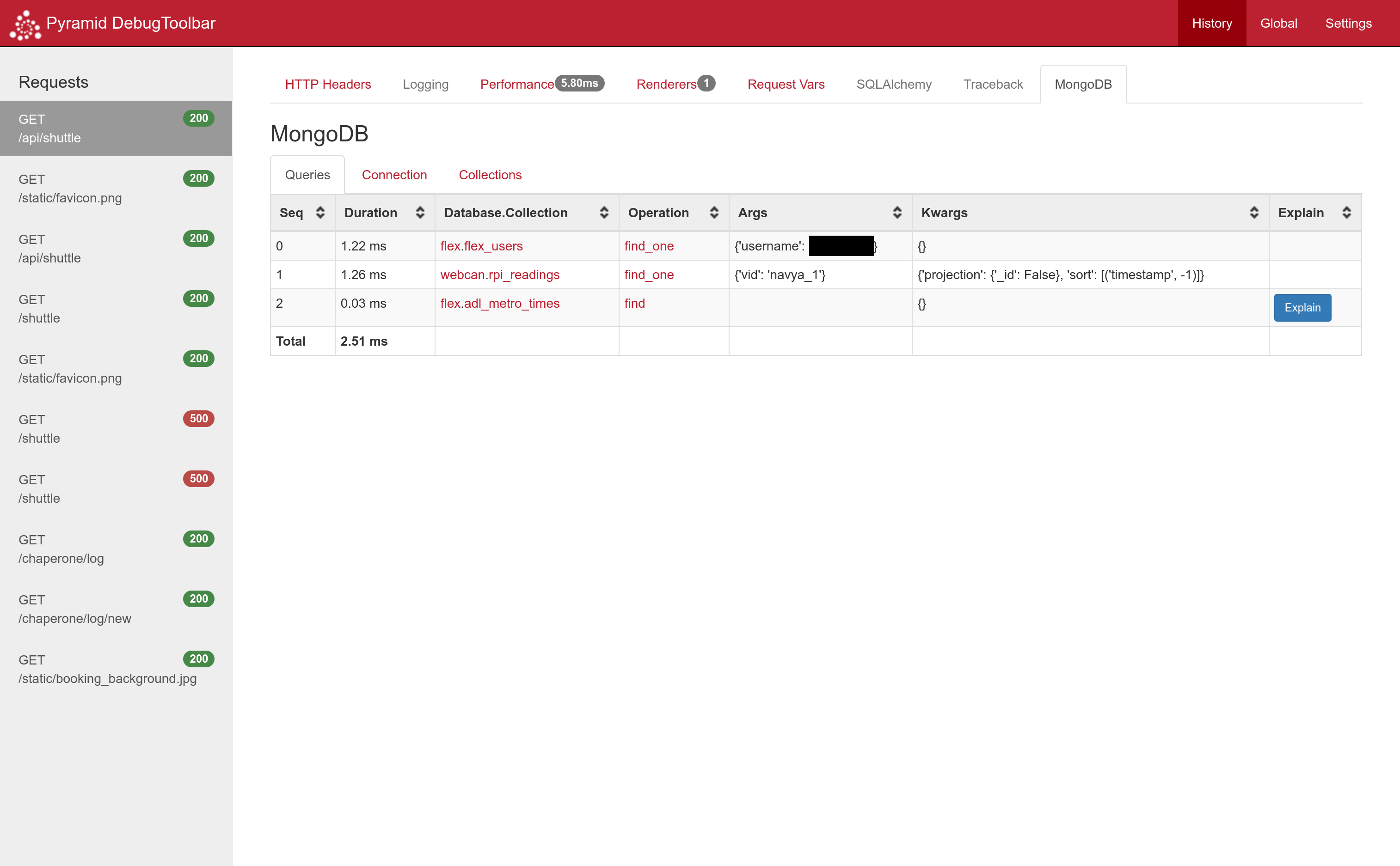
Here's what the toolbar looks like in action:
Clicking the database or collection name will take you to the relevant section of the collections tab. Clicking the operation name will take you to its pymongo documentation.
Clicking the explain button will show you the explain() result for a cursor.
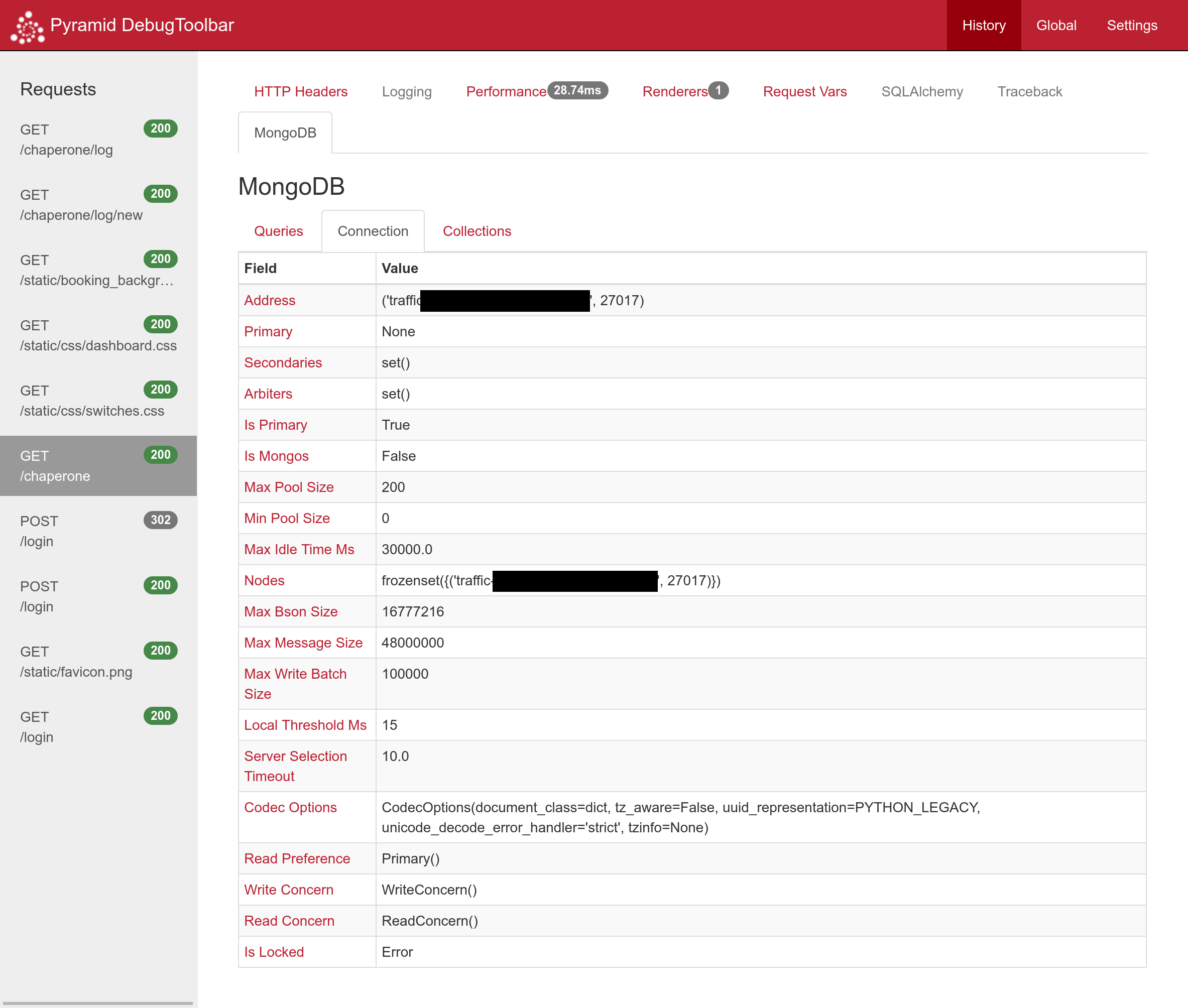
dbstats for all connected databases used in this request and their collections.
1 maintainer

Metadata
1 maintainer
Release files for pyramid-mongodb2 1.6.5
For a detailed explanation of source distributions (sdists) and built distributions (wheels), please see the package formats documentation.
Source distribution (sdist)
| File | Size | Uploaded | Provenance | |
|---|---|---|---|---|
| pyramid_mongodb2-1.6.5.tar.gz | 8.2 kB | Without provenance | Details |
Built distribution (wheel)
| File | Interpreter | ABI | Platform | Reset |
|---|---|---|---|---|
| pyramid_mongodb2-1.6.5-py3.6.egg | Legacy Egg format | - | - | Details |
Total release size: 19.0 kB
Release files / pyramid_mongodb2-1.6.5.tar.gz
| Download URL | pyramid_mongodb2-1.6.5.tar.gz |
|---|---|
| Size | 8.2 kB |
| Tags | Source |
|
SHA-256 checksum How to use checksums |
70a47f11a211ac84c27c01333b9fd26831773864b7f9c3b2a441435fb1415dc8
|
|
BLAKE2b-256 checksum How to use checksums |
bda4a746d855754fe8494e262e787cf776b1f66b65112995ec443cfa9a68e5b4
|
| Upload date | |
|
Uploaded using Trusted Publishing? What is trusted publishing? |
No |
| Uploaded via |
twine/2.0.0 pkginfo/1.5.0.1 requests/2.22.0 setuptools/41.0.1 requests-toolbelt/0.9.1 tqdm/4.25.0 CPython/3.6.2
|
Release files / pyramid_mongodb2-1.6.5-py3.6.egg
| Download URL | pyramid_mongodb2-1.6.5-py3.6.egg |
|---|---|
| Size | 10.8 kB |
| Tags | Egg |
|
SHA-256 checksum How to use checksums |
38a80e544a83fe1834c35e6b8407135c9a4c5f40ba3d31eec5055957c5beaad1
|
|
BLAKE2b-256 checksum How to use checksums |
4271ac8dc84ee8c15ac1eff1fbef6c39d28fecccde84d5538e7af3cc7e3b648c
|
| Upload date | |
|
Uploaded using Trusted Publishing? What is trusted publishing? |
No |
| Uploaded via |
twine/2.0.0 pkginfo/1.5.0.1 requests/2.22.0 setuptools/41.0.1 requests-toolbelt/0.9.1 tqdm/4.25.0 CPython/3.6.2
|
Security for pyramid-mongodb2 1.6.5
Provenance
Provenance describes where a file came from. On PyPI, provenance is shared via attestations, which provide a verifiable record of the build or publishing details. View details, limitations and caveats.
No provenance found
None of the files in this release were uploaded with provenance metadata.
A note on package security
PyPI is a repository for distributing packages, not a service for auditing them. While third-party security researchers and our staff do their best to detect and remove malicious packages, PyPI cannot guarantee the quality, security or suitability of any given package.














