

PySide6-Fluent-Widgets
A fluent design widgets library based on PySide6




Install
To install lite version (AcrylicLabel is not available):
pip install PySide6-Fluent-Widgets -i https://pypi.org/simple/
Or install full-featured version:
pip install "PySide6-Fluent-Widgets[full]" -i https://pypi.org/simple/
The Pro version library contains more advance components. You can download PyQt-Fluent-Widgets-Pro-Gallery.zip from the release page for preview purposes.
C++ QFluentWidgets require purchasing a license from the official website. You can also download the compiled demo C++_QFluentWidgets.zip from the release page.
[!Warning] Don't install PyQt-Fluent-Widgets, PyQt6-Fluent-Widgets, PySide2-Fluent-Widgets and PySide6-Fluent-Widgets at the same time, because their package names are all
qfluentwidgets.
Run Example
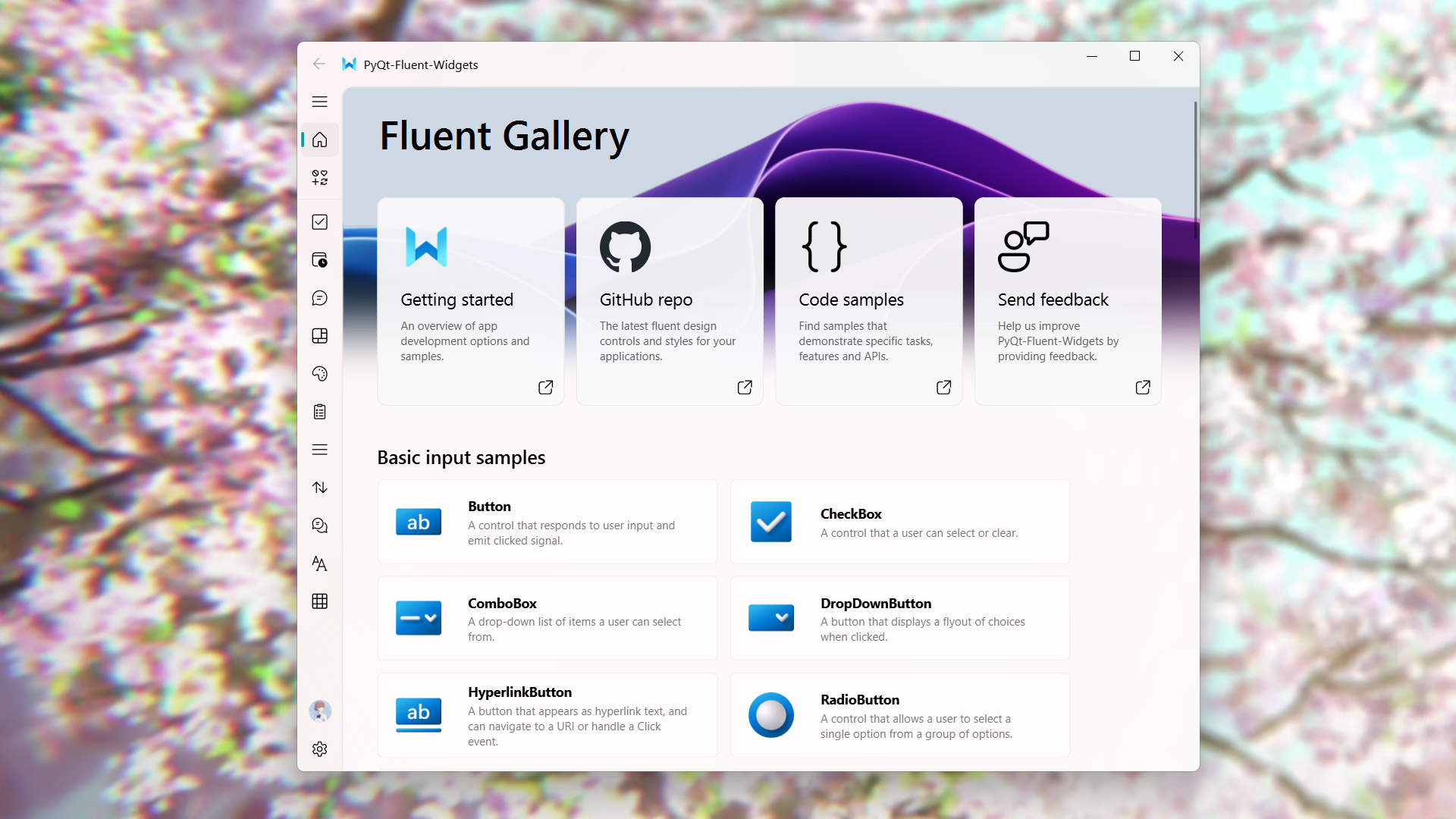
After installing PySide6-Fluent-Widgets package using pip, you can run any demo in the examples directory, for example:
cd examples/gallery
python demo.py
If you encounter ImportError: cannot import name 'XXX' from 'qfluentwidgets', it indicates that the package version you installed is too low. You can replace the mirror source with https://pypi.org/simple and reinstall again.
Documentation
Want to know more about PySide6-Fluent-Widgets? Please read the help document 👈
License
PySide6-Fluent-Widgets adopts dual licenses. Non-commercial usage is licensed under GPLv3. For commercial purposes, please purchase commercial license to support the development of this project.
Copyright © 2021 by zhiyiYo.
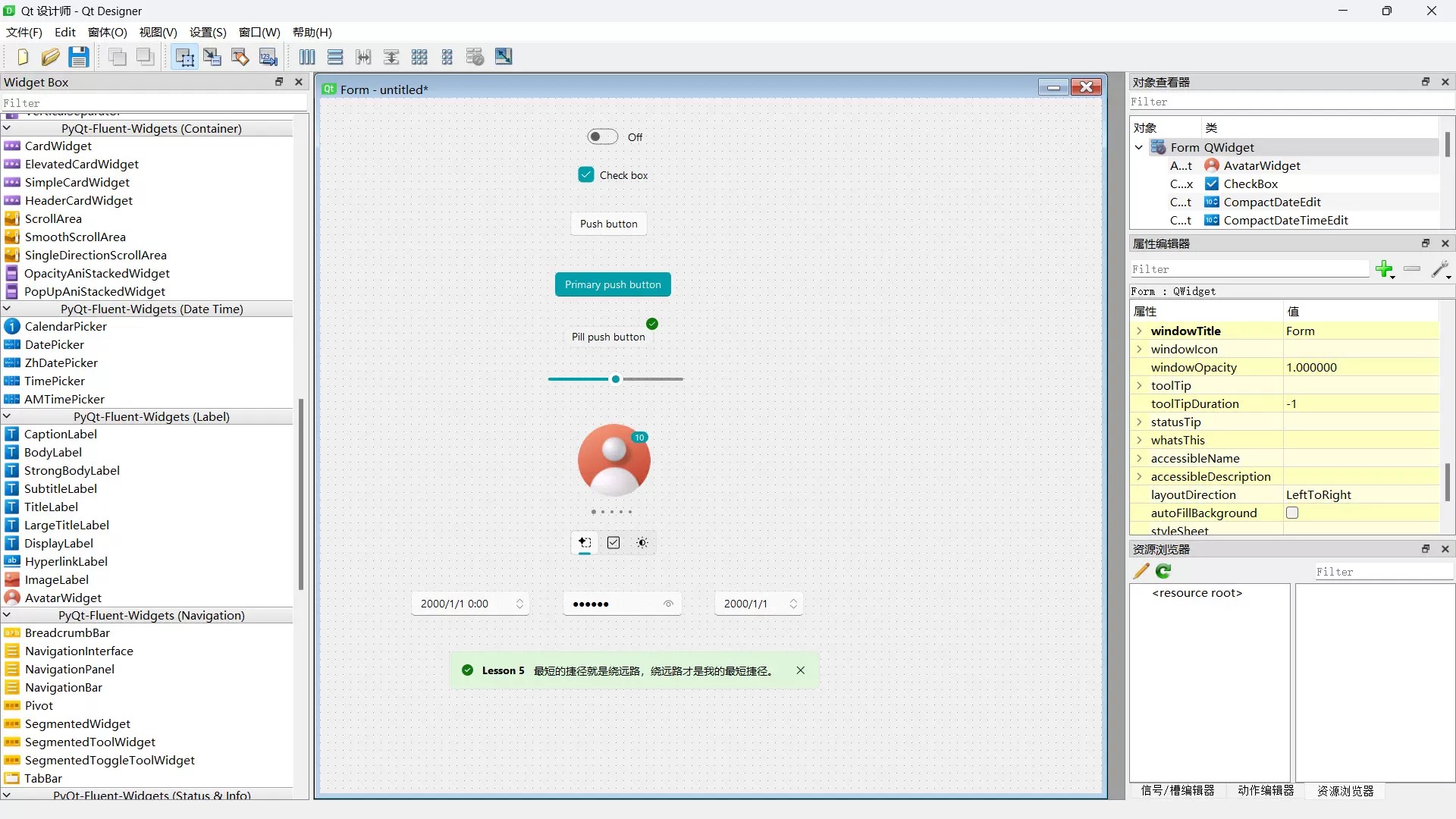
Work with Designer
Fluent Client integrates designer plugins, supporting direct drag-and-drop usage of QFluentWidgets components in Designer. You can purchase the client from TaoBao or Afdian.
See Also
Here are some projects based on PyQt-Fluent-Widgets:
- zhiyiYo/Fluent-M3U8: A cross-platform m3u8 downloader
- zhiyiYo/Groove: A cross-platform music player based on PyQt5
- zhiyiYo/Alpha-Gobang-Zero: A gobang robot based on reinforcement learning
Reference
- Windows design: Design guidelines and toolkits for creating native app experiences
- Microsoft/WinUI-Gallery: An app demonstrates the controls available in WinUI and the Fluent Design System
pip install twine setuptools wheel python setup.py sdist bdist_wheel twine upload dist/*
1 maintainer

Metadata
1 maintainer
Release files for PySide6-Fluent-Widgets-yh 1.8.1
For a detailed explanation of source distributions (sdists) and built distributions (wheels), please see the package formats documentation.
Source distribution (sdist)
| File | Size | Uploaded | |
|---|---|---|---|
| pyside6_fluent_widgets_yh-1.8.1.tar.gz | 1.4 MB | Details |
Built distribution (wheel)
| File | Interpreter | ABI | Platform | Reset |
|---|---|---|---|---|
| pyside6_fluent_widgets_yh-1.8.1-py3-none-any.whl | Python 3 | none | any | Details |
Total release size: 3.0 MB
Release files / pyside6_fluent_widgets_yh-1.8.1.tar.gz
| Download URL | pyside6_fluent_widgets_yh-1.8.1.tar.gz |
|---|---|
| Size | 1.4 MB |
| Tags | Source |
|
SHA-256 checksum How to use checksums |
93acf582340ba5c5e154e403b638d1b94943f11c24d28c5689bc98ec451dfc68
|
|
BLAKE2b-256 checksum How to use checksums |
de39336eaef642bf5126fb71bb2bb5999304eeb15721862ca2d4163136b33276
|
| Upload date | |
|
Uploaded using Trusted Publishing? What is trusted publishing? |
No |
| Uploaded via |
twine/6.1.0 CPython/3.12.10
|
Release files / pyside6_fluent_widgets_yh-1.8.1-py3-none-any.whl
| Download URL | pyside6_fluent_widgets_yh-1.8.1-py3-none-any.whl |
|---|---|
| Size | 1.5 MB |
| Tags | Python 3 |
|
SHA-256 checksum How to use checksums |
7067f0e458c898b56e8d4106e04daf4394a801253b9db861220b8c6d9abad6a2
|
|
BLAKE2b-256 checksum How to use checksums |
02e1732719284054f101fe0fe8f3a7e43a5f8249669eafd425faba449d29d6c7
|
| Upload date | |
|
Uploaded using Trusted Publishing? What is trusted publishing? |
No |
| Uploaded via |
twine/6.1.0 CPython/3.12.10
|













