
What is SIXEL?
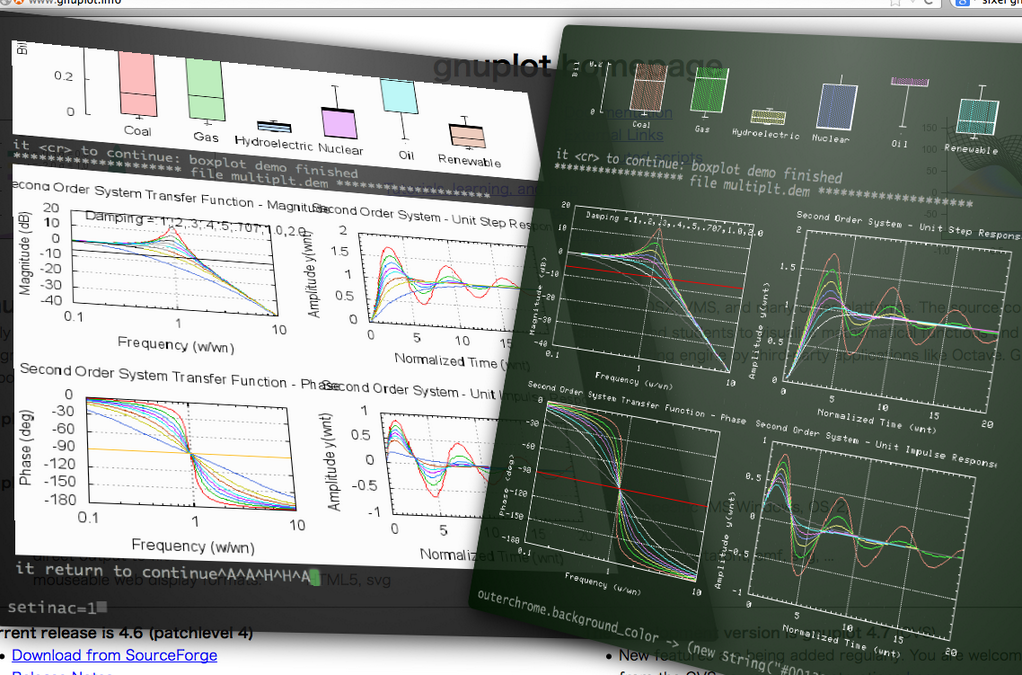
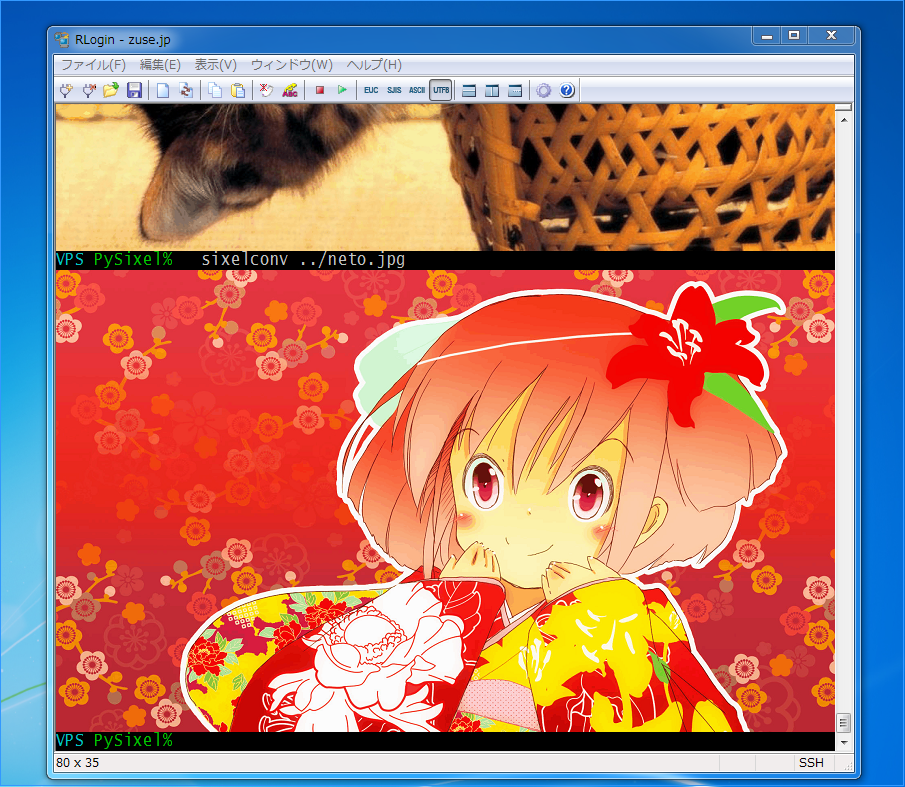
SIXEL is one of image formats for terminal imaging introduced by DEC VT series. SIXEL image data scheme is represented as a terminal-friendly escape sequence. So if you want to show a SIXEL image file, all you have to do is “cat” it to your terminal.
See also more faster high quality C implementation libsixel: https://github.com/saitoha/libsixel
I heard SIXEL was supported by some old terminal applications, such as SAS, WordPerfect.
Nowadays netpbm and Gnuplot support this.
Requirements
If you want to view a SIXEL image, you have to get a terminal which support sixel graphics.
Now SIXEL feature is supported by the following terminals.
RLogin (Japanese terminal emulator)
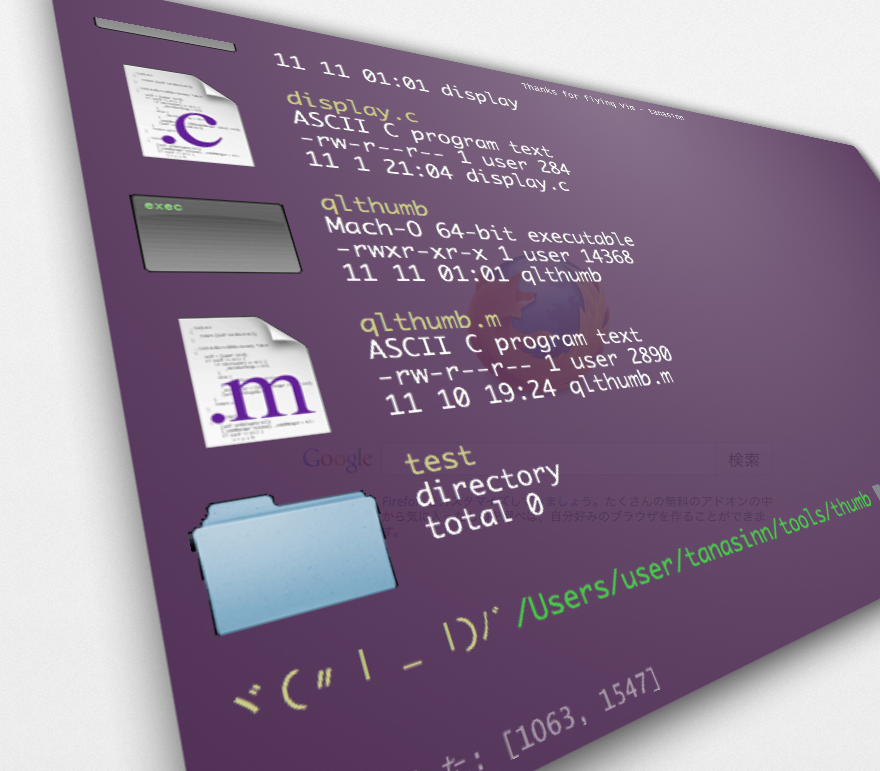
tanasinn (Works with firefox)
mlterm
Works on each of X, win32/cygwin, framebuffer version. http://mlterm.sourceforge.net/
XTerm (compiled with –enable-sixel option) You should launch xterm with “-ti 340” option. the SIXEL palette is limited to a maximum of 16 colors. http://invisible-island.net/xterm/
DECterm
Kermit
WRQ Reflection
ZSTEM
Install
via github
$ git clone https://github.com/saitoha/PySixel.git
$ cd pysixel
$ python setup.py install
or via pip
$ pip install PySixel
Usage
PySixel provides a Command line tool:
$ sixelconv [options] filename
or
$ cat filename | sixelconv [options]
Options:
-h, --help                                            show this help message and exit
-8, --8bit-mode                                       Generate a sixel image for 8bit terminal or printer
-7, --7bit-mode                                       Generate a sixel image for 7bit terminal or printer
-r, --relative-position                               Treat specified position as relative one
-a, --absolute-position                               Treat specified position as absolute one
-x LEFT, --left=LEFT                                  Left position in cell size, or pixel size with unit 'px'
-y TOP, --top=TOP                                     Top position in cell size, or pixel size with unit 'px'
-w WIDTH, --width=WIDTH                               Width in cell size, or pixel size with unit 'px'
-e HEIGHT, --height=HEIGHT                            Height in cell size, or pixel size with unit 'px'
-t ALPHATHRESHOLD, --alpha-threshold=ALPHATHRESHOLD   Alpha threshold for PNG-to-SIXEL image conversion
-c, --chromakey                                       Enable auto chroma key processing
-n NCOLOR, --ncolor=NCOLOR                            Specify number of colors
-b, --body-only                                       Output sixel without header and DCS envelope
-f, --fast                                            The speed priority mode (default)
-s, --size                                            The size priority mode
Example
View an image file:
$ sixelconv test.png
Generate sixel file from an image file:
$ sixelconv < test.png > test.six
View generated sixel file:
$ cat test.six
Show sixel in xterm
$ curl ftp://invisible-island.net/xterm/xterm-301.tgz | tar xz
$ cd xterm-301
$ ./configure --enable-wide-chars --enable-sixel-graphics --enable-256-color
$ make
# make install
$ xterm -ti vt340 -e 'sixelconv -n16 ~/testdir/test.jpg'
Code Example
import sixel
writer = sixel.SixelWriter()
writer.draw('test.png')
Dependency
Python imageloader module https://pypi.python.org/pypi/imageloader
Contributer
@cocuh (Python3 support)
Reference
Chris_F_Chiesa, 1990 : All About SIXELs ftp://ftp.cs.utk.edu/pub/shuford/terminal/all_about_sixels.txt
Netpbm http://netpbm.sourceforge.net/
It includes ppmtosixel command http://netpbm.sourceforge.net/doc/ppmtosixel.html
vt100.net http://vt100.net/
1 maintainer

Metadata
1 maintainer
Release files for PySixel 0.1.11
For a detailed explanation of source distributions (sdists) and built distributions (wheels), please see the package formats documentation.
Source distribution (sdist)
| File | Size | Uploaded | |
|---|---|---|---|
| PySixel-0.1.11.tar.gz | 74.7 kB | Details |
Built distributions (wheels)
| File | Reset | |||
|---|---|---|---|---|
| PySixel-0.1.11-py3.4-macosx-10.9-x86_64.egg | Legacy Egg format | - | - | Details |
| PySixel-0.1.11-py3.3-macosx-10.9-x86_64.egg | Legacy Egg format | - | - | Details |
| PySixel-0.1.11-py2.7-macosx-10.4-x86_64.egg | Legacy Egg format | - | - | Details |
| PySixel-0.1.11-py2.6-macosx-10.4-x86_64.egg | Legacy Egg format | - | - | Details |
Total release size: 359.3 kB
Release files / PySixel-0.1.11.tar.gz
| Download URL | PySixel-0.1.11.tar.gz |
|---|---|
| Size | 74.7 kB |
| Tags | Source |
|
SHA-256 checksum How to use checksums |
7be46be31062a8ba752d4cee568079efe015eaec42a2a27f35d9d598411e6aac
|
|
BLAKE2b-256 checksum How to use checksums |
0df8e67ae96d3a42122e85343ac9741692183158882d0ba67ce7c5d84043c7fc
|
| Upload date | |
|
Uploaded using Trusted Publishing? What is trusted publishing? |
No |
Release files / PySixel-0.1.11-py3.4-macosx-10.9-x86_64.egg
| Download URL | PySixel-0.1.11-py3.4-macosx-10.9-x86_64.egg |
|---|---|
| Size | 71.1 kB |
| Tags | Egg |
|
SHA-256 checksum How to use checksums |
e85da5852185731eac98159cb6d278522d4a76f7aca4479c6ff78ffeaf685754
|
|
BLAKE2b-256 checksum How to use checksums |
8fa8a6edcd995b41580bbc17f5fdfa9b40735684c84f86df13641435d93f6b79
|
| Upload date | |
|
Uploaded using Trusted Publishing? What is trusted publishing? |
No |
Release files / PySixel-0.1.11-py3.3-macosx-10.9-x86_64.egg
| Download URL | PySixel-0.1.11-py3.3-macosx-10.9-x86_64.egg |
|---|---|
| Size | 71.2 kB |
| Tags | Egg |
|
SHA-256 checksum How to use checksums |
24e8a75e8fcd23b54e871e6a05937e4d5b7c6c28d76a09f199e20197511e02f7
|
|
BLAKE2b-256 checksum How to use checksums |
2ee5214af6f3ad0bfba1e16522c4fff3a7f2003ed6ef440a6c532e54bae9a880
|
| Upload date | |
|
Uploaded using Trusted Publishing? What is trusted publishing? |
No |
Release files / PySixel-0.1.11-py2.7-macosx-10.4-x86_64.egg
| Download URL | PySixel-0.1.11-py2.7-macosx-10.4-x86_64.egg |
|---|---|
| Size | 71.1 kB |
| Tags | Egg |
|
SHA-256 checksum How to use checksums |
dbafbf238fd53eab3e356693d69b23a8dac3da1ec4d862af755397562d4b7efa
|
|
BLAKE2b-256 checksum How to use checksums |
aeefded9fdd5c437d1badb0bb6b2259bf88979df0155b0247bc957137113b5ef
|
| Upload date | |
|
Uploaded using Trusted Publishing? What is trusted publishing? |
No |
Release files / PySixel-0.1.11-py2.6-macosx-10.4-x86_64.egg
| Download URL | PySixel-0.1.11-py2.6-macosx-10.4-x86_64.egg |
|---|---|
| Size | 71.2 kB |
| Tags | Egg |
|
SHA-256 checksum How to use checksums |
67d7b2d08789034b2d1dda77c257cacd265b1b3fe4b271424f209526cdbec7c7
|
|
BLAKE2b-256 checksum How to use checksums |
bb918449720ba2e830e287c5c6572f8b17f4fff66b08b4720ecc2233f9c460a0
|
| Upload date | |
|
Uploaded using Trusted Publishing? What is trusted publishing? |
No |














