










 Pyslvs-UI
A GUI-based (PyQt5) tool used to design 2D linkage mechanism.
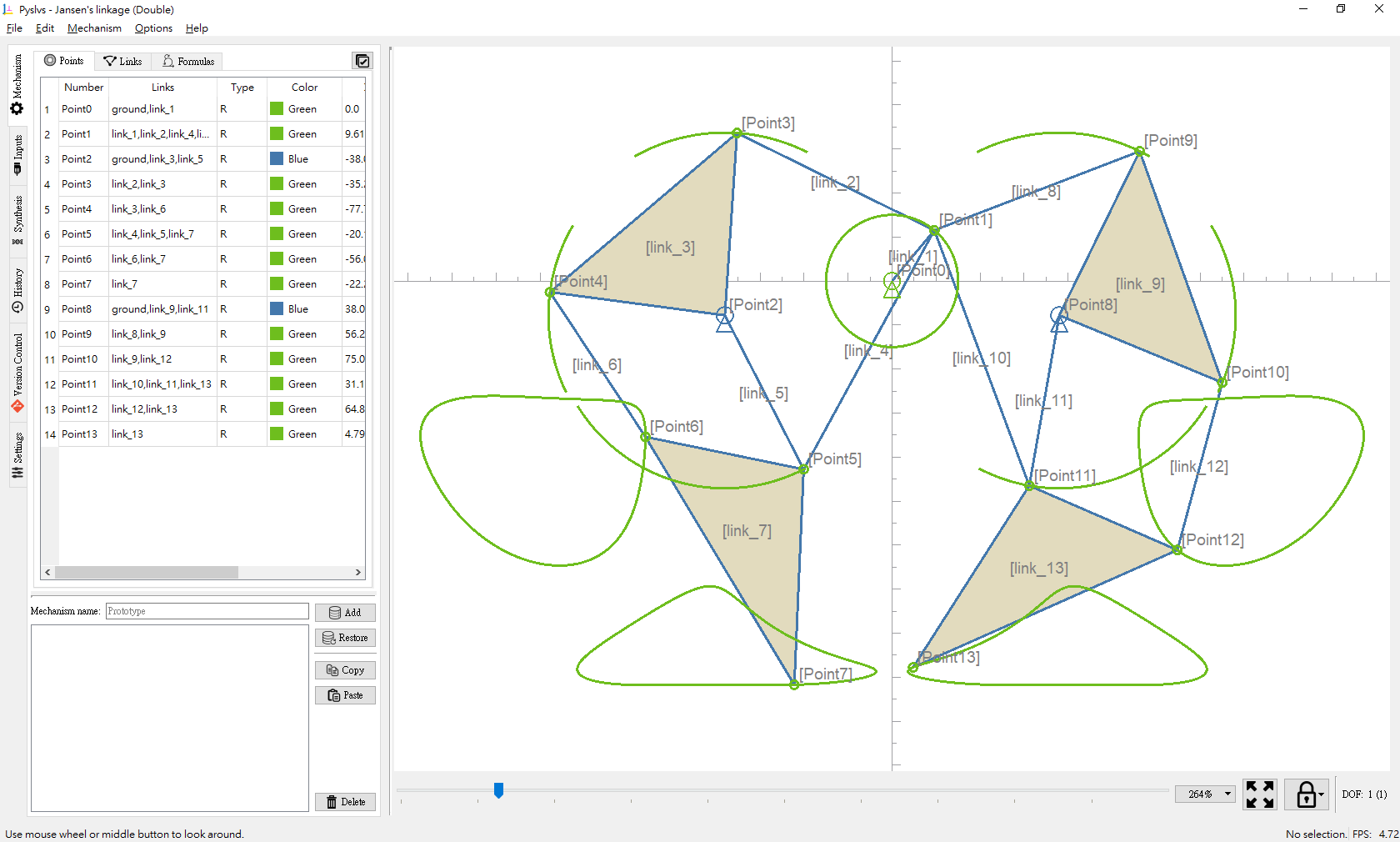
- Planar Linkages Simulation
- Python-Solvespace: Kernel from Solvespace with Cython bundle.
- Pyslvs: Kernel from Sketch Solve with Cython.
- Mechanical Synthesis
- Number Synthesis: Combine the attributes of mechanism.
- Structural Synthesis: Cython algorithm used to find out structural possibilities of the mechanism.
- Dimensional Synthesis: Kernel from the three Cython algorithms (rewrite).
- Websites
- Readthedocs (stable / latest)
- Content Management System (to be maintained)
- Blog Framework (to be maintained)
- Others
If you have any question, please post on GitHub issue or contact pyslvs@gmail.com.
Getting Started
Executables
Download portable executable file of your platform.
PyPI
pip install pyslvs-ui
Source
Branch master is in development, use stable branch to install stable dependencies directly.
git checkout stable
pip install -e .
There are more detailed instructions in the documentation.
Libraries
Pyslvs has a solver backend that can works without the GUI:
from pyslvs import example_list, parse_vpoints, t_config, expr_solving

# Get example with name
expr, inputs = example_list("Jansen's linkage (Single)")
# Parse the mechanism expression into a list of joint data
vpoints = parse_vpoints(expr)
# Config joint data and control data for the solver
exprs = t_config(vpoints, inputs)
# Solve the position
result = expr_solving(exprs, vpoints, {pair: 0. for pair in inputs})
# Get the result from joint 7
x, y = result[7]
print(x, y)  # -43.170055 -91.753226
Please see the documentation for more information.
Documentation
The documentation of Pyslvs and kernel API. Start it from sources:
pip install mkdocs
pip install -r doc-requirements.txt
mkdocs serve
Cite
Please see the reference.
1 maintainer

Metadata
1 maintainer
Release files for pyslvs-ui 21.2.0
For a detailed explanation of source distributions (sdists) and built distributions (wheels), please see the package formats documentation.
Built distribution (wheel)
| File | Interpreter | ABI | Platform | Actions Reset |
|---|---|---|---|---|
| pyslvs_ui-21.2.0-py2.py3-none-any.whl | Python 2, Python 3 | none | any | Details for pyslvs_ui-21.2.0-py2.py3-none-any.whl |
Release files / pyslvs_ui-21.2.0-py2.py3-none-any.whl
| Download URL | pyslvs_ui-21.2.0-py2.py3-none-any.whl |
|---|---|
| Size | 929.7 kB |
| Tags | Python 2 Python 3 |
|
SHA-256 checksum How to use checksums |
a9a3bf94417105c5446a54a15021e172432f31cd48eecd12ff0e617e1854a0de
|
|
BLAKE2b-256 checksum How to use checksums |
495cdc3c9e9fc65da4cb986bd11a70d5e474bb1245616573de80c2db3abe754b
|
| Upload date | |
|
Uploaded using Trusted Publishing? What is trusted publishing? |
No |
| Uploaded via |
twine/3.3.0 pkginfo/1.7.0 requests/2.25.1 setuptools/53.1.0 requests-toolbelt/0.9.1 tqdm/4.58.0 CPython/3.8.7
|
Security for pyslvs-ui 21.2.0
Provenance
Provenance describes where a file came from. On PyPI, provenance is shared via attestations, which provide a verifiable record of the build or publishing details. View details, limitations and caveats.
No provenance found
None of the files in this release were uploaded with provenance metadata.
A note on package security
PyPI is a repository for distributing packages, not a service for auditing them. While third-party security researchers and our staff do their best to detect and remove malicious packages, PyPI cannot guarantee the quality, security or suitability of any given package.
To learn more about protecting yourself from malicious actors, visit our package security documentation.














