






bridge
Fully automate your infrastructure for Django.
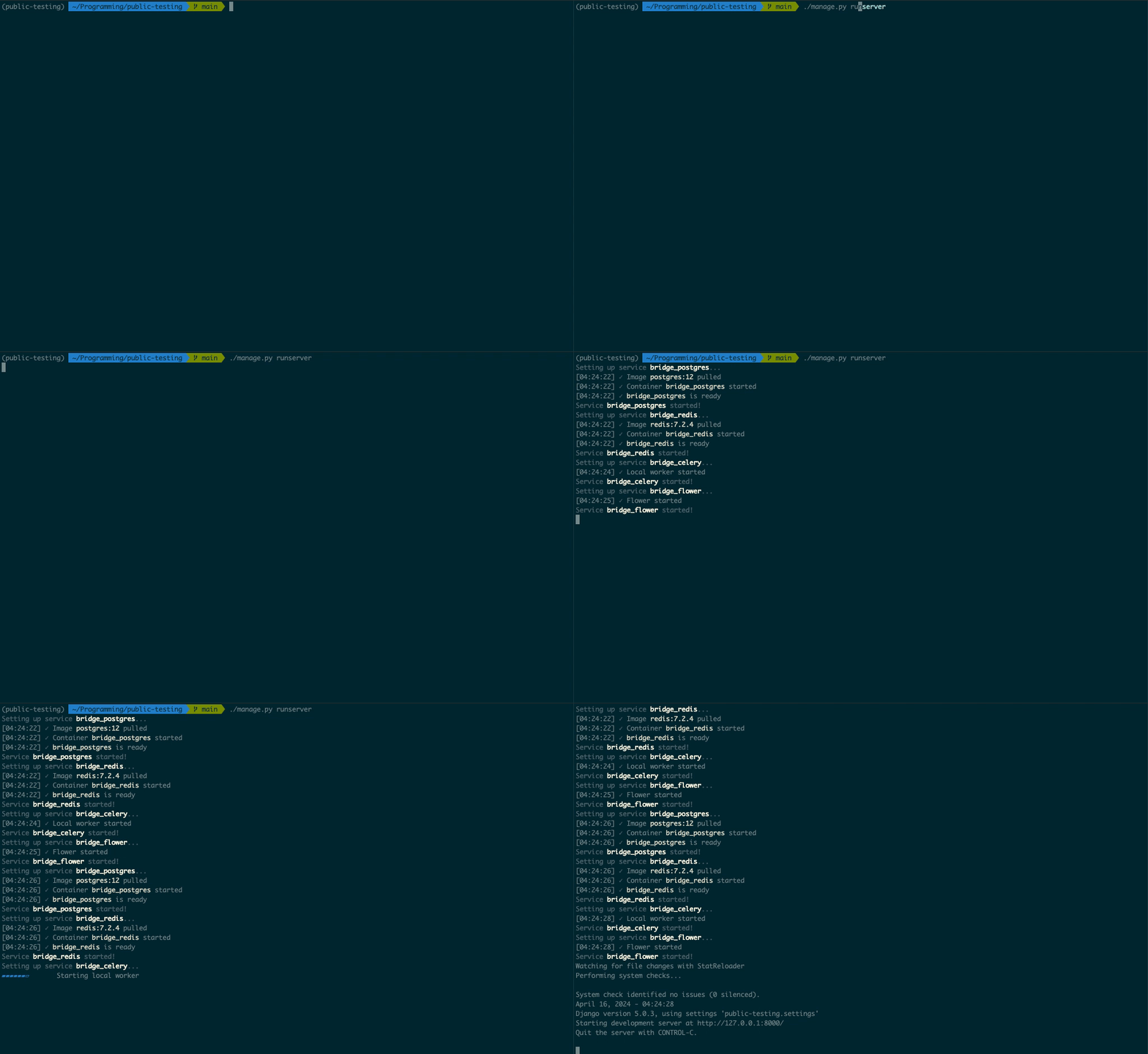
What is bridge?
Bridge enables you to seamlessly run and deploy all the infrastructure you need for a complete Django project.
- Two lines of copy-paste configuration
- Local Postgres database automatically configured and connected
- Local Redis instance automatically configured and connected
- Local Celery and Celery Flower instance automatically configured and connected
- Easy one-command deploy configuration to Render
Installation
Install Docker and verify it's running:
> docker version
Client: ...
Install bridge:
pip install python-bridge
Usage
Add the following code to the end of your settings.py file (or DJANGO_SETTINGS_MODULE):
from bridge import django

django.configure(locals())
The next time you start up your application, bridge will create and configure local infrastructure for you:
> ./manage.py runserver

Setting up service bridge_postgres...
[12:00:00] ✓ Image postgres:12 pulled
[12:00:00] ✓ Container bridge_postgres started
[12:00:00] ✓ bridge_postgres is ready
Service bridge_postgres started!
Setting up service bridge_redis...
[12:00:00] ✓ Image redis:7.2.4 pulled
[12:00:00] ✓ Container bridge_redis started
[12:00:00] ✓ bridge_redis is ready
Service bridge_redis started!
Setting up service bridge_celery...
[12:00:00] ✓ Local worker started
Service bridge_celery started!
Setting up service bridge_flower...
[12:00:00] ✓ Flower started
Service bridge_flower started!
Performing system checks...

System check identified no issues (0 silenced).
Starting development server at http://127.0.0.1:8000/
Quit the server with CONTROL-C.
That's it! You now have all the local infrastructure you need to run your django application.
Deploys
Bridge can also handle deployed configuration for your app as well! Simply run:
bridge init render
You may be prompted for the entrypoint of your application and settings file if bridge cannot detect them.
Bridge will create all the configuration necessary for you to immediately deploy to Render. This includes a Blueprint render.yaml as well as build scripts and start scripts for your Django application.
After running bridge init render, commit the changes and visit your project on github. You will see the following button at the end of your README in the root of your repository:

To deploy your application to the world, simply click the button! Bridge will configure everything needed for Render to deploy and host your app.
In the future, we'll look into supporting more deployment runtimes such as Heroku, AWS, GCP, Azure, and more.
FAQ
How does bridge work?
- Bridge spins up and runs all the services needed for your infrastructure in the background. Postgres and Redis run in docker containers, while Celery and Celery Flower (which need to understand your application code) run as background processes.
What if I don't need all the services that bridge provides?
- Bridge is designed to be modular. You can configure only the services you need by editing the
bridge.yamlfile that bridge creates in your project root. By default,enable_postgres: trueandenable_worker: trueare set, but you can change these tofalseto prevent bridge from configuring Postgres and Celery respectively.
How can I stop the services that bridge spins up?
bridge stopwill stop all running services.
How can I access the database directly?
- Locally, bridge provides access to a psql shell through
bridge db shell. Remotely, Render has instructions for connecting.
How can I access redis directly?
- Bridge provides access to redis-cli through
bridge redis shell. Remotely, Render has instructions for connecting.
How can I access Celery?
- Flower is a web interface into all the information you need to debug and work with Celery. By default, bridge will run Flower on http://localhost:5555.


Release files for python-bridge 0.1.2
For a detailed explanation of source distributions (sdists) and built distributions (wheels), please see the package formats documentation.
Source distribution (sdist)
| File | Size | Uploaded | Provenance | |
|---|---|---|---|---|
| python_bridge-0.1.2.tar.gz | 33.9 kB | Without provenance | Details |
Built distribution (wheel)
| File | Interpreter | ABI | Platform | Reset |
|---|---|---|---|---|
| python_bridge-0.1.2-py3-none-any.whl | Python 3 | none | any | Details |
Total release size: 75.2 kB
Release files / python_bridge-0.1.2.tar.gz
| Download URL | python_bridge-0.1.2.tar.gz |
|---|---|
| Size | 33.9 kB |
| Tags | Source |
|
SHA-256 checksum How to use checksums |
409795a9d0606e340a676ce3c1d87515fb097bcdf51a59f10b2f6d6a42bedcef
|
|
BLAKE2b-256 checksum How to use checksums |
b099d1692b803c46963d2c81c0186db21cf913f66b7b4ce157dd305e8f61f3f7
|
| Upload date | |
|
Uploaded using Trusted Publishing? What is trusted publishing? |
No |
| Uploaded via |
twine/5.0.0 CPython/3.9.19
|
Release files / python_bridge-0.1.2-py3-none-any.whl
| Download URL | python_bridge-0.1.2-py3-none-any.whl |
|---|---|
| Size | 41.4 kB |
| Tags | Python 3 |
|
SHA-256 checksum How to use checksums |
1f6bf072f6d5c1eae421a4856c194c9874382809455ae288ab6c37ddf008d40f
|
|
BLAKE2b-256 checksum How to use checksums |
b95968c3593bd2da7234b1bee491369418f9d27e2086082962d3638040cf7535
|
| Upload date | |
|
Uploaded using Trusted Publishing? What is trusted publishing? |
No |
| Uploaded via |
twine/5.0.0 CPython/3.9.19
|
Security for python-bridge 0.1.2
Provenance
Provenance describes where a file came from. On PyPI, provenance is shared via attestations, which provide a verifiable record of the build or publishing details. View details, limitations and caveats.
No provenance found
None of the files in this release were uploaded with provenance metadata.
A note on package security
PyPI is a repository for distributing packages, not a service for auditing them. While third-party security researchers and our staff do their best to detect and remove malicious packages, PyPI cannot guarantee the quality, security or suitability of any given package.
To learn more about protecting yourself from malicious actors, visit our package security documentation.














