
pyvoussoir
Automatic de-keystoning/page-splitting tool for single camera book scanners, python port of voussoir.
Installation
pip install pyvoussoir
Usage
See the usage section of the original
All options and arguments are the same as with voussoir , only the name differs and is now pyvoussoir:
pyvoussoir --page-height 10 --page-width 6 --input-image test_input.jpg output_left.jpg output_right.jpg
pyvoussoir has the same extensive help as the original:
pyvoussoir

Description:
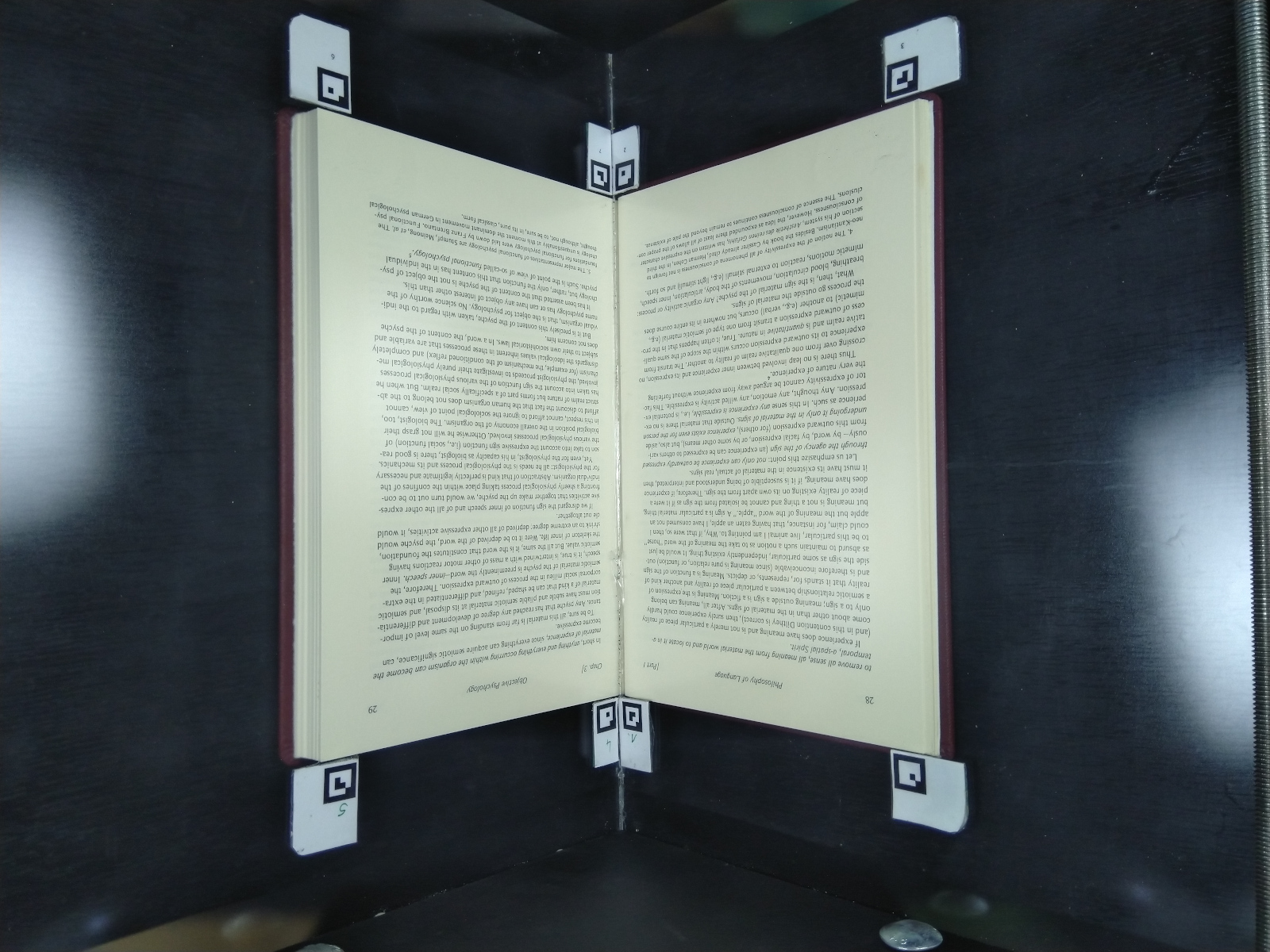
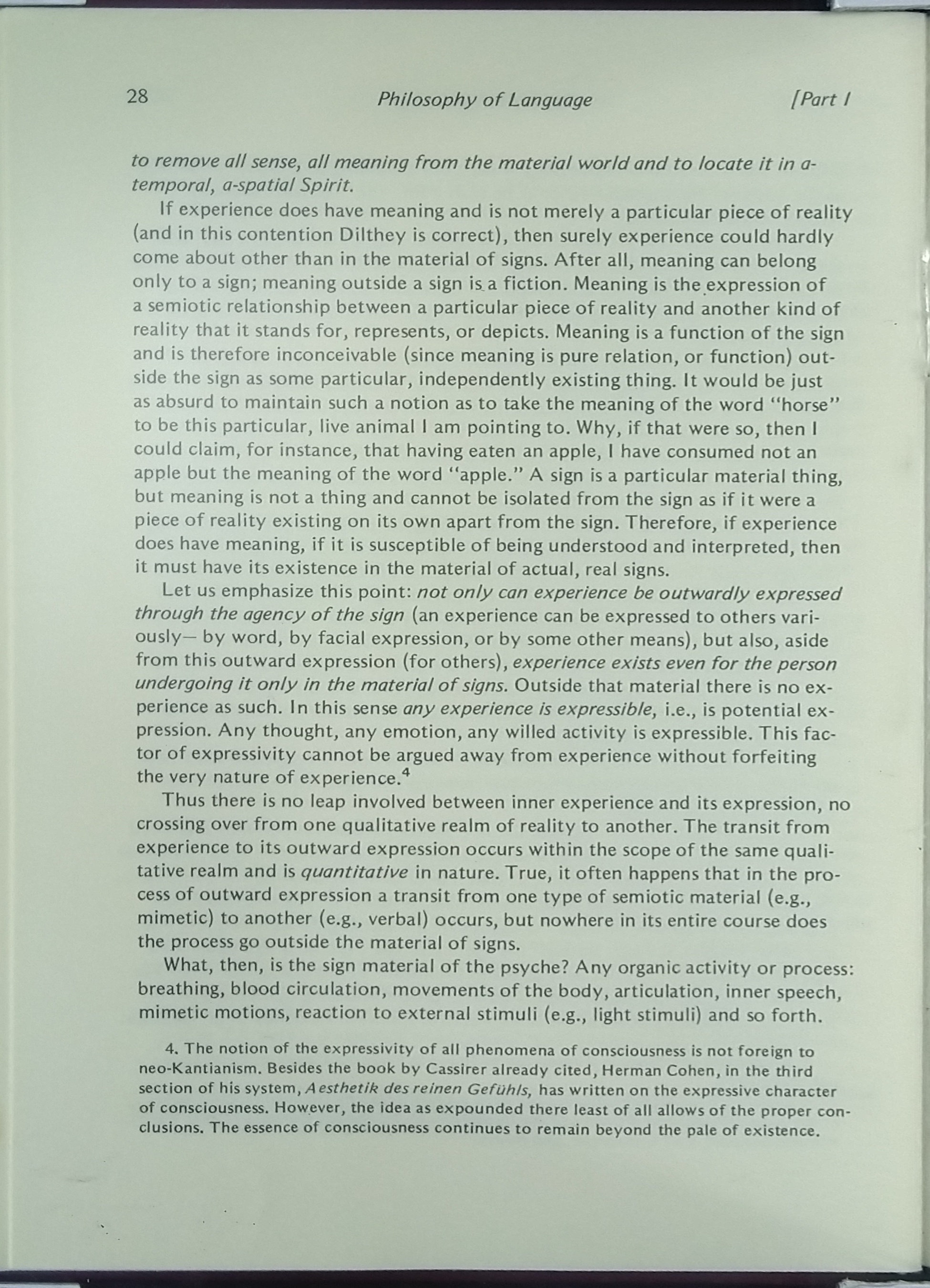
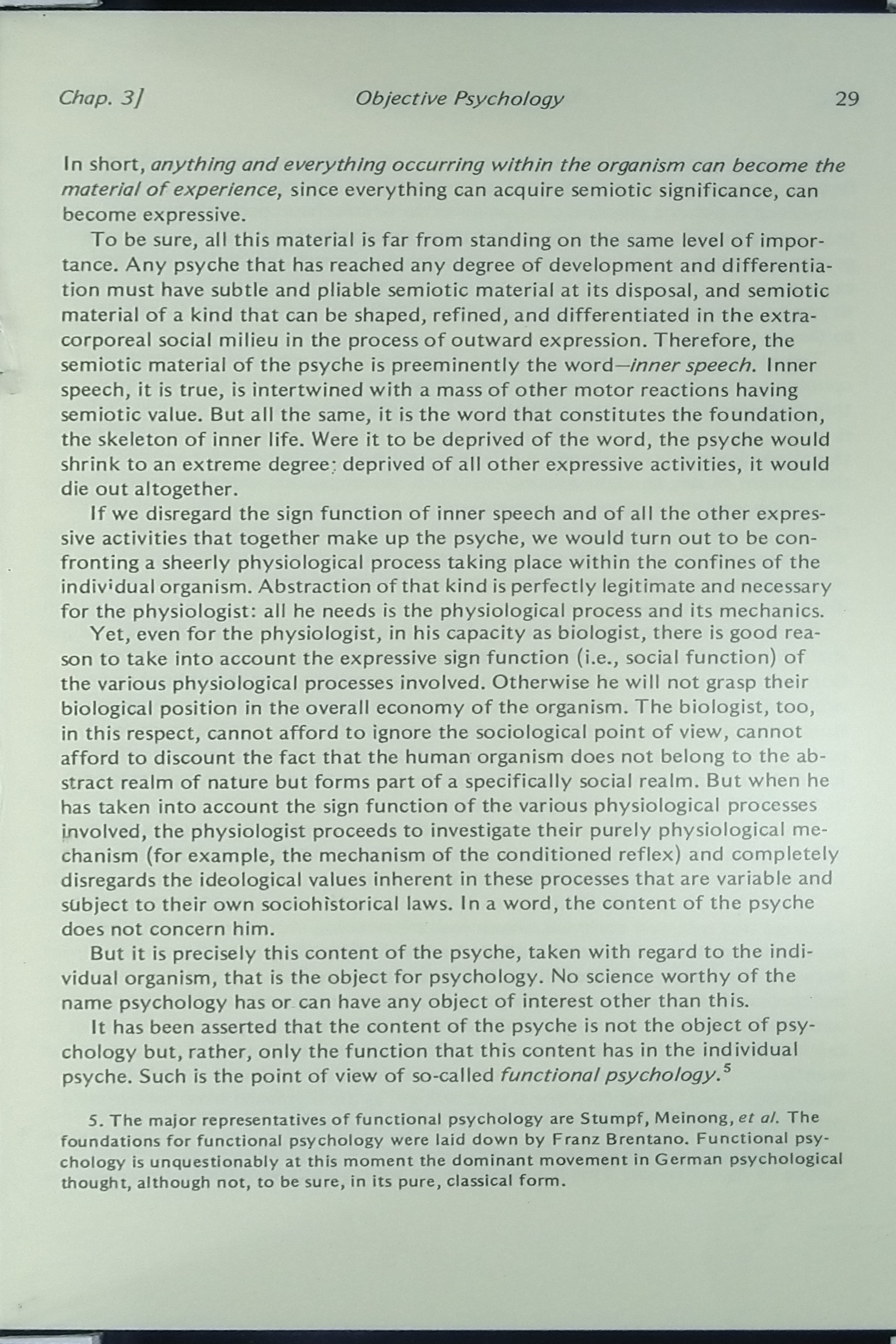
    This program takes images of books (each picture including a two-page spread), detects special glyphs pasted in the corners of the book, and de-keystones and thereby digitally flattens the pages. It then automatically separates the pages into separate, cropped image files

Usage:
      pyvoussoir
      pyvoussoir (-h | --help)
      pyvoussoir (-v | --version)
      pyvoussoir [--verbose] [--no-left-page] [--no-right-page] [-w <page_width_argument>] [-t <page_height_argument>] [-i <input_image>] [<output_image_one>] [<output_image_two>]
      pyvoussoir [--verbose] [--no-left-page] [--no-right-page] [-w <page_width_argument>] [-t <page_height_argument>] [-d <dpi>] [--offset-left-page-left-side <offset_left_page_left_side>] [--offset-left-page-right-side <offset_left_page_right_side>] [--offset-left-page-top-side <offset_left_page_top_side>] [--offset-left-page-bottom-side <offset_left_page_bottom_side>] [--offset-right-page-left-side <offset_right_page_left_side>] [--offset-right-page-right-side <offset_right_page_right_side>] [--offset-right-page-top-side <offset_right_page_top_side>] [--offset-right-page-bottom-side <offset_right_page_bottom_side>] [-i <input_image>] [<output_image_one>] [<output_image_two>]

Options:
      -h --help     Show this screen.
      -v --version  Show version.

      --verbose     Show additional output, including the values of every option the program accepts.

      -t --page-height=<page_height_argument>  Height of each page (in any metric) ('t' is for 'tall'). [default: 9.5]
      -w --page-width=<page_width_argument>  Width of each page (in any metric). [default: 6.0]
      --no-left-page  Only process right-side pages (Markers 0-3).
      --no-right-page  Only process left-side pages (Markers 4-7).

      -d --dpi=<dpi>  The DPI level at which to save the output images. [default: 600.0]

      -i --input-image=<input_image>  The input image.

      <output_image_one>  The output image. Needs to have an image-like file extension (e.g., ".jpg", ".JPG", ".png", ".tif", ".tiff").
      <output_image_two>  If relevant, the second output image (see <output_image_one> above).

      --offset-left-page-left-side=<offset_left_page_left_side>  Page offset, in the same units as page height and width. [default: 0.00]
      --offset-left-page-right-side=<offset_left_page_right_side>  Page offset, in the same units as page height and width. [default: 0.00]
      --offset-left-page-top-side=<offset_left_page_top_side>  Page offset, in the same units as page height and width. [default: 0.00]
      --offset-left-page-bottom-side=<offset_left_page_bottom_side>  Page offset, in the same units as page height and width. [default: 0.00]

      --offset-right-page-left-side=<offset_right_page_left_side>  Page offset, in the same units as page height and width. [default: 0.00]
      --offset-right-page-right-side=<offset_right_page_right_side>  Page offset, in the same units as page height and width. [default: 0.00]
      --offset-right-page-top-side=<offset_right_page_top_side>  Page offset, in the same units as page height and width. [default: 0.00]
      --offset-right-page-bottom-side=<offset_right_page_bottom_side>  Page offset, in the same units as page height and width. [default: 0.00]

Placing markers:
    Within the markers directory, you'll find PDF and Adobe Illustrator / Inkscape versions of a series of 15 "glyphs," small images that each comprises a unique pattern of pixels in a 6x6 grid. You'll need to print and cut out the glyphs; at the moment, only glyphs 0-3 (left page) and 4-7 (right page) are needed. Tape or otherwise affix the glyphs in clockwise order around the perimeter of each book page (for example, if you're using a glass or acrylic platen to flatten the pages of a book, affix the glyphs in each corner of the platen: starting at the top left and moving clockwise to the center/spine of the book, place glyphs 0, 1, 2, and 3 around the left page, and (again from top left and moving clockwise) glyphs 4, 5, 6, and 7 on the right page. The program will, by default, crop to the inside vertical, outside horizontal edge of the glyphs it detects. This can be adjusted using the offset arguments defined above. The offset arguments can be positive or negative (e.g., setting --offset-left-page-left-side to -0.5 will move the crop line to the left 0.5 units).
Example
pyvoussoir --dpi 300 --offset-left-page-right-side 0.5 --offset-left-page-top-side 0.5 --offset-right-page-top-side 0.5 --input-image example/scan.jpg example/page_left.jpg example/page_right.jpg
Turns this (example/scan.jpg)
into this (example/page_left.jpg):
and this (example/page_right.jpg):
1 maintainer

Metadata
1 maintainer
Release files for pyvoussoir 0.3.1
For a detailed explanation of source distributions (sdists) and built distributions (wheels), please see the package formats documentation.
Source distribution (sdist)
| File | Size | Uploaded | Provenance | Actions |
|---|---|---|---|---|
| pyvoussoir-0.3.1.tar.gz | 7.2 kB | Without provenance | Details for pyvoussoir-0.3.1.tar.gz |
Built distribution (wheel)
| File | Interpreter | ABI | Platform | Actions Reset |
|---|---|---|---|---|
| pyvoussoir-0.3.1-py3-none-any.whl | Python 3 | none | any | Details for pyvoussoir-0.3.1-py3-none-any.whl |
Total release size: 17.0 kB
Release files / pyvoussoir-0.3.1.tar.gz
| Download URL | pyvoussoir-0.3.1.tar.gz |
|---|---|
| Size | 7.2 kB |
| Tags | Source |
|
SHA-256 checksum How to use checksums |
9c0bb0b64df0b59dc6ac866c7320bc9b0f0370447dabd0cab698e65beb7ef888
|
|
BLAKE2b-256 checksum How to use checksums |
5812e7cd2bec6e49836da6663c2f8fbf9181635596164c9e5bc2c482aed6c279
|
| Upload date | |
|
Uploaded using Trusted Publishing? What is trusted publishing? |
No |
| Uploaded via |
twine/3.1.1 pkginfo/1.4.2 requests/2.22.0 setuptools/45.2.0 requests-toolbelt/0.8.0 tqdm/4.30.0 CPython/3.8.2
|
Release files / pyvoussoir-0.3.1-py3-none-any.whl
| Download URL | pyvoussoir-0.3.1-py3-none-any.whl |
|---|---|
| Size | 9.7 kB |
| Tags | Python 3 |
|
SHA-256 checksum How to use checksums |
3831775ce4adbe59937f2b959c81300cb585f9ba4ad14a3edb94fdad60b9545c
|
|
BLAKE2b-256 checksum How to use checksums |
2dbb101d0125020871d45248f202baf381c836861166a746271890005cad880c
|
| Upload date | |
|
Uploaded using Trusted Publishing? What is trusted publishing? |
No |
| Uploaded via |
twine/3.1.1 pkginfo/1.4.2 requests/2.22.0 setuptools/45.2.0 requests-toolbelt/0.8.0 tqdm/4.30.0 CPython/3.8.2
|
Security for pyvoussoir 0.3.1
Provenance
Provenance describes where a file came from. On PyPI, provenance is shared via attestations, which provide a verifiable record of the build or publishing details. View details, limitations and caveats.
No provenance found
None of the files in this release were uploaded with provenance metadata.
A note on package security
PyPI is a repository for distributing packages, not a service for auditing them. While third-party security researchers and our staff do their best to detect and remove malicious packages, PyPI cannot guarantee the quality, security or suitability of any given package.
To learn more about protecting yourself from malicious actors, visit our package security documentation.














