



QuickEcharts

QuickEcharts is a Python package that enables one to plot Echarts quickly. It piggybacks off of the pyecharts package that pipes into Apache Echarts. Pyecharts is a great package for fully customizing plots but is quite a challenge to make use of quickly. QuickEcharts solves this with a simple API for defining plotting elements and data, along with automatic data wrangling operations, using polars, to correctly structure data fast.
For the Code Examples below, there is a dataset in the QuickEcharts/datasets folder named FakeBevData.csv that you can download for replication purposes.
Installation
pip install QuickEcharts

or

pip install git+https://github.com/AdrianAntico/QuickEcharts.git#egg=quickecharts
Run Shiny App
from QuickEcharts.shiny_app import run_app
run_app(port=8001)
Code Examples
Area
Click for code example
# Environment
import pkg_resources
import polars as pl
from QuickEcharts import Charts
from pyecharts.globals import CurrentConfig, NotebookType
CurrentConfig.NOTEBOOK_TYPE = 'jupyter_lab'

# Pull Data from Package
FilePath = "..FakeBevData.csv"
data = pl.read_csv(FilePath)

# Create Plot in Jupyter Lab
p1 = Charts.Area(
  dt = data,
  PreAgg = False,
  YVar = 'Daily Liters',
  XVar = 'Date',
  GroupVar = None,
  FacetRows = 2,
  FacetCols = 2,
  FacetLevels = None,
  TimeLine = False,
  AggMethod = 'sum',
  YVarTrans = "Identity",
  RenderHTML = "Area Plot",
  Opacity = 0.50,
  GradientColors = ['#e12191', '#0011FF'],
  LineWidth = 1,
  Symbol = "emptyCircle",
  SymbolSize = 6,
  ShowLabels = False,
  LabelPosition = "top",
  Theme = 'dark',
  BackgroundColor = None,
  Width = "1200px",
  Height = "750px",
  ToolBox = True,
  Brush = True,
  DataZoom = True,
  Title = 'Area Plot',
  TitleColor = "lightgray",
  TitleFontSize = 20,
  SubTitle = "Gradient Colors",
  SubTitleColor = "#fff",
  SubTitleFontSize = 12,
  AxisPointerType = 'cross',
  YAxisTitle = "Daily Liters",
  YAxisNameLocation = 'middle',
  YAxisNameGap = 70,
  XAxisTitle = None,
  XAxisNameLocation = 'middle',
  XAxisNameGap = 42,
  Legend = 'top',
  LegendPosRight = '0%',
  LegendPosTop = '2%',
  LegendBorderSize = 0.25,
  LegendTextColor = "#fff",
  VerticalLine = None,
  VerticalLineName = 'Line Name',
  HorizontalLine = None,
  HorizontalLineName = 'Line Name',
  AnimationThreshold = 2000,
  AnimationDuration = 1000,
  AnimationEasing = "cubicOut",
  AnimationDelay = 0,
  AnimationDurationUpdate = 300,
  AnimationEasingUpdate = "cubicOut",
  AnimationDelayUpdate = 0)

# Needed to display
p1.load_javascript()

# In new cell
p1.render_notebook()
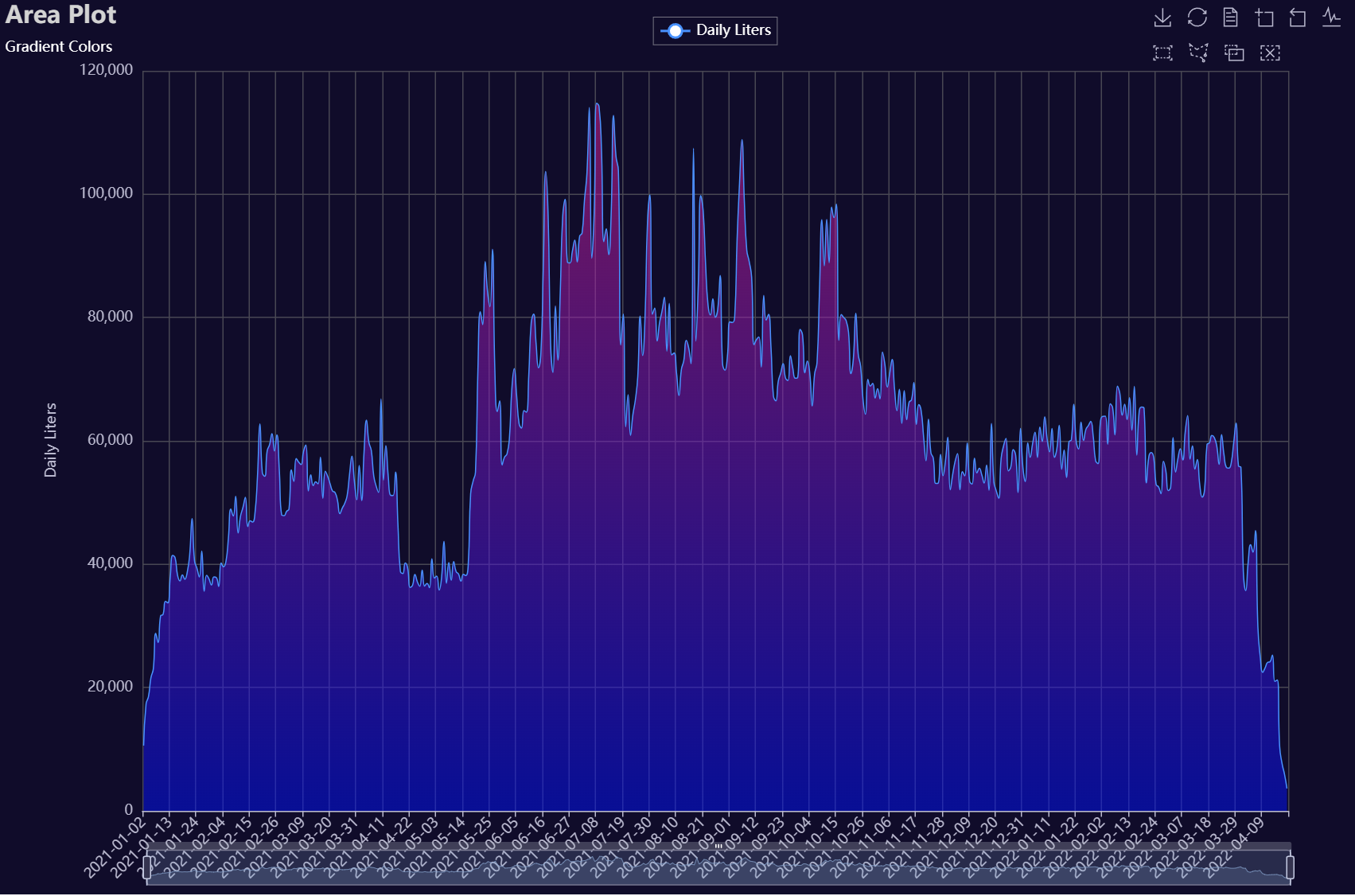
# Environment
import pkg_resources
import polars as pl
from QuickEcharts import Charts
from pyecharts.globals import CurrentConfig, NotebookType
CurrentConfig.NOTEBOOK_TYPE = 'jupyter_lab'

# Pull Data from Package
FilePath = "..FakeBevData.csv"
data = pl.read_csv(FilePath)

# Create Plot in Jupyter Lab
p1 = Charts.Area(
  dt = data,
  PreAgg = False,
  YVar = 'Daily Liters',
  XVar = 'Date',
  GroupVar = 'Brand',
  FacetRows = 1,
  FacetCols = 1,
  FacetLevels = None,
  TimeLine = False,
  AggMethod = 'sum',
  YVarTrans = "Identity",
  RenderHTML = None,
  Opacity = 0.5,
  GradientColors = ['#c86589', '#06a7ff0d'],
  LineWidth = 2,
  Symbol = "emptyCircle",
  SymbolSize = 6,
  ShowLabels = False,
  LabelPosition = "top",
  Theme = 'wonderland',
  BackgroundColor = None,
  Width = None,
  Height = None,
  ToolBox = True,
  Brush = True,
  DataZoom = True,
  Title = 'Line Plot',
  TitleColor = "#fff",
  TitleFontSize = 20,
  SubTitle = None,
  SubTitleColor = "#fff",
  SubTitleFontSize = 12,
  AxisPointerType = 'cross',
  YAxisTitle = None,
  YAxisNameLocation = 'middle',
  YAxisNameGap = 70,
  XAxisTitle = None,
  XAxisNameLocation = 'middle',
  XAxisNameGap = 42,
  Legend = None,
  LegendPosRight = '0%',
  LegendPosTop = '5%',
  LegendBorderSize = 1,
  LegendTextColor = "#fff",
  VerticalLine = None,
  VerticalLineName = 'Line Name',
  HorizontalLine = None,
  HorizontalLineName = 'Line Name',
  AnimationThreshold = 2000,
  AnimationDuration = 1000,
  AnimationEasing = "cubicOut",
  AnimationDelay = 0,
  AnimationDurationUpdate = 300,
  AnimationEasingUpdate = "cubicOut",
  AnimationDelayUpdate = 0)

# Needed to display
p1.load_javascript()

# In new cell
p1.render_notebook()
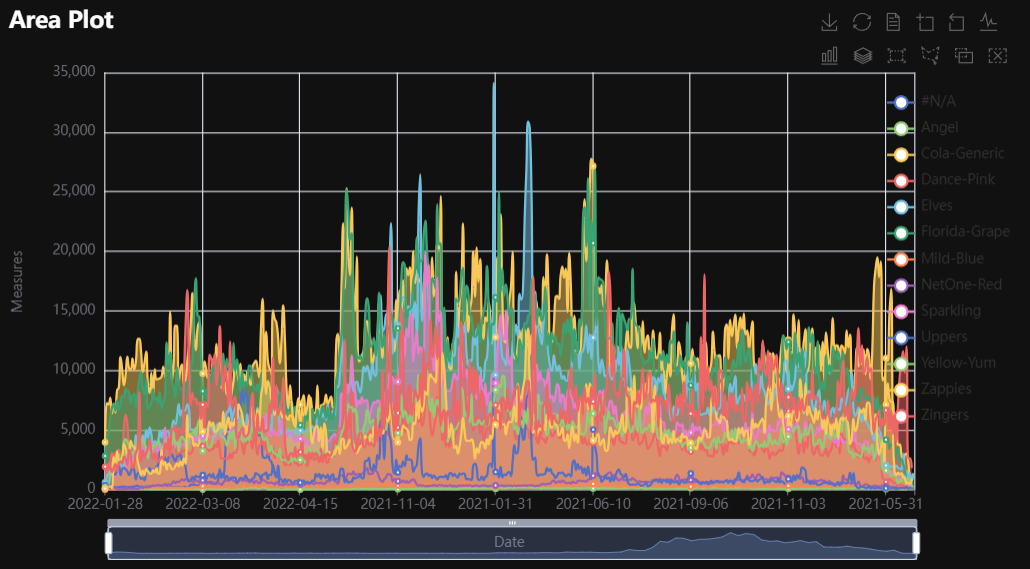
# Environment
import pkg_resources
import polars as pl
from QuickEcharts import Charts
from pyecharts.globals import CurrentConfig, NotebookType
CurrentConfig.NOTEBOOK_TYPE = 'jupyter_lab'

# Pull Data from Package
FilePath = "..FakeBevData.csv"
data = pl.read_csv(FilePath)

brand = data['Brand'].unique()
brand = [b for b in brand if b != "#N/A"]

plot_list = [None] * len(brand)
for i in range(len(brand)):
  plot_list[i] = Charts.Area(
    dt = data.filter(pl.col('Brand') == brand[i]),
    PreAgg = False,
    YVar = 'Daily Liters',
    XVar = 'Date',
    GroupVar = None,
    FacetRows = 1,
    FacetCols = 1,
    FacetLevels = None,
    TimeLine = False,
    AggMethod = 'sum',
    YVarTrans = "Identity",
    RenderHTML = "Area Plot",
    Opacity = 0.50,
    GradientColors = ['#e12191', '#0011FF'],
    LineWidth = 1,
    Symbol = "emptyCircle",
    SymbolSize = 6,
    ShowLabels = False,
    LabelPosition = "top",
    Theme = 'dark',
    BackgroundColor = None,
    Width = None,
    Height = None,
    ToolBox = True,
    Brush = True,
    DataZoom = True,
    Title = f'{brand[i]}',
    TitleColor = "lightgray",
    TitleFontSize = 20,
    SubTitle = "Gradient Colors",
    SubTitleColor = "#fff",
    SubTitleFontSize = 12,
    AxisPointerType = 'cross',
    YAxisTitle = "Daily Liters",
    YAxisNameLocation = 'middle',
    YAxisNameGap = 70,
    XAxisTitle = None,
    XAxisNameLocation = 'middle',
    XAxisNameGap = 42,
    Legend = 'top',
    LegendPosRight = '0%',
    LegendPosTop = '2%',
    LegendBorderSize = 0.25,
    LegendTextColor = "#fff",
    VerticalLine = None,
    VerticalLineName = 'Line Name',
    HorizontalLine = None,
    HorizontalLineName = 'Line Name',
    AnimationThreshold = 2000,
    AnimationDuration = 1000,
    AnimationEasing = "cubicOut",
    AnimationDelay = 0,
    AnimationDurationUpdate = 300,
    AnimationEasingUpdate = "cubicOut",
    AnimationDelayUpdate = 0)

Charts.display_plots_grid(
  plot_list,
  cols = 3,
  render = "html")
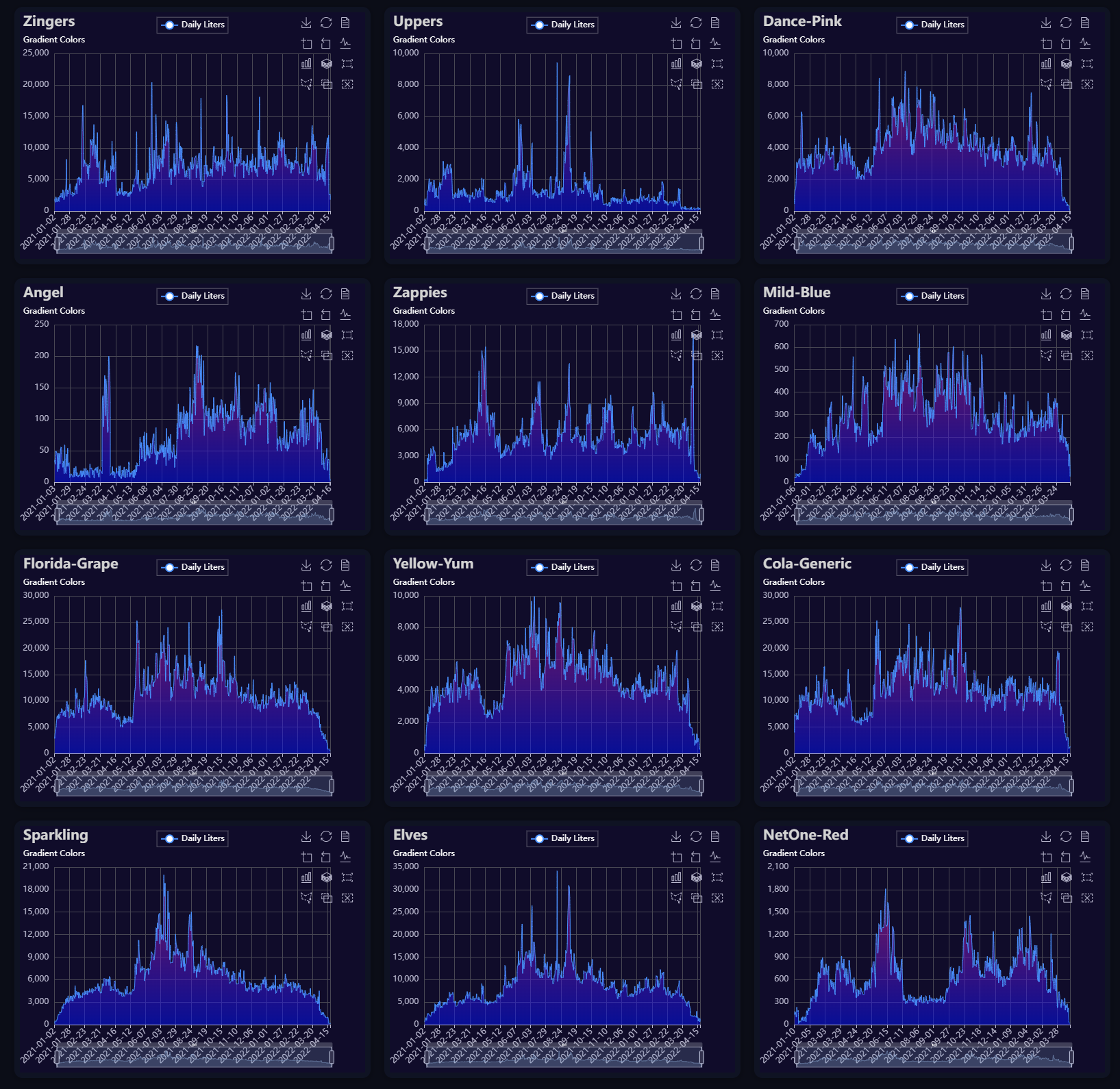
Bar
Click for code example
# Environment
import pkg_resources
import polars as pl
from QuickEcharts import Charts
from pyecharts.globals import CurrentConfig, NotebookType
CurrentConfig.NOTEBOOK_TYPE = 'jupyter_lab'

# Pull Data from Package
FilePath = "..FakeBevData.csv"
data = pl.read_csv(FilePath)

# Create Plot in Jupyter Lab
p1 = Charts.Bar(
  dt = data,
  PreAgg = False,
  YVar = 'Daily Liters',
  XVar = 'Date',
  GroupVar = None,
  FacetCols = 1,
  FacetRows = 1,
  FacetLevels = None,
  TimeLine = False,
  AggMethod = 'sum',
  YVarTrans = "Identity",
  RenderHTML = None,
  ShowLabels = False,
  LabelPosition = "top",
  Theme = 'dark',
  BackgroundColor = None,
  Width = "1200px",
  Height = "750px",
  ToolBox = True,
  Brush = True,
  DataZoom = True,
  Title = 'Bar Plot',
  TitleColor = "lightgray",
  TitleFontSize = 20,
  SubTitle = None,
  SubTitleColor = "#fff",
  SubTitleFontSize = 12,
  AxisPointerType = 'cross',
  YAxisTitle = 'Daily Liters',
  YAxisNameLocation = 'middle',
  YAxisNameGap = 70,
  XAxisTitle = 'Date',
  XAxisNameLocation = 'middle',
  XAxisNameGap = 42,
  Legend = 'top',
  LegendPosRight = '0%',
  LegendPosTop = '2%',
  LegendBorderSize = 1,
  LegendTextColor = "#lightgray",
  VerticalLine = None,
  VerticalLineName = 'Line Name',
  HorizontalLine = None,
  HorizontalLineName = 'Line Name',
  AnimationThreshold = 2000,
  AnimationDuration = 1000,
  AnimationEasing = "cubicOut",
  AnimationDelay = 0,
  AnimationDurationUpdate = 300,
  AnimationEasingUpdate = "cubicOut",
  AnimationDelayUpdate = 0)

# Needed to display
p1.load_javascript()

# In new cell
p1.render_notebook()
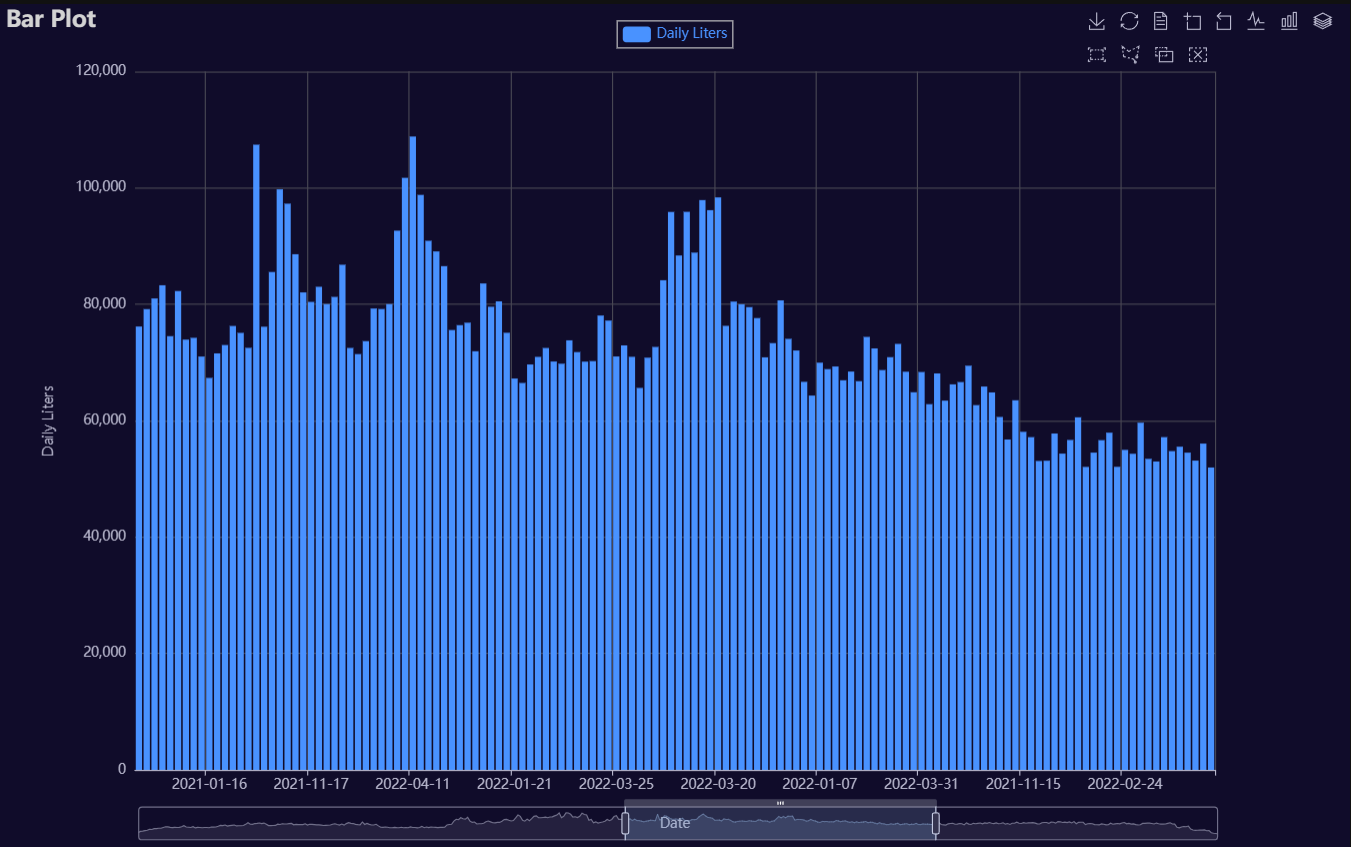
# Environment
import pkg_resources
import polars as pl
from QuickEcharts import Charts
from pyecharts.globals import CurrentConfig, NotebookType
CurrentConfig.NOTEBOOK_TYPE = 'jupyter_lab'

# Pull Data from Package
FilePath = "..FakeBevData.csv"
data = pl.read_csv(FilePath)

# Create Plot in Jupyter Lab
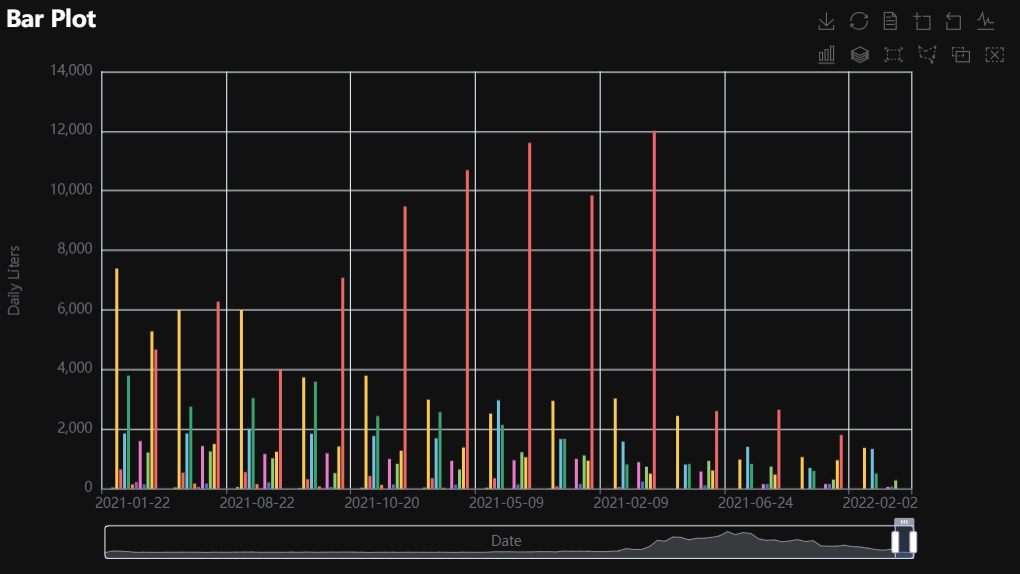
p1 = Charts.Bar(
  dt = data,
  PreAgg = False,
  YVar = 'Daily Liters',
  XVar = 'Date',
  GroupVar = 'Brand',
  FacetCols = 1,
  FacetRows = 1,
  FacetLevels = None,
  TimeLine = False,
  AggMethod = 'sum',
  YVarTrans = "Identity",
  RenderHTML = None,
  ShowLabels = False,
  LabelPosition = "top",
  Theme = 'wonderland',
  BackgroundColor = None,
  Width = None,
  Height = None,
  ToolBox = True,
  Brush = True,
  DataZoom = True,
  Title = 'Bar Plot',
  TitleColor = "#fff",
  TitleFontSize = 20,
  SubTitle = None,
  SubTitleColor = "#fff",
  SubTitleFontSize = 12,
  AxisPointerType = 'cross',
  YAxisTitle = None,
  YAxisNameLocation = 'middle',
  YAxisNameGap = 70,
  XAxisTitle = None,
  XAxisNameLocation = 'middle',
  XAxisNameGap = 42,
  Legend = None,
  LegendPosRight = '0%',
  LegendPosTop = '5%',
  LegendBorderSize = 1,
  LegendTextColor = "#fff",
  VerticalLine = None,
  VerticalLineName = 'Line Name',
  HorizontalLine = None,
  HorizontalLineName = 'Line Name',
  AnimationThreshold = 2000,
  AnimationDuration = 1000,
  AnimationEasing = "cubicOut",
  AnimationDelay = 0,
  AnimationDurationUpdate = 300,
  AnimationEasingUpdate = "cubicOut",
  AnimationDelayUpdate = 0)

# Needed to display
p1.load_javascript()

# In new cell
p1.render_notebook()
# Environment
import pkg_resources
import polars as pl
from QuickEcharts import Charts
from pyecharts.globals import CurrentConfig, NotebookType
CurrentConfig.NOTEBOOK_TYPE = 'jupyter_lab'

# Pull Data from Package
FilePath = "..FakeBevData.csv"
data = pl.read_csv(FilePath)

# Create Plot in Jupyter Lab
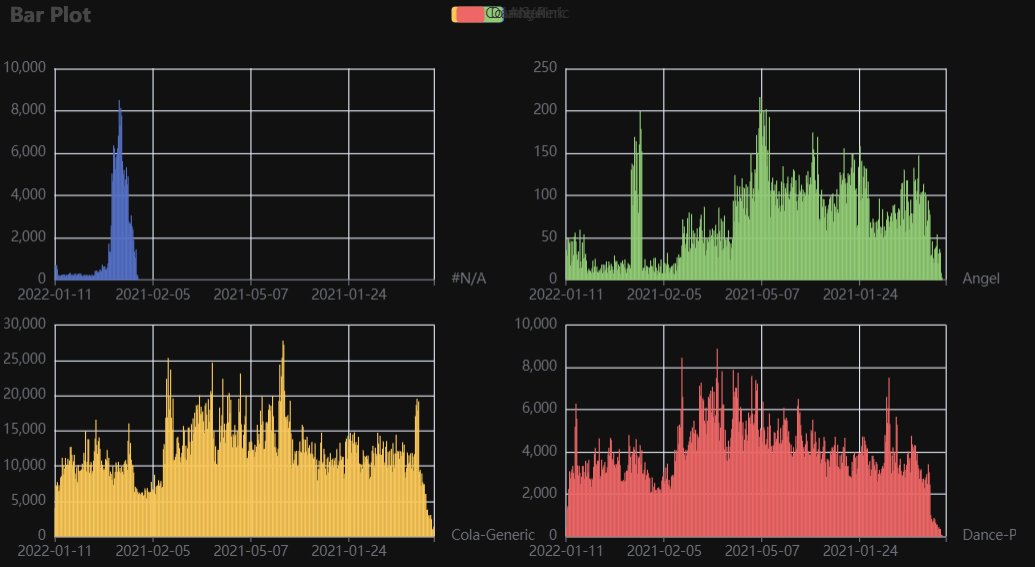
p1 = Charts.Bar(
  dt = data,
  PreAgg = False,
  YVar = 'Daily Liters',
  XVar = 'Date',
  GroupVar = 'Brand',
  FacetCols = 2,
  FacetRows = 2,
  FacetLevels = None,
  TimeLine = False,
  AggMethod = 'sum',
  YVarTrans = "Identity",
  RenderHTML = None,
  ShowLabels = False,
  LabelPosition = "top",
  Theme = 'wonderland',
  BackgroundColor = None,
  Width = None,
  Height = None,
  ToolBox = True,
  Brush = True,
  DataZoom = True,
  Title = 'Bar Plot',
  TitleColor = "#fff",
  TitleFontSize = 20,
  SubTitle = None,
  SubTitleColor = "#fff",
  SubTitleFontSize = 12,
  AxisPointerType = 'cross',
  YAxisTitle = None,
  YAxisNameLocation = 'middle',
  YAxisNameGap = 70,
  XAxisTitle = None,
  XAxisNameLocation = 'middle',
  XAxisNameGap = 42,
  Legend = None,
  LegendPosRight = '0%',
  LegendPosTop = '5%',
  LegendBorderSize = 1,
  LegendTextColor = "#fff",
  VerticalLine = None,
  VerticalLineName = 'Line Name',
  HorizontalLine = None,
  HorizontalLineName = 'Line Name',
  AnimationThreshold = 2000,
  AnimationDuration = 1000,
  AnimationEasing = "cubicOut",
  AnimationDelay = 0,
  AnimationDurationUpdate = 300,
  AnimationEasingUpdate = "cubicOut",
  AnimationDelayUpdate = 0)

# Needed to display
p1.load_javascript()

# In new cell
p1.render_notebook()
Bar3D
Click for code example
# Environment
import pkg_resources
import polars as pl
from QuickEcharts import Charts
from pyecharts.globals import CurrentConfig, NotebookType
CurrentConfig.NOTEBOOK_TYPE = 'jupyter_lab'

# Pull Data from Package
FilePath = "..FakeBevData.csv"
data = pl.read_csv(FilePath)

# Create Plot in Jupyter Lab
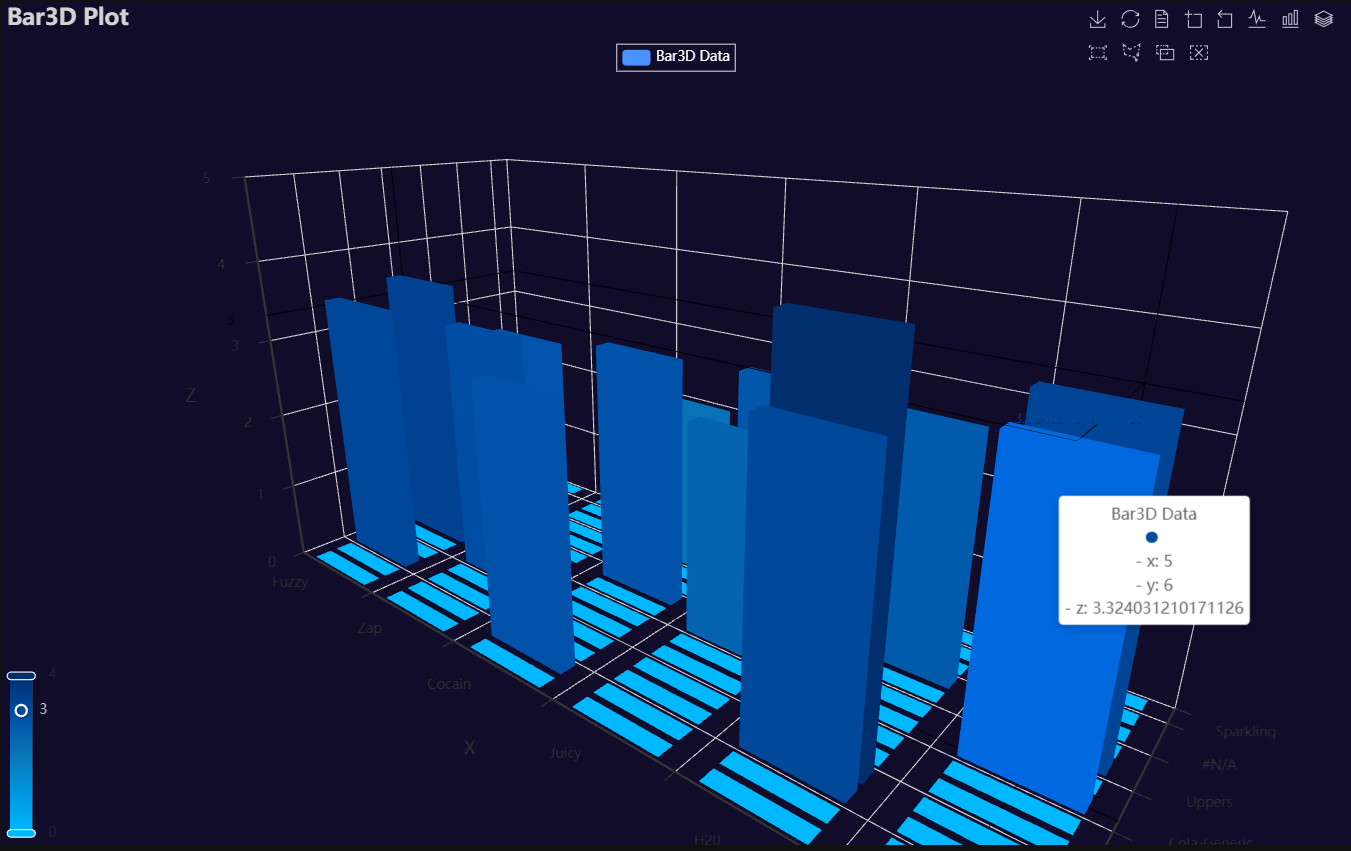
p1 = Charts.Bar3D(
  dt = data,
  PreAgg = False,
  YVar = 'Brand',
  XVar = 'Category',
  ZVar = 'Daily Liters',
  AggMethod = 'mean',
  ZVarTrans = "logmin",
  RenderHTML = None,
  Theme = 'wonderland',
  BarColors = ["#00b8ff", "#0097e1", "#0876b8", "#004fa7", "#012e6d"],
  BackgroundColor = "#000",
  Width = None,
  Height = None,
  ToolBox = True,
  Brush = True,
  DataZoom = True,
  Title = 'Bar3D Plot',
  TitleColor = "#fff",
  TitleFontSize = 20,
  SubTitle = None,
  SubTitleColor = "#fff",
  SubTitleFontSize = 12,
  Legend = 'top',
  LegendPosRight = '0%',
  LegendPosTop = '5%',
  LegendBorderSize = 1,
  LegendTextColor = "#fff",
  AnimationThreshold = 2000,
  AnimationDuration = 1000,
  AnimationEasing = "cubicOut",
  AnimationDelay = 0,
  AnimationDurationUpdate = 300,
  AnimationEasingUpdate = "cubicOut",
  AnimationDelayUpdate = 0)

# Needed to display
p1.load_javascript()

# In new cell
p1.render_notebook()
Box
Click for code example
# Environment
import pkg_resources
import polars as pl
from QuickEcharts import Charts
from pyecharts.globals import CurrentConfig, NotebookType
CurrentConfig.NOTEBOOK_TYPE = 'jupyter_lab'

# Pull Data from Package
FilePath = "..FakeBevData.csv"
data = pl.read_csv(FilePath)

# Create Plot in Jupyter Lab
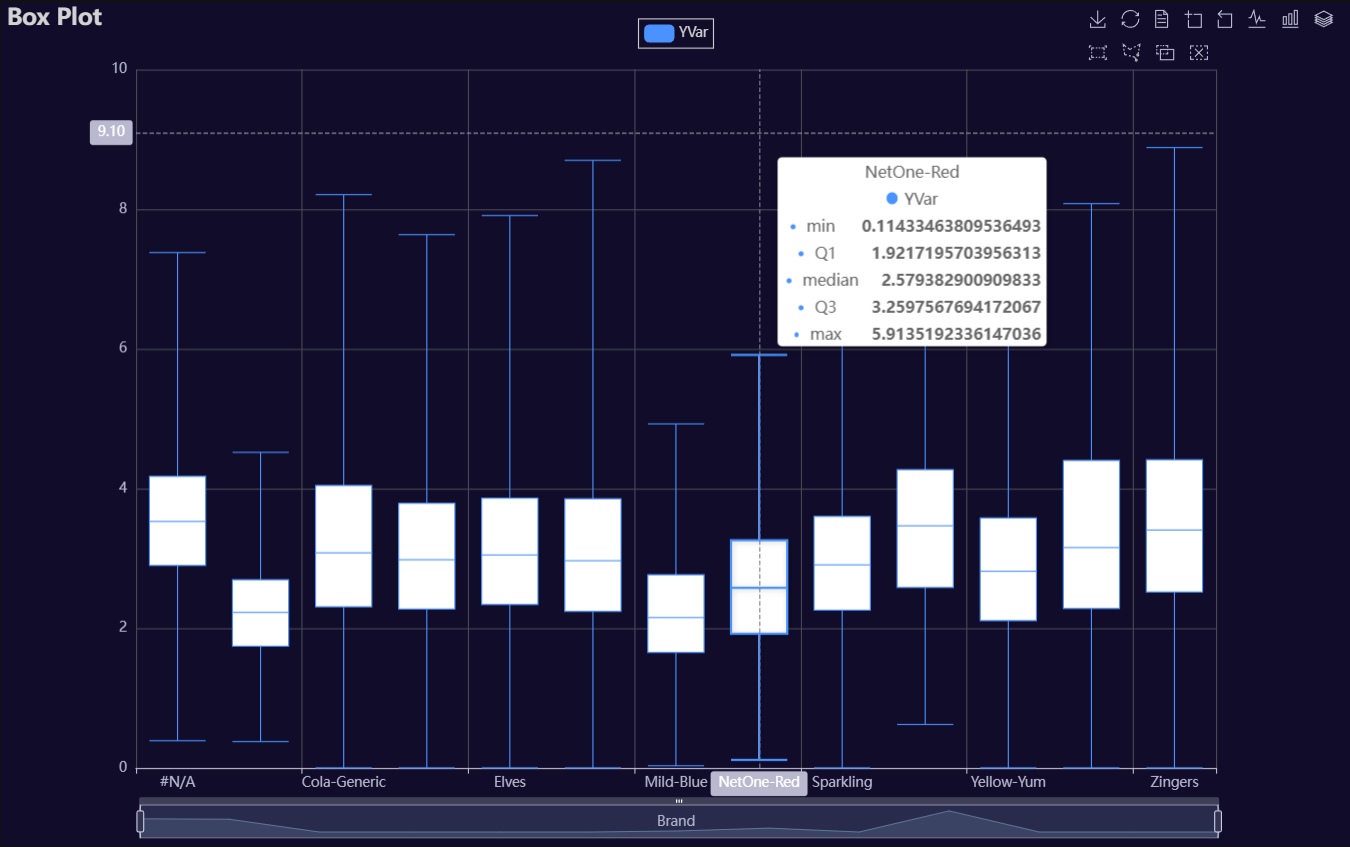
p1 = Charts.BoxPlot(
  dt = data,
  SampleSize = 100000,
  YVar = 'Daily Liters',
  GroupVar = 'Brand',
  YVarTrans = "logmin",
  RenderHTML = None,
  Theme = 'dark',
  BackgroundColor = None,
  Width = "1200px",
  Height = "750px",
  ToolBox = True,
  Brush = True,
  DataZoom = True,
  Title = 'Box Plot',
  TitleColor = "lightgray",
  TitleFontSize = 20,
  SubTitle = None,
  SubTitleColor = "#fff",
  SubTitleFontSize = 12,
  AxisPointerType = 'cross',
  YAxisTitle = None,
  YAxisNameLocation = 'middle',
  YAxisNameGap = 42,
  XAxisTitle = None,
  XAxisNameLocation = 'middle',
  XAxisNameGap = 42,
  Legend = 'top',
  LegendPosRight = '0%',
  LegendPosTop = '2%',
  LegendBorderSize = 1,
  LegendTextColor = "lightgray",
  HorizontalLine = None,
  HorizontalLineName = 'Line Name',
  AnimationThreshold = 2000,
  AnimationDuration = 1000,
  AnimationEasing = "cubicOut",
  AnimationDelay = 0,
  AnimationDurationUpdate = 300,
  AnimationEasingUpdate = "cubicOut",
  AnimationDelayUpdate = 0)

# Needed to display
p1.load_javascript()

# In new cell
p1.render_notebook()
Copula
Click for code example
# Environment
import pkg_resources
import polars as pl
from QuickEcharts import Charts
from pyecharts.globals import CurrentConfig, NotebookType
CurrentConfig.NOTEBOOK_TYPE = 'jupyter_lab'

# Pull Data from Package
FilePath = "..FakeBevData.csv"
data = pl.read_csv(FilePath)

# Create Plot in Jupyter Lab
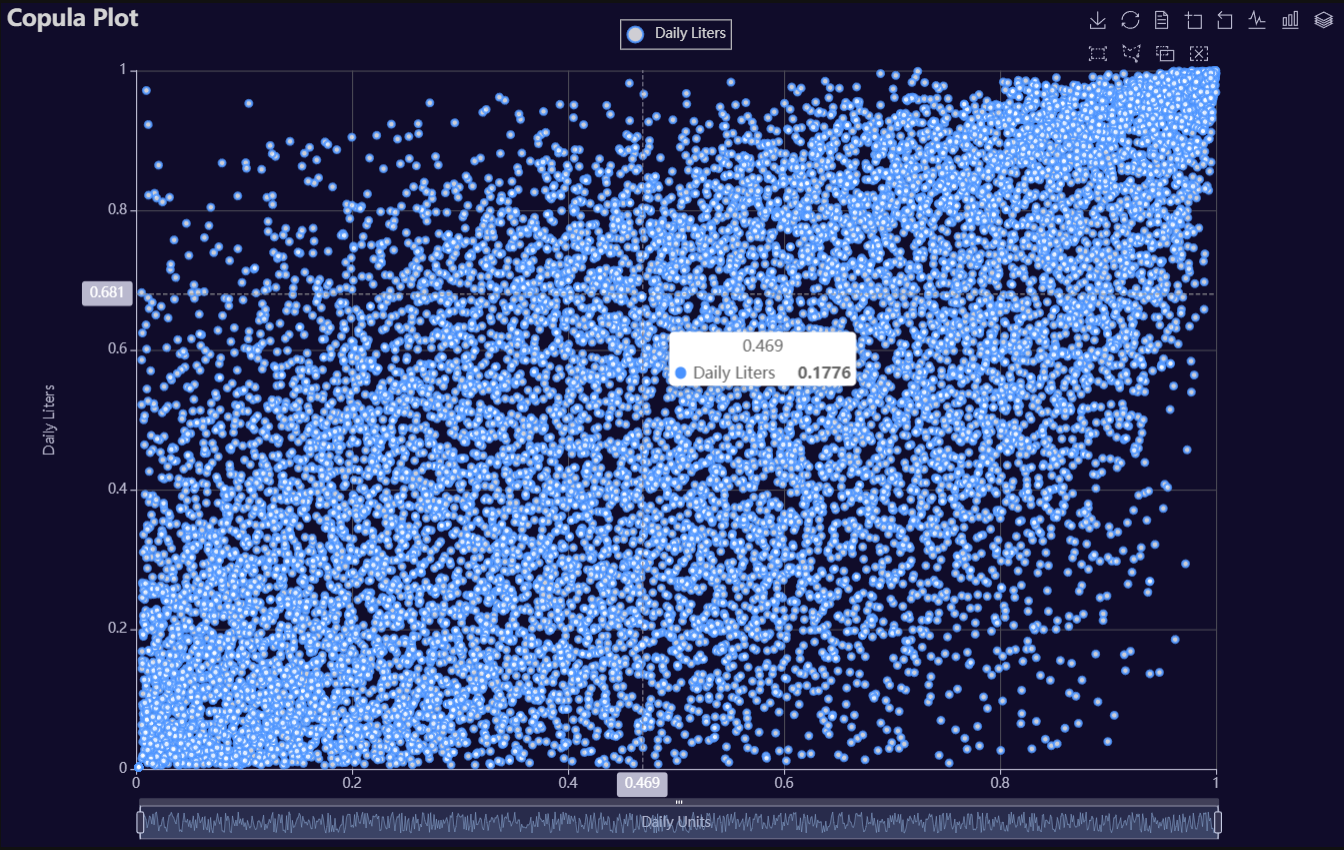
p1 = Charts.Copula(
  dt = data,
  SampleSize = 15000,
  YVar = 'Daily Liters',
  XVar = 'Daily Units',
  GroupVar = None,
  FacetRows = 2,
  FacetCols = 2,
  FacetLevels = None,
  TimeLine = False,
  AggMethod = 'mean',
  RenderHTML = None,
  LineWidth = 2,
  Symbol = "emptyCircle",
  SymbolSize = 6,
  ShowLabels = False,
  LabelPosition = "top",
  Theme = 'dark',
  BackgroundColor = None,
  Width = "1200px",
  Height = "750px",
  ToolBox = True,
  Brush = True,
  DataZoom = True,
  Title = 'Copula Plot',
  TitleColor = "lightgray",
  TitleFontSize = 20,
  SubTitle = None,
  SubTitleColor = "#fff",
  SubTitleFontSize = 12,
  AxisPointerType = 'cross',
  YAxisTitle = 'Daily Liters',
  YAxisNameLocation = 'middle',
  YAxisNameGap = 70,
  XAxisTitle = 'Daily Units',
  XAxisNameLocation = 'middle',
  XAxisNameGap = 42,
  Legend = 'top',
  LegendPosRight = '0%',
  LegendPosTop = '2%',
  LegendBorderSize = 1,
  LegendTextColor = "lightgray",
  VerticalLine = None,
  VerticalLineName = 'Line Name',
  HorizontalLine = None,
  HorizontalLineName = 'Line Name',
  AnimationThreshold = 2000,
  AnimationDuration = 1000,
  AnimationEasing = "cubicOut",
  AnimationDelay = 0,
  AnimationDurationUpdate = 300,
  AnimationEasingUpdate = "cubicOut",
  AnimationDelayUpdate = 0)

# Needed to display
p1.load_javascript()

# In new cell
p1.render_notebook()
# Environment
import pkg_resources
import polars as pl
from QuickEcharts import Charts
from pyecharts.globals import CurrentConfig, NotebookType
CurrentConfig.NOTEBOOK_TYPE = 'jupyter_lab'

# Pull Data from Package
FilePath = "..FakeBevData.csv"
data = pl.read_csv(FilePath)

# Create Plot in Jupyter Lab
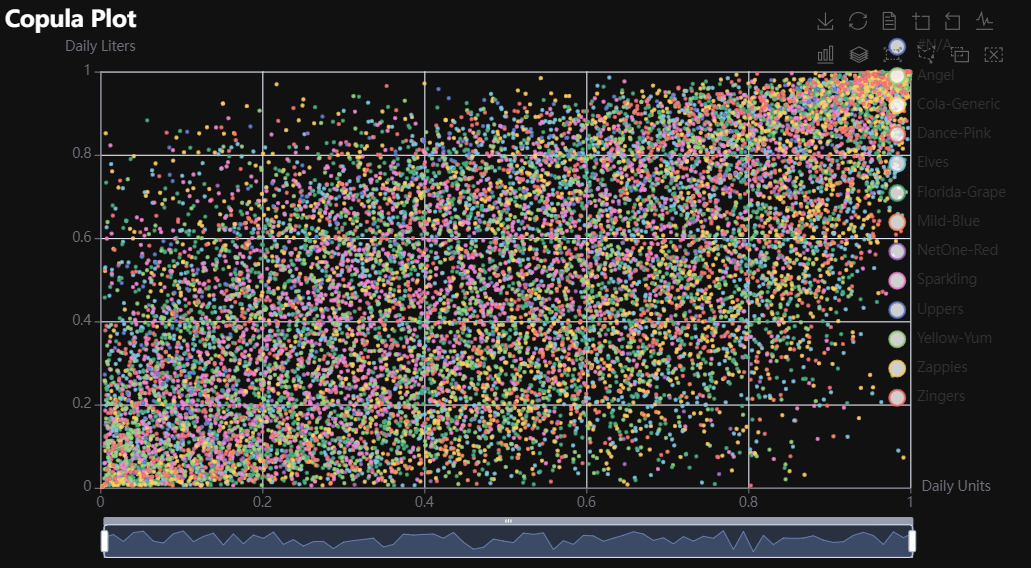
p1 = Charts.Copula(
  dt = data,
  SampleSize = 15000,
  YVar = 'Daily Liters',
  XVar = 'Daily Units',
  GroupVar = 'Brand',
  FacetRows = 1,
  FacetCols = 1,
  FacetLevels = None,
  TimeLine = False,
  AggMethod = 'mean',
  RenderHTML = None,
  LineWidth = 2,
  Symbol = "emptyCircle",
  SymbolSize = 6,
  ShowLabels = False,
  LabelPosition = "top",
  Theme = 'wonderland',
  BackgroundColor = None,
  Width = None,
  Height = None,
  ToolBox = True,
  Brush = True,
  DataZoom = True,
  Title = 'Copula Plot',
  TitleColor = "#fff",
  TitleFontSize = 20,
  SubTitle = None,
  SubTitleColor = "#fff",
  SubTitleFontSize = 12,
  AxisPointerType = 'cross',
  YAxisTitle = None,
  YAxisNameLocation = 'middle',
  YAxisNameGap = 70,
  XAxisTitle = None,
  XAxisNameLocation = 'middle',
  XAxisNameGap = 42,
  Legend = None,
  LegendPosRight = '0%',
  LegendPosTop = '5%',
  LegendBorderSize = 1,
  LegendTextColor = "#fff",
  VerticalLine = None,
  VerticalLineName = 'Line Name',
  HorizontalLine = None,
  HorizontalLineName = 'Line Name',
  AnimationThreshold = 2000,
  AnimationDuration = 1000,
  AnimationEasing = "cubicOut",
  AnimationDelay = 0,
  AnimationDurationUpdate = 300,
  AnimationEasingUpdate = "cubicOut",
  AnimationDelayUpdate = 0)

# Needed to display
p1.load_javascript()

# In new cell
p1.render_notebook()
# Environment
import pkg_resources
import polars as pl
from QuickEcharts import Charts
from pyecharts.globals import CurrentConfig, NotebookType
CurrentConfig.NOTEBOOK_TYPE = 'jupyter_lab'

# Pull Data from Package
FilePath = "..FakeBevData.csv"
data = pl.read_csv(FilePath)

# Create Plot in Jupyter Lab
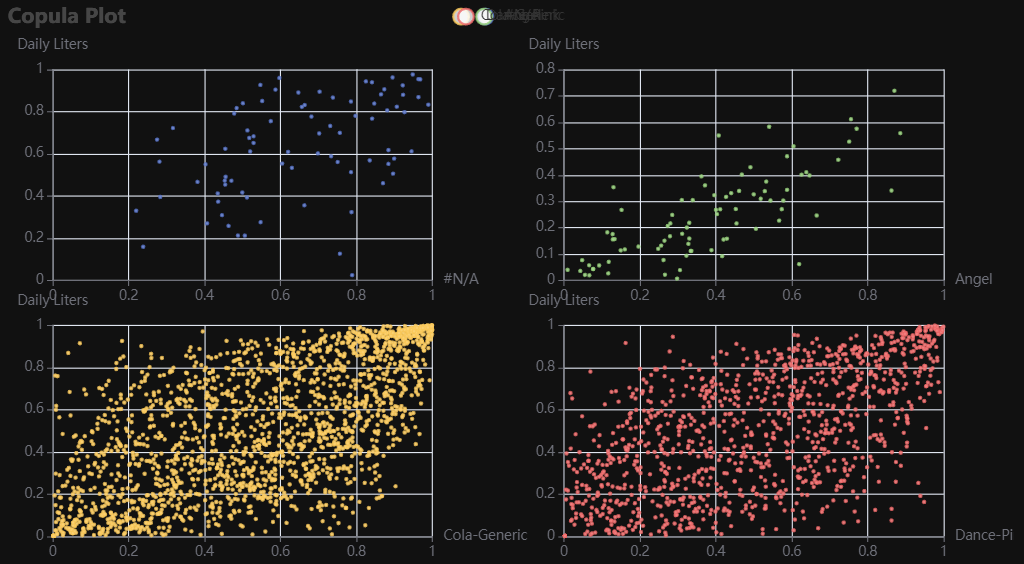
p1 = Charts.Copula(
  dt = data,
  SampleSize = 15000,
  YVar = 'Daily Liters',
  XVar = 'Daily Units',
  GroupVar = 'Brand',
  FacetRows = 2,
  FacetCols = 2,
  FacetLevels = None,
  TimeLine = False,
  AggMethod = 'mean',
  RenderHTML = None,
  LineWidth = 2,
  Symbol = "emptyCircle",
  SymbolSize = 6,
  ShowLabels = False,
  LabelPosition = "top",
  Theme = 'wonderland',
  BackgroundColor = None,
  Width = None,
  Height = None,
  ToolBox = True,
  Brush = True,
  DataZoom = True,
  Title = 'Copula Plot',
  TitleColor = "#fff",
  TitleFontSize = 20,
  SubTitle = None,
  SubTitleColor = "#fff",
  SubTitleFontSize = 12,
  AxisPointerType = 'cross',
  YAxisTitle = None,
  YAxisNameLocation = 'middle',
  YAxisNameGap = 70,
  XAxisTitle = None,
  XAxisNameLocation = 'middle',
  XAxisNameGap = 42,
  Legend = None,
  LegendPosRight = '0%',
  LegendPosTop = '5%',
  LegendBorderSize = 1,
  LegendTextColor = "#fff",
  VerticalLine = None,
  VerticalLineName = 'Line Name',
  HorizontalLine = None,
  HorizontalLineName = 'Line Name',
  AnimationThreshold = 2000,
  AnimationDuration = 1000,
  AnimationEasing = "cubicOut",
  AnimationDelay = 0,
  AnimationDurationUpdate = 300,
  AnimationEasingUpdate = "cubicOut",
  AnimationDelayUpdate = 0)

# Needed to display
p1.load_javascript()

# In new cell
p1.render_notebook()
Copula3D
Click for code example
# Environment
import pkg_resources
import polars as pl
from QuickEcharts import Charts
from pyecharts.globals import CurrentConfig, NotebookType
CurrentConfig.NOTEBOOK_TYPE = 'jupyter_lab'

# Pull Data from Package
FilePath = "..FakeBevData.csv"
data = pl.read_csv(FilePath)

# Create Plot in Jupyter Lab
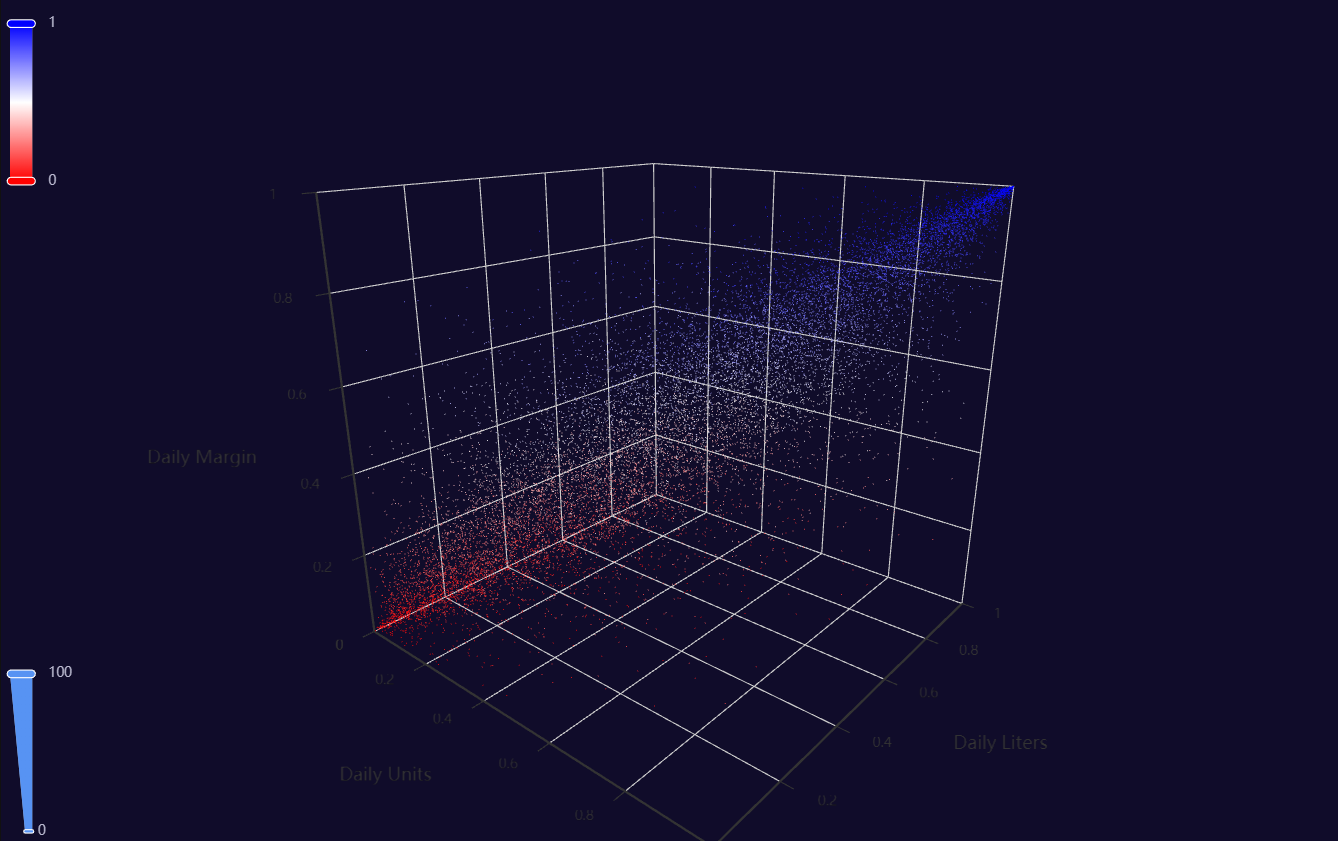
p1 = Charts.Copula3D(
  dt = data,
  SampleSize = 15000,
  YVar = 'Daily Liters',
  XVar = 'Daily Units',
  ZVar = 'Daily Margin',
  ColorMapVar = "ZVar",
  AggMethod = 'mean',
  RenderHTML = None,
  RangeColor = ["red", "white", "blue"],
  Theme = 'dark',
  BackgroundColor = None,
  Width = "1200px",
  Height = "750px",
  AnimationThreshold = 2000,
  AnimationDuration = 1000,
  AnimationEasing = "cubicOut",
  AnimationDelay = 0,
  AnimationDurationUpdate = 300,
  AnimationEasingUpdate = "cubicOut",
  AnimationDelayUpdate = 0)

# Needed to display
p1.load_javascript()

# In new cell
p1.render_notebook()
Density
Click for code example
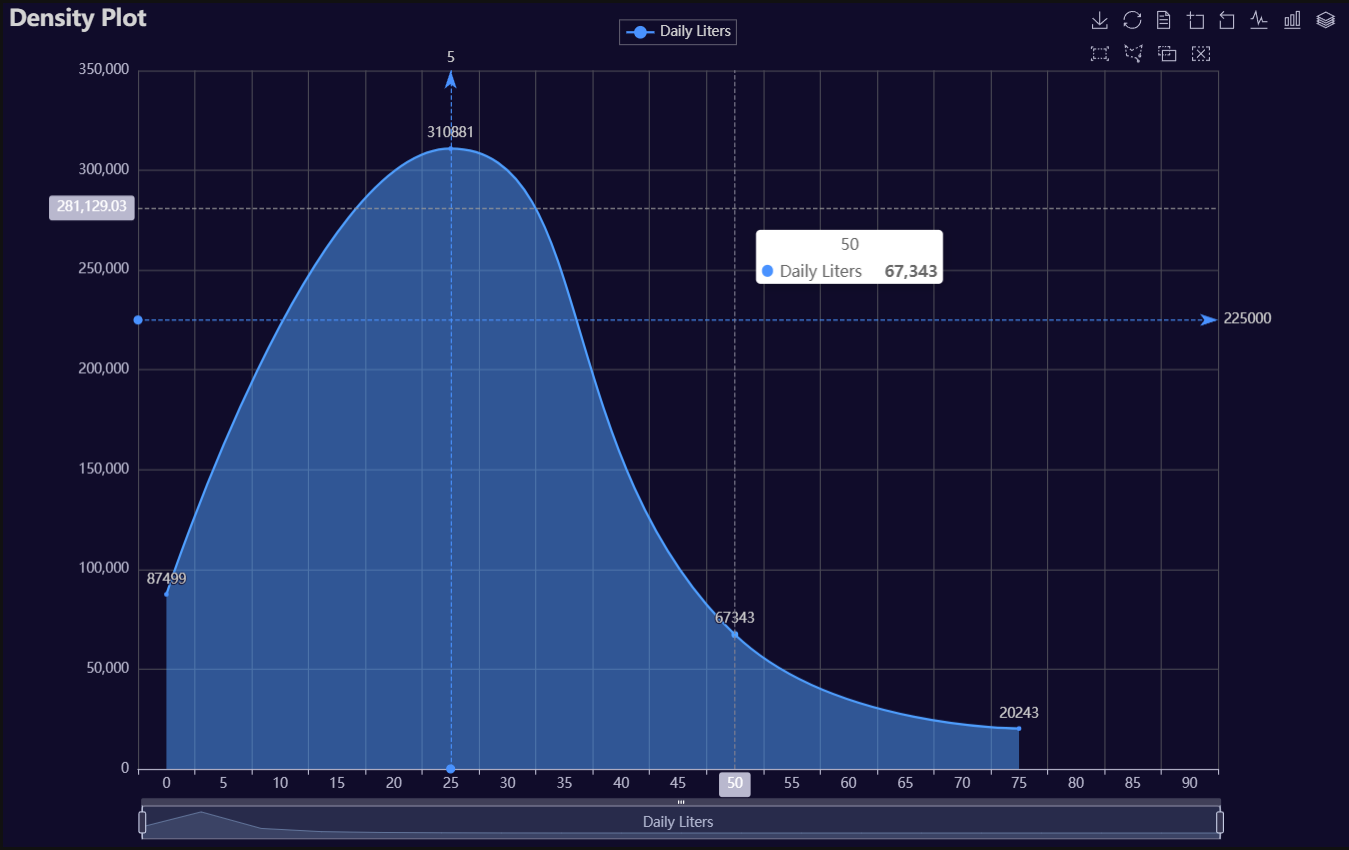
# Environment
import pkg_resources
import polars as pl
from QuickEcharts import Charts
from pyecharts.globals import CurrentConfig, NotebookType
CurrentConfig.NOTEBOOK_TYPE = 'jupyter_lab'

# Pull Data from Package
FilePath = "..FakeBevData.csv"
data = pl.read_csv(FilePath)

# Create Plot in Jupyter Lab
p1 = Charts.Density(
  dt = data,
  SampleSize = 500000,
  YVar = "Daily Liters",
  GroupVar = None,
  FacetRows = 2,
  FacetCols = 2,
  FacetLevels = None,
  TimeLine = False,
  YVarTrans = "sqrt",
  RenderHTML = None,
  LineWidth = 2,
  FillOpacity = 0.5,
  Theme = 'dark',
  BackgroundColor = None,
  Width = "1200px",
  Height = "750px",
  ToolBox = True,
  Brush = True,
  DataZoom = True,
  Title = 'Density Plot',
  TitleColor = "lightgray",
  TitleFontSize = 20,
  SubTitle = None,
  SubTitleColor = "#fff",
  SubTitleFontSize = 12,
  AxisPointerType = 'cross',
  XAxisTitle = 'Daily Liters',
  XAxisNameLocation = 'middle',
  XAxisNameGap = 42,
  Legend = 'top',
  LegendPosRight = '0%',
  LegendPosTop = '2%',
  LegendBorderSize = 0.25,
  LegendTextColor = "lightgray",
  VerticalLine = 5,
  VerticalLineName = 'Line Name',
  HorizontalLine = 225000,
  HorizontalLineName = 'Line Name',
  AnimationThreshold = 2000,
  AnimationDuration = 1000,
  AnimationEasing = "cubicOut",
  AnimationDelay = 0,
  AnimationDurationUpdate = 300,
  AnimationEasingUpdate = "cubicOut",
  AnimationDelayUpdate = 0)

# Needed to display
p1.load_javascript()

# In new cell
p1.render_notebook()
# Environment
import pkg_resources
import polars as pl
from QuickEcharts import Charts
from pyecharts.globals import CurrentConfig, NotebookType
CurrentConfig.NOTEBOOK_TYPE = 'jupyter_lab'

# Pull Data from Package
FilePath = "..FakeBevData.csv"
data = pl.read_csv(FilePath)

# Create Plot in Jupyter Lab
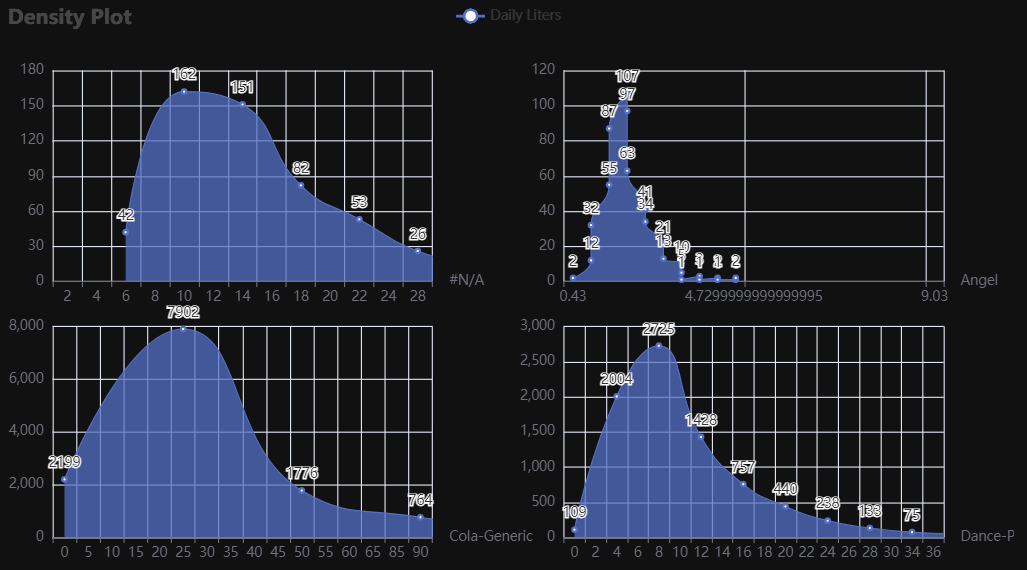
p1 = Charts.Density(
  dt = data,
  SampleSize = 100000,
  YVar = "Daily Liters",
  GroupVar = 'Brand',
  FacetRows = 2,
  FacetCols = 2,
  FacetLevels = None,
  TimeLine = False,
  YVarTrans = "sqrt",
  RenderHTML = None,
  LineWidth = 2,
  FillOpacity = 0.5,
  Theme = 'wonderland',
  BackgroundColor = None,
  Width = None,
  Height = None,
  ToolBox = True,
  Brush = True,
  DataZoom = True,
  Title = 'Density Plot',
  TitleColor = "#fff",
  TitleFontSize = 20,
  SubTitle = None,
  SubTitleColor = "#fff",
  SubTitleFontSize = 12,
  AxisPointerType = 'cross',
  XAxisTitle = None,
  XAxisNameLocation = 'middle',
  XAxisNameGap = 42,
  Legend = None,
  LegendPosRight = '0%',
  LegendPosTop = '5%',
  LegendBorderSize = 1,
  LegendTextColor = "#fff",
  VerticalLine = None,
  VerticalLineName = 'Line Name',
  HorizontalLine = None,
  HorizontalLineName = 'Line Name',
  AnimationThreshold = 2000,
  AnimationDuration = 1000,
  AnimationEasing = "cubicOut",
  AnimationDelay = 0,
  AnimationDurationUpdate = 300,
  AnimationEasingUpdate = "cubicOut",
  AnimationDelayUpdate = 0)

# Needed to display
p1.load_javascript()

# In new cell
p1.render_notebook()
Donut
Click for code example
# Environment
import pkg_resources
import polars as pl
from QuickEcharts import Charts
from pyecharts.globals import CurrentConfig, NotebookType
CurrentConfig.NOTEBOOK_TYPE = 'jupyter_lab'

# Pull Data from Package
FilePath = "..FakeBevData.csv"
data = pl.read_csv(FilePath)

# Create Plot in Jupyter Lab
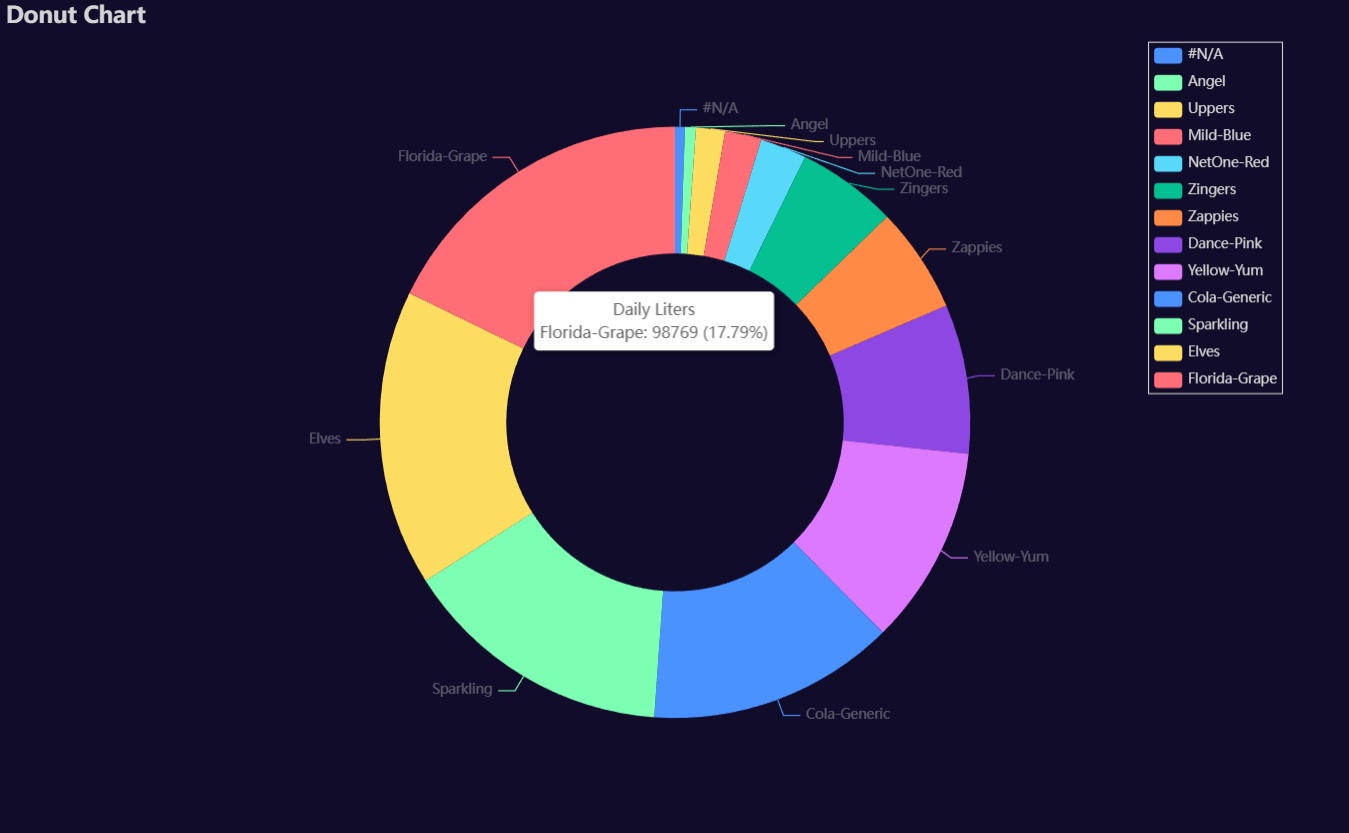
p1 = Charts.Donut(
  dt = data,
  PreAgg = False,
  YVar = 'Daily Liters',
  GroupVar = 'Brand',
  AggMethod = 'count',
  YVarTrans = "Identity",
  RenderHTML = None,
  Theme = 'dark',
  BackgroundColor = None,
  Width = "1200px",
  Height = "750px",
  Title = 'Donut Chart',
  TitleColor = "lightgray",
  TitleFontSize = 20,
  SubTitle = None,
  SubTitleColor = "#fff",
  SubTitleFontSize = 12,
  Legend = 'right',
  LegendPosRight = '5%',
  LegendPosTop = '5%',
  LegendBorderSize = 1,
  LegendTextColor = "lightgray",
  AnimationThreshold = 2000,
  AnimationDuration = 1000,
  AnimationEasing = "cubicOut",
  AnimationDelay = 0,
  AnimationDurationUpdate = 300,
  AnimationEasingUpdate = "cubicOut",
  AnimationDelayUpdate = 0)

# Needed to display
p1.load_javascript()

# In new cell
p1.render_notebook()
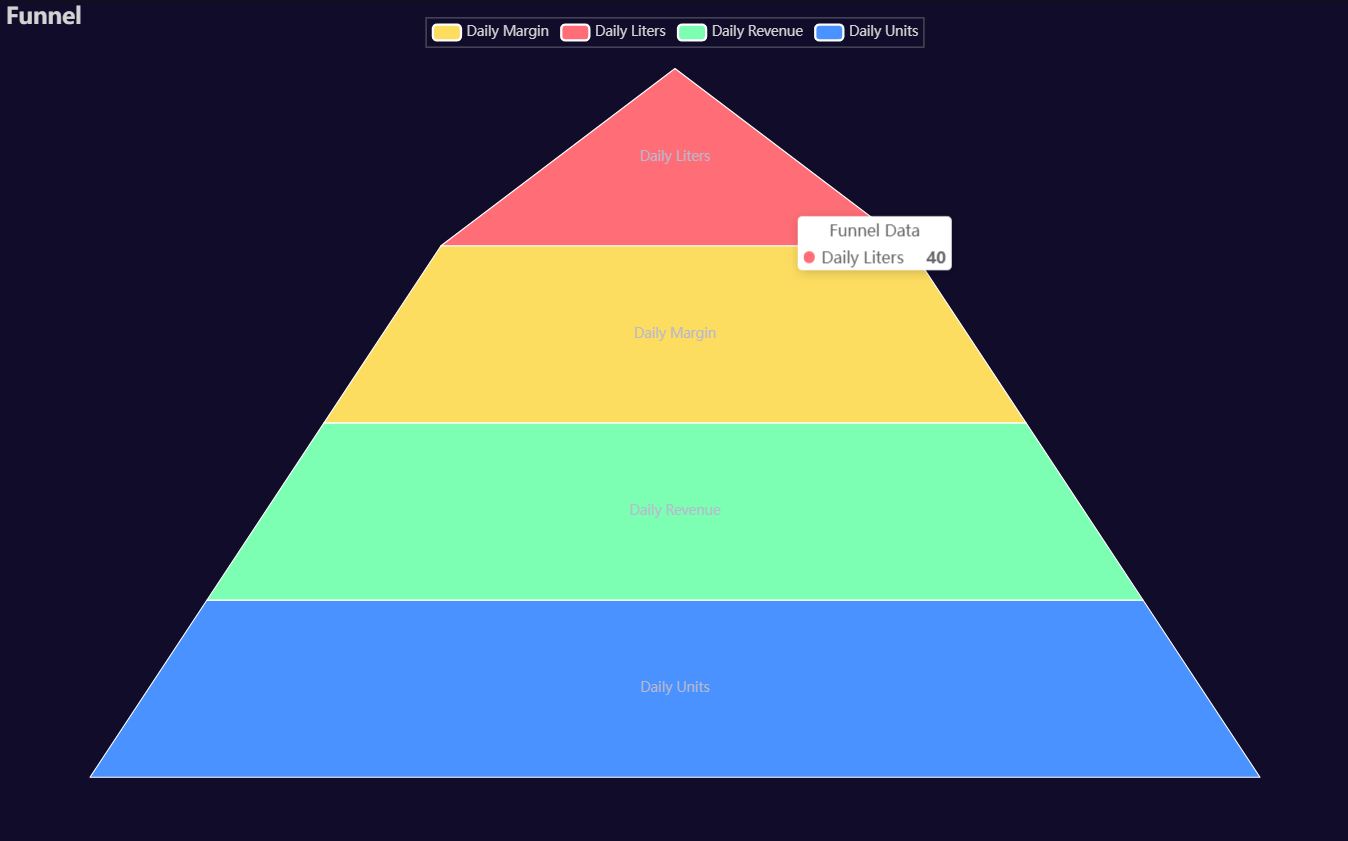
Funnel
Click for code example
# Environment
import pkg_resources
import polars as pl
from QuickEcharts import Charts
from pyecharts.globals import CurrentConfig, NotebookType
CurrentConfig.NOTEBOOK_TYPE = 'jupyter_lab'

# Pull Data from Package
FilePath = "..FakeBevData.csv"
data = pl.read_csv(FilePath)

# Create Plot in Jupyter Lab
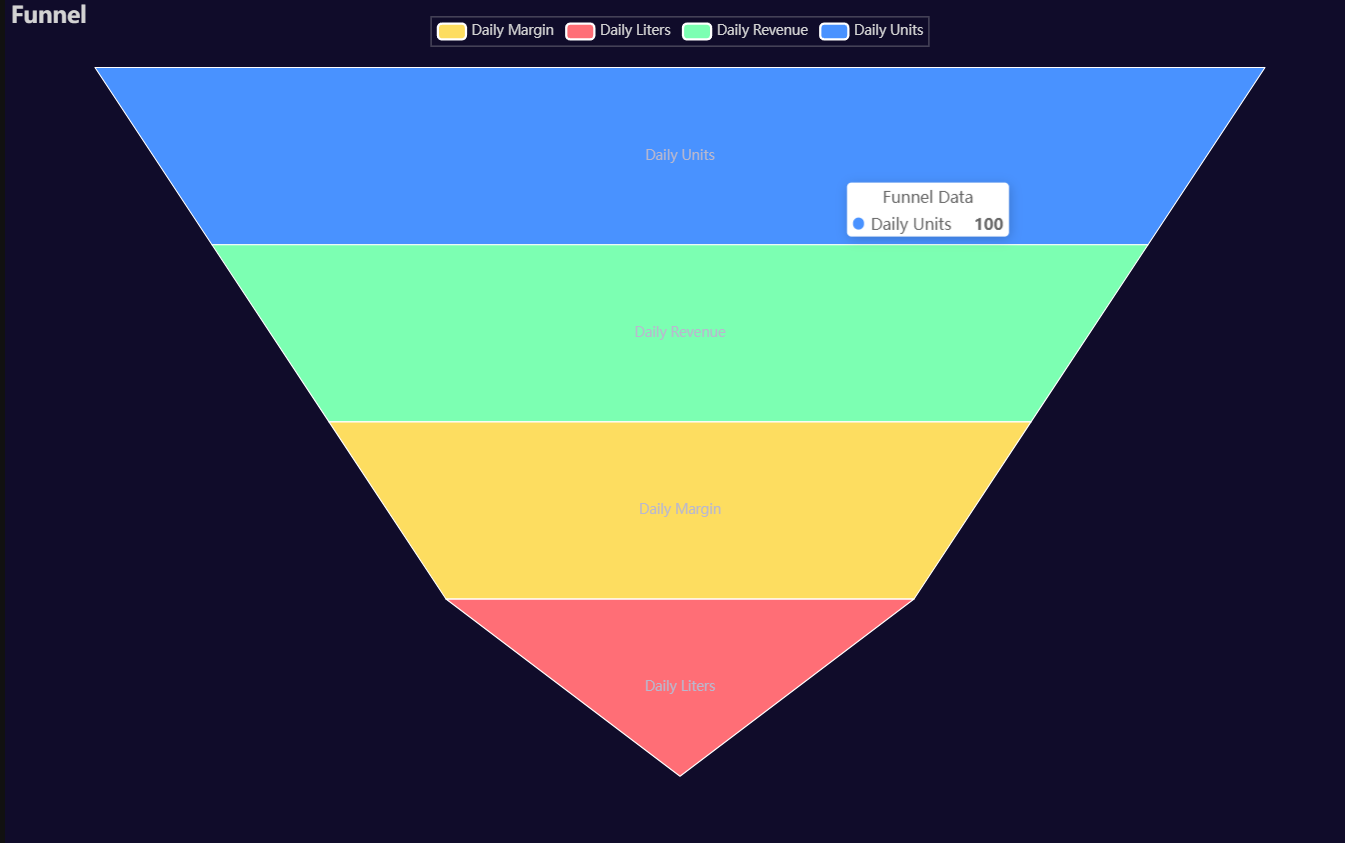
p1 = Charts.Funnel(
  dt = data,
  CategoryVar = ['Daily Units', 'Daily Revenue', 'Daily Margin', 'Daily Liters'],
  ValuesVar = [100, 80, 60, 40],
  RenderHTML = None,
  SeriesLabel = "Funnel Data",
  SortStyle = 'descending',
  Theme = 'dark',
  BackgroundColor = None,
  Width = "1200px",
  Height = "750px",
  Title = "Funnel",
  TitleColor = "lightgray",
  TitleFontSize = 20,
  Legend = 'top',
  LegendPosRight = '0%',
  LegendPosTop = '2%',
  LegendBorderSize = 0.25,
  LegendTextColor = "lightgray",
  AnimationThreshold = 2000,
  AnimationDuration = 1000,
  AnimationEasing = "cubicOut",
  AnimationDelay = 0,
  AnimationDurationUpdate = 300,
  AnimationEasingUpdate = "cubicOut",
  AnimationDelayUpdate = 0)

# Needed to display
p1.load_javascript()

# In new cell
p1.render_notebook()
# Environment
import pkg_resources
import polars as pl
from QuickEcharts import Charts
from pyecharts.globals import CurrentConfig, NotebookType
CurrentConfig.NOTEBOOK_TYPE = 'jupyter_lab'

# Pull Data from Package
FilePath = "..FakeBevData.csv"
data = pl.read_csv(FilePath)

# Create Plot in Jupyter Lab
p1 = Charts.Funnel(
  dt = data,
  CategoryVar = ['Daily Units', 'Daily Revenue', 'Daily Margin', 'Daily Liters'],
  ValuesVar = [100, 80, 60, 40],
  RenderHTML = None,
  SeriesLabel = "Funnel Data",
  SortStyle = 'ascending',
  Theme = 'dark',
  BackgroundColor = None,
  Width = "1200px",
  Height = "750px",
  Title = "Funnel",
  TitleColor = "lightgray",
  TitleFontSize = 20,
  Legend = 'top',
  LegendPosRight = '0%',
  LegendPosTop = '2%',
  LegendBorderSize = 0.25,
  LegendTextColor = "lightgray",
  AnimationThreshold = 2000,
  AnimationDuration = 1000,
  AnimationEasing = "cubicOut",
  AnimationDelay = 0,
  AnimationDurationUpdate = 300,
  AnimationEasingUpdate = "cubicOut",
  AnimationDelayUpdate = 0)

# Needed to display
p1.load_javascript()

# In new cell
p1.render_notebook()
Heatmap
Click for code example
# Environment
import pkg_resources
import polars as pl
from QuickEcharts import Charts
from pyecharts.globals import CurrentConfig, NotebookType
CurrentConfig.NOTEBOOK_TYPE = 'jupyter_lab'

# Pull Data from Package
FilePath = "..FakeBevData.csv"
data = pl.read_csv(FilePath)

# Create Plot in Jupyter Lab
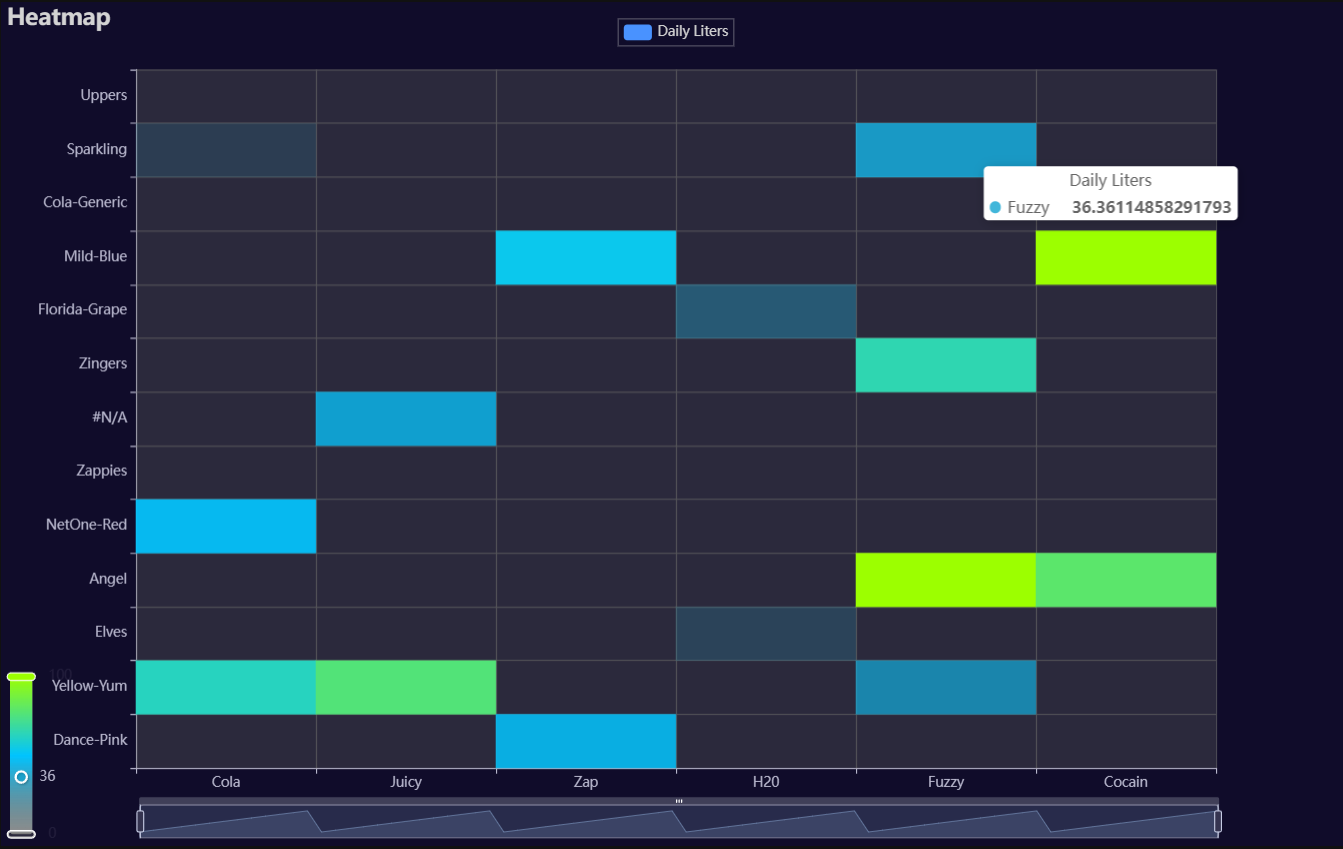
p1 = Charts.Heatmap(
  dt = data,
  PreAgg = False,
  YVar = 'Brand',
  XVar = 'Category',
  MeasureVar = 'Daily Liters',
  AggMethod = 'mean',
  MeasureVarTrans = "Identity",
  RenderHTML = None,
  ShowLabels = False,
  LabelPosition = "top",
  LabelColor = "#fff",
  Theme = 'dark',
  RangeColor = ["#5b5b5b5d", "#00c4ff", "#9cff00"],
  BackgroundColor = None,
  Width = "1200px",
  Height = "750px",
  ToolBox = True,
  Brush = True,
  DataZoom = True,
  Title = 'Heatmap',
  TitleColor = "lightgray",
  TitleFontSize = 20,
  SubTitle = None,
  SubTitleColor = "#fff",
  SubTitleFontSize = 12,
  AxisPointerType = 'cross',
  YAxisTitle = None,
  YAxisNameLocation = 'middle',
  YAxisNameGap = 70,
  XAxisTitle = None,
  XAxisNameLocation = 'middle',
  XAxisNameGap = 42,
  Legend = 'top',
  LegendPosRight = '0%',
  LegendPosTop = '2%',
  LegendBorderSize = 0.25,
  LegendTextColor = "lightgray",
  AnimationThreshold = 2000,
  AnimationDuration = 1000,
  AnimationEasing = "cubicOut",
  AnimationDelay = 0,
  AnimationDurationUpdate = 300,
  AnimationEasingUpdate = "cubicOut",
  AnimationDelayUpdate = 0)

# Needed to display
p1.load_javascript()

# In new cell
p1.render_notebook()
Histogram
Click for code example
# Environment
import pkg_resources
import polars as pl
from QuickEcharts import Charts
from pyecharts.globals import CurrentConfig, NotebookType
CurrentConfig.NOTEBOOK_TYPE = 'jupyter_lab'

# Pull Data from Package
FilePath = "..FakeBevData.csv"
data = pl.read_csv(FilePath)

# Create Plot in Jupyter Lab
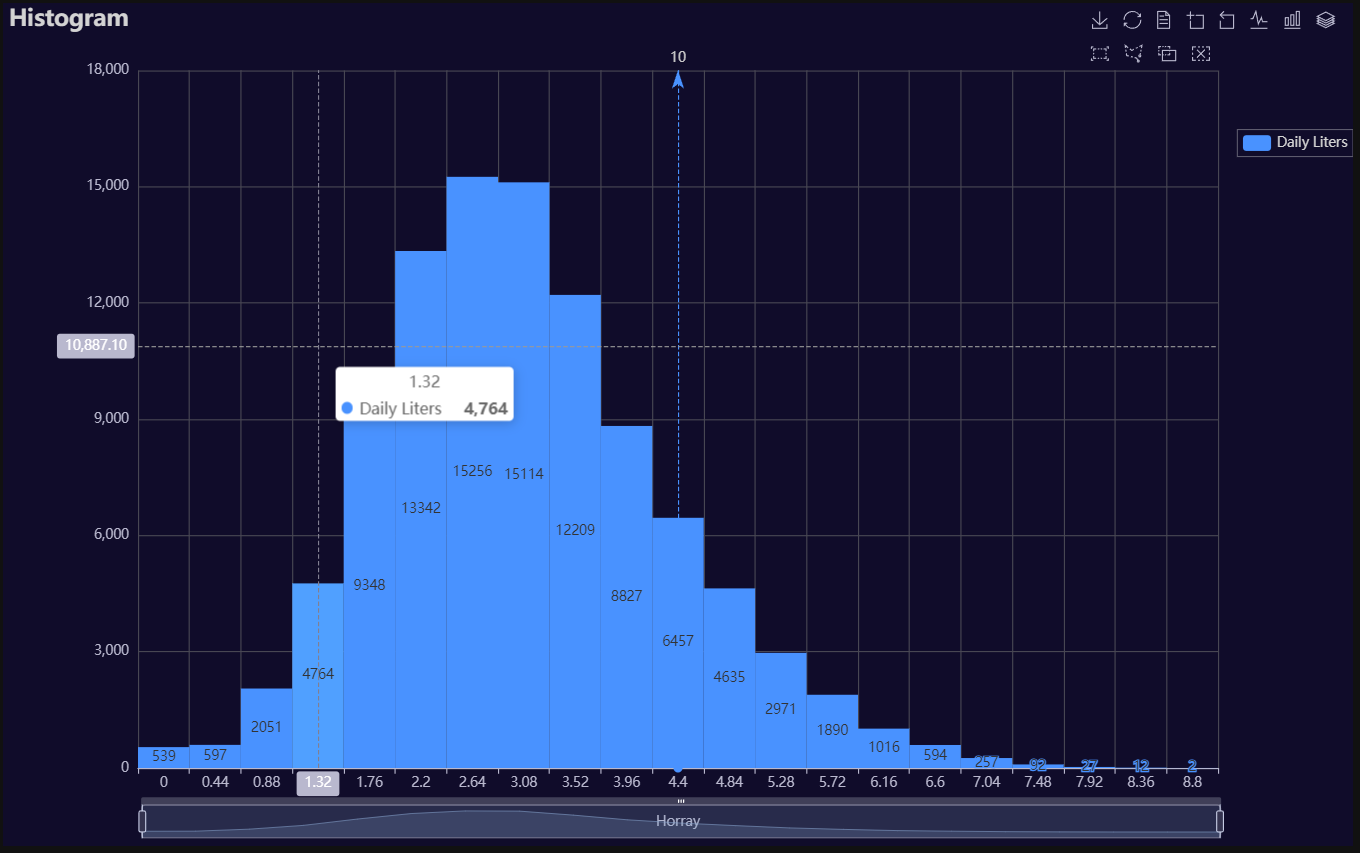
p1 = Charts.Histogram(
  dt = data,
  SampleSize = 100000,
  YVar = "Daily Liters",
  GroupVar = None,
  FacetRows = 2,
  FacetCols = 2,
  FacetLevels = None,
  TimeLine = False,
  YVarTrans = "logmin",
  RenderHTML = True,
  Theme = 'dark',
  CategoryGap = "0%",
  BackgroundColor = None,
  Width = "1200px",
  Height = "750px",
  ToolBox = True,
  Brush = True,
  DataZoom = True,
  Title = 'Histogram',
  TitleColor = "lightgray",
  TitleFontSize = 20,
  SubTitle = None,
  SubTitleColor = "#fff",
  SubTitleFontSize = 12,
  AxisPointerType = 'cross',
  XAxisTitle = "Horray",
  XAxisNameLocation = 'middle',
  XAxisNameGap = 42,
  Legend = 'right',
  LegendPosRight = '0%',
  LegendPosTop = '15%',
  LegendBorderSize = 0.25,
  LegendTextColor = "lightgray",
  VerticalLine = 10,
  VerticalLineName = 'Line Name',
  HorizontalLine = 40000,
  HorizontalLineName = 'Line Name',
  AnimationThreshold = 2000,
  AnimationDuration = 1000,
  AnimationEasing = "elasticOut",
  AnimationDelay = 0,
  AnimationDurationUpdate = 300,
  AnimationEasingUpdate = "cubicOut",
  AnimationDelayUpdate = 0)

# Needed to display
p1.load_javascript()

# In new cell
p1.render_notebook()
# Environment
import pkg_resources
import polars as pl
from QuickEcharts import Charts
from pyecharts.globals import CurrentConfig, NotebookType
CurrentConfig.NOTEBOOK_TYPE = 'jupyter_lab'

# Pull Data from Package
FilePath = "..FakeBevData.csv"
data = pl.read_csv(FilePath)

# Create Plot in Jupyter Lab
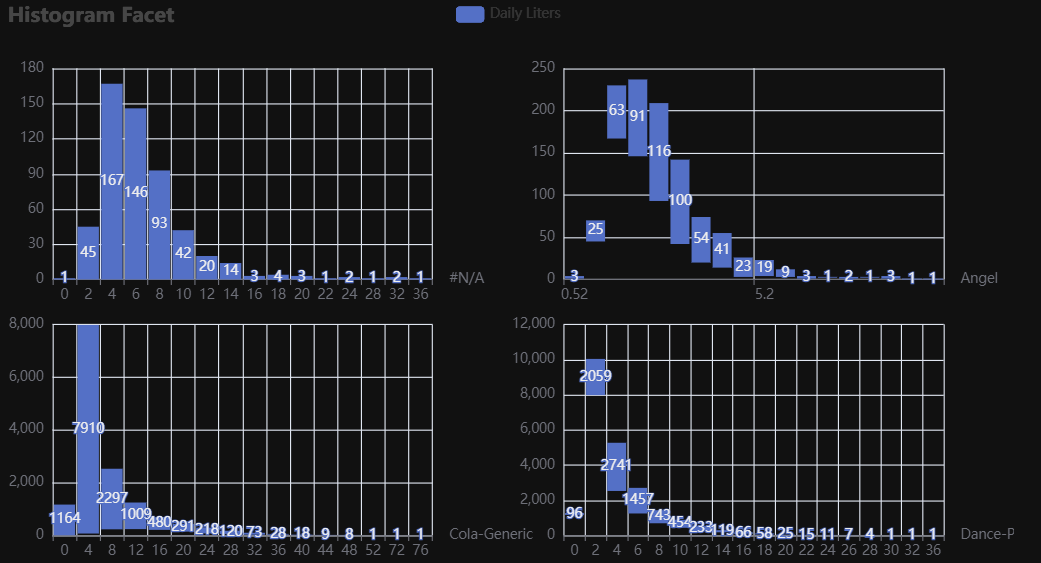
p1 = Charts.Histogram(
  dt = data,
  SampleSize = 500000,
  YVar = 'Daily Liters',
  GroupVar = 'Brand',
  FacetRows = 2,
  FacetCols = 2,
  FacetLevels = None,
  TimeLine = False,
  YVarTrans = None,
  RenderHTML = False
  NumberBins = 20,
  CategoryGap = "10%",
  Theme = 'wonderland',
  BackgroundColor = "#000",
  Width = None,
  Height = None,
  ToolBox = True,
  Brush = True,
  DataZoom = True,
  Title = 'Histogram',
  TitleColor = "#fff",
  TitleFontSize = 20,
  SubTitle = None,
  SubTitleColor = "#fff",
  SubTitleFontSize = 12,
  AxisPointerType = 'cross',
  XAxisTitle = None,
  XAxisNameLocation = 'middle',
  XAxisNameGap = 42,
  Legend = 'top',
  LegendPosRight = '0%',
  LegendPosTop = '5%',
  LegendBorderSize = 1,
  LegendTextColor = "#fff",
  VerticalLine = None,
  VerticalLineName = 'Line Name',
  HorizontalLine = None,
  HorizontalLineName = 'Line Name',
  AnimationThreshold = 2000,
  AnimationDuration = 1000,
  AnimationEasing = "cubicOut",
  AnimationDelay = 0,
  AnimationDurationUpdate = 300,
  AnimationEasingUpdate = "cubicOut",
  AnimationDelayUpdate = 0)

# Needed to display
p1.load_javascript()

# In new cell
p1.render_notebook()
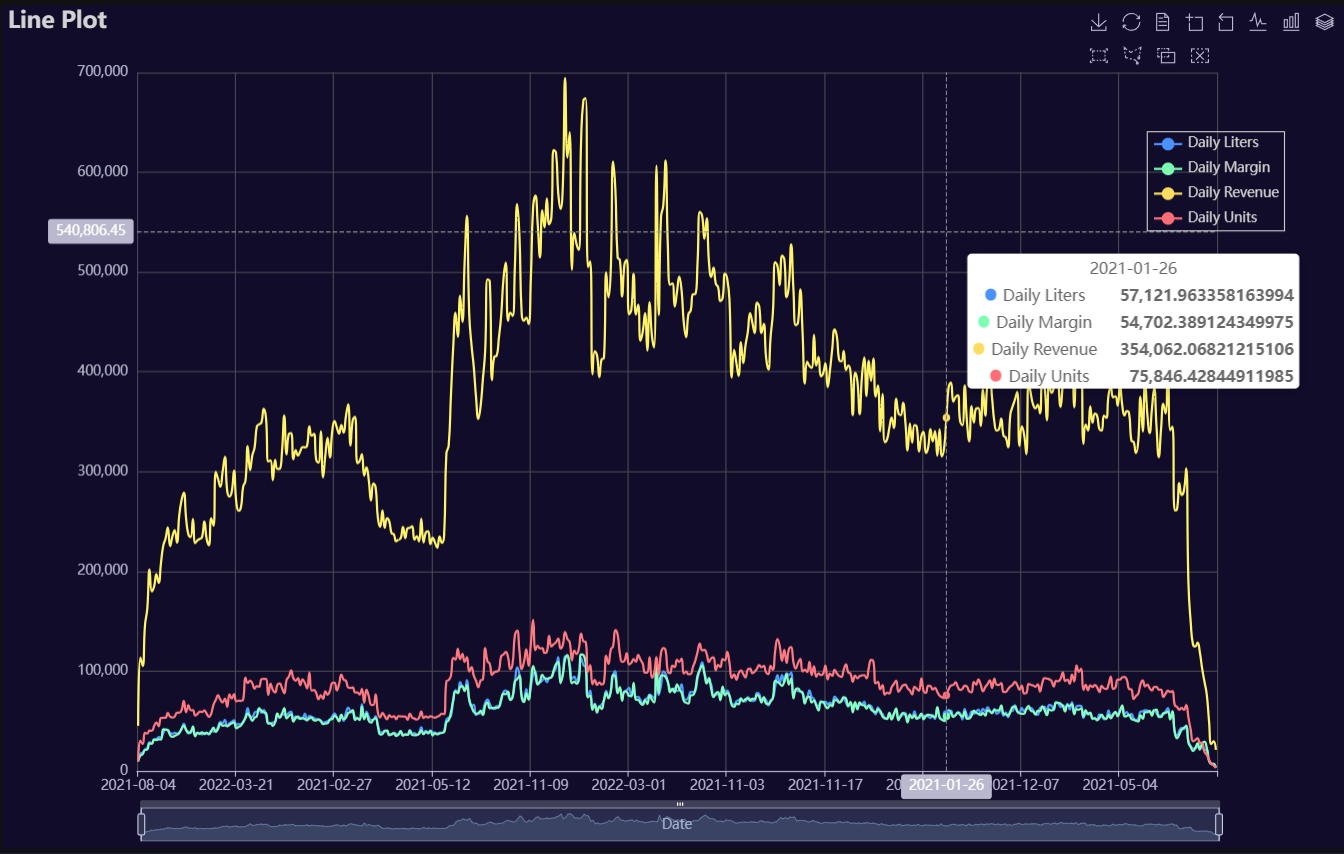
Line
Click for code example
# Environment
import pkg_resources
import polars as pl
from QuickEcharts import Charts
from pyecharts.globals import CurrentConfig, NotebookType
CurrentConfig.NOTEBOOK_TYPE = 'jupyter_lab'

# Pull Data from Package
FilePath = "..FakeBevData.csv"
data = pl.read_csv(FilePath)

# Create Plot in Jupyter Lab
p1 = Charts.Line(
  dt = data,
  PreAgg = False,
  YVar = ['Daily Liters', 'Daily Margin', 'Daily Revenue', 'Daily Units'],
  XVar = 'Date',
  GroupVar = None,
  FacetRows = 1,
  FacetCols = 1,
  FacetLevels = None,
  TimeLine = False,
  AggMethod = 'sum',
  YVarTrans = "Identity",
  RenderHTML = None,
  SmoothLine = True,
  LineWidth = 2,
  Symbol = None,
  SymbolSize = 6,
  ShowLabels = False,
  LabelPosition = "top",
  Theme = 'dark',
  BackgroundColor = None,
  Width = "1200px",
  Height = "750px",
  ToolBox = True,
  Brush = True,
  DataZoom = True,
  Title = 'Line Plot',
  TitleColor = "lightgray",
  TitleFontSize = 20,
  SubTitle = None,
  SubTitleColor = "#fff",
  SubTitleFontSize = 12,
  AxisPointerType = 'cross',
  YAxisTitle = None,
  YAxisNameLocation = 'middle',
  YAxisNameGap = 70,
  XAxisTitle = 'Date',
  XAxisNameLocation = 'middle',
  XAxisNameGap = 42,
  Legend = 'right',
  LegendPosRight = '5%',
  LegendPosTop = '15%',
  LegendBorderSize = 1,
  LegendTextColor = "lightgray",
  VerticalLine = None,
  VerticalLineName = 'Line Name',
  HorizontalLine = None,
  HorizontalLineName = 'Line Name',
  AnimationThreshold = 2000,
  AnimationDuration = 1000,
  AnimationEasing = "cubicOut",
  AnimationDelay = 0,
  AnimationDurationUpdate = 300,
  AnimationEasingUpdate = "cubicOut",
  AnimationDelayUpdate = 0)

# Needed to display
p1.load_javascript()

# In new cell
p1.render_notebook()
# Environment
import pkg_resources
import polars as pl
from QuickEcharts import Charts
from pyecharts.globals import CurrentConfig, NotebookType
CurrentConfig.NOTEBOOK_TYPE = 'jupyter_lab'

# Pull Data from Package
FilePath = "..FakeBevData.csv"
data = pl.read_csv(FilePath)

# Create Plot in Jupyter Lab
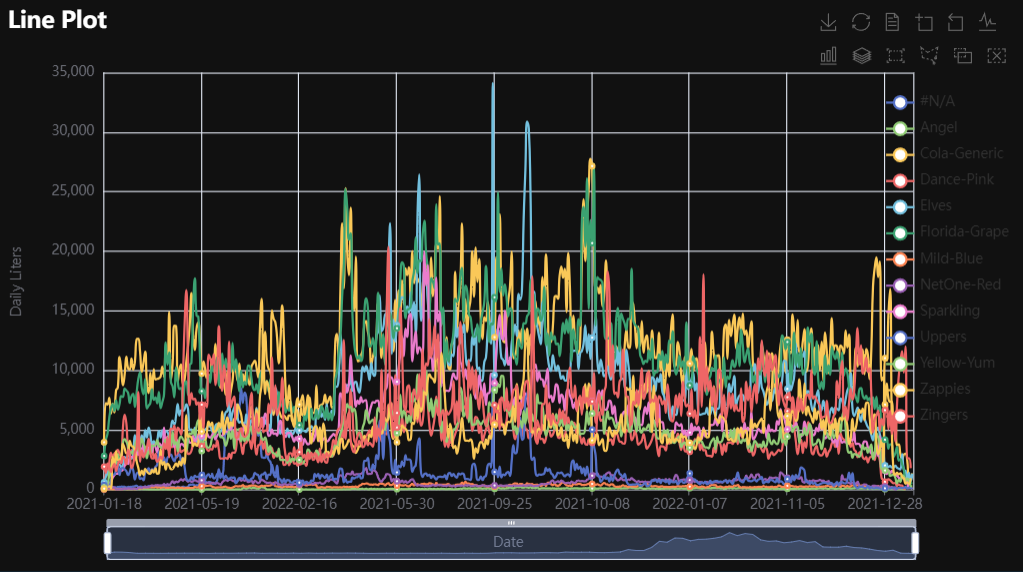
p1 = Charts.Line(
  dt = data,
  PreAgg = False,
  YVar = 'Daily Liters',
  XVar = 'Date',
  GroupVar = 'Brand',
  FacetRows = 1,
  FacetCols = 1,
  FacetLevels = None,
  TimeLine = False,
  AggMethod = 'sum',
  YVarTrans = "Identity",
  RenderHTML = None,
  SmoothLine = True,
  LineWidth = 2,
  Symbol = "emptyCircle",
  SymbolSize = 6,
  ShowLabels = False,
  LabelPosition = "top",
  Theme = 'wonderland',
  BackgroundColor = None,
  Width = None,
  Height = None,
  ToolBox = True,
  Brush = True,
  DataZoom = True,
  Title = 'Line Plot',
  TitleColor = "#fff",
  TitleFontSize = 20,
  SubTitle = None,
  SubTitleColor = "#fff",
  SubTitleFontSize = 12,
  AxisPointerType = 'cross',
  YAxisTitle = None,
  YAxisNameLocation = 'middle',
  YAxisNameGap = 70,
  XAxisTitle = None,
  XAxisNameLocation = 'middle',
  XAxisNameGap = 42,
  Legend = None,
  LegendPosRight = '0%',
  LegendPosTop = '5%',
  LegendBorderSize = 1,
  LegendTextColor = "#fff",
  VerticalLine = None,
  VerticalLineName = 'Line Name',
  HorizontalLine = None,
  HorizontalLineName = 'Line Name',
  AnimationThreshold = 2000,
  AnimationDuration = 1000,
  AnimationEasing = "cubicOut",
  AnimationDelay = 0,
  AnimationDurationUpdate = 300,
  AnimationEasingUpdate = "cubicOut",
  AnimationDelayUpdate = 0)

# Needed to display
p1.load_javascript()

# In new cell
p1.render_notebook()
# Environment
import pkg_resources
import polars as pl
from QuickEcharts import Charts
from pyecharts.globals import CurrentConfig, NotebookType
CurrentConfig.NOTEBOOK_TYPE = 'jupyter_lab'

# Pull Data from Package
FilePath = "..FakeBevData.csv"
data = pl.read_csv(FilePath)

# Create Plot in Jupyter Lab
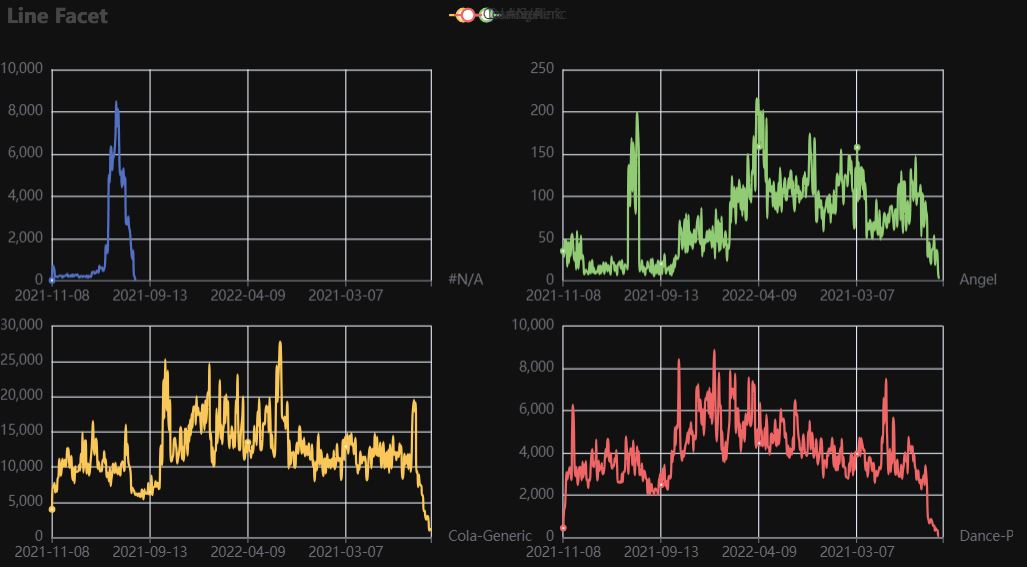
p1 = Charts.Line(
  dt = data,
  PreAgg = False,
  YVar = 'Daily Liters',
  XVar = 'Date',
  GroupVar = 'Brand',
  FacetRows = 2,
  FacetCols = 2,
  FacetLevels = None,
  TimeLine = False,
  AggMethod = 'sum',
  YVarTrans = "Identity",
  RenderHTML = None,
  SmoothLine = True,
  LineWidth = 2,
  Symbol = "emptyCircle",
  SymbolSize = 6,
  ShowLabels = False,
  LabelPosition = "top",
  Theme = 'wonderland',
  BackgroundColor = None,
  Width = None,
  Height = None,
  ToolBox = True,
  Brush = True,
  DataZoom = True,
  Title = 'Line Plot',
  TitleColor = "#fff",
  TitleFontSize = 20,
  SubTitle = None,
  SubTitleColor = "#fff",
  SubTitleFontSize = 12,
  AxisPointerType = 'cross',
  YAxisTitle = None,
  YAxisNameLocation = 'middle',
  YAxisNameGap = 70,
  XAxisTitle = None,
  XAxisNameLocation = 'middle',
  XAxisNameGap = 42,
  Legend = None,
  LegendPosRight = '0%',
  LegendPosTop = '5%',
  LegendBorderSize = 1,
  LegendTextColor = "#fff",
  VerticalLine = None,
  VerticalLineName = 'Line Name',
  HorizontalLine = None,
  HorizontalLineName = 'Line Name',
  AnimationThreshold = 2000,
  AnimationDuration = 1000,
  AnimationEasing = "cubicOut",
  AnimationDelay = 0,
  AnimationDurationUpdate = 300,
  AnimationEasingUpdate = "cubicOut",
  AnimationDelayUpdate = 0)

# Needed to display
p1.load_javascript()

# In new cell
p1.render_notebook()
Parallel
Click for code example
# Environment
import pkg_resources
import polars as pl
from QuickEcharts import Charts
from pyecharts.globals import CurrentConfig, NotebookType
CurrentConfig.NOTEBOOK_TYPE = 'jupyter_lab'

# Pull Data from Package
FilePath = "..FakeBevData.csv"
data = pl.read_csv(FilePath)

# Create Plot in Jupyter Lab
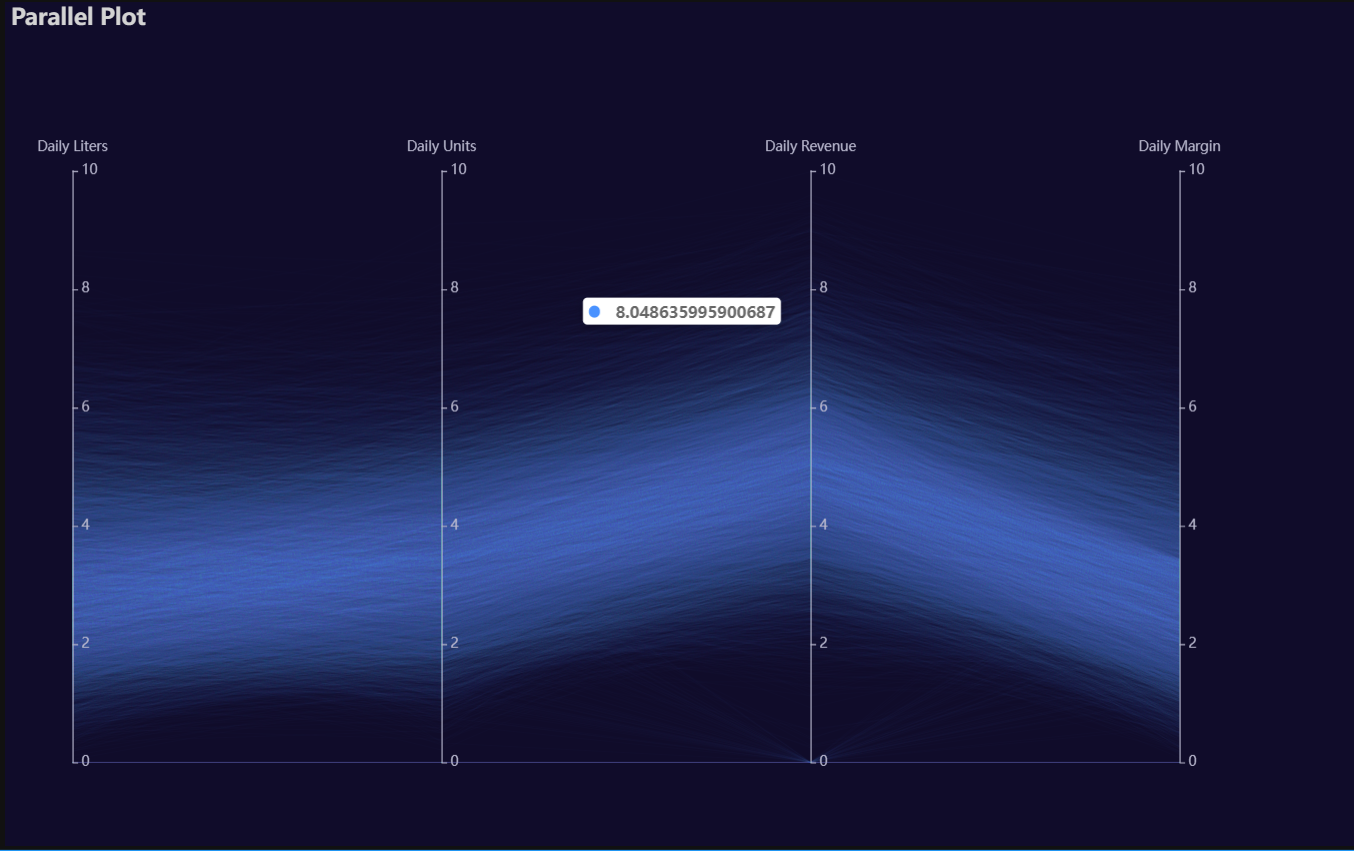
p1 = Charts.Parallel(
  dt = data,
  SampleSize = 15000,
  Vars = ['Daily Liters', 'Daily Units', 'Daily Revenue', 'Daily Margin'],
  VarsTrans = ['logmin'] * 4,
  RenderHTML = None,
  SymbolSize = 6,
  Opacity = 0.05,
  LineWidth = 0.20,
  Theme = 'dark',
  BackgroundColor = None,
  Width = "1200px",
  Height = "750px",
  Title = 'Parallel Plot',
  TitleColor = "lightgray",
  TitleFontSize = 20,
  SubTitle = None,
  SubTitleColor = "#fff",
  SubTitleFontSize = 12,
  AnimationThreshold = 2000,
  AnimationDuration = 1000,
  AnimationEasing = "cubicOut",
  AnimationDelay = 0,
  AnimationDurationUpdate = 300,
  AnimationEasingUpdate = "cubicOut",
  AnimationDelayUpdate = 0)

# Needed to display
p1.load_javascript()

# In new cell
p1.render_notebook()
Pie
Click for code example
# Environment
import pkg_resources
import polars as pl
from QuickEcharts import Charts
from pyecharts.globals import CurrentConfig, NotebookType
CurrentConfig.NOTEBOOK_TYPE = 'jupyter_lab'

# Pull Data from Package
FilePath = "..FakeBevData.csv"
data = pl.read_csv(FilePath)

# Create Plot in Jupyter Lab
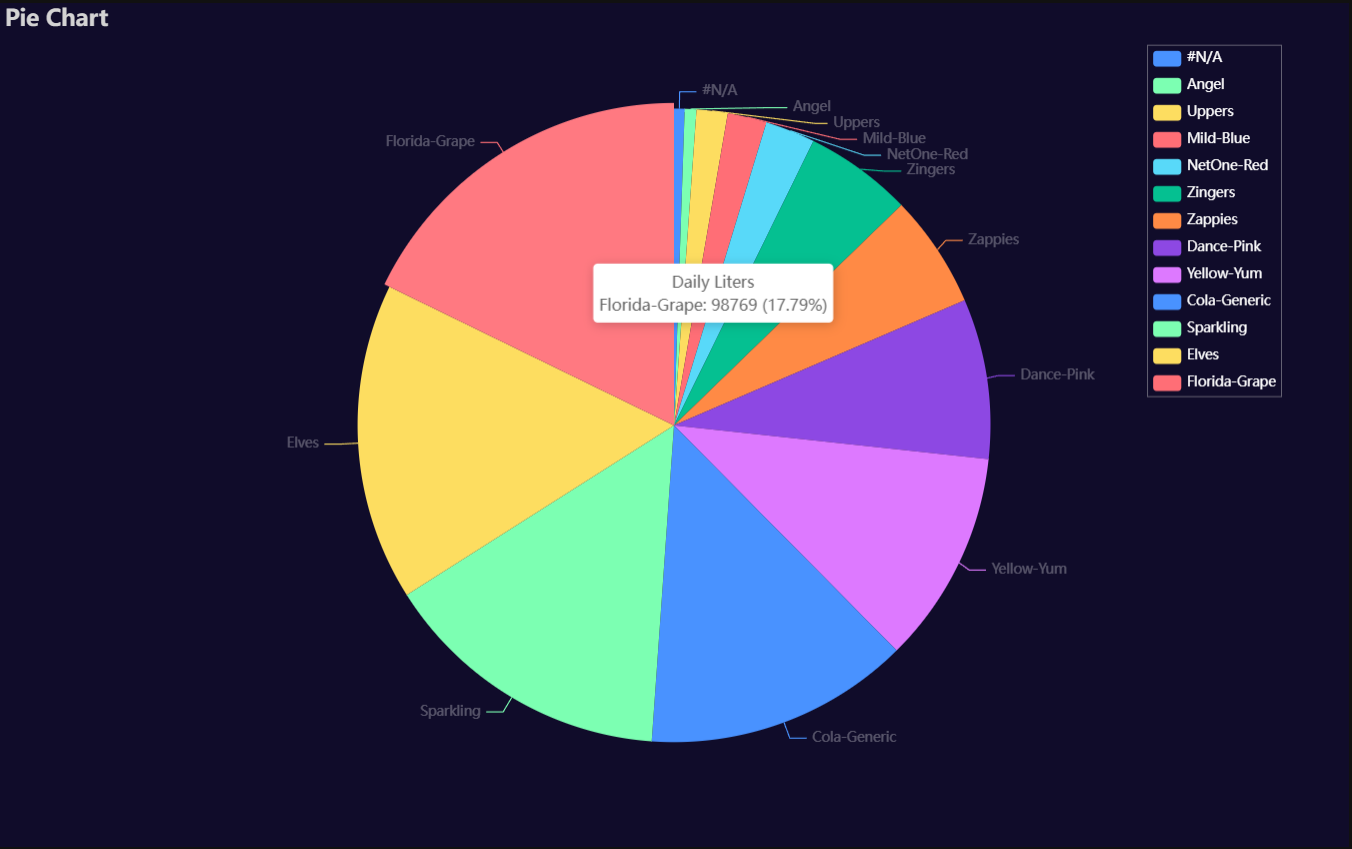
p1 = Charts.Pie(
  dt = data,
  PreAgg = False,
  YVar = 'Daily Liters',
  GroupVar = 'Brand',
  AggMethod = 'count',
  YVarTrans = None,
  RenderHTML = None,
  Theme = 'dark',
  BackgroundColor = None,
  Width = "1200px",
  Height = "750px",
  Title = 'Pie Chart',
  TitleColor = "lightgray",
  TitleFontSize = 20,
  SubTitle = None,
  SubTitleColor = "#fff",
  SubTitleFontSize = 12,
  Legend = "right",
  LegendPosRight = '5%',
  LegendPosTop = '5%',
  LegendBorderSize = 0.25,
  LegendTextColor = "#fff",
  AnimationThreshold = 2000,
  AnimationDuration = 1000,
  AnimationEasing = "cubicOut",
  AnimationDelay = 0,
  AnimationDurationUpdate = 300,
  AnimationEasingUpdate = "cubicOut",
  AnimationDelayUpdate = 0)

# Needed to display
p1.load_javascript()

# In new cell
p1.render_notebook()
Radar
Click for code example
# Environment
import pkg_resources
import polars as pl
from QuickEcharts import Charts
from pyecharts.globals import CurrentConfig, NotebookType
CurrentConfig.NOTEBOOK_TYPE = 'jupyter_lab'

# Pull Data from Package
FilePath = "..FakeBevData.csv"
data = pl.read_csv(FilePath)

# Create Plot in Jupyter Lab
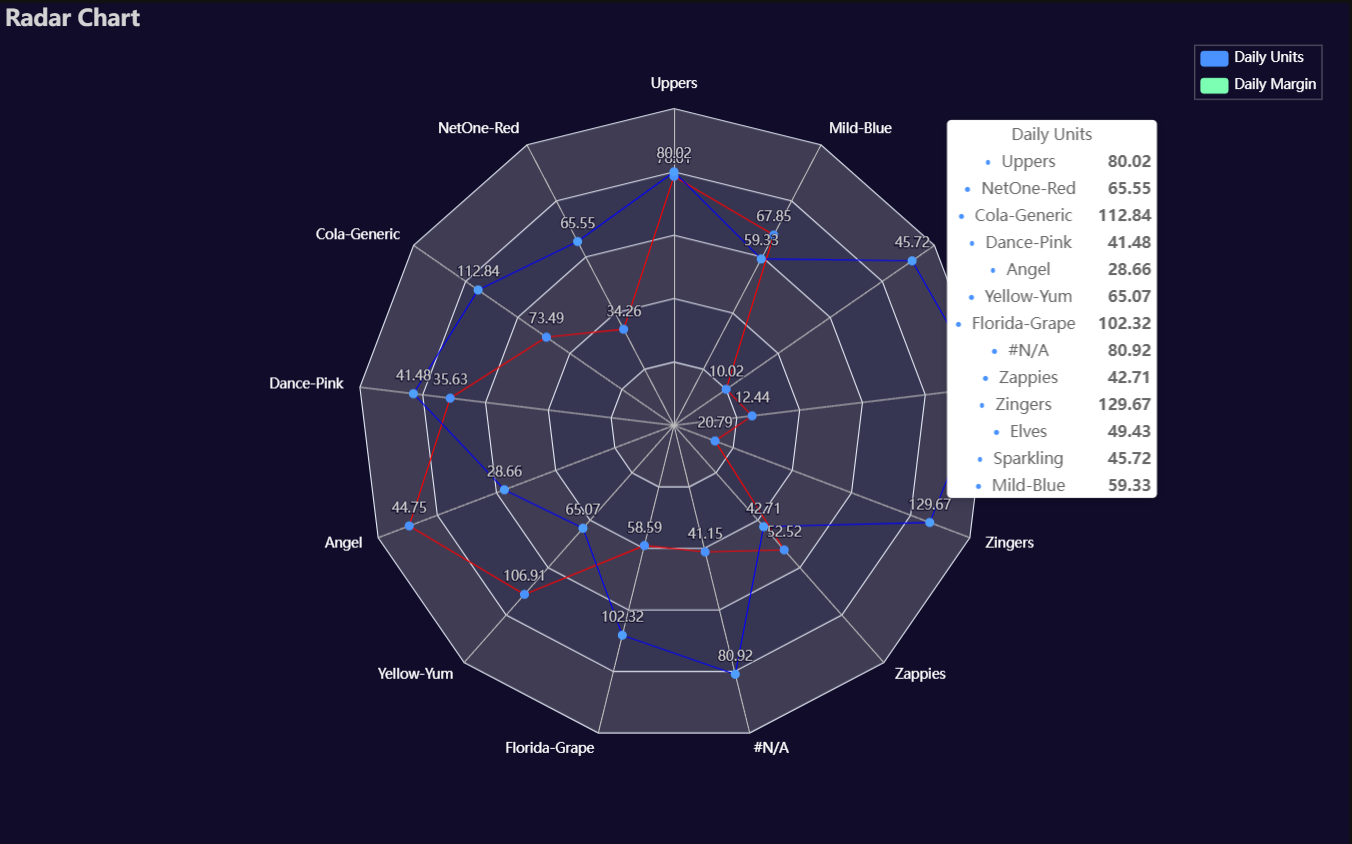
p1 = Charts.Radar(
  dt = data,
  YVar = ['Daily Liters', 'Daily Margin'],
  GroupVar = 'Brand',
  AggMethod = 'mean',
  YVarTrans = None,
  RenderHTML = None,
  LabelColor = '#fff',
  LineColors = ["#ed1690", "#8e5fa8", "#00a6fb", "#213f7f", "#22c0df"],
  Theme = 'dark',
  BackgroundColor = None,
  Width = "1200px",
  Height = "750px",
  Title = 'Radar Chart',
  TitleColor = "lightgray",
  TitleFontSize = 20,
  SubTitle = None,
  SubTitleColor = "#fff",
  SubTitleFontSize = 12,
  Legend = 'right',
  LegendPosRight = '2%',
  LegendPosTop = '5%',
  LegendBorderSize = 0.25,
  LegendTextColor = "#fff",
  AnimationThreshold = 2000,
  AnimationDuration = 1000,
  AnimationEasing = "cubicOut",
  AnimationDelay = 0,
  AnimationDurationUpdate = 300,
  AnimationEasingUpdate = "cubicOut",
  AnimationDelayUpdate = 0)

# Needed to display
p1.load_javascript()

# In new cell
p1.render_notebook()
River
Click for code example
# Environment
import pkg_resources
import polars as pl
from QuickEcharts import Charts
from pyecharts.globals import CurrentConfig, NotebookType
CurrentConfig.NOTEBOOK_TYPE = 'jupyter_lab'

# Pull Data from Package
FilePath = "..FakeBevData.csv"
data = pl.read_csv(FilePath)

# Create Plot in Jupyter Lab
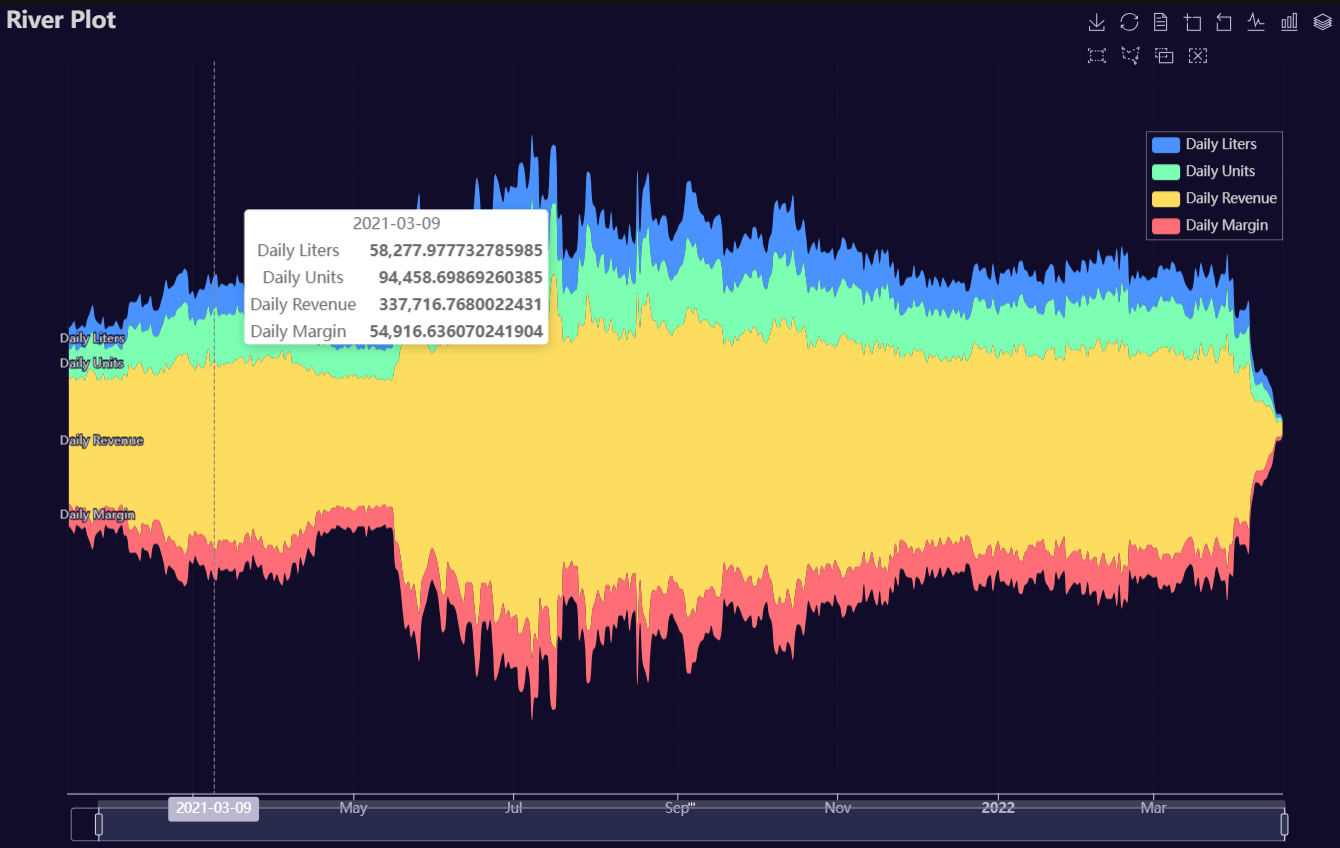
p1 = Charts.River(
  dt = data,
  PreAgg = False,
  YVars = ['Daily Liters', 'Daily Units', 'Daily Revenue', 'Daily Margin'],
  DateVar = 'Date',
  GroupVar = None,
  AggMethod = "sum",
  YVarTrans = None,
  RenderHTML = None,
  Theme = 'dark',
  BackgroundColor = None,
  Width = "1200px",
  Height = "750px",
  ToolBox = True,
  Brush = True,
  DataZoom = True,
  AxisPointerType = "cross",
  Title = "River Plot",
  TitleColor = "lightgray",
  TitleFontSize = 20,
  SubTitle = None,
  SubTitleColor = "#fff",
  SubTitleFontSize = 12,
  Legend = 'right',
  LegendPosRight = '5%',
  LegendPosTop = '15%',
  LegendBorderSize = 0.25,
  LegendTextColor = "lightgray",
  AnimationThreshold = 2000,
  AnimationDuration = 1000,
  AnimationEasing = "cubicOut",
  AnimationDelay = 0,
  AnimationDurationUpdate = 300,
  AnimationEasingUpdate = "cubicOut",
  AnimationDelayUpdate = 0)

# Needed to display
p1.load_javascript()

# In new cell
p1.render_notebook()
# Environment
import pkg_resources
import polars as pl
from QuickEcharts import Charts
from pyecharts.globals import CurrentConfig, NotebookType
CurrentConfig.NOTEBOOK_TYPE = 'jupyter_lab'

# Pull Data from Package
FilePath = "..FakeBevData.csv"
data = pl.read_csv(FilePath)

# Create Plot in Jupyter Lab
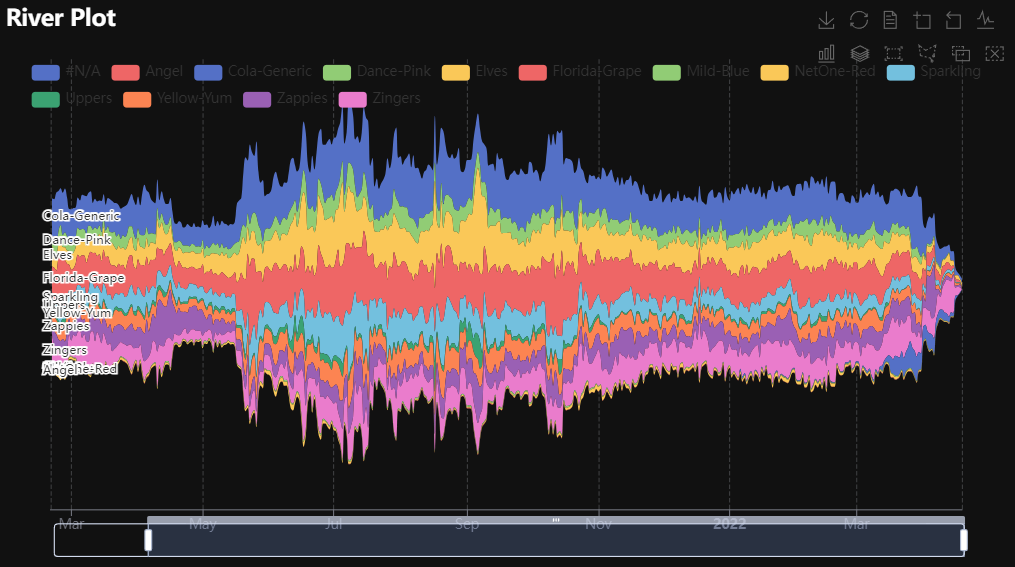
p1 = Charts.River(
  dt = data,
  PreAgg = False,
  YVars = 'Daily Liters',
  DateVar = 'Date',
  GroupVar = 'Brand',
  AggMethod = "sum",
  YVarTrans = None,
  RenderHTML = None,
  Theme = 'wonderland',
  BackgroundColor = None,
  ToolBox = True,
  Brush = True,
  DataZoom = True,
  Width = None,
  Height = None,
  AxisPointerType = "cross",
  Title = "River Plot",
  TitleColor = "#fff",
  TitleFontSize = 20,
  SubTitle = None,
  SubTitleColor = "#fff",
  SubTitleFontSize = 12,
  Legend = None,
  LegendPosRight = '0%',
  LegendPosTop = '5%',
  LegendBorderSize = 1,
  LegendTextColor = "#fff",
  AnimationThreshold = 2000,
  AnimationDuration = 1000,
  AnimationEasing = "cubicOut",
  AnimationDelay = 0,
  AnimationDurationUpdate = 300,
  AnimationEasingUpdate = "cubicOut",
  AnimationDelayUpdate = 0)

# Needed to display
p1.load_javascript()

# In new cell
p1.render_notebook()
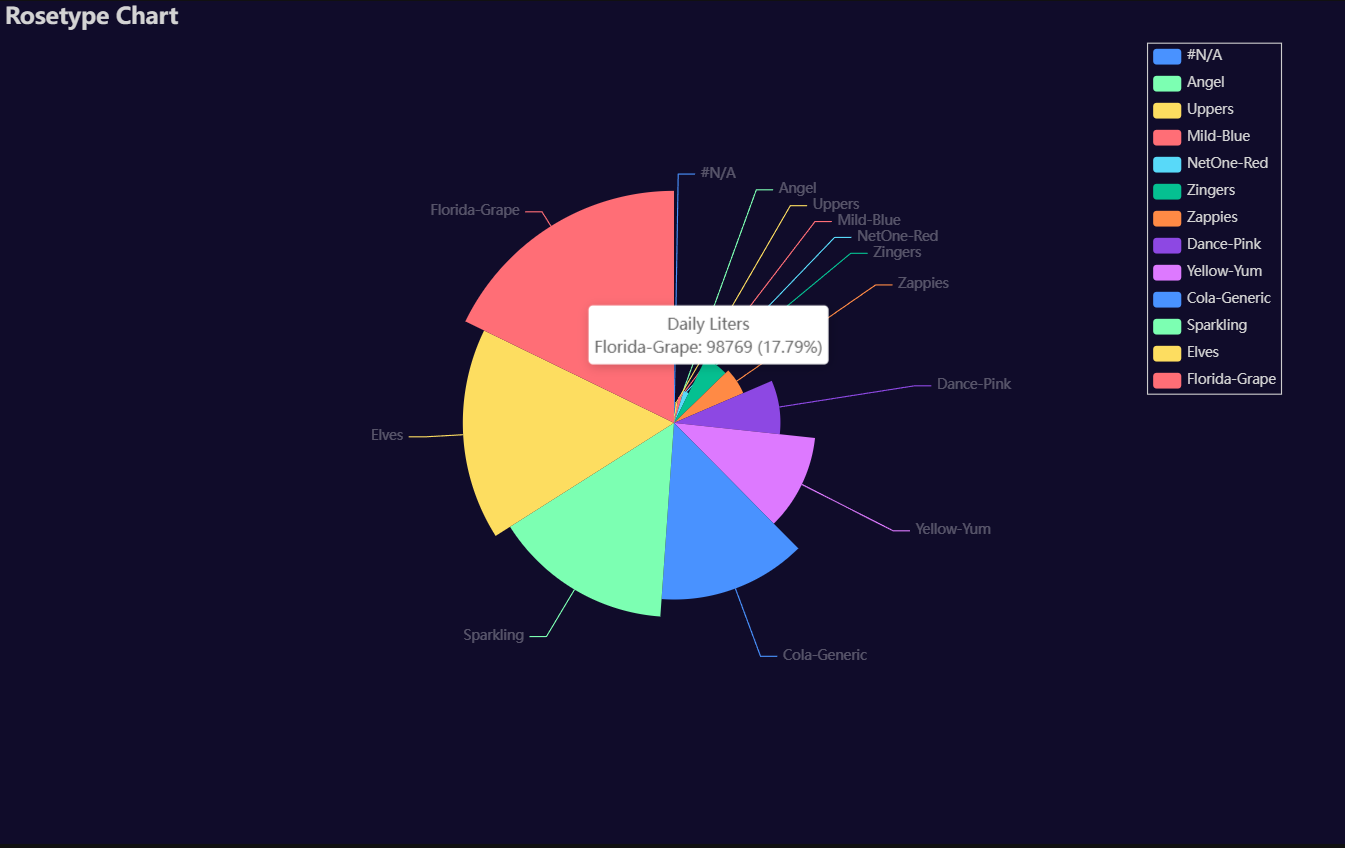
Rosetype
Click for code example
# Environment
import pkg_resources
import polars as pl
from QuickEcharts import Charts
from pyecharts.globals import CurrentConfig, NotebookType
CurrentConfig.NOTEBOOK_TYPE = 'jupyter_lab'

# Pull Data from Package
FilePath = "..FakeBevData.csv"
data = pl.read_csv(FilePath)

# Create Plot in Jupyter Lab
p1 = Charts.Rosetype(
  dt = data,
  PreAgg = False,
  YVar = 'Daily Liters',
  GroupVar = 'Brand',
  AggMethod = 'count',
  YVarTrans = "Identity",
  RenderHTML = None,
  Type = "radius",
  Radius = "55%",
  Theme = 'dark',
  BackgroundColor = None,
  Width = "1200px",
  Height = "750px",
  Title = 'Rosetype Chart',
  TitleColor = "lightgray",
  TitleFontSize = 20,
  SubTitle = None,
  SubTitleColor = "#fff",
  SubTitleFontSize = 12,
  Legend = 'right',
  LegendPosRight = '5%',
  LegendPosTop = '5%',
  LegendBorderSize = 1,
  LegendTextColor = "lightgray",
  AnimationThreshold = 2000,
  AnimationDuration = 1000,
  AnimationEasing = "cubicOut",
  AnimationDelay = 0,
  AnimationDurationUpdate = 300,
  AnimationEasingUpdate = "cubicOut",
  AnimationDelayUpdate = 0)

# Needed to display
p1.load_javascript()

# In new cell
p1.render_notebook()
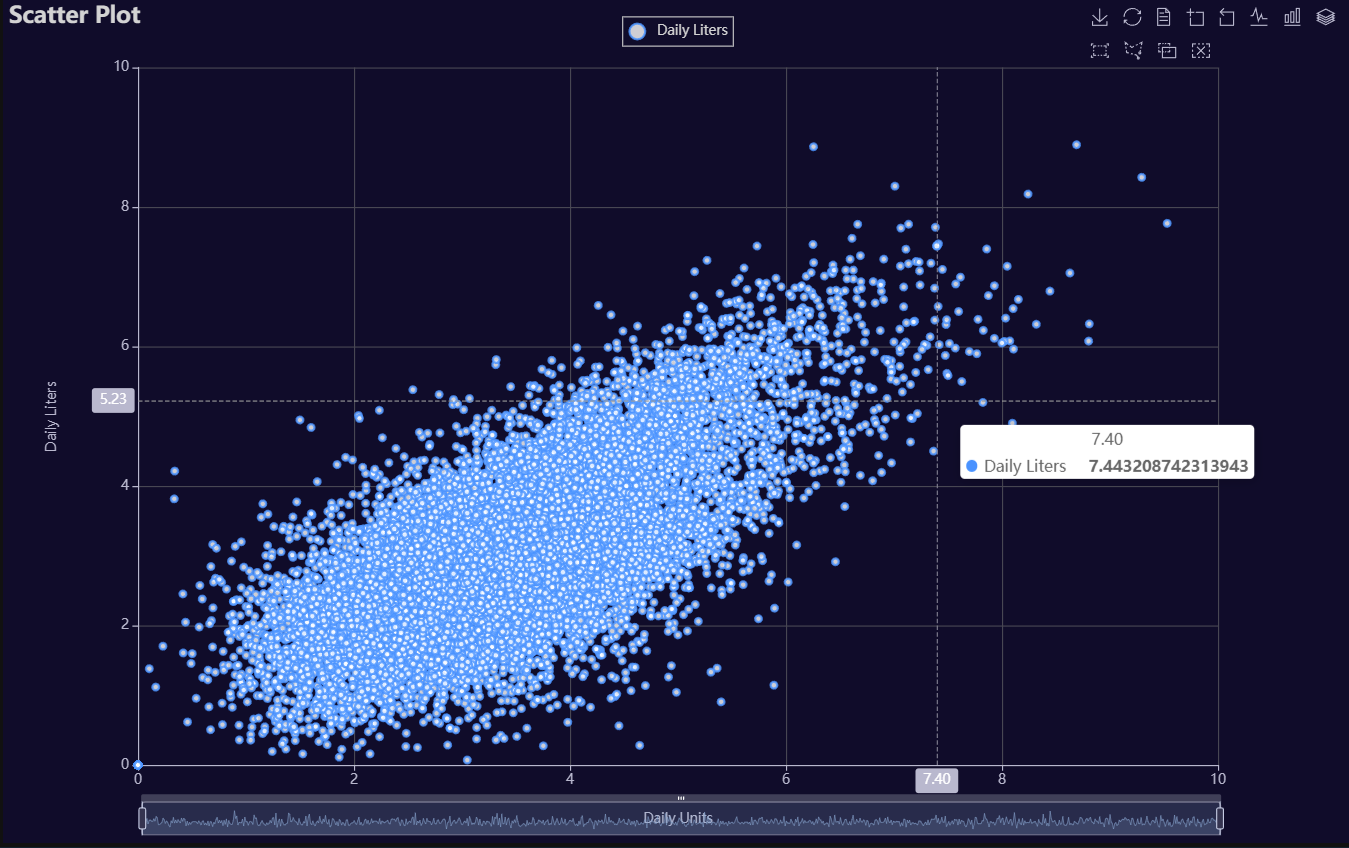
Scatter
Click for code example
# Environment
import pkg_resources
import polars as pl
from QuickEcharts import Charts
from pyecharts.globals import CurrentConfig, NotebookType
CurrentConfig.NOTEBOOK_TYPE = 'jupyter_lab'

# Pull Data from Package
FilePath = "..FakeBevData.csv"
data = pl.read_csv(FilePath)

# Create Plot in Jupyter Lab
p1 = Charts.Scatter(
  dt = data,
  SampleSize = 15000,
  YVar = 'Daily Liters',
  XVar = 'Daily Units',
  GroupVar = None,
  FacetRows = 1,
  FacetCols = 1,
  FacetLevels = None,
  TimeLine = False,
  AggMethod = 'mean',
  YVarTrans = "logmin",
  XVarTrans = "logmin",
  RenderHTML = None,
  LineWidth = 2,
  Symbol = "emptyCircle",
  SymbolSize = 6,
  ShowLabels = False,
  LabelPosition = "top",
  Theme = 'dark',
  BackgroundColor = None,
  Width = "1200px",
  Height = "750px",
  ToolBox = True,
  Brush = True,
  DataZoom = True,
  Title = 'Scatter Plot',
  TitleColor = "lightgray",
  TitleFontSize = 20,
  SubTitle = None,
  SubTitleColor = "#fff",
  SubTitleFontSize = 12,
  AxisPointerType = 'cross',
  YAxisTitle = 'Daily Liters',
  YAxisNameLocation = 'middle',
  YAxisNameGap = 70,
  XAxisTitle = 'Daily Units',
  XAxisNameLocation = 'middle',
  XAxisNameGap = 42,
  Legend = 'top',
  LegendPosRight = '0%',
  LegendPosTop = '2%',
  LegendBorderSize = 1,
  LegendTextColor = "lightgray",
  VerticalLine = None,
  VerticalLineName = 'Line Name',
  HorizontalLine = None,
  HorizontalLineName = 'Line Name',
  AnimationThreshold = 2000,
  AnimationDuration = 1000,
  AnimationEasing = "cubicOut",
  AnimationDelay = 0,
  AnimationDurationUpdate = 300,
  AnimationEasingUpdate = "cubicOut",
  AnimationDelayUpdate = 0)

# Needed to display
p1.load_javascript()

# In new cell
p1.render_notebook()
# Environment
import pkg_resources
import polars as pl
from QuickEcharts import Charts
from pyecharts.globals import CurrentConfig, NotebookType
CurrentConfig.NOTEBOOK_TYPE = 'jupyter_lab'

# Pull Data from Package
FilePath = "..FakeBevData.csv"
data = pl.read_csv(FilePath)

# Create Plot in Jupyter Lab
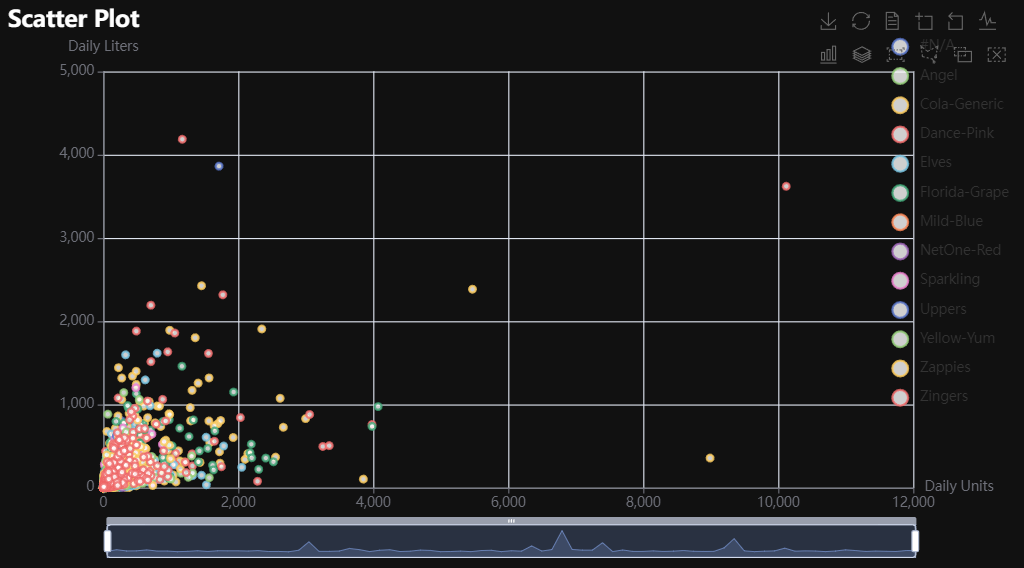
p1 = Charts.Scatter(
  dt = data,
  SampleSize = 15000,
  YVar = 'Daily Liters',
  XVar = 'Daily Units',
  GroupVar = 'Brand',
  FacetRows = 1,
  FacetCols = 1,
  FacetLevels = None,
  TimeLine = False,
  AggMethod = 'mean',
  YVarTrans = "Identity",
  XVarTrans = "Identity",
  RenderHTML = None,
  Symbol = "emptyCircle",
  SymbolSize = 6,
  ShowLabels = False,
  LabelPosition = "top",
  Theme = 'wonderland',
  BackgroundColor = None,
  Width = None,
  Height = None,
  ToolBox = True,
  Brush = True,
  DataZoom = True,
  Title = 'Scatter Plot',
  TitleColor = "#fff",
  TitleFontSize = 20,
  SubTitle = None,
  SubTitleColor = "#fff",
  SubTitleFontSize = 12,
  AxisPointerType = 'cross',
  YAxisTitle = None,
  YAxisNameLocation = 'middle',
  YAxisNameGap = 70,
  XAxisTitle = None,
  XAxisNameLocation = 'middle',
  XAxisNameGap = 42,
  Legend = None,
  LegendPosRight = '0%',
  LegendPosTop = '5%',
  LegendBorderSize = 1,
  LegendTextColor = "#fff",
  VerticalLine = None,
  VerticalLineName = 'Line Name',
  HorizontalLine = None,
  HorizontalLineName = 'Line Name',
  AnimationThreshold = 2000,
  AnimationDuration = 1000,
  AnimationEasing = "cubicOut",
  AnimationDelay = 0,
  AnimationDurationUpdate = 300,
  AnimationEasingUpdate = "cubicOut",
  AnimationDelayUpdate = 0)

# Needed to display
p1.load_javascript()

# In new cell
p1.render_notebook()
# Environment
import pkg_resources
import polars as pl
from QuickEcharts import Charts
from pyecharts.globals import CurrentConfig, NotebookType
CurrentConfig.NOTEBOOK_TYPE = 'jupyter_lab'

# Pull Data from Package
FilePath = "..FakeBevData.csv"
data = pl.read_csv(FilePath)

# Create Plot in Jupyter Lab
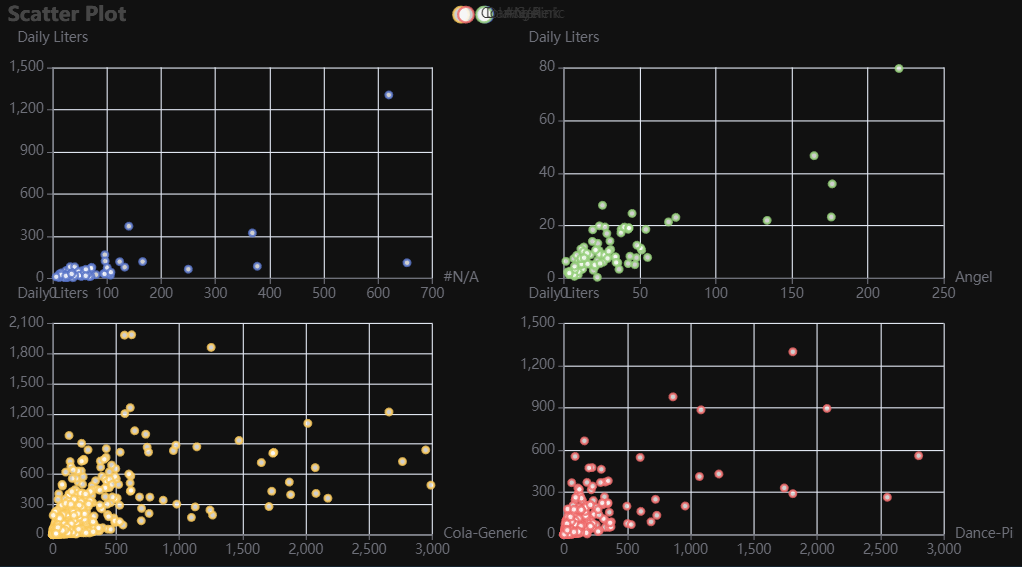
p1 = Charts.Scatter(
  dt = data,
  SampleSize = 15000,
  YVar = 'Daily Liters',
  XVar = 'Daily Units',
  GroupVar = 'Brand',
  FacetRows = 2,
  FacetCols = 2,
  FacetLevels = None,
  TimeLine = False,
  AggMethod = 'mean',
  YVarTrans = "Identity",
  XVarTrans = "Identity",
  RenderHTML = None,
  Symbol = "emptyCircle",
  SymbolSize = 6,
  ShowLabels = False,
  LabelPosition = "top",
  Theme = 'wonderland',
  BackgroundColor = None,
  Width = None,
  Height = None,
  ToolBox = True,
  Brush = True,
  DataZoom = True,
  Title = 'Scatter Plot',
  TitleColor = "#fff",
  TitleFontSize = 20,
  SubTitle = None,
  SubTitleColor = "#fff",
  SubTitleFontSize = 12,
  AxisPointerType = 'cross',
  YAxisTitle = None,
  YAxisNameLocation = 'middle',
  YAxisNameGap = 70,
  XAxisTitle = None,
  XAxisNameLocation = 'middle',
  XAxisNameGap = 42,
  Legend = None,
  LegendPosRight = '0%',
  LegendPosTop = '5%',
  LegendBorderSize = 1,
  LegendTextColor = "#fff",
  VerticalLine = None,
  VerticalLineName = 'Line Name',
  HorizontalLine = None,
  HorizontalLineName = 'Line Name',
  AnimationThreshold = 2000,
  AnimationDuration = 1000,
  AnimationEasing = "cubicOut",
  AnimationDelay = 0,
  AnimationDurationUpdate = 300,
  AnimationEasingUpdate = "cubicOut",
  AnimationDelayUpdate = 0)

# Needed to display
p1.load_javascript()

# In new cell
p1.render_notebook()
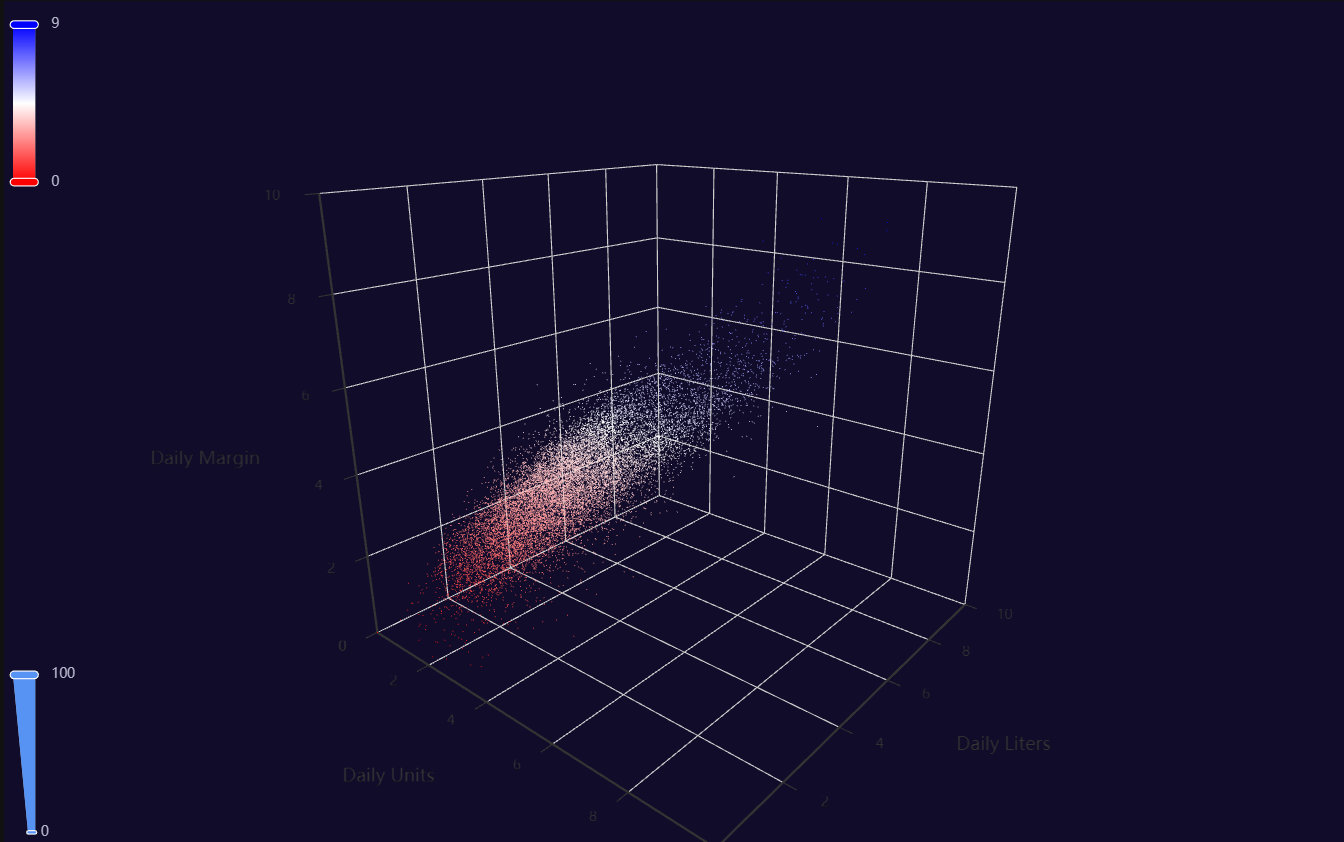
Scatter3D
Click for code example
# Environment
import pkg_resources
import polars as pl
from QuickEcharts import Charts
from pyecharts.globals import CurrentConfig, NotebookType
CurrentConfig.NOTEBOOK_TYPE = 'jupyter_lab'

# Pull Data from Package
FilePath = "..FakeBevData.csv"
data = pl.read_csv(FilePath)

# Create Plot in Jupyter Lab
p1 = Charts.Scatter3D(
  dt = data,
  SampleSize = 15000,
  YVar = 'Daily Liters',
  XVar = 'Daily Units',
  ZVar = 'Daily Margin',
  ColorMapVar = "ZVar",
  AggMethod = 'mean',
  YVarTrans = "logmin",
  XVarTrans = "logmin",
  ZVarTrans = "logmin",
  RenderHTML = None,
  SymbolSize = 6,
  Theme = 'dark',
  RangeColor = ["red", "white", "blue"],
  BackgroundColor = None,
  Width = "1200px",
  Height = "750px",
  AnimationThreshold = 2000,
  AnimationDuration = 1000,
  AnimationEasing = "cubicOut",
  AnimationDelay = 0,
  AnimationDurationUpdate = 300,
  AnimationEasingUpdate = "cubicOut",
  AnimationDelayUpdate = 0)

# Needed to display
p1.load_javascript()

# In new cell
p1.render_notebook()
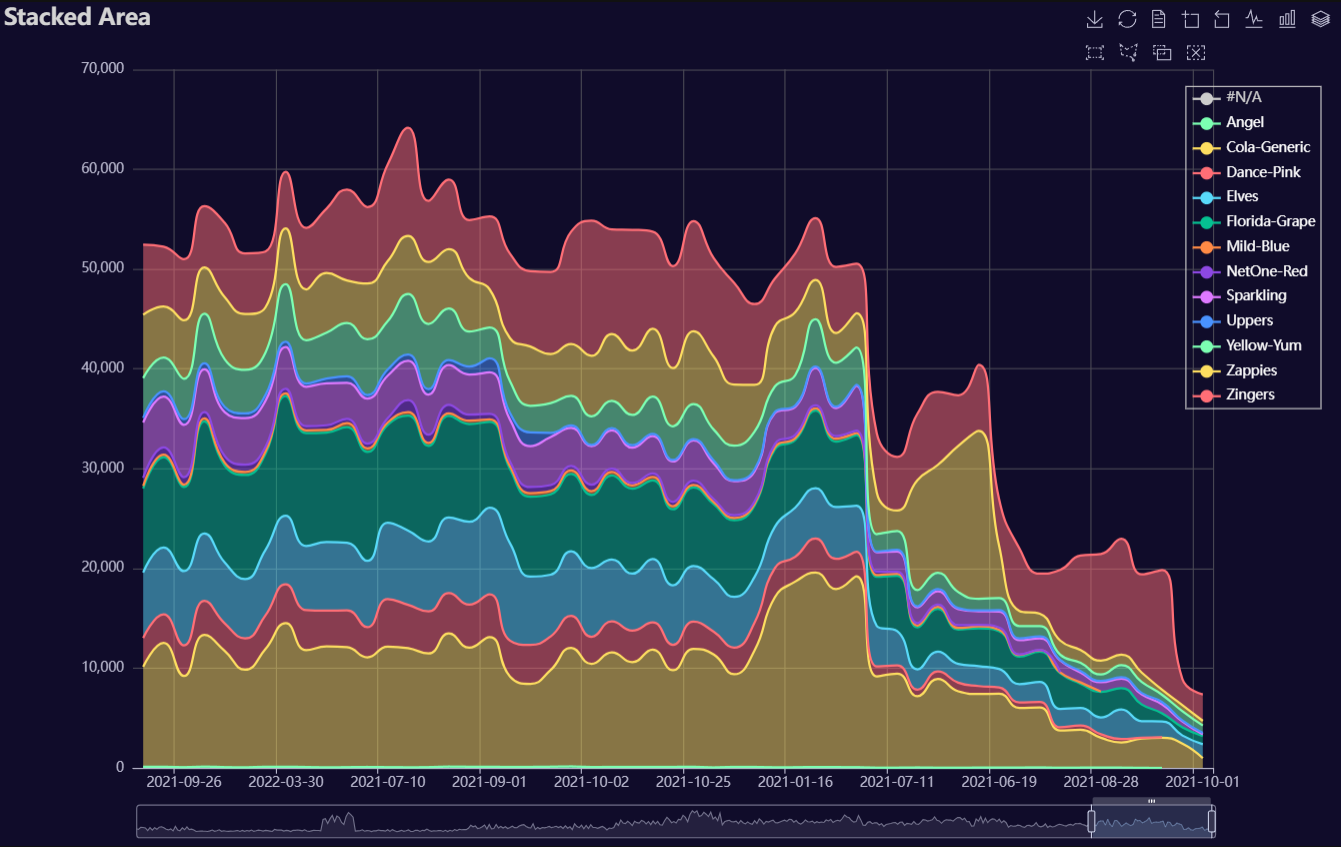
Stacked Area
Click for code example
# Environment
import polars as pl
from QuickEcharts import Charts
from pyecharts.globals import CurrentConfig, NotebookType
CurrentConfig.NOTEBOOK_TYPE = 'jupyter_lab'

# Pull Data from Package
FilePath = "..FakeBevData.csv"
data = pl.read_csv(FilePath)

# Create Plot in Jupyter Lab
p1 = Charts.StackedArea(
  dt = data,
  PreAgg = False,
  YVar = 'Daily Liters',
  XVar = 'Date',
  GroupVar = 'Brand',
  AggMethod = 'sum',
  YVarTrans = "Identity",
  RenderHTML = None,
  Opacity = 0.5,
  LineWidth = 2,
  Symbol = None,
  SymbolSize = 6,
  ShowLabels = False,
  LabelPosition = "top",
  Theme = 'dark',
  BackgroundColor = None,
  Width = "1200px",
  Height = "750px",
  ToolBox = True,
  Brush = True,
  DataZoom = True,
  Title = 'Stacked Area',
  TitleColor = "lightgray",
  TitleFontSize = 20,
  SubTitle = None,
  SubTitleColor = "#fff",
  SubTitleFontSize = 12,
  AxisPointerType = 'cross',
  YAxisTitle = None,
  YAxisNameLocation = 'middle',
  YAxisNameGap = 70,
  XAxisTitle = None,
  XAxisNameLocation = 'middle',
  XAxisNameGap = 42,
  Legend = "right",
  LegendPosRight = '2%',
  LegendPosTop = '10%',
  LegendBorderSize = 1,
  LegendTextColor = "#fff",
  AnimationThreshold = 2000,
  AnimationDuration = 1000,
  AnimationEasing = "cubicOut",
  AnimationDelay = 0,
  AnimationDurationUpdate = 300,
  AnimationEasingUpdate = "cubicOut",
  AnimationDelayUpdate = 0)

# Needed to display
p1.load_javascript()

# In new cell
p1.render_notebook()
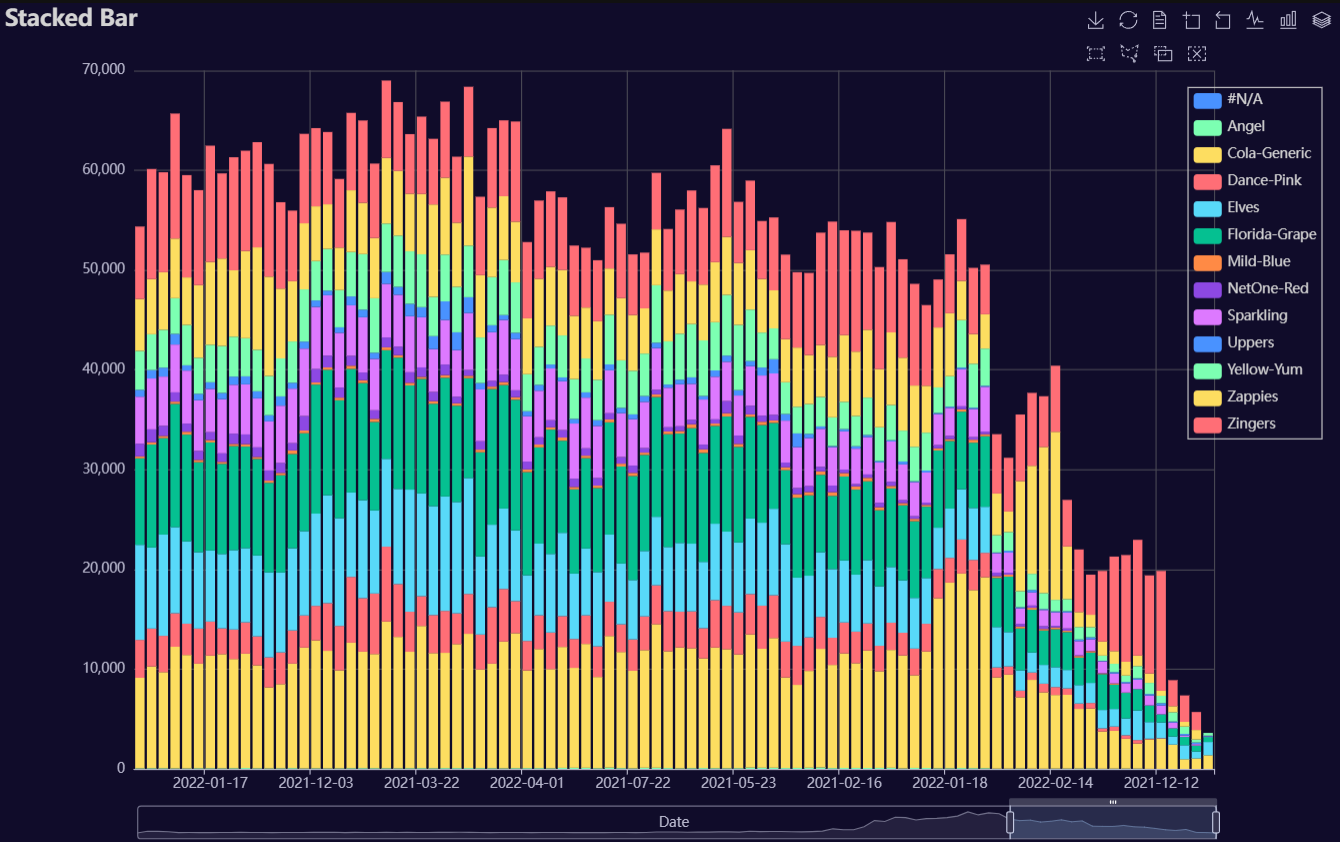
Stacked Bar
Click for code example
# Environment
import polars as pl
from QuickEcharts import Charts
from pyecharts.globals import CurrentConfig, NotebookType
CurrentConfig.NOTEBOOK_TYPE = 'jupyter_lab'

# Pull Data from Package
FilePath = "..FakeBevData.csv"
data = pl.read_csv(FilePath)

# Create Plot in Jupyter Lab
p1 = Charts.StackedBar(
  dt = data,
  PreAgg = False,
  YVar = 'Daily Liters',
  XVar = 'Date',
  GroupVar = 'Brand',
  AggMethod = 'sum',
  YVarTrans = "Identity",
  RenderHTML = None,
  ShowLabels = False,
  LabelPosition = "top",
  Theme = 'wonderland',
  BackgroundColor = None,
  Width = None,
  Height = None,
  ToolBox = True,
  Brush = True,
  DataZoom = True,
  Title = 'Stacked Bar',
  TitleColor = "#fff",
  TitleFontSize = 20,
  SubTitle = None,
  SubTitleColor = "#fff",
  SubTitleFontSize = 12,
  AxisPointerType = 'cross',
  YAxisTitle = None,
  YAxisNameLocation = 'middle',
  YAxisNameGap = 70,
  XAxisTitle = None,
  XAxisNameLocation = 'middle',
  XAxisNameGap = 42,
  Legend = None,
  LegendPosRight = '0%',
  LegendPosTop = '5%',
  LegendBorderSize = 1,
  LegendTextColor = "#fff",
  AnimationThreshold = 2000,
  AnimationDuration = 1000,
  AnimationEasing = "cubicOut",
  AnimationDelay = 0,
  AnimationDurationUpdate = 300,
  AnimationEasingUpdate = "cubicOut",
  AnimationDelayUpdate = 0)

# Needed to display
p1.load_javascript()

# In new cell
p1.render_notebook()
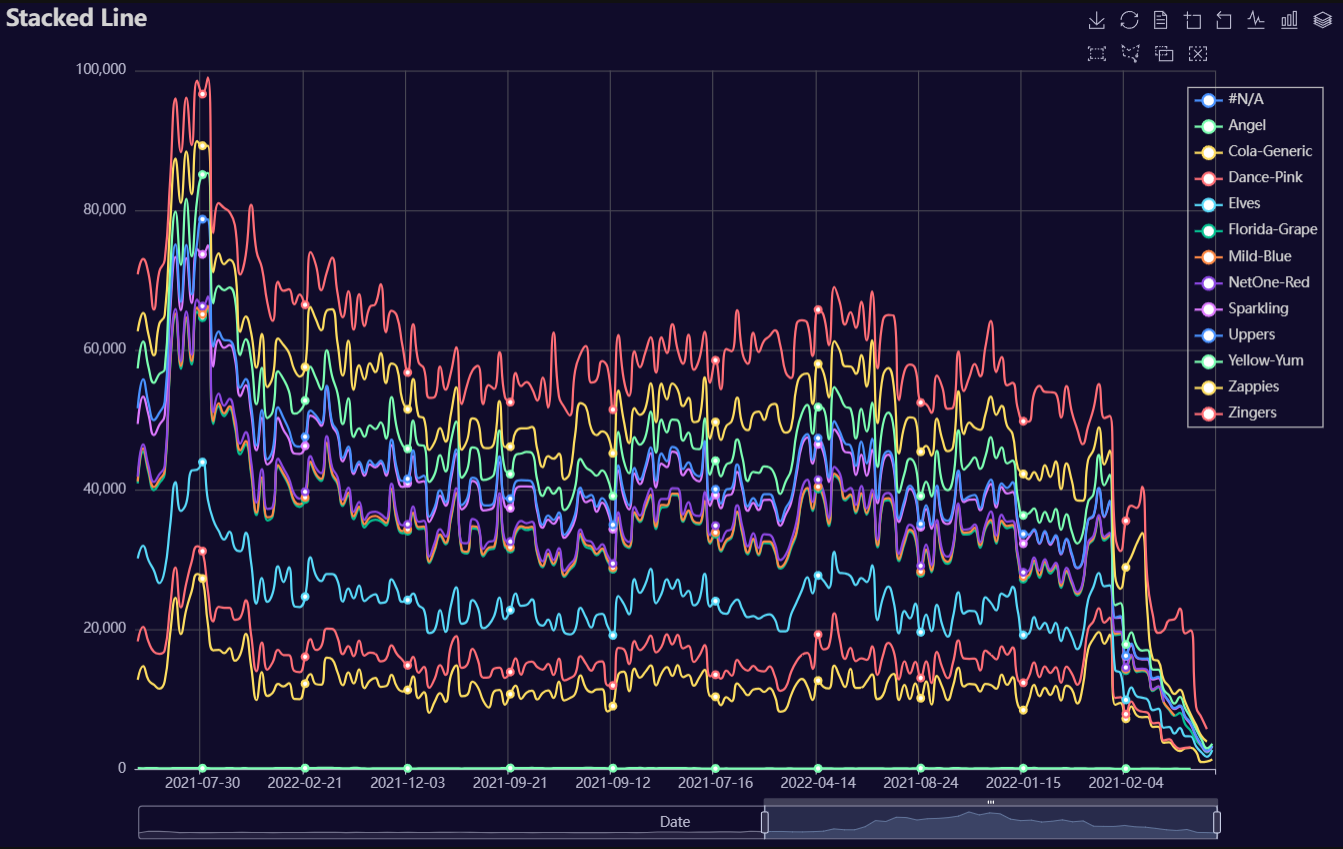
Stacked Line
Click for code example
# Environment
import polars as pl
from QuickEcharts import Charts
from pyecharts.globals import CurrentConfig, NotebookType
CurrentConfig.NOTEBOOK_TYPE = 'jupyter_lab'

# Pull Data from Package
FilePath = "..FakeBevData.csv"
data = pl.read_csv(FilePath)

# Create Plot in Jupyter Lab
p1 = Charts.StackedLine(
  dt = data,
  PreAgg = False,
  YVar = 'Daily Liters',
  XVar = 'Date',
  GroupVar = 'Brand',
  AggMethod = 'sum',
  YVarTrans = "Identity",
  RenderHTML = None,
  SmoothLine = True,
  LineWidth = 2,
  Symbol = "emptyCircle",
  SymbolSize = 6,
  ShowLabels = False,
  LabelPosition = "top",
  Theme = 'wonderland',
  BackgroundColor = None,
  Width = None,
  Height = None,
  ToolBox = True,
  Brush = True,
  DataZoom = True,
  Title = 'Stacked Line',
  TitleColor = "#fff",
  TitleFontSize = 20,
  SubTitle = None,
  SubTitleColor = "#fff",
  SubTitleFontSize = 12,
  AxisPointerType = 'cross',
  YAxisTitle = None,
  YAxisNameLocation = 'middle',
  YAxisNameGap = 70,
  XAxisTitle = None,
  XAxisNameLocation = 'middle',
  XAxisNameGap = 42,
  Legend = None,
  LegendPosRight = '0%',
  LegendPosTop = '5%',
  LegendBorderSize = 1,
  LegendTextColor = "#fff",
  AnimationThreshold = 2000,
  AnimationDuration = 1000,
  AnimationEasing = "cubicOut",
  AnimationDelay = 0,
  AnimationDurationUpdate = 300,
  AnimationEasingUpdate = "cubicOut",
  AnimationDelayUpdate = 0)

# Needed to display
p1.load_javascript()

# In new cell
p1.render_notebook()
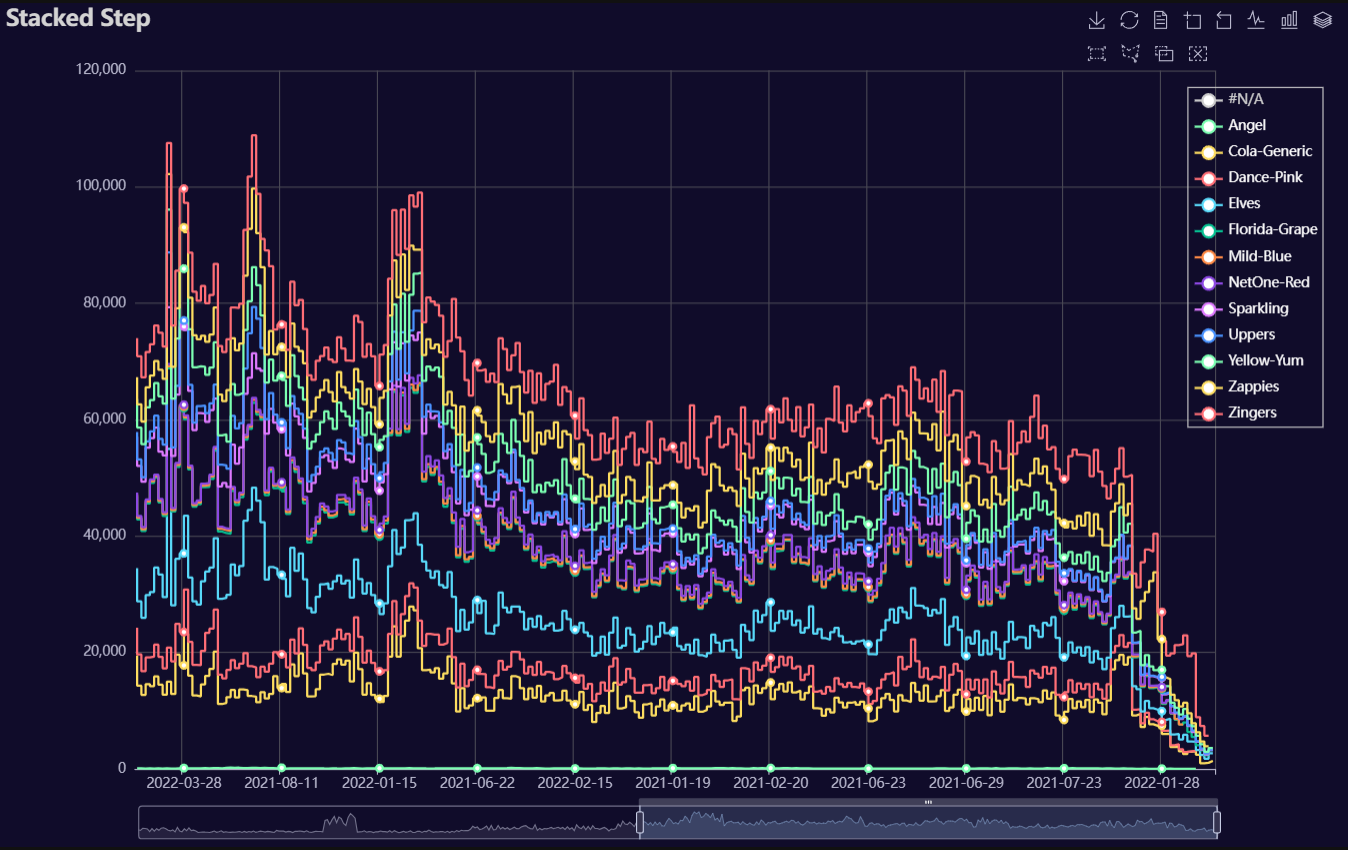
Stacked Step
Click for code example
# Environment
import polars as pl
from QuickEcharts import Charts
from pyecharts.globals import CurrentConfig, NotebookType
CurrentConfig.NOTEBOOK_TYPE = 'jupyter_lab'

# Pull Data from Package
FilePath = "..FakeBevData.csv"
data = pl.read_csv(FilePath)

# Create Plot in Jupyter Lab
p1 = Charts.StackedStep(
  dt = data,
  PreAgg = False,
  YVar = 'Daily Liters',
  XVar = 'Date',
  GroupVar = 'Brand',
  AggMethod = 'sum',
  YVarTrans = "Identity",
  RenderHTML = None,
  LineWidth = 2,
  Symbol = "emptyCircle",
  SymbolSize = 6,
  ShowLabels = False,
  LabelPosition = "top",
  Theme = 'wonderland',
  BackgroundColor = None,
  Width = None,
  Height = None,
  ToolBox = True,
  Brush = True,
  DataZoom = True,
  Title = 'Area Plot',
  TitleColor = "#fff",
  TitleFontSize = 20,
  SubTitle = None,
  SubTitleColor = "#fff",
  SubTitleFontSize = 12,
  AxisPointerType = 'cross',
  YAxisTitle = None,
  YAxisNameLocation = 'middle',
  YAxisNameGap = 70,
  XAxisTitle = None,
  XAxisNameLocation = 'middle',
  XAxisNameGap = 42,
  Legend = None,
  LegendPosRight = '0%',
  LegendPosTop = '5%',
  LegendBorderSize = 1,
  LegendTextColor = "#fff",
  AnimationThreshold = 2000,
  AnimationDuration = 1000,
  AnimationEasing = "cubicOut",
  AnimationDelay = 0,
  AnimationDurationUpdate = 300,
  AnimationEasingUpdate = "cubicOut",
  AnimationDelayUpdate = 0)

# Needed to display
p1.load_javascript()

# In new cell
p1.render_notebook()
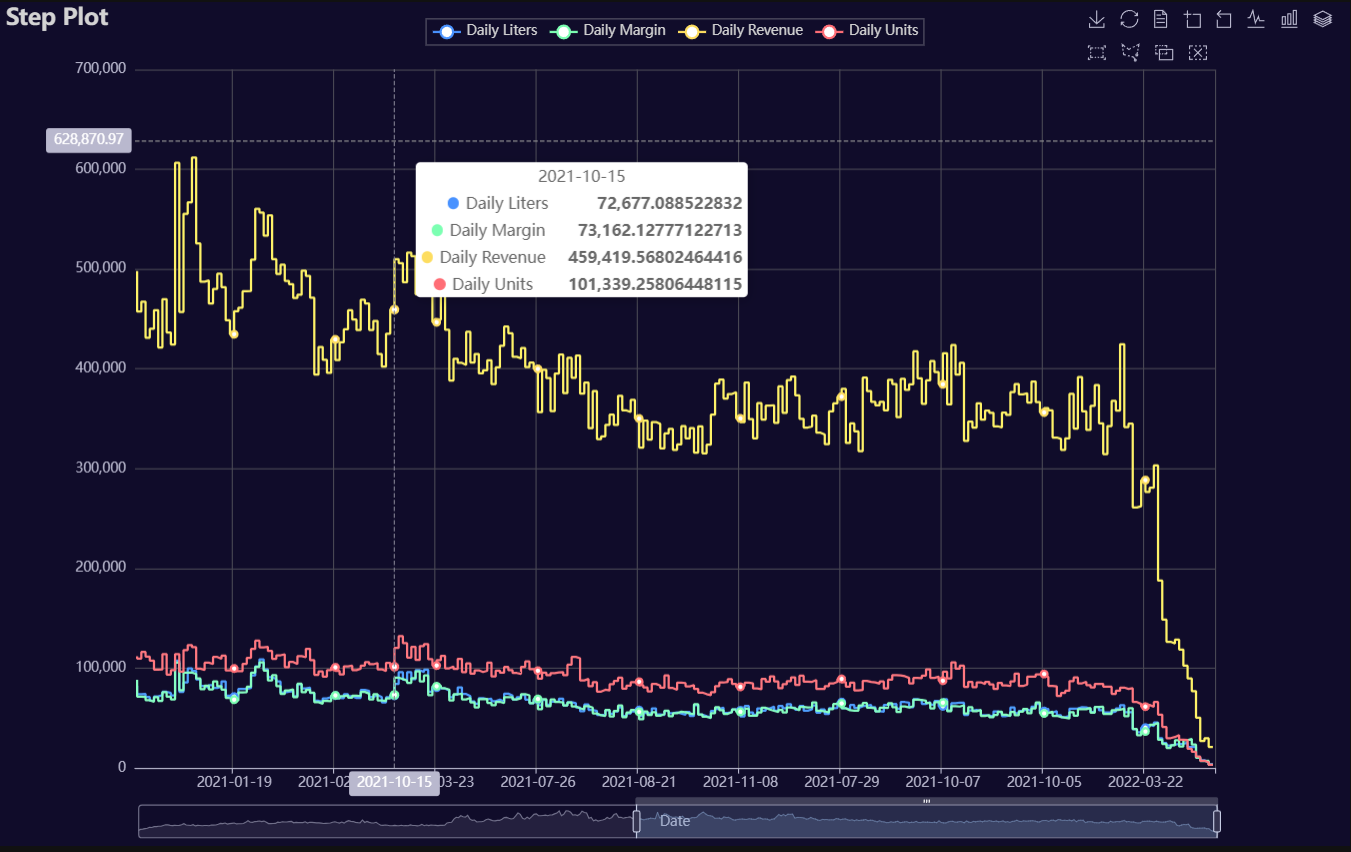
Step
Click for code example
# Environment
import pkg_resources
import polars as pl
from QuickEcharts import Charts
from pyecharts.globals import CurrentConfig, NotebookType
CurrentConfig.NOTEBOOK_TYPE = 'jupyter_lab'

# Pull Data from Package
FilePath = "..FakeBevData.csv"
data = pl.read_csv(FilePath)

# Create Plot in Jupyter Lab
p1 = Charts.Step(
  dt = data,
  PreAgg = False,
  YVar = ['Daily Liters', 'Daily Margin', 'Daily Revenue', 'Daily Units'],
  XVar = 'Date',
  GroupVar = None,
  FacetRows = 1,
  FacetCols = 1,
  FacetLevels = None,
  TimeLine = False,
  AggMethod = 'sum',
  YVarTrans = "Identity",
  RenderHTML = None,
  LineWidth = 2,
  Symbol = "emptyCircle",
  SymbolSize = 6,
  ShowLabels = False,
  LabelPosition = "top",
  Theme = 'wonderland',
  BackgroundColor = None,
  Height = None,
  Width = None,
  ToolBox = True,
  Brush = True,
  DataZoom = True,
  Title = 'Line Plot',
  TitleColor = "#fff",
  TitleFontSize = 20,
  SubTitle = None,
  SubTitleColor = "#fff",
  SubTitleFontSize = 12,
  AxisPointerType = 'cross',
  YAxisTitle = None,
  YAxisNameLocation = 'middle',
  YAxisNameGap = 70,
  XAxisTitle = None,
  XAxisNameLocation = 'middle',
  XAxisNameGap = 42,
  Legend = None,
  LegendPosRight = '0%',
  LegendPosTop = '5%',
  LegendBorderSize = 1,
  LegendTextColor = "#fff",
  VerticalLine = None,
  VerticalLineName = 'Line Name',
  HorizontalLine = None,
  HorizontalLineName = 'Line Name',
  AnimationThreshold = 2000,
  AnimationDuration = 1000,
  AnimationEasing = "cubicOut",
  AnimationDelay = 0,
  AnimationDurationUpdate = 300,
  AnimationEasingUpdate = "cubicOut",
  AnimationDelayUpdate = 0)

# Needed to display
p1.load_javascript()

# In new cell
p1.render_notebook()
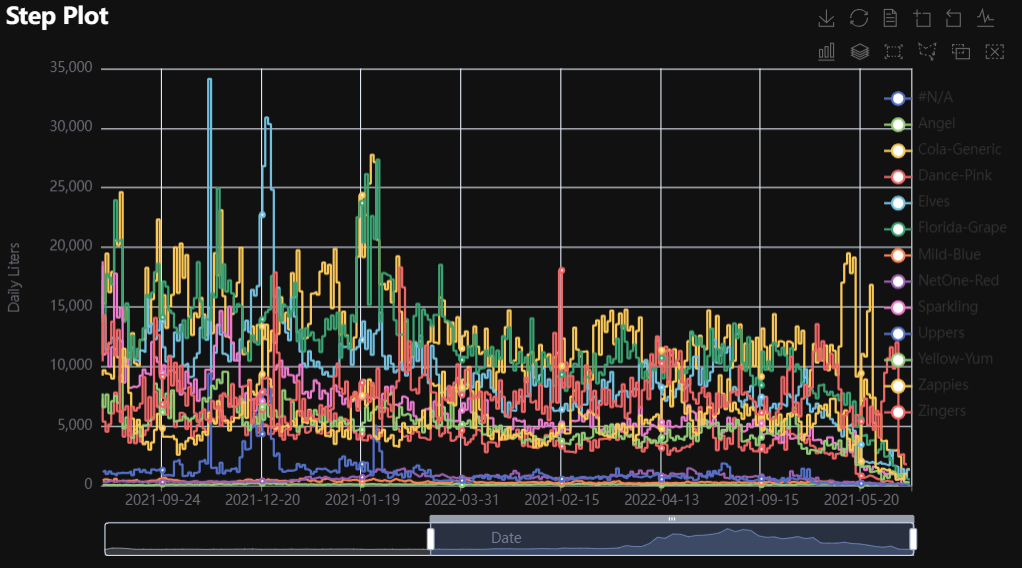
# Environment
import pkg_resources
import polars as pl
from QuickEcharts import Charts
from pyecharts.globals import CurrentConfig, NotebookType
CurrentConfig.NOTEBOOK_TYPE = 'jupyter_lab'

# Pull Data from Package
FilePath = "..FakeBevData.csv"
data = pl.read_csv(FilePath)

# Create Plot in Jupyter Lab
p1 = Charts.Step(
  dt = data,
  PreAgg = False,
  YVar = 'Daily Liters',
  XVar = 'Date',
  GroupVar = 'Brand',
  FacetRows = 1,
  FacetCols = 1,
  FacetLevels = None,
  TimeLine = False,
  AggMethod = 'sum',
  YVarTrans = "Identity",
  RenderHTML = None,
  LineWidth = 2,
  Symbol = "emptyCircle",
  SymbolSize = 6,
  ShowLabels = False,
  LabelPosition = "top",
  Theme = 'wonderland',
  BackgroundColor = None,
  Height = None,
  Width = None,
  ToolBox = True,
  Brush = True,
  DataZoom = True,
  Title = 'Line Plot',
  TitleColor = "#fff",
  TitleFontSize = 20,
  SubTitle = None,
  SubTitleColor = "#fff",
  SubTitleFontSize = 12,
  AxisPointerType = 'cross',
  YAxisTitle = None,
  YAxisNameLocation = 'middle',
  YAxisNameGap = 70,
  XAxisTitle = None,
  XAxisNameLocation = 'middle',
  XAxisNameGap = 42,
  Legend = None,
  LegendPosRight = '0%',
  LegendPosTop = '5%',
  LegendBorderSize = 1,
  LegendTextColor = "#fff",
  VerticalLine = None,
  VerticalLineName = 'Line Name',
  HorizontalLine = None,
  HorizontalLineName = 'Line Name',
  AnimationThreshold = 2000,
  AnimationDuration = 1000,
  AnimationEasing = "cubicOut",
  AnimationDelay = 0,
  AnimationDurationUpdate = 300,
  AnimationEasingUpdate = "cubicOut",
  AnimationDelayUpdate = 0)

# Needed to display
p1.load_javascript()

# In new cell
p1.render_notebook()
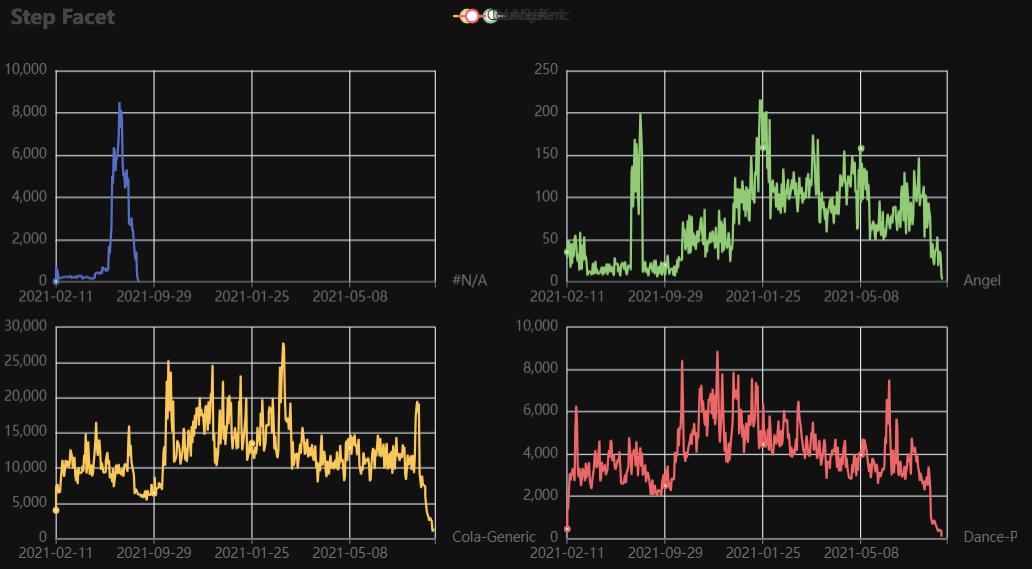
# Environment
import pkg_resources
import polars as pl
from QuickEcharts import Charts
from pyecharts.globals import CurrentConfig, NotebookType
CurrentConfig.NOTEBOOK_TYPE = 'jupyter_lab'

# Pull Data from Package
FilePath = "..FakeBevData.csv"
data = pl.read_csv(FilePath)

# Create Plot in Jupyter Lab
p1 = Charts.Step(
  dt = data,
  PreAgg = False,
  YVar = 'Daily Liters',
  XVar = 'Date',
  GroupVar = 'Brand',
  FacetRows = 2,
  FacetCols = 2,
  FacetLevels = None,
  TimeLine = False,
  AggMethod = 'sum',
  YVarTrans = "Identity",
  RenderHTML = None,
  LineWidth = 2,
  Symbol = "emptyCircle",
  SymbolSize = 6,
  ShowLabels = False,
  LabelPosition = "top",
  Theme = 'wonderland',
  BackgroundColor = None,
  Height = None,
  Width = None,
  ToolBox = True,
  Brush = True,
  DataZoom = True,
  Title = 'Line Plot',
  TitleColor = "#fff",
  TitleFontSize = 20,
  SubTitle = None,
  SubTitleColor = "#fff",
  SubTitleFontSize = 12,
  AxisPointerType = 'cross',
  YAxisTitle = None,
  YAxisNameLocation = 'middle',
  YAxisNameGap = 70,
  XAxisTitle = None,
  XAxisNameLocation = 'middle',
  XAxisNameGap = 42,
  Legend = None,
  LegendPosRight = '0%',
  LegendPosTop = '5%',
  LegendBorderSize = 1,
  LegendTextColor = "#fff",
  VerticalLine = None,
  VerticalLineName = 'Line Name',
  HorizontalLine = None,
  HorizontalLineName = 'Line Name',
  AnimationThreshold = 2000,
  AnimationDuration = 1000,
  AnimationEasing = "cubicOut",
  AnimationDelay = 0,
  AnimationDurationUpdate = 300,
  AnimationEasingUpdate = "cubicOut",
  AnimationDelayUpdate = 0)

# Needed to display
p1.load_javascript()

# In new cell
p1.render_notebook()
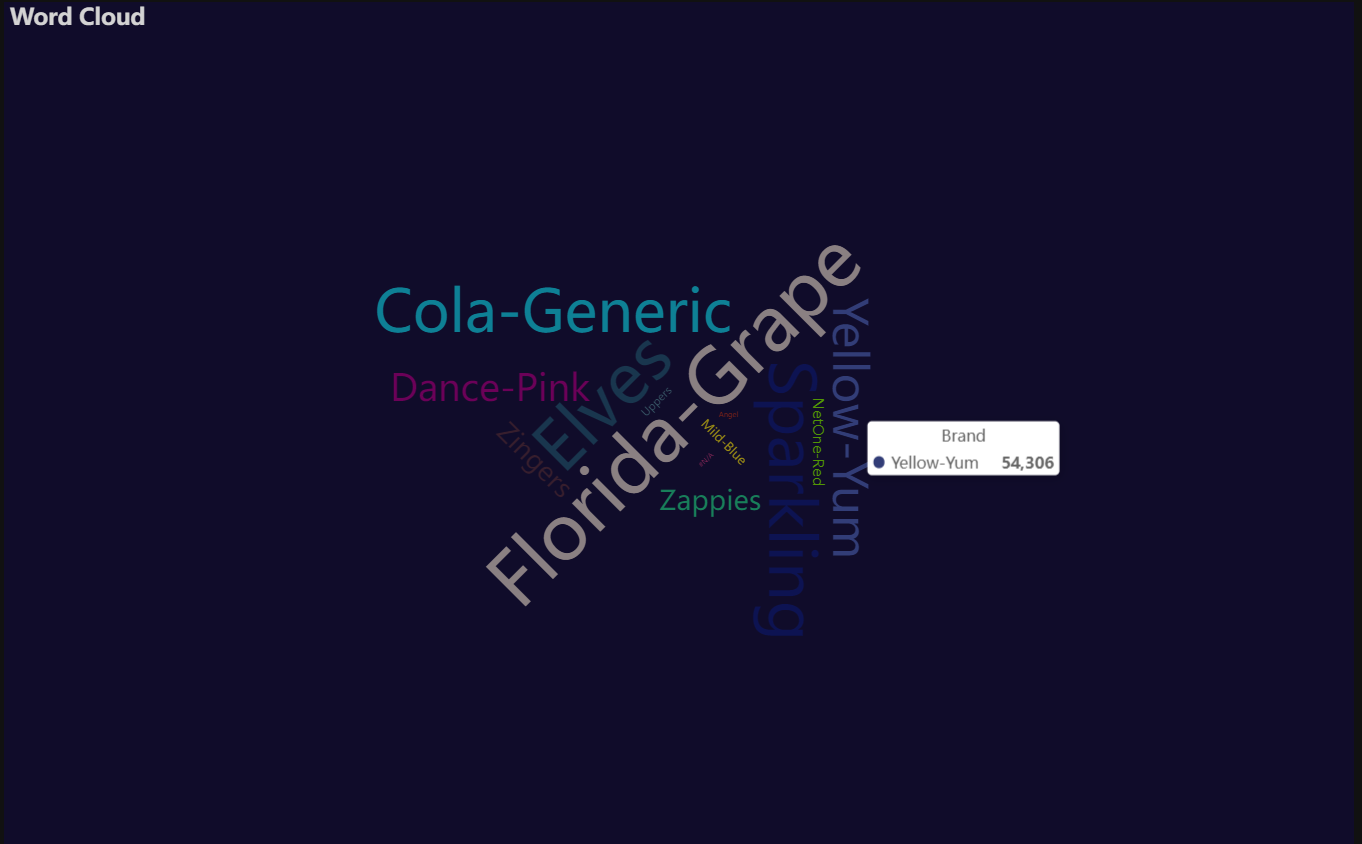
Word Cloud
Click for code example
# Environment
import pkg_resources
import polars as pl
from QuickEcharts import Charts
from pyecharts.globals import CurrentConfig, NotebookType
CurrentConfig.NOTEBOOK_TYPE = 'jupyter_lab'

# Pull Data from Package
FilePath = "..FakeBevData.csv"
data = pl.read_csv(FilePath)

# Create Plot in Jupyter Lab
p1 = Charts.WordCloud(
  dt = data,
  SampleSize = 100000,
  YVar = 'Brand',
  RenderHTML = None,
  SymbolType = 'diamond',
  Title = 'Word Cloud',
  TitleColor = "#fff",
  TitleFontSize = 20,
  SubTitle = None,
  SubTitleColor = "#fff",
  SubTitleFontSize = 12,
  Theme = 'wonderland')

# Needed to display
p1.load_javascript()

# In new cell
p1.render_notebook()
1 maintainer

Metadata
1 maintainer
Release files for QuickEcharts 2.1.8
For a detailed explanation of source distributions (sdists) and built distributions (wheels), please see the package formats documentation.
Source distribution (sdist)
| File | Size | Uploaded | |
|---|---|---|---|
| quickecharts-2.1.8.tar.gz | 47.1 kB | Details |
Built distribution (wheel)
| File | Interpreter | ABI | Platform | Reset |
|---|---|---|---|---|
| quickecharts-2.1.8-py3-none-any.whl | Python 3 | none | any | Details |
Total release size: 88.0 kB
Release files / quickecharts-2.1.8.tar.gz
| Download URL | quickecharts-2.1.8.tar.gz |
|---|---|
| Size | 47.1 kB |
| Tags | Source |
|
SHA-256 checksum How to use checksums |
64c80f479a8567ba4708658f738ed9a1f2159b3e862e7267656eba277996882f
|
|
BLAKE2b-256 checksum How to use checksums |
6e7b16d2cd4c8680d3606142d51bcbdbbdfb1f51d9b0da9617ca7c554e5e1079
|
| Upload date | |
|
Uploaded using Trusted Publishing? What is trusted publishing? |
No |
| Uploaded via |
twine/6.2.0 CPython/3.11.11
|
Release files / quickecharts-2.1.8-py3-none-any.whl
| Download URL | quickecharts-2.1.8-py3-none-any.whl |
|---|---|
| Size | 40.8 kB |
| Tags | Python 3 |
|
SHA-256 checksum How to use checksums |
d2891a80dec43fcdc8700f2233786043f05335e72628c0e6efc373f783a5187b
|
|
BLAKE2b-256 checksum How to use checksums |
5d550a8ada74bbaf68095370afcd57b8a0c250be3b17d5e733cd1015074e0dd5
|
| Upload date | |
|
Uploaded using Trusted Publishing? What is trusted publishing? |
No |
| Uploaded via |
twine/6.2.0 CPython/3.11.11
|














