
RASPAL SCRAPER
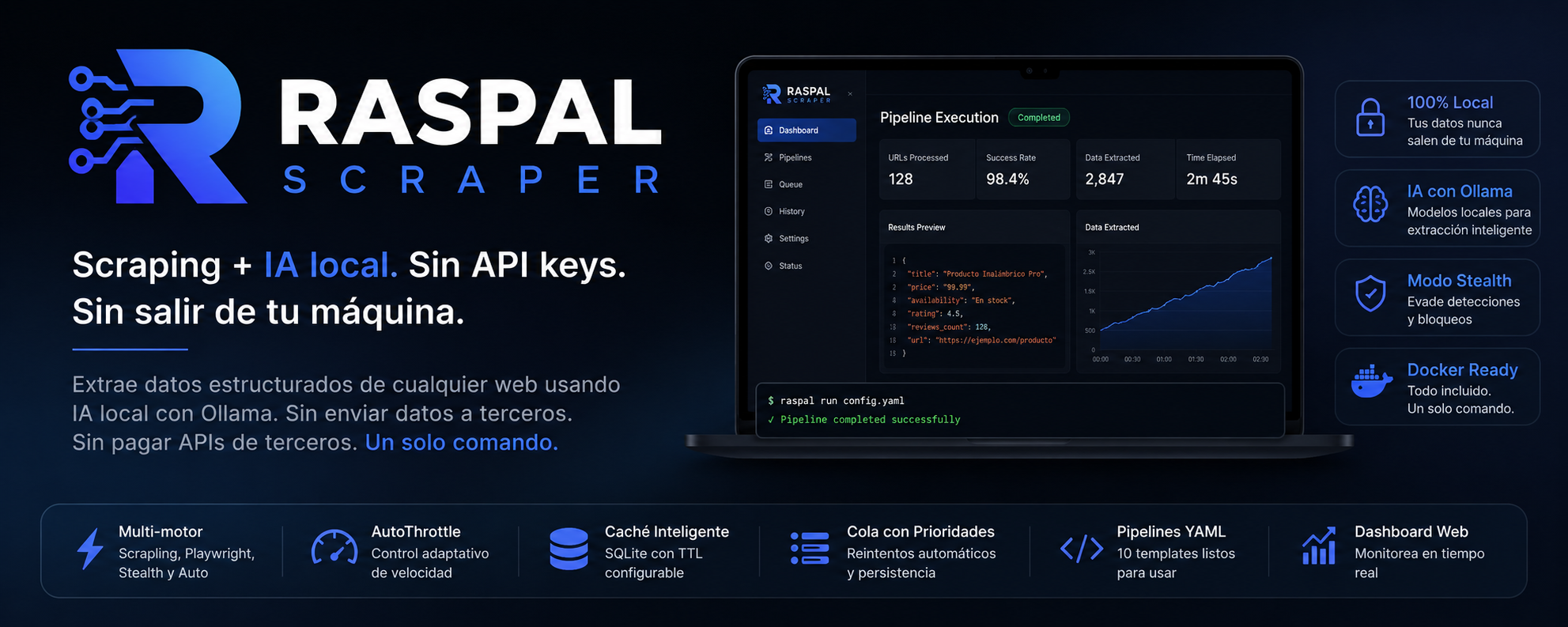









Scraping + local AI. No API keys. No data leaving your machine. Español • English
RASPAL SCRAPER extrae datos estructurados de cualquier web usando IA local. Sin enviar datos a terceros. Sin pagar APIs de terceros. Un solo comando. Extract structured data from any website using local AI. No third-party APIs. One command.
# Recomendado: Docker (todo incluido)
git clone https://github.com/juandelaf1/RASPAL_SCRAPER.git
cd RASPAL_SCRAPER
docker compose up -d
docker compose run raspal raspal demo

# Alternativa: pip install
pip install raspal && raspal setup
raspal fetch https://ejemplo.com
raspal run config.yaml
🐳 Inicio rápido con Docker
La forma más fácil de probar RASPAL SCRAPER es con Docker. Sin instalar Python, sin dependencias manuales, sin configurar Ollama.
# 1. Clonar
git clone https://github.com/juandelaf1/RASPAL_SCRAPER.git
cd RASPAL_SCRAPER

# 2. Arrancar todo (Ollama + RASPAL)
docker compose up -d

# 3. Ejecutar demo
docker compose run raspal raspal demo
Qué incluye:
- Imagen optimizada con Python 3.11 + todas las dependencias
- Playwright browsers preinstalados
- Ollama corriendo en un contenedor separado
- Modelo
llama3.2:3bdescargado automáticamente - Volúmenes persistentes para cache, outputs y pipelines
Ver docs/quickstart-docker.md para troubleshooting y más detalles.
🤔 Por que RASPAL vs otras opciones?
| Necesitas... | Firecrawl | Apify | Browse.ai | Scrapy | RASPAL |
|---|---|---|---|---|---|
| Sin enviar datos a terceros | ❌ | ❌ | ❌ | ✅ | ✅ |
| Sin pagar por API | ❌ | ❌ | ❌ | ✅ | ✅ |
| Un solo comando para empezar | ❌ | ❌ | ❌ | ❌ | ✅ |
| IA local (Ollama) | ❌ | ❌ | ❌ | ❌ | ✅ |
| Modo stealth para sitios protegidos | ❌ | ❌ | ❌ | ❌ | ✅ |
| Docker listo para usar | ❌ | ✅ | ❌ | ❌ | ✅ |
| Open source (MIT) | ❌ | ❌ | ❌ | ✅ | ✅ |
| Precio | $10+/mes | $49+/mes | $49+/mes | Gratis | Gratis |
RASPAL no es un reemplazo de Scrapy para proyectos grandes. RASPAL es para cuando queres extraer datos estructurados de una web en segundos, sin configurar infraestructura, sin pagar APIs, y sin que tus datos salgan de tu maquina.
⚡ Comandos
CLI
# Setup del entorno
raspal setup                      # instala browsers, verifica Ollama

# Diagnóstico del sistema
raspal doctor                     # verifica Python, Ollama, Playwright, permisos

# Verificación legal básica
raspal compliance https://ejemplo.com  # robots.txt, dominio sensible

# Crear proyecto
raspal init                       # scaffold interactivo

# Fetch básico
raspal fetch https://ejemplo.com

# Con motor específico
raspal fetch https://ejemplo.com --engine playwright
raspal fetch https://ejemplo.com --engine stealth

# Fetch asíncrono (más rápido)
raspal async-fetch https://ejemplo.com

# Múltiples URLs en paralelo
raspal async-batch https://ejemplo.com https://httpbin.org/json

# Validación de config
raspal validate config.yaml          # verifica que el YAML es correcto

# Pipeline desde YAML
raspal run config.yaml

# Cola de URLs con prioridades
raspal queue config.yaml --db queue.sqlite -o results.json

# Reporte HTML
raspal report --input results.json --output report.html

# Dashboard web
raspal serve                      # http://127.0.0.1:8462

# Estado del throttle
raspal status

# Limpiar caché
raspal clear-cache

# Versión
raspal version
Python API
from raspal import Fetcher, Extractor, LLMExtractor

# 1. Fetch
f = Fetcher()
result = f.fetch("https://ejemplo.com", engine="auto")
html = result.html

# 2. Extraer texto y metadata
ext = Extractor()
texto = ext.extract_text(html)
metadata = ext.extract_metadata(html)

# 3. Extracción selectores CSS
data = ext.extract_selectors(html, {
    "titulo": "h1",
    "precio": ".price",
    "descripcion": ".description"
})

# 4. Extracción con IA local (Ollama)
llm = LLMExtractor()
producto = llm.extract(texto, template="product")
# → {"name": "...", "brand": "...", "price": "...", "availability": "..."}
Pipelines YAML
# config.yaml
url: "https://ejemplo.com/productos"
engine: auto
extract:
  text: true
  metadata: true
  selectors:
    title: "h1.product-title"
    price: "span.price"
llm:
  template: "product"
  prompt: "Extrae nombre, precio y disponibilidad como JSON"
raspal run config.yaml
🧠 Extracción con IA (Ollama)
Usa modelos locales para estructurar datos sin depender de APIs externas.
# Templates predefinidos
llm.extract(texto, template="product")   # nombre, marca, precio...
llm.extract(texto, template="article")   # título, autor, fecha...
llm.extract(texto, template="person")    # nombre, rol, contacto...
llm.extract(texto, template="review")    # rating, pros, contras...
llm.extract(texto, template="event")     # fecha, lugar, organizador...

# Esquema JSON personalizado
llm.extract(texto, template="product", output_schema={
    "name": "",
    "price": 0.0,
    "rating": 0.0,
    "in_stock": False
})

# Cadenas multi-paso (classify → extract)
chain = [
    ChainStep(name="categoria", prompt="¿Esto es un producto o un artículo?"),
    ChainStep(name="detalles", prompt="Extrae información clave",
              output_schema={"title": "", "price": ""}),
]
llm.extract_chain(texto, chain)
⚡ Async
from raspal import AsyncFetcher

async with AsyncFetcher(max_workers=8) as fetcher:
    results = await fetcher.fetch_batch([
        "https://ejemplo.com/pagina1",
        "https://ejemplo.com/pagina2",
        "https://ejemplo.com/pagina3",
    ])
Procesa cientos de URLs en paralelo con aislamiento por proceso para Playwright.
🎛️ Motores
| Motor | Librería | Ideal para |
|---|---|---|
scrapling |
curl_cffi | HTML estático, rápida |
playwright |
Playwright | JS pesado, SPAs |
stealth |
Playwright + anti-detect | Cloudflare, Turnstile |
auto |
— | Selección automática |
📂 10 templates YAML
Pipelines listos para usar. Cada uno con selectores CSS + extraccion IA:
raspal run examples/ecommerce-products.yaml     # Productos, precios, disponibilidad
raspal run examples/competitor-pricing.yaml     # Monitoreo de precios competencia
raspal run examples/product-reviews.yaml        # Resenas con sentimiento IA
raspal run examples/news-article.yaml           # Titular, autor, resumen
raspal run examples/job-scraper.yaml            # Ofertas de empleo
raspal run examples/academic-research.yaml      # Papers, abstracts, citas
raspal run examples/real-estate-listings.yaml   # Listados inmobiliarios
raspal run examples/crypto-prices.yaml          # Precios cripto 24h
raspal run examples/business-directory.yaml     # Datos de contacto
raspal run examples/linkedin-company.yaml       # Perfiles publicos empresa
Ver examples/README.md para descripcion de cada uno.
📦 Componentes
| Componente | Descripción |
|---|---|
Fetcher |
Fetch multi-motor con caché y throttle |
AsyncFetcher |
Versión asíncrona con ProcessPoolExecutor |
Extractor |
Extracción de texto, metadata y selectores |
LLMExtractor |
Extracción estructurada con Ollama |
Cache |
Caché SQLite con TTL configurable |
AutoThrottle |
Control adaptativo de velocidad |
RequestQueue |
Cola persistente con prioridades y reintentos |
Pipeline |
Pipeline de recolección con salida JSON/CSV |
Router |
Orquestador completo desde YAML |
📊 Salida
pipeline = Pipeline()
pipeline.add(url="https://...", data={...})
pipeline.to_json("resultados.json")
pipeline.to_csv("resultados.csv")
⚙️ Instalación
pip install raspal             # base
pip install raspal[fast]       # + selectolax (CSS más rápido)
pip install raspal[web]        # + dashboard web (FastAPI + Uvicorn)
pip install raspal[all]        # todo

# Preparar el entorno
raspal setup                   # instala browsers, verifica Ollama
Requiere Python ≥ 3.11 y Ollama para extracción con IA (setup lo verifica por ti).
⚖️ Uso legal y ético
RASPAL SCRAPER es una herramienta técnica. Tu responsabilidad es usarla de forma legal y ética.
Antes de scrapear cualquier sitio:
- Consulta
robots.txt(https://sitio.com/robots.txt) - Lee los Términos de Servicio
- Respeta rate limits (usa
AutoThrottle) - No scrapees datos personales sin base legal
- No accedas a datos detrás de autenticación o paywalls
Ver docs/legal-and-ethics.md para más detalles.
📄 Licencia
MIT — haz lo que quieras.
Versionado
RASPAL usa SemVer. La API pública documentada en PUBLIC_API.md no cambia de forma incompatible en versiones MINOR o PATCH.
🇬🇧 English
RASPAL SCRAPER — Extract structured data from any website using local AI.
- No API keys required
- No data leaves your machine
- 3 engines: scrapling (fast), playwright (JS), stealth (anti-bot)
- Local AI extraction via Ollama
- Docker + docker-compose ready
- YAML pipelines, queue, cache, throttle
- MIT licensed
docker compose up -d
docker compose run raspal raspal run config.yaml
See docs/ for full documentation in English.
1 maintainer

Metadata
1 maintainer
Release files for raspal 0.6.1
For a detailed explanation of source distributions (sdists) and built distributions (wheels), please see the package formats documentation.
Source distribution (sdist)
| File | Size | Uploaded | Provenance | Actions |
|---|---|---|---|---|
| raspal-0.6.1.tar.gz | 1.6 MB | With provenance | Details for raspal-0.6.1.tar.gz |
Built distribution (wheel)
| File | Interpreter | ABI | Platform | Actions Reset |
|---|---|---|---|---|
| raspal-0.6.1-py3-none-any.whl | Python 3 | none | any | Details for raspal-0.6.1-py3-none-any.whl |
Total release size: 1.6 MB
Release files / raspal-0.6.1.tar.gz
| Download URL | raspal-0.6.1.tar.gz |
|---|---|
| Size | 1.6 MB |
| Tags | Source |
|
SHA-256 checksum How to use checksums |
30814761b533e90c7be9d4cedc6998b9ef1dde0a8bb7b1d56dcf4b538d171bfc
|
|
BLAKE2b-256 checksum How to use checksums |
91ab97318635c90b7f6f2c7bb2dec2101984604a95a2348720dffc23a3eaef97
|
| Upload date | |
|
Uploaded using Trusted Publishing? What is trusted publishing? |
Yes |
| Uploaded via |
twine/6.1.0 CPython/3.13.12
|
Provenance
Provenance describes where a file came from. On PyPI, provenance is shared via attestations, which provide a verifiable record of the build or publishing details. View details, limitations and caveats.


PyPI Publish Attestation
PyPI verified that this artifact, at this checksum, originated from the publisher listed below.
Signed by GitHub Actions, verified by PyPI on Jun 22, 2026.
Transparency logRelease files / raspal-0.6.1-py3-none-any.whl
| Download URL | raspal-0.6.1-py3-none-any.whl |
|---|---|
| Size | 34.7 kB |
| Tags | Python 3 |
|
SHA-256 checksum How to use checksums |
28775dbb8e0d9549aa75c1e0db7223393ab6dd46217b81a9ec535f10f306cde7
|
|
BLAKE2b-256 checksum How to use checksums |
b0c094fbf331153740761e31d6a9ab459fd6636544f00673f148e5bf907509fc
|
| Upload date | |
|
Uploaded using Trusted Publishing? What is trusted publishing? |
Yes |
| Uploaded via |
twine/6.1.0 CPython/3.13.12
|
Provenance
Provenance describes where a file came from. On PyPI, provenance is shared via attestations, which provide a verifiable record of the build or publishing details. View details, limitations and caveats.
PyPI Publish Attestation
PyPI verified that this artifact, at this checksum, originated from the publisher listed below.
Signed by GitHub Actions, verified by PyPI on Jun 22, 2026.
Transparency logSecurity for raspal 0.6.1
Provenance
Provenance describes where a file came from. On PyPI, provenance is shared via attestations, which provide a verifiable record of the build or publishing details. View details, limitations and caveats.
Full provenance
All 2 files in this release have been uploaded with provenance metadata.
Attestation for raspal-0.6.1.tar.gz
PyPI Publish Attestation
PyPI verified that this artifact, at this checksum, originated from the publisher listed below.
Signed by GitHub Actions, verified by PyPI on Jun 22, 2026.
Transparency logA note on package security
PyPI is a repository for distributing packages, not a service for auditing them. While third-party security researchers and our staff do their best to detect and remove malicious packages, PyPI cannot guarantee the quality, security or suitability of any given package.
To learn more about protecting yourself from malicious actors, visit our package security documentation.














