
This project has been archived by its maintainers, and is no longer receiving any updates.






RetroLab (also known as JupyterLab Retro, previously called JupyterLab Classic) is a JupyterLab distribution with a retro look and feel.
Try it online in your browser
It is possible to try RetroLab on Binder without installing anything using the following link:
Install
retrolab can be installed with pip:
pip install retrolab
With mamba:
mamba install -c conda-forge retrolab
With conda:
conda install -c conda-forge retrolab
Usage
retrolab can be started as a standalone app with:
jupyter retro
Existing federated JupyterLab extensions listed via:
jupyter labextension list
Should also be available when starting retrolab.
Launching
From an open notebook:
- Click the RetroLab button in the toolbar; or
- View > Open in RetroLab from the menu
To access the main RetroLab tree (file browser):
- Help > Launch RetroLab File Browser from the menu; or
- Go to the /retro URL path of your Jupyter site
Tour
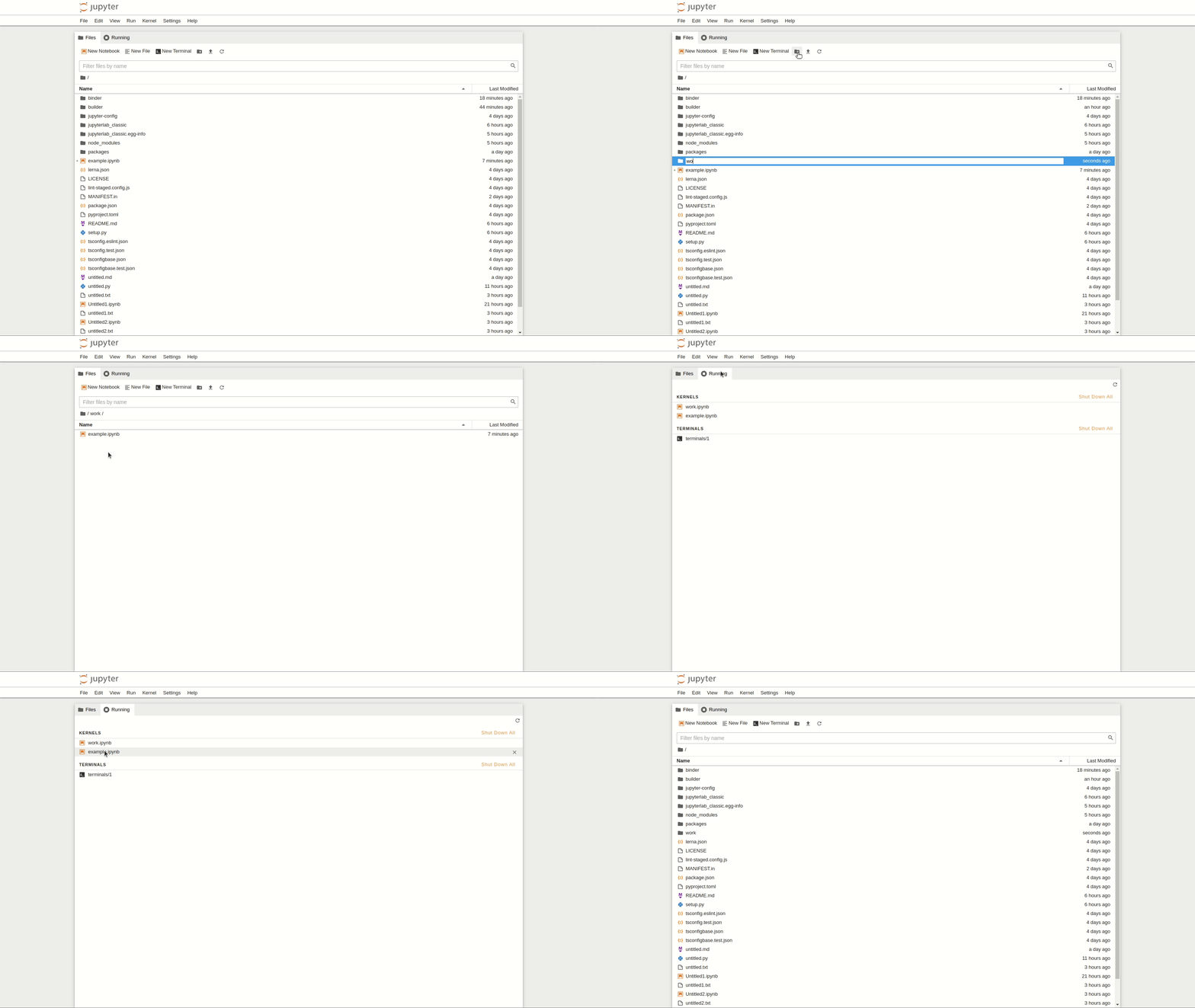
Files 📂 and Running Sessions 🏃♀️
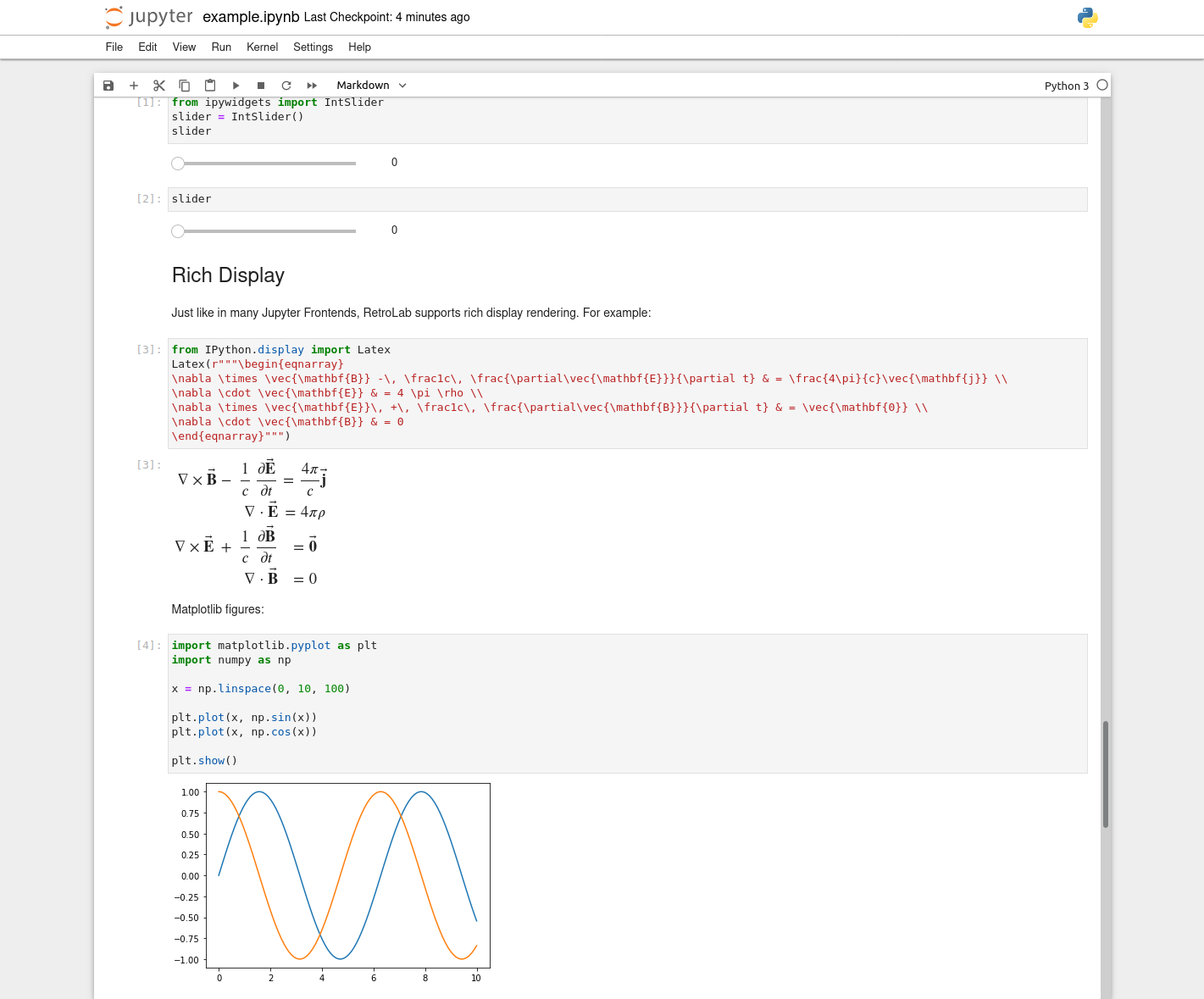
Notebook 📒
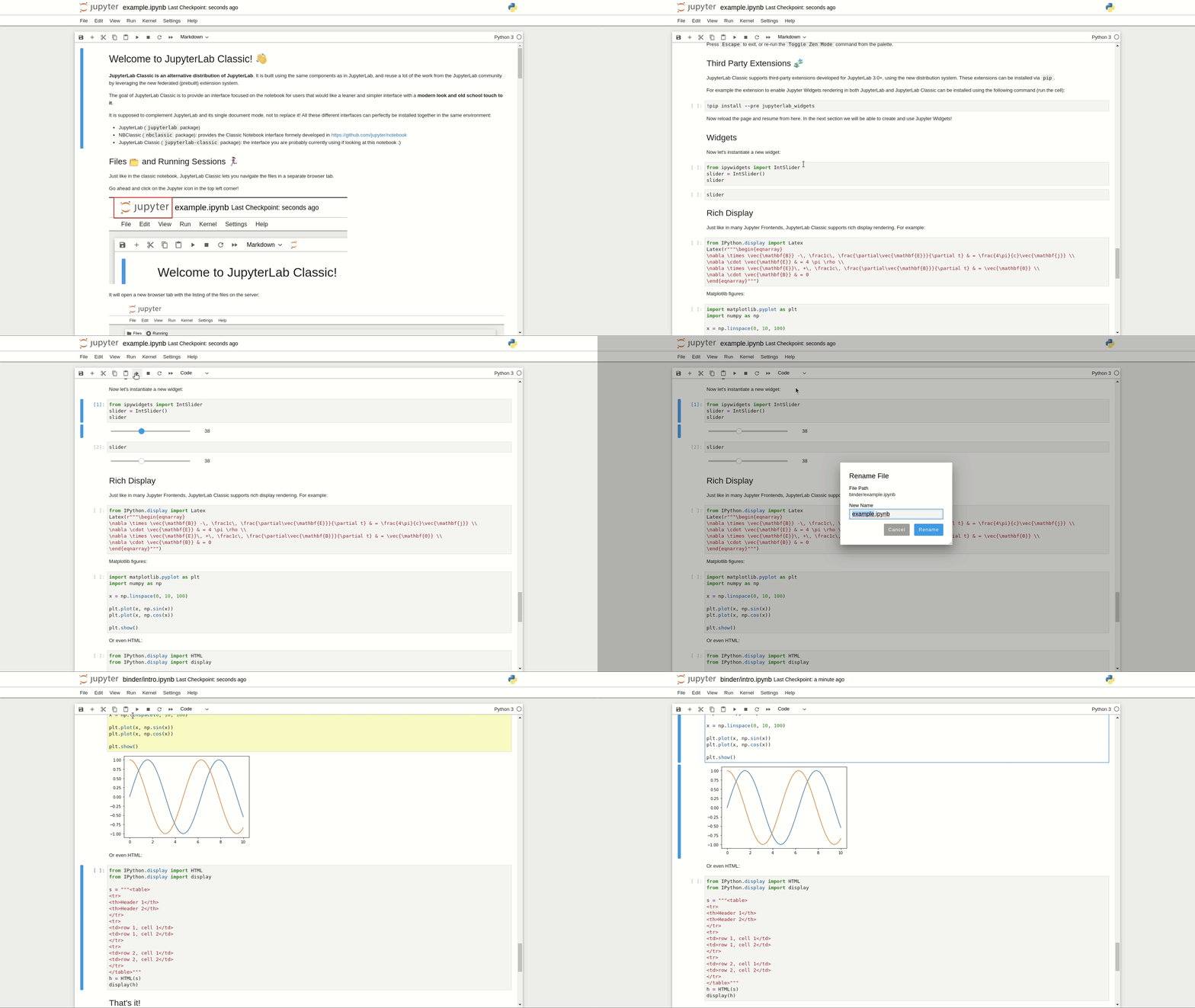
Open in a new Browser Tab by default
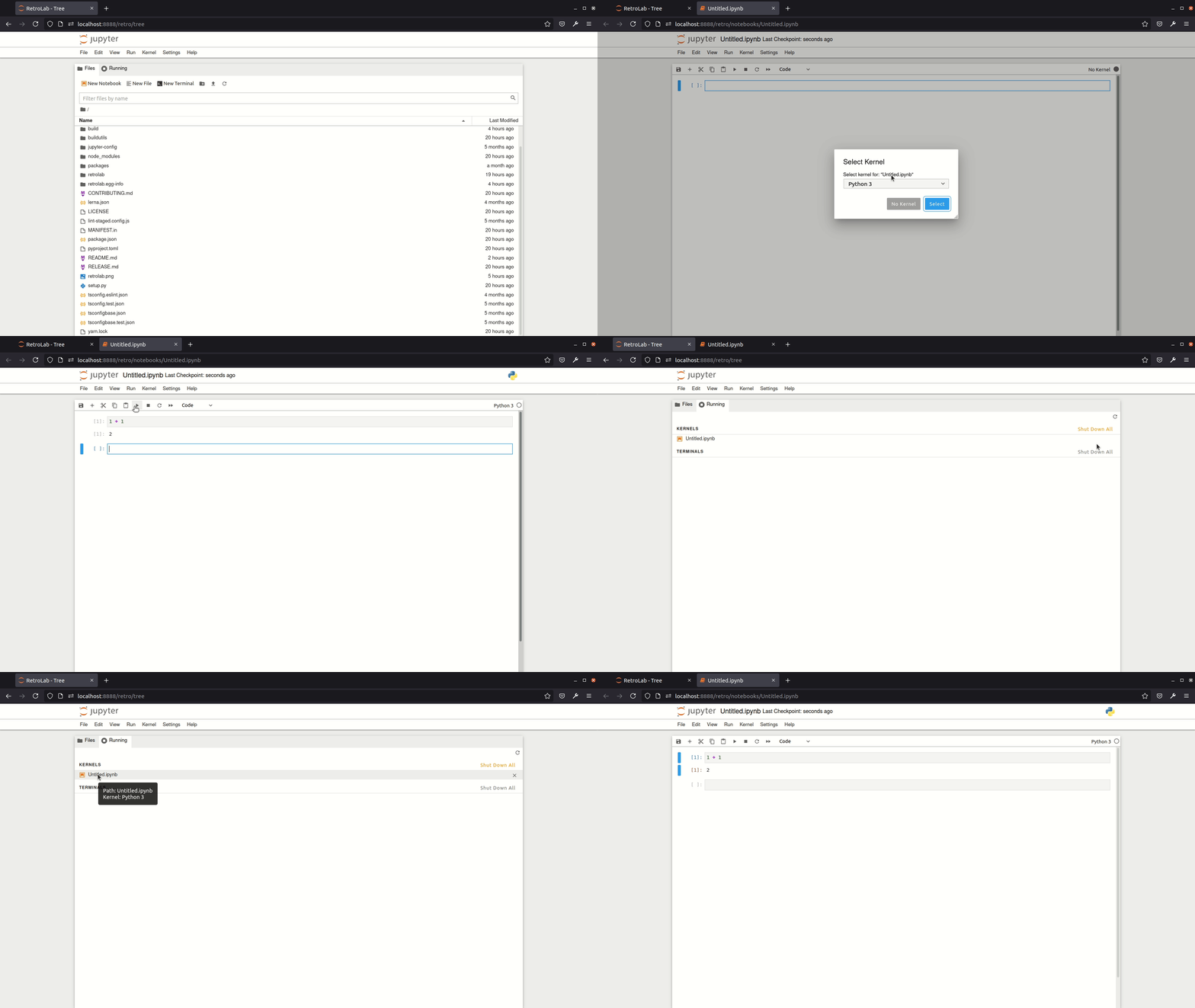
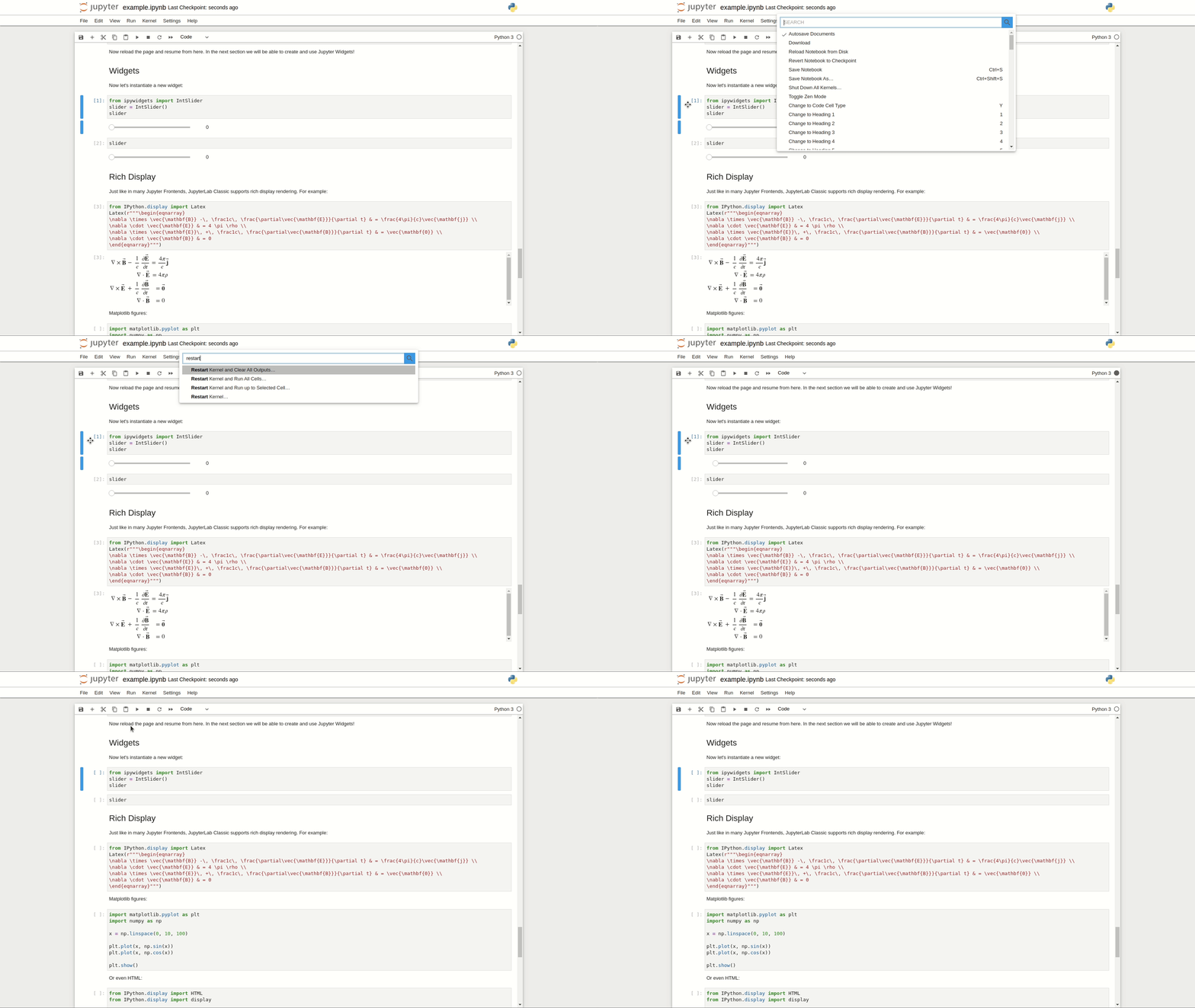
Command Palette 🎨
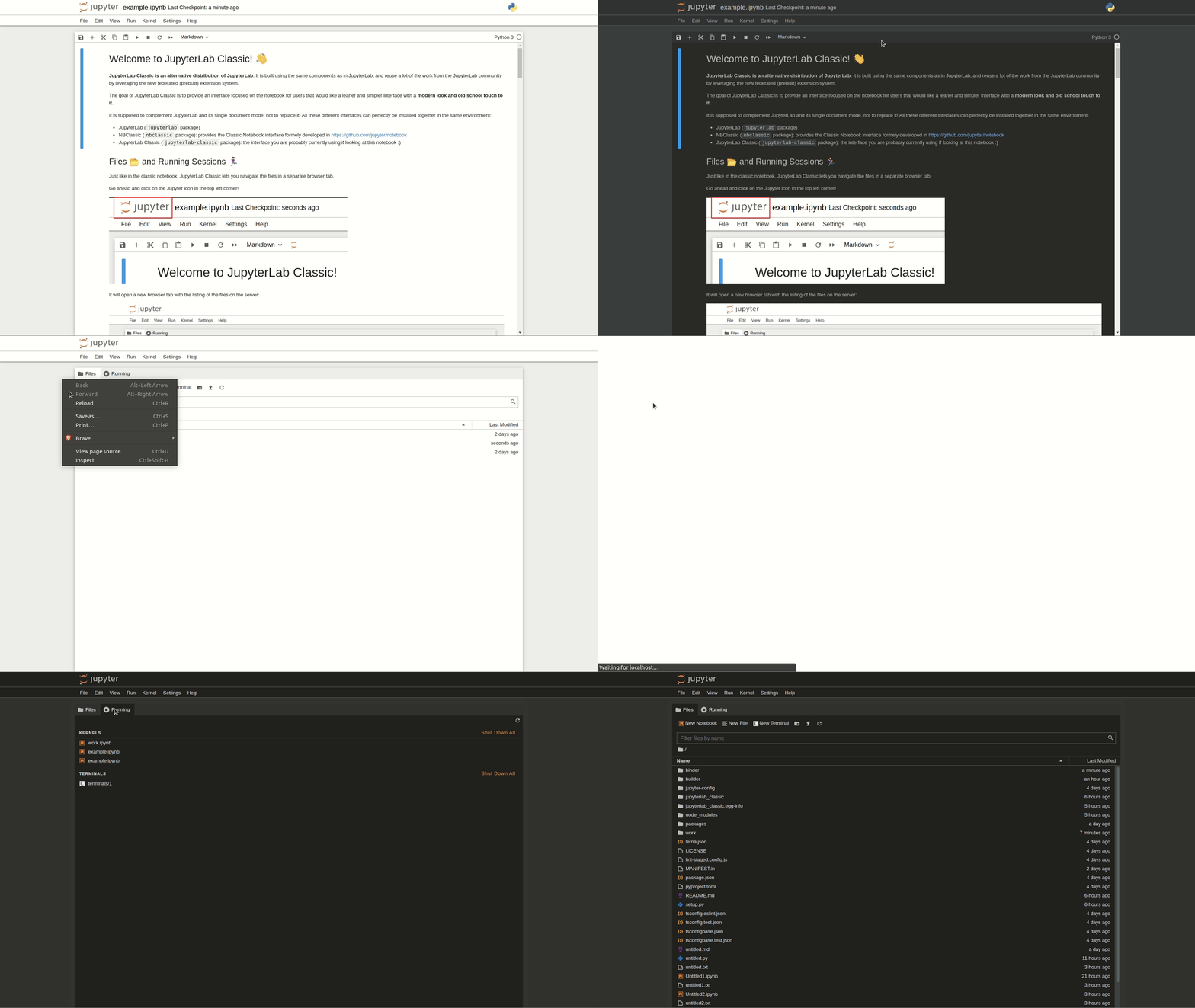
Themes 🌈
Support for existing JupyterLab themes!
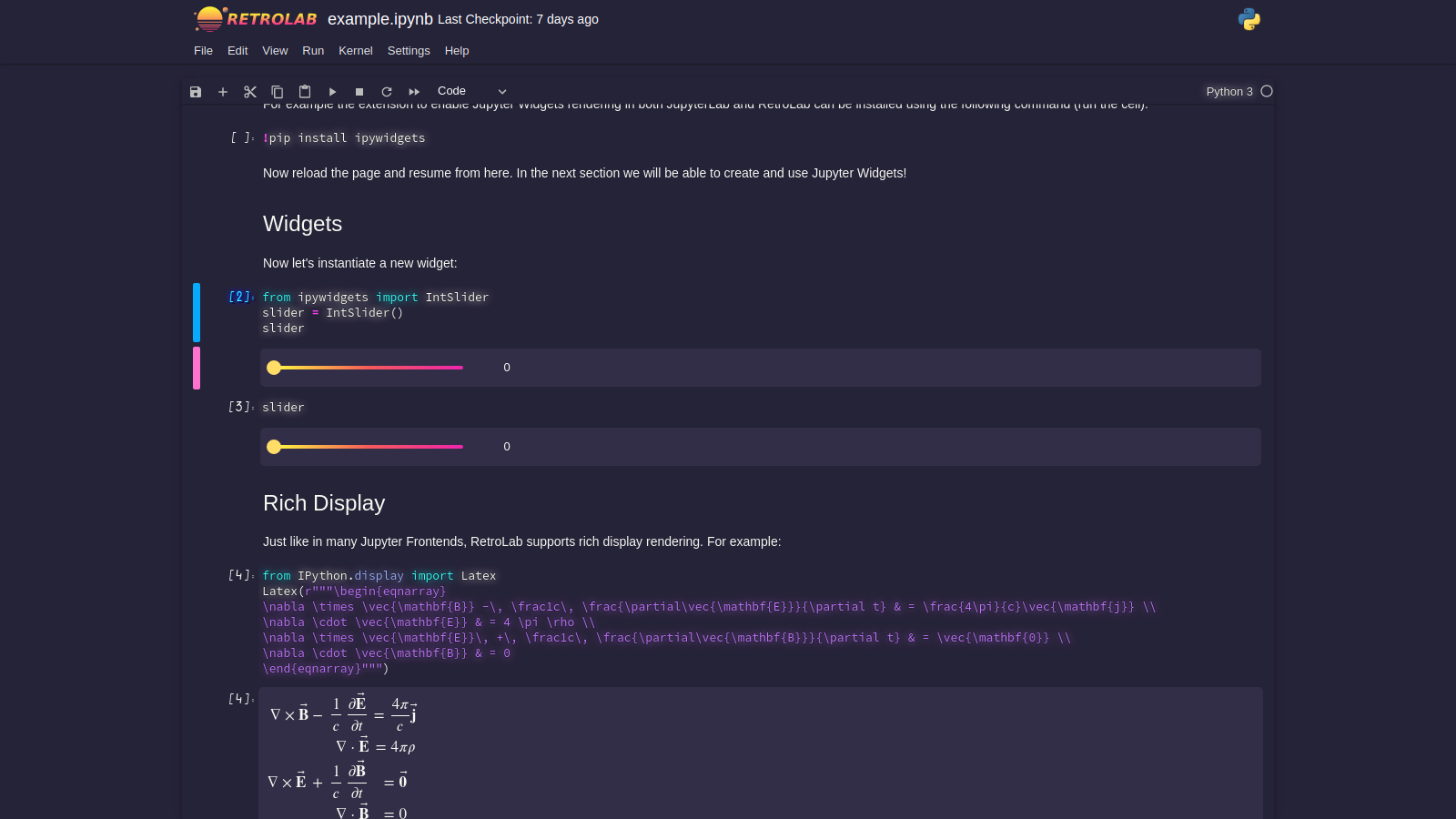
For an even more retro look, you might want to start retrolab with the --retro-logo CLI flag:
jupyter retro --retro-logo

# or
# jupyter retro --RetroApp.retro_logo=True
Example with the JupyterLab Miami Nights Theme installed as a prebuilt extension:
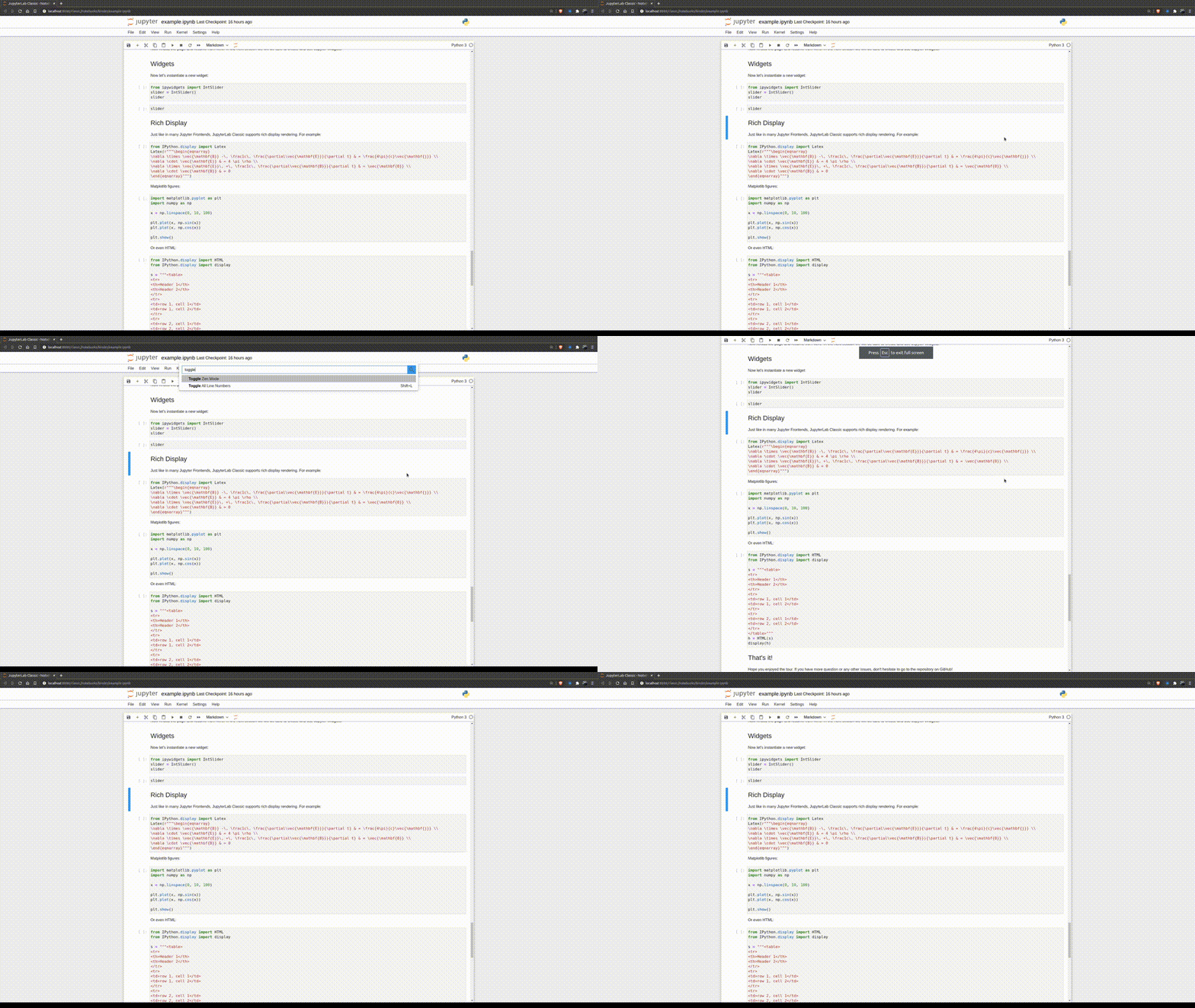
Zen Mode 😌
Terminals 🖥️
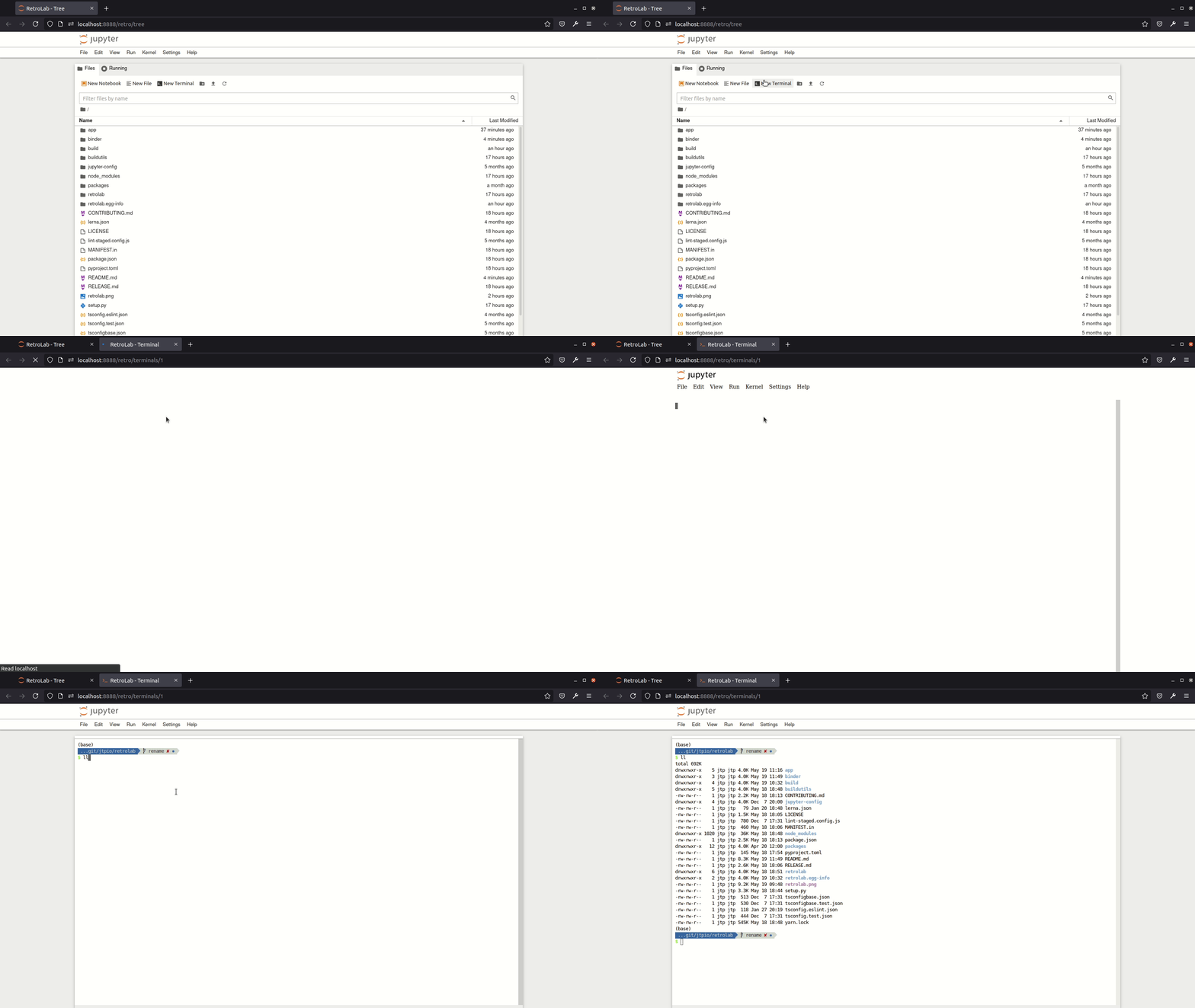
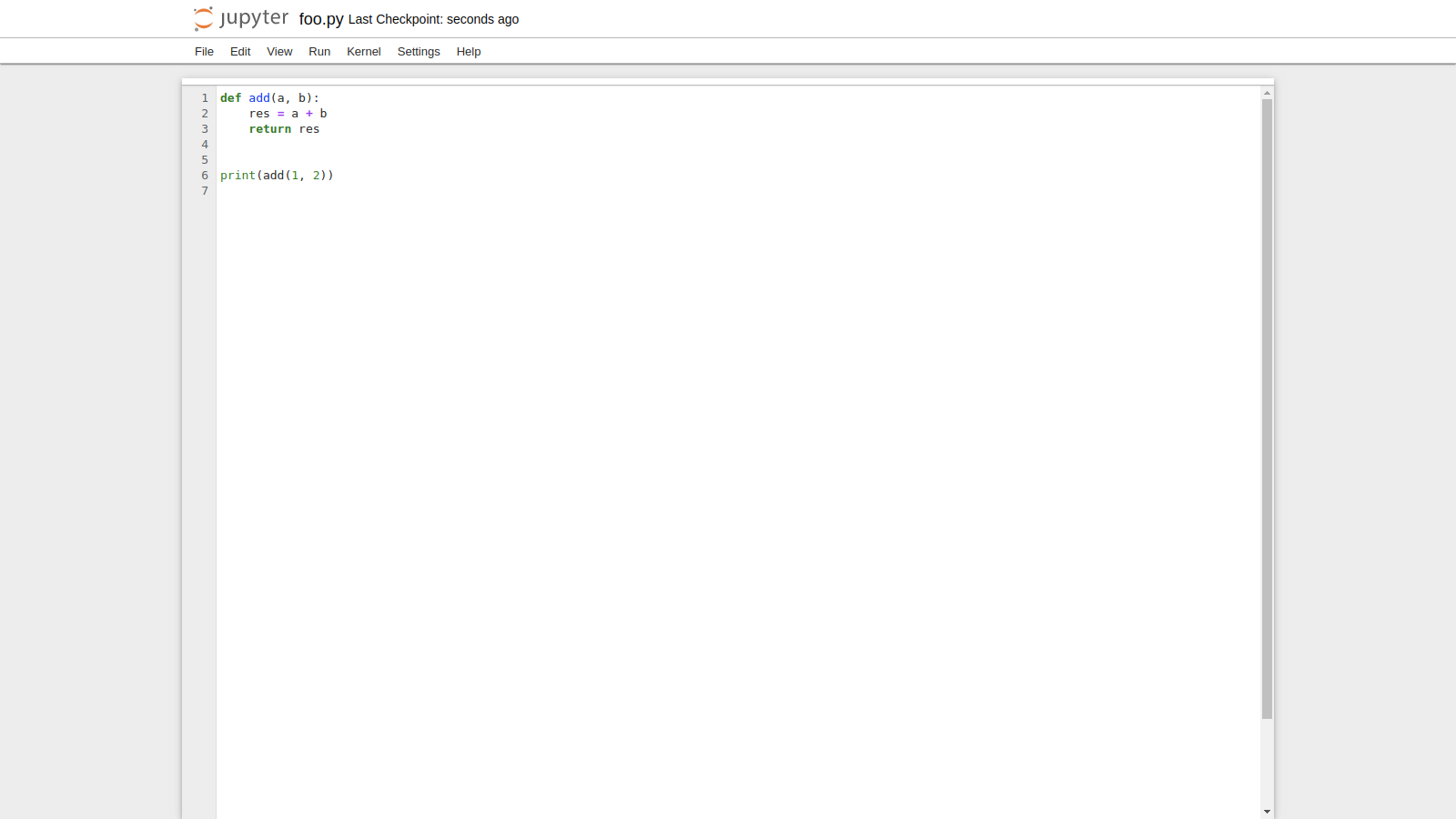
File Editor 🖊️
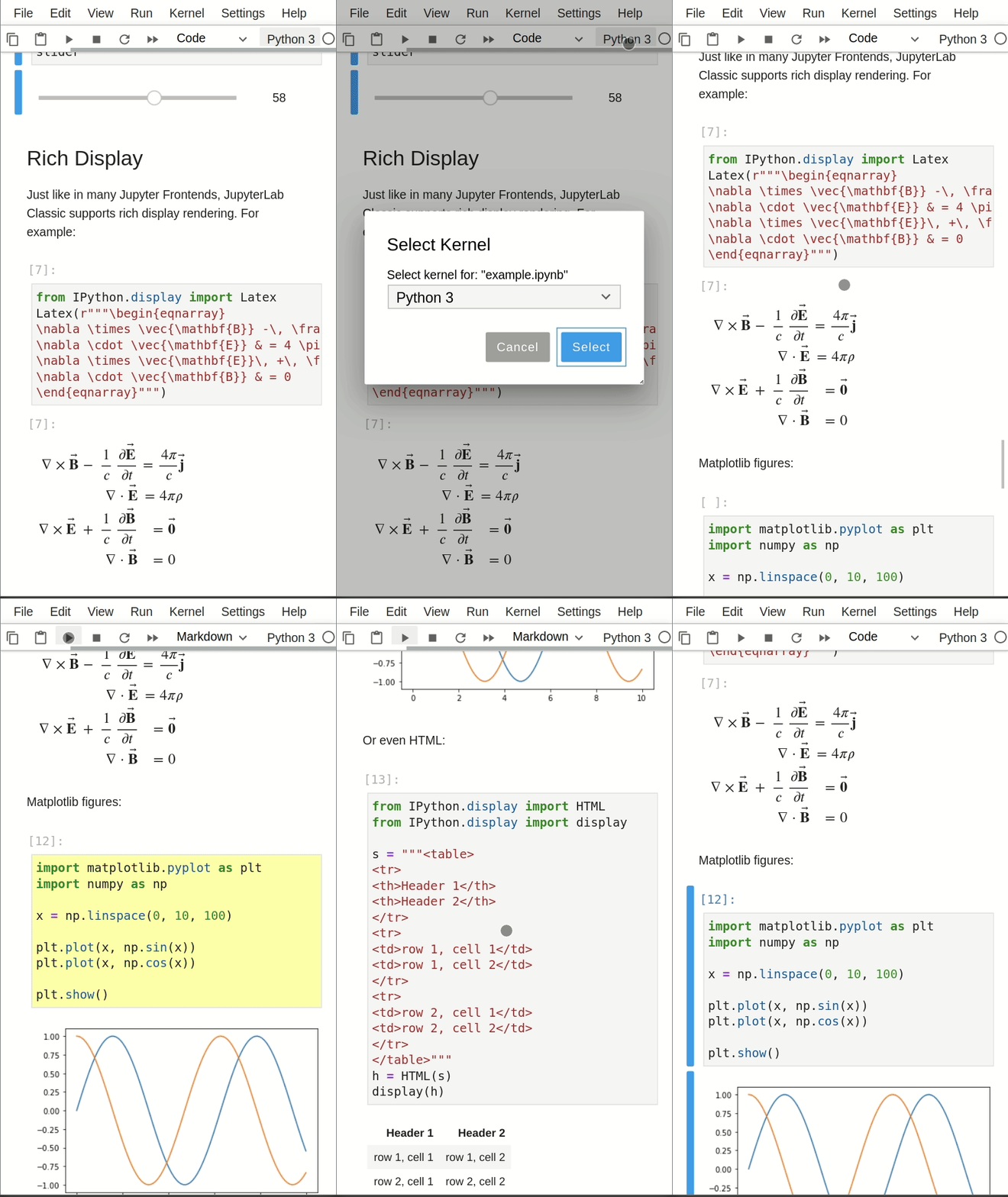
Compact View on Mobile Devices 📱
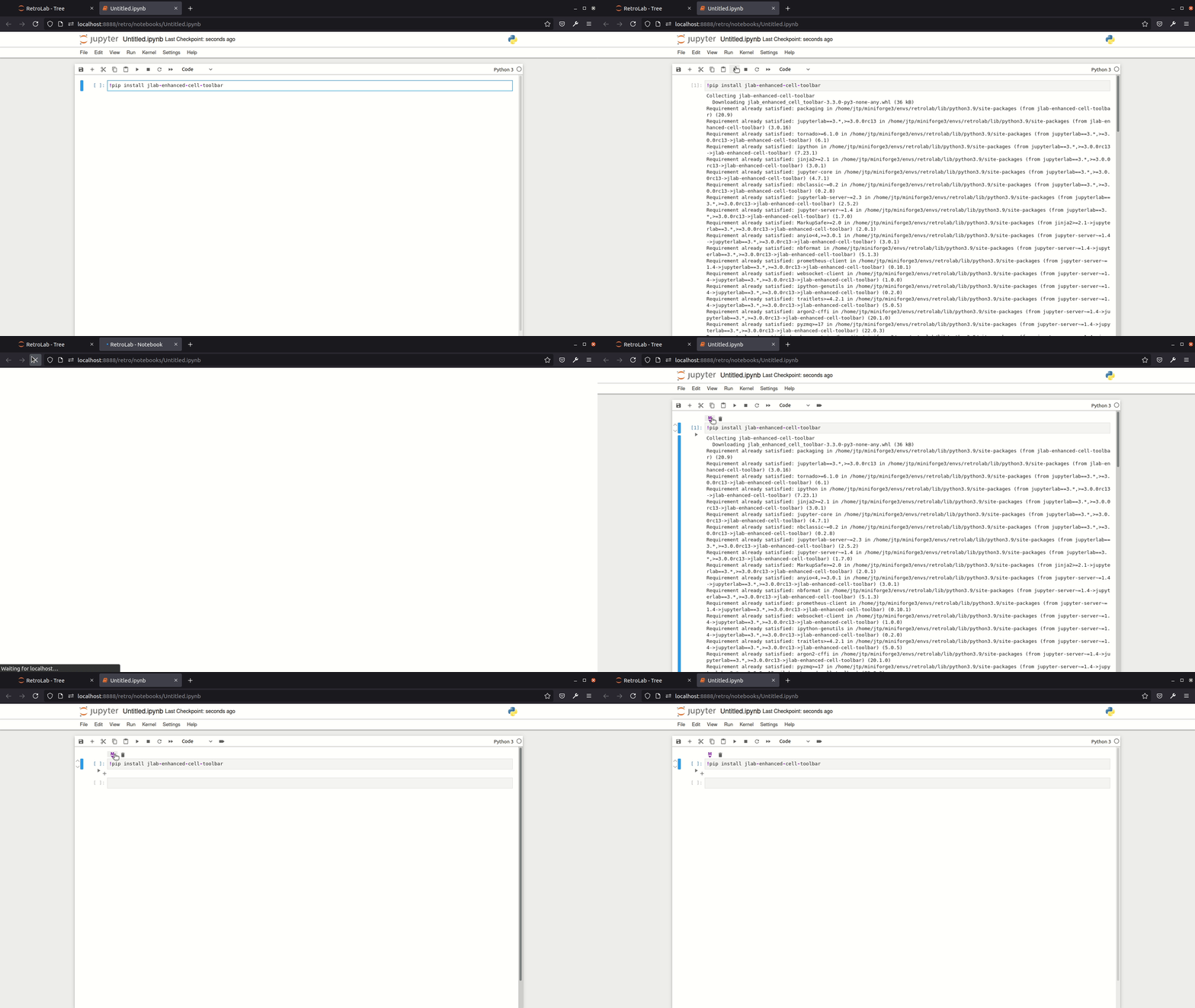
Support for prebuilt extensions 🧩
Install new extensions easily!
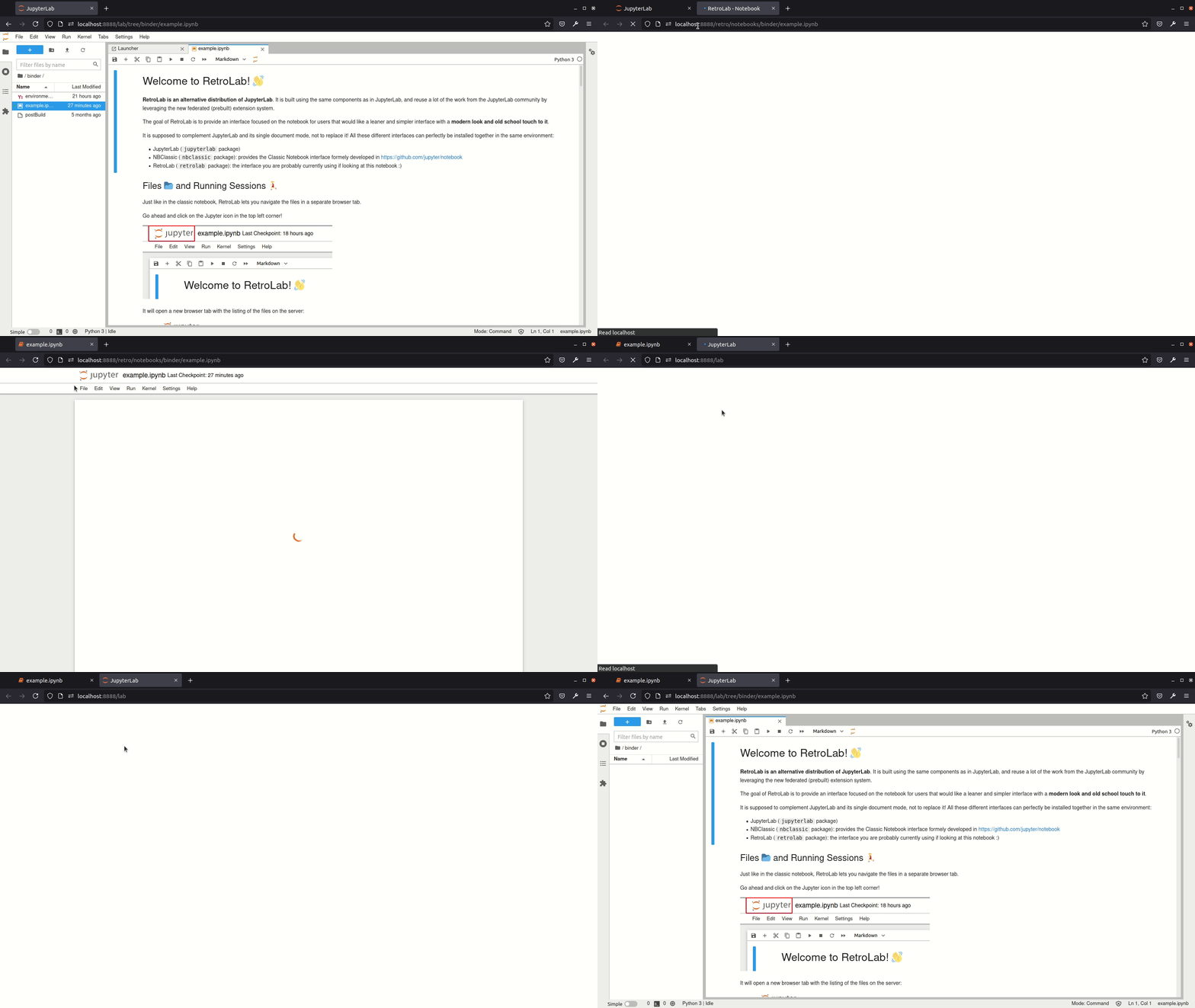
Switch between JupyterLab and RetroLab easily ↔️
Contributing
If you would like to contribute to the project and set up a development environment, check out CONTRIBUTING.md.
Motivation
JupyterLab is the next-gen UI for Project Jupyter. Currently at version 3.0, it is becoming more mature and provides an advanced computational environment, that can sometimes be compared to what traditional IDEs offer.
However in some cases, having a leaner, simpler, and more focused interface to work on a notebook is really useful.
The single document mode as currently implemented in JupyterLab helps address this issue, but still displays a couple of visual cues that can be distracting to some users.
The goal of the retrolab project is to provide an alternative JupyterLab distribution with the look and feed of the classic notebook UI, while leveraging the efforts put in the development of JupyterLab itself and its extension system.
Technically speaking, retrolab reuses many of the existing plugins for JupyterLab (notebook, toolbar), and also supports prebuilt (federated) third-party extensions using the new distribution system added in 3.0. That way, extensions built for JupyterLab should also be compatible with retrolab, as long as they can be added to the application shell provided by RetroLab.
Relation to other Jupyter frontends
RetroLab is an alternative frontend built using the latest JupyterLab components, with the look and feel of the Classic Jupyter Notebook UI. Below is a short comparison to know where it stands when compared to other Jupyter UI projects:
- Classic Jupyter Notebook - Classic frontend, classic notebook server.
- NBClassic - Classic frontend, new Jupyter Server.
- JupyterLab - Jupyterlab frontend, new Jupyter Server (or Classic Notebook Server). Extensions are not compatible with the Classic Jupyter Notebook since it is built with different components. With version 3.0 onwards, it uses the new Jupyter Server and supports federated extensions that don't need to be rebuilt on the end-user machine.
- RetroLab - JupyterLab frontend built with JupyterLab components, with the look and feel of the Classic Notebook. Consistent with the latest version of Jupyterlab. Extensions built for Jupyterlab should work as long as the components they depend on are part of this classic interface (for install RetroLab doesn't have the
left,rightandbottomareas).
Prior art
This project is mostly a reboot of the two previous attempts at making something similar:
These projects really expressed the need for a stripped down, minimal version of the Jupyter Notebook UI.
retrolab contributes to that space with the added features:
- Support for existing federated (prebuilt) JupyterLab extensions
- Zen Mode
- Repo structure, similar to JupyterLab
- Reusing as much as possible from upstream JupyterLab
- Serve as a template and reference implementation for other alternative JupyterLab distributions
Community Guidelines and Code of Conduct
This repository is a Jupyter project and follows the Jupyter Community Guides and Code of Conduct.


Release files for retrolab 0.3.8
For a detailed explanation of source distributions (sdists) and built distributions (wheels), please see the package formats documentation.
Source distribution (sdist)
| File | Size | Uploaded | Provenance | |
|---|---|---|---|---|
| retrolab-0.3.8.tar.gz | 3.1 MB | Without provenance | Details |
Built distribution (wheel)
| File | Interpreter | ABI | Platform | Reset |
|---|---|---|---|---|
| retrolab-0.3.8-py3-none-any.whl | Python 3 | none | any | Details |
Total release size: 6.4 MB
Release files / retrolab-0.3.8.tar.gz
| Download URL | retrolab-0.3.8.tar.gz |
|---|---|
| Size | 3.1 MB |
| Tags | Source |
|
SHA-256 checksum How to use checksums |
3dc7150d3db6b51a8887143dd697c7cf5f95a70323821f6b019673f1ddd07101
|
|
BLAKE2b-256 checksum How to use checksums |
e8911c08c7b8a79ff07326666dd8bfa9eceaa42ac55dd96cb65cbe190a968912
|
| Upload date | |
|
Uploaded using Trusted Publishing? What is trusted publishing? |
No |
| Uploaded via |
twine/3.4.2 importlib_metadata/4.8.1 pkginfo/1.7.1 requests/2.26.0 requests-toolbelt/0.9.1 tqdm/4.62.3 CPython/3.9.7
|
Release files / retrolab-0.3.8-py3-none-any.whl
| Download URL | retrolab-0.3.8-py3-none-any.whl |
|---|---|
| Size | 3.3 MB |
| Tags | Python 3 |
|
SHA-256 checksum How to use checksums |
76cee722f2e455ba06b8629ace5675ff1488f5c2979aef007a03c8a1722cffcc
|
|
BLAKE2b-256 checksum How to use checksums |
848ed7886a013583489e9cc0864c23f8a77dff637d92a84067e70bc873338f9b
|
| Upload date | |
|
Uploaded using Trusted Publishing? What is trusted publishing? |
No |
| Uploaded via |
twine/3.4.2 importlib_metadata/4.8.1 pkginfo/1.7.1 requests/2.26.0 requests-toolbelt/0.9.1 tqdm/4.62.3 CPython/3.9.7
|
Security for retrolab 0.3.8
Provenance
Provenance describes where a file came from. On PyPI, provenance is shared via attestations, which provide a verifiable record of the build or publishing details. View details, limitations and caveats.
No provenance found
None of the files in this release were uploaded with provenance metadata.
A note on package security
PyPI is a repository for distributing packages, not a service for auditing them. While third-party security researchers and our staff do their best to detect and remove malicious packages, PyPI cannot guarantee the quality, security or suitability of any given package.














