

A Plone gadget for the 2014 FIFA World Cup Brazil
Installation
To install rt.maracas you simply add rt.maracas to the list of eggs in your buildout, run buildout and restart Plone.
Then, install rt.maracas using the Add-ons control panel.
What you will get
- A maracas_macros view with some macros:
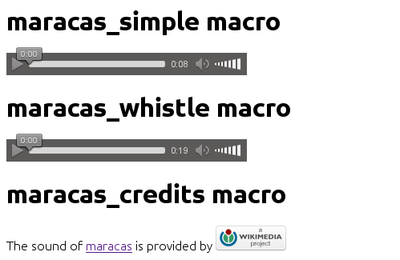
Two views (maracas-simple and maracas-and-whistle).
- You can control them with the query parameters:
autoplay (maracas start when page loads)
controls (you will get the interface to control the media execution)
loop (music will loop until you get crazy)
- Example usage of these views:
You will also get a Maracas portlet (see the screenshot of the add form).
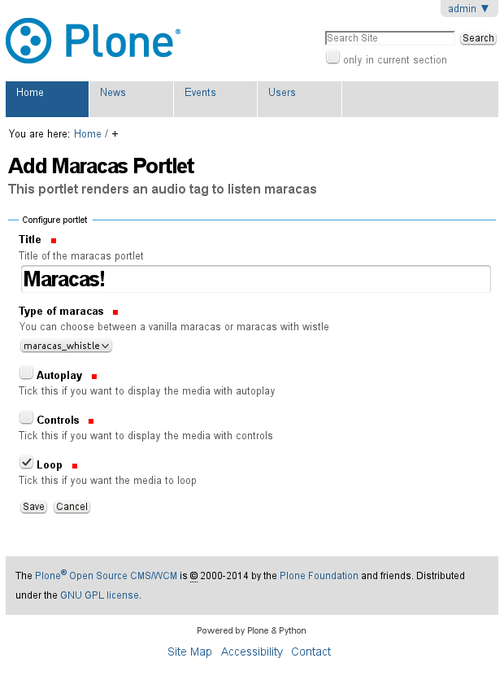
How to annoy people
Adding a portlet with nasty settings can lead to very annoying results!
The fatality combo is this one:
Autoplay: True
Controls: False
Loop: True
Enjoy and good luck for your favourite team!
Authors
This product was developed by RedTurtle Technology team.

Don’t forget to check the predecessor of this package, rt.vuvuzela
- orphan:
Changelog
0.9.0 (2014-06-10)
Initial release. [ale-rt]
1 maintainer

Release files for rt.maracas 0.9.0
For a detailed explanation of source distributions (sdists) and built distributions (wheels), please see the package formats documentation.
Source distribution (sdist)
| File | Size | Uploaded | |
|---|---|---|---|
| rt.maracas-0.9.0.zip | 262.6 kB | Details |
Release files / rt.maracas-0.9.0.zip
| Download URL | rt.maracas-0.9.0.zip |
|---|---|
| Size | 262.6 kB |
| Tags | Source |
|
SHA-256 checksum How to use checksums |
b640f655eb4c63968f28415616d12adfdd4abe5cb4be87e30f826ffa9630f075
|
|
BLAKE2b-256 checksum How to use checksums |
c163505d3eb14db5fa8e9c0e6ac9998b421514dea1cf98e20fc7bc53e5dc7558
|
| Upload date | |
|
Uploaded using Trusted Publishing? What is trusted publishing? |
No |













