
S3Scanner


A tool to find open S3 buckets and dump their contents💧
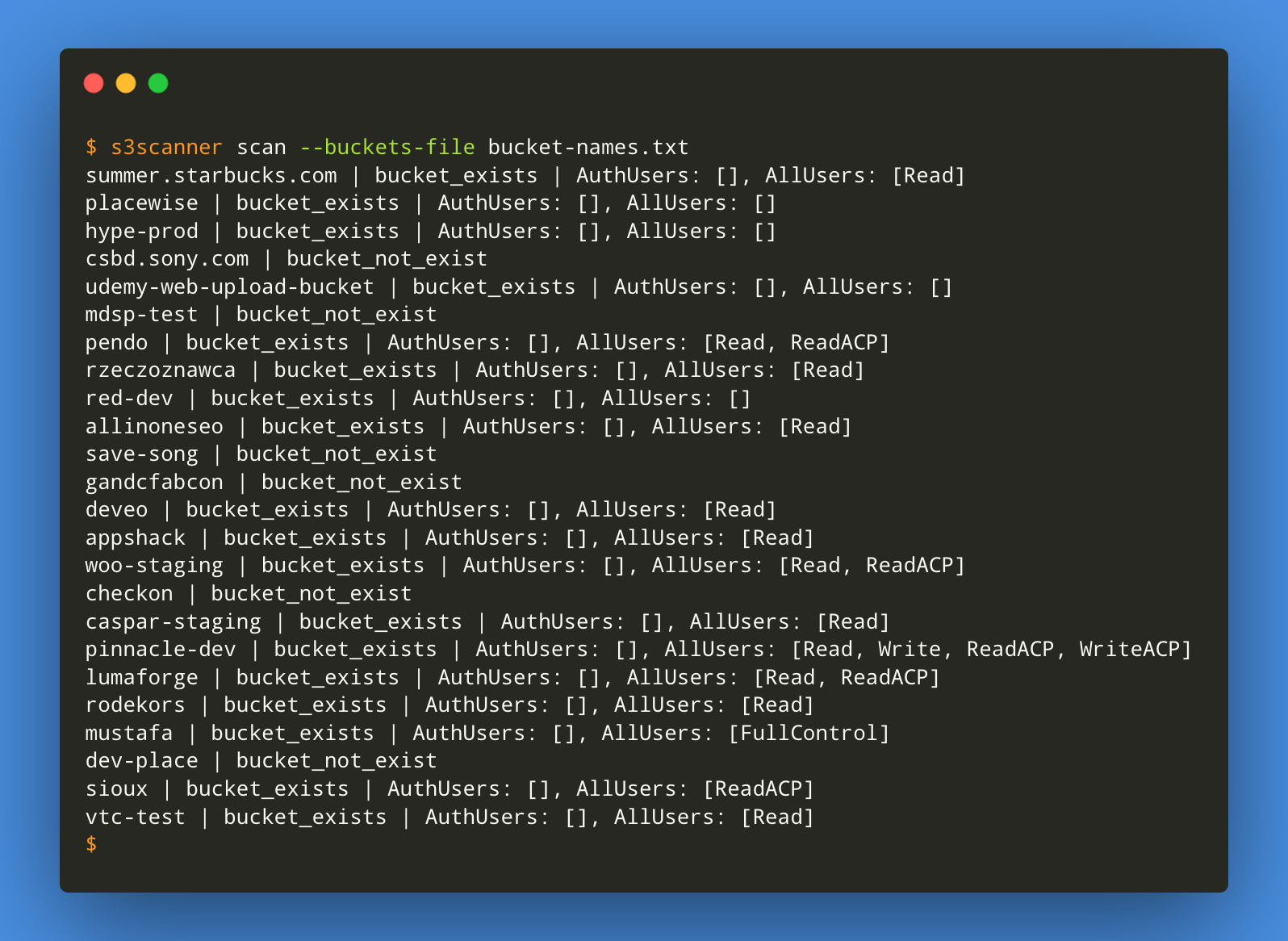
Usage
usage: s3scanner [-h] [--version] [--threads n] [--endpoint-url ENDPOINT_URL] [--endpoint-address-style {path,vhost}] [--insecure] {scan,dump} ...

s3scanner: Audit unsecured S3 buckets
           by Dan Salmon - github.com/sa7mon, @bltjetpack

optional arguments:
  -h, --help            show this help message and exit
  --version             Display the current version of this tool
  --threads n, -t n     Number of threads to use. Default: 4
  --endpoint-url ENDPOINT_URL, -u ENDPOINT_URL
                        URL of S3-compliant API. Default: https://s3.amazonaws.com
  --endpoint-address-style {path,vhost}, -s {path,vhost}
                        Address style to use for the endpoint. Default: path
  --insecure, -i        Do not verify SSL

mode:
  {scan,dump}           (Must choose one)
    scan                Scan bucket permissions
    dump                Dump the contents of buckets
Support
🚀 If you've found this tool useful, please consider donating to support its development


Installation
pip3 install s3scanner
or via Docker:
docker build . -t s3scanner:latest
docker run --rm s3scanner:latest scan --bucket my-buket
or from source:
git clone git@github.com:sa7mon/S3Scanner.git
cd S3Scanner
pip3 install -r requirements.txt
python3 -m S3Scanner
Features
- ⚡️ Multi-threaded scanning
- 🔭 Supports tons of S3-compatible APIs
- 🕵️♀️ Scans all bucket permissions to find misconfigurations
- 💾 Dump bucket contents to a local folder
- 🐳 Docker support
Examples
- Scan AWS buckets listed in a file with 8 threads
$ s3scanner --threads 8 scan --buckets-file ./bucket-names.txt
- Scan a bucket in Digital Ocean Spaces
$ s3scanner --endpoint-url https://sfo2.digitaloceanspaces.com scan --bucket my-bucket
- Dump a single AWS bucket
$ s3scanner dump --bucket my-bucket-to-dump
- Scan a single Dreamhost Objects bucket which uses the vhost address style and an invalid SSL cert
$ s3scanner --endpoint-url https://objects.dreamhost.com --endpoint-address-style vhost --insecure scan --bucket my-bucket
S3-compatible APIs
S3Scanner can scan and dump buckets in S3-compatible APIs services other than AWS by using the
--endpoint-url argument. Depending on the service, you may also need the --endpoint-address-style
or --insecure arguments as well.
Some services have different endpoints corresponding to different regions
Note: S3Scanner currently only supports scanning for anonymous user permissions of non-AWS services
| Service | Example Endpoint | Address Style | Insecure ? |
|---|---|---|---|
| DigitalOcean Spaces (SFO2 region) | https://sfo2.digitaloceanspaces.com | path | No |
| Dreamhost | https://objects.dreamhost.com | vhost | Yes |
| Linode Object Storage (eu-central-1 region) | https://eu-central-1.linodeobjects.com | vhost | No |
| Scaleway Object Storage (nl-ams region) | https://s3.nl-ams.scw.cloud | path | No |
| Wasabi Cloud Storage | http://s3.wasabisys.com/ | path | Yes |
📚 Current status of non-AWS APIs can be found in the project wiki
Interpreting Results
This tool will attempt to get all available information about a bucket, but it's up to you to interpret the results.
Possible permissions for buckets:
- Read - List and view all files
- Write - Write files to bucket
- Read ACP - Read all Access Control Policies attached to bucket
- Write ACP - Write Access Control Policies to bucket
- Full Control - All above permissions
Any or all of these permissions can be set for the 2 main user groups:
- Authenticated Users
- Public Users (those without AWS credentials set)
- Individual users/groups (out of scope of this tool)
What this means: Just because a bucket doesn't allow reading/writing ACLs doesn't mean you can't read/write files in the bucket. Conversely, you may be able to list ACLs but not read/write to the bucket
Contributors
License
MIT
1 maintainer

Metadata
1 maintainer
Release files for S3Scanner 2.0.1
For a detailed explanation of source distributions (sdists) and built distributions (wheels), please see the package formats documentation.
Source distribution (sdist)
| File | Size | Uploaded | Provenance | Actions |
|---|---|---|---|---|
| S3Scanner-2.0.1.tar.gz | 16.2 kB | Without provenance | Details for S3Scanner-2.0.1.tar.gz |
Built distribution (wheel)
| File | Interpreter | ABI | Platform | Actions Reset |
|---|---|---|---|---|
| S3Scanner-2.0.1-py3-none-any.whl | Python 3 | none | any | Details for S3Scanner-2.0.1-py3-none-any.whl |
Total release size: 31.4 kB
Release files / S3Scanner-2.0.1.tar.gz
| Download URL | S3Scanner-2.0.1.tar.gz |
|---|---|
| Size | 16.2 kB |
| Tags | Source |
|
SHA-256 checksum How to use checksums |
426f7c55f82303d54eccbd3a42ee3b3761d3ecfd8d55c43e5fb0cd4e3bee2e61
|
|
BLAKE2b-256 checksum How to use checksums |
e82d1aa067149da8c05fc3fe0f1ef47eb2ee2d6d6f1480e2c7baf13b95c6089b
|
| Upload date | |
|
Uploaded using Trusted Publishing? What is trusted publishing? |
No |
| Uploaded via |
twine/3.4.1 importlib_metadata/4.0.0 pkginfo/1.7.0 requests/2.25.1 requests-toolbelt/0.9.1 tqdm/4.60.0 CPython/3.9.4
|
Release files / S3Scanner-2.0.1-py3-none-any.whl
| Download URL | S3Scanner-2.0.1-py3-none-any.whl |
|---|---|
| Size | 15.2 kB |
| Tags | Python 3 |
|
SHA-256 checksum How to use checksums |
ed2e07a9d767486bf597efdb04dd644cae7dda903dee6080c55b4b5b3cc6a2f5
|
|
BLAKE2b-256 checksum How to use checksums |
a0af3cc2fc845356b06a4afc0c8c8ade97dbcb3688a878d3789723709d3e82f9
|
| Upload date | |
|
Uploaded using Trusted Publishing? What is trusted publishing? |
No |
| Uploaded via |
twine/3.4.1 importlib_metadata/4.0.0 pkginfo/1.7.0 requests/2.25.1 requests-toolbelt/0.9.1 tqdm/4.60.0 CPython/3.9.4
|
Security for S3Scanner 2.0.1
Provenance
Provenance describes where a file came from. On PyPI, provenance is shared via attestations, which provide a verifiable record of the build or publishing details. View details, limitations and caveats.
No provenance found
None of the files in this release were uploaded with provenance metadata.
A note on package security
PyPI is a repository for distributing packages, not a service for auditing them. While third-party security researchers and our staff do their best to detect and remove malicious packages, PyPI cannot guarantee the quality, security or suitability of any given package.
To learn more about protecting yourself from malicious actors, visit our package security documentation.














