

An Open-Source Library for Processing Documents using AI/ML in Apache Spark.








Source Code: https://github.com/StabRise/ScaleDP
Quickstart: 1.QuickStart.ipynb
Documentations: https://scaledp.stabrise.com
Tutorials: https://github.com/StabRise/ScaleDP-Tutorials
Welcome to the ScaleDP library
ScaleDP is library allows you to process documents using AI/ML capabilities and scale it using Apache Spark.
LLM (Large Language Models) and VLM (Vision Language Models) models are used to extract data from text and images in combination with OCR engines.
Discover pre-trained models for your projects or play with the thousands of models hosted on the Hugging Face Hub.
Key features
Document processing:
- ✅ Loading PDF documents/Images to the Spark DataFrame (using Spark PDF Datasource and as
binaryFile) - ✅ Extraction text/images from PDF documents/Images
- ✅ Zero-Shot extraction structured data from text/images using LLM and ML models
- ✅ Possibility run as REST API service without Spark Session for have minimum processing latency
- ✅ Support Streaming mode for processing documents in real-time
LLM:
Support OpenAI compatible API for call LLM/VLM models (GPT, Gemini, GROQ, etc.)
- OCR Images/PDF documents using Vision LLM models
- Extract data from the image using Vision LLM models
- Extract data from the text/images using LLM models
- Extract data using DSPy framework
- NER using LLM's
- Visualize results
NLP:
- Extract data from the text/images using NLP models from the Hugging Face Hub
- NER using classical ML models
OCR:
Support various open-source OCR engines:
- Tesseract OCR
- Easy OCR
- Surya OCR
- DocTR
- Vision LLM models
CV:
- Object detection on images using YOLO models
- Text detection on images
Installation
Prerequisites
- Python 3.10 or higher
- Apache Spark 3.5 or higher
- Java 8
Installation using pip
Install the ScaleDP package with pip:
pip install scaledp
Installation using Docker
Build image:
docker build -t scaledp .
Run container:
docker run -p 8888:8888 scaledp:latest
Open Jupyter Notebook in your browser:
http://localhost:8888
Qiuckstart
Start a Spark session with ScaleDP:
from scaledp import *
spark = ScaleDPSession()
spark
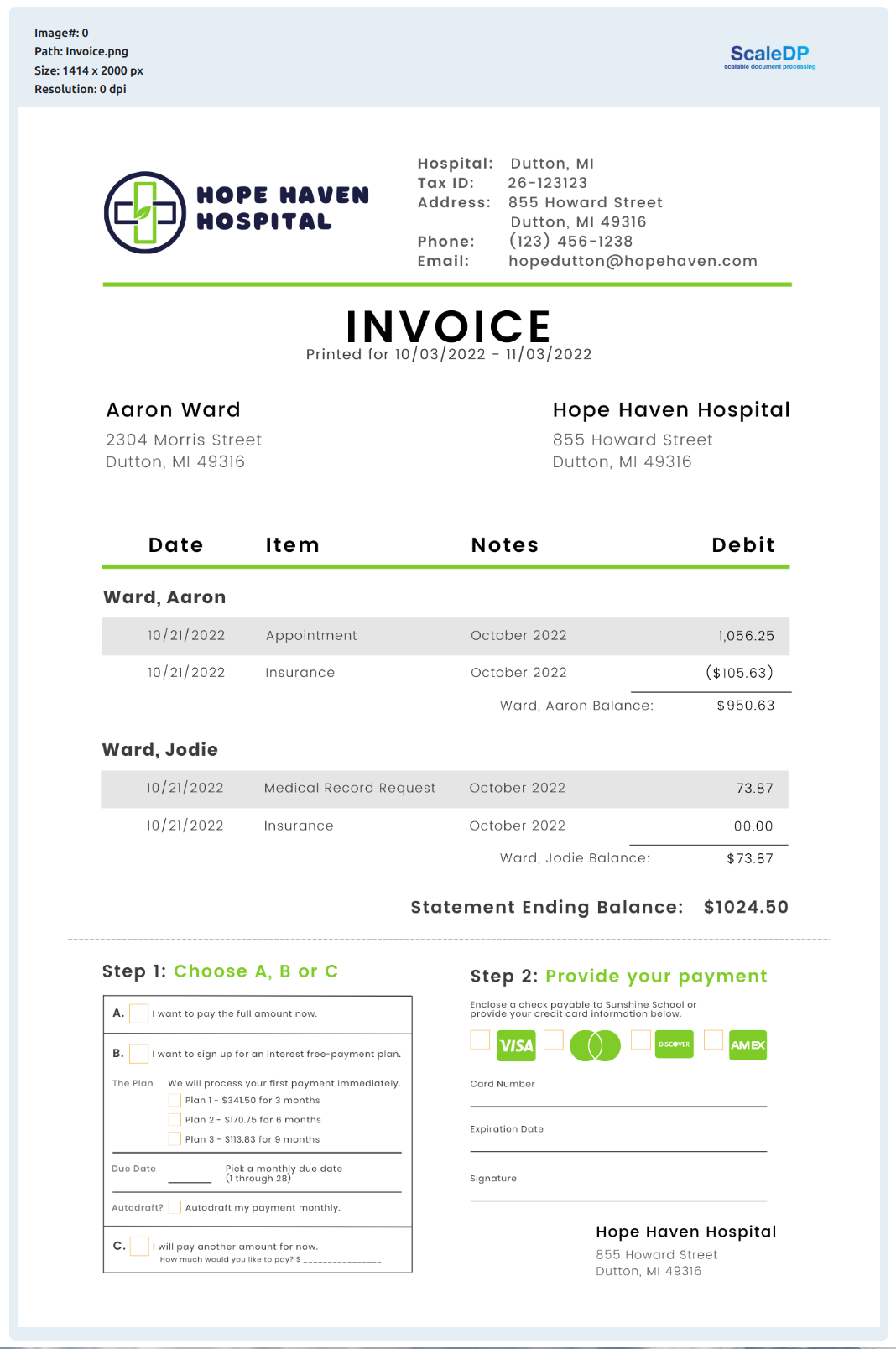
Read example image file:
image_example = files('resources/images/Invoice.png')
df = spark.read.format("binaryFile") \
    .load(image_example)

df.show_image("content")
Output:
Zero-Shot data Extraction from the Image:
from pydantic import BaseModel
import json

class Items(BaseModel):
    date: str
    item: str
    note: str
    debit: str

class InvoiceSchema(BaseModel):
    hospital: str
    tax_id: str
    address: str
    email: str
    phone: str
    items: list[Items]
    total: str


pipeline = PipelineModel(stages=[
    DataToImage(
        inputCol="content",
        outputCol="image"
    ),
    LLMVisualExtractor(
        inputCol="image",
        outputCol="invoice",
        model="gemini-1.5-flash",
        apiKey="",
        apiBase="https://generativelanguage.googleapis.com/v1beta/",
        schema=json.dumps(InvoiceSchema.model_json_schema())
    )
])

result = pipeline.transform(df).cache()
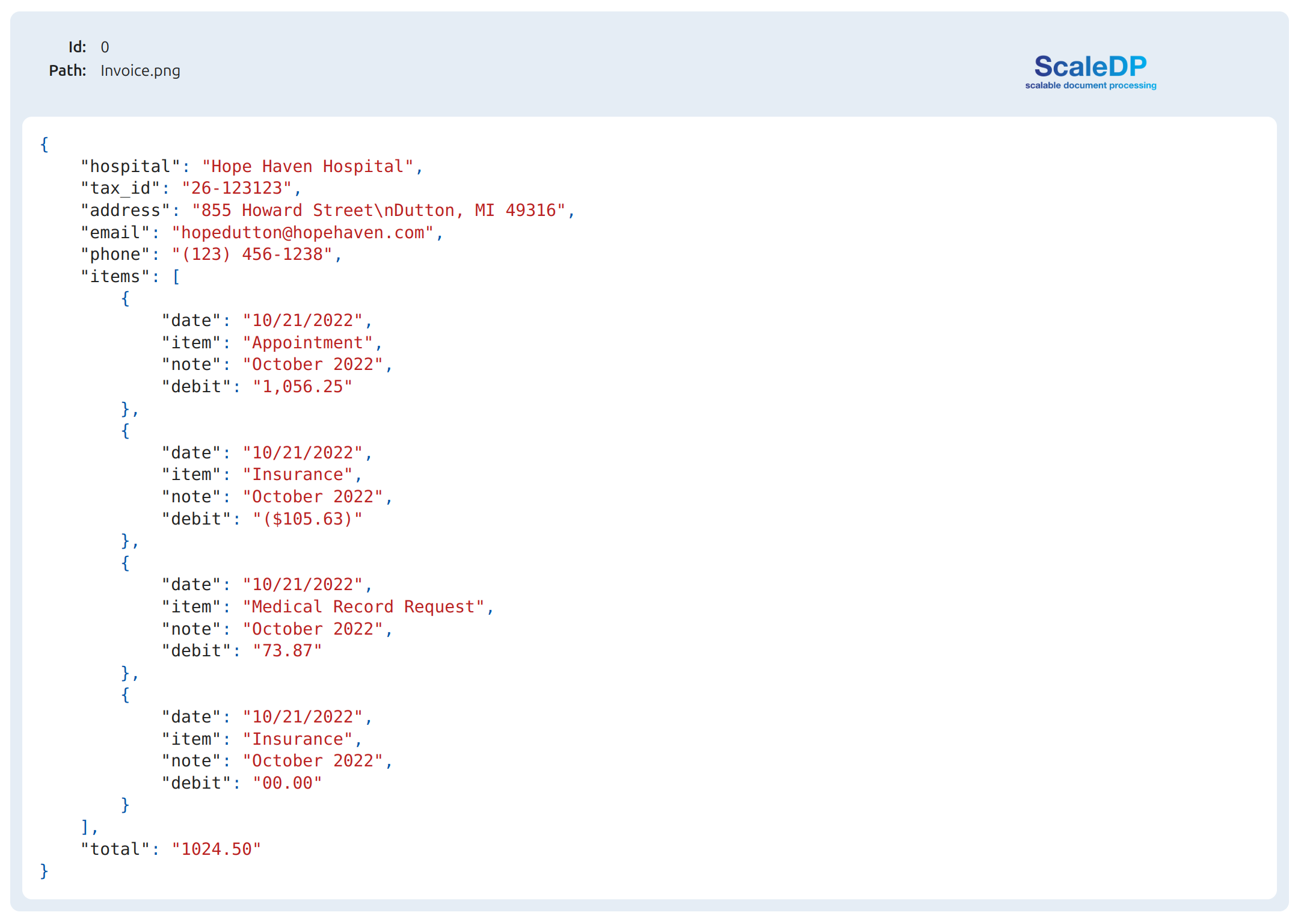
Show the extracted json:
result.show_json("invoice")
Let's show Invoice as Structured Data in Data Frame
result.select("invoice.data.*").show()
Output:
+-------------------+---------+--------------------+--------------------+--------------+--------------------+-------+
|           hospital|   tax_id|             address|               email|         phone|               items|  total|
+-------------------+---------+--------------------+--------------------+--------------+--------------------+-------+
|Hope Haven Hospital|26-123123|855 Howard Street...|hopedutton@hopeha...|(123) 456-1238|[{10/21/2022, App...|1024.50|
+-------------------+---------+--------------------+--------------------+--------------+--------------------+-------+
Schema:
result.printSchema()
root
 |-- path: string (nullable = true)
 |-- modificationTime: timestamp (nullable = true)
 |-- length: long (nullable = true)
 |-- image: struct (nullable = true)
 |    |-- path: string (nullable = false)
 |    |-- resolution: integer (nullable = false)
 |    |-- data: binary (nullable = false)
 |    |-- imageType: string (nullable = false)
 |    |-- exception: string (nullable = false)
 |    |-- height: integer (nullable = false)
 |    |-- width: integer (nullable = false)
 |-- invoice: struct (nullable = true)
 |    |-- path: string (nullable = false)
 |    |-- json_data: string (nullable = true)
 |    |-- type: string (nullable = false)
 |    |-- exception: string (nullable = false)
 |    |-- processing_time: double (nullable = false)
 |    |-- data: struct (nullable = true)
 |    |    |-- hospital: string (nullable = false)
 |    |    |-- tax_id: string (nullable = false)
 |    |    |-- address: string (nullable = false)
 |    |    |-- email: string (nullable = false)
 |    |    |-- phone: string (nullable = false)
 |    |    |-- items: array (nullable = false)
 |    |    |    |-- element: struct (containsNull = false)
 |    |    |    |    |-- date: string (nullable = false)
 |    |    |    |    |-- item: string (nullable = false)
 |    |    |    |    |-- note: string (nullable = false)
 |    |    |    |    |-- debit: string (nullable = false)
 |    |    |-- total: string (nullable = false)
NER using model from the HuggingFace models Hub
Define pipeline for extract text from the image and run NER:
pipeline = PipelineModel(stages=[
    DataToImage(inputCol="content", outputCol="image"),
    TesseractOcr(inputCol="image", outputCol="text", psm=PSM.AUTO, keepInputData=True),
    Ner(model="obi/deid_bert_i2b2", inputCol="text", outputCol="ner", keepInputData=True),
    ImageDrawBoxes(inputCols=["image", "ner"], outputCol="image_with_boxes", lineWidth=3,
                   padding=5, displayDataList=['entity_group'])
])

result = pipeline.transform(df).cache()

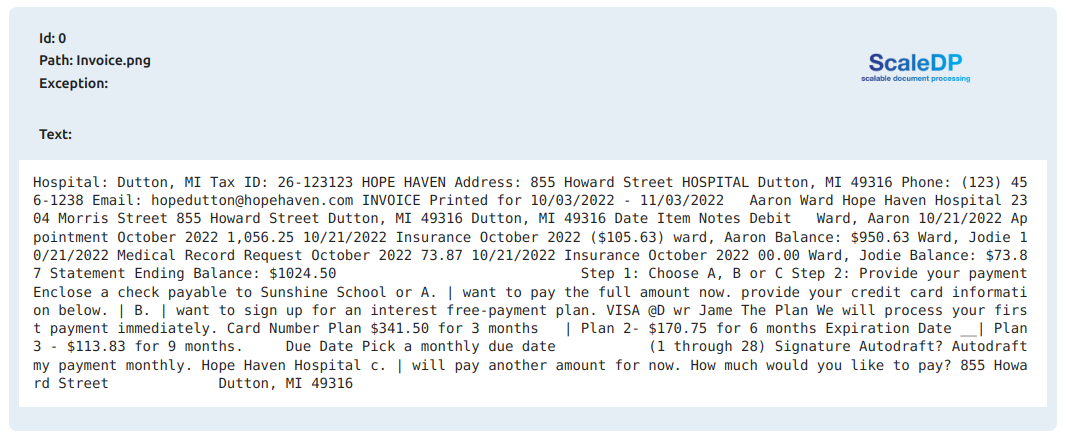
result.show_text("text")
Output:
Show NER results:
result.show_ner(limit=20)
Output:
+------------+-------------------+----------+-----+---+--------------------+
|entity_group|              score|      word|start|end|               boxes|
+------------+-------------------+----------+-----+---+--------------------+
|        HOSP|  0.991257905960083|  Hospital|    0|  8|[{Hospital:, 0.94...|
|         LOC|  0.999171257019043|    Dutton|   10| 16|[{Dutton,, 0.9609...|
|         LOC| 0.9992585778236389|        MI|   18| 20|[{MI, 0.93335297,...|
|          ID| 0.6838774085044861|        26|   29| 31|[{26-123123, 0.90...|
|       PHONE| 0.4669836759567261|         -|   31| 32|[{26-123123, 0.90...|
|       PHONE| 0.7790696024894714|    123123|   32| 38|[{26-123123, 0.90...|
|        HOSP|0.37445762753486633|      HOPE|   39| 43|[{HOPE, 0.9525460...|
|        HOSP| 0.9503226280212402|     HAVEN|   44| 49|[{HAVEN, 0.952546...|
|         LOC| 0.9975488185882568|855 Howard|   59| 69|[{855, 0.94682700...|
|         LOC| 0.9984399676322937|    Street|   70| 76|[{Street, 0.95823...|
|        HOSP| 0.3670221269130707|  HOSPITAL|   77| 85|[{HOSPITAL, 0.959...|
|         LOC| 0.9990363121032715|    Dutton|   86| 92|[{Dutton,, 0.9647...|
|         LOC|  0.999313473701477|  MI 49316|   94|102|[{MI, 0.94589012,...|
|       PHONE| 0.9830010533332825|   ( 123 )|  110|115|[{(123), 0.595334...|
|       PHONE| 0.9080978035926819|       456|  116|119|[{456-1238, 0.955...|
|       PHONE| 0.9378324151039124|         -|  119|120|[{456-1238, 0.955...|
|       PHONE| 0.8746233582496643|      1238|  120|124|[{456-1238, 0.955...|
|     PATIENT|0.45354968309402466|hopedutton|  132|142|[{hopedutton@hope...|
|       EMAIL|0.17805588245391846| hopehaven|  143|152|[{hopedutton@hope...|
|        HOSP|  0.505658745765686|   INVOICE|  157|164|[{INVOICE, 0.9661...|
+------------+-------------------+----------+-----+---+--------------------+
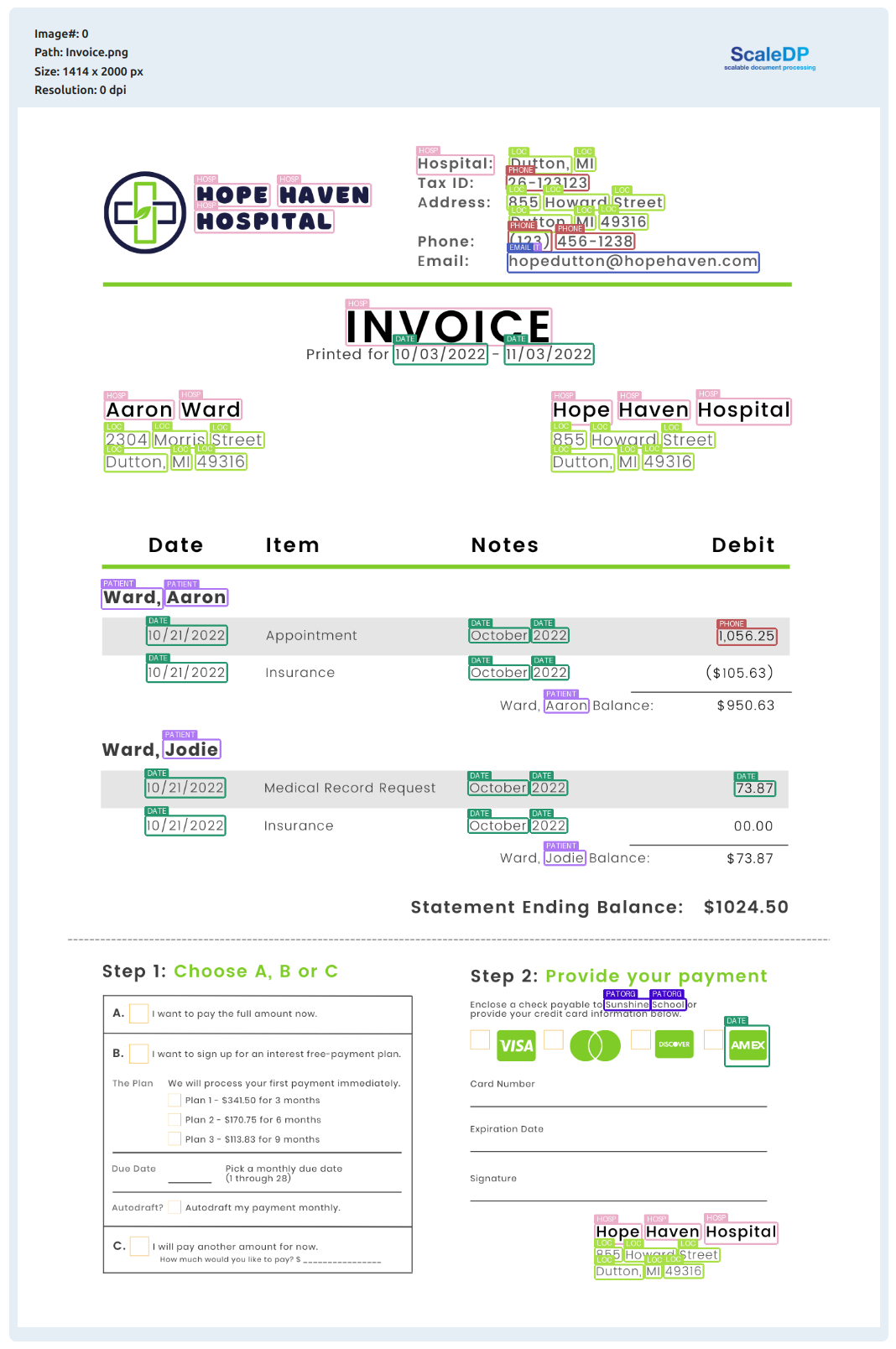
Visualize NER results:
result.visualize_ner(labels_list=["DATE", "LOC"])

Original image with NER results:
result.show_image("image_with_boxes")
Ocr engines
| Bbox level | Support GPU | Separate model for text detection | Processing time 1 page (CPU/GPU) secs | Support Handwritten Text | |
|---|---|---|---|---|---|
| Tesseract OCR | character | no | no | 0.2/no | not good |
| Tesseract OCR CLI | character | no | no | 0.2/no | not good |
| Easy OCR | word | yes | yes | ||
| Surya OCR | line | yes | yes | ||
| DocTR | word | yes | yes |
Projects used the ScaleDP
- PDF Redaction - Free AI-powered tool for redact PDF files (remove sensitive information) online.
- frontiersin.org - Reviewer Recommendation System for academic articles using ScaleDP and LLM models.
- dayme.tech - Data extraction from scanned receipts using ScaleDP and LLM models.
- curie.is - Curie used ScaleDP for document preprocessing and analysis data in documents.
Disclaimer
This project is not affiliated with, endorsed by, or connected to the Apache Software Foundation or Apache Spark.
1 maintainer

Metadata
1 maintainer
Release files for scaledp 0.3.0
For a detailed explanation of source distributions (sdists) and built distributions (wheels), please see the package formats documentation.
Source distribution (sdist)
| File | Size | Uploaded | |
|---|---|---|---|
| scaledp-0.3.0.tar.gz | 922.4 kB | Details |
Built distribution (wheel)
| File | Interpreter | ABI | Platform | Reset |
|---|---|---|---|---|
| scaledp-0.3.0-py3-none-any.whl | Python 3 | none | any | Details |
Total release size: 1.9 MB
Release files / scaledp-0.3.0.tar.gz
| Download URL | scaledp-0.3.0.tar.gz |
|---|---|
| Size | 922.4 kB |
| Tags | Source |
|
SHA-256 checksum How to use checksums |
618749c8a2ae8ce1698acd802c2a138f1e18750a779840feaa5f73b1a378c7f0
|
|
BLAKE2b-256 checksum How to use checksums |
71be5a02e26f4eae0ed8d8ce3ae812335e98133843f5c41e129f4ae20c5680c6
|
| Upload date | |
|
Uploaded using Trusted Publishing? What is trusted publishing? |
No |
| Uploaded via |
poetry/2.1.3 CPython/3.12.3 Linux/6.14.0-36-generic
|
Release files / scaledp-0.3.0-py3-none-any.whl
| Download URL | scaledp-0.3.0-py3-none-any.whl |
|---|---|
| Size | 964.2 kB |
| Tags | Python 3 |
|
SHA-256 checksum How to use checksums |
0c7311e1cbce5e3d36419cafa132b367edb4432d5110bb288d582bfb6610a4ad
|
|
BLAKE2b-256 checksum How to use checksums |
d2fbf1a82422637443b57452316be86b8e0b42e82ba3543bfedf6850da5e6fde
|
| Upload date | |
|
Uploaded using Trusted Publishing? What is trusted publishing? |
No |
| Uploaded via |
poetry/2.1.3 CPython/3.12.3 Linux/6.14.0-36-generic
|














