
SceneEditor
A simple Scene editor for the Panda3D game engine
Requirements
- Python 3.x
- Panda3D 1.10.4.1+
- DirectFolderBrowser
- DirectGuiExtension
To install them, using pip:
pip install -r requirements.txt
Manual
NOTE: Currently the editor is heavily work in progress so things may change later
Starting the editor
To start the Scene Editor, simply run the main.py script
python main.py
Shortcuts
Basic
| shortcut | action |
|---|---|
| Ctrl-Q | Quit the editor |
| Ctrl-N | New Scene |
| Ctrl-O | Open Scene from JSON format |
| Ctrl-S | Save Scene to JSON format |
| Ctrl-E | Export Scene to Python format |
Navigation
Navigating the scene is similar to Blender in that you can move around with the mouse.
| shortcut | action |
|---|---|
| Middle mouse button | Rotate around pivot |
| Shift + Middle mouse button | Pan |
| mouse wheel | Zoom |
| Left mouse button | Select |
| Shift + Left mouse button | Multiselect |
| Ctrl-G | Toggle grid |
| 5 | Toggle Perspective/Orthographic lense |
| 7 | Show top |
| Ctrl-7 | Show bottom |
| 1 | Show front |
| Ctrl-1 | Show back |
| 3 | Show right |
| Ctrl-3 | Show left |
Editing
| shortcut | action |
|---|---|
| G | Move selected objects |
| R | Rotate selected objects around objects center |
| S | Scale selected objects |
| X, Y and Z | During moving and rotating clips to the respective axis |
| Del | Remove objects |
| Ctrl-Z | Undo |
| Ctrl-Y | Redo |
| Ctrl-Shift-Y | Switch between redo branches |
| C | Show collision solids |
| H | Toggle model hidden status |
| Ctrl-C | Copy |
| Ctrl-X | Cut |
| Ctrl-V | Paste (makes last selected object parent or render if none is selected) |
| Page Up | Increase objects sort value |
| Page Down | Decrease objects sort value |
Save and export
To save The Scene as a project file, hit Ctrl-S or the respective button in the toolbar. This will save a Json file that can later be loaded by the editor again.
To export as a python script that can directly be used in projects, either hit Ctrl-E or click the button in the toolbar.
Use exported scripts
The python script will always contain a class called Scene which you can pass a NodePath to be used as root parent element for the scene. Simply instancing the class will load and show the scene by default. If this is not desired, hide the root NodePath as given on initialization. As you shouldn't edit the exported class due to edits being overwritten with a new export, you should create another python module which will handle the logic for the scene. This dedicated module could for example implement a show and hide method to easily change the visibility of the scene. All objects can be accessed from the instantiated scene by their name with special characters being replaced with an underscore.
Here is a small example of how to load and instantiate a Scene. We expect the scene to be exported to a file called myScene.py and contain a model named panda:
from myScene import Scene as MyScene
myScene = MyScene()
myScene.panda.set_pos(0,0,0)
Screenshots
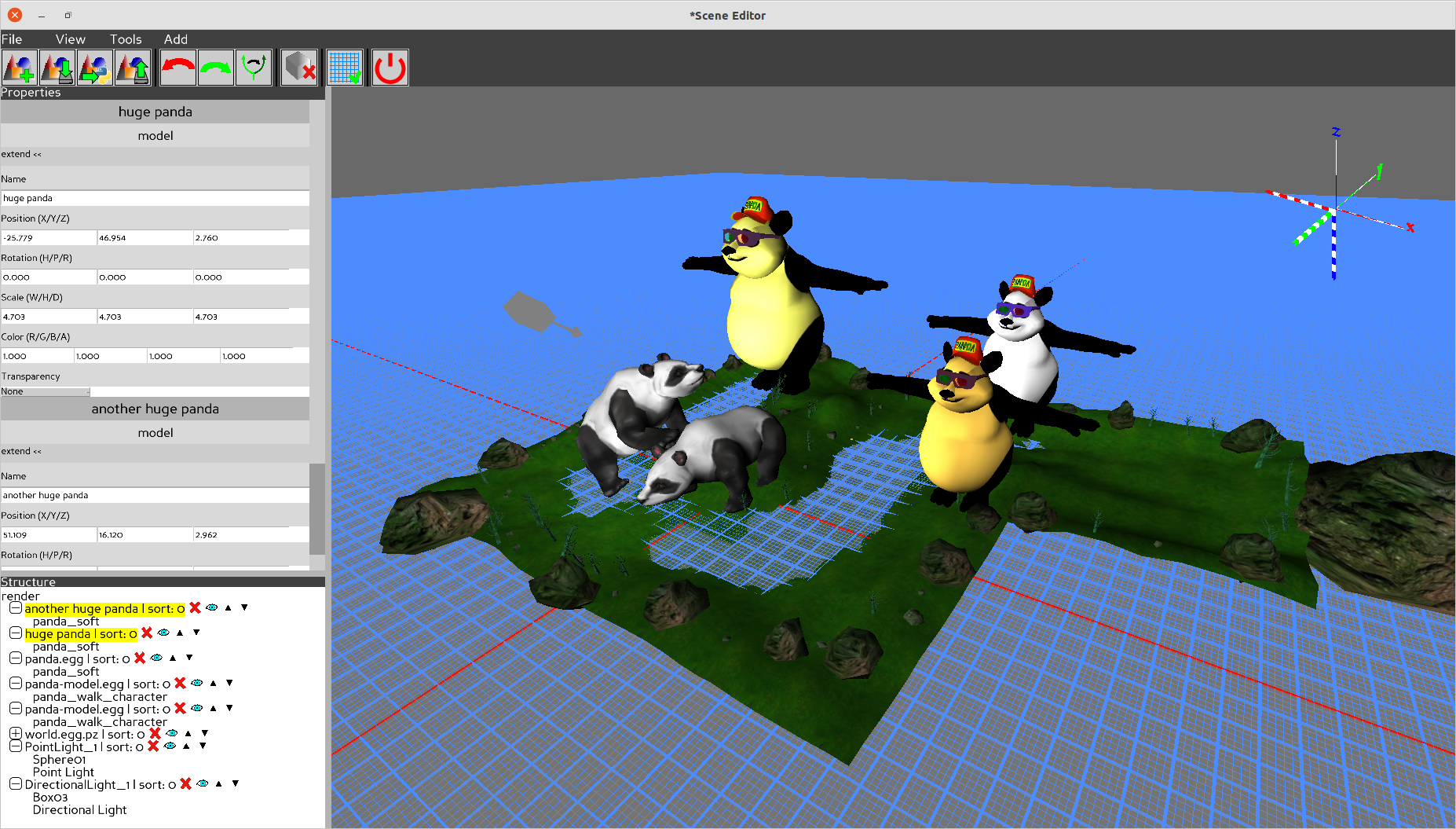
WIP
Not all values will be saved and loaded yet Property editor is heavily work in progress
1 maintainer

Metadata
1 maintainer
Release files for SceneEditor 22.5
For a detailed explanation of source distributions (sdists) and built distributions (wheels), please see the package formats documentation.
Source distribution (sdist)
| File | Size | Uploaded | |
|---|---|---|---|
| SceneEditor-22.5.tar.gz | 94.0 kB | Details |
Built distribution (wheel)
| File | Interpreter | ABI | Platform | Reset |
|---|---|---|---|---|
| SceneEditor-22.5-py3-none-any.whl | Python 3 | none | any | Details |
Total release size: 201.5 kB
Release files / SceneEditor-22.5.tar.gz
| Download URL | SceneEditor-22.5.tar.gz |
|---|---|
| Size | 94.0 kB |
| Tags | Source |
|
SHA-256 checksum How to use checksums |
bd657952e2876313f6b3e6064a9f60609963392005561a68f00193092c3da775
|
|
BLAKE2b-256 checksum How to use checksums |
b50b3a3a31d8758c7777b09bb03b253a9f83d691cf9de57824abbc5dcd985f11
|
| Upload date | |
|
Uploaded using Trusted Publishing? What is trusted publishing? |
No |
| Uploaded via |
twine/4.0.0 CPython/3.9.12
|
Release files / SceneEditor-22.5-py3-none-any.whl
| Download URL | SceneEditor-22.5-py3-none-any.whl |
|---|---|
| Size | 107.5 kB |
| Tags | Python 3 |
|
SHA-256 checksum How to use checksums |
8689b1f8d453dc5028c912f6240d2bdb1532d7b0a98c7064263c60f912099eba
|
|
BLAKE2b-256 checksum How to use checksums |
123085bf92a45422df974de75809ea11a5781b3f66f93520d9158715b888359c
|
| Upload date | |
|
Uploaded using Trusted Publishing? What is trusted publishing? |
No |
| Uploaded via |
twine/4.0.0 CPython/3.9.12
|














