

SeaPlayer
Descriptions
SeaPlayer is a player that works in the terminal.
Supports the following audio file formats: MP3, OGG, WAV, FLAC, MIDI.
Supports the following languages: English, Русский, Українська.
Screenshots
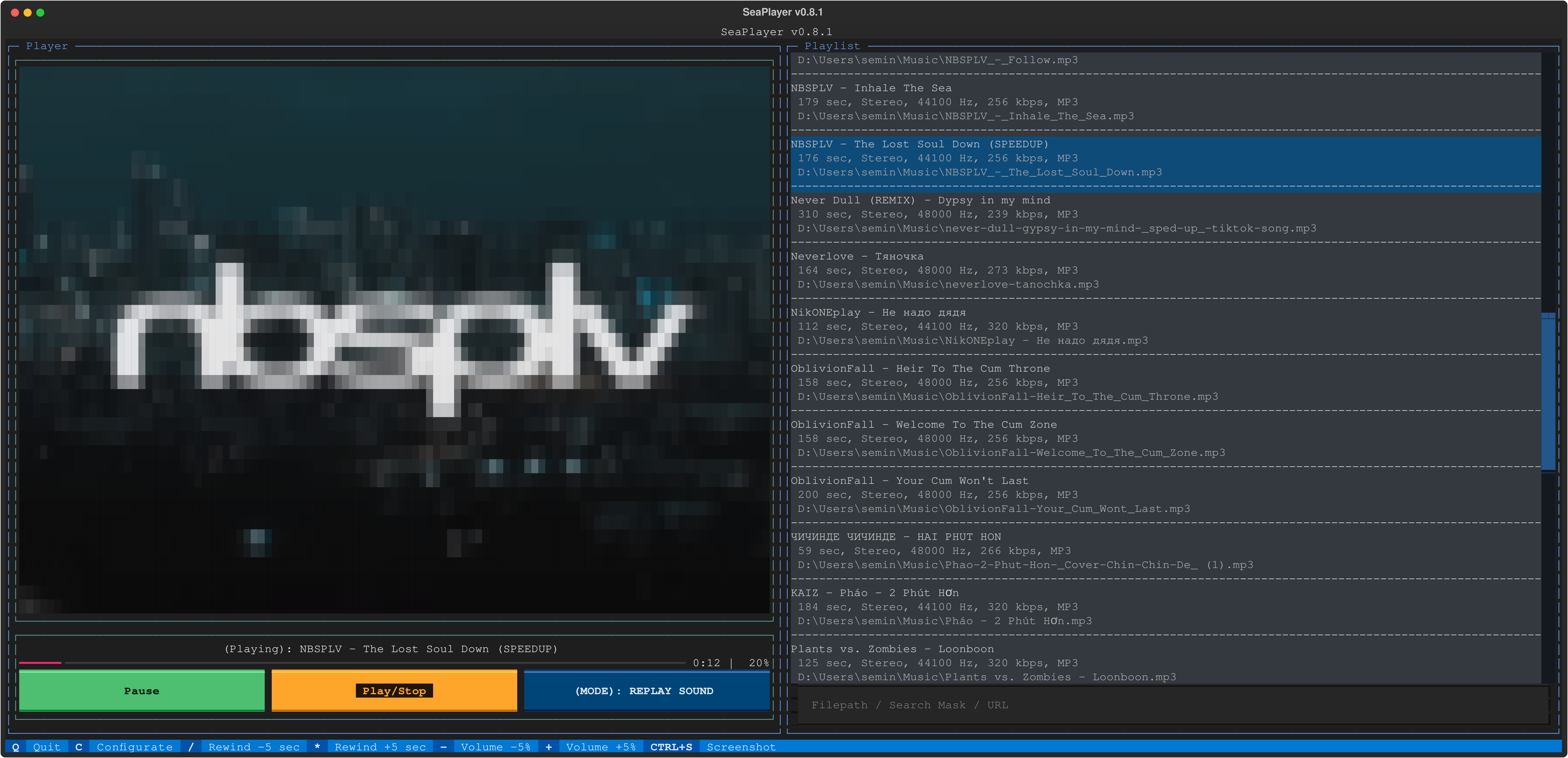
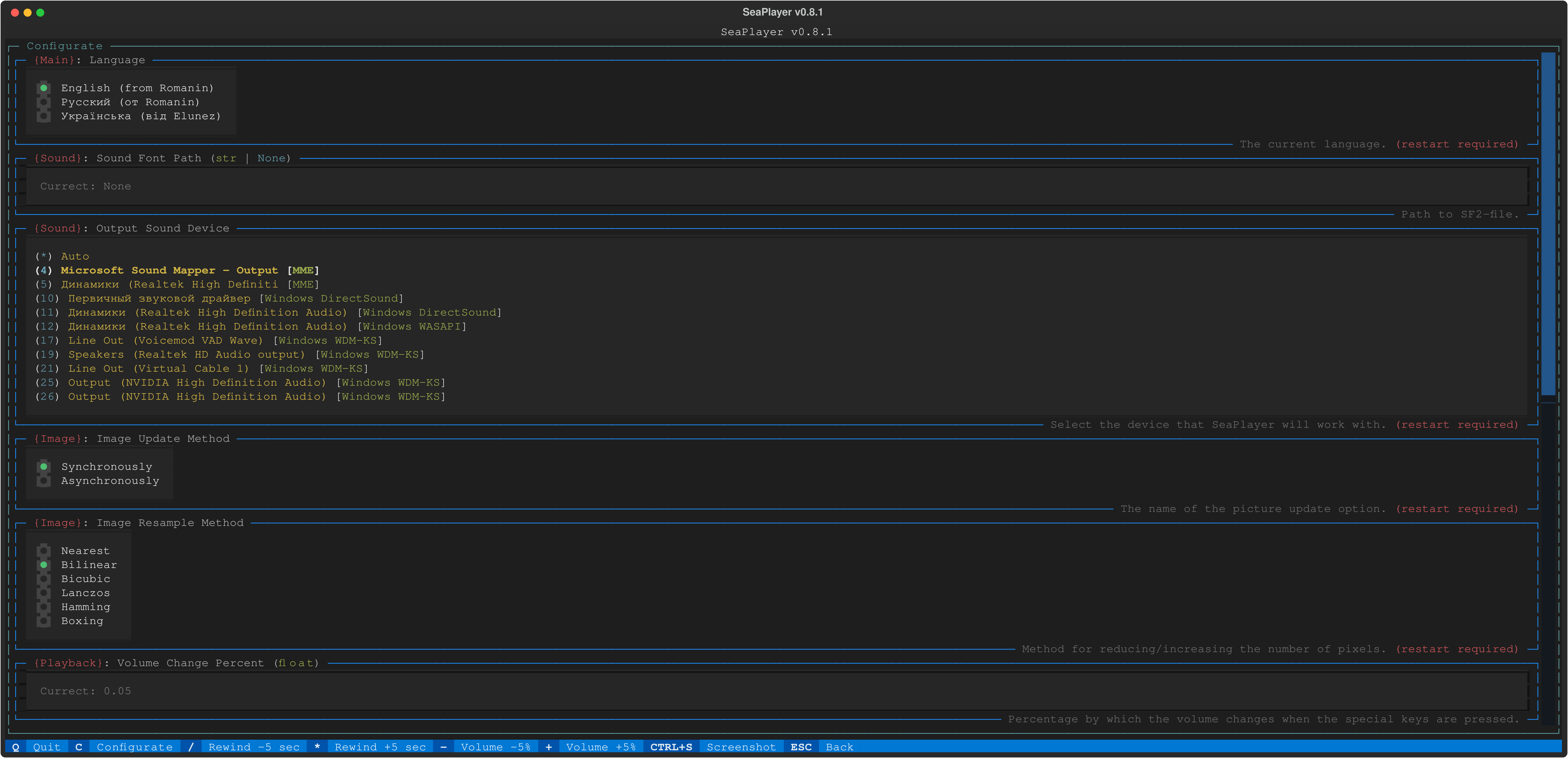
Using
python -m seaplayer # Method for `downloaded repository` or `installed via pip`
Install
- You can use Release
- Download clone repository install the dependencies from
requirements.txtand run via Python. -
pip install --upgrade seaplayer
For MIDI playback
In order to play MIDI files you need to install FluidSynth:
- Windows: https://github.com/FluidSynth/fluidsynth/releases
- Download a zip file suitable for your version of Windows.
- Unpack the archive anywhere, but it is recommended to put it in a folder
C:\Program Files\FluidSynth - Next, open
Settings>System>About the system>Additional system parameters>Environment variables>[Double click on Path]>Create>[Enter the full path to the folder with FluidSynth] - That's it, FluidSynth is installed!
- Linux:
- Ubuntu/Debian:
sudo apt-get install fluidsynth
- Arch Linux:
sudo pacman -S fluidsynth
- Ubuntu/Debian:
- MacOS
1 maintainer

Metadata
1 maintainer
Release files for SeaPlayer 0.8.11
For a detailed explanation of source distributions (sdists) and built distributions (wheels), please see the package formats documentation.
Source distribution (sdist)
| File | Size | Uploaded | |
|---|---|---|---|
| seaplayer-0.8.11.tar.gz | 58.5 kB | Details |
Built distribution (wheel)
| File | Interpreter | ABI | Platform | Reset |
|---|---|---|---|---|
| seaplayer-0.8.11-py3-none-any.whl | Python 3 | none | any | Details |
Total release size: 134.4 kB
Release files / seaplayer-0.8.11.tar.gz
| Download URL | seaplayer-0.8.11.tar.gz |
|---|---|
| Size | 58.5 kB |
| Tags | Source |
|
SHA-256 checksum How to use checksums |
725381264ef6309690782a3a8df16cdd35d5c23d277eb1a2afa9d6ddc137ee2b
|
|
BLAKE2b-256 checksum How to use checksums |
fdaf7dbf2541974fa4a593d0368f8fea9f61f13950ee684cd84de84925fa54bc
|
| Upload date | |
|
Uploaded using Trusted Publishing? What is trusted publishing? |
No |
| Uploaded via |
poetry/1.7.1 CPython/3.9.13 Windows/10
|
Release files / seaplayer-0.8.11-py3-none-any.whl
| Download URL | seaplayer-0.8.11-py3-none-any.whl |
|---|---|
| Size | 75.9 kB |
| Tags | Python 3 |
|
SHA-256 checksum How to use checksums |
b860e0062119acc73af5f90dd18aa8ae1c4ea5a7841f1079b89bef96133226d4
|
|
BLAKE2b-256 checksum How to use checksums |
784e72d63df98272c229ff3e1f538888011b0ea135912ad8bce2039055ffd278
|
| Upload date | |
|
Uploaded using Trusted Publishing? What is trusted publishing? |
No |
| Uploaded via |
poetry/1.7.1 CPython/3.9.13 Windows/10
|














