
Show pretty HDD/SSD list
Long time ago when I've switched from Solaris to Linux, I missed "hd" utility. In Linux "hd" command is used for a hex dump, in Solaris it displayed a pretty table with HDD info.
I wrote "shd" shell script with a similar functionality. Now I rewrote it in Python, added options and pretty colors, and releasing it to public.
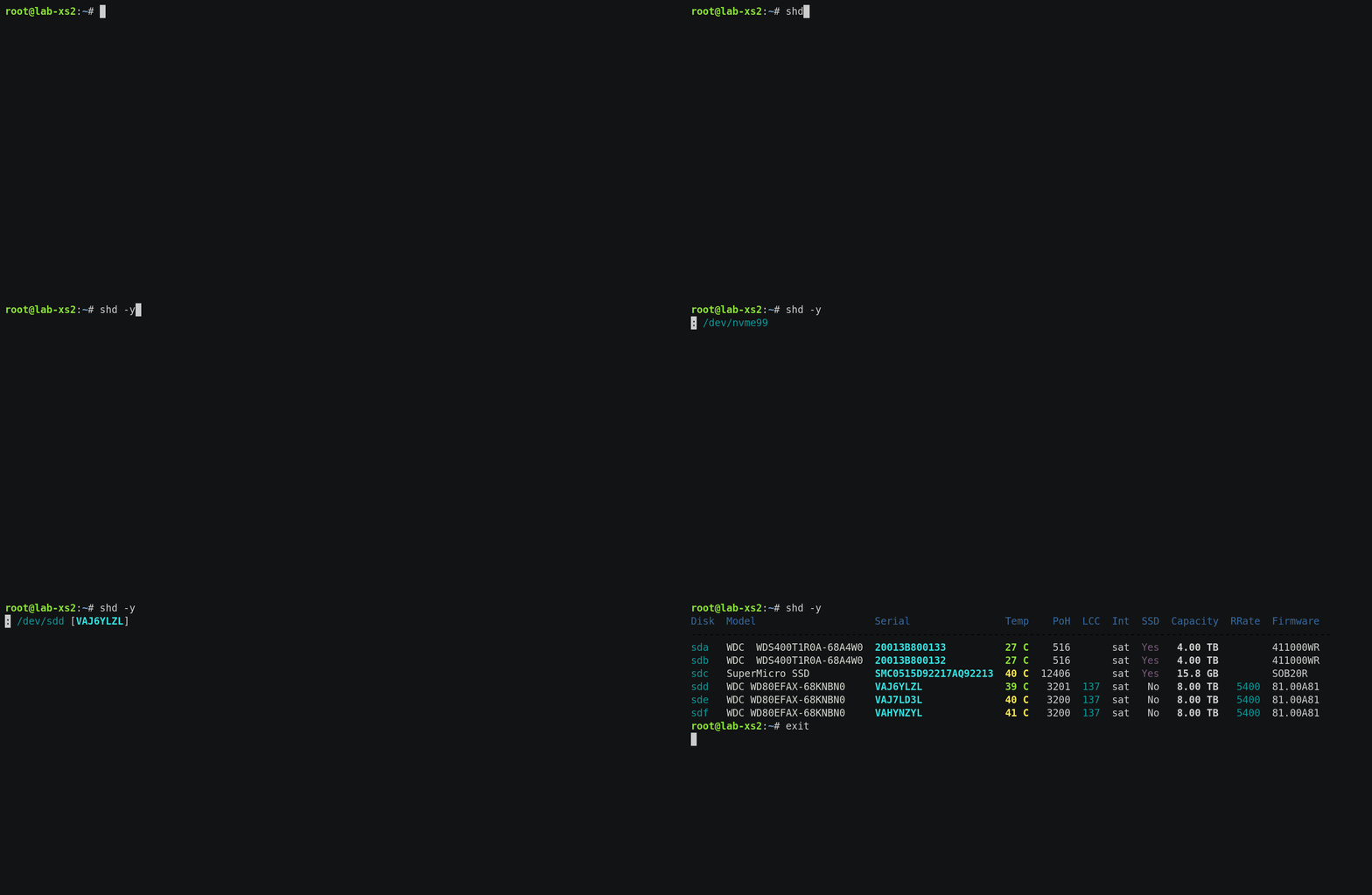
Installation
Install smartmontools, then:
python3 -m pip install shd
Usage
Tool should be started under root, to obtain S.M.A.R.T. info
shd [-h] [--temp-warn TEMP] [--temp-crit TEMP] [-R] [-y] [-e] [-s] [-J]

  --temp-warn TEMP  Warning temperature, default: 40 C
  --temp-crit TEMP  Critical temperature, default: 45 C
  --fh, --fahrenheit  Temperature in Fahrenheit
  -R, --raw         Suppress colors
  -y, --full        Display full disk info
  -e, --errors      Display only disks with errors / critical temperature
  -s, --no-header   Suppress header
  -J, --json        Output as JSON
Exit codes
- 1 critical temperature
- 2 errors detected
The tool considers drive has an errors, if the following S.M.A.R.T. fields are greater than zero:
- End-to-End_Error
- Seek_Error_Rate
- Raw_Read_Error_Rate
- UDMA_CRC_Error_Count
1 maintainer

Release files for shd 0.0.12
For a detailed explanation of source distributions (sdists) and built distributions (wheels), please see the package formats documentation.
Source distribution (sdist)
| File | Size | Uploaded | |
|---|---|---|---|
| shd-0.0.12.tar.gz | 3.7 kB | Details |
Release files / shd-0.0.12.tar.gz
| Download URL | shd-0.0.12.tar.gz |
|---|---|
| Size | 3.7 kB |
| Tags | Source |
|
SHA-256 checksum How to use checksums |
7bdc28739f4de1297e4a37fbd1237973d0f4da3b1dc26867e6bc8b4ec02d6fd2
|
|
BLAKE2b-256 checksum How to use checksums |
099877eb684493b9b3dca3ba6797c5a2f72792beb29782ce47298583886819a4
|
| Upload date | |
|
Uploaded using Trusted Publishing? What is trusted publishing? |
No |
| Uploaded via |
twine/2.0.0 pkginfo/1.5.0.1 requests/2.21.0 setuptools/45.1.0 requests-toolbelt/0.9.1 tqdm/4.36.1 CPython/3.7.3
|














