
Control Sigma Koki Controllers/Motorized Stages including SHOT/Hit/FC mode

Project description
SIGMAKOKI Controller Python Library
Summary
Welcome to the SIGMAKOKI Controller Python Library, designed to empower developers with a powerful Python interface for controlling SIGMAKOKI stages and controllers using pySerial. This library has been meticulously crafted to cater to a wide range of applications, including measurement systems, robotics, and beyond. With support for control modes (SHOT, HIT, FC), diverse stage types (linear, rotation, gonio), precision division settings, and units (nanometer, micrometer, millimeter, degree), along with comprehensive status monitoring and stage stroke management, you'll find everything you need to take control of your SIGMAKOKI equipment.
Features
-
Control Modes: This library covers all control modes, including SHOT, HIT, and FC, allowing you to choose the mode that suits your application.
-
Stage Types: It supports various stage types, including linear, rotation, and gonio stages.
-
Division Settings: You have the ability to finely tune division settings, enabling precise control of your stages to meet your exact requirements.
-
Units: Control your stages with different units such as nanometer, micrometer, millimeter, and degree, ensuring flexibility in your applications.
-
Status Monitoring: Easily monitor the status of your stages, ensuring smooth operation and diagnostics.
-
Stage Strokes: This library provides support for stage strokes, enabling you to set and manage stage limits effectively.
-
More: Explore additional features, including software limits, jog commands, and more, by delving into the library for comprehensive details.
Installation
To install the SIGMAKOKI Controller Python Library, you can use pip:
pip install SigmaKokiPy
Controller/Stage model
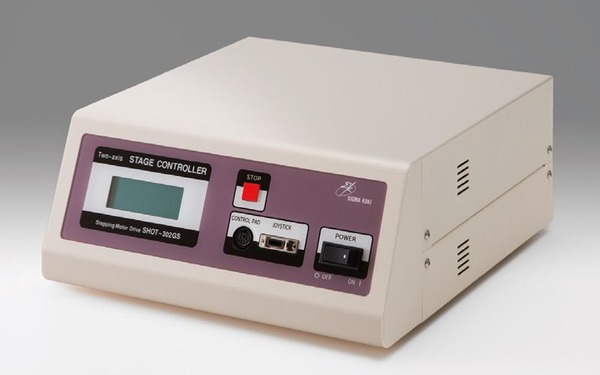
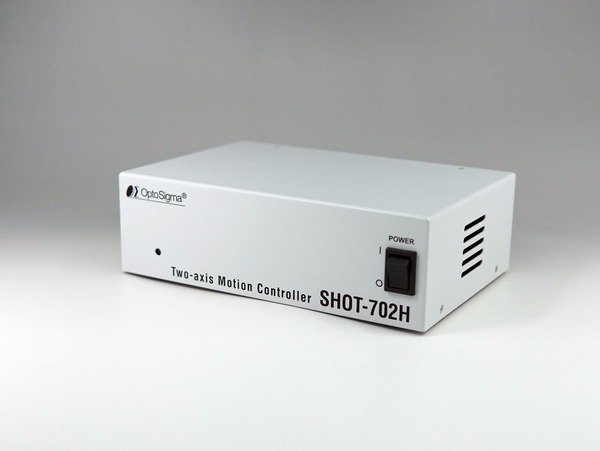
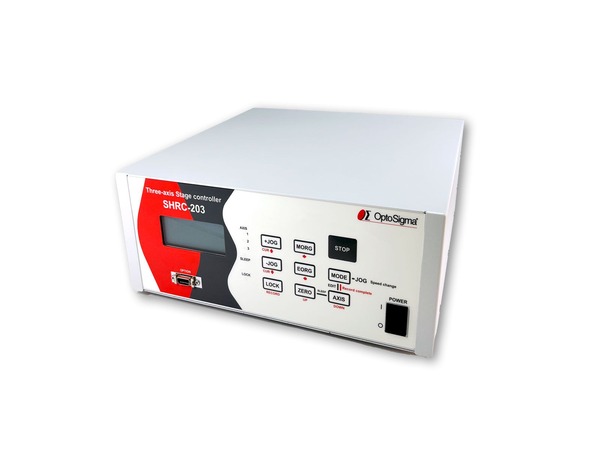
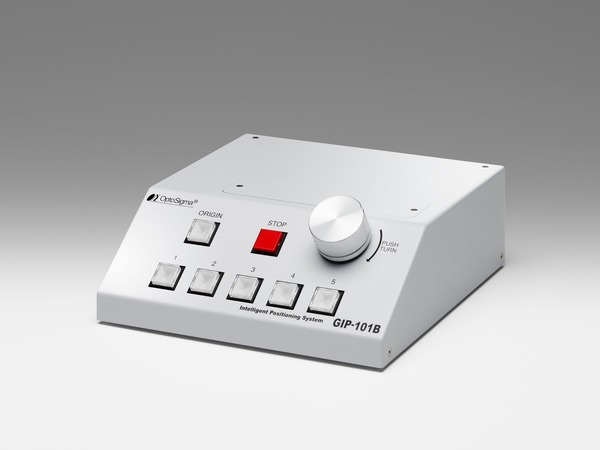
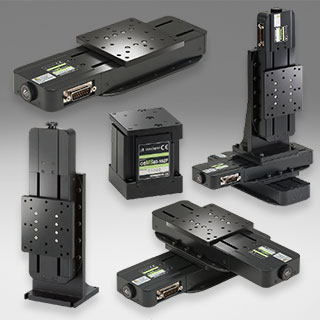
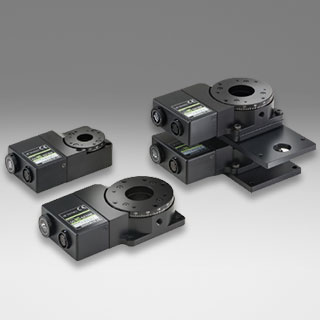
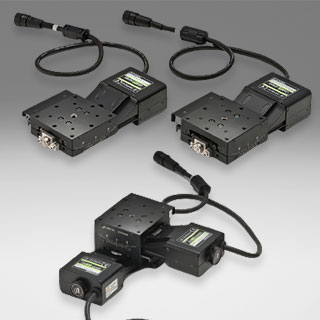
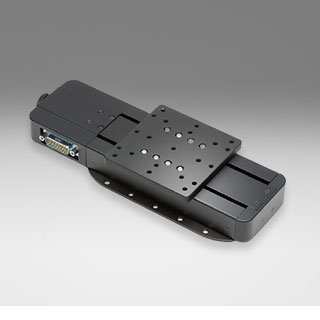
| SHOT-302/304GS | SHOT-702H | SHRC-203 | GIP-101 |
|---|---|---|---|
| Controller | Controller | Controller | Controller |
 |
 |
 |
 |
| [USER-M] | [USER-M] | [USER-M] | USER-M |
| Linear Stages | Rotation Stages | Goniometer Stages | With Scale |
 |
 |
 |
 |
| [GUIDE] | [GUIDE] | [GUIDE] | Guide |
To begin exploring the library's capabilities, refer to our documentation and sample code examples.
-
Sample code SHOT-304GS: How to use this library to control SHOT-304GS
-
Sample code SHOT-302GS_SHOT-702:How to use this library to control SHOT-302GS
Note
Before using the SK library, there are several essential considerations.
- Configure the right parameters for your stages to ensure precise program management.
- Each stage comes with specific motor attributes, including step angle and pulses per rotation.
- Consider the mechanical properties, such as lead screw and pitch, for accurate control.
- Some stages, like OSMS-ZF, involve gearing details that you should be aware of.
- Take into account division specifications, including resolution (Full/Half), to fine-tune your control settings.
- A deep understanding of these stage details will enable you to write more effective code and achieve precise control over Sigma Koki Controllers and Stages.
SHOT-304GS Controller Usage
Here's a basic example of how to use this library to control a SIGMAKOKI stage:
- Controller: SHOT-304GS
- Stage: XYStage HPS60-20X
# add the parent directory of the current file to the Python module
import os, sys
import time
sys.path.append(os.path.dirname(os.path.dirname(os.path.abspath(__file__)))) # use this in case if module not installed

# Import the required module    JP:  必要なモジュール・インポート
from SigmaKokiPy.SK_SHOT import StageControlShot

if __name__ == "__main__":
    port = 'com8'  # Define the COM port, adjust as needed

    # Create an instance of StageControlShot with the specified parameters
    # JP:指定されたパラメータでStageControlShotのインスタンスを作成
    Controlleur = StageControlShot(port, "SHOT-304GS", StageControlShot.BaudRateClass.BR_9600)

    if Controlleur.IsComConnected():
        print("Serial Comport is Connected")
    else:
        print(Controlleur.LastErrorMessage+ " [Serial Comport is Not Open]")
        sys.exit()

    # set full step for axis 1 & 2   JP: 軸1および軸2の線形補間
    Controlleur.SetFullStepInMicrometer(1, 2)
    Controlleur.SetFullStepInMicrometer(2, 2)
    Controlleur.SetResolution(1, 2)
    Controlleur.SetResolution(2, 2)

    # Set speed and acceleration for all stages  JP: すべてのステージの速度と加速度を設定
    value = [5, 5, 5, 4]
    acc = [50, 50, 50, 50]
    Controlleur.SetSpeedAllMillimeter(value, acc)
You can find further continuation within the program by exploring Shot-304GS
SHOT-302GS_SHOT-702 Controllers Usage
Here's a basic example of how to use this library to control a SIGMAKOKI stage:
- Controller: SHOT-302GS
- Stage: XYStage HPS60-20X
# add the parent directory of the current file to the Python module
import os, sys
import time
sys.path.append(os.path.dirname(os.path.dirname(os.path.abspath(__file__)))) # use this in case if module not installed

# Import the required module    JP:  必要なモジュール・インポート
from SigmaKokiPy.SK_SHOT import StageControlShot

if __name__ == "__main__":
    port = 'com8'  # Define the COM port, adjust as needed

    # Create an instance of StageControlShot with the specified parameters
    # JP:指定されたパラメータでStageControlShotのインスタンスを作成
    Controller = StageControlShot(port, "SHOT-702 / SHOT-302GS", StageControlShot.BaudRateClass.BR_9600)#please set to BaudRateClass.BR_38400 in case of SHOT-702

    if Controller.IsComConnected():
        print("Serial Comport is Connected")
    else:
        print(Controller.LastErrorMessage+ " [Serial Comport is Not Open]")
        sys.exit()

    # set full step for axis 1 & 2   JP: 軸1および軸2の線形補間
    Controller.SetFullStepInMicrometer(1, 2)
    Controller.SetFullStepInMicrometer(2, 2)
    Controller.SetResolution(1, 2)
    Controller.SetResolution(2, 2)

    # Set speed and acceleration for all stages  JP: すべてのステージの速度と加速度を設定
    value = [5, 5]
    acc = [50, 50]
    Controller.SetSpeedAllMillimeter(value, acc)
You can find further continuation within the program by exploring Shot-302GS
SIGMAKOKI | Precision in Motion
We're thrilled to have you on board and look forward to seeing how you'll leverage the SIGMAKOKI Controller Python Library for your projects. Enjoy exploring the world of precision control and measurement!
If you have any questions, feedback, or contributions, please don't hesitate to reach out to us. Your insights and ideas are invaluable as we continue to enhance this library for the developer community.
Visit our website: <www.sigmakoki.com>
Release history Release notifications | RSS feed


Download files
Download the file for your platform. If you're not sure which to choose, learn more about installing packages.
Source Distribution
Built Distribution
Filter files by name, interpreter, ABI, and platform.
If you're not sure about the file name format, learn more about wheel file names.
Copy a direct link to the current filters
File details
Details for the file SigmaKokiPy-0.0.3.tar.gz.
File metadata
- Download URL: SigmaKokiPy-0.0.3.tar.gz
- Upload date:
- Size: 23.4 kB
- Tags: Source
- Uploaded using Trusted Publishing? No
- Uploaded via: twine/4.0.2 CPython/3.11.5
File hashes
| Algorithm | Hash digest | |
|---|---|---|
| SHA256 |
d6c3b6d3110df9cb7de0a3db0119f1fbd40da06d687a3946c4440370cbfa68c5
|
|
| MD5 |
cc598cb114258225f6c433a0505cf902
|
|
| BLAKE2b-256 |
a8c8ccee3ca7889f38ea3a1e608216d188796706ca70a3206d2ecf1fb05c7b23
|
File details
Details for the file SigmaKokiPy-0.0.3-py3-none-any.whl.
File metadata
- Download URL: SigmaKokiPy-0.0.3-py3-none-any.whl
- Upload date:
- Size: 20.1 kB
- Tags: Python 3
- Uploaded using Trusted Publishing? No
- Uploaded via: twine/4.0.2 CPython/3.11.5
File hashes
| Algorithm | Hash digest | |
|---|---|---|
| SHA256 |
9572b9b4cc1b58e5433c905506f9d253f7cf90015c0a0548688ab7c9cd61121c
|
|
| MD5 |
5019435ff34b83ac5d4ffb102bd5a9db
|
|
| BLAKE2b-256 |
28d11411f74445d30559f7dc84040ed014982b2ca22f05a73ed0ab2aa2303a8e
|






