
Silvair UART Decoder
About The Repository
Silvair UART Decoder is a python library for parsing Silvair UART protocol messages. It also includes two applications that could be used for message parsing:
- HLA Extension for
Saleae Logic 2. - Python script for parsing .csv file with serial values for
Saleae Logic 1.
Recommended way is to use Logic 2 and HLA extension. Python script could be unstable in future versions.
Built With
UART Decoder is using construct python library to parse all UART messages. Also, it validates CRC value using Crcmod package. All used packages can be obtained from setup.py file.
Getting Started
How to start with HLA Extension?
Tested on Ubuntu 20.04 with Python 3.8 and Windows 11 with Python 3.10.
Make sure, you have Python with at least 3.6 version and installed pip.
Installation:
Using Command line:
- Install UART-Decoder using pip:
pip install silvair-uart-decoder. WARNING: IfThe script is installed in directory, which is not PATHwill appear during installation, add this directory to PATH environment variable. - In terminal, call
generate_uart_decoder_extension <PATH>executable, where<PATH>is directory when you want to install HLA Extension. Example:generate_uart_decoder_extension .to install in current directory.SilvairUARTDecoderdirectory should be generated in passed path.
Using 'install' file
- Download Repository
- Run script according to system are you using:
- Windows:
install_windows.bat - Linux:
install_linux.bat
- Windows:
SilvairUARTDecoderdirectory should be generated in repository path.
Running Extension in Logic 2
- Open Logic 2, click "Extensions" icon on right side.
- In upper-right corner should be three dots with "Load existing extensions" option. Click it.
- Load
extension.jsonlocated in previously generatedSilvairUARTDecoderdirectory. - Click "Analyzers" icon on right side.
- Load
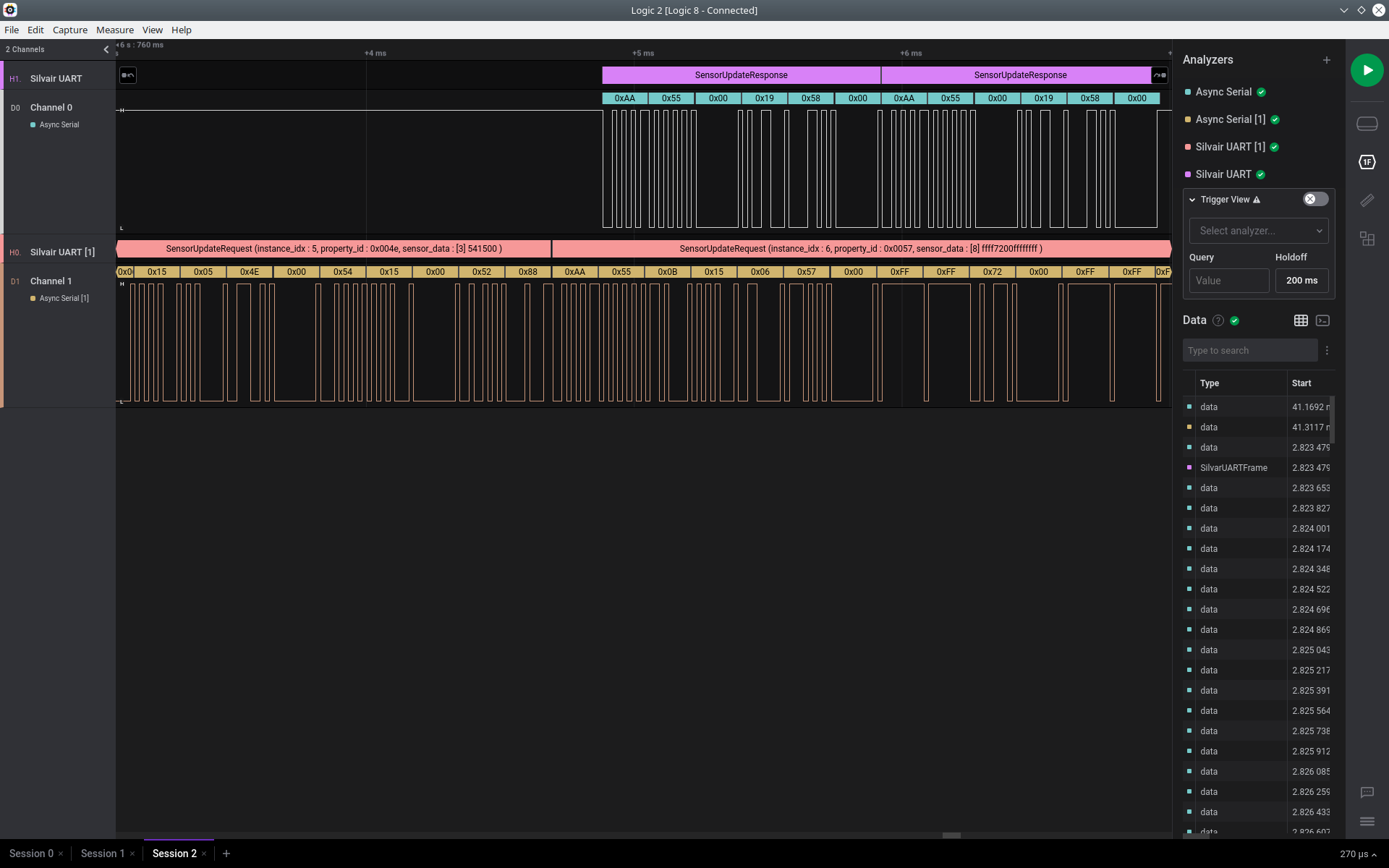
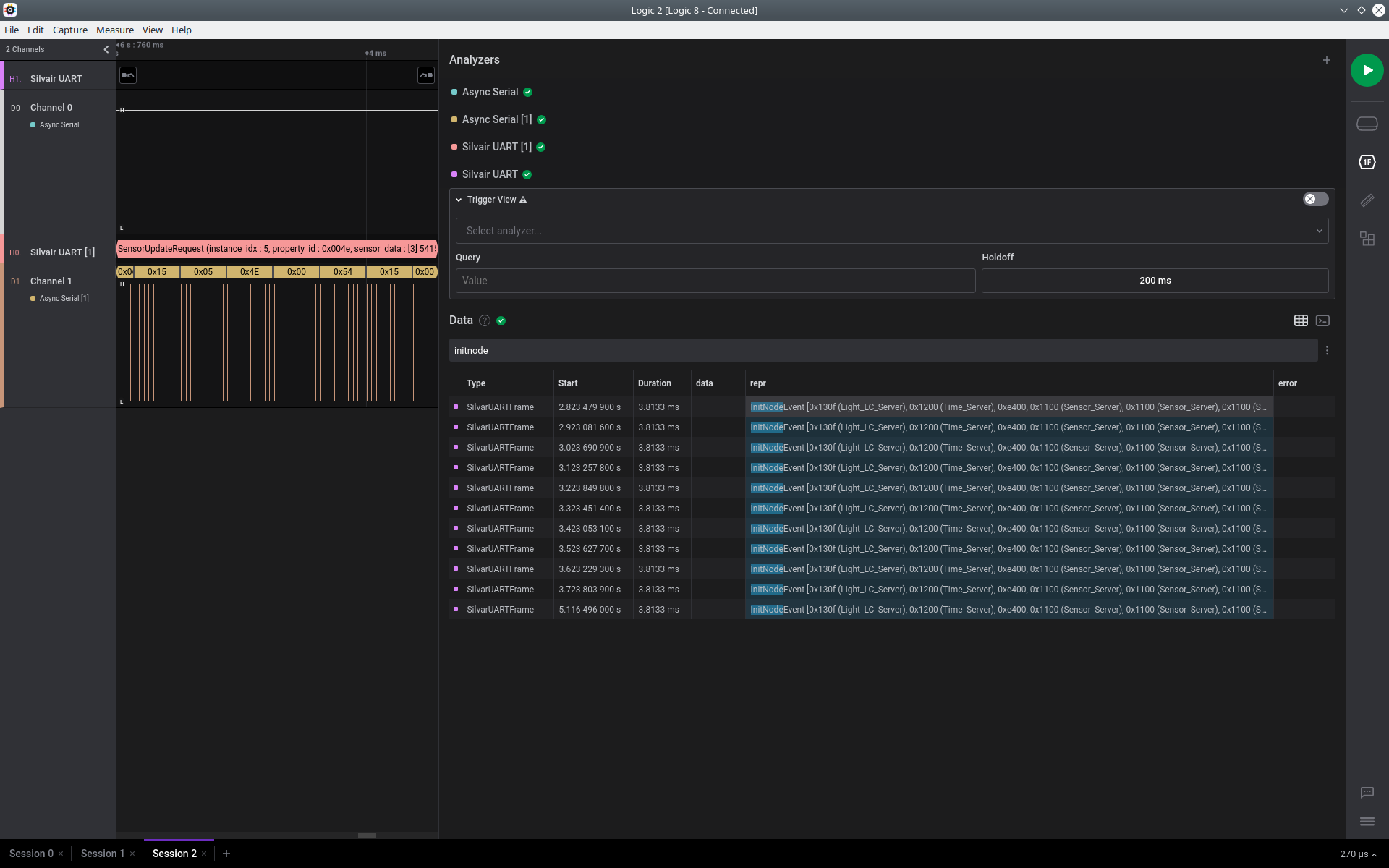
Async Serialanalyzer for appropriate channel, and then loadSilvair UART Decoder. - Hooray, Silvair UART messages should be described above waveforms! :)
Screenshots
How to start with Python script?
- Make sure, you have
Pythonwith at least 3.6 version and installed pip. - Install UART-Decoder using pip:
pip install silvair-uart-decoder. WARNING: IfThe script is installed in directory, which is not PATHwill appear during installation, add this directory to PATH environment variable. - Run application using command:
silvair-uart-decoder
Pass -h parameter to show help with instruction how to use script.
Parameters:
-for--format-converter: input format converter (optional)-Oor--output-file: output file path (result will be saved in this file) (optional)- input csv file (required)
Supported input format converters
Currently two input format decoders are available:
default- data must be in format:<timestamp>,<label>,<uart_command_frame>saleae- data must be in format:<timestamp>,<label>,<byte>(default Saleae export format).
Example
Parse logs stored in example.csv from Logic 1, and save it to example.txt. example.csv is in saleae Logic 1 format:
silvair-uart-decoder -f saleae -O example.txt example.csv
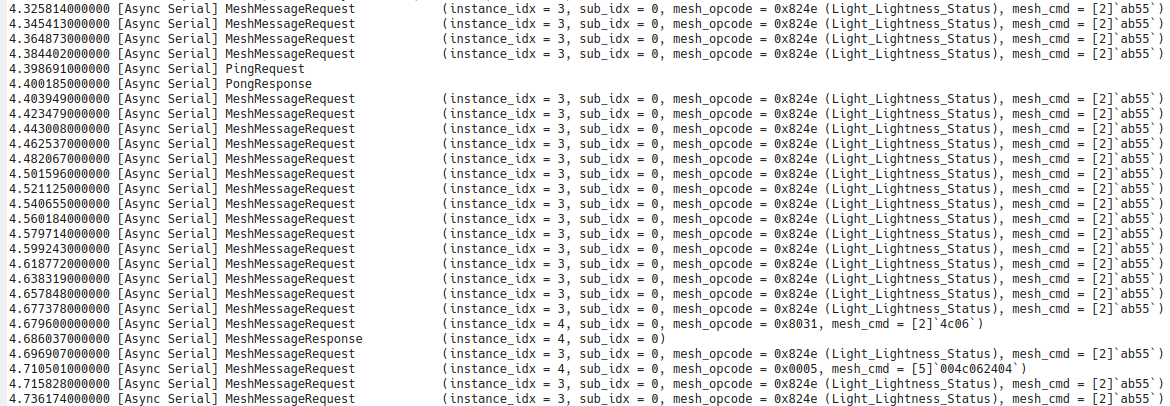
How to export data from Logic 1?
- Open Logic 1 with measurements
- Add
Async Serialanalyzers for appropriate channels - Click on gear circle near
Decoded Protocols - Click
Export search results
Screenshots
5 maintainers


Release files for silvair-uart-decoder 0.1.4
For a detailed explanation of source distributions (sdists) and built distributions (wheels), please see the package formats documentation.
Source distribution (sdist)
| File | Size | Uploaded | |
|---|---|---|---|
| silvair-uart-decoder-0.1.4.tar.gz | 19.6 kB | Details |
Release files / silvair-uart-decoder-0.1.4.tar.gz
| Download URL | silvair-uart-decoder-0.1.4.tar.gz |
|---|---|
| Size | 19.6 kB |
| Tags | Source |
|
SHA-256 checksum How to use checksums |
b597a92c05fa9f5cc25024ce77eb08e6ba3645227958aaf1dfc2c81a9dbf4408
|
|
BLAKE2b-256 checksum How to use checksums |
9080cf23ee8eed187474d013fcaa7c086c69cf7bde924469c0eac2ac66a2b874
|
| Upload date | |
|
Uploaded using Trusted Publishing? What is trusted publishing? |
No |
| Uploaded via |
twine/4.0.2 CPython/3.10.12
|














