

simpleEMS



simpleEMS is a python library built on top of openEMS to make the design of antennas and other RF structures simpler.
Motivation
This Python package provides an alternative to proprietary suites with expensive licenses or the restrictive "Student" versions such as CST, HFSS and Sonnet which often impose stifling mesh cell limits and memory caps. By leveraging the openEMS FDTD engine, it offers a scalable framework for simulating, optimizing, and visualizing complex RF designs. whether you are a professional engineer, a freelancer, or a dedicated hobbyist, this library will enable you to design RF circuits easily.
Key Features:
Antenna Design
- Inset-Fed Patch Antenna Design
- Probe-Fed Patch Antenna Design
Filter Design
- Bandpass Quarter-Wave Filter Design
- Bandstop Quarter-wave Filter Design
Simulation & Optimization
- Parameter Sweep
- S11 Optimization
- S21 Optimization
Network Parameters Calculation
- S11 (Reflection Coefficient)
- S21 (Insertion Loss)
- VSWR (Voltage Standing Wave Ratio)
- Z11 (Input Impedance)
- Input Power
Visualization & Plotting
- Geometry Structure Visualization
- S11 Plotting
- S21 Plotting
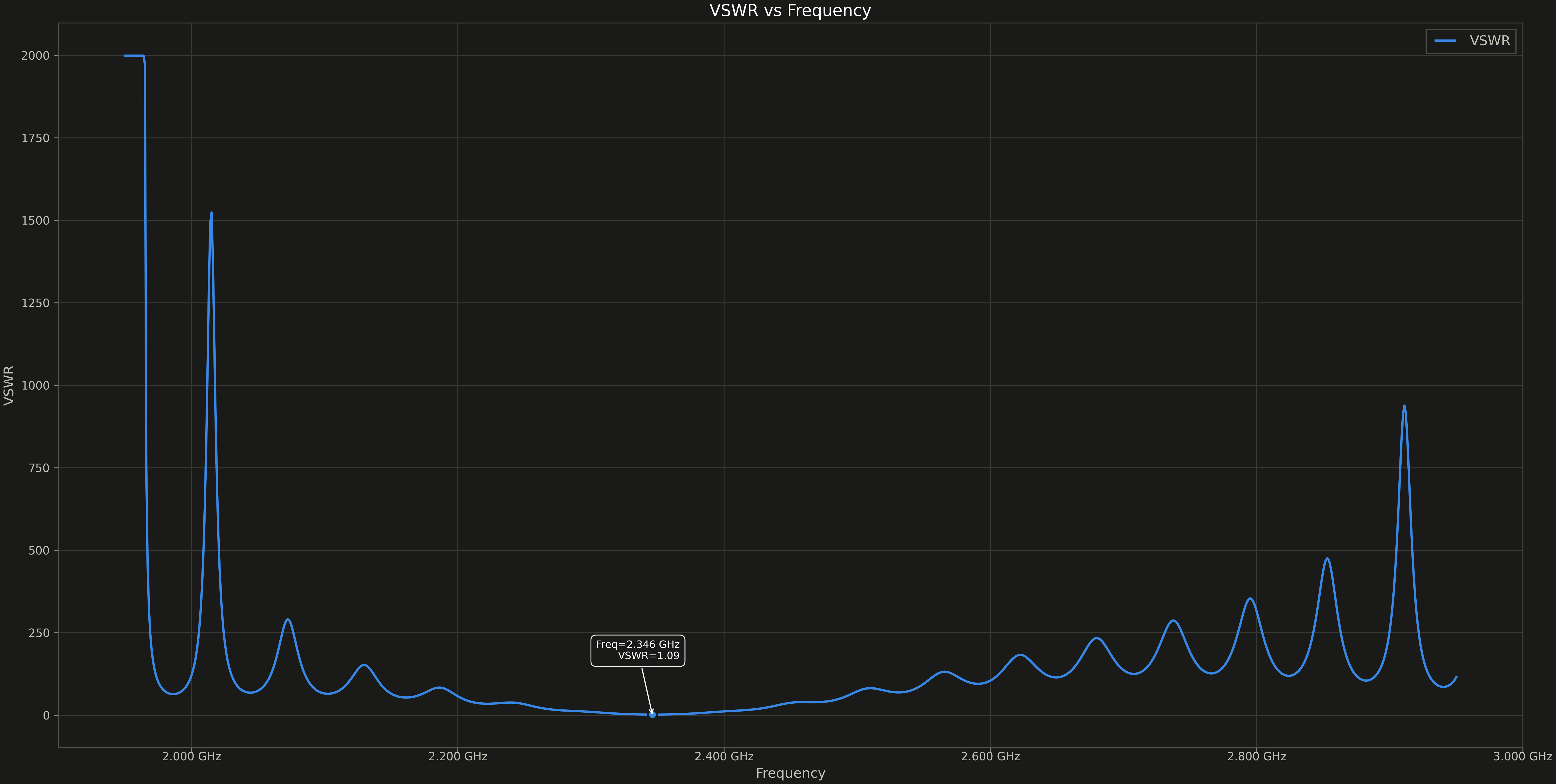
- VSWR Plotting
- Smith Chart for S11
- Complex Impedance (Z11) Plotting
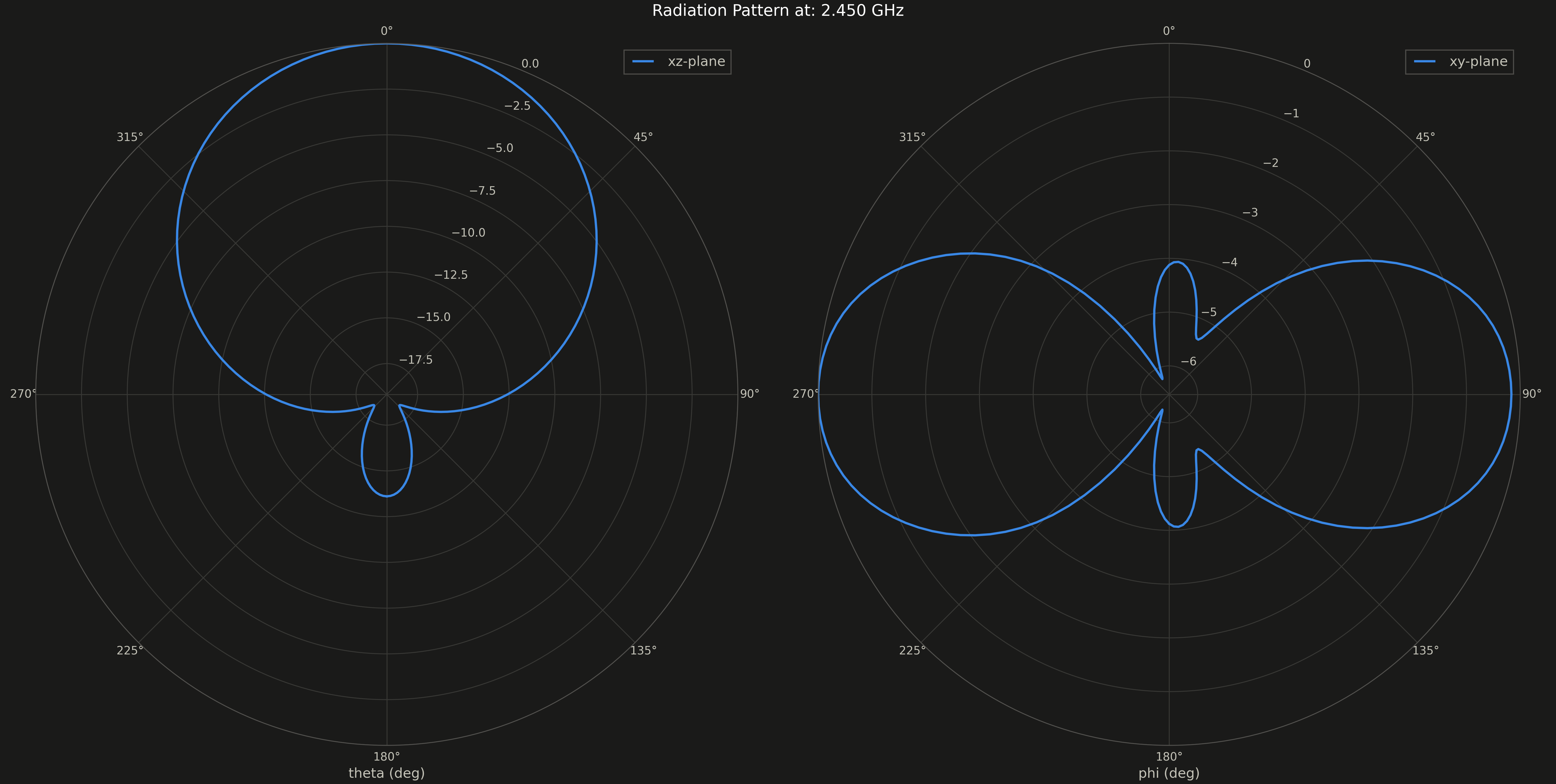
- 2D Radiation Pattern
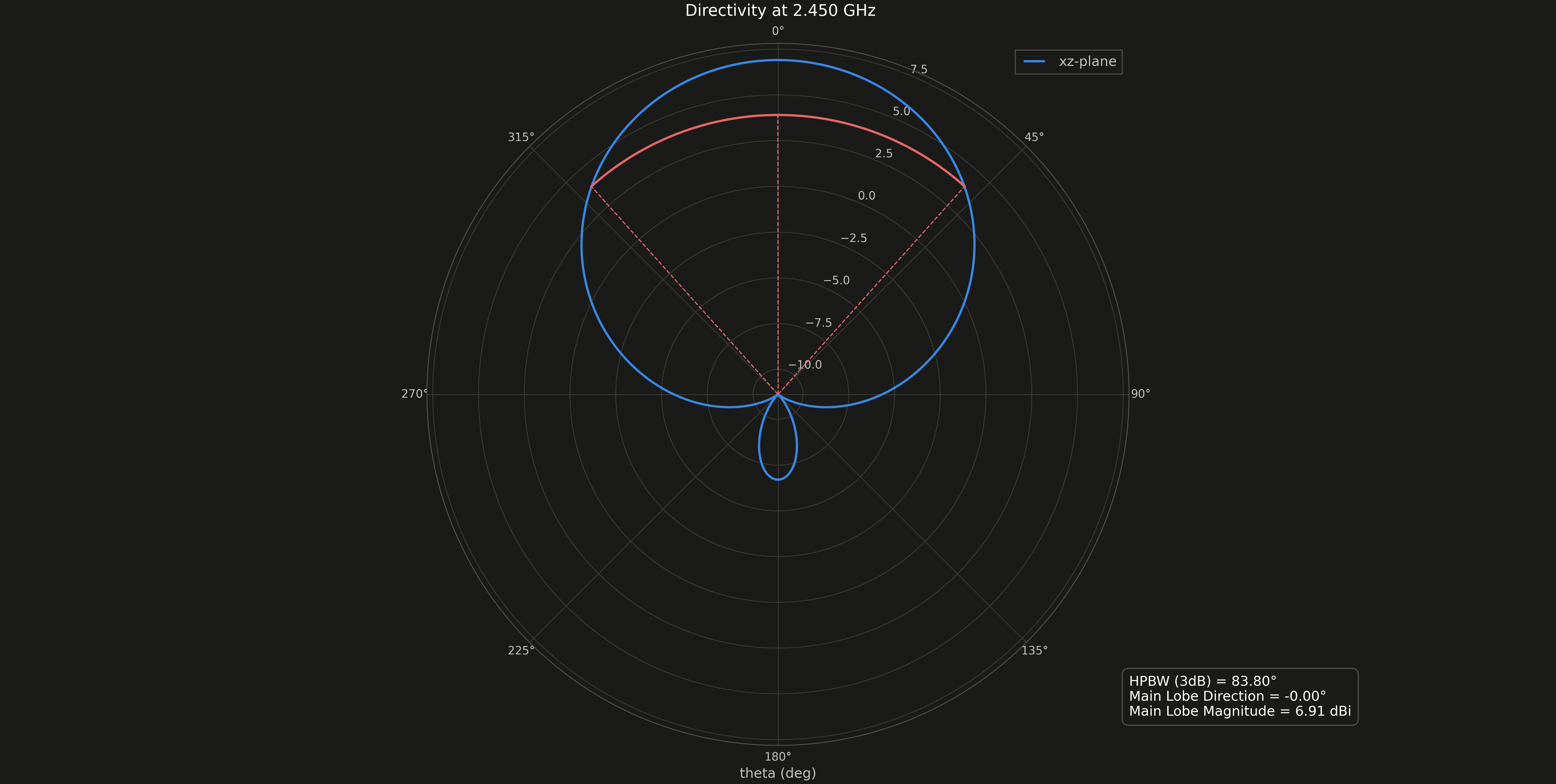
- 2D Directivity Plot
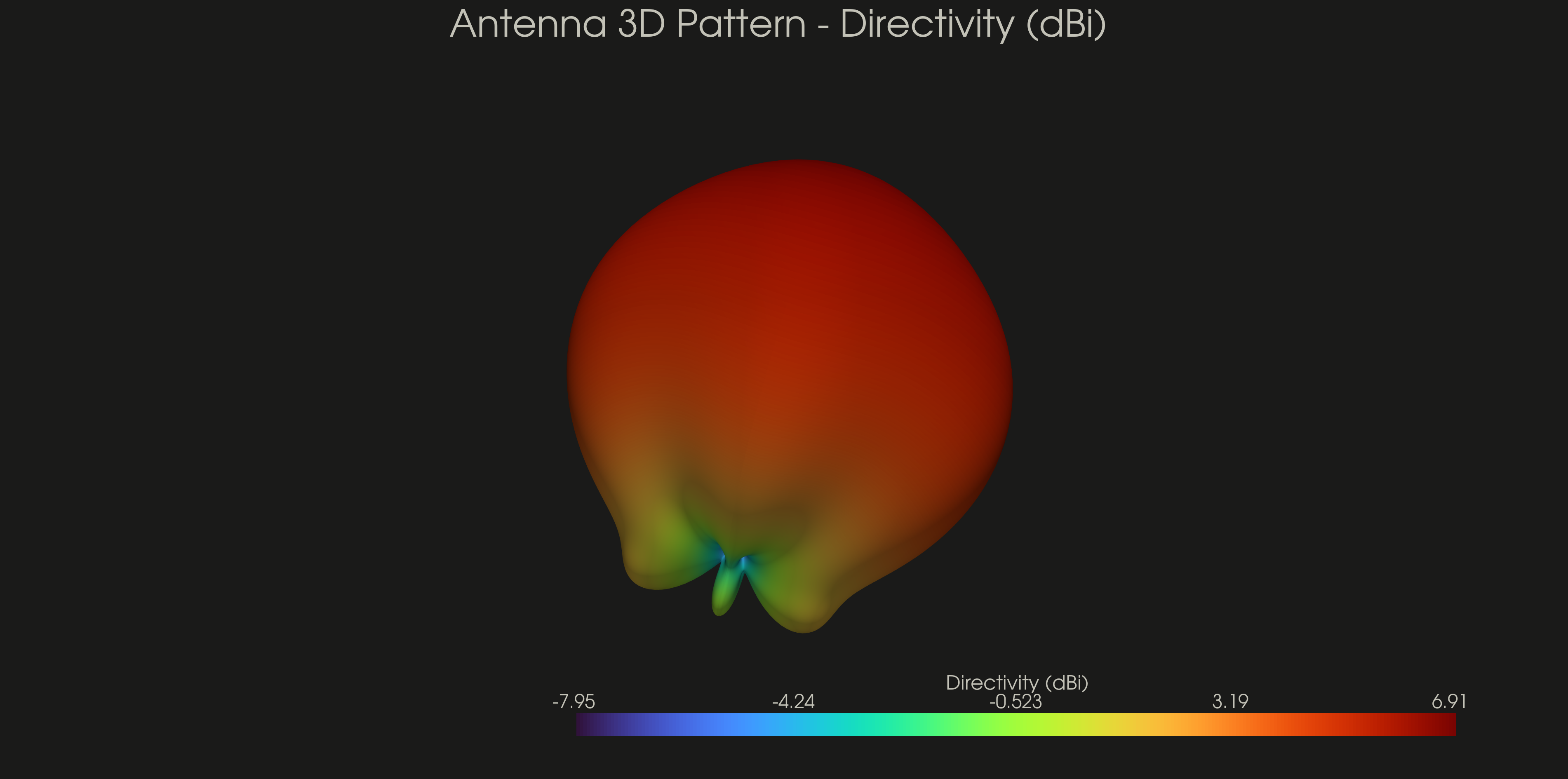
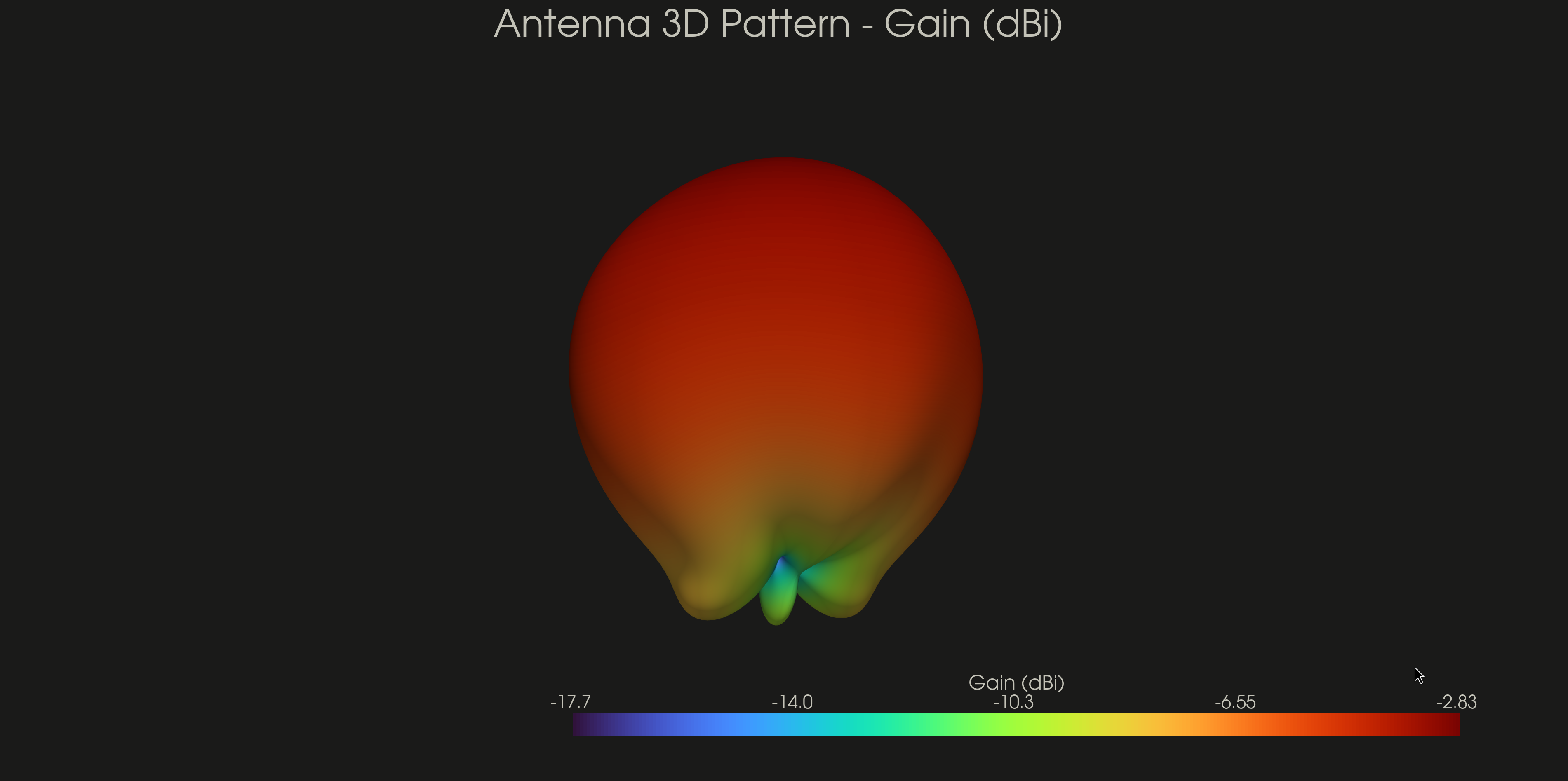
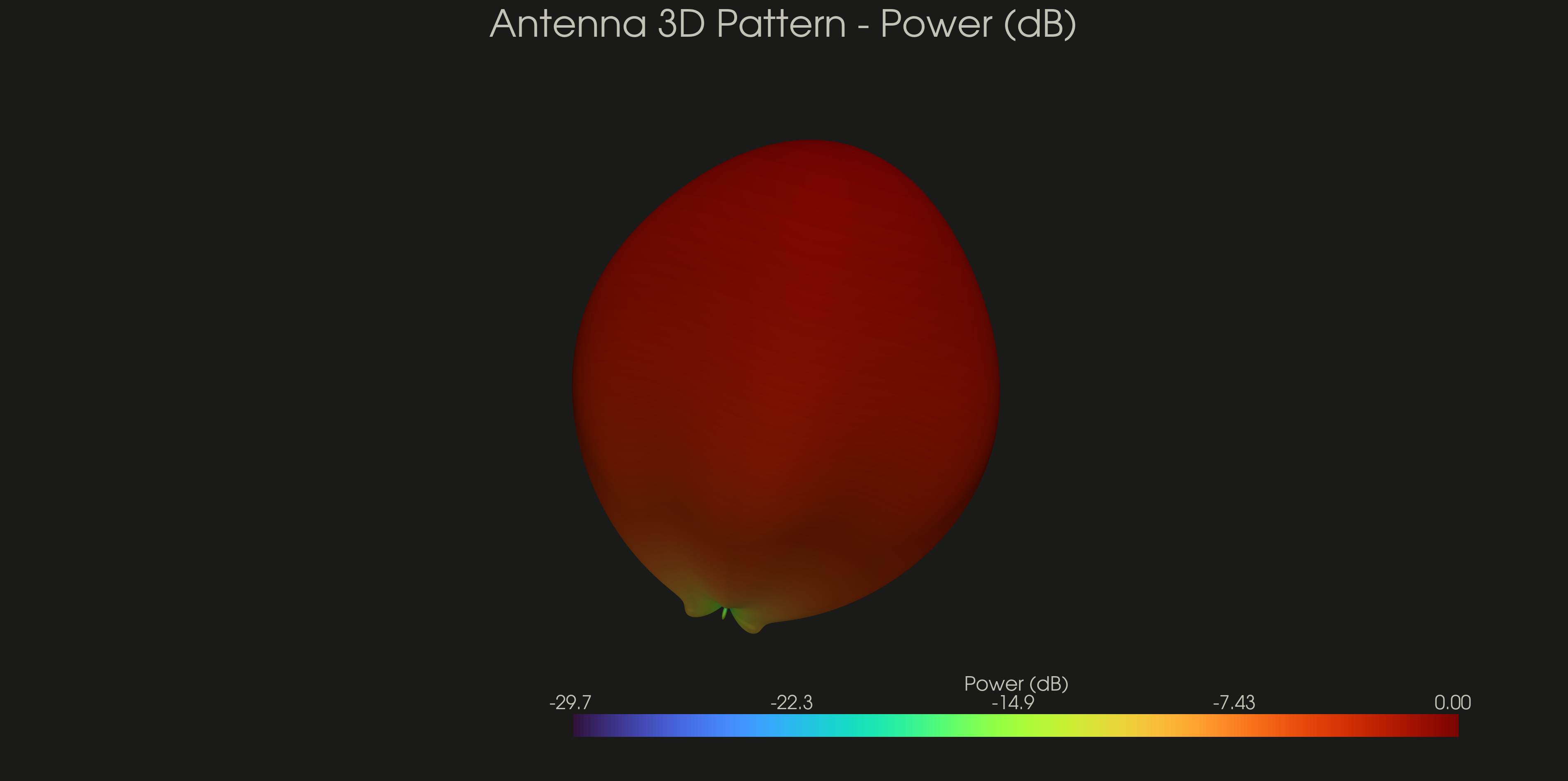
- 3D Radiation Pattern, Gain & Power Plot
Field Dump
- Field Dump for ParaView
- E-Field (Time and Frequency Domain)
- H-Field (Time and Frequency Domain)
- Current Density (Time and Frequency Domain)
Export Options
- Gerber Export
- STEP Export
- STL Export
- Touchstone SnP Export
Solver Backends
simpleEMS supports two solver backends, selected via backend_engine on your sim params:
- FDTD (default) — powered by openEMS, the original time-domain backend.
- FEM (experimental) — a frequency-domain finite-element backend (via GetDP) available since v0.2.0, for cases where FDTD isn't the right fit. It shares the same plotting, sweep, optimization, and export APIs as the FDTD path, and can also mesh a raw STEP file directly without building a CSXCAD geometry first. API and behavior may still change.
See the FEM installation guide and the standalone FEM STEP tutorial in the docs.
Demo
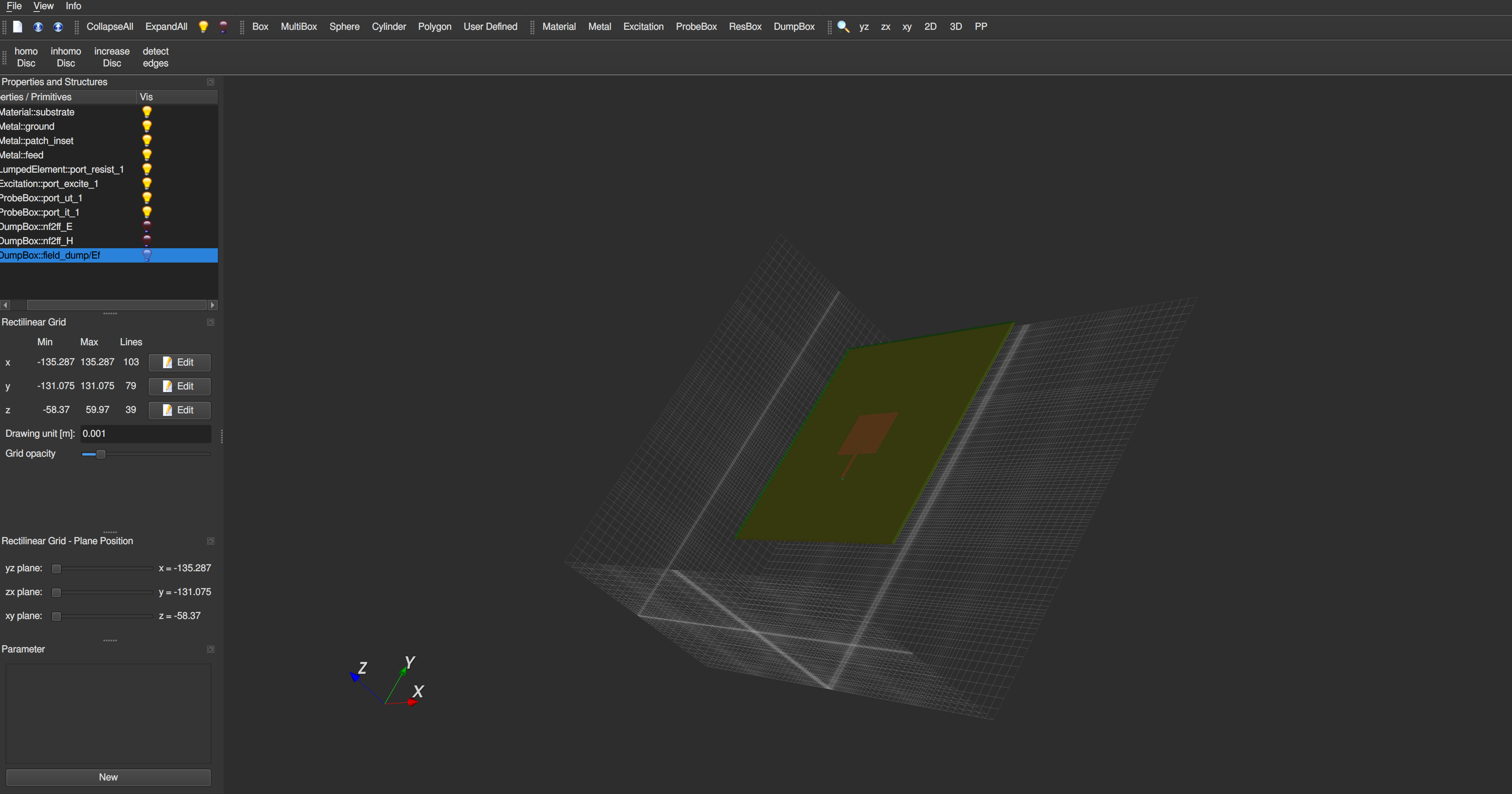
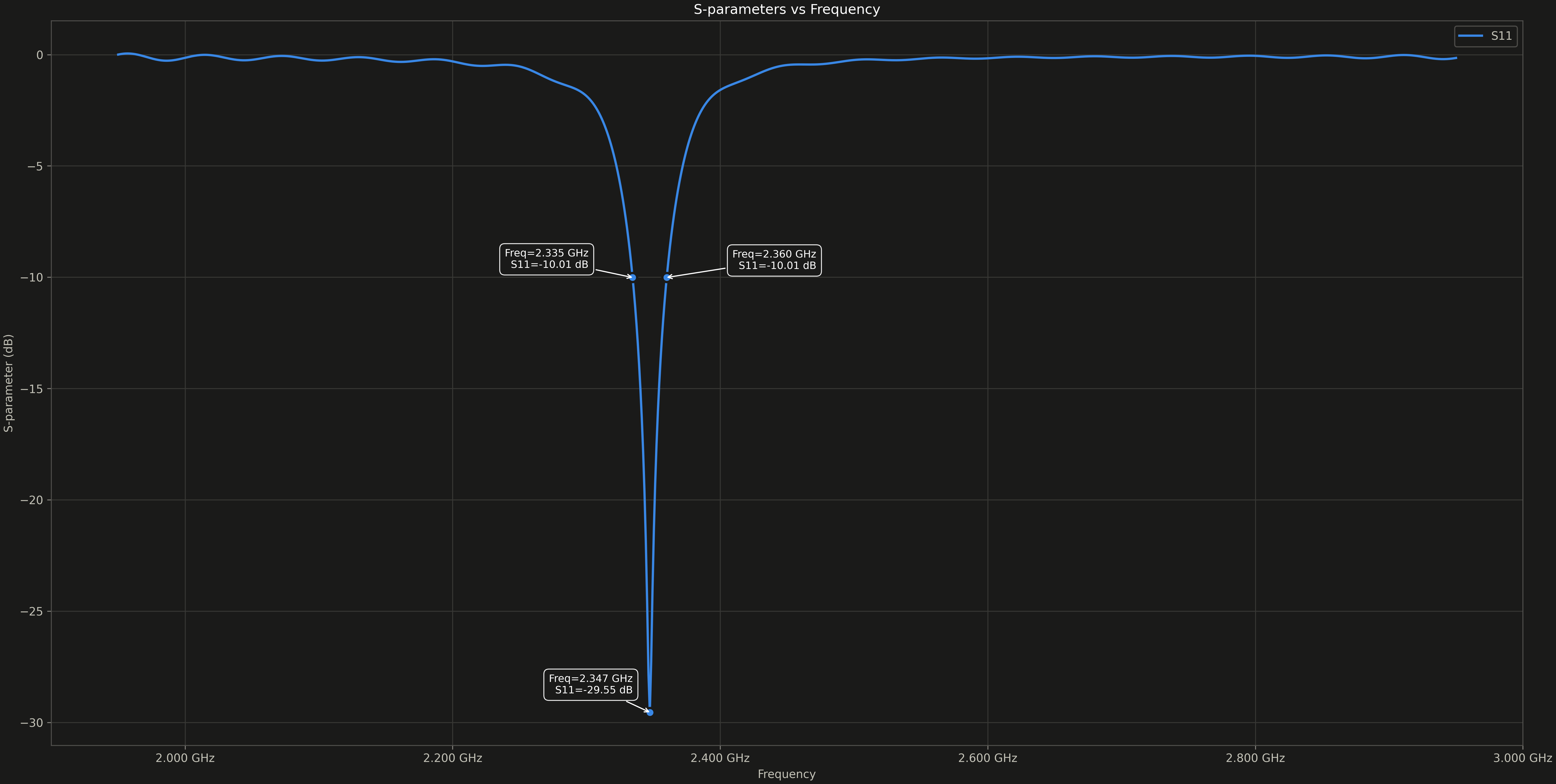
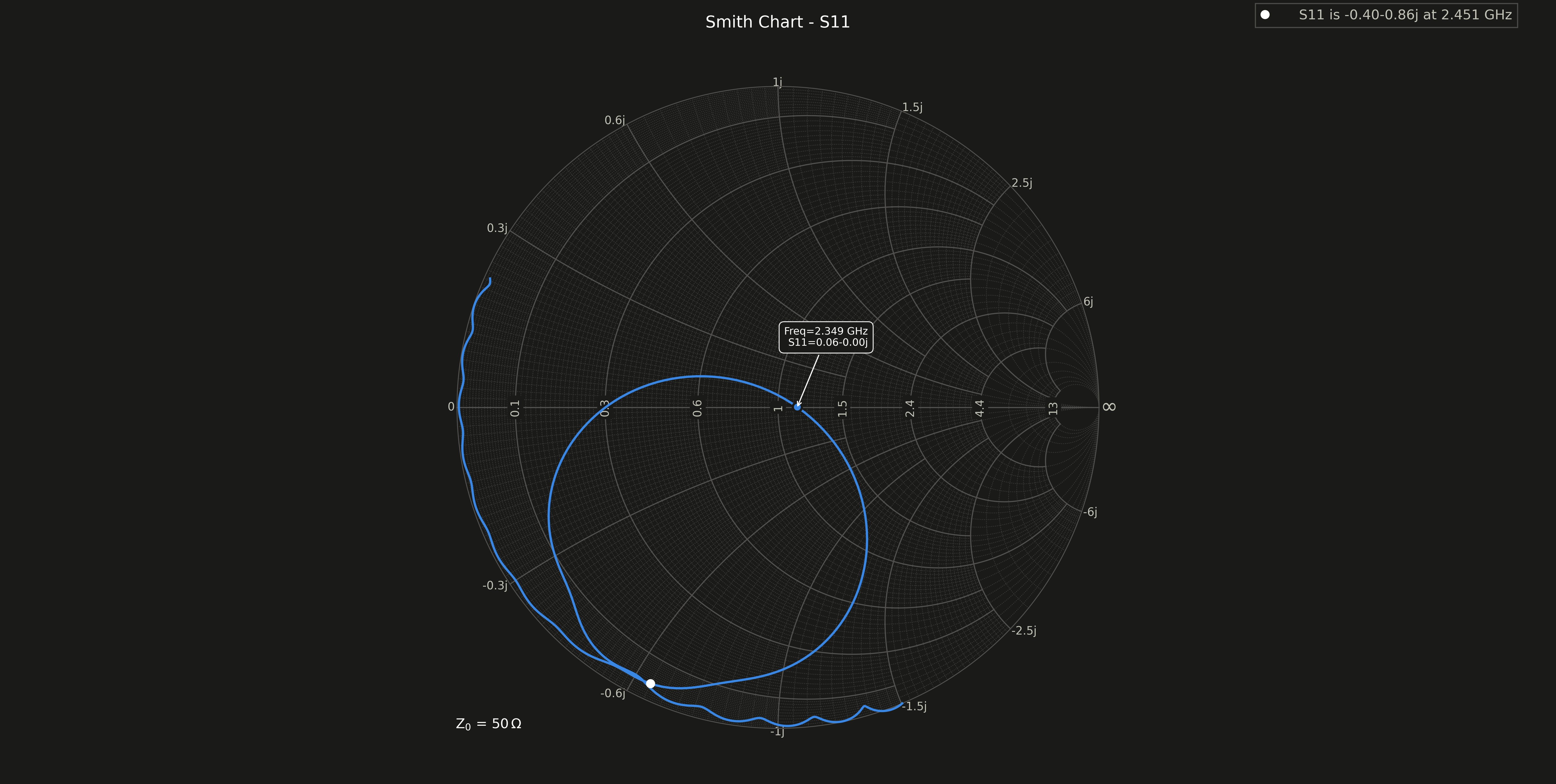
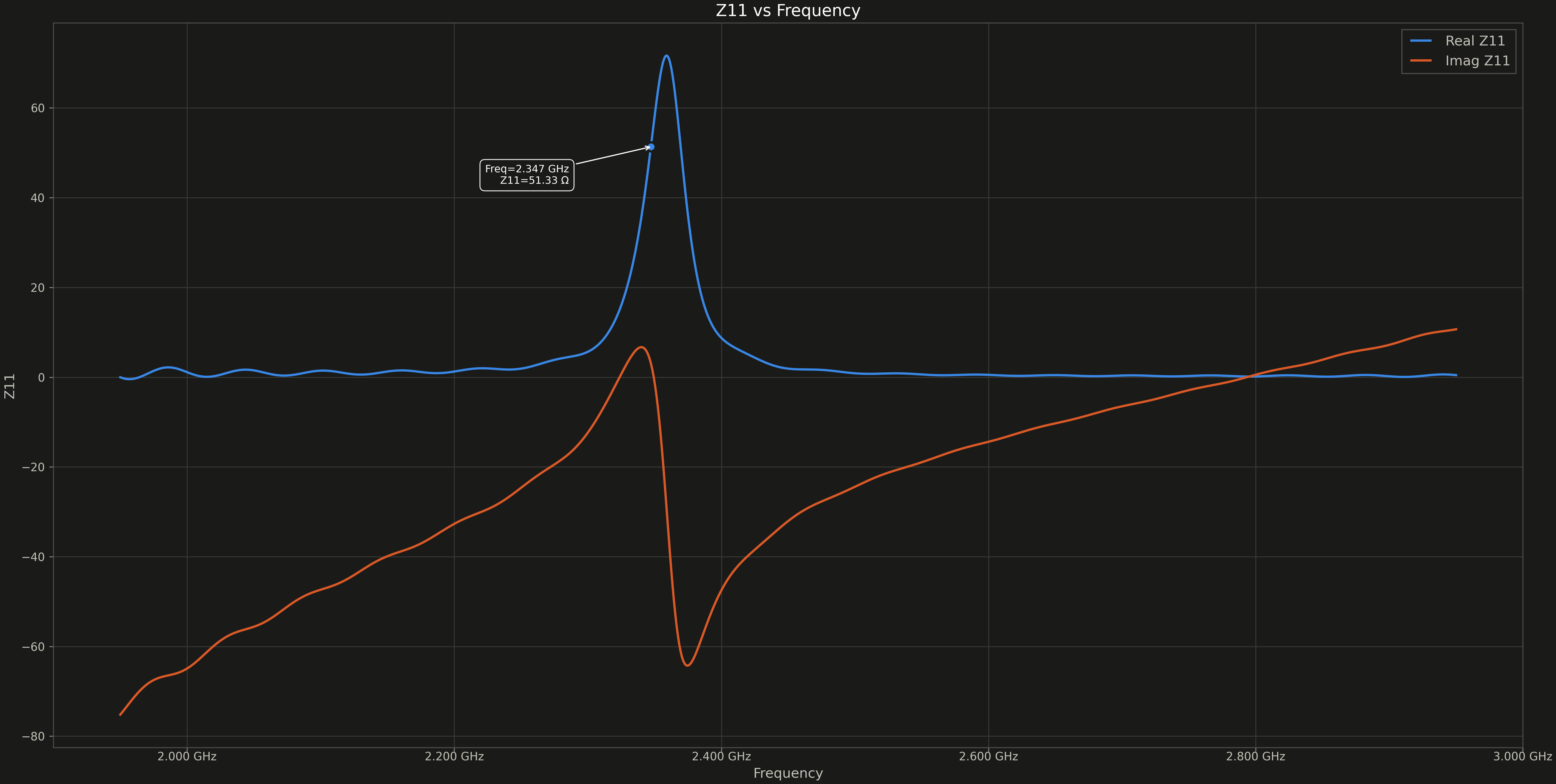
This example creates an inset fed patch antenna and simulates the created model.
Below is a visualisation of the model created by the above code
Installation
Refer to the installation instructions in the docs.
1 maintainer

Release files for simpleEMS 0.4.0
For a detailed explanation of source distributions (sdists) and built distributions (wheels), please see the package formats documentation.
Source distribution (sdist)
| File | Size | Uploaded | |
|---|---|---|---|
| simpleems-0.4.0.tar.gz | 204.3 kB | Details |
Built distribution (wheel)
| File | Interpreter | ABI | Platform | Reset |
|---|---|---|---|---|
| simpleems-0.4.0-py3-none-any.whl | Python 3 | none | any | Details |
Total release size: 432.5 kB
Release files / simpleems-0.4.0.tar.gz
| Download URL | simpleems-0.4.0.tar.gz |
|---|---|
| Size | 204.3 kB |
| Tags | Source |
|
SHA-256 checksum How to use checksums |
6ff6d3c3fdf6f178b2ff92610f9a9660f4c18df9e224885a12708080130cc5ce
|
|
BLAKE2b-256 checksum How to use checksums |
46cc15e894bd9933b700c7c6f5b26db00631fd382dd35a675631779e338a2cab
|
| Upload date | |
|
Uploaded using Trusted Publishing? What is trusted publishing? |
No |
| Uploaded via |
uv/0.12.13 {"installer":{"name":"uv","version":"0.12.13","subcommand":["publish"]},"python":null,"implementation":{"name":null,"version":null},"distro":{"name":"Arch Linux","version":null,"id":null,"libc":null},"system":{"name":null,"release":null},"cpu":null,"openssl_version":null,"setuptools_version":null,"rustc_version":null,"ci":null}
|
Release files / simpleems-0.4.0-py3-none-any.whl
| Download URL | simpleems-0.4.0-py3-none-any.whl |
|---|---|
| Size | 228.2 kB |
| Tags | Python 3 |
|
SHA-256 checksum How to use checksums |
50ae878f2e8fddc8577f5179e9788ac07df1a0d654183a35e3a9d38e0183dddd
|
|
BLAKE2b-256 checksum How to use checksums |
184050a05beb290adeb6108cdf41698fc843c0a3fb2abde2924e615ffeede76c
|
| Upload date | |
|
Uploaded using Trusted Publishing? What is trusted publishing? |
No |
| Uploaded via |
uv/0.12.13 {"installer":{"name":"uv","version":"0.12.13","subcommand":["publish"]},"python":null,"implementation":{"name":null,"version":null},"distro":{"name":"Arch Linux","version":null,"id":null,"libc":null},"system":{"name":null,"release":null},"cpu":null,"openssl_version":null,"setuptools_version":null,"rustc_version":null,"ci":null}
|














