
SkelToJson - Spine 2D Binary to JSON Converter
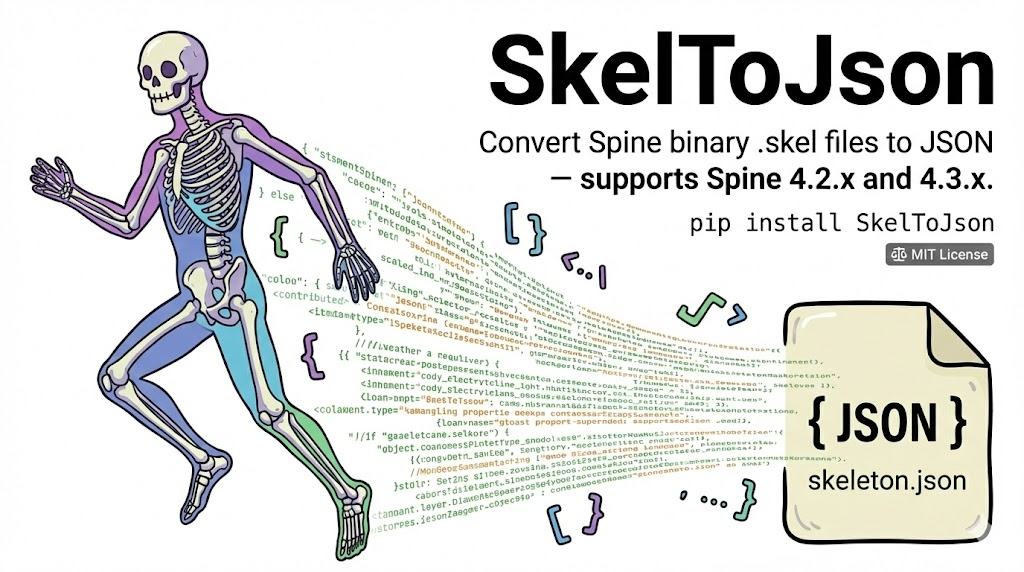
Convert Spine 2D binary .skel files to human-readable JSON — supports Spine 4.2.x and 4.3.x.
What is Spine 2D?
Spine is a 2D animation tool widely used in games, apps, and web content. It lets artists rig a skeleton of bones onto 2D images, then animate them with keyframes — producing smooth, lightweight character animations without frame-by-frame sprite sheets.
.skel vs .json — What's Inside?
Spine exports skeleton data in two formats:
.skel — Binary format (compact, not readable)
The .skel file is a binary encoding of the entire skeleton. It's optimized for size and loading speed, but completely unreadable — it's just raw bytes:
c2b3a848 2ee43256 07342e32 2e343300
c3160000 c3de0000 43960000 44610000
42c80000 00011f61 6e746963 69706174
696f6e ...
.json — JSON format (human-readable, editable)
The JSON export contains the same data in a structured, readable format. Here's the structure:
| Section | Description |
|---|---|
skeleton |
Metadata: Spine version, hash, dimensions, reference scale |
bones |
Bone hierarchy — each bone has a name, parent, position, rotation, scale |
slots |
Slots attached to bones — define draw order and which attachment is visible |
skins |
Groups of attachments (images, meshes, bounding boxes) mapped to slots |
ik |
IK (Inverse Kinematics) constraints — bones follow a target |
transform |
Transform constraints — bones copy another bone's transform |
path |
Path constraints — bones follow a path curve |
physics |
Physics constraints — bones react to movement with inertia, gravity, wind |
events |
Named events triggered at specific times in animations |
animations |
All animations with keyframed timelines for bones, slots, attachments, constraints |
Conversion Example
Input: anticipation.skel — 224 bytes of binary data
Output: anticipation.json — structured, readable:
{
  "skeleton": {
    "hash": "2ee43256c2b3a848",
    "spine": "4.2.43",
    "x": -150,
    "y": -444,
    "width": 300,
    "height": 900,
    "referenceScale": 100
  },
  "bones": [
    { "name": "root" }
  ],
  "slots": [
    {
      "name": "anticipation",
      "bone": "root",
      "attachment": "anticipationv2/anticipationv2_"
    }
  ],
  "skins": [
    {
      "name": "default",
      "attachments": {
        "anticipation": {
          "anticipationv2/anticipationv2_": {
            "y": 6,
            "width": 300,
            "height": 900,
            "sequence": { "count": 31, "start": 0, "digits": 2, "setup": 0 }
          }
        }
      }
    }
  ],
  "animations": {
    "animation": {
      "attachments": {
        "default": {
          "anticipation": {
            "anticipationv2/anticipationv2_": {
              "sequence": [
                { "mode": "loop", "index": 0, "delay": 0.03333 },
                { "time": 1, "mode": "loop", "index": 0, "delay": 0.03333 }
              ]
            }
          }
        }
      }
    }
  }
}
This is a simple skeleton with 1 bone, 1 slot, and a sequence-based attachment animation. Real game skeletons will have hundreds of bones, complex mesh deformations, IK chains, physics simulations, and dozens of animations.
Installation
pip install SkelToJson
CLI Usage
# Convert a single file
skel-to-json skeleton.skel

# Convert with custom output path
skel-to-json skeleton.skel -o output.json

# Convert all .skel files in a directory
skel-to-json skeletons/

# Convert directory with custom output directory
skel-to-json skeletons/ -o output/
Python API
from SkelToJson import convert_skel_to_json, convert_directory, SkelConverter

# Convert a single file
convert_skel_to_json("skeleton.skel", "skeleton.json")

# Convert all .skel files in a directory
convert_directory("skeletons/", "output/")

# Low-level: convert raw bytes to dict
converter = SkelConverter()
result = converter.convert(skel_bytes)
Supported Formats
| Version | Status |
|---|---|
| Spine 4.2.x | ✅ Fully supported |
| Spine 4.3.x | ✅ Fully supported |
License
MIT
1 maintainer

Metadata
1 maintainer
Release files for SkelToJson 1.0.1
For a detailed explanation of source distributions (sdists) and built distributions (wheels), please see the package formats documentation.
Source distribution (sdist)
| File | Size | Uploaded | |
|---|---|---|---|
| skeltojson-1.0.1.tar.gz | 585.4 kB | Details |
Built distribution (wheel)
| File | Interpreter | ABI | Platform | Reset |
|---|---|---|---|---|
| skeltojson-1.0.1-py3-none-any.whl | Python 3 | none | any | Details |
Total release size: 603.1 kB
Release files / skeltojson-1.0.1.tar.gz
| Download URL | skeltojson-1.0.1.tar.gz |
|---|---|
| Size | 585.4 kB |
| Tags | Source |
|
SHA-256 checksum How to use checksums |
b3b2657103589b015852e2333bc50bf4c9431cc29f73ef7860581ac94718c03e
|
|
BLAKE2b-256 checksum How to use checksums |
a878c4b075aeb234a89fcdd68baed668455f398a64724c9b4840c70e68987285
|
| Upload date | |
|
Uploaded using Trusted Publishing? What is trusted publishing? |
Yes |
| Uploaded via |
twine/6.1.0 CPython/3.13.7
|
Provenance
Provenance describes where a file came from. On PyPI, provenance is shared via attestations, which provide a verifiable record of the build or publishing details. View details, limitations and caveats.


PyPI Publish Attestation
PyPI verified that this artifact, at this checksum, originated from the publisher listed below.
Signed by GitHub Actions, verified by PyPI on Feb 11, 2026.
Transparency logRelease files / skeltojson-1.0.1-py3-none-any.whl
| Download URL | skeltojson-1.0.1-py3-none-any.whl |
|---|---|
| Size | 17.7 kB |
| Tags | Python 3 |
|
SHA-256 checksum How to use checksums |
e6a0c0c5a38c811c7b23074fb22381615edbbc0be42db2cd12468764228e8897
|
|
BLAKE2b-256 checksum How to use checksums |
a62bf34e66b2d67c6d50044a02dd274597ba3dbe6bae9592dae29fc98f4f2e6b
|
| Upload date | |
|
Uploaded using Trusted Publishing? What is trusted publishing? |
Yes |
| Uploaded via |
twine/6.1.0 CPython/3.13.7
|
Provenance
Provenance describes where a file came from. On PyPI, provenance is shared via attestations, which provide a verifiable record of the build or publishing details. View details, limitations and caveats.
PyPI Publish Attestation
PyPI verified that this artifact, at this checksum, originated from the publisher listed below.
Signed by GitHub Actions, verified by PyPI on Feb 11, 2026.
Transparency log













